


In today’s Shopify review, I’ll be covering everything store owners need to know about one of the most popular ecommerce store building platforms on the market.
Quick verdict
In my opinion, Shopify definitely is one of the best ecommerce builders on the market. It supports physical and digital products, dropshipping and print-on-demand selling.
Sidekick is included on every plan, and eligible stores appear in AI shopping channels by default. Budget for paid apps, gateway fees and early-access limitations.
Key Takeaways 🔍
- Best for: Beginners and growing brands wanting a hosted store and more than 16,000 apps.
- Pricing: Basic costs $39 monthly ($29 billed yearly), Grow $105 ($89), Advanced $399 ($359), and Plus starts at $2,300.
- Trial: Get 3 days free, then $1 monthly for 3 months.
- AI: Sidekick is included; Canvas remains early access.
- Verdict: Our top pick for most online sellers, but third-party gateway fees, app costs and AI-first support are drawbacks.
📢 What changed in this update (November 2026)
- Current US prices and fees.
- Fall ’26 features: Sidekick, Canvas, AI-chat selling, Shopify Protect and Rollouts.
- Updated ratings, alternatives and FAQs.

- Full solution from $29/month
- Limited time offer: first 3 months for $1/month
- SEO Friendly
- Offline Store
- App Store
- 24/7 Support
- Beautiful Templates
When to Use Shopify
We consider Shopify to be one of the best ecommerce site builders on the market. However, there are times when this platform may be better suited to your company than others. We recommend using Shopify if you’re looking for a hosted platform, capable of adapting to a range of business needs.
Shopify is one of the best tools on the market for companies investing in dropshipping or print-on-demand selling, thanks to the wide range of applications and add-ons available for this purpose. It’s also a great choice if you’re looking for an easy-to-use platform.
Even if you can’t handle certain functions yourself, there are plenty of experts out there in the Shopify community to help you.
Shopify also has a great range of tools available for multi-channel selling, including POS for in-person sales and AI channels such as ChatGPT, Gemini and Copilot.
When Not to Use Shopify
Of course, just as there are some businesses who will be perfectly suited to the functionality Shopify offers, there will also be companies out there who could benefit from a different store builder.
For instance, we wouldn’t recommend using Shopify if you’re looking for extensive customization, unless you’re willing to pay for Shopify Plus, or work with designers and developers on your website.
It’s also not the best option out there if you’re looking for extensive functionality out of the box. You may need to be prepared to install a number of apps and add-ons.
Shopify Payments works in 41 countries and regions. Elsewhere, you need another gateway.
Plus, if you’re not planning on using Shopify Payments, there are some extra transaction fees to be aware of with Shopify too (2% on Basic, 1% on Grow, 0.6% on Advanced and 0.2% on Plus). Other website builders may be better suited to low-budget companies.
Basic includes no extra staff accounts; Grow includes 5 for $105 monthly.
Pros and Cons of Using Shopify
Need a quick insight into the benefits and disadvantages of Shopify?
In my experience, I’ve uncovered a handful of pros and cons within the Shopify platform, although I’d say the pros generally do outweigh the cons.
Shopify Pros 👍
✔️ Straightforward to use.
✔️ Responsive templates, including free Horizon themes.
✔️ Shop Pay, with 400M+ accounts.
✔️ More than 16,000 apps.
✔️ Sidekick AI on every plan.
✔️ AI-chat selling for eligible stores.
✔️ Marketing, including 10,000 free emails monthly.
✔️ Shipping discounts up to 87%.
✔️ POS tools for unified selling.
Shopify Cons 👎
❌ Only 24 free themes.
❌ Paid apps add costs.
❌ Gateway fees up to 2%.
❌ No extra staff accounts on Basic.
❌ Shopify Payments limited to 41 countries/regions.
❌ AI-first chat support on standard plans.
❌ Payout holds reported by merchants.
❌ Canvas remains early access.
Shopify Pros and Cons – Video
Instead of reading, you can watch this video where we explore in more detail the advantages and potential challenges that come with using Shopify as your platform.

You can check our full article where we explore all the Shopify pros and cons.
Still, objectively, Shopify is a feature-rich, comprehensive, and powerful tool for today’s store owners, and today, I’m going to cover why I think it’s among the top solutions out there.
In this article:
Shopify Unique Features
| Use Case | Tool | What It Does |
|---|---|---|
| Custom design | Shopify Liquid | Customize themes and features. |
| Headless ecommerce | Shopify Hydrogen | Build custom storefronts. |
| Store data | Shopify API | Access store data. |
| Checkout | Shopify Checkout | Process purchases securely. |
| Learning | Shopify Academy | Free ecommerce courses. |
| Support | Shopify Help Center | AI assistance and 24/7 human chat. |
| Automation | Shopify Flow | Connect triggers, conditions and actions. |
| Marketing | Shopify Messaging | Email, SMS and WhatsApp; 10,000 free emails monthly. |
| International sales | Shopify Markets | Manage currencies, languages and domains. |
| Influencers | Shopify Collabs | Manage influencer partnerships. |
| Funding | Shopify Capital | Up to $2M for eligible businesses. |
| Shipping | Shopify Shipping Discounts | Discounts up to 87%. |
| AI assistance | Sidekick | Edit products, write code and run multi-step tasks. |
| Store design | Canvas | Design through chat; early access. |
| AI-channel selling | Agentic storefronts | Reach ChatGPT, Gemini, Copilot and Meta shoppers. |
| Fraud protection | Shopify Protect | Block risky payments and prepare disputes. |
| Launches | Rollouts | Schedule changes from Basic; A/B tests from Grow. |
What is Shopify? Is Shopify Worth It?
Let’s start with the basics. What is Shopify?
Shopify is an ecommerce platform, or website building tool which empowers business leaders with all the tools they need to create an online store. It provides users with a variety of themes they can customize to suit their specific selling and branding needs, and comes with all the payment processing solutions you need to sell both physical and digital goods.
Shopify is designed specifically for beginners in the ecommerce space, with an easy-to-use backend environment and plenty of guidance baked in. However, it also gives you the freedom to expand and customize your store with code as your company grows. Shopify even has its own templating language (Liquid), as well as supporting CSS and HTML. Since 2026 you can also design a store by chatting with Sidekick in Canvas.
Shopify serves millions of merchants across 175+ countries, with $378.4 billion in 2025 sales.
However, it’s far from the only ecommerce tool out there. Today’s business leaders have a huge variety of platforms to choose from when building their online presence. Finding the right solution for your needs means exploring the features and capabilities of each platform with care.
Shopify Facts
| Launched | 2006 (Ottawa, Canada) |
|---|---|
| Employees | 7,600 (December 2025) |
| Merchants | Millions, in 175+ countries |
| 2025 GMV | $378.4 billion |
| 2025 revenue | $11.556 billion |
| Total merchant sales | $1.1 trillion+ |
| App Store | 16,000+ apps |
| Themes/presets | 1,379; 24 free |
| Shop Pay | 400M+ accounts |
| Shopify Payments | 41 countries/regions |
How Does Shopify Work?
The first thing you should know is that Shopify is a hosted ecommerce platform. In other words, this means the solution is hosted on its own servers, so you don’t need to buy any separate hosting packages or install software to use it. You’ll create and manage your Shopify store using your web browser, and there are even mobile apps available for management on the go.
Shopify basically bundles all of the core tools required for an ecommerce store into one convenient package, from templates for your store, to payment processors, email marketing tools, blog and SEO capabilities, and even inventory management. Apps extend those tools; Sidekick assists with setup and administration.
How We Tested Shopify for This Review
I tested Shopify using its free trial, drawing on my previous experience with ecommerce platforms.
The Ecommerce Platforms team has also conducted several surveys, and looked at more than 3000 stores from across the globe to pinpoint the most popular store builders, and examine their features. We even calculated scores for the most commonly used website building solutions with our comparison chart here.
We’ll also be updating this Shopify review frequently based on any major changes to the Shopify platform, to ensure we can keep you as up-to-date as possible.
Prices and limits reflect Shopify’s US offering in November 2026. Coverage of newer features, including Canvas and Shopify Protect, reflects documented product behavior and merchant feedback, not additional hands-on testing.
How to get Shopify for $1 per month for the first 3 months?
Shopify gives new sellers 3 days free with no credit card, then $1 a month for the first 3 months on Basic, Grow and Advanced. Standard pricing follows.
Read our Shopify free trial guide for eligibility and offer details.
Shopify Pricing Plans – Which Plan is Right for You?
Here’s a breakdown of the pricing for each Shopify plan:
- Basic Plan – $39 monthly ($29 billed yearly), for solo sellers.
- Grow Plan – $105 monthly ($89 billed yearly), for teams needing 5 staff accounts.
- Advanced Plan – $399 monthly ($359 billed yearly), for larger teams and calculated shipping.
- Shopify Plus – From $2,300 monthly on a 3-year term, for enterprise sellers.
- Agentic Plan – $0 monthly, for AI-channel selling without a Shopify storefront.
Detailed Comparison – Shopify Plans
| Basic | Grow | Advanced | Shopify Plus | |
|---|---|---|---|---|
| Monthly price | $39 | $105 | $399 | From $2,300 |
| Yearly price, per month | $29 | $89 | $359 | From $2,300 |
| Yearly savings | $120 | $192 | $480 | Not applicable |
| Online cards | 2.9% + 30¢ | 2.7% + 30¢ | 2.5% + 30¢ | 2.25% + 30¢ |
| Premium cards | 3.5% + 30¢ | 3.3% + 30¢ | 3.1% + 30¢ | 2.95% + 30¢ |
| In-person cards | 2.6% + 10¢ | 2.5% + 10¢ | 2.4% + 10¢ | 2.3% + 10¢ |
| Third-party gateway fee | 2% | 1% | 0.6% | 0.2% |
| Extra staff accounts | 0 | 5 | 15 | Unlimited |
| Inventory locations | 10 | 10 | 10 | 200 |
| B2B catalogs | 3 | 3 | 3 | Unlimited |
| Shipping discounts | Up to 87% | Up to 87% | Up to 87% | Up to 87% |
| Calculated shipping | No | Add-on | Yes | Yes |
| Shipping insurance | No | Yes | Yes | Yes |
| Support | Chat | Chat | Enhanced chat | Priority 24/7 |
| Checkout customization | Limited | Limited | Limited | Full |
| Headless storefronts | 1 | 1 | 1 | 25 |
| Sidekick | Included | Included | Included | Included |
| POS Pro, per location/month | $89 | $89 | $89 | 20 locations included |
While there’s a lot more to choosing the right ecommerce platform than simply finding the right pricing package, every business owner has a budget to consider.
One thing I find particularly attractive about Shopify, is that it offers a host of different pricing packages to suit specific company needs. You can start with the $0 Agentic plan if you only want to sell in AI chats, pick Basic for a full online store, and build all the way up to an enterprise plan.
Here are the plans available from Shopify right now:
Basic: $39 per month
The Basic plan includes a complete storefront and unlimited products, but no extra staff accounts.
- Selling: Marketplace and social channels, gift cards and abandoned cart recovery.
- Operations: Manual orders, customer segmentation and international markets.
- Marketing: Email automation, Sidekick and eligible AI-chat selling.
Grow: $105 per month
The Grow plan adds 5 staff accounts and lower processing rates. Eligible shipping labels include up to $200 insurance when you use Shopify Payments. Grow also unlocks experiments for A/B testing.
Advanced: $399 per month
The Advanced plan adds 15 staff accounts, third-party calculated shipping and enhanced live chat. Select APIs receive up to 2x limits, while online and in-person card rates fall again.
Shopify Plus: From $2,300 per month
Intended for high-volume sellers, the Shopify Plus plan is the enterprise-level package from Shopify. It opens the door to a more advanced sales platform which allows you to sell across multiple channels, and even create your own headless ecommerce experience.
- Expansion: Up to 9 free expansion stores.
- Control: Full checkout customization and unlimited B2B catalogs.
- Service: Priority support and a guaranteed uptime agreement.
Agentic: $0 per month
The Shopify Agentic plan lets you keep an existing store elsewhere and sell through Shopify Catalog in AI channels. Online card rates start at 2.9% + 30¢.
Shopify vs Different Platforms – Savings
| Tool | Price If You’re Using Shopify | Price If You’re Using A Different Platform (Average) |
|---|---|---|
| Email marketing | $0 to 10,000 emails/month | $0 – $500/month |
| Automations | $0 | $10 – $500/month |
| Multi-currency support | Included with Shopify Payments | $0 – $100/month |
| AI tools | Sidekick included | $0 – $250/month |
| Tax integration | Calculation fees from 0.35%; Plus 0.25% | $0 – $250/month |
These comparison ranges are budgeting estimates, not equivalent feature packages.
Shopify for Enterprise (Commerce Components)
Shopify for enterprise offers mix-and-match Commerce Components with quote-only pricing.
Annual vs Monthly Shopify Plans
One thing I should note here is that you will be able to save a significant amount of money on your Shopify plans if you opt to pay annually for your services, rather than paying monthly.
Yearly billing saves 26% on Basic, 15% on Grow and 10% on Advanced. Some visitors and older reviews show $79/$299 yearly for Grow/Advanced, so confirm at checkout.
Shopify Fees
Notably, the monthly subscription packages for Shopify are only one of the costs you’ll need to plan for when creating your online store.
There are additional fees to pay for transactions and payments, which can vary from one country and plan to the next. You can reduce your payment processing fees in some cases by using the included Shopify Payments option, instead of another processor. Our Shopify fees calculator adds them up for you.
- Online cards: From 2.9% + 30¢ on Basic to 2.25% + 30¢ on Plus.
- Premium cards: From 3.5% + 30¢ on Basic.
- International cards: An extra 1%.
- Other gateways: Shopify adds 2%, 1%, 0.6% or 0.2%, depending on your plan.
- Marketplace orders: Free for the first 50 synced orders a month, then 1% capped at $99 a month.
- USDC: The same rates as card payments.
On top of transaction and payment fees, there are also additional costs to consider for apps and themes. While some apps and themes are available for free, many are offered on a premium basis, which means you’ll have yet another monthly subscription cost to account for.
What’s more, you need to pay extra if you want to leverage Shopify’s POS (Point of Sale) capabilities. While basic POS functionality is included in all of the pricing plans, you’ll still need to pay for hardware and advanced capabilities as your store grows. POS Pro costs $89 a month per location.
Additional Costs
| Use Case | Average Cost |
|---|---|
| Domain | $15/year |
| Professional email | $5/month/user |
| Email marketing | $0 – $500/month |
| SMS marketing | $10 – $500/month |
| Premium theme | $100 – $400 |
| Shopify apps | $0 – $500/month |
| Shopify POS software | $0 – $89/month per location |
Further reading 📚
Shopify Payments
If you want to keep the extra fees on your Shopify store as low as possible, it’s best to use the Shopify Payments processing tool. This convenient solution eliminates the need to set up a third-party payment provider with your store. It also allows you to accept all kinds of major payments, from credit card payments to Apple and Google Pay.
Orders processed through Shopify Payments avoid Shopify’s additional third-party gateway fee, not payment-processing charges. PayPal Wallet rates start at 3.49% + 49¢.
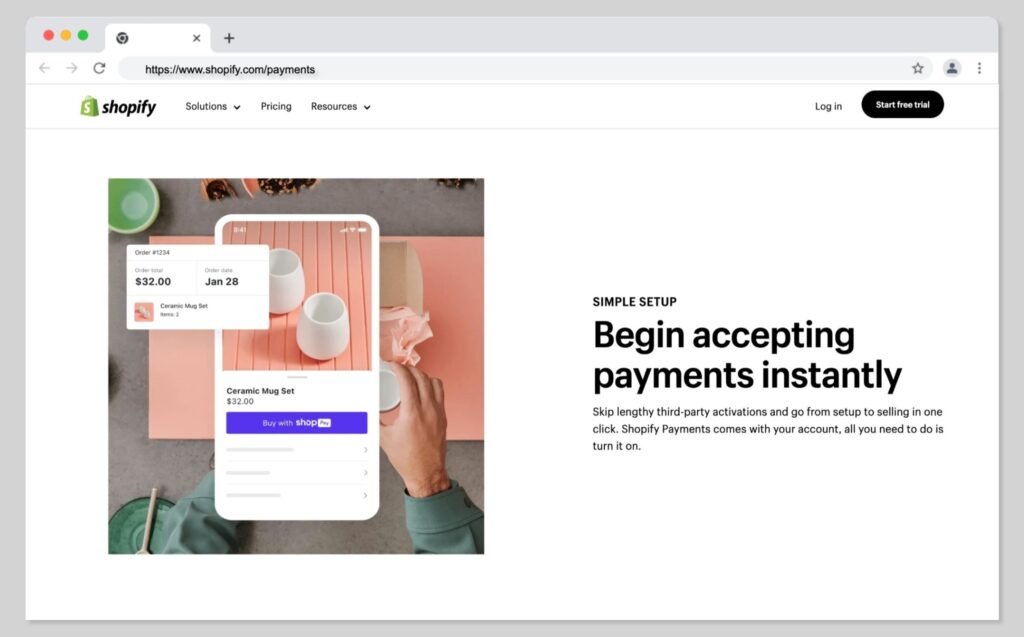
Shopify Payments operates in 41 countries and regions and requires two-factor authentication. Eligibility depends on your business location and category; supported countries include the US, UK, Canada, Australia and Japan.
Shopify Payments is very straightforward as a payment processing tool, and can be accessed in a range of countries, making it a great choice for a lot of business owners. However, you may find that you want to consider using other payment processors in the future too, so it’s worth checking out what the transaction fees will be from each provider when you’re building your store.
Shopify Protect: Fraud and Chargeback Protection
Shopify Protect is on for every store using Shopify Payments at no extra cost. It blocks the riskiest payments before bank authorization and explains order risk in plain language.
Its dispute tools build responses and attach carrier delivery proof, including FedEx photos. Eligible Shop Pay orders receive chargeback coverage; coverage beyond Shop Pay is coming soon, not included yet.
The optional Shopify Protect Rule Builder app costs $0.07 per screened transaction and tests rules against your last 90 days of orders. Shopify says it prevented 2.8 billion high-risk payments from April to October 2026.
See What is Shop Pay for the checkout distinction, and our Shopify Payments review for processing details.
Other Impressive Features
One of the things that makes Shopify such a compelling tool for ecommerce store owners, is that it’s constantly evolving.
The Shopify ecosystem regularly updates with new tools and capabilities which match the specific needs of today’s online shoppers. Its Fall ’26 Edition alone listed 222 updates.
Additionally, Shopify provides all of the essential built-in features you need to run and manage an online store, so you shouldn’t have to worry about adding extra functionality with apps and integrations straight away. Here are some of the most impressive features included with Shopify:
- Store design: Build with the theme editor or early-access Canvas.
- Product types: Sell physical and digital goods internationally.
- Abandoned cart recovery: Recover incomplete purchases on store plans.
- SEO: Edit titles, meta descriptions, alt text and headings.
- Marketing: Shopify Messaging sends email, SMS and WhatsApp campaigns. Email includes 10,000 free sends monthly, then costs $1 per 1,000.
- Payments and funding: Shopify Payments processes sales; eligible businesses can access up to $2M through Shopify Capital.
- Mobile apps: Manage your store through the native Android and iOS apps.
- Inventory: Track stock and orders across channels.
- Analytics: Access 200+ reports and custom analytics on store plans.
- Shipping: Offer delivery options and discounted carrier rates.
- Automation: Shopify Flow connects triggers, conditions and actions.
Sidekick: Shopify’s Built-In AI Assistant
Sidekick is included on every plan with “millions of tokens” of AI usage. Its chat appears throughout the admin, and it can stage a multi-step job for one approval, such as rewriting a collection’s descriptions.
Its capabilities include:
- Product and order work: Bulk edits and draft-order creation.
- Technical tasks: Writing code and searching the web.
- Business guidance: Pricing tips and explanations of payouts and chargebacks.
Shopify says daily Sidekick sessions grew more than fourfold year over year. Merchants on the Shopify Community report stalled tasks, invented IDs and incorrect Flow logic. Review proposed changes and check results before publishing.
Canvas: Designing Your Store by Chat
Canvas launched October 1, 2026 and is rolling out in early access. It shows store pages on one board, while Sidekick writes theme code in response to clicks or chat instructions.
Shopify claims stores launch 20% faster, without specifying a measurement method. Canvas has substantial limits:
- Desktop only, with Shopify-made or custom themes.
- Canvas-only editing once a theme moves into Canvas.
- No theme updates or file downloads for that theme.
- No app blocks, so you can’t add app-powered sections in Canvas.
I recommend Canvas for new stores and experiments on a copy, not a live store running a paid third-party theme. Keep an app-dependent storefront in the theme editor.
Selling in AI Chats (Agentic Storefronts)
Eligible stores are listed automatically through Shopify Catalog, but checkout differs by channel:
- ChatGPT: Sends buyers to your store’s checkout.
- Google AI Mode and Gemini: Support Shopify-powered checkout within the conversation.
- Microsoft Copilot and Meta: Support in-chat checkout.
You need Catalog eligibility and published terms, privacy and refund policies. A knowledge base lets you approve the business facts agents share.
Shopify also documents store-management connections for Gemini, Copilot, Grok and Meta Muse, plus a pinned ChatGPT sidebar app. These management connections are distinct from customer-facing shopping channels.
Rollouts and A/B Testing
Rollouts bundle theme, checkout, catalog prices and discounts into a scheduled launch, with automatic rollback when an event ends. A holiday promotion can start and finish without manually reversing each change.
Rollouts are available from Basic. Experiments, Shopify’s A/B testing feature, require Grow or above.
Shopify Reviews from Real Users
To gain an understanding of how Shopify has helped individuals build and expand their online businesses, we contacted several users of the ecommerce platform for their insights and feedback.
Here are their reviews:
Dawn LaFontaine from Cat in the Box – Shopify User Review Q&A

Shopify removes the technological obstacles to starting an ecommerce business for everyday entrepreneurs.
1. What do you like best about Shopify?
There are two specific things that I like best about Shopify:
- It’s an easy, out-of-the-box solution that can get you up and running in a matter of hours, and your site will look good even if you don’t have a graphic-design or technical background.
- The other thing that I love about Shopify is the customer service. There are many ways to get answers, from the robust forums, to the quick-and-easy chat, and to the email channel which is answered by Shopify community experts. But the best way is through old-fashioned telephone support. If you’re an English speaker like me, you get someone on the other end of the line who speaks English as a first language, is articulate, and is well trained in the art of a superb customer experience. Your rep will also send a follow-up email detailing the contents of your call, just in case you took insufficient notes.
2. What are the downsides of using Shopify?
What I dislike about Shopify is the nickel-and-diming. Some of the most basic ecommerce capabilities, which come in the box with other platforms, require an app on Shopify. I’d mind less if I could purchase an app once and be done, but nearly all apps are subscription-based.
3. Did you consider other options before settling on Shopify?
I looked at all the other options before I committed to Shopify: WooCommerce, BigCommerce, Wix, and even open-source solutions. But Shopify had the lowest barrier to entry at the time from a technical point of view.
4. Can you please briefly describe your business?
Cat in the Box is a woman-owned business that designs and sells whimsical cardboard box playhouses for cats who think inside the box.
Sven Klas from Svenklas – Shopify User Review Q&A

Shopify’s intuitive interface, customizable themes, extensive app ecosystem, and seamless payment processing make ecommerce accessible and efficient for businesses of all sizes.
1. Please describe your experience with Shopify
The experience with Shopify is nothing short of great. The themes are fully customizable as per your design needs and preferences.
2. What do you like best about Shopify and what are the upsides of using this platform?
The Shopify App ecosystem. 3. What are the downsides of using Shopify?
Not able to customize the checkout page as per our needs.
5. Did you consider alternatives when choosing Shopify?
No
6. Can you please briefly describe your business?
Svenklas is a design-driven sustainable luxury lifestyle accessory D2C brand creating technical products of the future using sustainable materials for life’s everyday journeys.
Since these interviews, support has changed: an AI assistant first, then chat with a human. Phone and email are now limited to Plus and Retail.
While conducting this review, I took some time to check out the other Shopify reviews and testimonials available on the web today. After all, while I can share my insights into Shopify and its functionality, it’s often helpful to get different perspectives on how the platform works.
- G2: 4.4/5 from more than 5,000 reviews.
- Capterra: 4.5/5 from more than 6,600 reviews; 93% positive.
- Capterra criteria: Ease of use 4.5, customer service 4.4, features 4.4 and value 4.3.
Trustpilot’s 1.3/5 rating mixes shopper complaints about individual stores with merchant complaints about support, billing and account holds. I treat it as a complaints channel, not a clean product score.
Common Shopify User Complaints
Many businesses love the versatility and affordability of Shopify. However, there are some companies out there who have complained about the platform over the years. Some of the most common complaints issued about Shopify cover problems such as:
- Limited functionality out of the box: You may need to install apps which can weigh down your website and lead to added complexity to access crucial features. Paid apps for reviews, upsells and extra product options can add $80 a month to a $39 plan.
- Restricted theme options: There are only 24 free themes out of 1,379 themes and presets in the Theme Store, and many of them are style presets of the same base themes.
- Poor customization: Creating product options for variations of an item is complicated, and adding custom fields to your site can be a time-consuming process.
- Payout holds: Some new merchants report Shopify Payments holds of 40 to 120+ days with conflicting support answers.
- Hard-to-reach support: Merchants on the Shopify Community say the AI chat makes reaching a human difficult.
- Unreliable AI: Merchants report Sidekick stalling mid-task or inventing IDs.
Additionally, Shopify adds transaction fees onto its costs, which isn’t an issue with many other builders. This pushes more companies to rely on Shopify Payments (2% on Basic when you use another gateway).
The Shopify Website Builder
It’s worth noting that although Shopify is best-known as an ecommerce platform, you don’t necessarily need to design a store with Shopify. The flexible website building solution also means you can design virtually any kind of site you can think of, including an online portfolio or blog.
The Shopify website builder comes with a host of professional and free templates to choose from, just like the ecommerce platform, and the same block-based editor, or Canvas if you would rather describe the design to Sidekick.
Shopify Ease of Use
Even if, like me, you have a decent amount of experience using ecommerce website builders, it’s worth looking for a tool that’s relatively simple and straightforward to use. Fortunately, Shopify keeps things pretty easy for its users.
When you log into the Shopify admin interface, you’ll find a modern, intuitive environment, built specifically for beginners. In late 2026 Shopify began rolling out a redesigned admin: search, notifications and the store picker now sit in a collapsible side menu, and Sidekick has a chat bar at the bottom of every page.
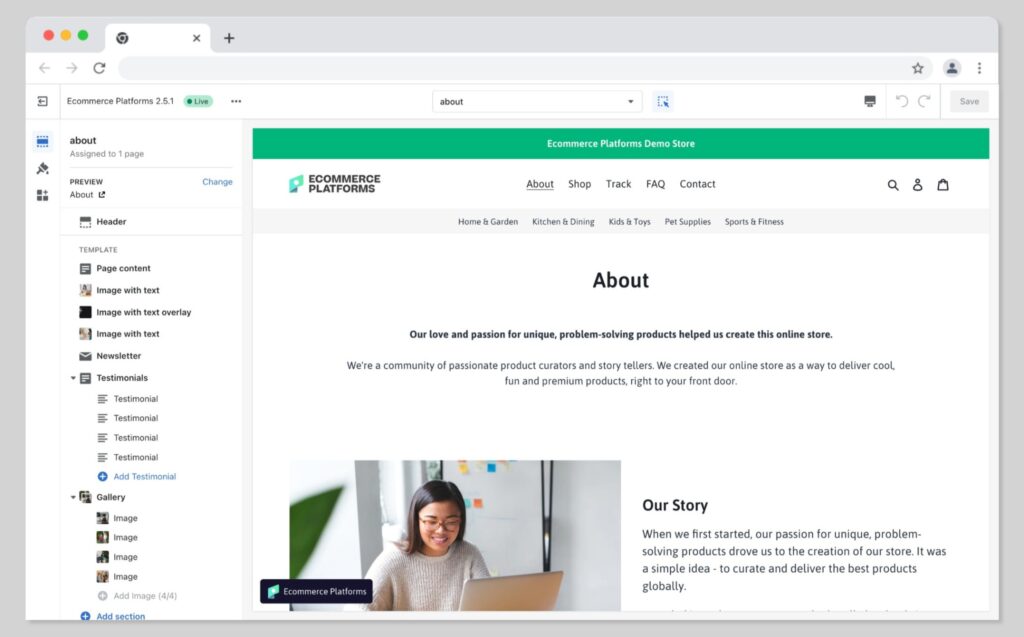
There’s a menu on the left-hand side of the page which allows you to choose what you want to do, such as checking out your sales channels, or editing your themes.
Marketplace Connect includes 50 synced orders monthly, then charges 1%, capped at $99.
Designing your Online Store
The theme editor moves blocks and sections; the WYSIWYG editor handles page content. Horizon is Shopify’s newest free theme family.
One potential downside of the Shopify experience is the drag-and-drop editor only allows you to add basic form functionality to your store (the free Shopify Forms app covers sign-up forms). Alternatively, competing solutions like Squarespace and Wix give you access to a fully-fledged form editor and creation tool.
Managing Products
Alongside a simple process for designing your online store, Shopify also offers a straightforward environment for managing and uploading products. As mentioned above, you can sell both physical and digital goods with Shopify. You can add products one at a time, or use a CSV file to upload information in bulk. Just make sure you use the right CSV template if you’re taking this approach.
Fall ’26 adds inline variant editing and up to 20 barcodes per variant.
Shopify allows you to add photos and other media to your product pages too. You can upload up to 250 images, 3D models (depending on your theme), video links and more. Plus, you’ll be able to add alt-text to your images to assist with your SEO ranking.
What is the Quality of Shopify’s Themes?
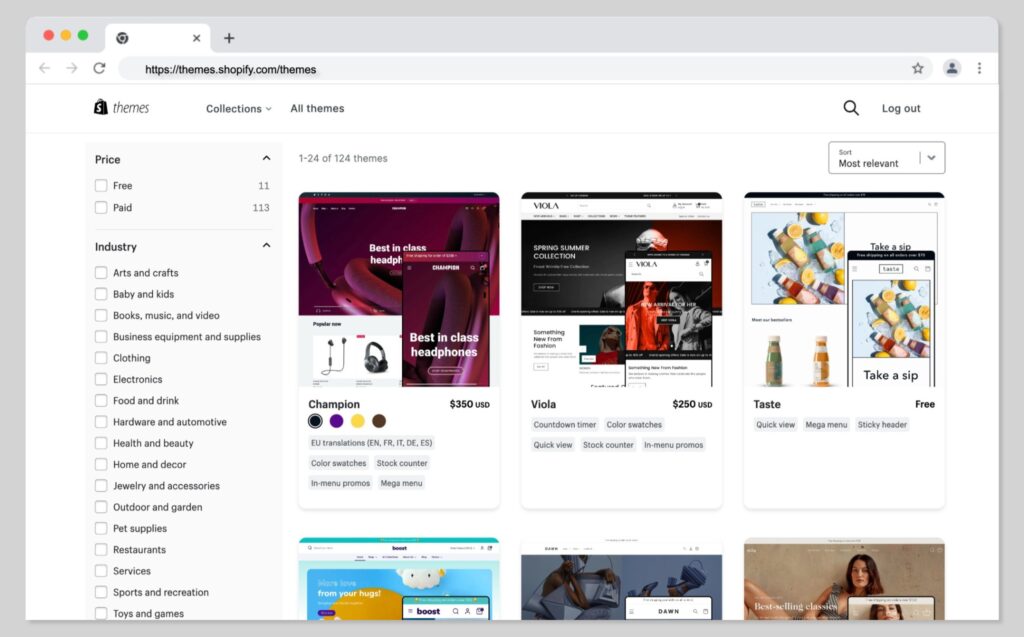
Shopify Themes
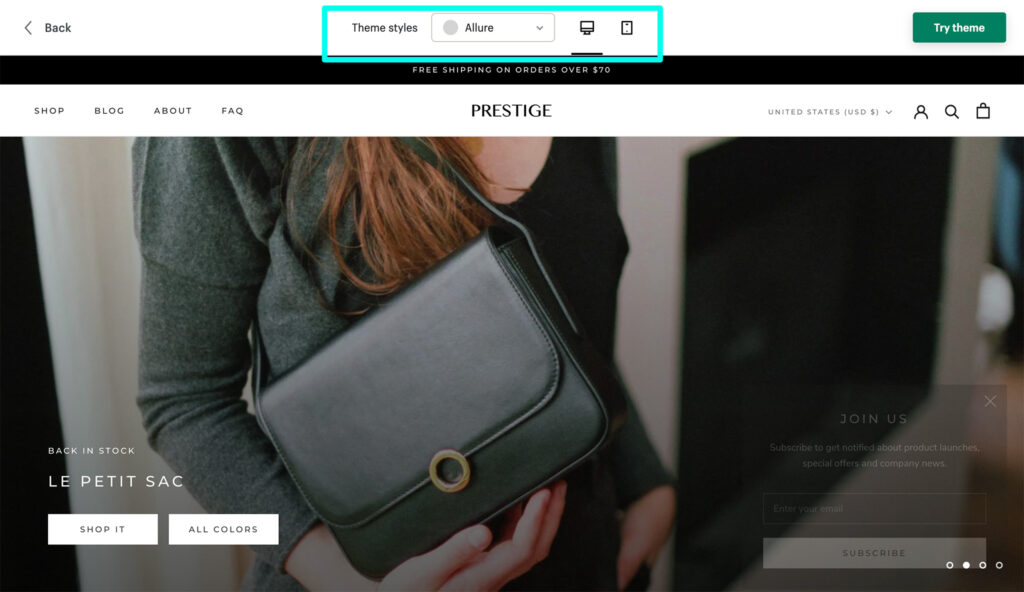
One of the few areas where Shopify struggles to compete with other ecommerce store building tools is in themes and templates. That’s not to say the themes offered by Shopify aren’t professional and attractive. In general, they do look highly sophisticated, and they’re all mobile responsive, to ensure you can interact with customers on any device.
There are 24 free themes provided by Shopify, among 1,379 themes and presets.
The alternative option to using a free theme is accessing one of the paid or premium themes from the Shopify marketplace. There are a handful of great options to choose from, and they’re categorized into different sections for various industries and requirements. The premium themes vary in price, but they’re all fully responsive, and they’re relatively easy to use.

Free options include the Horizon themes.
What to look for in a Shopify Theme
It’s worth paying close attention to the features included in each theme when you’re making your choice. You may find some themes don’t support things like product carousels or multiple languages. The more expensive the theme, the more features its likely to have. On the plus side, the premium themes might seem expensive, but they’re a lot more affordable than paying for a designer to build your website from scratch.
The Shopify App Store
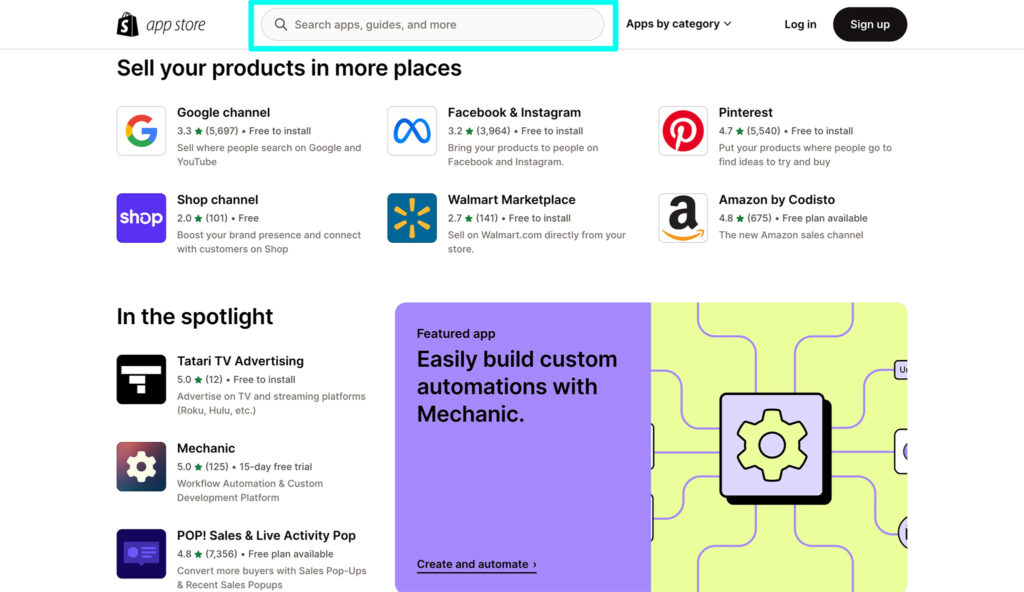
One of my favorite things about Shopify is its amazing app marketplace. These days, ecommerce trends are constantly changing, and consumers are always looking for more personalized, convenient and engaging experiences when shopping online. Adding apps to your store is a great way to expand its functionality, and unlock new opportunities.
There are more than 16,000 apps in the App Store (Shopify’s homepage now says 21,000+). Categories include:
- Accounting and reporting
- Marketing and SEO
- Loyalty and referrals
- Customer communication
- Pre-orders and shipping
Shopify offers more integrations and add-ons than virtually any other ecommerce builder. This means you can transform your store however you choose, provided you have enough money to pay for any premium plugins, and you’re willing to take the time to learn how to use each tool effectively.
One point worth noting is that while the apps are excellent for enhancing your online store experience, they can add up to an expensive, and bulky addition to your store. The more apps you add to your website, the more likely it is your shop’s loading times will slow down. The slower your store performs, the more you’re going to suffer in terms of search engine optimization and user experience.
Shopify’s own app ratings vary: ChatGPT Ads scores 1.4/5, SimGym 2.7, and Messaging and Digital Products each 4.8. See our best Shopify apps guide.
Shopify Retail Solutions (Point of Sale Capabilities)
As mentioned above, Shopify makes it relatively simple for business owners to sell across a wide range of channels, including in the offline landscape.
Shopify has a comprehensive range of point of sale software and hardware solutions, specially designed for offline sellers. This means you can use the exact same platform to sell both online, and in-person.
There’s a wide range of hardware options available to choose from, including card readers, tills, barcode scanners, receipt printers, and stands. POS Terminal costs $349; Verifone Victa Mobile costs $449.
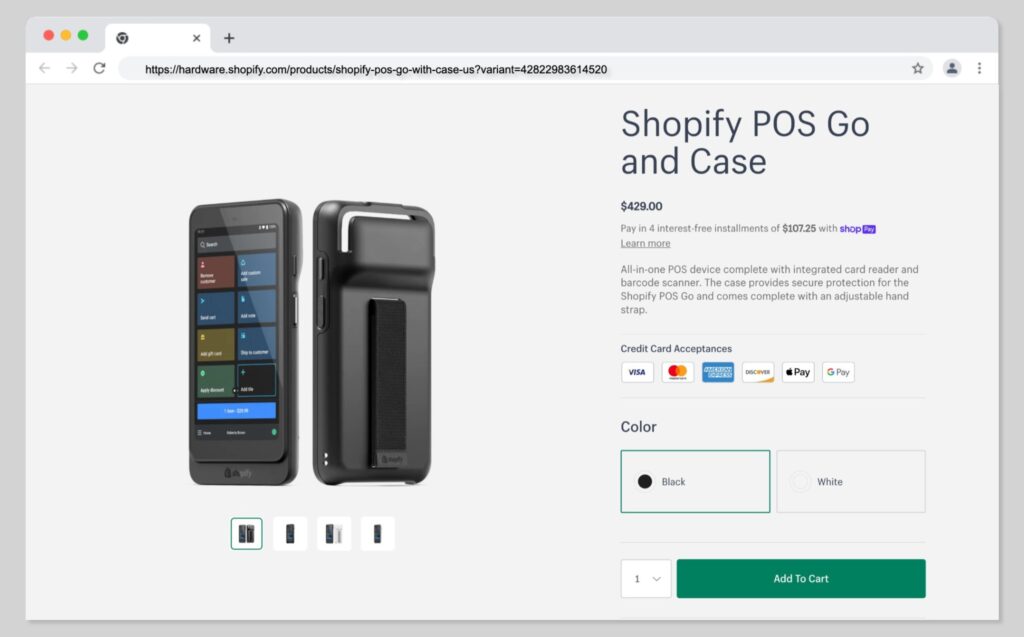
Alongside hardware options, Shopify offers a range of software solutions for in-person sellers too. There are two options available for POS sellers.
Basic POS selling is included in store plans. POS Pro costs $89 monthly per location, billed yearly. Plus includes 20 locations, or up to 200 with Shopify Payments.
The Pro plan includes smart inventory management, omnichannel selling features, unlimited store staff, and the ability to implement unlimited registers. You’ll also be able to take advantage of more advanced in-store analytics, and staff roles and permissions.
The Pro plan also supports low stock warnings, and the ability to attribute sales to specific staff members for commissions.
Fall ’26 adds:
- Customer recognition across the Shopify Payments network.
- Online carts in store: staff can pull up a known customer’s abandoned online cart and finish the sale.
- Activity logs and scheduled stock counts.
- Payment methods, including Alipay, WeChat Pay, Satispay, Scalapay and GrabPay.
Our Clover vs Square vs Shopify comparison covers retail alternatives.
Further reading 📚
Selling Digital Products with Shopify
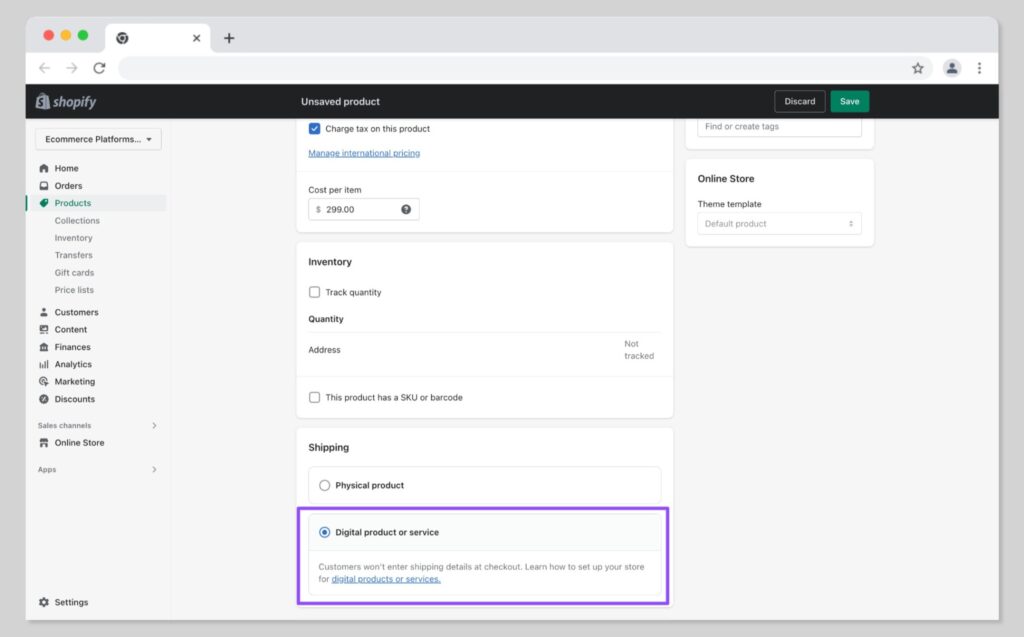
Shopify’s free Digital Products app, rated 4.8/5, delivers downloadable products without a bandwidth limit.
When a customer purchase one of your products, they’ll receive a link to their email address which allows them to download the file. Like with physical products, Shopify will allow you to track orders containing digital products, personalize email templates and customize checkout options.
Each variant supports up to 50 files totaling 5 GB. Uploads from the product page have a 500 MB per-file limit. For example, one variant can deliver a course bundle containing separate lesson videos and PDF worksheets, provided the combined files stay within the limit.
Notably, you can also leverage bookings and appointments on Shopify if you’re selling online services. However, you’ll need to leverage a third-party app to unlock this functionality. Since Fall ’26 you can also sell access to a link, such as a template or a booking page, as a product.
Selling Globally with Shopify
Shopify Markets manages international storefronts from one admin. Our guide to what is Shopify Markets explains the setup.
Within the platform, you can choose your markets, manage currencies, languages, and local domains, and even choose the right payment processor for each market you want to sell in. The all-in-one solution will automatically localize your storefront for you, ensure you’re complying with regulations, and handle cross-border requirements like duties and taxes.
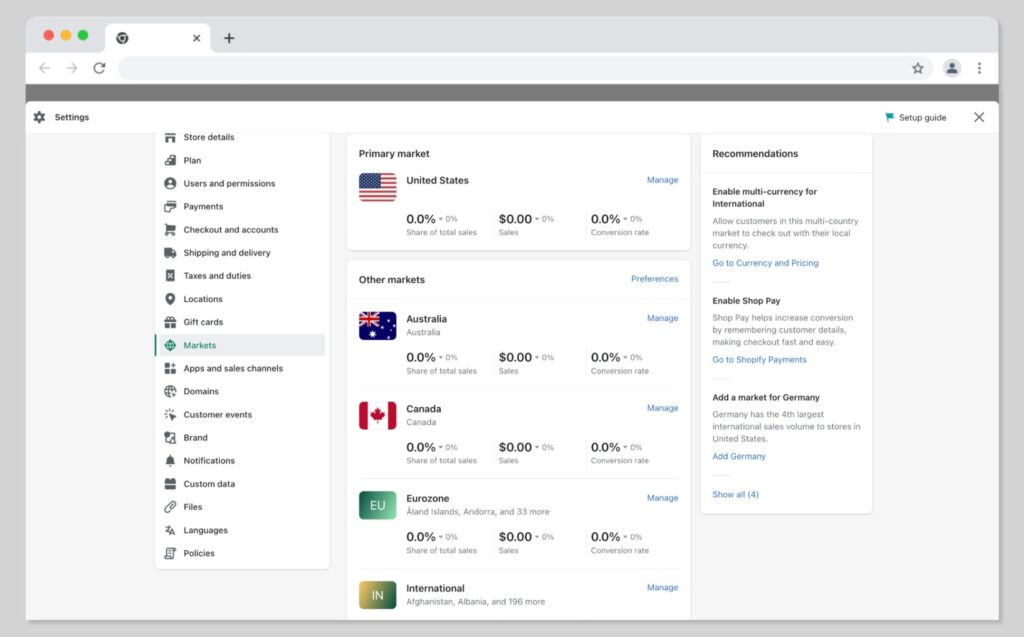
Markets is included on store plans, but local currencies and payment methods require Shopify Payments. These tools do not replace your responsibility to meet local legal requirements.
Managed Markets acts as merchant of record and calculates duties and taxes. Fall ’26 adds all-in international prices with flat-rate shipping. Shopify reports 50% higher international conversion for brands using it; that is a company-reported result, not a guaranteed improvement.
Available Shipping Carriers
| Fulfilment Location | Available Shipping Carriers |
|---|---|
| United States | USPS, FedEx, UPS (not available in Puerto Rico), DHL Express (continental US only) |
| Canada | Canada Post (including return labels), UPS (including international) |
| Australia | Sendle |
| United Kingdom | Evri, DPD, Royal Mail (including pickup points), DHL Express |
| France | Colissimo, Mondial Relay, Chronopost, DHL Express |
| Italy | Poste Italiane, DHL Express |
| Spain | Correos, DHL Express |
| Germany | DHL Express |
| Netherlands and Poland | DHL eCommerce |
Shopify Customer Support
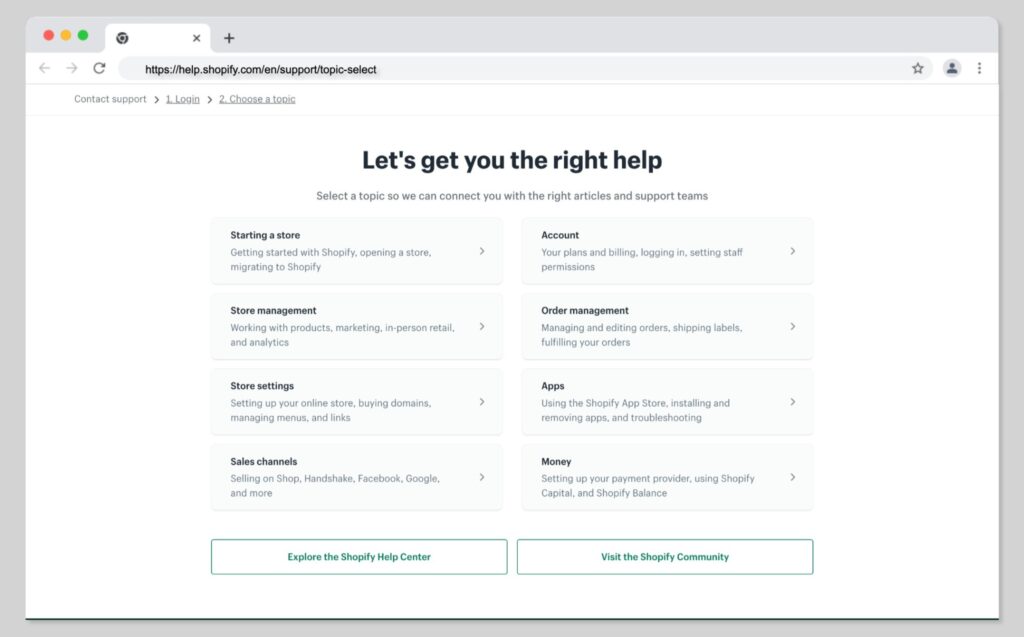
Shopify’s approach to customer support is quite comprehensive. If you’re looking for a DIY solution to solve any problems you might be facing, you can access help materials in more than 21 languages.
The route is an AI assistant first, then chat with a human. Every plan includes 24/7 human chat; phone and email are reserved for Plus and Retail. Language availability varies by location.
Merchants on the Shopify Community report difficulty getting past the AI assistant.
The knowledgebase, FAQs and resource articles are easy-to-follow and very clear. However, they don’t really include a lot of visual insights into how to use your Shopify admin interface. Most articles are entirely text-based, although you can access Shopify courses and other resources to help you.
Other support resources include:
- Community forums: Merchant discussions and developer help.
- Shopify Academy: Courses for learning the platform.
- Partner Directory: Specialists for paid store-building and technical work.
Partner services are separate from the support included in your subscription.
Shopify Dropshipping Reviews
One particularly positive thing about Shopify is that it allows business owners to explore a range of different models for online selling. In particular, the platform is extremely valuable for dropshipping companies, and brands leveraging print-on-demand selling.
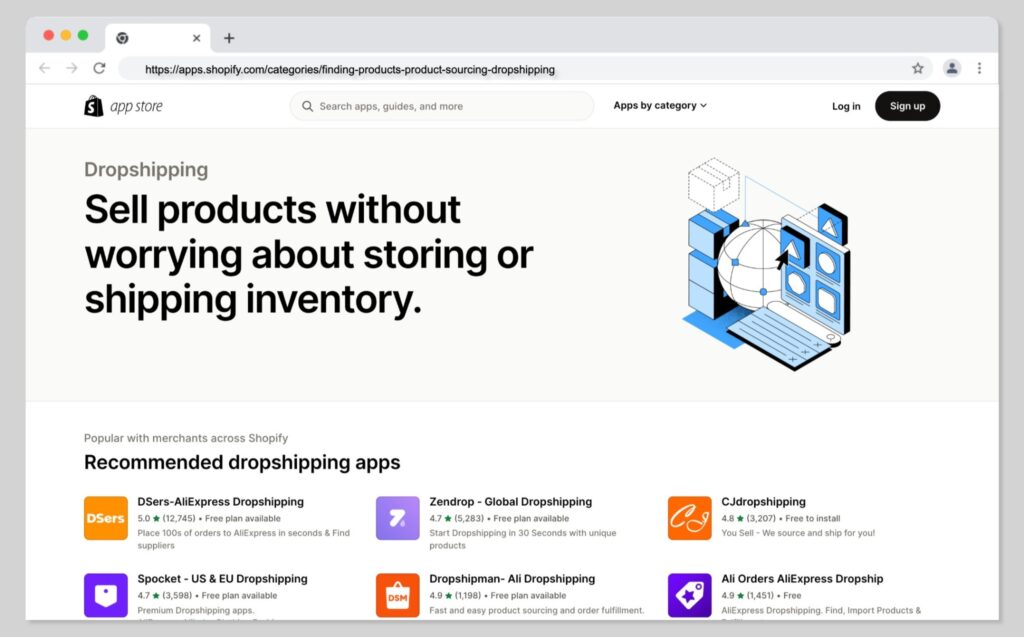
See our favorite dropshipping apps and setup guide.
Overall, Shopify is one of the most popular ecommerce platforms available for vendors investing in dropshipping. It makes it easy to add multiple users to your store, and upload images from suppliers directly.
Extra staff accounts require Grow or above. Shopify Collective also supports importing products from other Shopify brands.
- AutoDS: Product sourcing, imports and fulfillment automation.
- Spocket: One of the highest-rated apps on the Shopify marketplace, Spocket is a convenient dropshipping platform that connects retailers with thousands of suppliers across the US, Europe, Canada, Asia, and other regions.
- DSers: The official AliExpress dropshipping app for Shopify, DSers makes it easy to find cheaper suppliers from regions all around the world, and rapidly add their products to your store.
Print on Demand Selling on Shopify
If you like the idea of outsourcing your fulfillment process to another company, but you want more options to customize the items you sell, print-on-demand might be the ideal solution for you. Similar to dropshipping, the print on demand business model passes all of the tasks that take place after a sale over to another manufacturer.
However, unlike dropshipping, print on demand gives you the freedom to add unique designs, patterns, and even logos to the items you sell. This ensures you can build an effective, eye-catching brand, with minimal effort.
Sidekick can generate designs and publish print-on-demand items.
- Printful: Custom products with built-in design tools.
- Printify: Another incredible tool for print-on-demand selling, Printify provides sellers with access to a global network of high-quality providers who print, package, and ship orders to customers around the world. There’s a mock-up generator for creating your own custom items from scratch, and you can find a range of unique products on Printify too, such as home décor items, garments, and accessories.
- SPOD: One of the fastest print on demand solutions available for Shopify, SPOD makes it simple to create custom product lines in minutes. You can upload your own designs, or choose patterns from the company’s free graphic library.
Shopify SEO: Is Shopify Good for Search Optimization?
Even the best ecommerce stores won’t accomplish much if your customers can’t find your products online. That’s why many retailers invest so heavily in SEO (Search Engine Optimization).
First, Shopify’s highly customizable pages allow users to change page titles, meta descriptions, and tags easily, so you can implement keywords wherever you like. You can also add headings and alt-tags to posts, and improve the functionality of your site with a customizable Robots.txt file, and 301 redirects.
Some of the other things that make Shopify great for SEO include:
- Free SSL certificates with every site (for enhanced website security)
- Marketplace apps for optimizing your store based on core web vitals
- Simple blogging tools for content marketing
SEO Capabilities: Summary
| Capability | Availability |
|---|---|
| Metadata and alt text | Editable |
| URL structure | Fixed prefixes; editable handles |
| 301 redirects | Supported |
| Sitemap | Automatic |
| Custom schema | Code or app |
| Article table of contents | Code or app |
| Keyword research | Not built in |
| Blog scoring | Not built in |
| Internal linking tools | Not built in |
| Canonical links | Theme-dependent |
| Related posts | Theme-dependent |
There are a few gaps in Shopify’s SEO strategy, however. Changing an image file name for SEO purposes isn’t possible unless you do it on your local device. Additionally, there aren’t any tools built into the Shopify platform to help you research keywords. You also can’t remove the fixed /products/ and /collections/ prefixes from URLs.
Products in Shopify Catalog can appear in AI-chat answers. That expands discovery beyond conventional search results but does not remove Shopify’s URL or keyword-research limitations.
Managing Taxes and VAT on Shopify
Perhaps one of the biggest challenges companies face when selling in the digital world is keeping track of all their tax and VAT information. If you’re selling products to customers in numerous different states or countries, you may have a number of different tax rates to monitor.
Fortunately, Shopify makes tax management simple. You can apply tax rates automatically to products for most territories. Additionally, registration-based tax options are available for VAT and state-based taxes in Australia, Canada, the EU, New Zealand, Norway, the UK, Switzerland, and the US.
Shopify supports EU VAT One Stop Shop (OSS) calculations. Tax calculation does not remove your registration and filing responsibilities.
Shopify Tax charges 0.35% for calculations, or 0.25% on Plus, after an introductory discount.
Early-access managed US sales tax requires:
- A US store opened after October 27, 2026.
- Shopify Payments enabled.
- Every product published on the Shop channel.
For eligible stores, Shopify collects and files US sales tax through the Shop marketplace.
Blogging on Shopify
| Category | Feature | Availability |
|---|---|---|
| BASIC | WYSIWYG editor | Basic |
| Metadata | Editable | |
| Images, tags, excerpts | Yes | |
| Categories | No | |
| Authors and scheduling | Yes | |
| Comments | Basic | |
| ADVANCED | Multiple blogs/templates | Yes |
| Product embeds and CTAs | Code/app | |
| Analytics | Basic | |
| SEO SPECIFIC | Schema and TOC | Code/app |
| Sitemap | Yes | |
| Keyword research | No | |
| Blog scoring | No | |
| Internal linking tools | No | |
| Redirects | Yes | |
| Canonicals/related posts | Theme-dependent | |
| SPECIAL FEATURES | AI writing | Sidekick |
| Email automation | Yes |
One of the things that sets Shopify apart from a lot of the other ecommerce platforms available today, is the number of tools you can access to enhance your online presence.
Alongside SEO tools, social media plugins, and tools for PPC advertising, Shopify also offers a blog feature.
Blogging is one of the most powerful tools for any company investing in content marketing, offering an opportunity to increase SEO rankings, demonstrate thought leadership, and boost online visibility. The built-in blogging tool within Shopify ensures you can start creating content easily. Plus, with tools like Yoast, you can make sure your blogs are SEO optimized too.
⚠️ While Shopify does support blogging, its blogging features aren’t quite as robust as the ones you might find on other platforms, such as WordPress. There aren’t any tools for version history management, and categorizing blog posts is a little tricky, as you’ll only have tags to work with.
DropInBlog adds categories, SEO analysis and product embeds.
Managing Shopify Stores on Mobile Devices
So, what if you want to manage your Shopify store on the move, from a tablet or mobile device? You’re in luck. Shopify provides a variety of apps you can use for this exact purpose.
The native iOS/Android Shopify app handles products, orders, reports and Sidekick.
- Shopify POS: Take in-person payments and track inventory.
- Shopify Inbox: The Shopify Inbox app is a handy tool which allows business owners to add a live chat service to their store, and answer queries or capture leads wherever you are.
- The “Shop” app: As well as providing apps for merchants, Shopify also provides a customer centric app in the form of “Shop”. This gives users an accelerated and easy checkout experience on any Shopify store.
Is Shopify GDPR Compliant?
If you’re operating somewhere in the EU or UK, or you sell to customers throughout these regions, you might be wondering whether Shopify can keep your company compliant with GDPR.
Ultimately, it’s up to you as a retailer to ensure you’re taking steps to keep your data secure, provide access to privacy documents, and prevent non-essential cookies from running on your website without customer consent. However, some platforms do make it easier to preserve compliance than others.
For the most part, Shopify is designed to be GDPR compliant. It allows you to create privacy pages for your store, and create privacy settings for customer accounts.
Its built-in cookie banner records consent and lets visitors change their choice. A banner alone does not establish compliance.
- Publish a privacy policy explaining data use.
- Audit your apps and data-processing practices.
- Provide a request route for customers seeking access to or deletion of their data.
Shopify Top Alternatives
Overall, Shopify is an excellent tool for online selling and ecommerce. However, it’s also far from the only option on the market. Depending on your specific needs, you might find some platforms are a little better-suited to your requirements. Examining the alternatives is an essential part of any comprehensive Shopify review.
Here are some of the top Shopify alternatives you can consider right now:
1. Squarespace
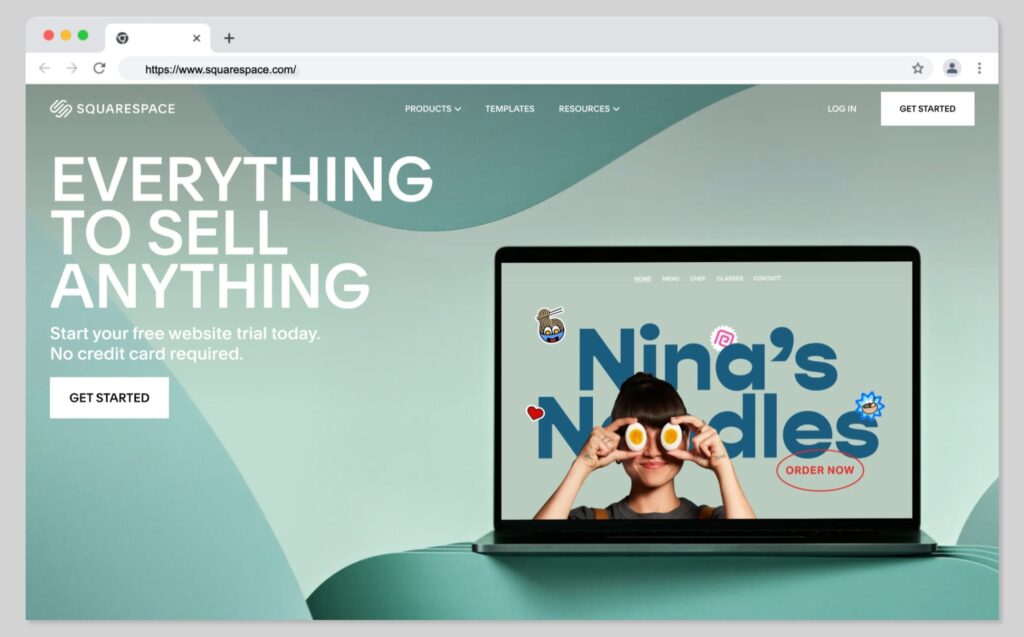
Squarespace is a fantastic tool for people who want to build a highly attractive, engaging online store or blog. The powerful platform is specially suited to members of the creator economy, with built-in tools for booking appointments, selling virtual assets, and more.
| Plan | Monthly | Yearly, per month |
|---|---|---|
| Basic | $25 | $19 |
| Core | $39 | $29 |
| Plus | $65 | $49 |
| Advanced | $139 | $99 |
Basic adds a 2% store transaction fee. Card rates start at 2.9% + 30¢.
2. Wix
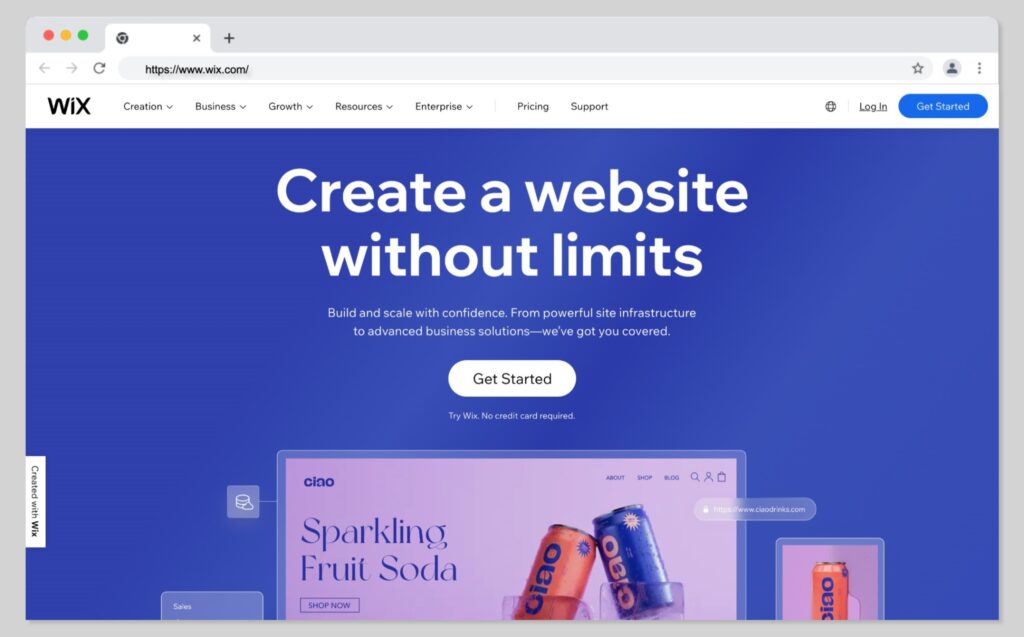
Wix is one of the most straightforward and convenient online store builders on the market. Provided as a hosted service, similar to Shopify, the Wix platform gives business leaders everything they need to start selling through a highly responsive, engaging online site.
Yearly-billed monthly prices:
- Core: $29.
- Business: $39.
- Business Elite: $159.
See Shopify vs Wix vs Squarespace.
3. BigCommerce
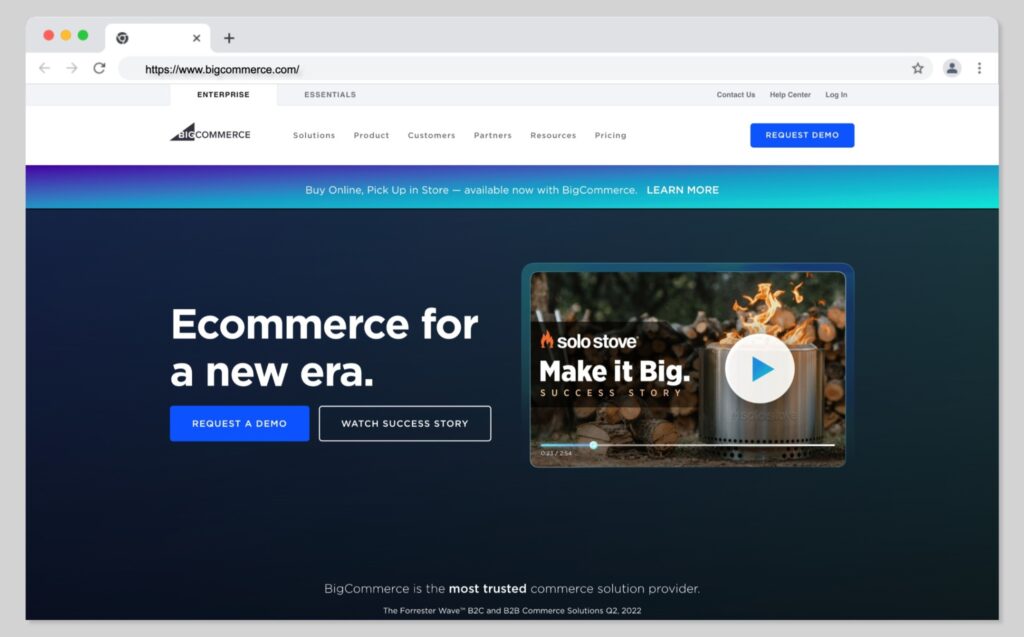
Probably one of the most popular alternatives to Shopify on the market, BigCommerce is a flexible and convenient platform, with a host of crucial tools already packaged into the service.
| Plan | Monthly | Yearly, per month |
|---|---|---|
| Core | $39 | $29 |
| Growth | $105 | $79 |
| Scale | $399 | $299 |
Sales caps apply. Non-embedded gateways incur 2%/1%/0.6% fees.
See Shopify vs BigCommerce vs WooCommerce.
4. Square Online
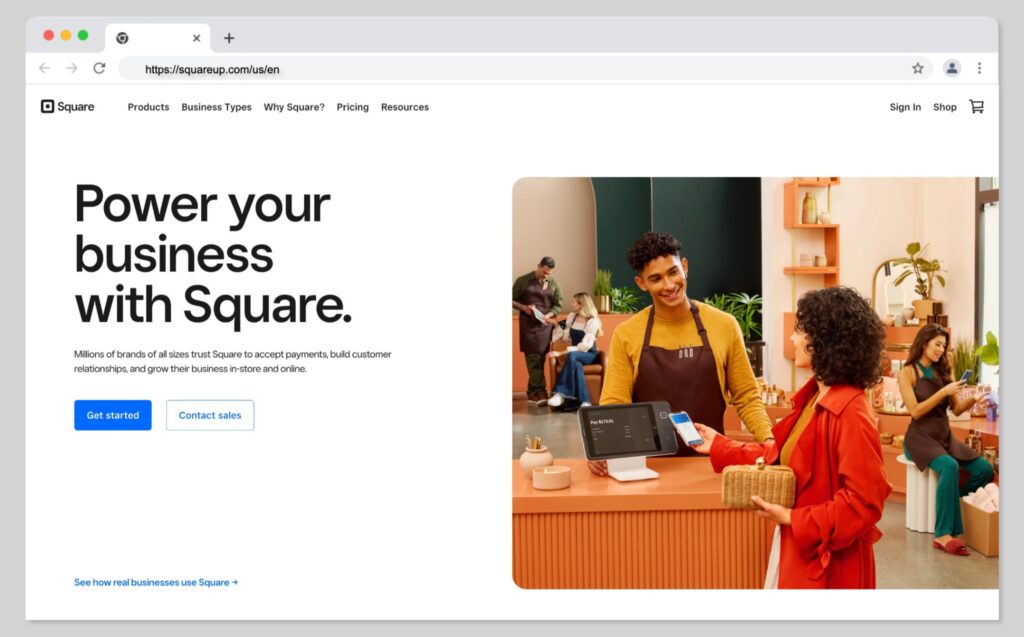
Square Online offers:
- Free: 3.3% + 30¢ online.
- Plus: $49 monthly; 2.9% + 30¢.
- Premium: $149 monthly; 2.9% + 30¢.
Plus, Square’s platform comes with specialist tools available for people in specific industries, like the retail and restaurant landscape. The Point of Sale features are excellent, and the transaction fees are relatively low, so you can minimize your expenses when you’re just getting started.
5. Ecwid
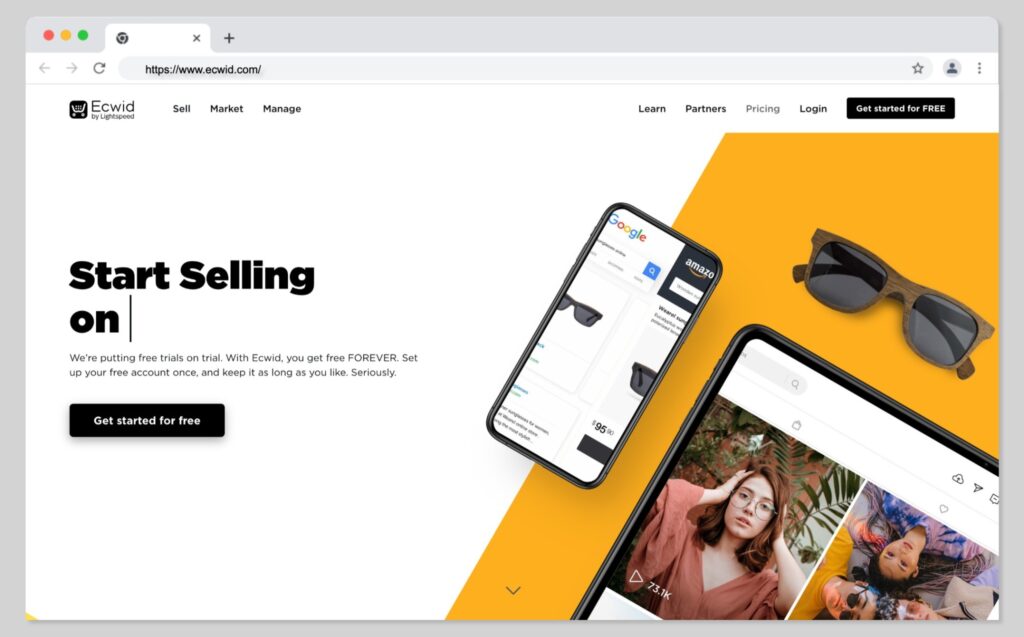
If you’re looking for a budget-friendly option to help you start selling online, Ecwid could be an excellent solution. This platform gives companies two options for building an online store. You can either use the plugin solution to build ecommerce functionality into an existing website or app, or you can build a simple store within Ecwid itself.
| Plan | Monthly | Yearly, per month |
|---|---|---|
| Starter | $5 | $5 |
| Venture | $35 | $29 |
| Business | $65 | $49 |
| Unlimited | $149 | $119 |
Ecwid charges 0% transaction fees.
6. Adobe Commerce (formerly Magento)
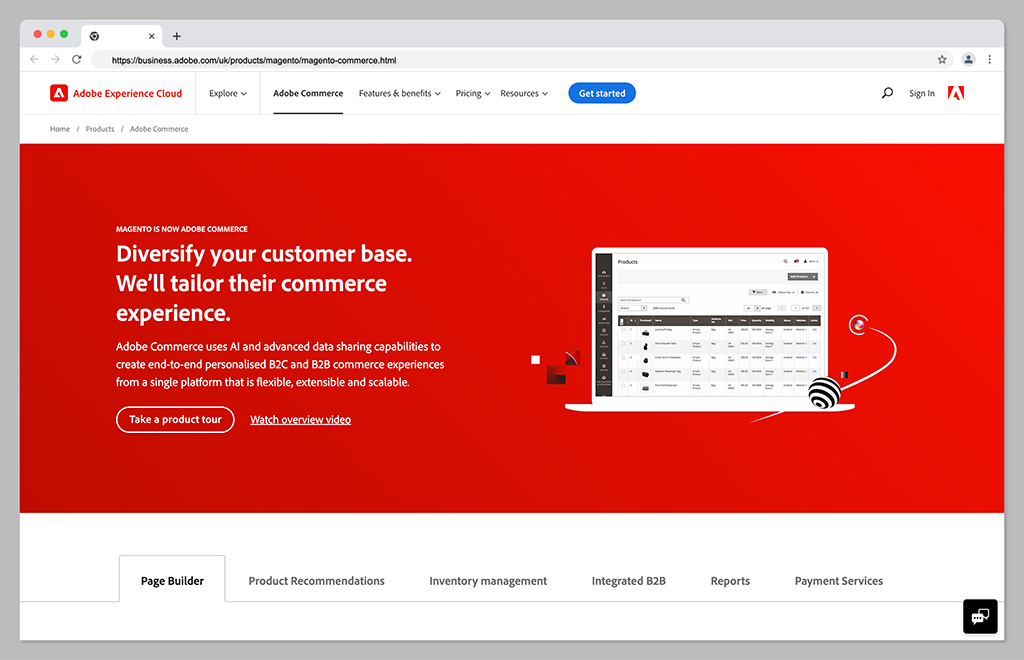
Adobe Commerce (Formerly Magento) is a flexible and versatile alternative to Shopify, ideal for all kinds of sellers. Not only does the platform offer a range of multichannel sales options to choose from, and access to unlimited product sales, but it’s packed with unique features.
Pricing is quote-only.
Steps to Migrate to Shopify
| Step | Action |
|---|---|
| 1 | Configure your basic administrative settings |
| 2 | Import your store’s content and data to Shopify |
| 3 | Organize your products after migration |
| 4 | Make your website look great |
| 5 | Set up your domain |
| 6 | Set up your shipping |
| 7 | Configure your taxes |
| 8 | Set up a payment provider |
| 9 | Place some test orders |
| 10 | Invite your customers to create accounts on your new site |
| 11 | Set up URL redirects |
Further reading 📚
Popular Stores Using Shopify
| Store | URL |
|---|---|
| Red Bull | https://www.redbullshopus.com/ |
| Decathlon | https://www.decathlon.com/ |
| Allbirds | https://www.allbirds.com/ |
| Fashion Nova | https://www.fashionnova.com/ |
| ColourPop Cosmetics | https://colourpop.com/ |
| Steve Madden | https://www.stevemadden.com/ |
| Manscaped | https://www.manscaped.com/ |
| Kylie Cosmetics | https://kyliecosmetics.com/ |
| Victoria Beckham | https://www.victoriabeckham.com/ |
| Blakely | https://blakelyclothing.com/ |
Shopify Review: FAQ
Yes, Shopify is an entirely legitimate business and ecommerce solution for any online business. It’s secured, safe, and highly rated among consumers. There are even advanced Shopify features available that can help to make your store more secure and compliant. However, you will need to ensure you’re looking after your data, and leveraging the right security strategies.
Shopify is definitely not as affordable as some of the other ecommerce builders on the market today, but we’d say it’s worthwhile. Basic costs $39 monthly or $29 billed yearly, before processing and app costs.
Shopify Payments avoids Shopify’s extra gateway fee, but processing still costs money. Online card rates range from 2.9% + 30¢ on Basic to 2.25% + 30¢ on Plus. Other gateways add Shopify fees of 2%, 1%, 0.6% or 0.2%, depending on your plan.
While building your own ecommerce site can have a learning curve on any platform, we’d say Shopify is a relatively user-friendly solution. There are plenty of FAQs, tutorials, and resources available on the website to help guide you through the process of using every feature.
Selling on Shopify is extremely straightforward. All you need to do is upload your products (and photos), choose a price for your items, and select your payment processing method. You can even customize your shopping cart to increase your chances of higher sales. Shopify will help you with tracking sales, and managing tax requirements too.
Yes. Eligible stores appear through Shopify Catalog by default. ChatGPT sends buyers to your checkout; Gemini, Copilot and Meta support in-chat checkout. You need published terms, privacy and refund policies. The $0 Agentic plan supports AI-channel selling while keeping your existing store elsewhere.
Sidekick is Shopify’s built-in AI assistant, included on every plan. It edits products, writes code and powers early-access Canvas. It can stage several changes for one approval. Check its work before publishing: Shopify Community merchants report invented IDs, incorrect workflow logic and stalled tasks.
Shopify is Level 1 PCI DSS compliant and supports two-factor authentication. Shopify Protect blocks high-risk payments for stores using Shopify Payments.
Shopify offers any ecommerce business a range of ways to make money. Whether you’re selling digital items, or physical products, you’ll be able to make a profit with Shopify. You can even keep your operating costs low and your revenue high with dropshipping apps. Profit is not guaranteed; product margins and acquisition costs determine your results.
Shopify features some basic SEO-friendly features, such as the option to customize URLs, meta tags, alt tags, and descriptions for your pages. You can also access add-ons and plugins from the Shopify app store that can help you to boost your SEO ranking.
Yes. Shopify store plans include hosting, unlimited bandwidth and an SSL certificate.
Shopify serves millions of merchants across 175+ countries. Their 2025 sales totaled $378.4 billion.
Email hosting is not provided on Shopify. If you have Shopify managed domain and domain name, you’ll need to use a third-party email host for your inbox.
You’re not required to have a business license to sell on Shopify in all cases. However, you may need to acquire a license if the country, city, or state you live in, or the type of your business requires you to have one to sell.
Yes, you can use PayPal as a payment method for customers on Shopify within your checkout. PayPal Wallet rates start at 3.49% + 49¢.
Shopify is an extremely straightforward and convenient tool for beginners in the ecommerce landscape. The user-friendly platform can help any organization get their own business up and running, for a relatively affordable monthly fee. New sellers get 3 days free, then $1 a month for 3 months.
Shopify can give you step by step guidance on how to migrate to the platform from another ecommerce solution such as Weebly or WordPress and WooCommerce. You can ask for advice from the Shopify team or check out the tutorials on Shopify’s website.
Yes, for businesses needing a scalable hosted store. Square Online or Ecwid costs less for sellers with simpler requirements.

How to Use Printify with Shopify – Video
See how to use Printify with Shopify, from choosing a provider to publishing products.

Shopify Launch Checklist
The following tips will ensure you don’t miss any crucial steps, help you to streamline your workflow, and boost your chances of making quick sales.
The Complete Shopify Store Launch Checklist:
- Step 1: Choose and Purchase your Plan
- Step 2: Set up a Custom Domain
- Step 3: Choose Your Sales Channels
- Step 4: Optimize the Checkout Experience
- Step 5: Update your Tax and Shipping Settings
- Step 6: Verify Email Notification Settings
- Step 7: Build Your Core Website Pages
- Step 8: Conduct a Content Audit
- Step 9: Optimize Your Site for Search
- Step 10: Optimize Your Images
- Step 11: Implement an Analytics Tool
- Step 12: Create a Pre-Launch Marketing Plan
- Step 13: Install Useful Apps
- Step 14: Improve your Contact Strategy
- Step 15: Test Everything before Launch



Shopify Review: Verdict
Ultimately, Shopify is an excellent ecommerce platform for a wide range of business owners. Not only is it one of the easiest platforms to use on the market today, but it’s also one of the most feature rich and comprehensive solutions available.
With Shopify, you can easily start just about any kind of business, regardless of whether you want to sell both online and in-store, or work with dropshipping providers. The wide range of apps and add-ons offered by the Shopify marketplace also ensures you’ll have no problem expanding the functionality of your store over time.
Choose Basic for a solo store and Grow when you need staff accounts. Use Shopify Payments where eligible to avoid the extra gateway fee. Budget for apps, and keep app-dependent storefronts out of early-access Canvas.
Skip Shopify if you need a near-free store: Square Online and Ecwid offer cheaper entry points. Its selling tools outweigh those costs for businesses needing room to expand.
The 3-day free trial is followed by the $1-a-month introductory offer.
After going through our Shopify review, do you have any questions regarding the platform or whether it suits your needs? If you do, please leave a comment below.



I cannot find a way to contact Shopify to permanently deactivate the soscription .
Hello,
You can contact Shopify Support via the Help Center Assistant chat. Click I still need help to start a live chat. For app support, go to Settings > Apps and sales channels > Get support next to the app.
I hope this helps!
This post has opened up so much information to me. Thank you for this very informative blog post. Thanks for sharing the huge information.
You’re welcome!
thanks for sharing this amazing post i like it
You’re welcome! 👍
Shopify is the best platform for one’s business .Thanks for sharing this useful post I read and get a lot information from it so keep it up, You’re amazing! nice to see.
Thanks!
I read your post thoroughly and the post is very amazing. I liked it very much as it conveys great information. You are doing great work by sharing such information with us. Keep posting such information as it is very useful for us. I have also a website based on bemanningssjuksköterska.
Thanks! 🙂
Great article. Shopify is one of the best ecommerce platforms these days but price is a little high. Startups or Small Businesses need affordable ecommerce solutions in start. I hope they will also offer some free professional solutions just like wordPress in future. Secondly, they also need to add a Live support 24/7.
it is wonderful to be here with everyone, I have a lot of knowledge from what you share, to say thank you, the information and knowledge here helps me a lot
Happy to hear that Aunjeet!
Hi, we run a few offline stores and also a Magento online shop but are looking for a more modern solution. Is it possible to connect our ERP system with Shopify and Shopify POS to get all the information from the ERP system and connect everything with eachother?
Hello Marina, what ERP software are you using?
I use BigCommerce and just started another store on Shopify. So far, I’m liking the latter much better. I’m amazed at how much care Shopify has placed on organization and usability in the admin to get it right.
Happy to hear that Emory!
(I just typed a longer post, and poof it was gone! Below is the gist.)
What I haven’t seen addressed: How good is Shopify’s SEO and mobile optimization? Does it offer marketing apps that really work?
Thank you!
Hello Susan,
Hope you’ll have a great experience with Shopify! There are plenty of marketing tools available in their app store.
Best,
–
Bogdan – Editor at ecommerce-platforms.com
Hi,
Is it possible to have a rep from shopify to come speak to the business?
Hi Jordan,
I don’t know, you could contact them and see what they have to say.
Nice post. Thank you for share
You’re very welcome, Justin! Best of luck.
–
Bogdan – Editor at ecommerce-platforms.com
Hi, what we can do with 14 days trial basic? i want to test whether my small off-line biz can attract couple of sales within 14 days. Possible? If yes will continue to sign-up. Thanks.
Hi Marc,
The free trial is intended for those who want to test the features that each Shopify plan can offer. In order to process payments on your site you do need to have a plan selected, but you ar still not charged until the end of your trial period.
Cheers!
–
Bogdan – Editor at ecommerce-platforms.com
Do you know if Shopify will ever offer a way to change the URL structure? I don’t like the fact that it requires users to include “…/collections/…” or “…/products/…” in the URL. Do you know of a way to customize that part of the URL? I believe BigCommerce allows full URL customization – how do you think Shopify compares to BigCommerce? Thanks for any input –
As far as I know changing the URL structure is not possible with Shopify yet. Bigcommerce will allow you to change the structure of the URL when viewing an individual category page. We prefer Shopify over BigCommerce mainly because Shopify really excels at its themes and design.
Best,
–
Bogdan – Editor at ecommerce-platforms.com
Hi,
Great review page with lots of insights, thank you!
I have been running my store on Shopify and was very happy with them until I hit a big problem. My niche deals in electronics and I have been infested withh fraudulent orders since the first day. Simply put, Shopify Payments powered by Stripe are not secure enough. It has come to the point that almost 50% of my sales are fraudulent and I have to use expensive apps to detect them. I’m very disappointed with Shopify support as they will even go to the extent of freezing my account if my chargeback ratio is bigger than 1%, assuming no fault on their end. What can i do? I’ve come to the conclusion that I can only accept Paypal payments as they are infinitely more secure and, most importantlly, they offer better fraud protection and seller’s protection which means that I don’t lose thousands in chargebacks if I can provide a tracking number.
So I need to migrate to a different platform that allows me to use Paypal only without incurring the 2% fee that Shopify takes of every order. What’s my best bet?
Hello Nina,
You can try using WooCommerce. Check out our comparison here.
If you are looking for a platform similar to Shopify, then Lemonstand doesn’t take commissions but it’s a bit more expensive overall and they limit the number of monthly orders. See our review here.
Hope this helps,
–
Bogdan – Editor at ecommerce-platforms.com
Hi
A very helpful site, thank you.
I’d like to run two websites(to target different groups of buyers) from the one database as the stock choices will overlap, is this possible? Can you also tell me if I can download my database, when populated, to do analysis and run reports on it?
Many thanks
Hi Corylus, you can export your products at any time (CSV or Excel format). regarding you first question I would suggest contacting Shopify’s customer support or a Shopify expert. You might also find this guide useful.
–
Bogdan – Editor at ecommerce-platforms.com
Hi there!
I am about to spend all my savings on marketplace business. Shopify looks like a great place for a start. But I dont like the idea of monthly payments. Surely it gives you a quick and affordable start, but in a little while becomes like a slavery. Basically, you rent business. It is not yours. If Shopify dies, your business dies alongside.
What about downloadable marketplace software? Its more complicated, but I will have total control on my business. Including the server. It also allows full functionality customization, not only design.
Any clever thoughts on this, people?
Hi Max,
Using platforms like Magento or WordPress will give more control. You’ll just need to hire some web design and development experts. If Shopify dies, although unlikely, you will still be able to export your store and replicate it on another platform.
Hi Bogdan!
Many thanks for the answer.
I’ve checked up on those two options you mentioned. Suddenly simtech development guys popped out of nowhere! They charge high but offer much. Looks like a good deal for me. Simple but responsive design, vendors payout system, separate tools for vendors – like promotion. They agreed to help us with server management. They use cs-cart multi vendor platform. My bro who will take care of technical works on our future marketplace said this is a good platform. What do you say?
Hi Max,
Cs-Cart multi-vendor is a bit expensive but if you have the budget it is a great option if you to run your site off of your own server.
im thinking about opening a account. want to test waters with the lite account. Its kinda unclear about what is in the package. do I actualy have a website that people can goto and shop o is it just a facebook selling page. do I get to chose a name and template?
Hi David,
The Lite plan only allow you to sell on social media, in person, or on an existing website (using a buy now button). Only with the Basic Shopify, Shopify or Advanced Shopify you can build a standalone store.
The 14-day trial allows you try out the Shopify Lite plan, the Basic Shopify plan, the Shopify plan, or the Advanced Shopify plan before committing to a full subscription.
Best,
–
Bogdan – Editor at ecommerce-platforms.com
I’m planning to use shopify for the online children’s store I plan to start. However, the so called 24*7 support is not 24*7 at all. I I’m in Australia. Can you please provide the hotline flyer Aussie.
Hello Shezneen,
Live Chat and phone support are available 24/7. Just head over to the support page here and you can start a live chat (average wait time is 10 minutes) or you can find a phone number for Australia (average wait time is 5 minutes).
Cheers!
–
Bogdan – Editor at ecommerce-platforms.com
I am new to shopify and am using it in conjunction with my facebook ads and my 14 day offer is almost over,am suppose to offer a plan but i don’t have a debit/credit card but i use paypal mostly,how can i be helped.
Hi there, you will need a credit card to pay for Shopify. It is not possible at the moment to pay for Shopify with PayPal.
Best,
–
Bogdan – Editor at ecommerce-platforms.com
If you have a PayPal account, it’s VERY easy to get a PayPal debit MasterCard. Wouldn’t that solve the problem?
Of course it would. All Visa, Mastercard or American Express credit/debit cards are accepted.
–
Bogdan – Editor at ecommerce-platforms.com
Tried to set up a website with them using my registered UK business and bank account. Only to be blocked and sent a template email saying I have been blocked as I pose a risk. There was no content on the website, all I simply did was sign up and provide my bank details.
The email didn’t even contain a full name of the person writing it and they did not respond to any of my emails. Extremely unprofessional and unacceptable so I have since set up my store on WordPress with no problems whatsoever. I cant help but think that many of the reviews and articles about Shopify are sponsored and just act as cover up for all the negative feedback I have seen on genuine review sites. By far the worst customer service I have come across as a long standing businessman.
Hi Arman, have you tried contacting their support? Live chat and phone support are available 24/7 with 5 min average wait time.
–
Bogdan – Editor at ecommerce-platforms.com
Great article – We’ve been using Shopify for over two years now and LOVE it. It has pretty much all the functionality we need, save for a few minor ‘wants’ I’d put on a wishlist. Operating from the UK we’re pleased with the innovation Shopify offers, pretty much everything is rolled out in North America first, but it’s not long before they roll out in the UK. Great integrations with Google Shopping, Paypal, Quickbooks. Campaign Monitor etc etc. Looking forward to a time when they roll out their NA Amazon integration over here. Good choice of augmentation apps like upgrades to order confirmation & shipping notice emails, pop ups etc.
We bought a Clean Themes template, who have great support also in terms of a couple of custom bits of coding we’ve needed to drop in.
Couldn’t recommend enough.
We’re happy to hear that Danielle!
Hi,
I am based in the UAE and am looking at starting an online store. Though the features of Shopify seem to suffice my needs I am not sure how the payments will be routed? The payment modes that I am considering are Credit Cards and Cash on Delivery.
Hi Alex,
If you’re not using Shopify Payments (a service only available in United States, Puerto Rico, Canada, the United Kingdom, Ireland, and Australia) and you want to accept credit cards, you to choose a third-party ecommerce payment gateways for your Shopify store. In you case one that will work in UAE.
As far as I know 2Checkout is available in the UAE. You can read our review here.
Best of luck,
–
Bogdan – Editor at ecommerce-platforms.com
Hi, so i was recently looking at different ecommerce platform builders that exsist, and I couldnt find much information on the question of, if I choose say for example shopify to help me setup my business and or app, will i be able to move onto my own servers in the future or am I forever stuck having to use there service in order to remain with the basic structure to my business (which is the design templates already used on my site). I know I would probably lose features like ssl and integrated shipping costs (but could I keep the designs I used when making my website and app through them?)
I’m basically asking what do i get to keep if I decide to cancel there service in the future, and what will I have to do or redo myself if I move off of there service.
Hopefully this makes sense, and many thanks
Hi David,
You won’t be able to host a Shopify website on your own server. The most you can do is to export your products and import them on a new platform that will match Shopify’s functionality. And of course you will have to replicate the design as well.
Best,
–
Bogdan – Editor at ecommerce-platforms.com
Hi I have a basic eBay uk shop, I’m finding the sales fees plus shop fees to expensive! I am looking at going over to shopify but the one thing that’s putting me off is there doesn’t seem to be a uk helpline phone number? and I’m worried running up a huge phone bill.
Many Thanks
Hi Sarah,
They do have a phone number for UK users.
You can find it here. Just click on Give us a call. Right now the number for UK seems to be this one:
United Kingdom:0800-808-5233
Best,
–
Bogdan – Editor at ecommerce-platforms.com
Brilliant and very thorough article. Thank you 😀
Thank you, Clive!
–
Bogdan – Editor at ecommerce-platforms.com
I’m thinking of switching from Volusion to another service. We keep getting hit with bandwidth charges that end up costing a few extra hundred dollars a month which is ridiculous if you ask me. I’ve been digging into Shopify and Big Commerce and have problems with them both.
Shopify- like others have previously said have no real time shipping quotes unless you pay $299/month. (no thanks) Product options are limited- this is a fishing business so MANY options need to be listed on the same page (color of bait/style of hook/weight) and the transaction fees seem to quickly pile on top of each other.
Big Commerce- On the Pro Plan ($199/month) they cap your orders at 3,000/year and if you go over they start charging you for every 1,000 that you go over- kinda makes you want to stop growing your business, no? You aren’t able to set discounts for a specific product- just a group of products or a site-wide discount. They also have no app that you can manage on-the-go. The reviews I’ve read are horrible- I repeat HORRIBLE from previous customers and overall their customer service seems to be sub-par at best. They have even disabled their visitor posts from their Facebook page which leaves me wondering… Why?
I’m stuck- we want to get out of Volusion because it seems to be stagnant and not geared towards the future or any updates that could easily be done but I also don’t want to make a switch and then regret it instantly.
Hi there Holly,
have you considered using an app from the Shopify App Store to handle shipping quotes?
Apps like ShippingEasy could help and they still work with the Basic Plan.
Best,
–
Bogdan – Editor at ecommerce-platforms.com
The thing that keeps me from chosing Shopify is that you have to be at the $299/mo level to get real-time shipping quotes. Really?! Most other ecomm solutions have this at all levels. Seems silly not to be able to provide this basic service. $299/mo is too much to spend for a smaller company that needs automated shipping quotes provided. Unless I’m missing something here…
Hi Jason,
Maybe a Shopify app like ShippingEasy would help.
Cheers,
–
Bogdan – Editor at ecommerce-platforms.com
I’m planning to build my online shop, i have two questions about Shopify:
– I’m based in Spain and my main focuses are Spain itself and Latin America, could I have any problem with payments?, I’ve seen in previous comments that USA, UK and Canada are the only countries that have Shopify Payments availabe, is it still that way?
-My main product are going to be online lessons, could i have any problem with the data weight?
Thank you ^^
Hi there,
Shopify Payments is available only to stores in the United States, Puerto Rico, Canada, the United Kingdom, Ireland, and Australia. If your business is based in Spain you will have to use an external payment gateway and pay an extra 2% transaction fee.
You get unlimited storage for all plans (including Basic Shopify) so you won’t have to worry about data weight.
Best of luck,
–
Bogdan – Editor at ecommerce-platforms.com
Hi, thanks for the article. I am looking to start an online children’s clothing boutique. Some of my current favorite boutiques have thousands of likes on their daily postings of newly stocked items. Does shopify help give you the exposure to your customers via Facebook and other social media, or will I have to generate my own likes and exposure? Thanks in advance.
Hi Serena,
You will have to build your own social media fan base.
Best,
Bogdan – Editor at ecommerce-platforms.com
Love the simplicity of shopify and how these is so little room for error when you are starting out. It’s great just to focus on getting the important things right and letting the minor details take a back seat.
Thanks for sharing the guide and love reading your work!
My husband and I are starting a antique shop, we have a guy that has a huge warehouse full of cool old items that I know would sell. I was just wondering if shopify is a great place for antique and collectibles. Would it be a safe place to start?
Hi Charles, Shopify would be perfect for your online antique shop!
Bogdan – Editor at ecommerce-platforms.com
Hello Catalin, thanks for the great reviews weldone. Please I need to know if shopify is suitable for small online store looking at the pricing, does it worth it and as well if you can state minimum store that can go for shopify? Thanks.
Hi Samuel, thanks for stopping by.
Shopify can be a great option for small shops, especially. As we said before, one area where Shopify really excels at is its themes and design so you can have a great looking website out of the box with no coding or design skills required.
Hi Catalin, very late with this comment, you may be gone…
I am looking for an alternative to cratejoy, can shopify manage the ongoing monthly payments (subscription) or one time payment only?
Thanks.
Hi Ger,
There are plenty of plugins in the Shopify app store for managing recurring billing. You can find them here.
Cheers!
I’ve been using Shopify for a few years, and it’s been a great platform for my business.
However, support has suddenly fallen off a cliff. It’s nearly impossible to live chat anymore, with typically 40-50+ people in the queue ahead of e. It used to be rare it there was more than about 5.
And half the time now, you get a message “All Gurus are Busy”.
I switched from 3dcart to Shopify in Feb of this year. I sell 200-300 Christmas ornaments – no variants or complex listings. I made the move because Shopify had buyable pins & alt tags for product images. I had quite a bit of traffic from Pinterest & Google images before and thought this would be a big bonus for me. I was wrong. Neither the Pinterest app or Google shopping app are working well and it’s hurting my traffic. Neither Pinterest or Shopify have an answer.I had to purchase a SEO app just to try and get some help.
Another drawback is the lack of real-time shipping quotes. I had to go from from the smaller package to the Advanced package just to get this and it does not show the most popular FedEx option I offer – Smart Post. Real time shipping is free on 3dcart.
Shopify has an impressive list of features and a very friendly support staff, who I enjoy dealing with but if the features don’t work and the only answers are to buy more and more apps, the value is lost.
Shopify has great template designs and it is easy to set up. This would be a good choice for a beginner site.
Thank you for the great review. You helped me make up my mind and choose Shopify.
I am actually already convinced that Shopify is the right platform for me, but have a question.
In your review of Shopify, you write the following: :
“IN TERMS OF PRE-PUBLICATION, SHOPIFY GIVES YOU THE OPPORTUNITY TO TEST YOUR STORE BEFORE IT GOES PUBLIC, AND THE LIVE EDITOR IS PRETTY NICE FOR DRAGGING AND DROPPING ELEMENTS ONTO YOUR SITE.”
I am looking through Shopify support, but am not able to find this feature at all.
When you say: LIVE EDITOR, are you talking about an APP that can be purchased separately, or is this an built in feature of Shopify?
I only found LIVE THEME EDITOR for a fee of $10 per month. Is this the one, which you call LIVE EDITOR?
The Drag and Drop function of elements is very useful to arrange photos or text blocks as I wish.
My current website is hosted by Volusion.
I am planning to move it over to Shopify soon, and plan to do it by myself.
Hi Andrzej,
Yes the Live Editor is the app that you’ve found on their App Store. It can be really helpful if you have limited knowledge in web design or coding.
Best of luck!
With our store, they are unable to offer shopify payment gateway, as a result we are forced to use stripe gateway, that cost extra %2 transaction fees on every order, This 2% transaction fees should have been removed or waived off due to the fact they are unable to offer shopify payment gateway.
Hi Kevin, Shopify Payments is only available to stores in the United States, Canada, the United Kingdom, and Australia at this time. In what country is your business registered?
Hi Catalin,
Thank you thank you and thank you. Another great article, as always. A thourough review on Shoptify. Much appreciated.
I also read your recent ‘Yo Kart’ review which scored below 4 stars. Do you happen to have an article on ‘the ultimate marketplace platform’?
I currently have a magento ecommerce website and am hoping to turn it into a marketplace. I’m tossing between buying a magento marketplace extension or a standalone marketplace platform. Any initial suggestions on which option is better?
Obvisouly I’d like to look for the best ‘bang for the buck’ option. An option that is afforddable for a start-up with minimal budget but has most if not all functionalities. Like sleek and morden interface, great user experience for both buyer and vendor, multilingual, paypal integration etc.
I’m very sorry for writing such a long message. I’m desperately need a mentor to shed some light. Any advise is appreciated.
Does or can Shopify (can’t believe Shopify shows up as a misspelled word, here) integrate with the Amazon payment gateway and FBA – fulfillment by Amazon? Can’t find a definitive answer anywhere.
I sell on Amazon and use their FBA. They handle all the returns and customer service, so I want them to continue to do so, even if sell on Shopify – and I’m happy to pay Amazon their cut to do so. I’m into low brain damage and I don’t want to be the interface between Shopify and Amazon operations.
Can do or can’t do? What’s the verdict?
ps: just started building beachrustic.com. Looks like crap, now, but that’s another story.
thanks,
Bart
Hi Bart,
Your Shopify business must be based in the United States, United Kingdom, or Germany to be eligible for Amazon Payments. You can find more info in the Shopify help center.
Cheers!
Hi..
Will shopyfy work in Sri Lanka? and which payment gateway can I use?
Hi Roy,
As far as I know PayPal (read our review here) is the only payment service that will work for businesses based in Sri Lanka. It can be integrated with Shopify quite easy.
–
Bogdan – Editor at ecommerce-platforms.com
hi, I am beginner with Shopify.
please tell me how to use Shopify?
Hi there,
Maybe this post will help. You can also check out the help center on the Shopify website.
Hi
I have read your informative article.
You have written: ‘The fact that customers are no longer redirected to a checkout/Shopify site when completing their purchase is a very big plus’.
My site still goes to a shopify site on checkout. When I asked shopify support they said payments must go through the shopify site. Is this true?
Please explain.
Thanks
Payments will be managed through the Shopify site, but you can still use your preffered payment gateway. You can find out here what payment gateways are available in your country.
Here’s a link explaining more about integrating payment gateways with Shopify.
Very helpful article, thank you. I’m currently using a free standing cold fusion cart Cartweaver with 1300 download products and a database with over 10k customers. I love the admin but the lack of seo friendly features and content management is killing us lately. How hard/costly is it to move the mysql database to shopify? Is it even possible? I need to keep all the customers’ past purchases available for them to download anytime. Thanks 🙂
Hi I have a question? I am interested in joining shopify, the problem is I don’t have products but would like to open a store front? Do they offer anything where one can get started or have companies that will let you set up store front selling their products. Or do you know of companies that would be interested in doing this.
Thanks
Tammy
Hi Tammy, sounds like you want to lear more about dropshipping:
– How to Setup a Drop Shipping Ecommerce Website
– Killer Places to Find Products to Dropship and Sell On Your Store
Hi Catalin
We are based in the UK and currently use Volusion as our platform. We’re finding Volusion’s SEO to be weak and also their responsive templates seem old.
Shopify seems to overcome both these problems.
However, specific to the UK, :-
1. we use SagePay as our payment gateway.
2. we need to be able to display both VAT exclusive and inclusive prices. (we are B to B so main price is VAT exclusive price)
Not specific to the UK,
1. Will Shopify allow google shopping data to be uploaded easily? Volusion is good at that.
Your response will be much appreciated.
Thanks in advance.
Hi there, I’m 100% going to use Shopify for my women’s Retail store both on and off line. What I’m finding difficult is deciding which Apps to integrate to help manage my store front and online. There are so many available, I want All of them! I don’t mind paying money if it’s going to save me time, can you recommend a list of Apps for a women’s retail store that would help my business? I really want to be successful right from the beginning. Any help would be wonderful!
Thanks
Great post, this is really helpful when starting a new business, thanks for the share Catalin!
Hi Dmitri, we are in the same boat after 30 days, why is the seller the one that gets punished after having been scammed. SHOPIFY approved the payment after all.
This may be a good platform to start your online experience with, despite the high fees.
However, i’ve run into an unexpected hurdle that I can not seem to resolve. I have had a chargeback (stolen credit card) from an order. It was settled, i had to pay out of my pocket. After I covered the $2,000 chargeback willingly to keep my store operating, they froze my orders and would not let my money out of my account. They have started a fraud investigation on me, and requested my re-seller agreements and shipping and tracking information for my latest orders, which I produced promptly. This is not the frustrating part. I understand the importance of security and fraud prevention, and would assist in any way I can to resolve the issue.
It has now been two weeks since I submitted all the required information for review, and I have not heard anything back. No “we’ve received it and its in review” no “we need more information”…. NOTHING. I have been calling back and they would not let me talk to the person who requested the information from me, because he is either out of the office, or “we are unable to transfer your call directly to him”. I have sent many emails directly to the “investigator”, starting off with nice and progressively more frustrated, but still professional and non-offensive. I have only requested an update…. and still NOTHING. At this point Shopify is holding $9,000 worth of my orders, and I can not get a simple damn email back from them either requesting more information, or simply to tell me that they’re in the process of review; I just cant reach them.
My suppliers will not allow me to ship any more items until I pay my account with them (obviously), and I had to put a stop to my store’s advertising and marketing efforts to prevent orders from coming in that I can not fulfill.
Again, I am all for security and fraud protection, but the lack of communication, and total lack of concern for their customer’s business is unnerving and infuriating. Food for thought.
Hi Dmitri, sorry to hear that! Did you try to contact live support etc?
I have a developer working to migrate my store from Big Commerce to Shopify. I am shocked to find out that there is no field to enter your cost basis for each product in Shopify. How are you supposed to run profit reports without the cost basis? For point of reference, I have about 1200 items and do about $520k in sales annually.
According to the annual report in 2015, Shopify is one of top 10 popular e-commerce platforms, with 9% of market share.
Shopify is disappointing us. First they want to hold monies for 30 days because of our business.. High end consignment. We have been using PayPal over two years and they payout in five days. Shopify wants 2% – we wanted out of their Shopify Payments and 30 days payout schedule. so in total we have to fork over 4.9 percent. Secondly if a customer cancels their order after we have shipped it Shopify refunds it back to the customer, fails to pay us and we have to incur a chargeback fee!! …. and we have no clue where our merchandize is! The whole appeal process can take 90 days! With paypal they tell the customer to take up their beef with the seller, or their visa company. We fell PayPal is protecting us .. .esp. as we have shipped the product.
I got a love / hate with shopify. Was great starting out, easy and got the job done. Now that I am pushing 1,200 products and $10-30k in sales I feel shopify is limiting my growth.
Frustrating features I need but they dont have:
Multiple promo codes per purchase, as I can’t offer free shipping and 20% off to the same transaction.
All the BOGO sales plugins and standard sale plugins add a duplicate product to account for the discount, this wreak havoc with all the multi channel inventory systems and just doesn’t work if you have product on other channels like Amazon.
No ability to display variant products (especially colors) on the category page, so a customer must click into the product and then scroll through the variants to see (all my red products). And when they filter by color, it return the parent default images, so again they must click on all the products one at a time to see the red variable for each product.
Also, working with lots of products is a time consuming nightmare. Wanna sort by SKU, YOU CANT. product title is the only way to sort when editing products, so with 1,000 products in two categories, it’s a nightmare.
Another big nightmare, export your products to do a bulk edit, then import. DONT, when exporting it don’t export all your data, so you can lose all your meta causing your Google shopping campaign to mysteriously vanish and stop working, not to mention setting your seo back in time.
Would love to find a developer that could snap their fingers and solve some of these issues but a lot of the shopify gurus I called just wanna do boiler plate fixes that most people can do once the know the system for a few months.
Anyways, shopify could be amazing if it just went the last mile, but they seeme to quite the race short, because most of these items are complaints that have been raised over and over and over since 2013
Very helpful article (and website)! Curious about the throttling Shopify performs on product updates though (avg 2 calls/sec, 4o burst)? If we plan on running a portfolio of discrete sites, each having a reasonably large SKU count (5000) and each with volatile inventory levels, we are concerned about our ability to keep assortment fresh and that Shopify isn’t a good fit. Do you know if the same constraints exist with Shopify+ or whether BigCommerce, etc might be a better fit for this type of usage?
Hi
I already have a website for my online store. Can I easily move/switch to Shopify with current design and content? Moreover, is there a possibility to use shopify payment gateways on my website?
Thanks for the great article. One thing I am looking for in a new platform, is one that will allow my 2 websites to operate on the same customer and inventory databases. I am not sure if Shopify or any of the others will do that.
Hi i’m Sammy,
Living in Australia and wanting to tackle the bikini and swimwear market but also will be featuring other product (beach related and artwork) on my site… will end up having alot of items to sell. I am after a program that is clean and simple but very effective.
When product title come up I would want them in a pretty large tile as i need my customers to be able to see the intracate details of my products… Needing direction ASAP!
Can you recommend me a specific website builder as to what you think is best for this type of business.
thankyou
Hi Sammy, Shopify would be perfect for this!
Great analysis.
I would like to launch three software products targeting customers from Europe and US. The intention is to package them within a professional layout providing self training details, possible videos etc Would you recommend Shopify? Would I be able to choose different payment schemes (let’s say through Shopify Payments for US and something more appropiate for the European customers)?
I am looking for an e-commerce solution. Long story short is that I had my own custom designed site for years, my webmaster quit, I couldn’t maintain it, and it was not cost effective to hire someone to figure it out so I scrapped it and started over. I’m currently with weebly but they don’t have real-time shipping based on destination and weight. I’m working around it with USPS flat rate shipping but I am seeking a better solution. I am a VERY small and VERY niche hobby business and cost effectiveness and accurate shipping are the highest priority since my product is heavy. USPS flat rate is generally great but when people want to add on products, it gets complicated and hard to anticipate the shipping expenses. What would be a great platform for mom/pop hobby shops like mine that really rely on automated, real-time, accurate shipping estimators??
Hi!
I went through all the article and all the replies but I am still confused. Can I use my own SSL on shopify or not?
Thanks
Hi Katie, the answer is no. Cheers
Hi, great site full of useful information!!
I’m building an online store that will have around 30-50 products with main category and maybe 1 sub-category. I have been told that the best platform to use is BigCommerce followed by 3d cart. The course that I’m following also said that because I’m from the UK and targeting US customers, that PayPal business account would be the best merchant account to use.
There was no mention of Shopify but having read your review, I’m leaning towards them.
Would shopify be suitable for me based on the information above and what would be the best option for a merchant/payments processor account?
Thanks,
Sam
Hi Sam, Shopify would be great for your shop yes!
Hi there: great article! Thorough and very informative. Thanks for sharing!
I read closely and didn’t see any mention about a dropshipping ecommerce website through Shopify. I am starting a dropshipping business and am wondering if most of what you mention in this post as far as benefits and tools etc would still apply.
I just rec’d a quote for a website to be developed for my business including adding Shopify and the fee is going to be $4,500:(
My plan of small costs in setting up this business will have greatly succeeded my budget if I have to spend this so I’m wondering if I can successfully set this up with the support of Shopify fairly quickly to look professional and have all the automation I need?
Thank you for any other info you can provide !
Hi Heather, if you’re not too fussy about specific design / development tweaks you will be able to do it by yourself. Good luck!
Is Shopify a good alternative for selling digital downloads to people from mainly US, UK, Canada, and India? Are their add-ons to add memberships and discounts? I am assuming I can move my domain name so this becomes my business’ website, right?
Thanks. Your information here has helped a great deal.
Hi Patti, the answer to all your questions is “yes” 🙂 Best of luck!
Hi Catalin, great job on your blog!
Can you explain what you mean by “The fact that customers are no longer redirected to a checkout.shopify site when completing their purchase”?
I thought all buyers at Shopify are required to complete their purchase through the checkout.shopify link to which Shopify doesn’t allow access to developers for any customisations?
Has something changed here?
Hi Shrey, yes that changed a while ago. Now everything is on your own site. Cheers
I am leaning heavily on the Shopify platform. However, when it comes to Shopify payments involving Stripe, I am viewing so many, many bad reviews. Can you help me with any persuasion or facts that will help me have more confidence in Stripe gateway?
Hi Cathy, I think Stripe is great but depends if you’re based in the US, Canada or UK? Cheers
Hi there Catalin! Great job you are doing.
Could you please tell a bit more about Introduced shopify payment?
Not sure if I understood right what is it? What are the advantages and limitations?
For example Stripe has quite limited geography of countries to receive payments from, PayPal, well PayPal is PayPal. Third-party gateways have their own pros and cons and it’s another story.
Getting back to Shopify payment, how does it look technically? Let’s say, how do I link my bank account? I’m from Mongolia.
Hi Artro, currently Shopify Payments is offered in the US, the UK and Canada. If the merchant’s business is based outside of those countries, Shopify Payments wouldn’t be an option at this time. Did you check these guys? I’m pretty sure they cater to Mongolia.
I am currently using Office 365 for my entire web presence: website, online store, email, with my domain name hosted by a third party (Melbourne IT) in Australia. I understand that Office 365 are cancelling their website service so I am now looking for alternatives. Can I transfer my entire web presence to shopify whilst keeping the same email (does shopify provide an email service?) and website address? If so, how do I go about transferring the domain from the current host to shopify and can I design my shopify site over a week or so before I actually make the transfer? I am based in the UK. Will buyers from overseas e.g. Japan be able to purchase my goods via the Shopify Payments system? Thanks
Hi David,
Gotcha! Yeah I can confirm that you can move your web presence over at Shopify and keep your email address. More info on this here.
Also, your international buyers (Japan etc) will definitely be able to make purchases from your store if you setup Shopify Payments.
Hope it helps.
Thank you so much for this article. I was almost swayed into going with Big Cartel until I did a little bit of research. Thanks to mainly you, and a few other websites, I have decided to go with Shopify for my upcoming ecommerce site for affordable and stylish women’s clothing and accessories.
Much appreciated!
Help please! My husband and myself are over 60 years old, and our old online storefront (that we’ve used in conjunction with eBay for over 10 years) has just informed us they’re discontinuing service in a couple of months. I’m lost! We *need) to have a built-in Customer Loyalty program (or an add-on that’s free, or very reasonably priced) and ‘real time shipping’ (from at least USPS, but hopefully UPS & Fedex)….and I just can’t seem to find what I’m seeking. We no longer need eBay integration…but need to be able to accept PayPal (and probably need assistance setting up a merchant account). Any/all information or suggestions would be gratefully appreciated.
Im hesitating between big cartel and shopify. When you sayf with shopify payments fees are lifted you mean they charge 0% per transaction? Also, is shopify and big cartel compatible with adsense? I cannot find an answer anywhere! Tx a lot!
Hi Marie,
Yes they don’t take any fees if you go with Shopify Payments.
You can add the adsense code to both Shopify and Big Cartel but neither would offer this feature out of the box.
Just a heads up, if you need multi level categories and/or more details per product, shopify just doesn’t cut it..
I’ve been researching for hours trying to find out where I can move my 3k products to, since my current site provider is not mobile friendly…do you, or does anyone know which sites are:
mobile friendly
allow multi-level categories
allow you to customize title tags (and change them later if you want)
allow me to enhance meta tags
have secure checkout
have great customer support
are easy to use
allow me to add a blog
allow me to own the domain name (and without their domain as the root)
and are competitively priced?
Hi there, Lemonstand would fit the bill for your requests mate: ecommerce-platforms.com/ecommerce-reviews/lemonstand-ecommerce-platform-review-2012
Hi Yo-Its-Me,
This comment is a little behind, but Magento 2 and 2.1 is now a much simpler interface and doesn’t have to cost much more than Shopify if done right and quickly.
There are quite a few Cons to Shopify I don’t see listed in this review.
Hello Jens
Is this means there option to create product options are limited? If I each my product has multiple option where the price changes with every option and this options are unique to each product, will that not work well for us?
Agreed…I just learned that the hard way when I tried to migrate over from Volusion, only to find my core products, with 10 optional customizations and multiple variants per option wouldn’t work on Shopify. They skirt around that item in their marketing, so do your homework before jumping all in. Shame too…I really liked the platform, but that limitation kills it for me.
The transaction fees are the killer – 0.5% on monthly sales of $40k add an extra $200 per month – is it really worth that much more than bigcommerce?
Hi Graham, in my experience the 200 a month difference makes sense compared to BigCommerce for a 40k+ business. Moreover the commission is 0 if you use Shopify Payments
So do I have to pay for Shopify service basic plan at $29 AND pay $29 a month for credit card processing (Shopify payments)? I’m looking at the basic plans. I want them to host and process credit cards.
Hi Dana, the answer is no – the Shopify monthly rate is $29 and if you are using Shopify payments, there’s no additional fees other than the monthly fee and CC processing.
Just wanted to point out a typo on the Shopify Payments section.
http://take.ms/bnXf6
The profesional plan charges 2.5% + 30cents not 5% + 30 cents
Yikes, fixed, thanks for the headsup Hiroshi!
10 Reasons People Love Shopify
1. Shopify Is Easy to Use
2. Shopify Is Hosted
3. Reliability
4. Customizable Design
5. The Shopify App Store
6. Simple to use
7.Unlimited, 24/7 toll free Shopify support
8.Conveniently run your store on the go
9.1-click integrations
10.Start selling in no time at all
totally agree Ruby!
I’m thinking of starting a costume jewelry site as an addition to a current wholesale business. We would have approximately 100+ styles with 2-3 digital photos for each style. Would Shopify be the right platform for this online only retail business?
Hi Steve, yes that sounds like a perfect scenario for a shop built on Shopify. Cheers
5 Reasons People Love Shopify
1. Shopify Is Easy to Use
2. Shopify Is Hosted
3. Reliability
4. Customizable Design
5. The Shopify App Store
24/7; support
Shopify Expert
We would just like to add that although the support is 24/7; support knowledge comes from other Shopify shop owners and a lot of them with limited or no technical skills to resolve issues. (one woman we talked with had a little knitting shop..)
Suggested a re-review and give accurate points on the support. More time does not equal better support. Have you tried calling support at Shopify? I’d say from our experience, unfortunately only 10-15% are skilled to answer any tech issues you may run into.
Hi Victoria, I personally had great experience with their support and most of my clients are pleased too, so thanks a lot for sharing your experience!
I’m trying to start an online business to market my free lance copy writing services. Since Shopify will provide me with a domain name, will it insist on throwing its adds up on my page, or can I avoid this? How is this reflected in the payment levels? Thanks!
Hi Dani, thanks for stopping by. Shopify would not show any ads on any of the plans they offer. You have complete control over every aspect of the website, even for the starter plan, which is $14 a month.