

Shopify, BigCommerce, and WooCommerce are three of the biggest names in ecommerce. But which one is right for your business — especially when SEO, scalability, and ease of use are on the line?
We’ve spent 200+ hours testing each platform hands-on — checking everything from pricing and sales features to SEO tools, page speed, and usability. Based on real experience, WooCommerce takes the SEO crown, but Shopify is the fastest to get started with. BigCommerce? It’s the underrated pick if you want built-in tools without stacking apps.
In this guide, I’ll walk you through how each platform stacks up — and give you a clear recommendation depending on what you’re building.
Quick Verdict
- WooCommerce – Best for SEO and content marketing, ideal if you’re hands-on or working with a dev team
- BigCommerce – Best for mid-sized or international stores that want strong SEO tools built-in
- Shopify – Best for beginners, influencers, and fast-growing brands that need a simple and slick store setup
Who Each Platform Is Best For
| Platform | Best For |
|---|---|
| WooCommerce | SEO-driven businesses, bloggers, content marketers, flexible custom builds |
| BigCommerce | Stores scaling internationally, businesses needing AMP + structured data |
| Shopify | Beginners, fast-moving brands, social sellers, and DTC product launches |
Comparison Table: Shopify vs BigCommerce vs WooCommerce
| Feature | Shopify | BigCommerce | WooCommerce |
|---|---|---|---|
| Starting Price | $29/month | $29/month | Free (plugin) |
| Transaction Fees | Up to 2% (unless using Shopify Payments) | 0% on all plans | Varies by payment gateway |
| Hosting Included | ✅ Yes | ✅ Yes | ❌ No (you choose your host) |
| SEO Flexibility | ⭐⭐ | ⭐⭐⭐⭐ | ⭐⭐⭐⭐⭐ |
| Blog Capability | ⭐⭐ (basic) | ⭐⭐ (limited) | ⭐⭐⭐⭐⭐ (WordPress blog engine) |
| Speed | Fast (CDN, hosted) | Fast + AMP support | Depends on host/setup |
| App Market Size | 8,000+ apps | ~1,200 apps | 59,000+ WordPress plugins |
| Ease of Use | ⭐⭐⭐⭐⭐ (beginner-friendly) | ⭐⭐⭐ (takes more setup) | ⭐⭐ (technical, but flexible) |
| Best For | Fast growth, easy setup | Mid-size B2B/B2C brands | Full SEO control and flexibility |

- Full solution from $29/month
- Limited time offer: first 3 months for $1/month
- SEO Friendly
- Offline Store
- App Store
- 24/7 Support
- Beautiful Templates

- Free Trial
- From $29.95/month
- Built-In Blog
- SEO Friendly
- App store

- Free to Use
- SEO Friendly
- Highly Customizable
- Beautiful Templates
Best for Pricing: Shopify Offers the Best Value Long-Term
Pricing is more than just the dollar amount — it’s about what you get for your money, how much time you save, and whether the tools support your growth.
Based on working with hundreds of ecommerce businesses through our consultancy, Shopify consistently delivers the best overall value, especially for fast-growing brands.
Shopify: Competitive Pricing, Built to Scale with You
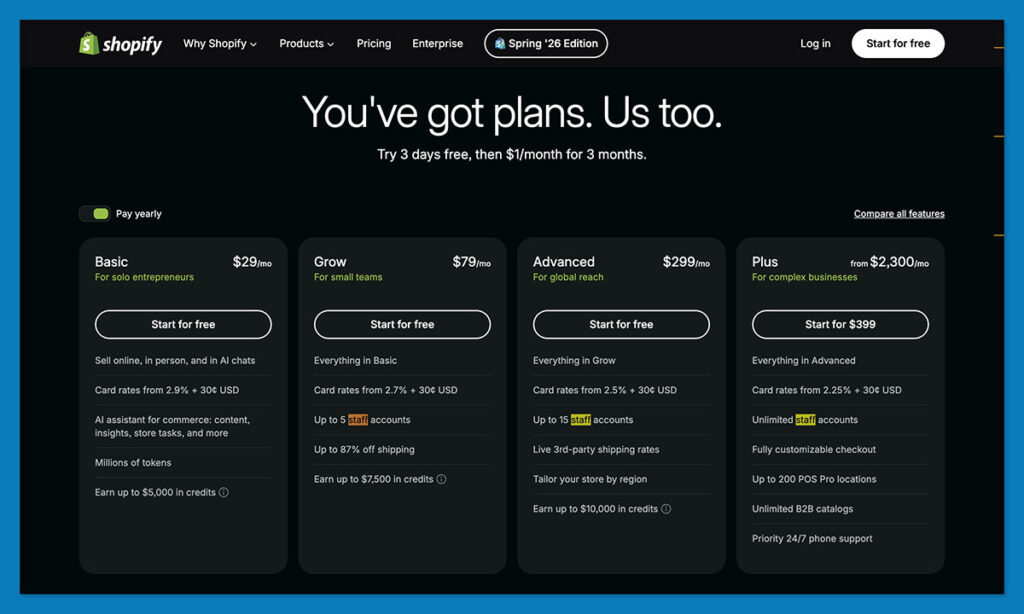
Shopify starts at $29/month — the same as BigCommerce — but what sets it apart is how much more polished, reliable, and extensible it is from day one.
Here’s the full pricing structure:
- Basic – $29/month
- Grow – $79/month
- Advanced – $299/month
- Shopify Plus – Starts at $2,300/month
You can also test the waters with a 3-day free trial, followed by 3 months at just $1/month — ideal for setting up and launching with minimal risk.
What most people overlook is that while Shopify has optional app costs, those apps are powerful, maintained, and plug-and-play. They let you customise without code, and scale without tech debt — and that’s where the real value kicks in.
Key strengths:
- All-in-one hosting and security — no setup headaches
- Transaction fees waived if you use Shopify Payments
- Massive ecosystem of apps to extend functionality instantly
- Easy international selling (multi-currency, markets, languages)
- Built for serious growth — Shopify Plus is used by brands doing 8–9 figures
Sure, the app costs can add up — but so does developer time on WooCommerce or integration complexity with BigCommerce.
Verdict: Shopify gives the most balanced value across launch, growth, and scale — and it’s the safest bet for most ecommerce stores.
BigCommerce: Transparent Pricing, Strong Built-Ins

BigCommerce mirrors Shopify’s base pricing tiers:
- Standard – $29/month
- Plus – $79/month
- Pro – $299/month
- Enterprise – Custom
And it has one key advantage: no transaction fees, no matter which gateway you use.
Where BigCommerce does well:
- Many ecommerce features (e.g. cart saver, product reviews, price lists) are built in
- Strong international features like multi-currency and regional tax rules
- No need to rely heavily on apps — saves money and reduces performance issues
However, we see fewer businesses using BigCommerce day-to-day. It’s great on paper, but the ecosystem isn’t as deep, and the UI feels more rigid. That limits how fast teams can move — especially without dev support.
Verdict: BigCommerce is solid for brands that want flat pricing and built-in features, but it lacks Shopify’s flexibility, app ecosystem, and brand support.
WooCommerce: Flexible, But Costs Are Unpredictable
WooCommerce is free as a plugin — but beyond that, you’re on your own to assemble the full ecommerce stack.
You’ll need:
- Hosting: $10–$30/month (Cloudways, SiteGround, or similar)
- Domain: $10–$15/year
- SSL + Security Plugins: Often additional
- Themes: Free or premium ($50–$100 one-time)
- Plugins: $49–$299/year per plugin for SEO, shipping, subscriptions, etc.
- Dev costs: If you’re not technical, you’ll likely need developer support
There’s no platform fee, and no forced transaction fees, which is great — but only if you know what you’re doing.
Many new store owners underestimate the setup time and maintenance. And if something breaks? It’s on you (or your dev).
Verdict: WooCommerce gives you control, but it comes with extra complexity. For most of our clients, Shopify’s time savings and built-in reliability far outweigh WooCommerce’s theoretical savings.
Pricing Summary
| Platform | Monthly Cost Range | Transaction Fees | Hosting Included | Free Trial | App Costs |
|---|---|---|---|---|---|
| Shopify | $29–$299/mo (Plus: $2,300+) | 0% with Shopify Payments, up to 2% otherwise | Yes | 3 days + $1 for 3 months | Medium–High, but optional |
| BigCommerce | $29–$299/mo (Enterprise custom) | None | Yes | 15 days (no card required) | Low–Medium (fewer apps) |
| WooCommerce | Free plugin, $50–$300+/mo typical | Depends on gateway | No | No | Varies widely |
Best for Selling Online: Shopify Wins on Firepower, BigCommerce Nails Built-Ins
Once your store is live, how well can you sell — across channels, devices, and customer segments? All three platforms bring strong ecommerce tools to the table, but the differences show up in the details.
Shopify: The Most Polished Ecommerce Engine
Shopify is built from the ground up to help you sell — and it shows.
You get:
- Abandoned cart recovery (all plans)
- Discount code engine (auto-apply, fixed %, free shipping)
- Inventory management with variants and SKUs
- Easy multichannel selling: TikTok, Instagram, Amazon, Etsy, eBay
- 100+ payment methods
- Shopify Magic — AI-generated product descriptions
Plus, the app store gives you access to upsells, subscription models, loyalty programs, bundles, and much more — most of which plug in without code.
Where it shines most:
- Setting up a product in Shopify takes 2 minutes — it’s that smooth
- Seamless integrations with marketplaces and social platforms
- Scales easily — the backend handles large catalogs well
Verdict: Shopify wins for stores that want serious ecommerce power without needing to build it from scratch.
BigCommerce: The Best Built-In Feature Set
BigCommerce isn’t flashy — but it gives you most of Shopify’s sales features without relying on third-party apps.
You get:
- Unlimited products and variants
- Real-time shipping quotes (UPS, FedEx, USPS)
- Abandoned cart saver (from Plus plan)
- Bulk pricing and customer groups
- Product reviews, ratings, and filtering (native)
- Multi-currency selling and tax calculation
They’ve also launched BigAI Copywriter, which is Shopify Magic’s direct competitor. It drafts product copy based on keywords and tone — and it’s fast.
What I like:
- You don’t have to install 5 apps to get basic ecommerce functionality
- Advanced features like price lists and store credit are already there
- No app fatigue = less cost and fewer performance issues
Verdict: BigCommerce is the smart choice if you want to sell at scale without hunting for plugins.
WooCommerce: Fully Customisable, But You Build It
WooCommerce has no limits when it comes to what you can sell or how you sell it — but you’ll need to put the pieces together.
Want subscriptions? Add WooCommerce Subscriptions.
Need upsells and funnels? Use CartFlows or FunnelKit.
Handling memberships or digital downloads? Install and configure the right plugin.
WooCommerce supports:

- Physical and digital products
- Memberships and subscriptions
- Product bundles, discounts, and coupons
- Inventory and tax management
- Any payment gateway you want (via plugin)
But there’s no built-in “wizard” or dashboard — it’s more like building a Lego set from scratch.
Verdict: WooCommerce is for sellers who want complete control and don’t mind doing the assembly.
Best for SEO: WooCommerce Leads on Flexibility, Shopify Wins for Speed and Simplicity
Search engine optimisation isn’t just about content — it’s about how your site is structured, how fast it loads, and whether Google can easily crawl it. All three platforms offer solid SEO features, but the way they handle it is very different.
WooCommerce: SEO Powerhouse for Content-Driven Brands
WooCommerce runs on WordPress — and that gives it the deepest SEO control by far.
With the right plugins, you can edit:
- Title tags, meta descriptions, slugs, image alt text
- XML sitemaps and robots.txt
- Schema markup for reviews, products, FAQs, and more
- Canonical tags, breadcrumbs, redirects
It also supports blog-first SEO strategies right out of the box, with custom category pages, dynamic internal linking, and built-in support for rich content like guides, reviews, and tutorials.
Use plugins like RankMath, Yoast, or SEOPress to scale SEO without needing to touch code.
But the trade-off? You’re responsible for everything — hosting, speed, mobile performance, and security.
Verdict: WooCommerce is ideal for SEO-focused businesses with dev support or experience.
Shopify: SEO Made Simple (With Some Limits)
Shopify doesn’t give you full access to every SEO setting — but it does handle the essentials very well.
Here’s what you get out of the box:
- Editable titles, meta descriptions, alt text, slugs
- Auto-generated sitemaps and robots.txt
- Canonical tagging to avoid duplicates
- Built-in CDN for speed
- App-based schema markup and structured data
- The Ecommerce Booster App, powered by Semrush, offers actionable recommendations
You don’t get full control of URL structures (e.g. /products/ and /collections/ are hardcoded), and you’ll need apps like Smart SEO or Plug In SEO for rich data and audit tools.
But if your focus is on speed, ease, and ranking product pages, Shopify delivers what most ecommerce teams need — without breaking anything.
Verdict: Shopify nails the balance between simplicity and performance. Most stores don’t need more.
BigCommerce: Strong Technical SEO, Light on Content Features
BigCommerce is surprisingly capable when it comes to technical SEO.
You get:
- Fully editable URLs (no forced subfolders)
- Clean HTML and automatic sitemaps
- Built-in schema for products
- AMP support for faster mobile loading
- Custom title/meta fields
- BigAI Copywriter for keyword-rich product descriptions
However, the blog features are limited and can’t match WooCommerce or WordPress for content depth. You’ll also need workarounds for certain structured content and link management.
Verdict: BigCommerce is great for product SEO — but content marketers will hit limits.
Best for Templates and Design: Shopify Offers the Most Visual Impact
Your design impacts your conversion rate, trust, and even SEO — especially on mobile. Shopify, BigCommerce, and WooCommerce all let you customise your store, but their approaches vary widely.
Shopify: Stunning Templates with Built-in Mobile Optimisation
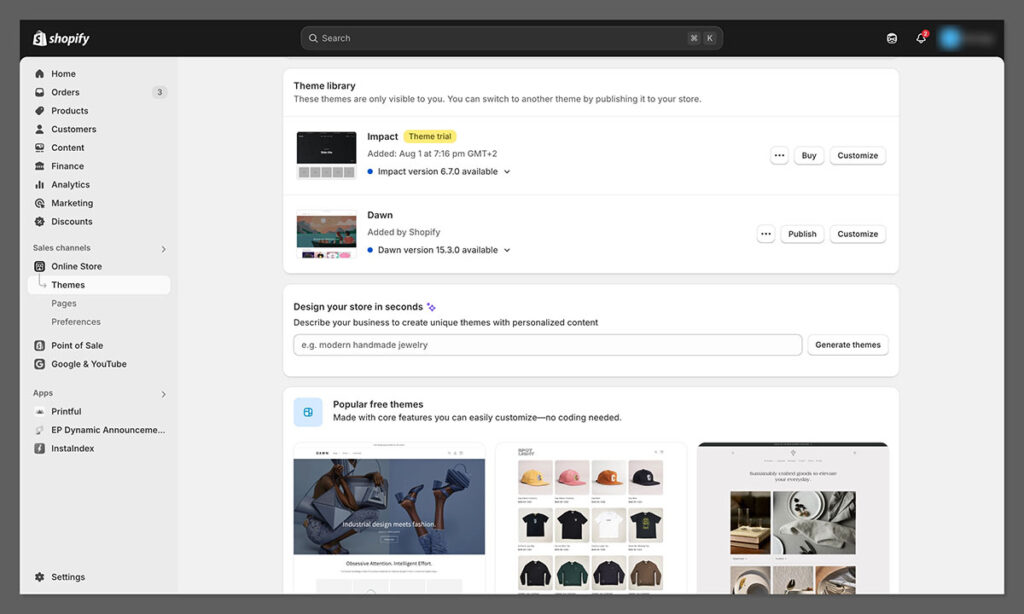
Shopify’s design options are modern, fast, and mobile-ready out of the box.
- 13 free themes
- 180+ paid themes, ranging from $100–$500
- All templates are mobile-responsive
- Each theme is optimised for speed and conversion
- Built-in section-based editor for simple drag-and-drop layouts
You also get access to theme customisation with Liquid, Shopify’s templating language — ideal for devs who want more control without going full custom.
Not a designer? Shopify makes it easy to look professional in minutes.
Verdict: Shopify wins on design for non-coders and scales with you as your brand grows.
BigCommerce: Clean Templates, Fewer Options

BigCommerce templates are fast and conversion-focused, but not as refined or diverse as Shopify.
- 12 free themes
- ~150 paid themes, priced $100–$400
- Categorised by industry (fashion, food, electronics, etc.)
- Mobile-responsive and AMP compatible
Editing is less intuitive, and the UI feels dated. It works, but lacks the polish Shopify delivers.
Verdict: BigCommerce is functional, but not flashy. Better for utilitarian builds than branding-focused stores.
WooCommerce: Unlimited Control, Steeper Learning Curve
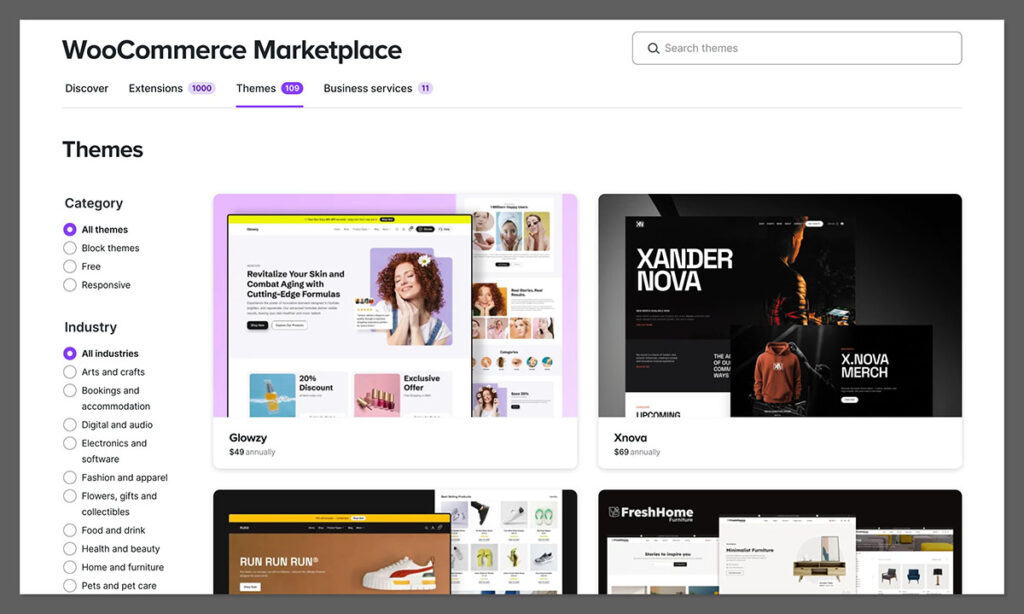
WooCommerce doesn’t have a native theme engine — you’ll use WordPress themes, which gives you nearly unlimited flexibility.
- Thousands of free/premium themes on marketplaces like ThemeForest
- Fully customisable via CSS/JS or visual builders (e.g. Elementor, Kadence, Divi)
- Integrates with Gutenberg blocks for layout control
But because it’s open-ended, results vary. Speed, mobile performance, and conversion optimisation depend entirely on what theme and plugins you use.
Verdict: WooCommerce wins on flexibility, but not everyone has time (or a dev) to make it shine.
Template & Design Comparison
| Feature | Shopify | BigCommerce | WooCommerce |
|---|---|---|---|
| Free Themes | 13 | 12 | Thousands (via WordPress) |
| Premium Themes | $100–$500 | $100–$400 | $30–$100+ |
| Mobile-Responsive | Yes | Yes | Depends on theme |
| Drag-and-Drop Editing | Section-based | No (limited) | With page builders |
| Design Flexibility | ⭐⭐⭐⭐ | ⭐⭐ | ⭐⭐⭐⭐⭐ |
Best for Customer Support: Shopify Makes It Easy to Get Help Fast
When something breaks or you hit a wall, support matters — especially if you’re not technical. Here’s how each platform stacks up.
Shopify: 24/7 Support That’s Actually Helpful
Shopify offers one of the most complete support systems in ecommerce.
You get:
- 24/7 live chat
- Email support
- Phone support (for Plus plans)
- Active community forum
- Help docs, video tutorials, and how-to guides
Support is fast, friendly, and knows ecommerce. It’s rare to hit a dead end.
Verdict: If you’re launching your first store or scaling quickly, Shopify support will save your skin more than once.
BigCommerce: Decent Support, But Less Hands-On
BigCommerce has strong support hours and good resources, but it’s not as proactive or smooth as Shopify.
What you get:
- 24/7 phone support
- Live chat and email
- Online help centre and community forum
They’ll help you fix issues, but the experience varies depending on who you reach.
Verdict: You’ll get help, but it may take longer and require more back and forth.
WooCommerce: Community-Powered Support
WooCommerce is open-source, so official support is limited unless you buy premium plugins or managed hosting.
What’s available:
- Documentation and tutorials
- Plugin-specific support (if purchased)
- Huge WordPress community
- Some hosts (like Kinsta or WP Engine) offer Woo support
If you’re experienced or working with a dev, this is fine. If not, support can feel scattered.
Verdict: WooCommerce support works — but you’ll often be Googling and troubleshooting yourself.
Best Alternatives to Shopify, BigCommerce, and WooCommerce
Shopify, BigCommerce, and WooCommerce cover a lot of ground, but they’re not the only platforms worth considering. If you want more design freedom, a more unified backend, or a platform built around a different kind of ecommerce operation, these are the three alternatives I’d look at first.
1. Wix: Best All-in-One Alternative for Growing Ecommerce Brands
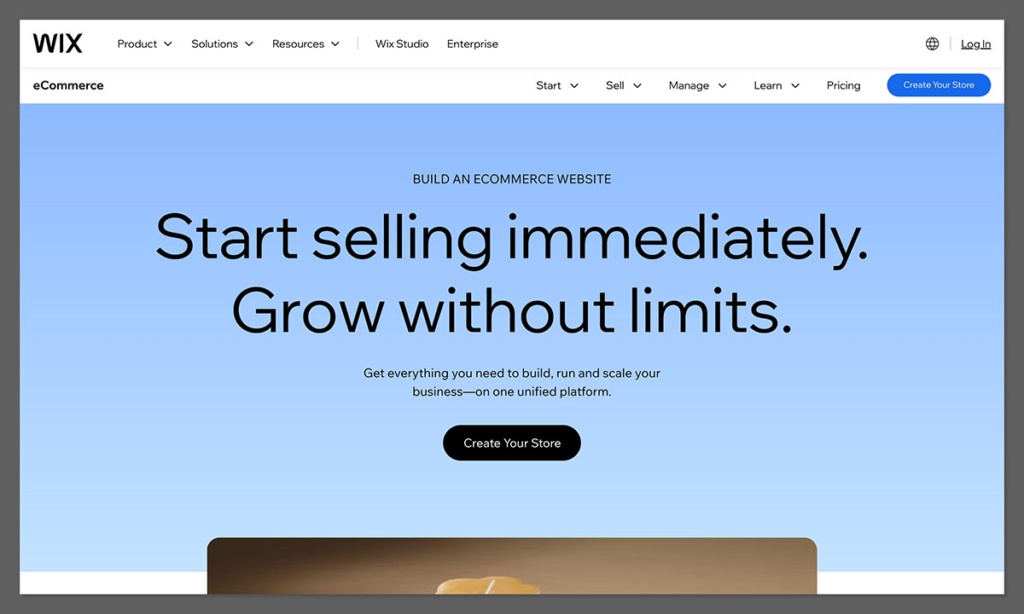
Wix is our top alternative to Shopify, BigCommerce, and WooCommerce because it combines the simplicity of a hosted platform with considerably more flexibility than many people still associate with the brand.
It isn’t just aimed at small stores anymore. Wix supports businesses ranging from new ecommerce sites to high-revenue brands generating $5M–$30M+ annually, with enterprise-grade infrastructure, security and integrations available as operations become more complex.
On the commerce side, Wix includes many of the tools merchants would otherwise need to add through plugins or third-party apps, including:
- AI-driven product recommendations
- Automated discounts and abandoned-cart recovery
- Loyalty programs and subscriptions
- Back-in-stock notifications and digital gift cards
- Multilingual storefronts and multi-currency payments
- Marketplace and social selling
- Integrated POS and mobile selling
- Products, services, bookings, memberships, courses and donations from the same backend
There’s also much more room for customization than there used to be. Wix Harmony combines AI-assisted site creation with pixel-level visual editing, while developers can go further using Velo and Service Plugins or connect Wix with ERP, CRM, WMS and PIM systems.
Wix is also building for the shift from traditional search toward AI discovery. Its AI Visibility Overview lets merchants see how their brand appears across platforms including ChatGPT, Gemini, Perplexity and Claude.
And this is no longer a niche ecommerce product: Wix eCommerce powers $4.14 billion in annual GMV across 763,500 live stores, alongside 99.9% uptime and 24/7 merchant support.
Verdict: Choose Wix if you want an all-in-one ecommerce platform that is easy to operate without sacrificing the ability to scale. It’s particularly compelling for businesses that want commerce, content, design, marketing and multiple revenue models under one roof without assembling a large plugin stack.
2. Adobe Commerce: Best for Complex Enterprise Ecommerce
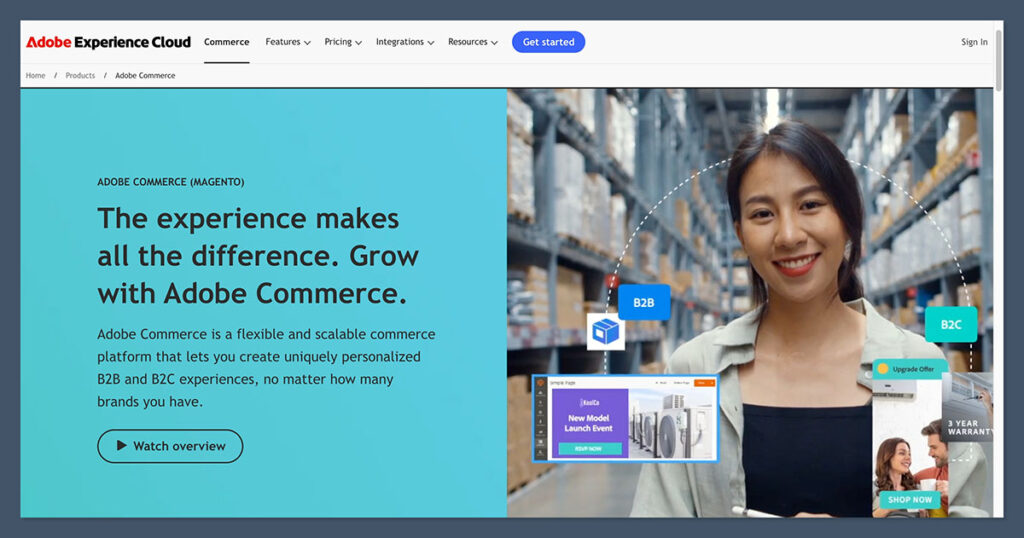
If your requirements go beyond what Shopify, BigCommerce, WooCommerce or Wix can comfortably handle out of the box, Adobe Commerce is one of the strongest enterprise alternatives.
It’s designed for businesses dealing with complex catalogs, multiple storefronts, B2B and B2C selling, sophisticated pricing rules, international operations and deeply customized purchasing experiences.
Its biggest advantage is control. Development teams can build highly tailored commerce workflows and connect the platform with the wider systems used across a large organization.
That power comes at a cost, though. Adobe Commerce generally requires considerably more development, implementation and ongoing technical resources than the hosted platforms in this guide.
Verdict: Adobe Commerce makes the most sense for large enterprises with complicated requirements and the technical resources to support them. For businesses that want enterprise capabilities without taking on quite as much development overhead, Wix or Shopify will usually be easier to operate.
3. Squarespace: Best for Design-Led Ecommerce Brands
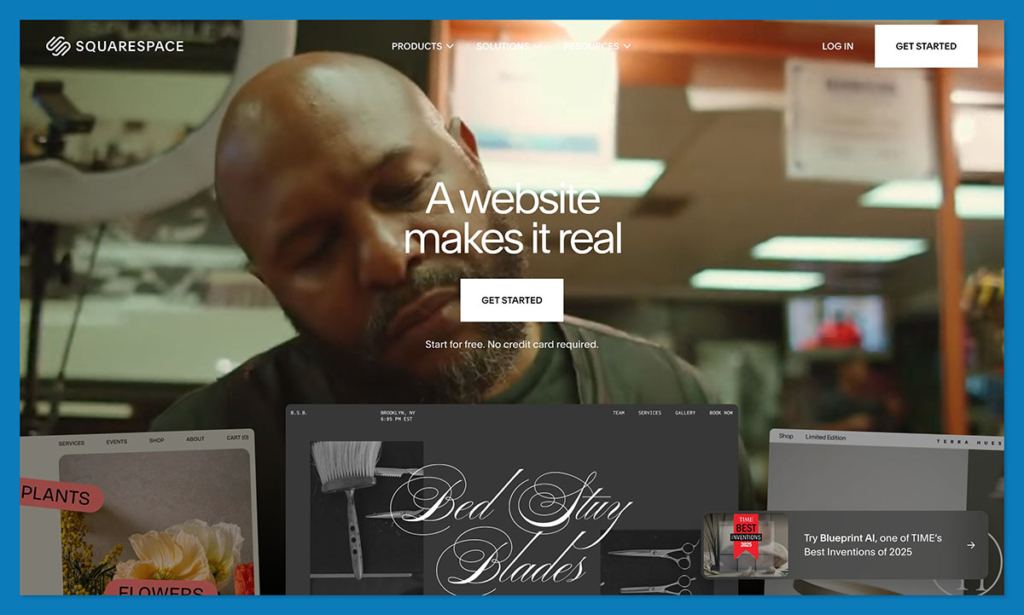
Squarespace is the alternative I’d consider when visual presentation matters more than having the deepest possible ecommerce feature set.
Its templates and visual editing tools make it particularly well suited to brands where the website itself plays a major role in the buying decision — think creative businesses, premium consumer products, photographers, designers and smaller curated catalogs.
You can manage products, content and marketing from one relatively approachable interface, without maintaining WordPress hosting or piecing together a large collection of plugins.
The trade-off is depth. Once you move into complex inventory, advanced international selling, large catalogs or highly customized commerce workflows, platforms like Wix, Shopify and BigCommerce give you more room to grow.
Verdict: Choose Squarespace if design and content are central to your brand and your ecommerce requirements are relatively straightforward. For larger or more operationally complex businesses, Wix is the stronger all-in-one alternative.
Final Verdict: Which Ecommerce Platform Should You Actually Choose?
After comparing Shopify, BigCommerce, and WooCommerce across pricing, SEO, sales features, design, and support — one platform stands out as the most balanced, scalable, and user-friendly for most ecommerce businesses.
That platform is Shopify.
It’s the platform we recommend to 90% of our consultancy clients — and here’s why:
- It’s fast to launch
- It scales smoothly with your store
- It’s backed by world-class support
- It has the best ecosystem for tools, apps, and integrations
- And it just works — without needing a developer every time you want to tweak something
If you want a reliable, modern ecommerce platform that helps you grow without distractions, Shopify is the safest bet.
Choose Shopify If:
- You’re launching a brand and want speed + polish
- You’re scaling fast and need bulletproof tools
- You want to sell across TikTok, Instagram, Amazon, etc.
- You want built-in SEO, multichannel sales, and 24/7 support
- You prefer done-for-you features over complex setup
“Most of our clients use Shopify — not because it’s the cheapest, but because it gets them results faster.”
Choose BigCommerce If:
- You want strong built-in features without relying on paid apps
- You’re scaling internationally or in B2B
- You care about AMP, multi-currency, and zero transaction fees
- You prefer predictable pricing without upsells
“BigCommerce is great for growing merchants who want functionality built in, not added later.”
Choose WooCommerce If:
- You’re comfortable managing plugins, hosting, and security
- You want total control over every SEO, design, and tech detail
- You plan to run a content-heavy store or advanced SEO strategy
- You’re okay with handling technical issues yourself — or hiring help
“WooCommerce is powerful — but it’s a builder’s platform, not a plug-and-play solution.”
Final Recommendation
| Use Case | Best Platform |
|---|---|
| Beginner store owners | Shopify |
| Fast-growing DTC brands | Shopify |
| B2B or international selling | BigCommerce |
| SEO/content-first strategy | WooCommerce |
| Selling across multiple channels | Shopify |
| Budget-conscious with dev experience | WooCommerce |
What’s Next?
👉 Test Shopify for yourself — you can start today for just $1/month for the first 3 months.
👉 Already using another platform? Migrations to Shopify are simple — and we help clients move every week.



Comments 0 Responses