


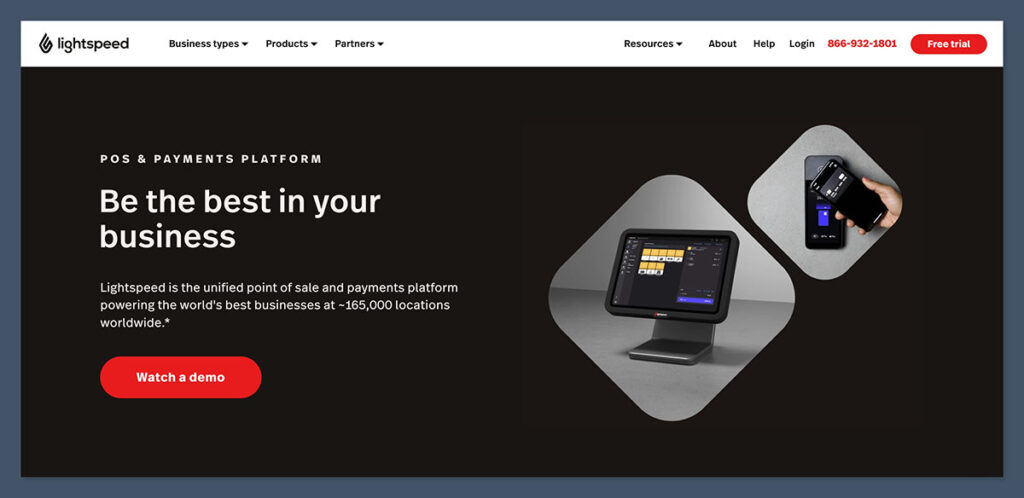
Lightspeed Retail is a feature-rich point-of-sale (POS) system designed to support growing businesses with complex inventory needs.
It stands out for its advanced inventory controls, seamless multi-store management, and strong integration options for ecommerce platforms like Shopify and WooCommerce.
After testing Lightspeed Retail across multiple setups, I found it to be one of the most powerful POS platforms available for modern retailers—but also one of the most expensive.
In this review, I’ll take a close look at its pricing, features, ecommerce integrations, and limitations so you can decide whether it’s the right fit for your business.
Why You Can Trust This Review
To ensure this Lightspeed Retail review is accurate and up to date, I researched real user feedback, tested the platform myself, and cross-referenced findings with industry benchmarks, support documentation, and third-party review data.
I’ve also compared it directly to other leading POS systems, including Square and Shopify POS.
Lightspeed Retail Pros & Cons
Best for established businesses managing large inventories
Rating: 4.3 out of 5
Ideal for: Multi-location retailers, ecommerce brands expanding offline, and inventory-heavy businesses
Free Trial: Yes, 14 days
Pricing: From $89/month per register
Pros 👍
- Real-time inventory syncing across locations
- Powerful ecommerce integrations (Shopify, WooCommerce, BigCommerce)
- Advanced reporting and analytics
- Customizable employee roles and permissions
- In-depth vendor management and purchase ordering tools
Cons 👎
- High monthly cost, especially with add-ons
- Ecommerce and loyalty features cost extra
- Not ideal for single-store or new retailers
- Clunky migration process for existing POS users
My Experience Setting Up Lightspeed Retail
When I first signed up, I was impressed by how detailed the onboarding documentation was.
Lightspeed doesn’t hold your hand like some other platforms (Square, for example), but once I understood the layout, things moved quickly.
Setup Process
I started by entering business details, selecting my industry (apparel retail), and setting up my primary location. From there, I was prompted to:
- Add products (either manually or by CSV import)
- Assign vendors to each product
- Connect payment processing via Lightspeed Payments
- Choose integrations (I selected Shopify and QuickBooks)
- Set tax rules by state and location
The onboarding flow didn’t feel overly complex, but if you’re migrating from a simpler POS, the learning curve is definitely there.
Expect to spend a few hours getting your products and settings right—especially if you’re dealing with large catalogs or multiple locations.
Lightspeed Retail Pricing Breakdown
Lightspeed Retail is not cheap, and its pricing structure can get confusing.
Each register is billed separately, and ecommerce, loyalty, and advanced reporting are all gated behind higher-tier plans or add-ons.
Pricing Table (As of September 2025)
| Plan | Monthly Cost | Includes |
|---|---|---|
| Lean | $89 | Basic POS, single register, basic reporting |
| Standard | $149 | Ecommerce sync, accounting tools, reporting |
| Advanced | $239 | Loyalty, gift cards, analytics, multi-store |
| Enterprise | Custom Quote | API access, premium support, onboarding help |
What Each Plan Offers
- Lean ($89/month): This is the entry-level option for smaller businesses that just need a single register and basic POS features. It covers sales tracking, customer profiles, and simple inventory—but leaves out ecommerce and reporting extras.
- Standard ($149/month): A better fit for ecommerce brands. It adds integrations with platforms like Shopify and WooCommerce, along with access to accounting tools and more detailed reports.
- Advanced ($239/month): Designed for multi-location retailers who need features like loyalty programs, gift cards, multi-store inventory tracking, and deeper analytics.
- Enterprise (Custom Pricing): Tailored for larger operations that need API access, advanced customizations, and premium onboarding support. Best for businesses managing high volumes or multiple systems.
Extra Costs to Be Aware Of
- Additional Registers: $29/month each
- Loyalty Add-On: Starts at $59/month
- Advanced Analytics: $49/month unless included
- Hardware: Terminals, printers, scanners not included
- Payment Processing: 2.6% + 10¢ (with Lightspeed Payments)
I recommend budgeting at least $200/month if you want ecommerce and loyalty functionality.
For a mid-size store with 2 registers and integrations, the monthly cost can climb to $300–$350/month.
Inventory Management: Lightspeed’s Strongest Feature
This is where Lightspeed earns its price tag.
Inventory tools are incredibly detailed, letting you create advanced product catalogs with variants, vendor data, and smart ordering logic.
Key Features I Used:
- Matrix Inventory: Perfect for clothing with size and color variations
- Reorder Points: Auto-prompted low stock notifications
- Vendor Assignment: Connect SKUs to vendors for purchase orders
- Bundled Products: Combine multiple SKUs into one listing
- Multi-Location Stock Transfers: Real-time tracking across stores
Table: Inventory Tools Comparison
| Feature | Lightspeed | Square | Shopify POS |
|---|---|---|---|
| Matrix Inventory | ✅ | ❌ | ✅ |
| Vendor Management | ✅ | ❌ | ❌ |
| Multi-Store Inventory | ✅ | ✅ | ✅ |
| Purchase Orders | ✅ | ❌ | ✅ (Limited) |
| Bulk CSV Product Upload | ✅ | ✅ | ✅ |
Lightspeed clearly leads the pack when it comes to inventory depth.
Square is easier to use but too limited for anything beyond a single-location shop with a small product range.
Shopify POS does a decent job for online-first sellers adding retail locations, but its inventory tools don’t go as deep—especially when it comes to vendor management or purchase ordering.
If inventory is your biggest operational headache, Lightspeed will solve it.
Ecommerce Integration: How Well Does It Sync?
Lightspeed lets you connect with major ecommerce platforms to sync inventory, customers, and sales. I tested it with Shopify and WooCommerce, and the experience was solid—once set up correctly.

Ecommerce Features:
- Real-time product and inventory sync
- Orders auto-import into POS dashboard
- Online returns processed in-store
- Unified customer records across platforms
- Supports Shopify, WooCommerce, BigCommerce, and Ecwid
Just be aware—these integrations are not available on the base Lean plan, and you’ll need to map product SKUs carefully.
Users report that they often need to manually match Shopify SKUs with Lightspeed’s catalog, which can take a few hours depending on the size of the inventory.
Once set up correctly, though, the integration tends to work reliably.
Reporting and Analytics
I was really impressed by Lightspeed’s reporting tools.
Unlike Square, where reports can feel basic, Lightspeed lets you go deep—tracking margin per product, employee sales, location performance, and even customer lifetime value.
Reports Available:
- Daily, weekly, monthly sales
- Sales by employee, register, or channel
- Product performance and inventory turnover
- COGS (Cost of Goods Sold) breakdowns
- Multi-store performance comparisons
- Custom dashboards with export options
If you’re data-driven (and you should be), Lightspeed is a solid choice.
One standout feature is the ability to break down reports by sales channel—allowing retailers to clearly compare performance between online and in-store transactions.
This level of visibility is especially useful for businesses managing both ecommerce and physical locations.
Employee Management and Permissions
Managing staff with Lightspeed is easy. You can create multiple user roles with specific access levels (cashier, manager, inventory manager), and everything was trackable.
Features You can Use:
- Role-based permissions
- Clock-in/clock-out time tracking
- Sales by employee reports
- User access logs
- Training mode for new hires
If you’re managing a team, Lightspeed provides the tools to track productivity and reduce the risk of shrinkage or misuse.
One feature that stands out is the real-time activity log. It shows exactly when staff members open the cash drawer, issue refunds, or void transactions.
This added layer of accountability helps store owners monitor operations more closely—especially during busy shifts or while training new employees.
Loyalty and Customer Management
Lightspeed includes basic CRM tools, but the full loyalty program is only available on the Advanced plan or via a separate add-on.
CRM Features:
- Customer profiles with purchase history
- Tags, groups, and segmentation
- Email capture and birthday fields
- Purchase-based promotions
- Loyalty points program (paid feature)
I found the CRM to be usable but not groundbreaking.
For basic customer engagement, it works—but advanced marketing will require integrating platforms like Mailchimp or Klaviyo.
That said, the ability to segment customers based on past purchases or total spend gives store owners the flexibility to run more targeted promotions.
For example, many users create VIP customer groups to offer exclusive discounts or sync segments with email tools like Mailchimp for personalized campaigns.
Customer Support and Service
Lightspeed’s customer support quality largely depends on the plan you’re on.
Standard users can expect weekday phone and chat support, while higher-tier plans come with priority access and a dedicated account manager.
Support Channels:
- Phone (9am–9pm EST, weekdays)
- Live chat (business hours only)
- Knowledge base and setup guides
- Email ticketing
- Dedicated rep (Enterprise only)
Chat responses are generally quick during business hours, but users have reported that support can be limited or slower on weekends.
For retailers operating 7 days a week, this may be a consideration.
Some users have also mentioned longer wait times when dealing with more complex issues—such as configuring advanced permissions or syncing third-party ecommerce integrations.
In those cases, many turn to the knowledge base, which is comprehensive but may take some digging to find exactly what you need.
Who Lightspeed Retail Is Best For
After testing and comparing it to other platforms, here’s who I’d recommend Lightspeed Retail for:
Best For:
- Multi-location retailers needing advanced inventory tracking
- Ecommerce businesses expanding into physical stores
- Apparel, electronics, bike shops, pet supply retailers with large SKU catalogs
- Operations teams who rely on data and reporting
Not Ideal For:
- New businesses with limited cash flow
- Brands that only sell online
- Single-location stores with low SKU count
- Sellers looking for an all-in-one ecommerce-first solution
It’s also a great option if you have plans to scale.
Lightspeed gives you infrastructure that won’t break under pressure as you open more locations, hire more staff, or move more products. It’s not just a POS—it’s a full retail operations platform designed for scale.
Final Verdict: Is Lightspeed Retail Worth It?
Lightspeed Retail is one of the most powerful POS systems I’ve tested. It offers serious tools for serious businesses—but it’s not for everyone.
If you’re a growing ecommerce brand branching into retail or managing multiple locations, the advanced inventory and reporting features are worth the price.
But if you’re just starting out or only need basic POS tools, there are more affordable options like Square or Shopify POS that will meet your needs without the extra complexity.
For me, the deciding factor came down to this: If you value deep inventory control, rich reporting, and flexible integrations, Lightspeed Retail delivers—as long as you’re prepared to pay for it.
If you need simplicity or you’re bootstrapping, this probably isn’t your tool. But if you’re serious about growth and operational control, it’s one of the best systems available.


Comments 0 Responses