

If you’re building an online store on WordPress, you don’t need to spend money to get started.
I’ve tested dozens of ecommerce plugins—some are overly complex, others hide essential features behind paywalls.
But after hands-on testing and performance checks, I’ve narrowed it down to the top 7 free ecommerce WordPress plugins worth using in 2026.
Whether you’re selling physical goods, digital downloads, or offering services, these plugins can help you launch and manage a professional store without paying for premium tools upfront.
Quick Comparison
| Plugin | Best For | Starting Price | Ratings (Out of 5) | Key Feature |
|---|---|---|---|---|
| Shopify WP Plugin | Shopify checkout in WordPress | Free plugin ($29+ Shopify plan) | 4.8 | Clean, secure Shopify integration |
| WooCommerce | All-round ecommerce | Free | 4.9 | Highly customizable plugin ecosystem |
| Easy Digital Downloads | Digital product sales | Free | 4.7 | Lightweight and fast for digital-only stores |
| WP Simple Pay | Single payments & services | Free | 4.6 | Stripe integration with no cart required |
| Elementor + Add-ons | Custom store design | Free | 4.5 | Visual builder for WooCommerce layouts |
| CartFlows | Optimized checkout flow | Free | 4.5 | One-page checkouts and upsells |
| Advanced Shipment Tracking | Shipping notifications | Free | 4.4 | Integrates with 300+ carriers |
| Google Listings & Ads | Google Shopping integration | Free | 4.3 | Syncs WooCommerce with Google Merchant Center |
1. Shopify WordPress Plugin – Best Shopify Integration for WordPress
Rating: 4.8 / 5
Best For: Using Shopify’s checkout and ecommerce backend inside WordPress
Price: Free plugin (requires Shopify subscription starting at $29/month)
Visit: shopify.com
Why It Stands Out
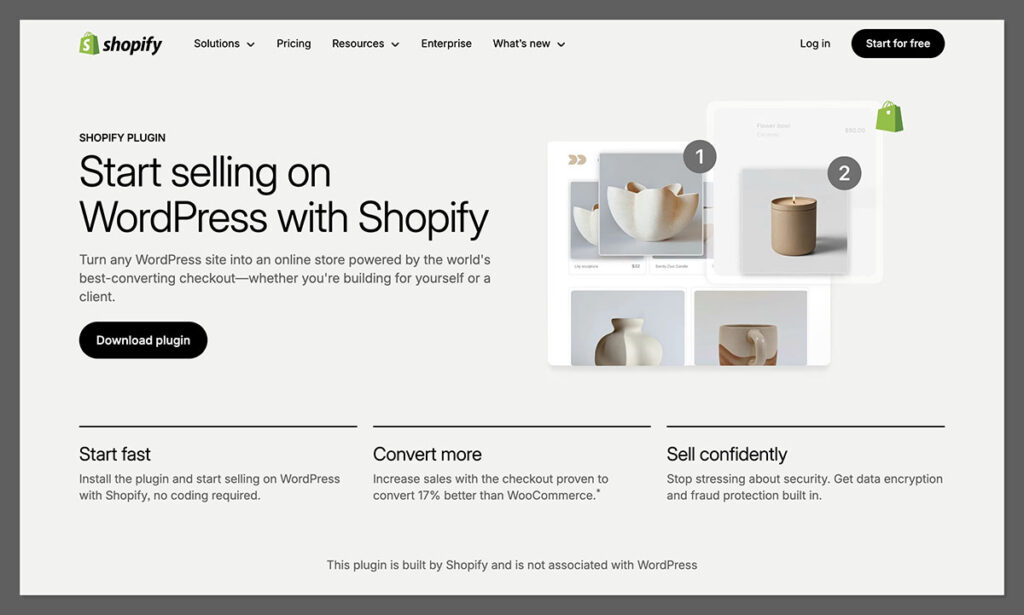
Shopify has relaunched its official WordPress plugin, and this time, it finally delivers what users have wanted: a native, block-based integration that connects your WordPress site directly to Shopify’s backend.
Instead of copying embed codes or dealing with limited Buy Buttons, the plugin adds a seamless way to display Shopify products and collections inside WordPress posts or pages—using Gutenberg blocks.
The checkout experience stays on Shopify’s infrastructure, meaning fast performance, PCI compliance, mobile-first design, and built-in support for Apple Pay, Google Pay, PayPal, and major cards.
It’s ideal for businesses that want to retain WordPress for content, SEO, and design flexibility—while offloading ecommerce functionality to Shopify.
Key Features
- Add Shopify products and collections as Gutenberg blocks
- Clean integration with WordPress themes
- Shopify-hosted checkout (secure and optimized)
- Inventory, orders, and discounts managed via Shopify admin
- PCI-compliant, fraud-protected, and scalable infrastructure
Pros
- Fast setup, no shortcodes or custom code required
- Checkout is mobile-friendly and converts well
- Removes reliance on multiple WooCommerce extensions
- Handles all major payment methods and tax regions
- Keeps SEO and content in WordPress
Cons
- Requires a paid Shopify subscription (starts at $29/month)
- Checkout branding is limited unless on Shopify Plus
- Two dashboards: Shopify for commerce, WordPress for content
- Analytics split between platforms
Bottom Line
For content-heavy websites that need ecommerce features without managing a complex plugin stack, the Shopify WordPress Plugin offers a modern, reliable alternative to WooCommerce. It won’t suit every workflow, especially if full control over checkout design is required, but it’s one of the cleanest ecommerce integrations available for WordPress in 2025.
2. WooCommerce – Best Overall Ecommerce Plugin
Rating: 4.9 / 5
Best For: All types of ecommerce stores
Price: Free core plugin
Why It Stands Out
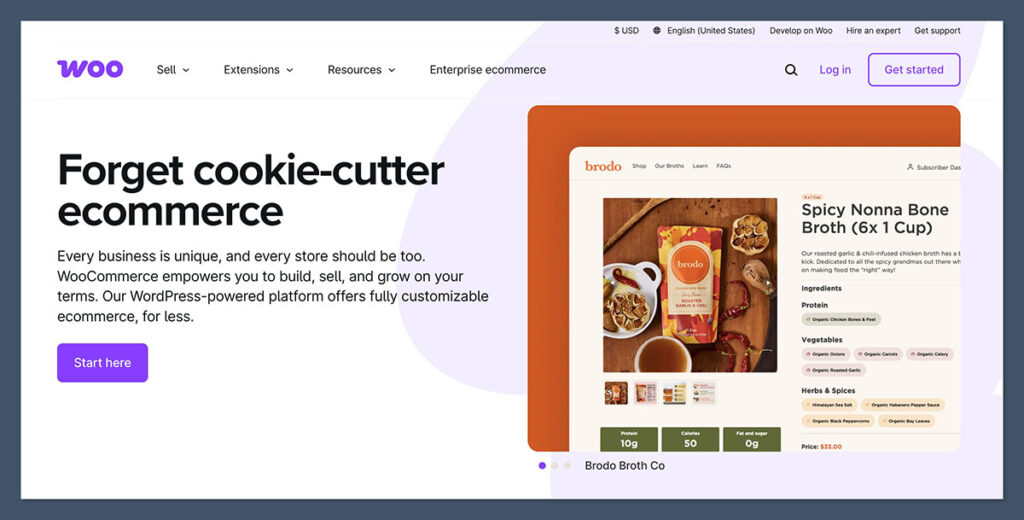
WooCommerce is the most popular ecommerce plugin for WordPress, and for good reason.
It supports almost any store type—physical, digital, subscriptions, services—and integrates with nearly every major tool in the WordPress ecosystem.
It can be used for everything from small startup stores to multi-language international shops. Its flexibility is unmatched, and there’s a plugin for nearly every feature you’ll ever need.
Features
- Add unlimited products
- Flexible shipping and tax options
- Built-in PayPal and Stripe integration
- Discount codes, coupons, and upsells
- Native Gutenberg and Elementor support
- Analytics dashboard with key insights
Pros
- Completely free to start
- Massive community and documentation
- Seamless with WordPress themes and builders
- Scalable with free and paid extensions
Cons
- Can feel overwhelming at first
- Some basic features require extra plugins
Bottom Line
If you’re not sure where to start and want a plugin that can scale as your business grows, WooCommerce is your best bet. It’s powerful, flexible, and backed by Automattic (WordPress’s parent company).
3. Easy Digital Downloads – Best for Selling Digital Products
Rating: 4.7 / 5
Best For: Creators selling downloads
Price: Free (paid add-ons available)
Why It Stands Out
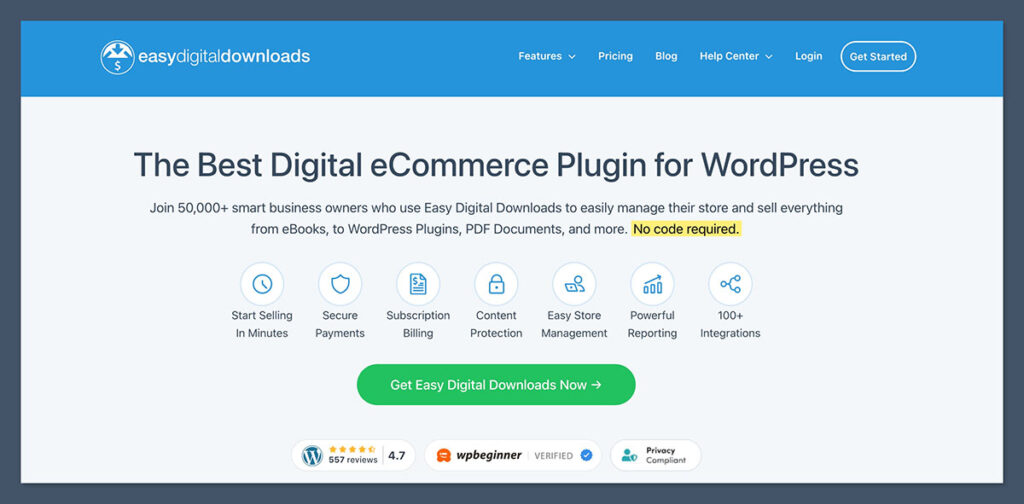
If you only plan to sell digital goods—ebooks, music, software, templates—Easy Digital Downloads (EDD) is a better fit than WooCommerce. It’s lighter, faster, and built specifically for this use case.
You can use EDD on sites that sell templates and plugins. It handles file protection, customer history, and download tracking effortlessly.
Features
- Unlimited digital products
- File access control
- Stripe and PayPal integration (free extensions)
- Customer profiles and purchase history
- Discount codes and promo tools
Pros
- Clean and fast interface
- Tailored to digital-only stores
- Simple setup process
- Great reporting tools for file sales
Cons
- Not ideal for physical product stores
- Some essential payment gateways require add-ons
Bottom Line
EDD removes all the extra ecommerce features you don’t need when selling digital products. If you’re a creator, this plugin keeps your store lean and easy to run.
4. WP Simple Pay – Best for Single Payment Forms
Rating: 4.6 / 5
Best For: Freelancers and service-based businesses
Price: Free version available
Why It Stands Out
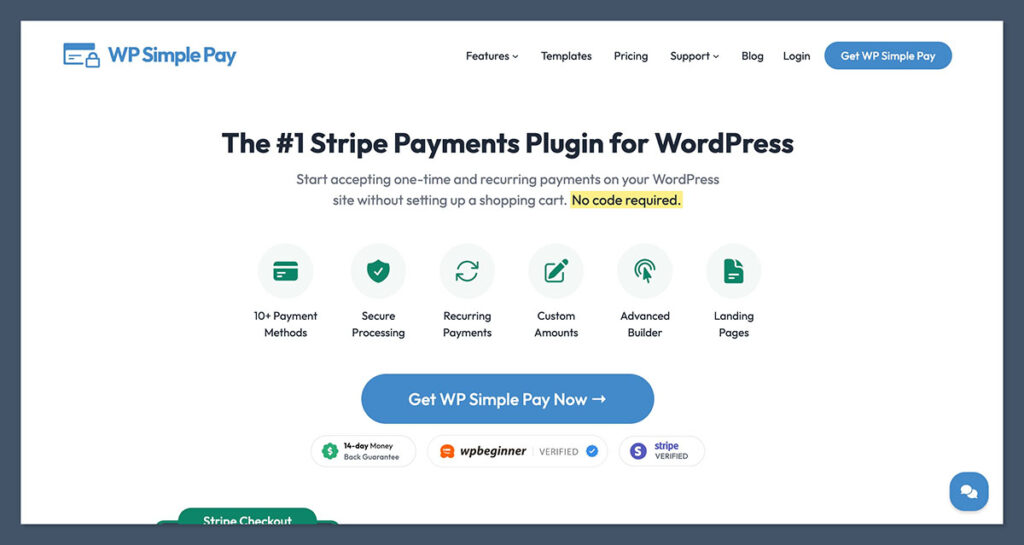
WP Simple Pay lets you accept Stripe payments on your WordPress site—without needing a shopping cart. You can use it to sell a single product, accept donations, or book services with one-time payments.
It’s a favorite of mine for minimalist stores or client projects that don’t require a full catalog.

Features
- One-time or recurring payments
- Drag-and-drop payment form builder
- Custom fields (email, phone, name)
- Mobile-friendly Stripe checkout
- Embed anywhere via shortcodes
Pros
- No cart needed—fast transactions
- Clean, modern UI
- Fast loading checkout process
- Great for lead generation pages
Cons
- Only works with Stripe
- Limited product flexibility
Bottom Line
If you’re looking to sell one service or accept donations without building a full ecommerce store, WP Simple Pay does the job beautifully.
5. Elementor + WooCommerce Add-ons – Best for Custom Design

Rating: 4.5 / 5
Best For: Store owners focused on UX/UI
Price: Free (Pro version available)
Why It Stands Out
Elementor is a visual website builder. With the right WooCommerce add-ons, it becomes a powerful tool for designing custom product pages, shop layouts, and checkout experiences.
You can use Elementor with themes like Astra or Kadence to deliver polished, responsive storefronts without touching code.
Key Free Add-ons to Use with Elementor
- WooLentor – Adds WooCommerce widgets and templates
- ShopEngine – Visual product builder and quick view options
- WooCommerce Blocks – Adds Gutenberg blocks for ecommerce
Pros
- Intuitive drag-and-drop builder
- Mobile-responsive designs
- Huge library of templates
- Integrates with WooCommerce seamlessly
Cons
- Can feel heavy with too many add-ons
- Free version has limited widgets
Bottom Line
Elementor gives you visual control of your store’s layout. If your focus is branding and user experience, this is a powerful (and free) way to stand out.
6. CartFlows – Best for Custom Checkout Pages
Rating: 4.5 / 5
Best For: Funnel optimization and upsells
Price: Free with optional Pro version
Why It Stands Out
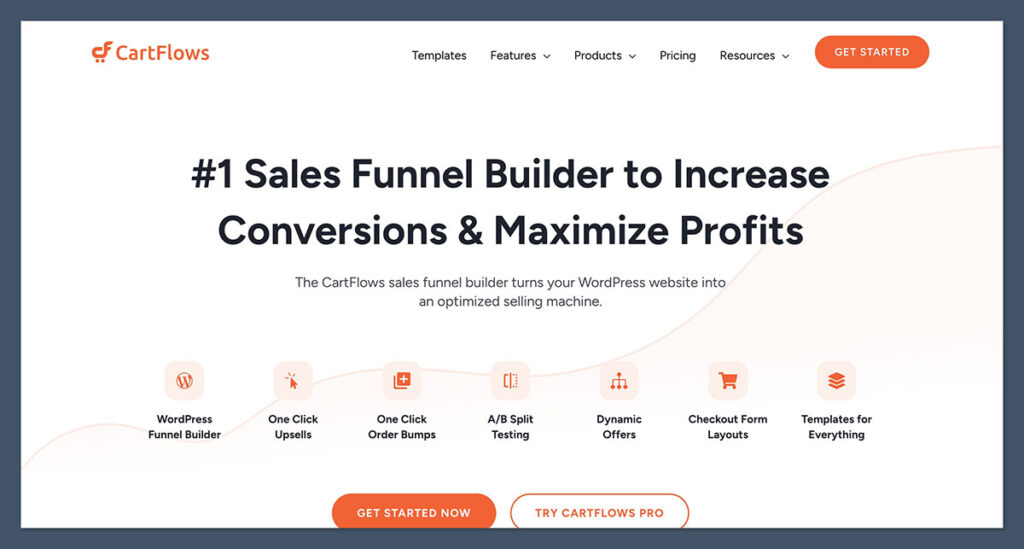
CartFlows turns WooCommerce into a sales funnel system. It helps users build one-page checkouts, upsell flows, and custom thank-you pages.
It’s proven to be one of the most conversion-focused tools available for WordPress, and the free version offers a lot of functionality without requiring an upgrade.
It’s a strong alternative for those who want to optimize their checkout process without relying on more complex or expensive platforms like ClickFunnels or Shopify Plus.
Features
- Custom checkout templates
- Drag-and-drop funnel builder
- Add or remove checkout fields
- Post-purchase thank-you pages
Pros
- Built for conversion-focused stores
- Works with Elementor and Gutenberg
- Removes friction from the checkout process
- Beginner-friendly interface
Cons
- Upsells/bumps require Pro
- Some templates feel dated
Bottom Line
If you want to boost average order value and reduce abandoned carts, CartFlows makes your checkout look and perform better—without costing a dime upfront.
7. Advanced Shipment Tracking – Best for Shipping Updates

Rating: 4.4 / 5
Best For: Stores that ship physical products
Price: Free
Why It Stands Out
This plugin solves a common issue for physical product stores—keeping customers updated on shipping.
With AST, tracking numbers can be added to orders, and customers are automatically notified when their package is on the way.
It’s a simple way to reduce support requests and improve the overall customer experience, especially for stores that handle their own fulfillment or work with multiple carriers.
Features
- Supports over 300 shipping carriers
- Custom tracking URLs
- Auto-send tracking emails to customers
- Displays tracking in WooCommerce “My Account”
Pros
- Easy to set up
- Professional shipping experience
- Works with most major carriers
- Reduces customer support load
Cons
- Interface feels slightly outdated
- Limited customization on emails
Bottom Line
If you sell and ship physical products, AST is essential. It adds professional-level tracking to your WooCommerce store at no cost.
8. Google Listings & Ads – Best for Google Shopping Integration
Rating: 4.3 / 5
Best For: Boosting store visibility on Google
Price: Free
Why It Stands Out
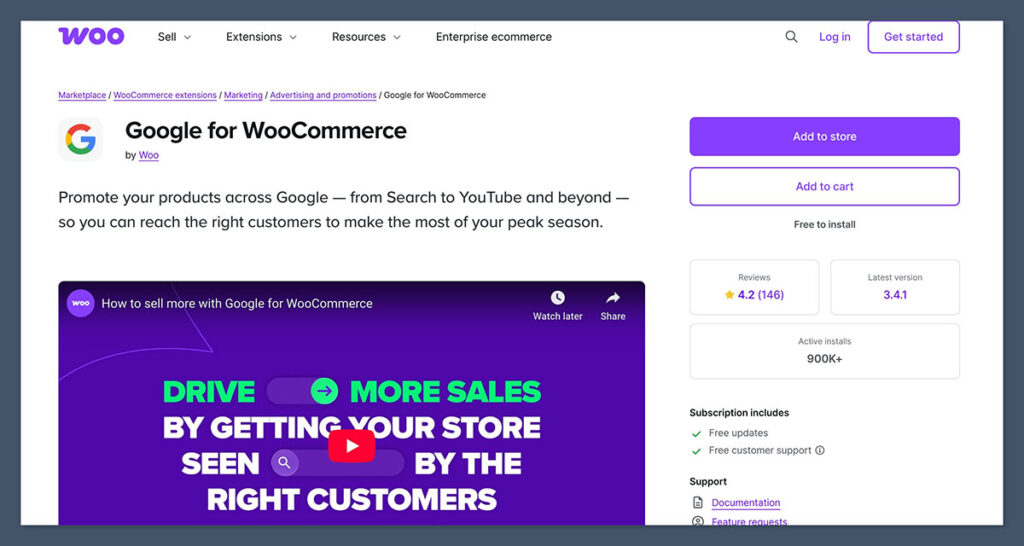
Google Listings & Ads helps WooCommerce users automatically sync their products with Google Merchant Center.
Once connected, products can appear in Google Shopping and be used in Performance Max ad campaigns.
It’s an effective way to boost product visibility, and stores often start seeing traffic shortly after the sync is complete..
Features
- Google Shopping sync
- Product performance insights
- Merchant Center integration
- Basic ad campaign setup from WordPress dashboard
Pros
- Increases visibility
- Saves hours on manual feed updates
- Works directly inside WooCommerce
- Supports free and paid product listings
Cons
- Requires a Google Merchant Center account
- Reporting can feel limited
Bottom Line
If you want to reach new customers fast, getting listed on Google Shopping is a no-brainer—and this plugin makes it easy.
Final Thoughts: Which Free Plugin Should You Choose?
Each plugin on this list solves a different part of the ecommerce puzzle.
Here’s a quick recommendation based on your store type:
| Your Need | Recommended Plugin |
|---|---|
| Sell using Shopify on a WordPress site | Shopify WordPress Plugin |
| All-round ecommerce store on WordPress | WooCommerce |
| Sell digital downloads only | Easy Digital Downloads |
| Accept one-time payments or donations | WP Simple Pay |
| Customize store design visually | Elementor + Add-ons |
| Build one-page checkouts and funnels | CartFlows |
| Send automated shipping updates | Advanced Shipment Tracking |
| List products on Google Shopping | Google Listings & Ads |
Free plugins can take you incredibly far in WordPress ecommerce.
Most of the tools above are used by six- and seven-figure stores, so don’t underestimate them just because they’re free.
Once your revenue grows, you can always invest in pro features or expand your stack.


MErci pour ces nombreux plugins utiles en ecommerce. J’en utilise déjà pas mal mais je ne connaissais pas certains.
Toujours un plaisir de découvrir les bonnes “recettes” de la votre blog. 🙂
Colmar
You’re welcome!
Hi Catalin.
Great info here.
I have a question for your about plugins that I can’t seem to find anywhere.
Is there a ‘right’ number of plugins that our ecommerce site should have? I mean not an exact number but perhaps a variance? Is it possible to have too many plugins?
Thanks Catalin.
Sincerely – Bill
Hello Bill,
There isn’t a right number of plugins your ecommerce site should have. You just need to make sure the plugins are constantly updated and are created by trustworthy developers so that they wont pose a threat to your website.
Nice and interesting information and informative too.
👍👍👍
I see you wrote about BigCommerce. That plugin is good if you have a site with LOTS of orders and need a huge campaign.
Last Black Friday i used WooCommerce Instagram to boost sales in my shop. Just created the posts at Instagram and connected them to my shop directly.
Worked like a charm 😉
Happy to hear that Mr. K!
I want to sell watercolor paintings and prints…I have a WordPress site for another business but consider myself a beginner…I want to sell worldwide…will WooCommerce work for me?
Hello Diane,
WooCommerce would work great (but there are some costs involved). You can start with a free solution like Square Online Store or a cheaper one like Big Cartel.
For e-commerce sites, quizzes also work well. This is almost the same as the polls, only they can more effectively attract site visitors to make a purchase. You can create quiz via online services or regular plugins, for example, through stepFORM, etc.
Wir nutzen auch intensiv WooCommerce und haben vor kurzem auch Neuronto AI entdeckt, um die Inhalte per DeepL automatisch zu übersetzen. Können nur empfehlen 🙂
Sehr guter informativer Inhalt. Hat mir echt weitergeholfen.
Grüße
Dennis
Happy to help Dennis!
Nice article for e-commerce website strategy…. Create An Online Store there are different plugins and you can decide that according to your requirements.
Thank you SO much for such a great article… making the change to Woocommerce from Ecwid right now because of this article and I can already see so much improvement on my webstore… It looks better, is easier to control and work on from my wordpress backend, it works better for me and for the buyer and it is totally free!! Ecwid was good for a while but the free option was only for up to 10 items and SEO features were only for paying customers!!! I am so pleased with my new choice… and I really thank you again so much for a really great article… Isn’t the internet a wonderful thing… Wishing you all the best…
Thanks for sharing.
I would like to go with Woocommerce. It is the best e-commerce plugin for WordPress.
Hello
I’m intending to make a tutoring website where teachers can display their profiles and students (or parents) who need lessons can choose the suitable tutor for them and make appointment booking. Students pay online through the site and then we pay the teacher his percentage. Percentage depends if the teacher used our website application or not.
Can help me choosing the right solution for this operation.
I would be very grateful.
Woocommerce is great and quite robust for a free plugin. Not too familiar with the other plugins as much but it is important to note that security is most vital with any such plugin.
Hello Bogdan, This is a great article, well detailed.
Please i want to add e-commerce in my WordPress site but i don’t know the best plugin to use because i want the e-commerce to allow the users to be able to sell their products on my site.
Please any suggestion will be greatly appreciated, thank you.
Hello Shadrach,
I would go with WooCommerce, you’ll have to check with a designer and see if your current theme is compatible with WooCommerce.
Best,
–
Bogdan – Editor at ecommerce-platforms.com
Hi Bogdan,
Great article, and lots of good info. I wanted to ask if Woocommerce is good for online ordering for a delivery/takeout restaurant? Also, what plugins would be necessary to implement for this project? Any advice would be greatly appreciated. 🙂
Thanks,
Allison
Hi Allison, WooCommerce is a good option for building delivery/takeout restaurant website. A few restaurant menu booking and reservation plugins can be found here.
–
Bogdan – Editor at ecommerce-platforms.com
Hello Bogdan, This is a great article, well detailed.
Please i want to add e-commerce in my WordPress site but i don’t know the best plugin to use because i want the e-commerce to allow the users to be able to sell their products on my site.
Please any suggestion will be greatly appreciated, thank you.
Hi Shadrach,
I would go with WooCommerce, you’ll have to check with a designer and see if your current theme is compatible with WooCommerce.
Best,
–
Bogdan – Editor at ecommerce-platforms.com
Hi Bogdan,
As a beginner I was wondering about using the wordpress 2017 theme. Do you know whether it can support woocommerce?
Hi Elisabeth,
As far as I know, the Twenty Seventeen WP theme doesn’t work with WooCommerce.
Here’s a list with 20+ eCommerce WP Themes: https://ecommerce-platforms.com/ecommerce-resources/20-best-ecommerce-wordpress-themes-for-2016
Best,
–
Bogdan
Paypal seems to have changed their recurring payment process and I’m looking for a simple plug-in that will let me process recurring payments with my members. Any recommendations?
Hi Dakin, you could try using Braintree.
Cheers!
–
Bogdan – Editor at ecommerce-platforms.com
Thanks for great posting. Running one site with WC I have become aware that it gets slowed down extremely. Now for another project primary for selling digital downloads thinking about EDD. Do you have compared performance of WC and EDD, especially site speed and memory usage? What is your recommendation in this context?
Thanks for reply. Grazie a lei.
Conrad
Hi Conrad, we don’t have a comparison yet. Here are two articles that might help:
https://ecommerce-platforms.com/compare/shopify-vs-woocommerce
https://ecommerce-platforms.com/ecommerce-reviews/easy-digital-downloads-review-selling-digital-stuff-ease
–
Bogdan – Editor at ecommerce-platforms.com
I would like a multi-vendor site that allows the vendor to have control over pricing, coupons, shipping options, etc and I would like them each to have a blog with their store. Is woocommerce what I am looking for?
Hi Tamie, you can do this using WordPress and the Marketify theme:
https://ecommerce-platforms.com/ecommerce-selling-advice/the-best-ecommerce-platforms-shopping-carts-for-multi-vendor-ecommerce-marketplaces
Here are a few more options: https://ecommerce-platforms.com/ecommerce-selling-advice/the-best-ecommerce-platforms-shopping-carts-for-multi-vendor-ecommerce-marketplaces
Best,
–
Bogdan – Editor at ecommerce-platforms.com
Bogdan, Thank you very much for sharing these awesome E-Commerce Strategies. I got many more tips form this article.
I am trying to find an inventory solution and I’m not sure exactly what I’m looking for (or what it’s called). I run a nonprofit pet food bank and we’re starting a special program which is an “animal welfare share program”. Basically various animal groups will drop off items they don’t need and pick up items they do need so that we’re all more efficient with donor dollars. We want to have an inventory program where we can “check in” items as they come in. Items will not be “sold” but rather weekly we’ll update the inventory or we’ll ask the participating orgs to indicate the items they have taken (so these participating orgs will need a way to login or “purchase” items (even though there’s no cost). We would like the animal orgs to be able to look on our website (WordPress) and see which items are in-stock (before they drive to our location). There will be no charge at any point. I’d like to run occasional reports so that we can see how much inventory we’ve “re-homed”. Given all of this, do you have a recommendation of a plugin that would cover our needs? Thanks for your help!
Hi Eileen,
I would go with WooCommerce, but you’ll have to hire a developer to help you implement the custom features you need, as no platform will offer this kind of features by default.
Best,
–
Bogdan – Editor at ecommerce-platforms.com
Hi there, I’m trying to use woocommerce for my ebook store but it doesn’t support ePub and mobi files. All the other plugins either cost too much or don’t have as extensive functionality. What is there to do now?
Hi Priscilla,
You can try adding Easy Digital Downloads into the mix.
Check out our full review for more info:
https://ecommerce-platforms.com/ecommerce-reviews/easy-digital-downloads-review-selling-digital-stuff-ease
Cheers,
–
Bogdan – Editor at ecommerce-platforms.com
Hi everyone
Im pretty new to all this – Ive just finished creating my first self hosted site and trying to learn still
I would like to add a section to sell ONLY one product on my site. So im looking for something simple
Would any of these plugins be suitable or are these too advanced for what i need?
Hi Gordon,
For selling one single product you can use Gumroad. It works for both physical and digital products and it can be integrated on any page from your website.
Best,
–
Bogdan – Editor at ecommerce-platforms.com
Thanks Mate – I will look into that
Appreciate your articles and individual help you provide to your readers 🙂
Hi Bogdan
I implemented gumroad and just before i was about to go live with it, I realised that it only transacts in USD. This would not appeal to my customers in Australia due to exchange rate and international currency fee.
DO you have any other simple suggestion like Gumroad which would work in Aus?
Or can i just use shopify or woocommerce – even though it might be overkill for my one product?
Thank you
Great info! Which of these would be good for digital downloads? I sell embroidery designs and each could have up to 14 variables with a downloadable file for each, depending on which format the customer needs.
Thanks in advance!
Hi Brenda,
Check out this article to see what are some of the best options for easily selling digital goods online.
https://ecommerce-platforms.com/ecommerce-selling-advice/top-10-best-ways-sell-digital-goods-online
Best of luck,
–
Bogdan – Editor at ecommerce-platforms.com
According to my understanding of Shopify terms of service they have access to your customer database and are allowed to use your customer data for their and their partners use. This means that you cannot offer a privacy policy to your customers a better promise of privacy. I spent time and money at Shopsite and had to bail out when they changed their TOS.
i did like woocommerce but i am having to deactivate it as it’s making my site too slow. I have only added 6 products and it’s adding 2-3 seconds on to each page load. I know it’s becuase i am on shared hosting but i will need to look for another a ecommerce plugin, i’ll get more expensive hosting when i can afford it!
Hi jess,
This could be a problem with the WordPress install on your server not necessarily with the hosting plan you are paying for right now.
Best,
–
Bogdan – Editor at ecommerce-platforms.com
Hello Bogdan, its there a platform that that a user can edit variable information of a product or better yet, a webform with clients input as a product? I’m looking at selling direct mail peices as a product.
Hello, thanks for sharing! I’m a student from Belgium and for my bachelor project I want to develop a second hand book platform, a platform where you can see which books you need for your studies and order them online. https://www.gamemania.be/games/Used is a site with the same principle. You bring your books in a pop-up, we scan them and they appear on the site were you can order them one by one or in a packet. I’m looking for a template or plug-in that can help me with that, could you give me some recommendations please?
Kind regards
Hello Henri,
You could do this quite easy with Shopify.
There are quite a few book store templates on their website.
https://www.shopify.com/examples/crafts-and-books-templates
Best,
–
Bogdan
I have a WordPress.com site, please can you let me know if one of these plug ins would work on there, or if I need to set up something different or convert my site to .org ?
Thank you
Hi Bella,
The plugins are for WordPress.org websites.
Best,
—
Bogdan – Editor at ecommerce-platforms.com
Thank you for sharing but Cart66 is not a free platform. They make you go through all of the technical stuff before they tell you it’s free for 15 days. There is no free version.
Hi Regina,
Cart66 is a WordPress plugin, not an eCommerce platform. It looks like the company may have stopped supporting the lite version, we’ll make the corrections soon.
Thanks,
—
Bogdan – Editor at ecommerce-platforms.com
This is a great article, thank you for the information. I do have a question though. I have set up a site for our non-profit and need to be able to accept donations. Those typically work a bit differently. We will also market some event tickets and shirts, but that would be about the extent of our ecommerce. Do you have a recommendation for this type of functionality?
Hi Tris,
You can easily accept donations using PayPal by creating a donate button. You can then embed this button on your website.
—
Bogdan – Editor at ecommerce-platforms.com
Hi,
I want to use our current business website which does not have the capability of selling anything to host a page capable of selling a few seasonal products. Would you recommend any of the above for this?
Thanks
Hi Patrick,
If you wish to sell directly from you current website then Ecwid will be a great option for you.
You can read our full review here for more info.
Best of luck,
—
Bogdan – Editor at ecommerce-platforms.com
Great plugins list. Thanks for sharing that with us.
Good day
Is there a recommendation for current plugin / theme for selling clothing
Variables required would be customisable sizing selections
Colour selections variables for pricing adjustment for certain sizes and colours etc
Small order fees
Ability to set quantity discounts for combined order numbers
I have looked for ages and are becoming increasingly confused
So I was hoping for any recommendations please
Kind regards
Hi Ross,
WooCommerce would be a great option here.
There are dozens of Fashion WordPress themes to choose from and services like WpCurve can help you make the necessary adjustments.
Best of luck!
Bogdan – Editor at ecommerce-platforms.com
WooCommerce so good, and i think you’ll make tutorial for plugin woocommerce.
Hi there,
You can check out our Shopify vs WooCommerce comparison.
Hope you’ll find it helpful.
Cheers!
hi,
i am very confusing,i am appreciating your help.
can i use woocommerce plugin and at the same time another marketplace plugin,all in my wp website.
i want to inform you that i have about 20000 products.
thanks
Hi Waled,
You can do this by using the Product Vendors plugin developed by WooCommerce.
Cheers!
Thank you so much for this info and taking the time and energy to put it all together! I’m in the market for a plugin for my not-for-profit website for fundraising with handmade items. I’ll pass this on to my site designer, as he’s getting ready to build and create!
We’re glad we could help!
Hi, what would be a good plugin to sell 5 to 10 physical products? I’m an artist and want to sell some prints. Any help would be greatly appreciated.
Hi Aldo,
In you case Ecwid would be a great option. You can read our full review here.
IMO Woocommerce is the best e-commerce plugin for WordPress.
Thanks for an excellent review article. I am looking for wp ecommerce plugins for my website right no. I am not entirely certain how much I am going to use it, therefore, don’t want to buy commercial software. I am working on small business data analysis and plan to write about it or provide some services. Most of my friends suggest WooCommerce. How good is it?
Regards:
Ankur Purohit
Hi Ankur, this article could help: Shopify vs WooCommerce: The Ultimate Comparison. Cheers!
Thank brother for the updating me.
If I want to come up with a website (informational/blog) with a tab where I can sell stuff correlated. What is the best plug-in? So I dont want a 100% e-commerce site. I want WordPress power of web sites with sell option.
Hi Bruno,
Il you’re planning to sell just a few products through your WordPress blog I would recommend using Gumroad. It works well for both physical and digital products and it can be easily integrated into your WP site. You can also integrate Gumroad right into your Facebook, YouTube, Soundcloud and even an email newsletter.
Hope this helps!
Thank you for your answer Bogdan, I will evaluate this plug-in.
Cheers!
Good day
Thanks for the info on the various plugins. Can you advise which ones have the standard ability or features out of the box to offer a client a One Time Offer or Upsell once a client has purchased Product A already but before they are able to checkout a time sensitive pop up appears to Promote product B and add this to the cart?
How would you advise I build this into my funnel? Any other plugins to consider?
Thanks In advance.
Hi there, have you considered an exit intent app?
Here’s a comparison of some of the best exit intent apps.
I use analytics stats counter statistics which offer me the opportunity to customize my own analytics counter design.I really enjoy using this plugin.
https://wordpress.org/plugins/stats-counter/
Hello. Are any of these options suitable for a restaurant online ordering system? Ideally I need one that can be integrated with Ikentoo POS. Many thanks.
Hi WooCommerce, WP eCommerce and MarketPress would be suitable for an online restaurant. There are plenty of restaurant WordPress themes to choose from websites like CreativeMarket and ThemeForest.
Here’s a question I have for which I’ve yet to find an answer…
Do any of the eCommerce sites offer the ability for customers to NOT pay with a credit card or paypal or other electronic payment method? Many of our customers are schools. Their payment system is antiquated and they have to be able to pay by check. Our current webstore allows payment by credit card or “invoice”. If the customer chooses “invoice”, the order goes through and is processed and we are alerted to mail them an invoice (for payment by check).
I’m working my way through the different providers, trying to find out who might offer this option for us. Any suggestions?
Hi, i have a question. I’m new at all of website thingy. I created my first website from Easysite builder, now i’d like to have a e commerce platfrom where i sell only 3-5 products, what should i use? Im also dying to have a user membership to my clients where they can see their account (customers information) and send support ticket/mail to admin (me). Can anyone please help me?
Hi Rose,
What kind of products are you planning to sell? Digital, physical?
Hi Catalin,
in my opinion today WooCommerce the best free plugin for ECommerce.
Hi Catalin,
Thank you for the article.
I am at the sensitive stage right now regarding which eommerce plugin to use for my next site. This narrows down the options considerably.
Sooner or later i will have to just make a decision; but at least now it will be an informed one.
James
I’m setting up a website and a blog. I downloaded WooCommerce, but I feel it doesn’t fit my business. I sell mainly services (consultations) and e-books. The WooCommerce is set up to sell physical goods to ship, and it’s great for that. But for me, the “shop” page needs to have a lengthy description of the services and e-books I will offer, pretty pictures, with an appointment calendar and the like. The WooCommerce shop page just lists the products without leaving much options to customize the shop page. And it looks like I’m selling t-shirts and not services. The way I see it, my shop page should be just one page more like a blog post with a general description and products listed not in a grid but a list form with a paragraph or two of description. I don’t have 10k products, maybe just a dozen which will all fit on one page.
While it’s pretty easy to set up e-book shop, I have no idea how to go about setting up online payment for appointments in the best way possible, and perhaps integrated with a calendar.
Hi Tatiana! I can see we have the same situation with our website. I also sell just few services. Right now i found myself using ecwid (i have no choice coz it’s already included in easy site builder), and like yours it doesnt fit in mine. but it would much better if theres any platform where we can create a registration for our clients where they can sign in, and communicate from there so there’s tracking (support ticket system). What did you do with yours? Kindly let me know.
Great resource. I’m currently using WooCommerce and a recent update wiped out my pricing field for products with variations. I’ve been on their site and it looks like they are no longer supporting anything. I don’t even find an option for Premium support. Does anyone know if they are abandoning this platform?
As I know there is an Alipay extension which can be installed onto the older version of wordpress site, so I’m wondering which of the above e-commerce plugs support the said Alipay extension?
Hi Alex, Alipay will definitely work with WooCommerce, Easy Digital Downloads, Ecwid and Jigoshop .
Best
Thanks for all this useful info! Do you happen to know if any of these (or other) platforms that integrate with WP, are also available in Italian?
Cheers 🙂
Ciao Cristina, no idea but you can fire some quick emails to their support teams 🙂
Hi. Thank you for your advice and information about the various plug-ins and options.
I am very new to wordpress and building webpages. I am trying to create a shopping cart where the customer would be able to personalize the item. For example, they would order a t-shirt, variables would be size, color, font style, but also what message they would want to print on the shirt.
Are there specific plug-ins that would work better with variables and personalization. Where would the personalized message be stored in the cart/order?
Any advice would be very welcome.
I’m looking at setting up something very similar (mine is mailbox numbers so I also have size, color, font & message). Right now, I’m planning to use WooCommerce along with their product add ons extension. I’m still exploring options and I haven’t pulled the trigger on a paid extension yet.
If anyone has experience with this extension (or suggestions for a better solution), I’d love to hear about it.
Hi,
I have a website idea but have spent a lot of time researching to find a solution and can’t seem to find one that would get me started without having something custom built. I am completely new to this so maybe I’m missing something. I’m looking to build a site where users can post their own items to buy, sell or trade (mostly trading) but not an auction site. I’m looking to build revenue mostly from ad sales but possibly also taking a commission. I’m open to users brokering their own trades at first but eventually would like to facilitate the payment process for the user. Any help on a plug in that might at least get me off the ground would be helpful. Thanks!
Hi Megan, I think you are looking for a “marketplace” solution, so please read these two posts:
The Best Ecommerce Platforms & Shopping Carts for Multi-vendor Ecommerce Marketplaces
How to Build a Digital Product Marketplace
How to Build a Physical Product Marketplace
+1 for Copyfight: https://wordpress.org/plugins/copyfight/
Great article, thank you.
I spent a whole year developing Tajer (https://wordpress.org/plugins/tajer/), a new WordPress eCommerce plugin.
Hope someone find it useful.
Wow it is actually awesome
Moving to it right away
Thank you for your efforts building such powerful plugin for free!!
This was informative. I have a follow up question. What is the best plug in or service (besides ECWID) that I can use to “batch load” product data for my store. In other words, can I load a CSV file with my product data into WooCommerce for example? ECWID allows for this, but charges you a monthly charge for more than ten products. I would prefer to pay a per transaction charge if something like this exists.
Great article and advice. I would like the facility to set up payments on a continuous authority basis – so regular monthly payments, in much the same way as the traditional book club model works. Any idea whether any of these platforms can handle this – or whether a totally different solution would be needed?
Nice selection. I currently left Shopify after one week of issues and because of my experience with WordPress I installed WooCommerce. The verdict is still out as I’m waiting for support on shipping costs using their USPS extension which is not delivery some shipping options and grossly miscalculating what it is providing. That extension costs $79 for one license and the corresponding Stamps.com extension is another $59.
One problem is I’m in the USA and they’re in South Africa so there is a huge time lag for support plus a notice said they are back-logged.
Key for my business and any business shipping goods is to have reliable real-time carrier calculations for customers with all the shipping options available. The business owner must be able to pick and choose those options.
If WooCommerce can fix this I’m all in as the basic structure is well done. It’s that pesky shipping that’s becoming trickier than I expected.
I’m starting to develop a woo commerece site and I find their customer support problematic as it takes a day or so to get a response. The yearly cost of plugins make it less affordable. Plugins are written by and supported by either the developer or woo or both. I have yet to find a woo ninja to be a 10 help. More like a 6-7 at best. I thought WordPress bought woo. I would think WP would offer a better support system. Disappointing.
Great plugins. Thank you so much CATALIN ZORZINI
I have set up two WooCommerce sites and it each was fairly straight forward to set up. The hardest part is just uploading all of the images and setting up thepages. (There is a CSV uploader plugin that makes that chore a bit faster, if not really easier.)
Once that’s done, it’s typical WordPress maintenance.
Thanks – very useful .. Which csv uploader plugin did you use ?
I have used “WP Ultimate CSV Importer” for my woocommerce store. The plugin also supports the above mentioned WP eCommerce and MarketPress.
Hi Stacy,
Thank you for using and recommending our product. For more details about the product, visit our page (https://www.smackcoders.com/wp-ultimate-csv-importer-pro.html).
Thanks,
Fredrick.
I am looking at putting an ecommerce solution on the above mentioned site in future. I was thinking about using woo commerce. for 2 reasons: the yoast seo plugin is optimised for woo commerce and no 2, there is support for this from a warehouse that I was wanting to use.
I am not sure if I got the intent though, with woo commerce do you have to have a subdomain?
I don’t really want subdomains… bad for seo… I am also thinking of adding a social networking plug in…
however, I want to keep everything as tight as possible in one site preferably without subdomains.
(which is why I also liked the shop mentioned that adds to your site and that you can add products to a facebook page as well.
Nice compilation of eCommerce plugins. We have been developing products and providing services extensively on WooCommerce to clients because of its wide range of functionalities and simplicity of use. It’s easy integration with various plugins, themes can turn your shopping site into a million dollar site.
The coupons, discount options are great options to attract more customers to your site. If you know your way around WordPress then understanding WooCommerce is a child’s play.
Great article! When looking for digital downloads, would you still recommended your own platform versus for example http://www.gumroad.com or http://www.revolge.com ?
Hi Michael, for digital downloads you can’t get any better than the free Easy Digital Downloads app.
Hey man,
I opted for Woocommerce, as I wanted to set up my site http://www.blue.solar (looks tidy) using WordPress. I was sceptical at first, but then once I started selling I got a https certificate to protect my clients and was able to sell solar panels Uk and internationally. Woocommerce has a great shipping and payment options. Was easy to set up and needed limited knowledge on how to code.
Great post with useful tips and WordPress Ecommerce plugins recommendations.
Superb plugins with great functionalists.
stainless steel fasteners
We use woocommerce on a store with 10,000+ products – works great. To speed it up we are using Autoptimize , Gator Cache and BJ Lazy load – all work together brilliantly and the site is really quick. Take a look at http://www.brandedbiker.co.uk and you wont belive its wordpress !!
Hey Freddie,
i also have a store with about 12k products, but i’m not as fortunate as you 🙁 I’m having problems updating the product info.
I run, on a daily basis, a API Rest over a database located on the physical store server, which sends the product info to the wordpress database, so we can have the inventory correct on the website. Could you give some help with your advice so i can have a daily product update?
Great plugins. WooCommerce is best one. Developing an eCommerce website is not a big deal now by using these plugins.
Hi Patricia,
Thanks for stopping by. Glad you like the selection. Let me know if you end up using any of these.
Best
Sorry if this is kind of a stupid question, but should I install all these plugins for my upcoming online store or should I use only one
Hi Alejandro, there are no stupid questions! Only one will be enough.
Hi Catalin,
I have in mind to build an online store where my clients are able to upload their products on my website and sell on their own. Is this possible using wordpress and any available plugins for wordpress?
Hi Prashant,
You can definitely build a marketplace using WordPress. You can do this using the Marketify WP theme and, in case you are building a marketplace for digital products, the Easy Digital Downloads Marketplace Bundle.
Here you’ll find a step by step guide on how to do it:
For physical products:
How to Build a Physical Product Marketplace (like Etsy) with WordPress and Marketify
For digital products:
How to Build a Digital Product Marketplace (Like Fiverr) with WordPress, Marketify and the EDD Bundle
Cheers!
Incredible plugins, I’m looking for it to put on my site. Thanks for sharing Catalin.