

Best Overall

Shopify
View Pricing Read Review →$29/month Basic, billed annually
Free Shopify Subscriptions app
- Customers skip, pause and cancel online
- Recharge, Loop and Skio upgrade paths
- Subscriptions online, on POS and in Shop
Best for Subscription Boxes

Subbly
View Pricing Read Review →$79/month Subbly plan
$711/year on annual billing
- Customer skips, pauses and swaps
- Cut-offs, gifting and build-a-box
- Free migration with saved cards
Best for Mixed Catalogs

WooCommerce
View Pricing Read Review →$279/year WooCommerce Subscriptions
Core plugin free; hosting extra
- Physical, digital and service subscriptions
- No platform transaction fee
- 25+ payment gateways
Subscription businesses lose 39% of acquired customers annually. Failed payments cause 24% of B2C churn and 29% of digital-goods churn in Churnkey’s 2025 Stripe-based benchmarks. The best subscription ecommerce platforms help subscribers manage orders and recover failed payments.
After comparing 17 platforms and 4 Shopify apps, Shopify is our top pick among ecommerce platforms for subscriptions. Shopify combines a free subscription app, customer skips, pauses and cancellations, and upgrades through Recharge, Loop and Skio. Its free app lacks bundles and digital memberships.
Below, I’ll walk you through each pick’s subscription features, real costs and catches, whether you ship boxes or sell memberships, and explain how we ranked them.
Key Takeaways 🔍
- Shopify starts at $29 per month (billed annually) with its free subscription app
- Subbly leads for boxes: skips, pauses, swaps and free migration from $79 per month
- Product restrictions matter: Wix is physical-only; Squarespace supports physical products and services; Payhip supports digital memberships
- Recovery differs: Squarespace cancels after 3 failed charges, Payhip after 20 days; Wix offers optional daily retries
- Online cancellation still matters under California and New York City rules despite the FTC rule’s vacatur
Best Subscription Ecommerce Platforms Compared
Compare subscription fit and sales fees, not just the monthly plan:
| Platform | Best for | Starting price | How subscriptions work | Extra fee on sales |
|---|---|---|---|---|
| Shopify | Best overall | $29/mo (billed annually) | Free Shopify Subscriptions app | None with Shopify Payments |
| Subbly | Subscription boxes | $79/mo ($711/yr) | Built in | 1% + 19c on Stripe |
| WooCommerce | Physical and digital mix | Free core + $279/yr extension | WooCommerce Subscriptions | None |
| Wix | Simple product subscriptions | $29/mo (billed annually) | Built in, physical only | None |
| Payhip | Low-cost digital memberships | Free | Built in, Stripe only | 5% Free, 2% Plus, 0% Pro |
| Squarespace | Design-focused brands | $19/mo (billed annually) | Built in, physical or service | 2% on Basic, 0% from Core |
| Square Online | Selling in person too | $49/mo (Plus) | Square Subscriptions | None |
| Podia | Courses and communities | $42/mo (billed annually) | Built in, digital | 5% on Mover, 0% from Shaker |
| BigCommerce | Multichannel brands | $29/mo (billed annually) | Third-party app | None on embedded gateways |
| Cratejoy | Marketplace discovery | $24.99/mo (billed yearly) | Built in, boxes | 1.25% + $0.10; 15% on marketplace orders |
Prices show subscription-capable entry plans. Card processing costs extra on every platform.
1. Shopify: Best Overall Subscription Ecommerce Platform
Best for: Physical-product brands selling coffee, supplements or pet-food replenishment.
Shopify wins because its free Shopify Subscriptions app adds subscribe-and-save without another software bill. Contracts and payment details stay with Shopify when you switch apps.
However, the app lacks bundles and scores 3.8 out of 5 from 910 Shopify App Store reviews, versus 4.8 from 3,159 for Recharge. Gift cards and, by default, discounts apply only to the first payment.
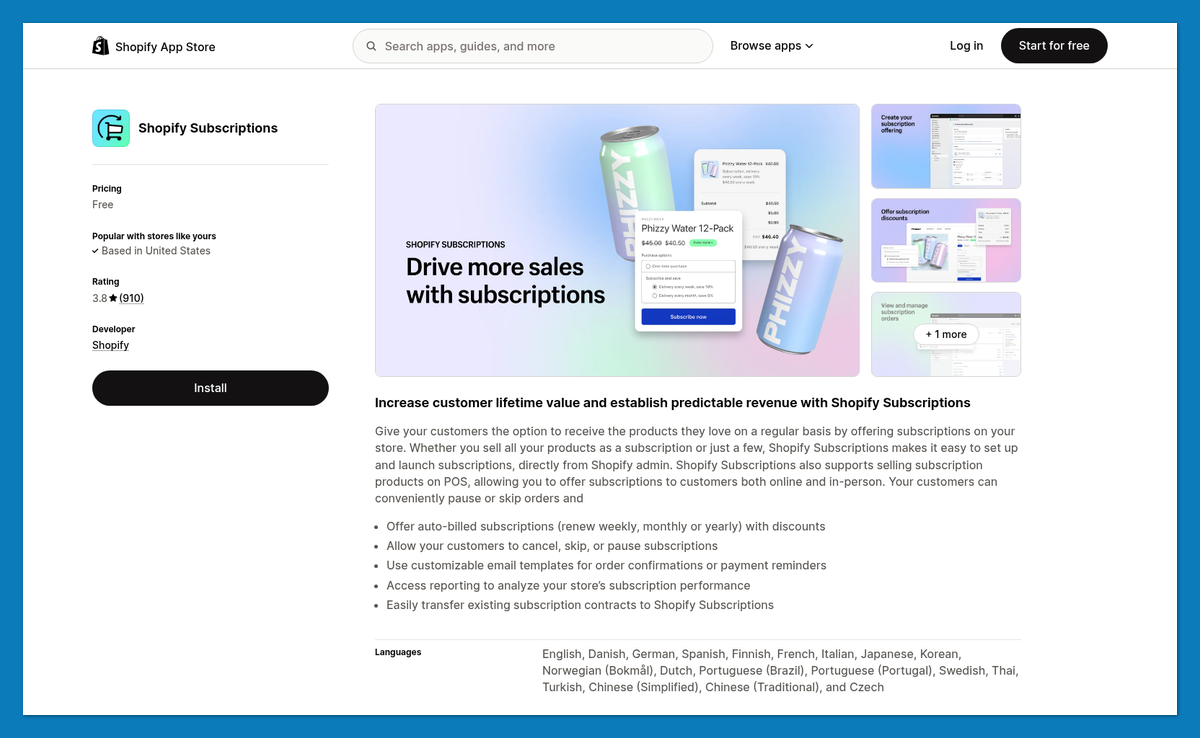
Key subscription features:
- Billing: Weekly, monthly or yearly; percentage, dollar, fixed-price and buy X get Y discounts.
- Self-service: Skip, pause, resume, cancel, update cards and addresses.
- Gateways: Shopify Payments, PayPal Express, Authorize.net, Adyen and Stripe for select merchants.
- Channels: Online store, Shopify POS and Shop; CSV contract imports.
Pricing:
- Shopify plans: Basic $29 per month (billed annually) or $39 (billed monthly); Grow $105 and Advanced $399 per month (billed monthly), less on yearly billing. Free app; 3-day trial, then $1 per month for 3 months.
- Card fees: Basic 2.9% + 30c; Grow 2.7% + 30c; Advanced 2.5% + 30c. Basic adds 2% without Shopify Payments.
- Upgrade apps: Recharge Starter $149 per month + 1.50% + 20c; Scale $499 + 1.25% + 20c. Loop is free through 50 active subscriptions, paid from $99 per month. Skio costs $499 per month (billed annually) or $599 (billed monthly) + 1.25% + 20c.
Pros 👍
- Free app: No extra subscription software cost.
- Upgrade path: Recharge, Loop and Skio expand controls.
- Sales channels: Subscriptions online, through POS and on Shop.
Cons 👎
- Bundles: Unsupported in the free subscription app.
- Gateway surcharge: Basic adds 2% without Shopify Payments.
- Widget glitches: July 2026 merchants reported variant changes triggering subscriptions.
I’d start with Basic and the free app. Test variant changes at checkout; upgrade for bundles or swaps. Recharge Starter adds $3,348 annually in our cost example. Read our Shopify review.
2. Subbly: Best for Subscription Boxes
Best for: Curated boxes needing storefront and subscription operations together.
Subbly ranks #2 because subscribers handle skips, pauses and swaps themselves while you control box cut-offs. However, its $79 monthly entry price and smaller app ecosystem favor Shopify for simple replenishment.
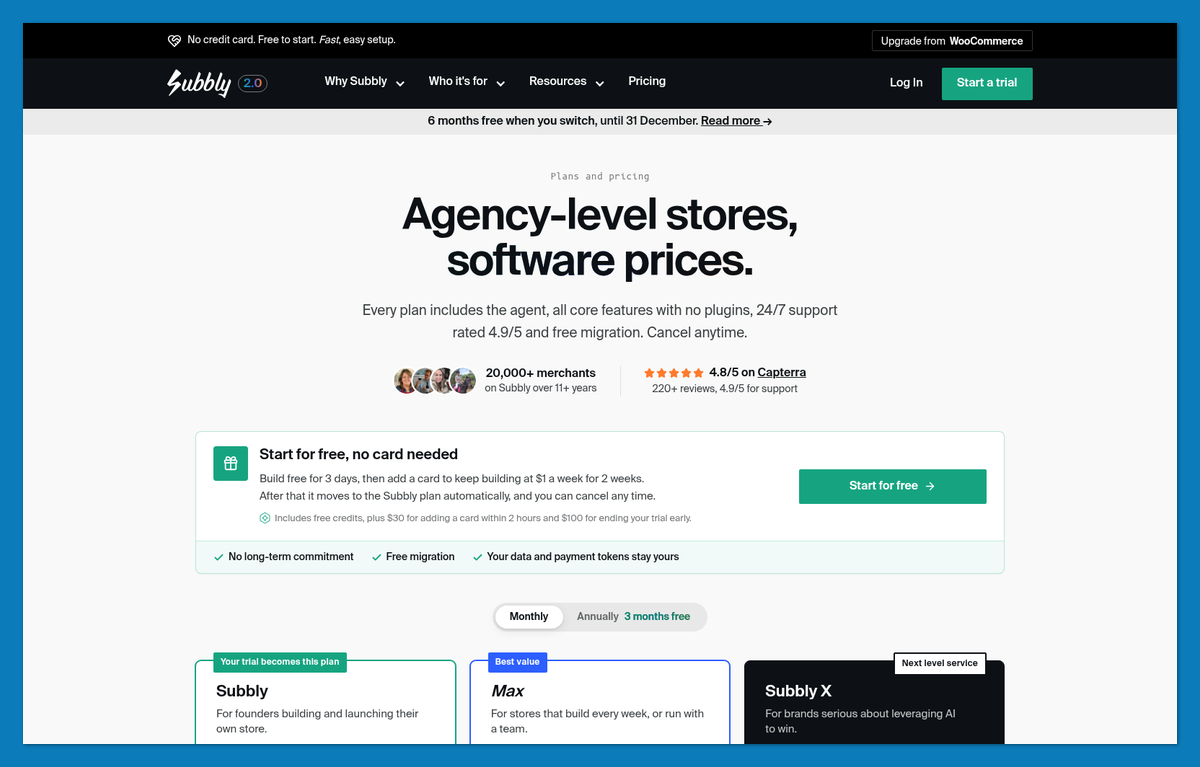
Key subscription features:
- Subscriber controls: Portal skips, pauses, swaps and upgrades.
- Box operations: Cut-offs, renewal times, build-a-box, gifting, add-ons and referrals.
- Migration: Free moves; Stripe/PayPal cards carry over. Others receive a card-update link.
- Support: 24/7 assistance and an AI store-building agent.
Pricing:
- Plans: Subbly $79 per month or $711 yearly; Max $199 or $1,791 yearly; Subbly X from $499 per month.
- Fees: Stripe 1% + 19c; other gateways 1.25%; refer-a-friend sales 1%. Subbly X from 0.25%; processing extra.
- Trial: 3 days without a card, then $1 weekly for 2 weeks.
Pros 👍
- Box controls: Customer skips, pauses and swaps included.
- Free migration: Saved Stripe or PayPal cards carry over.
- Support: 24/7 assistance on every plan.
Cons 👎
- Entry price: $79 monthly challenges smaller box businesses.
- Transaction fee: 1% + 19c per Stripe charge, on top of processing.
- App ecosystem: Fewer extensions than Shopify offers.
At 200 subscribers paying $30 monthly, Subbly costs $4,695 annually, $1,809 below Shopify plus Recharge Starter but $1,539 above Shopify’s free-app setup. I’d pay for Subbly when swaps and cut-offs matter.
3. WooCommerce: Best for Mixed Physical and Digital Subscriptions
Best for: WordPress sellers with mixed catalogs and technical help.
WooCommerce ranks #3 because its Subscriptions extension bills physical products, downloads and services with no platform transaction fee. You own the data, but hosting, security and updates remain your responsibility.
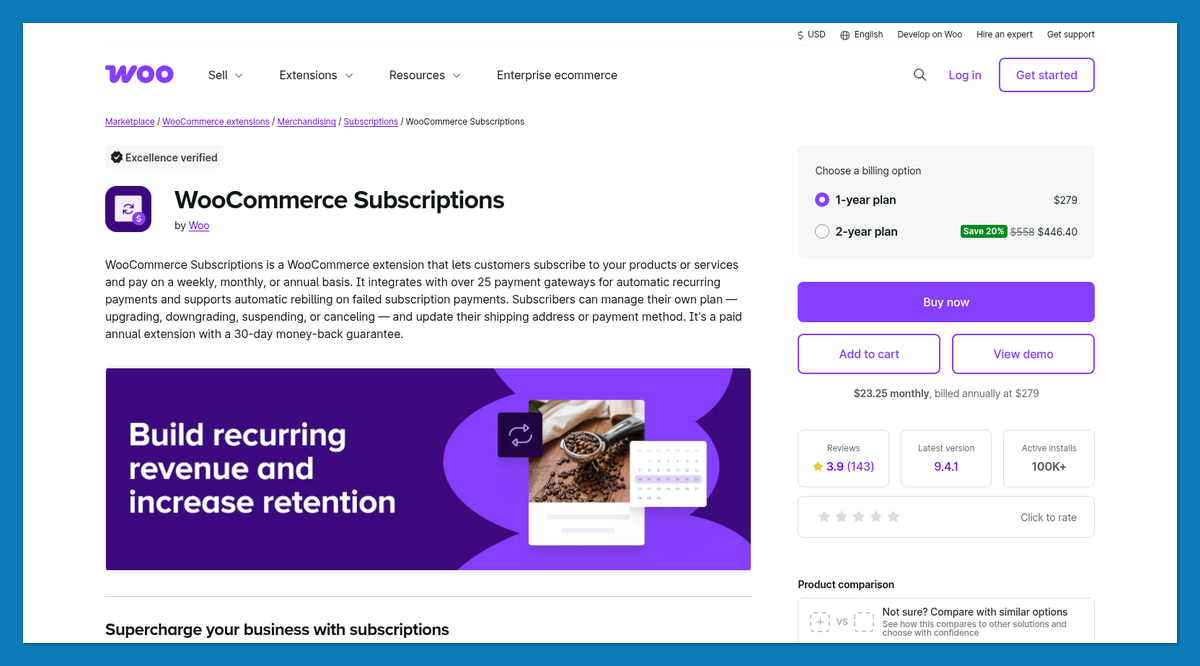
Key subscription features:
- Billing: Weekly, monthly or annual plans, trials, sign-up fees and discounts.
- Products: Physical goods, services and downloads on subscription.
- Self-service: Switch plans, update details, suspend and cancel through My Account.
- Recovery: Enable automatic retries and emails; check gateway support. Manual renewals support any gateway.
Pricing:
- Core: Free WooCommerce plugin.
- Subscriptions: $279 yearly; 2-year plan $446.40.
- Extras: Hosting, domain, processing and additional extensions.
Pros 👍
- Platform fees: No WooCommerce transaction fee on renewals.
- Mixed catalog: Physical, digital and service subscriptions together.
- Gateway choice: 25+ options, including WooPayments, Stripe and PayPal.
Cons 👎
- Maintenance: You manage hosting, security and updates.
- Total cost: Hosting and extensions increase the headline price.
- Migration: Moving saved cards elsewhere can be difficult.
Best for: Existing WordPress sellers wanting control over a mixed catalog.
Skip if: You want hosting handled for you; choose Shopify or Subbly.
4. Wix: Best Website Builder for Product Subscriptions
Best for: Small brands selling physical subscriptions from a website builder.
Wix earns #4 because Core includes subscriptions without an app, with 6 options per product. However, cancelled subscriptions cannot reactivate, and payment-provider changes require every subscriber to buy again.
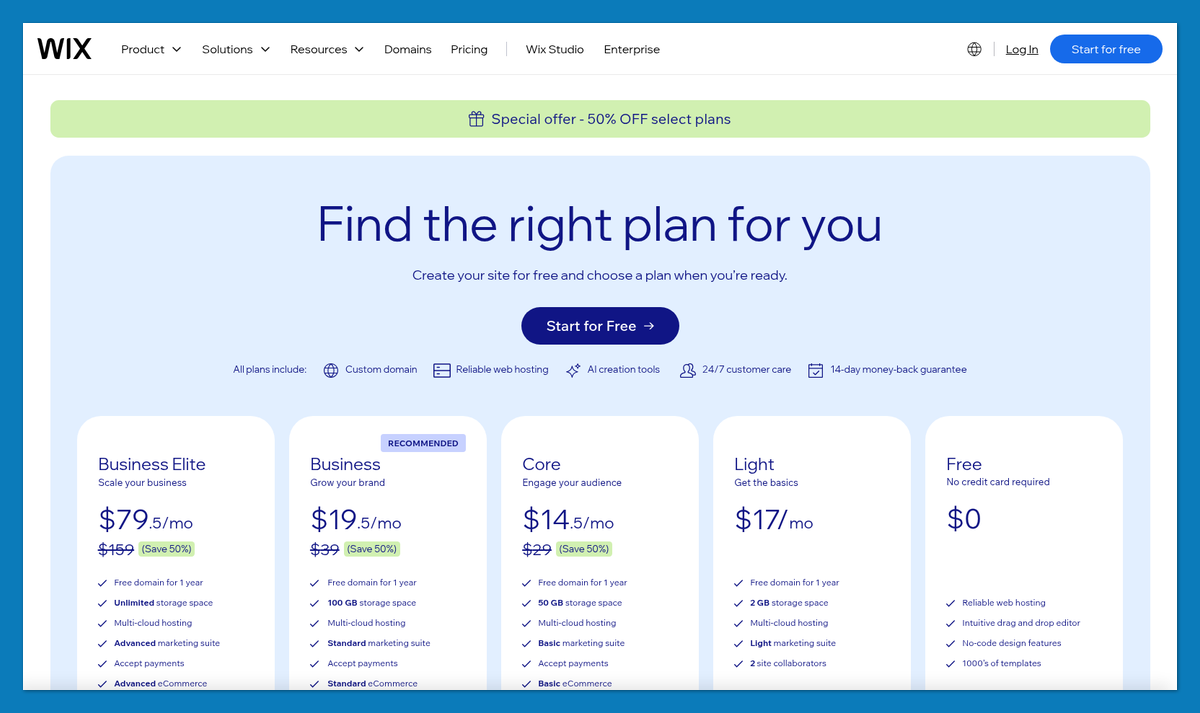
Key subscription features:
- Billing: Day, month or year intervals, cycle limits and discounts.
- Self-service: Cancel, update cards and enable up to 10 skips with notice requirements.
- Recovery: Optional 14-day grace period with daily retries, still rolling out; excludes first payments, including post-trial.
- Inventory: Out-of-stock renewals still create orders, potentially making inventory negative.
Pricing:
- Core: $29 per month (billed annually); $17 Light cannot sell.
- Business: $39 per month (billed annually); Business Elite $159 per month (billed annually). Processing extra.
Pros 👍
- Native subscriptions: Available from $29 per month annually.
- Plan choice: Up to 6 options per product.
- Recovery: Optional grace period with daily retries.
Cons 👎
- Digital products: Excluded from Wix product subscriptions.
- Provider changes: Every active subscription must be cancelled.
- Customer controls: No subscriber pause or product swap.
I’d choose Wix over Squarespace for subscriber control: opt-in skips and daily retries versus no skips and cancellation after the third failed charge. Read our Wix review.
5. Payhip: Best for Low-Cost Digital Memberships
Best for: Memberships, courses, coaching and content bundles, not physical subscriptions or single downloads.
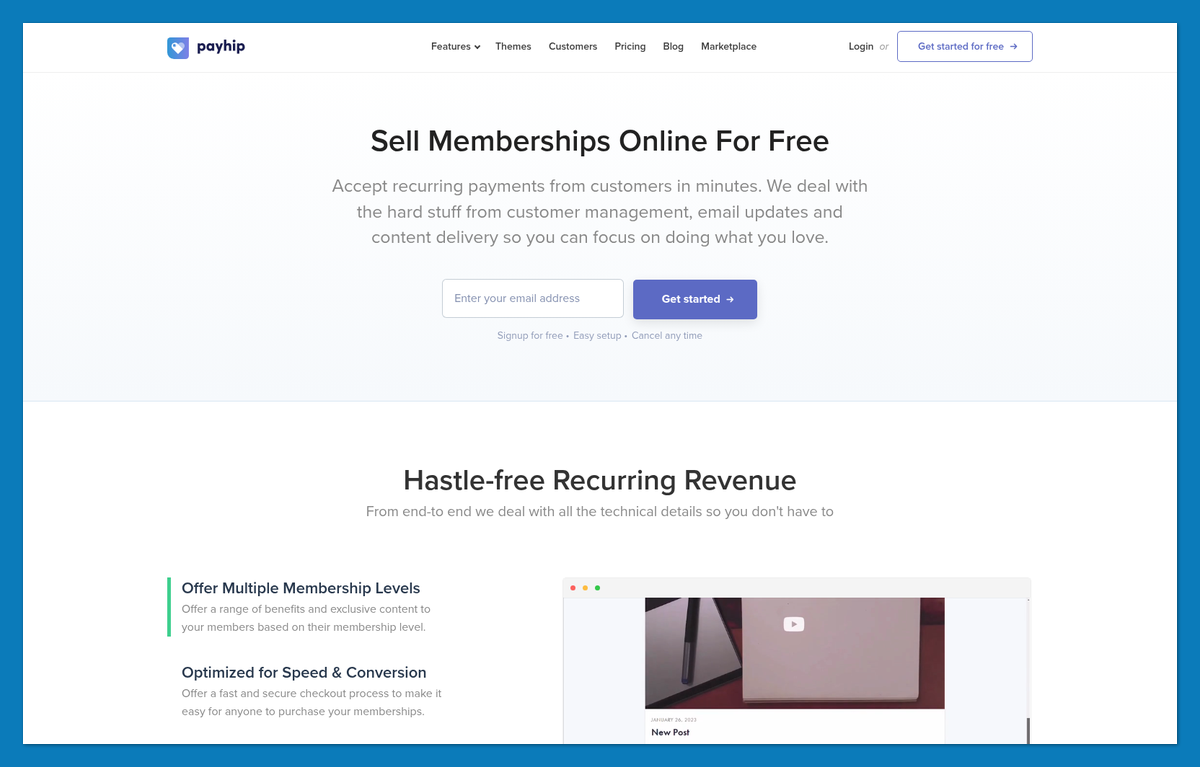
Payhip keeps entry costs low because every feature comes with its free plan. It handles EU/UK digital VAT as reseller and US sales tax as marketplace facilitator. However, recurring billing requires Stripe.
Key subscription features:
- Billing: Weekly, monthly, quarterly or annual plans, trials and higher first payments; customers cannot cancel fixed installments.
- Self-service: Billing history, card updates, plan changes and cancellation; existing members retain signup prices.
- Recovery: Retries and 3 emails over 20 days, then cancellation; past-due access continues.
- Member area: Text, video, image, link, poll and embed posts, comments and scheduling.
Pricing:
- Free: $0 per month + 5%.
- Plus: $29 per month + 2%.
- Pro: $99 per month + 0%.
Processing applies throughout. Plus beats Free above about $967 monthly sales; Pro beats Plus above $3,500.
Pros 👍
- Free plan: Every feature without monthly charges.
- VAT handling: EU and UK digital VAT handled.
- Member controls: Subscribers change plans and update cards themselves.
Cons 👎
- Stripe-only subscriptions: PayPal cannot process recurring Payhip payments.
- Product limits: No physical or single-download subscriptions.
- Cancellation: No pause; access ends immediately without proration.
For content access, Payhip is the cheapest starting point; read our Payhip review. Shopify is stronger if you also ship products, as our Shopify vs Payhip comparison explains.
6. Squarespace: Best for Design-Focused Brands
Best for: Design-led brands selling simple physical or service plans.
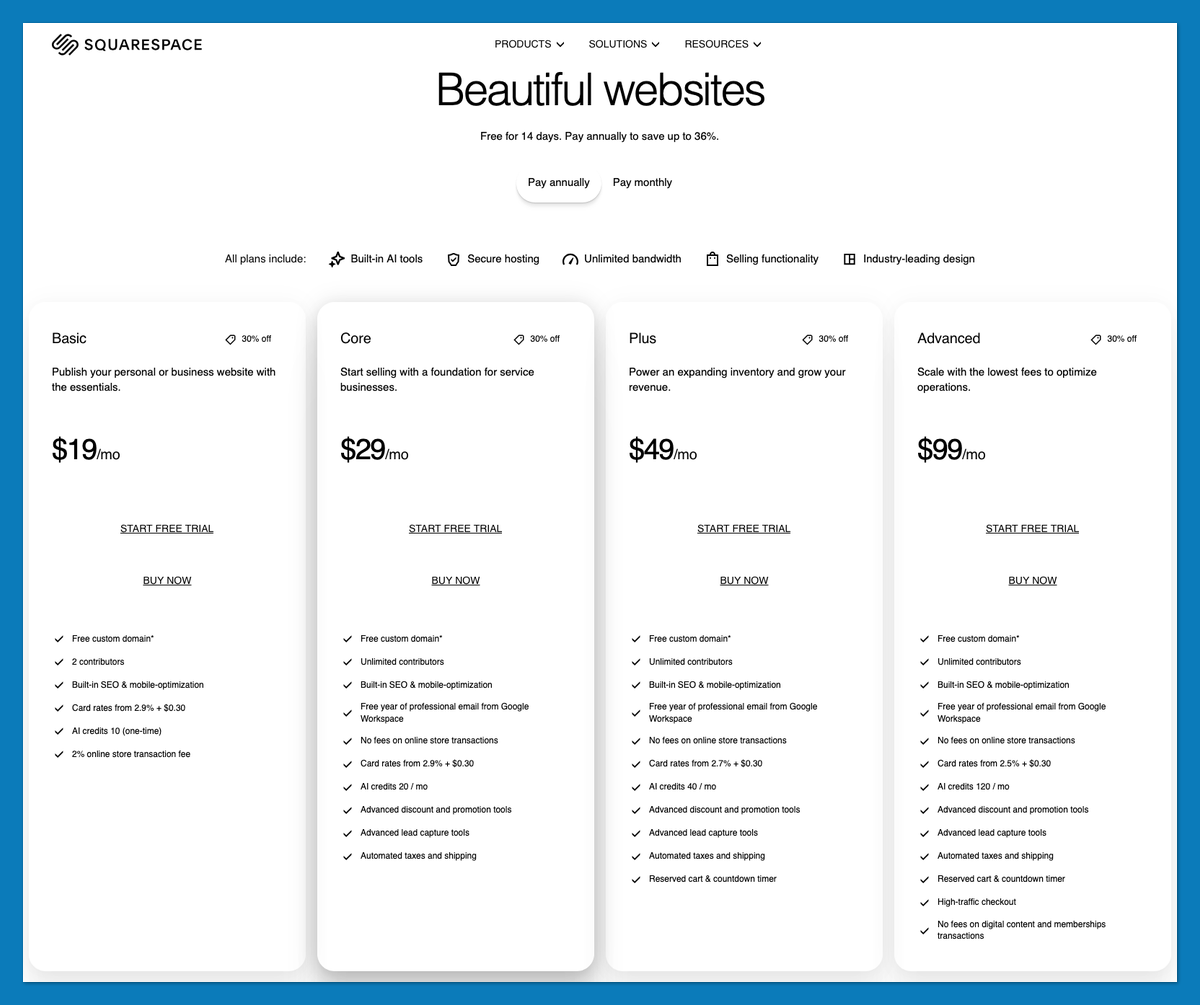
Squarespace includes subscriptions from Basic, but customers cannot skip renewals. Subscription downloads, PayPal, Apple Pay and ACH are unsupported.
Key subscription features:
- Billing: Weekly to every 12 months; trials through first-payment discounts; longer-term reminders 15 days ahead.
- Recovery: Retries after 5 days and another 5 days; third failure cancels.
- Limits: 1 subscription product per transaction; computer-only setup; no gift cards; processor changes require resubscription.
Pricing: Per month, billed annually or monthly, respectively.
- Basic: $19 or $25; 2% store fee; cards 2.9% + 30c.
- Core: $29 or $39; 0% store fee; cards 2.9% + 30c.
- Plus: $49 or $65; cards 2.7% + 30c.
- Advanced: $99 or $139; cards 2.5% + 30c.
Pros 👍
- Availability: Product subscriptions included from Basic.
- Store fees: 0% from Core upward.
- Reminders: Emails before eligible longer-term renewals.
Cons 👎
- Flexibility: Customers cannot skip their next renewal.
- Gateways: Only Stripe or Squarespace Payments.
- Recovery: Third failed charge cancels the subscription.
Best for: Design-first brands with simple plans.
Skip if: Customers expect skips or PayPal. Consider Wix or Subbly; read our Squarespace review.

7. Square Online: Best for Shops That Also Sell In Person
Best for: Cafes, bakeries, roasters and retailers using Square POS.
Square Online earns its place because subscriptions share stock and Order Manager with counter sales. Square Subscriptions has no separate monthly fee, but website item subscriptions require Plus or Premium.
Key subscription features:
- Setup: Make Square items subscribable, optionally with fixed billing cycles.
- Pauses: Allow customer pauses and limit their duration.
- Limits: No pickup, custom billing dates, active item swaps or plan-price changes.
Pricing:
- Free: $0; 3.3% + 30c online processing; no website item subscriptions.
- Paid plans: Plus $49 or Premium $149 per month per location; processing 2.9% + 30c.
- Square Subscriptions: No separate fee.
Pros 👍
- Subscription fees: No separate monthly software charge.
- Inventory: Shared stock with Square in-store sales.
- Pauses: Set customer pause-duration limits yourself.
Cons 👎
- Paid plan: Plus or Premium required online.
- Fulfillment: Pickup subscriptions are not supported.
- Changes: No active swaps or price updates.
I’d start here if you use Square POS. If you need item swaps or bundles, Shopify with a paid subscription app covers both.
8. Podia: Best for Courses and Communities
Best for: Creators combining courses, communities, email and memberships.
Podia combines creator tools, but Mover takes 5% and caps products at 50. It is not built for box logistics.
Key subscription features:
- Memberships: Recurring access alongside courses and downloads.
- All-in-one: Website, email and community.
- Payments: Stripe or PayPal; processing extra.
Pricing: Billed annually.
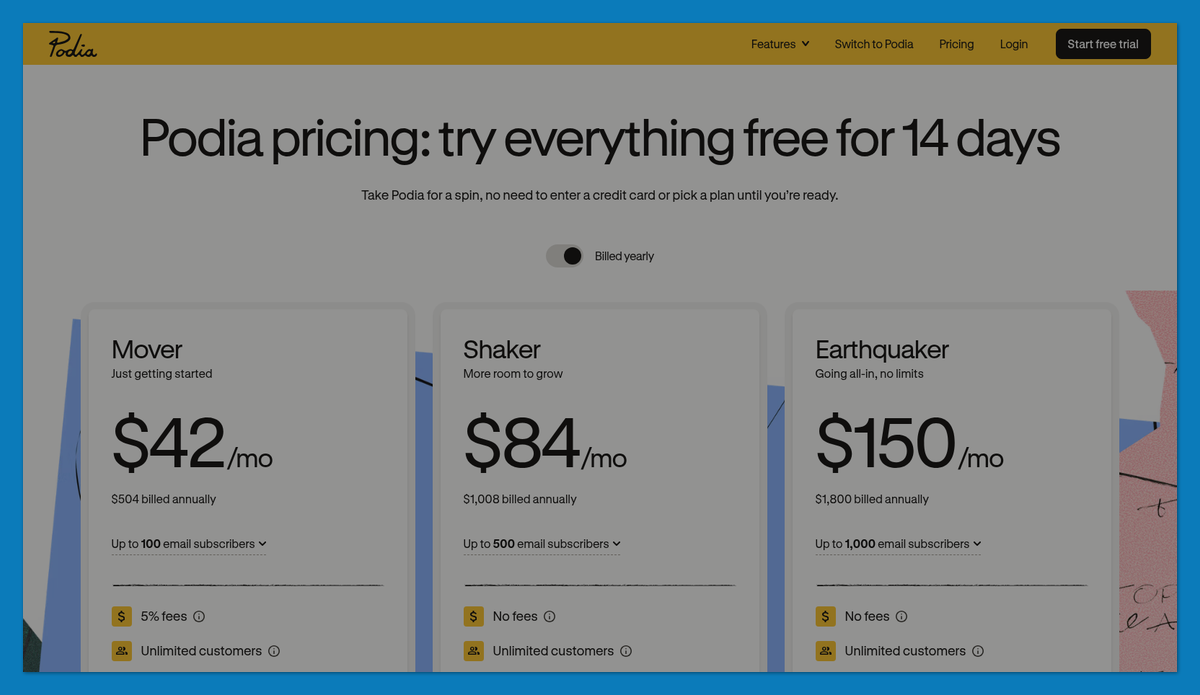
- Mover: $42 per month; 5% fee, 50 products.
- Shaker: $84 per month; no Podia transaction fee.
- Earthquaker: $150 per month.
Shaker beats Mover above $840 in monthly sales.
Pros 👍
- Creator tools: Courses, community and email together.
- Shaker fees: No Podia transaction fee.
- Trial: 14 days without a card.
Cons 👎
- Mover limits: 5% fee and 50-product cap.
- Box operations: Not designed for subscription-box logistics.
- Entry cost: Higher than Payhip’s free plan.
For a broader suite, Kajabi offers coaching and community with 0% revenue share, starting at $143 per month (billed annually) or $179 (billed monthly). That is $59 more per month than Shaker on annual billing. Compare our best ecommerce platforms for creators.
9. BigCommerce: Best for Multichannel Brands
Best for: Established multichannel brands adding subscriptions through an app.
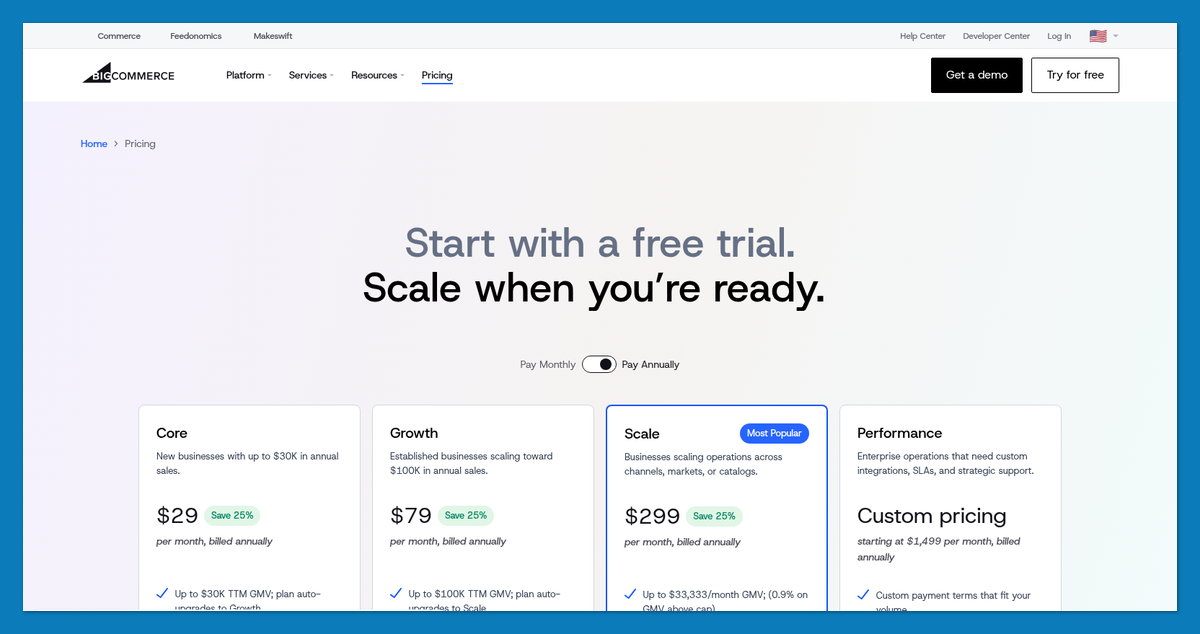
BigCommerce charges no platform fee on embedded gateways, but subscriptions need an app such as Recharge. Records and migration can span multiple providers.
Key subscription features:
- Apps: Billing, portals and recovery depend on your app.
- Processing: Card rates from 2.89% + 29c.
- Gateway fees: Non-embedded providers add 2% on Core, 1% Growth, 0.6% Scale.
Pricing: Per month, billed annually or monthly, respectively.
- Core: $29 or $39; $30,000 trailing-year sales cap.
- Higher plans: Growth $79 or $105, $100,000 cap; Scale $299 or $399; Performance from $1,499 (billed annually).
- Recharge Starter: $149 per month + 1.50% + 20c.
Pros 👍
- Embedded gateways: No platform fee, including Stripe.
- Catalog tools: Supports established multichannel businesses.
- Recharge: Adds subscription billing and portals.
Cons 👎
- Dependency: Subscriptions require another provider.
- Sales caps: Passing a plan’s sales cap triggers an automatic upgrade.
- Open-provider fee: Core adds 2% outside embedded gateways.
At 200 subscribers paying $30 monthly, $72,000 annual revenue requires Growth plus an app. I’d choose BigCommerce for an existing store; Shopify or Subbly is simpler for launching subscriptions.
10. Cratejoy: Best for Marketplace Discovery
Best for: Box sellers needing marketplace traffic before building an audience.
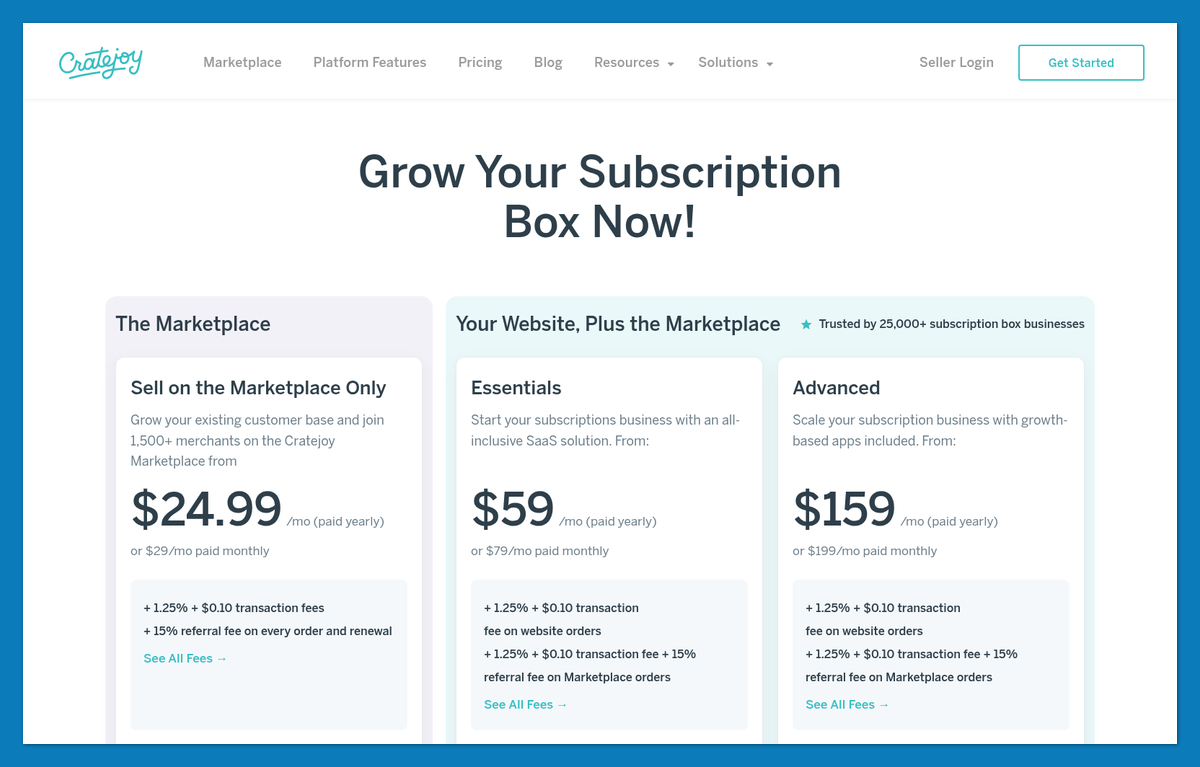
Cratejoy connects brands with box shoppers, but its 15% referral fee applies to marketplace renewals too: $4.50 from a $30 box before other fees.
Key subscription features:
- Channels: Your own storefront, marketplace or both.
- Advanced extras: TaxJar, Advanced Dunning, referrals and priority support.
- Currencies: 138 supported.
Pricing: Per month, billed yearly or monthly, respectively.
- Marketplace-only: $24.99 or $29.
- Essentials: $59 or $79.
- Advanced: $159 or $199.
- Fees: Website transactions 1.25% + $0.10; marketplace orders add 15%.
Pros 👍
- Discovery: Marketplace attracts subscription-box shoppers.
- Box focus: Tools designed for box businesses.
- Storefront: Essentials starts at $59, billed yearly.
Cons 👎
- Renewal fees: Marketplace referrals take 15% every time.
- Recovery upgrade: Advanced Dunning needs Advanced.
- Storefront flexibility: More restricted than general ecommerce platforms.
Best for: New box brands prioritizing discovery over margin.
Skip if: Your own marketing brings subscribers; I’d favor Subbly’s subscriber controls.
Subscriber Controls Compared: Pause, Skip, Swap and Cancel
Can subscribers change an order without emailing you? Self-service and failed-payment recovery distinguish these platforms beyond recurring charges.
| Platform | Sells on subscription | Pause | Skip | Swap or plan change | Cancel online | Failed payments |
|---|---|---|---|---|---|---|
| Shopify (free app) | Physical, services | Yes | Yes | Via paid apps | Yes | Card updater on Shopify Payments |
| Subbly | Physical, digital, services | Yes | Yes | Yes | Yes | Up to 5 automatic retries |
| WooCommerce | Physical, digital, services | Yes (suspend) | Ask support | Yes | Yes | Automatic retries and emails |
| Wix | Physical only | No | Opt-in, up to 10 | No | Yes | Optional 14-day grace, daily retries |
| Payhip | Digital only | No | Not applicable | Yes | Yes | Retries and 3 emails over 20 days |
| Squarespace | Physical, services | No | No | No | Yes | 2 retries, then cancels |
| Square Online | Square items | If you allow it | Ask support | No | Ask support | Retries on days 3, 6 and 9 |
| Podia | Digital | No | Not applicable | Creator only | Yes | Retries for 2 weeks, access kept |
| BigCommerce | Via app | Depends on app | Depends on app | Depends on app | Depends on app | Depends on app |
| Cratejoy | Physical boxes | No (cancel and reactivate) | Seller skips on request | Ask support | Yes | Advanced Dunning (Advanced plan) |
Where a cell says “Ask support,” check with the vendor and run a test subscription before you commit.
Mixed-cart limits:
- Squarespace: 1 subscription product per transaction.
- Wix: Products can be subscription-only or available both ways.
- Shopify: One-time or subscribe per product; subscription bundles require apps such as Recharge or Loop.
What Does a Subscription Store Really Cost? A 12-Month Example
At 200 subscribers paying $30 monthly, Recharge roughly doubles Shopify’s annual software and fees: $3,156 becomes $6,504.
- Revenue: 200 subscribers x $30 = $6,000 monthly, $72,000 annually, across 2,400 charges.
- Plans: Annual billing where offered; Shopify Basic $29 monthly, Subbly $711 yearly, Payhip Pro $99 monthly.
- Processing: Assumed 2.9% + 30c throughout, totaling $2,808 annually.
- Excluded: Shipping, packaging, tax, hosting, refunds, chargebacks and churn.
| Setup | Platform | Subscription app or extension | Fees on sales | Card processing | 12-month total | Share of revenue |
|---|---|---|---|---|---|---|
| Shopify Basic + free Shopify Subscriptions | $348 | $0 | $0 | $2,808 | $3,156 | 4.4% |
| Shopify Basic + Recharge Starter | $348 | $1,788 | $1,560 | $2,808 | $6,504 | 9.0% |
| Subbly (annual plan) | $711 | Included | $1,176 | $2,808 | $4,695 | 6.5% |
| WooCommerce + WooCommerce Subscriptions | Hosting extra | $279 | $0 | $2,808 | $3,087 + hosting | 4.3% + hosting |
| Payhip Pro | $1,188 | Included | $0 | $2,808 | $3,996 | 5.6% |
- Shopify’s free app is cheapest among hosted rows: Squarespace Core also totals $3,156 because its plan price, card rate and platform fee match.
- Subbly costs $1,539 more than Shopify’s free setup: It saves $1,809 against Shopify plus Recharge, with swaps and cut-offs included.
- Payhip’s best tier changes with volume: Pro totals $3,996 here, versus $4,596 on Plus and $6,408 on Free. Compare our creator platforms with no transaction or monthly fees guide.
How to Choose the Right Subscription Ecommerce Platform
Choose your subscription ecommerce platform around what you sell on repeat, not its cheapest advertised plan.
| If you sell | Prioritize | Start with |
|---|---|---|
| Replenishment: coffee, supplements, pet food | Frequencies, skips, card updates | Shopify + free app |
| Curated boxes | Cut-offs, swaps, gifting | Subbly; Cratejoy for marketplace traffic |
| Memberships, courses or coaching | Member area, plan changes, VAT | Payhip or Podia |
| Downloads or content | Recurring access and downloads | WooCommerce; Payhip for content memberships |
| Physical and digital together | One store for both | WooCommerce or Shopify with apps |
| Local shop products | Shared POS and online stock | Square Online |
Digital sellers can compare our best platforms to sell digital products.
Complete platform or add-on?
- Subscription-first business: Subbly or Cratejoy.
- Existing store: Shopify Subscriptions, WooCommerce Subscriptions or Recharge on BigCommerce.
- Access rather than boxes: Payhip or Podia.
Ask before migrating:
- Must subscribers re-enter cards? Wix and Squarespace processor changes require resubscription; Subbly carries over Stripe/PayPal cards.
- Who holds saved cards? Moving cards into Shopify uses a secondary-gateway “slow drip” or Professional Services. Full card-data migration requires Shopify Plus, from $2,300 per month; PayPal agreements cannot move that way.
- Can you export contracts? Shopify Subscriptions imports and exports contracts through CSV, not just customer lists.
Before you sell subscriptions online, run a test subscription: subscribe, skip, update the card and cancel.
Auto-Renewal and Cancellation Rules You Need to Know
The FTC’s click-to-cancel rule is gone, but state and local online-cancellation requirements remain. This is not legal advice; ask a lawyer about your markets.
- Federal US: The Eighth Circuit vacated the FTC amendments in July 2025 over a missing preliminary regulatory analysis, not their substance. Rulemaking restarted March 11, 2026; comments closed April 13. No replacement rule was proposed as of November 2026. The FTC still enforces ROSCA, with recent settlements of $7.5 million and $60 million over hidden cancellation options and renewal disclosures.
- California: Amendments effective July 1, 2025 require affirmative consent, online cancellation, annual reminders identifying product, frequency and amount, and consent records, including for free trials.
- New York City: Its rule took effect October 1, 2026. State compliance alone is insufficient.
- Other states: Louisiana passed its own act; Colorado, Minnesota and New York tightened rules.
- Free trials: Visa and Mastercard expect clear consent, a pre-charge reminder and easy online cancellation. Ask your provider about timing.
- EU/UK digital VAT: Cross-border digital sales can trigger VAT from the first sale. Payhip handles collection and remittance; Shopify, Wix and Squarespace leave it to you.
Helpful features include customer cancellation on Shopify, Subbly, Wix, WooCommerce and Payhip; Squarespace’s 15-day reminders for longer-term renewals; and Wix/Payhip failed-payment emails. Send California’s annual reminder yourself if your platform does not.
How We Test and Rank Subscription Ecommerce Platforms
Subscriber controls outweigh headline prices in our ranking of 17 platforms and 4 Shopify subscription apps. We compare fees, product restrictions and merchant feedback from the Shopify App Store.
Our weighted criteria:
- Features and product types (25%): We compare intervals, trials and supported products.
- Subscriber self-service (20%): We compare pauses, skips, swaps and cancellation.
- Total cost (20%): We combine plans, apps, transaction fees and processing.
- Failed-payment recovery (15%): We assess retries, emails, grace periods and updaters.
- Migration and data (10%): We check exports and saved-card portability.
- Setup and support (10%): We weigh hosting, dependencies and support.
Why familiar names are missing: Sellfy delivers one product’s manually updated files per cycle, not storewide access. Recurly and Chargebee are billing layers, not storefronts. Lemon Squeezy, charging 5% + 50c, is steering users toward Stripe Managed Payments.
Prices current as of November 2026.
Final Verdict: Which Subscription Ecommerce Platform Should You Choose?
Shopify is my pick among ecommerce platforms for subscriptions. Start with its free app on Basic, $29 per month (billed annually); add Recharge or Loop for bundles or swaps.
Choose Subbly for boxes, WooCommerce for mixed catalogs, or Payhip for low-cost memberships. Run a test subscription before migrating, using Shopify’s 3-day, Subbly’s 3-day or Podia’s 14-day trial. If recurring revenue is only a side line, start with our guide to the best ecommerce platforms.
FAQs
What is the best platform for a subscription box business?
Subbly is my choice for box-first businesses, with skips, pauses, swaps, cut-offs, gifting and free migration. It costs $79 per month or $711 yearly, plus 1% + 19c per Stripe transaction. Shopify suits simpler replenishment; Cratejoy offers marketplace discovery but takes 15% of marketplace orders and renewals.
Does Shopify have a free subscription app?
Yes, Shopify Subscriptions is free, with weekly, monthly or yearly plans and customer skips, pauses and cancellation. It requires a supported gateway and excludes bundles. Recharge Starter adds bundles and swaps at $149 per month + 1.50% + 20c, on top of your Shopify plan.
Can you sell digital subscriptions on Wix or Squarespace?
Not through their product-subscription features. Wix excludes digital products, and Squarespace excludes subscription downloads. Squarespace’s separate digital content and memberships carry fees of 7% on Basic, 5% Core, 1% Plus or 0% Advanced. Payhip, Podia and WooCommerce offer direct digital-subscription options; see their picks above.
Does Payhip support subscriptions for physical products?
No. Payhip recurring billing supports memberships, courses, coaching and bundles only, through Stripe. Physical products and single downloads are one-time purchases, not recurring products. For physical subscriptions, choose Shopify, Subbly or Wix instead; Payhip is better suited to ongoing content access.
Is the FTC click-to-cancel rule in effect?
No. A federal appeals court vacated it in July 2025. The FTC restarted rulemaking in March 2026 but had not proposed a replacement as of November 2026. ROSCA remains enforceable, while California and New York City require easy online cancellation. See the auto-renewal rules above.
Can I switch Shopify subscription apps without losing subscribers?
Usually, yes. Contracts and customer payment details stay with Shopify when you uninstall a third-party subscription app. Other app data is deleted after 48 hours unless backed up. Shopify Subscriptions supports CSV contract imports, so export everything and arrange the transfer before uninstalling your existing app.



Comments 0 Responses