

If you’re running a small business and thinking about selling online, choosing the right ecommerce platform can make all the difference between success and struggling to get things off the ground.
I’ve spent years working with all sorts of ecommerce tools – some are absolute gems, while others have left me scratching my head.
In this guide, I’m going to walk you through the best ecommerce platforms for small businesses, focusing on the key factors that really matter: cost, features, ease of use, and overall bang for your buck.
Whether you’re just starting out or looking to shake things up and switch platforms, this will give you a clear idea of what’s out there and which tools are worth your while.
| Platform | Starting Price (Monthly) | Best For | SEO Strength | Customization | Ease of Use | Payment Options | Transaction Fees | Product Types Supported |
| Shopify | $39 | Fast growth, all-in-one ecommerce | Strong | Medium | Very Easy | Shopify Payments, Stripe, PayPal | Yes (unless using Shopify Payments) | Physical, digital, dropshipping |
| WooCommerce | Free (plus hosting) | Full control, WordPress users | Very Strong | Very High | Moderate | Stripe, PayPal, many more | No | Physical, digital, subscriptions |
| BigCommerce | $39 | High-volume stores, large catalogs | Strong | High | Moderate | Stripe, PayPal, Authorize.Net | No | Physical, digital, B2B |
| Wix | $17 | Simple stores, new sellers | Moderate | Low | Very Easy | Stripe, Square, PayPal | No | Physical, digital, subscriptions |
| Squarespace | $23 | Creative businesses, visual brands | Moderate | Low | Easy | Stripe, PayPal, Afterpay | Yes (3% on lower plans) | Physical, digital, services |
| Ecwid | Free | Add a store to an existing site | Basic | Low | Easy | Stripe, PayPal, Square | No | Physical, digital |
| Sellfy | $29 | Digital creators, print-on-demand | Basic | Low | Very Easy | Stripe, PayPal | No | Digital, subscriptions, POD |
1. Shopify – The Best All-Round Platform For Scaling Quickly

Shopify is usually the first name to crop up when people talk about ecommerce, and for good reason – it’s a beast of a platform that’s been built from the ground up to make selling online as easy as possible, and it grows with your business.
I’ve used Shopify for loads of client stores, and what really impresses me is just how simple it is to get up and running. You don’t need to know any code to use it – just pick a theme, list your products, and you’re good to go.
Why I Recommend Shopify
- Easy to use backend: Even if you’ve never sold online before, Shopify is so intuitive that you’ll be able to add products, manage orders, and track how you’re doing in no time.
- Huge app store: There are thousands of apps in the Shopify store that handle everything from upsells to shipping automation, so you can find the tools you need to take your business to the next level.
- Rock-solid hosting and speed: Shopify takes care of the technical stuff, so you don’t have to worry about downtime or site speed.
Key Features That Matter
- Built-in payment processing with Shopify Payments
- Multiple sales channels: sell on Instagram, Facebook, Amazon, and more
- Free and paid themes for mobile-optimised storefronts
- 24/7 customer support
- Built-in blogging and SEO tools
What to Watch Out For
- Transaction fees: If you don’t use Shopify Payments, you’ll pay extra fees on each sale.
- App costs: While Shopify’s app store is a major selling point, a lot of the tools you need will cost extra.
Shopify Pricing
| Plan | Monthly Cost | Best For |
| Basic | $39 | New small businesses |
| Grow | $105 | Growing stores with some traction |
| Advanced | $399 | Larger catalogs and higher volume |
The Basic plan at $39/month gives you everything you need to launch — including a full storefront, payment processing, and basic reports. It’s great for small businesses just starting out with a manageable product catalog.
The Grow plan at $105/month adds professional reports and better shipping discounts, which makes sense if you’re already getting consistent sales and want more control over operations.
The Advanced plan at $399/month is built for stores scaling fast, offering advanced analytics, third-party calculated shipping rates, and support for higher order volumes across multiple locations.
Shopify is great for physical products, dropshipping, and even some digital product sellers. If you want a system that just works out of the box and doesn’t require any technical knowledge, it’s hard to beat.
2. WooCommerce: Best For Flexibility and Control (on WordPress)
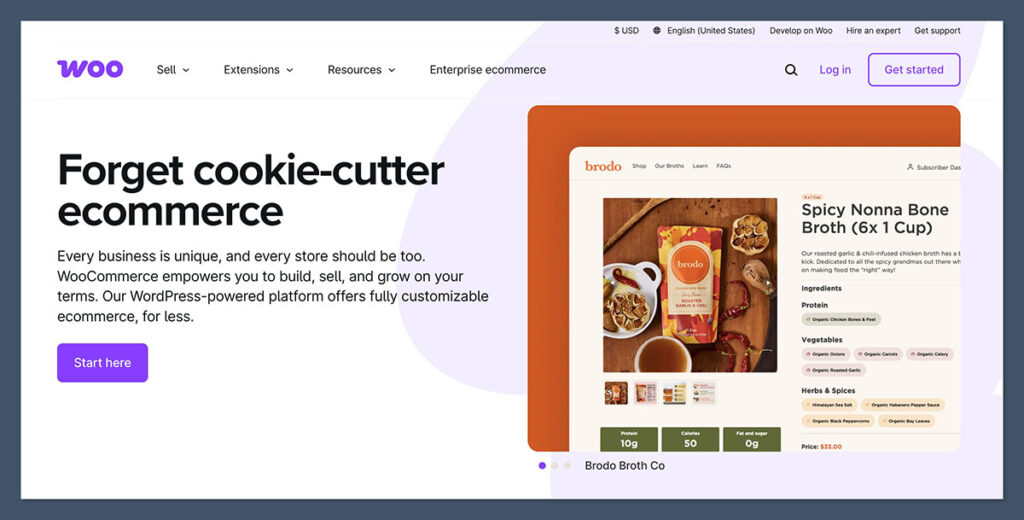
If you’re already familiar with WordPress, WooCommerce is your best bet – it’s a free plugin that turns any WordPress site into a fully functional ecommerce store.
The big advantage with WooCommerce is flexibility – you have complete control over every part of your store, from product pages to the checkout flow. It’s not as plug-and-play as Shopify, but you get way more customisation options.
There is a bit of a learning curve with WooCommerce, but the payoff is well worth it for the level of control and customisation you get.
Why I Love WooCommerce
- The flexibility is awesome: You can pretty much customize anything – from how it looks to how it works on the back end.
- Massive help from other devs: There’s a huge community out there that’s got tons of resources, tutorials, and plugins to help you out.
- A real SEO boost: Because it runs on WordPress, you get to tap into all the SEO plugins and tools that make it way easier to get listed.
What WooCommerce Offers
- Free to get started: The core plugin is free – you only pay for the add-ons you need.
- Super easy integration with big payment options: Stripe, PayPal, Apple Pay… you name it.
- Supports both physical and digital products
- Huge library of themes and plugins: You can easily find something that fits your style.
- Super flexible with REST API: If you’re a dev, you’ll love how easy it is to build custom integrations.
Things to Watch Out For
- Need your own hosting: You’ll have to go get your own web hosting – SiteGround, Bluehost, Kinsta… you’ve got options.
- Plugin overload: If you go hog-wild with plugins, you might run into issues with conflicting code.
- Looking out for security and updates: That’s on you – keep the site updated and secure.
Pricing
| Expense | Cost |
| Hosting | $10–$30/month |
| Domain | $10–$15/year |
| SSL certificate | Often free with hosting |
| WooCommerce plugin | Free |
| Premium extensions | Varies ($49–$299 one-time or annually) |
The Free Core Plugin
The base WooCommerce plugin is free and will get you set up with full ecommerce functionality on a WordPress site. Perfect for businesses that want total control without breaking the bank.
Extensions & Hosting – Varies
Most stores spend $10–$30/month on hosting and may shell out for premium plugins ($49–$299/year). Costs can add up depending on features you need like bookings or custom checkouts.
WooCommerce is ideal for business owners already running WordPress sites and want more freedom without those monthly platform fees. If you’re comfortable with tech or have a dev on hand, it’s one of the most powerful platforms out there.
3. BigCommerce: Best for Big Product Catalogs and Fast Growth

You might not have heard of BigCommerce, but it’s a solid choice for businesses with a lot of inventory or plans to scale up fast.
One of the main advantages of BigCommerce is that a lot of the features other platforms charge extra for come pre-installed. It’s got advanced SEO options, multiple product variations, and international selling all built-in.
Why BigCommerce Stands Out
- No sales fees: Unlike Shopify, BigCommerce doesn’t take a cut of your sales.
- Features right out of the box: Things like real-time shipping rates, gift cards, and customer groups are all there from the start.
- Super handy for B2B and wholesale: You can create custom pricing for customers and catalogs.
BigCommerce Features That Make a Difference
- Advanced SEO tools: Things like editable URLs and automatic sitemaps.
- Integration with marketplaces: eBay, Walmart, Amazon… you name it.
- Built-in multi-currency and language support: Your store can reach customers all over the world.
- Level 1 PCI compliance and fast CDN: Keeps your site zippy and secure.
Downsides to Consider
- Learning the dashboard: It’s not as easy to get started as Shopify.
- Fewer theme choices: They’re pricier but there aren’t a ton of high-quality options.
Pricing
| Plan | Monthly Cost | Features |
| Standard | $39 | Up to $50k annual sales |
| Plus | $105 | Up to $180k sales, customer segmentation |
| Pro | $399 | Up to $400k sales, Google customer reviews |
Standard – $39/month
The entry-level plan includes unlimited products, no sales fees, and basic features for a fully functional store. Best for new businesses with up to $50,000 in annual sales.
Plus – $105/month
Adds customer segmentation, abandoned cart recovery, and credit card storage. Good for businesses growing and earning up to $180,000 annually.
Pro – $399/month
You get Google Customer Reviews integration, custom SSL, and advanced filtering. Built for higher-volume stores selling up to $400,000 annually.
BigCommerce is perfect for established small businesses that need to scale up fast or manage a lot of SKUs. If you’re a established and want something more powerful than Shopify, it’s worth giving it a good look.
4. Wix: Best for New Sellers and Simple Stores
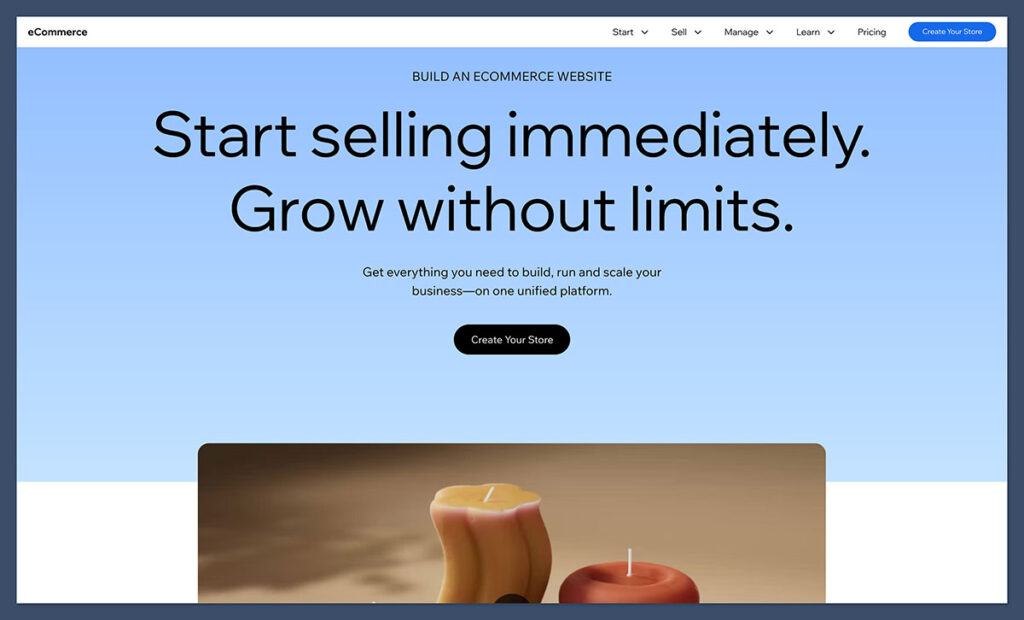
Wix started as a website builder but their ecommerce is finally getting somewhere. It’s a good option for small stores that don’t need a lot of complicated features.

If you’re a freelancer, artist, or solo seller trying to get online fast, Wix is a breeze to use with drag-and-drop tools and pre-designed templates. No coding required!
What I Love About Wix
- Super easy to use: The editor is visual and makes total sense.
- Everything in one place: Hosting, templates, domain management, and ecommerce are all there.
- Takes care of mobile too: Templates are responsive and load fast on mobile.
Wix Ecommerce Features
- Secure online payments with Stripe, Square, PayPal, and more
- Real time shipping calculation (on some of the higher tier plans)
- Discount codes, abandoned cart recovery, and subscriptions
- Product galleries, custom product options, and digital file delivery
What’s Missing From Wix?
- Limited scalability – if your store just keeps growing and growing, you might find yourself outgrowing Wix in a hurry.
- Weaker SEO – alright, Wix has got a lot better, but it still lags a bit behind on the advanced SEO features – at least compared to WordPress.
Pricing
| Plan | Monthly Cost | Ecommerce Features |
| Business Basic | $17 | Accept payments, basic analytics |
| Business Unlimited | $25 | Subscriptions, advanced analytics |
| Business VIP | $35 | Priority support, loyalty programs |
Business Basic – $17/month
lets you accept payments and has all the basic ecommerce features like product galleries and shipping tools. That’s perfect for a tiny store or side hustle just starting out.
Business Unlimited – $25/month
adds subscriptions, product reviews and advanced analytics. Great for businesses that are starting to take off online.
Business VIP – $35/month
adds priority support and loyalty tools. If you want a hassle-free experience, this is the one for you.
Wix is great for testing out ideas or taking your side hustle to the next level, but if you plan on scaling aggressively, you’ll probably need to move on eventually.
5. Squarespace – Best for Creatives and Design-Centric Brands
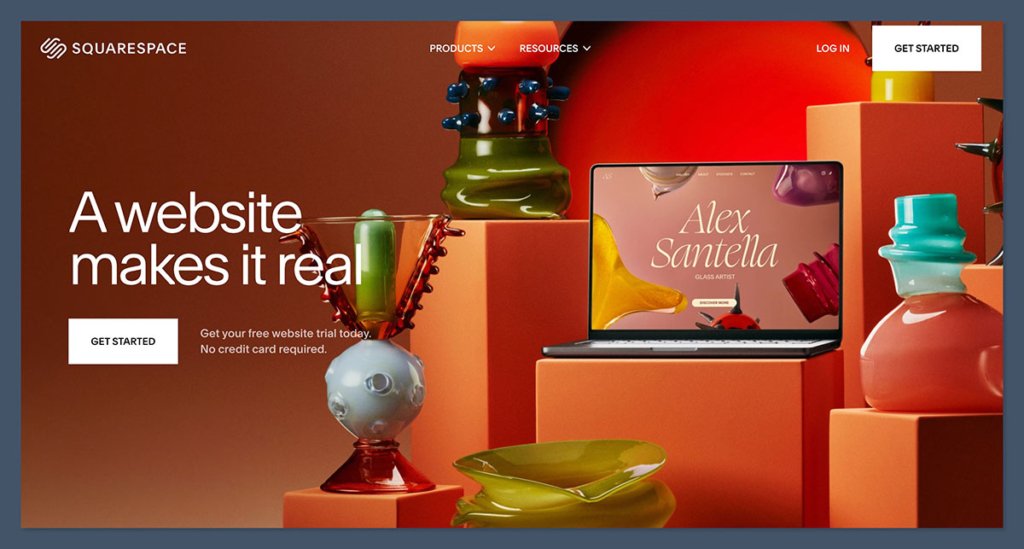
Squarespace is all about those gorgeous templates and super easy design tools. Photographers, artists and any brand that wants to pull on the heartstrings through their visuals, it’s the go-to.
If making a good first impression is a top priority, Squarespace delivers. It’s easy peasy to use, and includes all the ecommerce features you need for selling physical or digital products, as well as subscriptions and memberships.
What You Love About Squarespace
- Professional templates – they all look super sharp and modern right out of the box.
- Built in tools – you won’t need to rely on third-party plugins.
- All in one solution – that means no juggling multiple tools, your hosting, CMS, ecommerce and analytics are all taken care of.
What Can You Do With Squarespace Commerce
- Sell digital or physical products
- Offer subscriptions and recurring billing
- Accept payments from Stripe, PayPal, or Afterpay
- Build email marketing flows directly in Squarespace
- Use scheduling tools for service-based businesses
Where Squarespace Fails
- Limited customizability – there’s only so much backend tweaking you can do, which can get frustrating for larger or more complex stores.
- Lack of advanced ecommerce tools – if you’ve got a really big store, or one that requires a lot more functionality, you might find Squarespace too restrictive
Pricing
| Plan | Monthly Cost | What’s Included |
| Business | $23 | Basic ecommerce, 3% transaction fee |
| Commerce Basic | $27 | No transaction fees, point of sale |
| Commerce Advanced | $49 | Subscriptions, advanced shipping, discounts |
Business – $23/month
includes website building tools and basic ecommerce features, but you do take a 3% transaction fee on sales. Good for hobby sellers or service-based businesses.
Commerce Basic – $27/month
throws in inventory, point of sale and customer accounts – all the things you need for a small store that’s taking off.
Commerce Advanced – $49/month
includes the works – shipping, discounts, subscription selling and more. That’s what you need to maximise repeat customers and revenue.
Squarespace is perfect if you want a slick site without getting bogged down in the tech details, but if you need more advanced ecommerce features and lots of product options, it’s just not up to it.
6. Ecwid – Best if You Already Have A Website
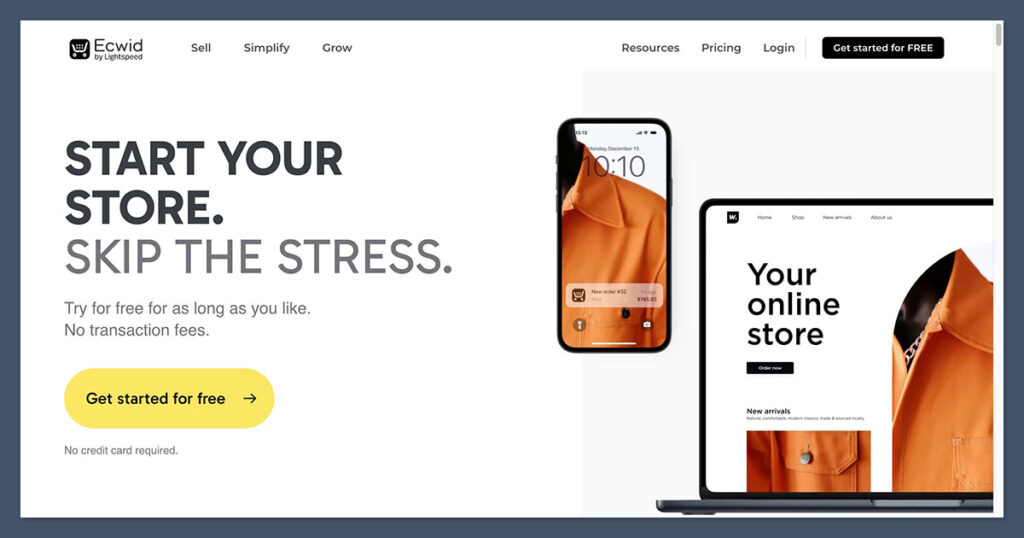
Ecwid is a bit of an oddball – it doesn’t build a full ecommerce site for you, but instead lets you add ecommerce functionality to your existing website.
So if you already have a blog or portfolio, and just want to start selling a few products, Ecwid is worth checking out.
Why You Should Use Ecwid
- Quick to set up – you can be selling in no time at all
- Flexible embedding – it will work with WordPress, Wix, Weebly, Joomla, or even Facebook and Instagram
- Free plan – you can start selling for free
Ecwid’s Top Features
- Responsive shopping cart
- Real time shipping rates
- Automatic tax calculations
- Digital and physical product support
- Mobile app for managing orders on the go
What You Won’t Get With Ecwid
- Standalone store – it’s not for building a full ecommerce website
- Limited design control – you’re stuck with your existing site’s layout.
Pricing
| Plan | Monthly Cost | Key Benefits |
| Free | $0 | Up to 5 products |
| Venture | $19 | Up to 100 products |
| Business | $39 | Up to 2,500 products |
| Unlimited | $99 | No product limit, premium support |
Free – $0/month
Lets you sell up to five products and embed a cart on an existing website. Perfect for testing ideas or launching a micro-store.
Venture – $19/month
Supports up to 100 products, mobile POS, and basic SEO tools. A good starting point for small stores with real inventory.
Business – $39/month
Unlocks 2,500 products, abandoned cart emails, and product variations. Ideal for scaling your sales while still managing a lean setup.
Unlimited – $99/month
No product limits, priority support, and advanced tools. Built for high-volume sellers or serious ecommerce businesses.
The thing is, ecwid is probably best for businesses that already have an online presence and just want to dabble in selling products without committing to a full ecommerce platform overhaul.
7. Sellfy: Made for Digital Product Creators
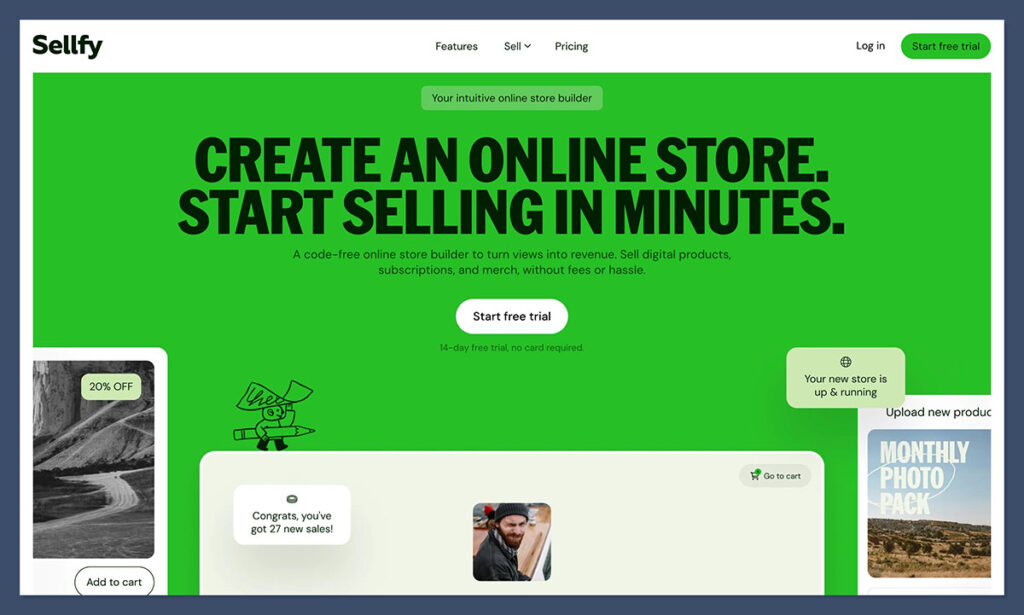
Sellfy is specifically made for people who sell digital wares like ebooks, courses, music and videos. And yeah, you can even sell print-on-demand stuff without having to handle any inventory.
Getting set up is ridiculously fast – no design or tech skills needed, and built in are marketing tools like upsells, discounts, email campaigns and analytics.
What I Love About Sellfy
- Designed for creators: Everything is built around the needs of digital sellers.
- Super fast setup: You can get up and running in under an hour.
- Marketing tools included: Email marketing and upsells are built in at no extra cost.
Features that Help You Sell
- Sell digital downloads, subscriptions, video streaming – all that good stuff
- Connect Stripe and PayPal – no problem
- Embeddable buy buttons on all the other platforms
- Automatic file delivery and license management – it all just works.
Limitations
- Design options are pretty limited: You don’t have a ton of control over how the store looks.
- Not ideal for big physical product catalogs: It’s just not meant to be a traditional online store.
Pricing
| Plan | Monthly Cost | Who It’s For |
| Starter | $29 | Up to $10k/year in sales |
| Business | $79 | Up to $50k/year |
| Premium | $159 | Up to $200k/year |
Starter – $29/month
Lets you sell up to $10,000/year in products, with digital downloads, print-on-demand, and email marketing. Best for creators launching their first store.
Business – $79/month
Raises the sales limit to $50,000/year and adds product upsells and cart abandonment tools. Works well for growing creator businesses or small brands.
Premium – $159/month
Supports up to $200,000/year in sales and unlocks priority support and more customization. Great for serious sellers with a proven track record.
If you’re a content creator looking to sell some digital goods, Sellfy makes it super easy to get started without getting bogged down in complicated setups.
Final Thoughts
There’s no one platform that’s right for everyone – it all depends on what you’re selling, how much control you want, and how fast you plan to grow.
Here’s a quick guide to help:
- Use Shopify if you just want an easy, scalable platform that gets the job done right away.
- Use WooCommerce if you already have a WordPress site and want a ton of control.
- Use BigCommerce if you’re selling a lot of products and need some serious advanced features.
- Use Wix if you’re a solo seller or side hustler on a budget looking for a super easy setup.
- Use Squarespace if your brand is all about visuals and you want a clean design that just looks right.
- Use Ecwid if you already have a website and just want to add a store without all the fuss.
- Use Sellfy if you’re selling digital products or print-on-demand and just want to keep things simple.
No matter what platform you choose, success will come down to your product, your marketing, and how consistent you are.



Personalization is the key to any e-commerce business. Every customer expects the website to know them well. When you start interacting with your customers in a personalized way, it will make them feel special.