

iContact is an easy-to-use email marketing platform with a clean interface, good support, and entry-level automation features.
While it doesn’t compete with Klaviyo or Omnisend on power, it’s a smart choice for new ecommerce stores that need the basics done right — without blowing the budget.
I’ve tested iContact over the past month to see how it stacks up in real-world ecommerce campaigns, especially for small to midsize online stores.
In this review, I’ll walk you through its pros and cons, email builder, automation tools, segmentation features, pricing, and who I believe it’s best suited for.
Why you can trust this review
I’ve tested email marketing platforms like Klaviyo, Mailchimp, and ActiveCampaign — and spent time using iContact with setups that mirror real ecommerce stores.
This review covers what it was like to build abandoned cart emails, send promotional campaigns, and set up basic automations using iContact’s built-in tools and integrations.
iContact Pros & Cons
iContact – Best for small ecommerce brands getting started with email
Score
4.0 out of 5
Best for
Budget-conscious ecommerce stores
New online sellers
Simple email campaigns
Free trial available
Paid Plans: $14 – $139/month
Pros 👍
- Very beginner-friendly interface
- Affordable pricing (starts at $14/month)
- Excellent customer support and onboarding
- Decent deliverability rates
Cons 👎
- Limited ecommerce integrations
- No drag-and-drop automation flows
- Templates look dated
- Not ideal for stores scaling past $10k/month
What I Like About iContact
✔️ Clean, intuitive dashboard — even total beginners can navigate it without tutorials
✔️ Simple automation for welcome emails, discounts, and follow-ups
✔️ Strong customer support via live chat and phone (even on cheaper plans)
✔️ Pricing is affordable and scales predictably
What I Don’t Like
❌ Shallow integrations with Shopify and WooCommerce — limited dynamic data
❌ Automation builder lacks visual flow tools or conditional paths
❌ No SMS marketing or multichannel capabilities
❌ Product-based personalization isn’t possible
Getting Started With iContact
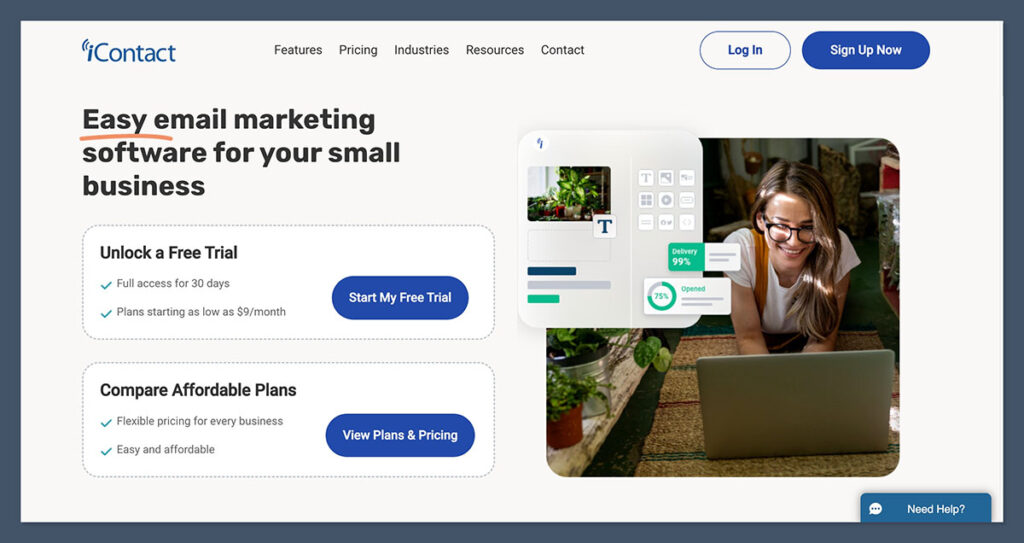
Signing up for iContact was quick and didn’t require a credit card.
Once inside, I was taken straight to a guided setup that helped me create my first list, build a template, and schedule a campaign. I appreciated that iContact didn’t overcomplicate the process.
The onboarding process covered:
- Uploading your subscriber list
- Choosing a pre-made template or creating a new one
- Sending a test campaign
- Reviewing analytics after your first email
This step-by-step layout is ideal for new store owners who are still figuring out email marketing — it doesn’t overwhelm you with jargon or features.
Building and Sending Emails
iContact’s drag-and-drop editor is basic but functional.
It comes with a few dozen templates, most of which are simple and mobile-responsive. While the designs won’t win awards, they work — and they load fast.
Key features:
| Feature | Included? |
|---|---|
| Drag-and-drop editor | Yes |
| Mobile-optimized emails | Yes |
| Custom HTML support | Yes |
| A/B testing | Yes (subject line only) |
| Image library | Yes |
| Spam score checker | Yes |
I was able to customize email blocks, add buttons, set colors and fonts, and preview mobile versions in one tab. The editing process is smooth — not fancy, but dependable.
If your focus is promotional campaigns, newsletter updates, or basic welcome emails, this builder gives you what you need.
Automation Tools
This is where iContact feels limited.
There is no visual automation builder like you’d find in ActiveCampaign or Omnisend.
Instead, iContact uses a linear, rule-based system that’s good for setting up simple sequences — but nothing beyond that.
You can automate:
- Welcome emails
- Lead magnet delivery
- Time-based follow-ups
- Birthday or date-based campaigns
- Simple abandoned cart emails (via integrations)
You can’t automate:
- Complex workflows with branching logic
- Product-based flows or triggers
- Real-time web behavior responses
- Dynamic personalization (e.g., product recommendations)
If your automation strategy is centered around a few timed sequences, iContact will work fine.
But if you want flows that adapt to user behavior, you’ll need a different tool.
Segmentation and Targeting
Segmentation in iContact is effective for basic use cases but lacks depth for ecommerce.
You can build segments based on:
- Engagement (opens/clicks)
- List membership
- Sign-up date
- Location
But you can’t segment based on:
- Products viewed or purchased
- Cart value
- Number of orders
- Time since last purchase
For ecommerce, this means you can’t easily re-target lapsed customers, high-spenders, or those interested in specific product categories.
That said, iContact’s segmentation is more than enough for general newsletter lists or promotional campaigns.
Ecommerce Platform Integrations
iContact does support ecommerce platforms — but the integrations are basic.
Available integrations include:
| Platform | Integration Type |
|---|---|
| Shopify | Native (basic) |
| WooCommerce | Native (basic) |
| BigCommerce | Native (basic) |
| Zapier | Full integration |
When I connected iContact to a test Shopify store, I was able to sync contacts and set up basic automation.
But product data, purchase history, and real-time customer behavior weren’t accessible — a big miss for ecommerce targeting.

If ecommerce is central to your business, and you need robust segmentation or product-triggered emails, you’re better off with a tool like Klaviyo or Omnisend that offer deep product syncing and smart segmentation.
Shopify
The Shopify integration is simple and mostly focused on syncing customer data. You can pull in your store’s contacts, trigger emails based on list activity, and set up basic automations like welcome sequences.
However, you can’t personalize emails based on product views, purchases, or cart behavior.
WooCommerce
WooCommerce integration works similarly — you can import customers and trigger basic flows.
There’s no real-time order syncing or segmentation based on customer lifetime value or product categories, which limits targeting options for larger stores.
BigCommerce
The BigCommerce connection is functional but shallow.
It supports email list syncing and some limited triggers, but there’s no dynamic product content or abandoned cart recovery without third-party help.
Zapier
Zapier is the most flexible option. Through it, you can connect iContact with hundreds of ecommerce apps and trigger workflows based on actions like new orders, customer tags, or abandoned carts.
It’s a workaround, but useful if you need more than the native integrations offer.
Reporting and Analytics
Reporting is clear and well-organized. You get all the essentials:
- Open rate
- Click-through rate
- Bounce rate
- Unsubscribes
- Geolocation
- Device tracking
Here’s an example from a recent campaign:
| Metric | Result |
|---|---|
| Open Rate | 19.8% |
| Click Rate | 2.4% |
| Bounce Rate | 0.6% |
| Unsubscribe Rate | 0.3% |
One thing to note: iContact doesn’t include revenue tracking or ecommerce attribution out of the box.
You’ll need to set up UTM parameters and track through Google Analytics or your ecommerce platform.
Customer Support Experience
This is one area where iContact really shines.
Every time I contacted support — whether through live chat or phone — I got fast, helpful responses.
Support channels include:
- Live chat
- Email support
- Phone support
- Knowledge base
- Dedicated account advisors (on higher plans)
Even on a basic paid plan, I had access to real humans who could help me troubleshoot automation triggers, email design quirks, and integration issues.
This level of support is uncommon at this price point.
iContact Pricing
iContact keeps its pricing model simple and accessible. You pay based on how many subscribers you have, not on features.
iContact Email Marketing Plans (2025):
| Subscribers | Price per Month |
|---|---|
| Up to 750 | $14 |
| 751 – 2,500 | $36 |
| 2,501 – 5,000 | $65 |
| 5,001 – 10,000 | $105 |
| 10,001 – 15,000 | $139 |
There’s also a 30-day free trial — no credit card required.
Compared to tools like Klaviyo, iContact is significantly cheaper.
But it’s also missing the ecommerce-focused functionality that justifies those higher prices elsewhere.
Is iContact Good Value for Ecommerce?
Yes — but only for certain stores.
If you’re running a small online shop or just starting out with email, iContact is a great entry point.
The pricing is fair, the support is solid, and you can start sending within hours.
But if your store is scaling, and you want behavior-based automations, rich segmentation, and dynamic product feeds — iContact isn’t built for that.
iContact is a good fit if:
- You’re new to ecommerce and want a simple way to stay in touch with customers
- Your product catalog is small and your marketing is straightforward
- You value ease of use and live support over advanced features
iContact vs Competitors
| Tool | Best For | Starting Price | Key Strength |
|---|---|---|---|
| iContact | Simplicity + price | $14/month | Fast setup + great support |
| Klaviyo | Ecommerce + data-driven emails | Free (up to 250 contacts) | Deep segmentation + Shopify focus |
| Omnisend | Multichannel marketing | Free (up to 250 contacts) | Email + SMS + ecommerce integration |
| Mailchimp | Versatile email marketing | Free plan | Good for content-heavy businesses |
| ActiveCampaign | Advanced automation + CRM | $29/month | Powerful automations |
Klaviyo is built specifically for ecommerce and offers features that iContact doesn’t — like product-based email triggers, revenue attribution, and predictive analytics.
Unlike iContact’s basic list segmentation, Klaviyo lets you create dynamic segments based on customer behavior, order history, and site activity.
It’s far more powerful, but it also comes with a steeper learning curve and higher pricing as your list grows.
Omnisend stands out from iContact by offering multichannel messaging — combining email, SMS, and push notifications in one platform.
Where iContact focuses solely on email, Omnisend lets you build full customer journeys across channels. It also offers pre-built ecommerce workflows that pull in real-time product and order data — something iContact can’t do without third-party help.
Mailchimp is more flexible than iContact when it comes to content marketing and visual design, with a larger template library and stronger branding tools.
It also supports more integrations and offers a broader app ecosystem. However, like iContact, Mailchimp’s ecommerce features are fairly basic.
ActiveCampaign offers significantly more automation power than iContact, including visual workflow builders, conditional logic, and a built-in CRM.
If you’re looking to create complex email sequences or score leads based on behavior, ActiveCampaign gives you that flexibility.
Final Verdict: Should You Use iContact?
iContact is a reliable, affordable email tool for ecommerce stores that are just getting started. It won’t give you the bells and whistles that advanced tools offer — but for many small brands, that’s perfectly fine.
If you’re after clean campaigns, dependable delivery, and a fast learning curve, it’s a solid pick.
But if your revenue is growing fast and you’re ready to dive into lifecycle marketing and segmentation — you’ll want something more advanced.



Comments 0 Responses