

If you’re planning to launch an ecommerce store, you’ll soon have to face a serious dilemma: BigCommerce vs Shopify – which one should you choose?
Here at ecommerce-platforms.com, we’ve been living and breathing ecommerce ever since we created the site back in 2012.
We’ve tested dozens of different ecommerce tools and solutions over the years, which has given us a detailed perspective on what’s available out there and what the users are most likely to resonate with.
Quick Answer: Shopify wins overall — it’s better for serious growth, bigger stores, and long-term scaling.
BigCommerce is solid for smaller stores and merchants who want 0% transaction fees, but it falls short in performance and features when you dig deeper.
I’ve spent years building ecommerce businesses and testing just about every major platform out there. Shopify and BigCommerce are always two of the top contenders in the space, and for good reason — both are built for selling online.
But if you’re stuck choosing between them, it’s not as close a race as it seems on the surface.
I tested both platforms hands-on, digging into setup, sales features, templates, apps, and support.
In this breakdown, I’ll walk you through what matters most and show you which platform gives you more leverage to grow your store.
Quick Verdict
Shopify is best for:
- Businesses that want to scale fast
- Stores with large inventories
- Sellers needing robust multichannel features
- Anyone wanting powerful automation and AI tools
BigCommerce is best for:
- Smaller or niche businesses
- Merchants looking to avoid transaction fees
- Brands that want built-in features instead of relying on apps
Both platforms can get the job done, but Shopify consistently comes out on top where it really matters — sales tools, usability, integrations, and marketing features.
Shopify vs BigCommerce: Feature Comparison
| Feature | Shopify | BigCommerce |
|---|---|---|
| Overall Rating | 4.8/5 | 4.0/5 |
| Starting Price | $29/month | $29/month |
| Free Trial | 3 days + $1/mo for 3 mo | 15-day free trial |
| Payment Gateways | 100+ | 65+ |
| Transaction Fees | Yes (unless using SP) | None |
| Templates | 190+ | 150+ |
| Built-in AI Tools | Shopify Magic | BigAI Copywriter |
| App Store | 8,000+ apps | ~1,200 apps |
| Best For | Scaling and enterprise | Small to mid-sized biz |

- Full solution from $29/month
- Limited time offer: first 3 months for $1/month
- SEO Friendly
- Offline Store
- App Store
- 24/7 Support
- Beautiful Templates

- Free Trial
- From $29.95/month
- Built-In Blog
- SEO Friendly
- App store
Pricing: It’s a Draw — But Shopify’s Deal Is More Flexible

When I look at pricing, both Shopify and BigCommerce follow nearly identical structures.
They start at $29/month and scale up to $299/month across their core plans, making them some of the more premium platforms on the market.
Here’s a side-by-side breakdown of the pricing tiers:
| Plan Tier | Shopify Pricing | BigCommerce Pricing |
|---|---|---|
| Entry-Level | Basic – $29/month | Standard – $29/month |
| Mid-Tier | Grow – $79/month | Plus – $79/month |
| High-Tier | Advanced – $299/month | Pro – $299/month |
| Trial/Promo | 3-day trial + $1/month for 3 months | 15-day free trial |
Shopify’s Pricing:
- Basic: $29/month
- Shopify: $79/month
- Advanced: $299/month
- Promotional offer: First 3 months for $1/month (after a 3-day free trial)
BigCommerce’s Pricing:
- Standard: $29/month
- Plus: $79/month
- Pro: $299/month
- Trial: 15-day free trial with no credit card required
Both platforms sit at the higher end of the ecommerce builder spectrum, especially compared to budget-friendly options like GoDaddy or Squarespace. But you’re also getting enterprise-level features that match those higher costs.
What stands out about Shopify is the onboarding flexibility. Their $1/month deal gives you three months to set up, test, and even start selling without committing to the full monthly price. That’s a great buffer if you’re building from scratch or trying to validate your product.
BigCommerce gives you more time upfront with a 15-day trial, which helps if you want to explore the platform without rushing. It’s also useful for agencies or devs who are testing setups for clients.
Where things start to differ is transaction fees. Shopify charges fees unless you use their native Shopify Payments gateway:
- Shopify Payments (US only): No additional fees
- Third-party gateways (e.g., PayPal, Stripe): Up to 2.9% + $0.30 per transaction on the Basic plan
BigCommerce, on the other hand, has a clear edge here. You can use any payment gateway you like without getting hit with extra fees from the platform itself.
This becomes a major factor if your store does high volume through Stripe or other external processors.
Key Considerations:
- Shopify’s $1/month deal is great for new stores or side hustles in build mode
- BigCommerce’s zero transaction fees give you more margin if you’re already selling
- Both have similar base pricing, but app and feature costs can add up depending on your setup
Verdict: Tie
Both offer strong value, but if you’re budget-conscious and expect low-volume sales, BigCommerce might save you money on transaction fees.
If you want a deal to get started fast or you’re building something from scratch, Shopify wins with the $1/month offer. It comes down to what phase your business is in and where your margins are tightest.
Selling Tools: Shopify Is Built for Real Growth
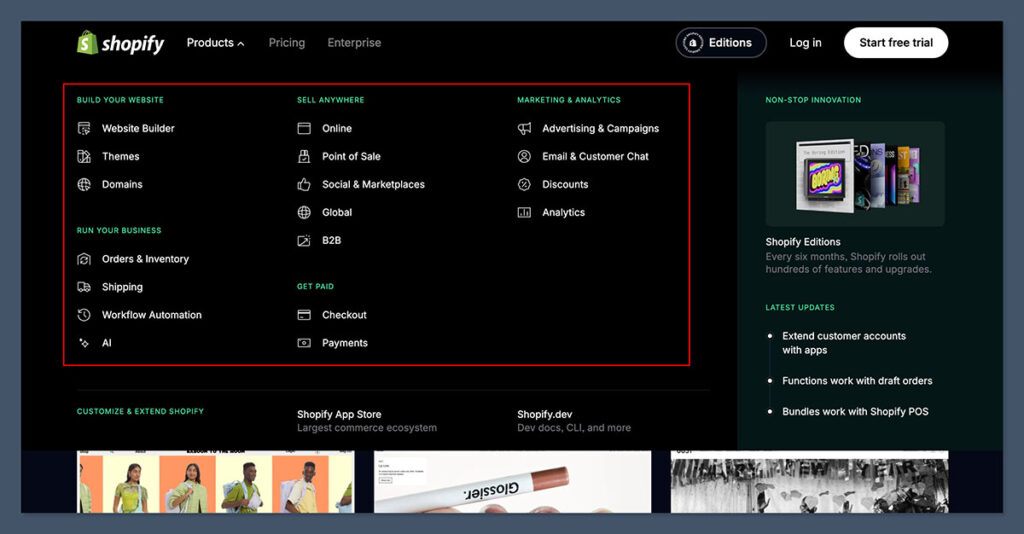
Sales features can make or break an ecommerce platform, and from my experience, Shopify simply does more here — especially if you’re managing a large inventory, planning to scale quickly, or want automation that just works out of the box.
Both platforms offer core ecommerce tools like inventory management, discount creation, and abandoned cart recovery.
But Shopify’s ecosystem around those tools feels more refined and powerful — particularly when speed and efficiency matter.
Shopify’s standout tools:
- Shopify Magic: Built-in AI that automatically generates product descriptions with suggested keywords and tone
- Abandoned cart recovery: Available on all paid plans, including the entry-level one
- Flexible discount engine: Create offers based on collections, order value, customer groups, or product tags
- 100+ payment options: Includes Shopify Payments, Shop Pay, PayPal, Apple Pay, Google Pay
- Point-of-sale system: Seamlessly connects online and in-person sales, ideal for hybrid retailers
- Inventory sync: Real-time syncing between channels (Amazon, Instagram, TikTok, etc.)
Shopify also gives you sales analytics and performance dashboards by default. It’s easy to track what’s working and pivot without needing external tools right away.
BigCommerce matches some of that:
- BigAI Copywriter: Their version of product description AI, introduced in 2024. Helpful, but not as seamless or context-aware as Shopify Magic
- Multichannel capabilities: Sell across Facebook, Amazon, Instagram
- Advanced filtering: Set up product categories and customer groups for segmentation
- Zero transaction fees: This directly impacts margins if you’re doing volume
BigCommerce does a solid job with multichannel selling and includes some built-in sales tools, especially for product variations and B2B setups. But in practice, it takes longer to configure and feels less guided than Shopify.
Here’s a quick head-to-head on the key sales tools:
| Feature | Shopify | BigCommerce |
|---|---|---|
| AI Copywriting | Shopify Magic (built-in) | BigAI Copywriter (limited) |
| Abandoned Cart Recovery | Included on all plans | Included on Plus+ plans |
| Discount Engine | Highly flexible | Good, but less customizable |
| Multichannel Selling | Native integrations | Native integrations |
| Payment Options | 100+ | 65+ |
| POS Integration | Included | Requires external setup |
What I noticed testing both: Shopify lets me move faster. The interface, the integrations, and the automation make daily tasks feel effortless. BigCommerce delivers similar features, but many of them require more manual setup or third-party apps to reach the same level.
For example, with Shopify, I was creating discounts and syncing my inventory with TikTok in a few clicks. BigCommerce required a bit more configuration and trial-and-error to get the same outcomes.
Verdict: Shopify wins
Shopify’s sales tools, automation, and integrations give you a serious edge once orders start rolling in. It’s simply more polished, more efficient, and easier to scale with — especially when time and resources are tight.
Payment Processing: BigCommerce Saves You Fees, Shopify Gives You More Choice

When it comes to processing payments, both platforms offer solid options — but they take very different approaches.
Shopify supports over 100+ payment gateways, including their own built-in processor, Shopify Payments.
This gives you flexibility, global coverage, and native features like Shop Pay, which speeds up checkout and improves conversion rates for returning customers. If you’re using Shopify Payments, you also avoid additional transaction fees from Shopify itself.
BigCommerce offers around 65 payment integrations, covering major processors like PayPal, Stripe, Authorize.net, and others.
It’s slightly more limited in terms of geographic and niche processor support, but it has one major advantage: BigCommerce doesn’t charge any transaction fees — no matter which provider you choose.
Shopify Payment Fees:
- Basic Plan: 2.9% + 30¢ per transaction (if not using Shopify Payments)
- Shopify Plan: 2.6% + 30¢
- Advanced Plan: 2.4% + 30¢
- Using Shopify Payments: Avoids additional platform fees, but standard credit card rates still apply
BigCommerce Payment Fees:
- Transaction Fees: 0% (platform-level)
- You only pay standard gateway processing fees, such as Stripe or PayPal rates (e.g., 2.9% + 30¢)
That 2% difference in fees on Shopify’s side adds up quickly when you’re moving volume. For example, at $10,000 in monthly sales using PayPal, Shopify could cost an extra $200 compared to BigCommerce — unless you’re exclusively using Shopify Payments.
Here’s how it compares:
| Payment Feature | Shopify | BigCommerce |
|---|---|---|
| Number of Gateways | 100+ | ~65 |
| Native Payment Processor | Shopify Payments | None |
| Platform Transaction Fees | 0% with Shopify Payments, up to 2% otherwise | 0% on all plans |
| Accelerated Checkout | Shop Pay | PayPal One Touch (via PayPal) |
| Multi-Currency Support | Built-in | Built-in |
Where Shopify shines is in checkout experience. Shop Pay is smooth, pre-filled, and conversion-boosting. It also works with accelerated checkouts across Instagram, Facebook, and Google.
If you’re building a brand focused on mobile traffic and conversion rate optimisation, that matters.
But if your margins are tight and you’re pushing higher volumes through Stripe or PayPal, those platform transaction fees on Shopify start to eat into profits unless you switch everything over to Shopify Payments — which may not be available in all countries or suit every business model.
A few questions to consider:
- Are you using PayPal or Stripe as your primary gateway?
- Is Shopify Payments available in your country?
- Would Shop Pay make a noticeable difference to your conversion rate?
Verdict: BigCommerce wins
If fee savings are your priority, BigCommerce clearly has the advantage. It gives you full freedom to use any gateway without cutting into your margins. Shopify only closes that gap if you’re using Shopify Payments — and even then, you’re still paying standard credit card rates.

App Ecosystem: Shopify Has the Numbers, BigCommerce Has the Essentials
Shopify’s app store is massive — over 8,000 apps — covering everything from upsells and loyalty programs to dropshipping, fulfillment, accounting, and customer reviews.

This gives you endless flexibility to customize your store, automate workflows, and plug into virtually any marketing or logistics stack.
But that flexibility comes with a trade-off. Many core functions that you’d expect to be built-in often require third-party apps — and some of those come with monthly fees. That means you’ll likely spend more over time if you want advanced functionality or automation.
BigCommerce, on the other hand, has a smaller app library with around 1,200 apps, but more functionality comes baked into the platform.

You don’t need apps for things like:
- Product reviews
- Unlimited staff accounts
- Real-time shipping quotes
- Customer groups and segmentation
This makes BigCommerce a cleaner setup for store owners who don’t want to be overwhelmed with app choices or ongoing plugin costs.
Key app types in Shopify’s ecosystem:
- Klaviyo: Email marketing and segmentation
- ReConvert: Checkout upsells and thank you page optimization
- Judge.me / Loox: Visual product reviews
- DSers / Spocket / Oberlo (legacy): Dropshipping integrations
- Yotpo / LoyaltyLion: Loyalty and referral programs
- PageFly / Shogun: Custom landing pages and design tweaks
A lot of these tools are Shopify-first, meaning they launch on Shopify first or offer deeper integrations compared to BigCommerce. That’s a big deal if you’re relying on best-in-class software to scale your store.
Here’s a quick breakdown:
| Feature Category | Shopify | BigCommerce |
|---|---|---|
| App Library Size | 8,000+ apps | ~1,200 apps |
| Built-in Essentials | Minimal | Product reviews, staff, shipping |
| Cost of Advanced Features | Often paid (third-party) | More included by default |
| Shopify-First Integrations | Yes (Klaviyo, ReConvert, etc.) | Limited or slower to launch |
| Developer Community | Large and active | Smaller ecosystem |
BigCommerce’s approach works well if you want to keep things lean and avoid app fatigue. But the moment you need to extend your store — with SMS, advanced analytics, loyalty, or personalization — Shopify gives you the tools and partners to do it.
Verdict: Shopify wins
The ecosystem is more mature and broader in scope. The trade-off is that you’ll likely pay for more apps over time, but you’ll unlock deeper functionality and tighter integrations that can drive serious growth.
Marketing + SEO: Shopify Gives You the Advantage
Marketing is where Shopify really shines. Whether you’re running email campaigns, promoting on social media, or trying to rank higher on Google, Shopify gives you more tools right out of the box — all tightly integrated into the dashboard.
Shopify Marketing Tools:
- Shopify Email: Create and automate branded email campaigns without leaving the platform
- Social Selling: Direct integrations with TikTok, Facebook, Instagram, and YouTube Shopping
- Shopify Marketplace Connect: Sync your listings with Amazon, Walmart, and eBay
- SEO Booster App: Developed in partnership with Semrush to give stores a full SEO audit and actionable recommendations
- Built-in blog system: With categories, tags, and SEO metadata support
What makes a difference in practice is the ease of use. I could launch a campaign, post a product to TikTok, and schedule abandoned cart emails — all without touching a plugin.
BigCommerce covers the basics but leaves a lot to third-party tools or custom setups.
BigCommerce Marketing Tools:
- Built-in banners and coupon tools
- Newsletter integration: Requires plugins or external apps
- Abandoned cart emails: Included only on mid-tier plans and up
- SEO features: Includes sitemaps, URL control, and alt text editing
- Limited native social selling options: You’ll rely on third-party integrations for most marketplaces
The gap becomes more noticeable with SEO. Shopify has better URL structure, easier redirects, and built-in support for image optimization and structured data.
With the Semrush integration, you also get access to keyword analysis and content planning — something BigCommerce doesn’t offer natively.
| Feature | Shopify | BigCommerce |
|---|---|---|
| Built-in Email Marketing | Yes (Shopify Email) | No (requires app) |
| Social Channel Integrations | TikTok, Meta, Google, YouTube | Limited |
| Marketplace Syncing | Amazon, eBay, Walmart | Possible via third-party apps |
| SEO Support | Semrush Booster App, blog, metadata | Basic on-page SEO tools |
| Abandoned Cart Emails | All plans | Plus plan and higher |
If your marketing stack includes content, email, SEO, social ads, and marketplaces — Shopify handles all of that more natively and with less friction.
And because their app store includes marketing-first partners like Klaviyo, Omnisend, and Google Ads integration, your growth toolkit is already connected.
Verdict: Shopify wins
Shopify is ahead when it comes to building traffic and converting visitors. From SEO and email to TikTok and Amazon listings, it gives you more ways to promote your brand without patching together disconnected tools.
It’s a better long-term bet for content-driven, SEO-heavy, or performance marketing–focused brands.
Ease of Use: Shopify Is Just Simpler
I’ve set up stores on both platforms more times than I can count. And if there’s one thing that stood out every time, it’s this: Shopify is smoother from start to finish.
The setup feels faster, the layout is cleaner, and nothing feels buried.
Shopify onboarding:
- Asks a few simple questions (what you’re selling, where you’re selling)
- Instantly creates a backend tailored to your store type
- Provides a 13-step launch checklist with action items and guidance
- Clear next steps: add a product, select a theme, set up checkout
BigCommerce onboarding:
- Requires more initial details (name, store type, phone number)
- Setup felt slower and less intuitive
- First-time experience includes a 4-step checklist, which felt a bit too light for beginners
- Navigating between features (like design or tax settings) wasn’t as straightforward
When I landed in the admin panels, the difference was obvious. Shopify’s dashboard feels like it was built for merchants who want to get moving fast. Everything from adding products to installing apps is labelled, searchable, and easy to follow.
BigCommerce has definitely improved over the past few years — the interface is cleaner now, and there’s more guidance than there used to be.
But compared to Shopify, it still feels clunky, especially when jumping between advanced settings or configuring third-party integrations.
| Feature | Shopify | BigCommerce |
|---|---|---|
| Onboarding Speed | Quick and guided | Slower and more detailed |
| Setup Checklist | 13 steps | 4 steps |
| Navigation | Clean and intuitive | Can be disjointed |
| Learning Curve | Beginner-friendly | Takes more trial and error |
Verdict: Shopify wins
Shopify removes more friction during setup and day-to-day tasks. It saves time and lets you focus on selling instead of learning where things are buried.
Themes + Templates: Shopify Has the Edge in Style and Range
Visual presentation can make or break a store’s credibility. And in this department, Shopify offers more style, more variety, and more industry-specific layouts.
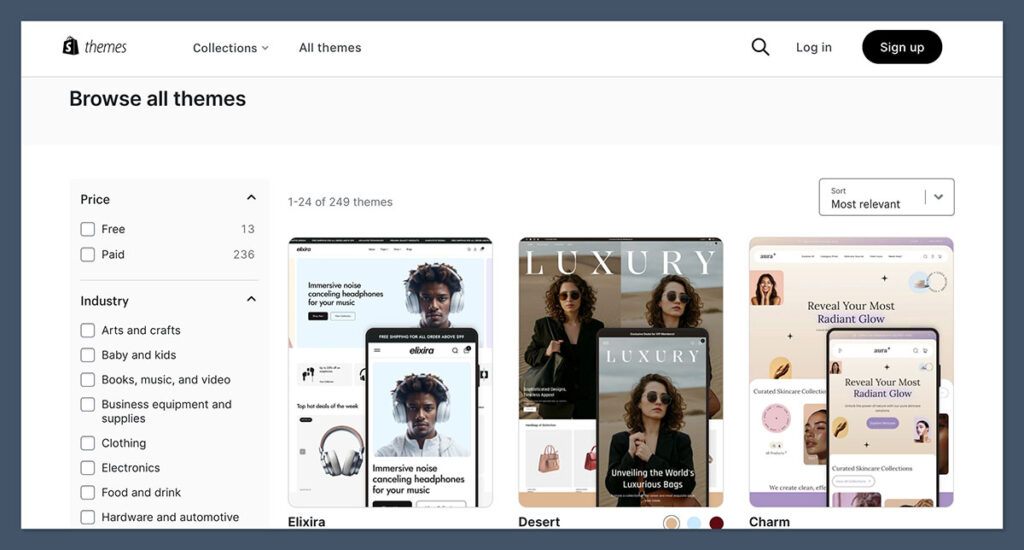
Shopify Theme Overview:
- 190+ total templates
- 13 free themes
- Premium themes range from $100 to $500 (one-time)
- Designed with conversion in mind (clean layouts, fast load times, mobile-optimised)
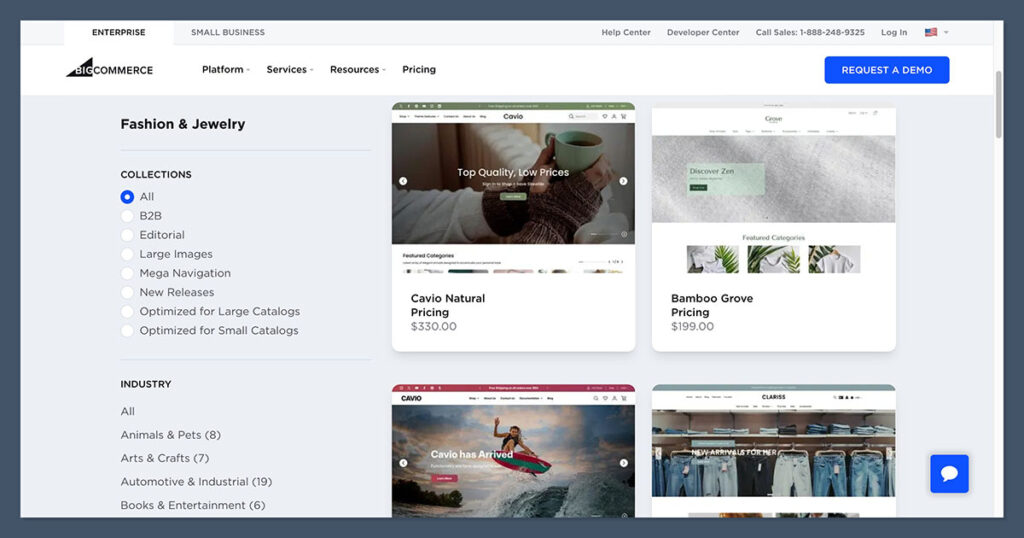
BigCommerce Theme Overview:
- 150+ templates
- 12 free themes
- Premium themes range from $100 to $400
- Focused more on utility and function than visual polish
Both platforms use a section-based editor, not a true drag-and-drop builder. You can reorder content blocks and add standard modules, but the level of visual freedom is still somewhat limited unless you get into custom code.
Where Shopify pulls ahead is polish.
The templates are modern, responsive, and purpose-built for niches like apparel, electronics, beauty, and food. Customising colours, fonts, and page layouts also feels faster — the preview window updates live, and it’s easier to keep brand consistency.
| Theme Feature | Shopify | BigCommerce |
|---|---|---|
| Total Templates | 190+ | 150+ |
| Free Options | 13 | 12 |
| Premium Theme Cost | $100–$500 | $100–$400 |
| Customiser Usability | Easier | More technical |
| Visual Design Quality | More modern and stylish | More functional and plain |
Verdict: Shopify wins
If you care about the way your store looks and want a wide range of well-designed, mobile-ready options, Shopify is the better option — especially for consumer-facing brands.
Customer Support: Shopify Has Broader Options
When you hit a wall — whether it’s during setup, launch, or while troubleshooting orders — fast, helpful support matters. And in my experience, Shopify offers more ways to get help, more depth in its resources, and a stronger community around it.
Shopify Support:
- 24/7 live chat assistant, which connects to a human advisor if needed
- Phone support (available for Shopify Plus merchants)
- Massive Help Center with guides, how-tos, video walkthroughs, and business tips
- Community forums, email marketing advice, and partner tutorials
- Active support across social channels: Twitter, Instagram, LinkedIn, TikTok
BigCommerce Support:
- Phone support available on all plans
- Live chat and email via ticket/contact form
- Helpful but smaller knowledge base
- Fewer onboarding tutorials and walkthroughs
- Less social engagement from the support team
The Help Center content on Shopify is also more actionable. I’ve found it easier to search for terms, follow step-by-step instructions, and solve issues without having to open a support ticket. BigCommerce has solid support agents, but its content library doesn’t go as deep.
| Support Channel | Shopify | BigCommerce |
|---|---|---|
| 24/7 Chat | Yes | Yes |
| Phone Support | Plus plan only | All plans |
| Help Center | Extensive, with video + guides | Moderate depth |
| Social Media Help | Multiple platforms | Limited |
| Community Forum | Active and broad | Smaller community |
Verdict: Shopify wins
Shopify simply has more support resources, and in my experience, the Help Center answers were more detailed and actionable. When things go wrong or you need fast direction, that makes a big difference.
International Features: Both Do the Job, but Shopify Has the Edge
If you’re selling internationally, you’ll need tools that help you localise the buying experience — everything from currencies to translated storefronts.
What both platforms offer:
- Multi-currency checkout
- International shipping integrations
- Language translation capabilities
- Tax and shipping rules for multiple regions
Shopify adds:
- Shopify Markets: Built-in tool to manage international pricing, tax, domains, and language switching in one place
- Automatic language redirection based on user browser settings
- Support for 30+ languages with localised URLs
- Advanced multi-region domain routing to optimise SEO
BigCommerce does let you set up currencies and manage exchange rates manually, which gives you more control — but also more complexity. It’s a bit more hands-on compared to Shopify’s all-in-one approach.
| International Feature | Shopify | BigCommerce |
|---|---|---|
| Multi-Currency Support | Built-in with auto-conversion | Manual setup |
| Language Translations | Over 30 languages supported | Supported via apps |
| Regional SEO Tools | Yes, with Shopify Markets | Limited |
| Custom Pricing by Region | Yes | Requires custom logic |
| Domain Redirection | Automatic | Manual |
Verdict: Shopify wins
It’s easier to manage an international site on Shopify — especially if you’re using Shopify Markets. Everything’s built to scale across regions with less hassle, which matters if global traffic is part of your growth plan.
Shopify vs BigCommerce – Video Version

Final Verdict: Which Should You Choose?
Both platforms are capable ecommerce solutions — but they serve different use cases.
If you’re just looking for a simple ecommerce platform with no transaction fees, BigCommerce can absolutely get the job done. It’s functional, flexible, and priced right for merchants who want to avoid third-party fees and keep their setup lean.
But if you’re serious about growing a real ecommerce business, Shopify is the platform you want to build on. It outperforms in critical areas like:
- Sales features
- App ecosystem
- SEO and marketing tools
- Globalisation
- Customer support
- Theme quality
- Usability
Here’s what I’d recommend based on store type:
- New to ecommerce or running a smaller store? Try BigCommerce if transaction fees are your biggest concern and you want more built-in tools without apps.
- Planning to scale fast, automate processes, or need best-in-class tools? Go Shopify.
- Running a global brand with complex logistics or multiple currencies? Shopify is the stronger long-term fit.
I’ve worked with clients on both platforms, and Shopify consistently delivers better results — especially once you’re past the MVP stage and ready to grow.
Whether it’s conversions, automation, or user experience, Shopify gives you more leverage as your store scales.


Hi there,
just wanted to add that those store owners hesitating between which eCommerce platform to choose – can make use of the Cart2Cart’s Migration Preview option. It allows to migrate absolutely for free a limited number of data from the current store to Cart2Cart’s Test platform – either BC, or Shopify. An excellent opportunity to test the shopping cart without having it installed! Highly recommend.
Thanks Matthew, we also have a guide about this, you can check it out here.
Great article! A feature about BigCommerce that isn’t mentioned here is their SEO features/functionality which offer more than Shopify and can really help in getting your shop to show up & rank better on search results (which hopefully leads to more sales). In addition to it having a slight edge on the analysis & reporting, I’d have to go with BigCommerce since those are what matter to me the most. I’m a bit hesitant to go with Shopify just because its more popular, but like you mentioned, they’re both very similar and I think its hard to go wrong with either. However, BigCommerce takes the slight edge on this one for me.
Thanks for sharing your thoughts Rai!
very useful informations, I have internet business . not esay choice platforms.
Want to know suggestion.
This is a great blog! I’ve been using BigCommerce for a few years and I want to move to another platform which have easy-to-use function like Shopify. My problem is I can’t migrate data manually because I don’t have enough knowledge about technique. After doing a lot research, I have 2 options: hiring an expert and use an automated migration tool. Option 1 is not suitable for me because my budget is low when the price seems expensive. With option 2, there are many shopping cart migration service but I’m considering LitExtension and Cart2Cart, both company are in the world top list. Till now, I prefer LitExtension because the support team is really enthusiastic and better and maybe I will use this service. But anyone have other ideas, please share with me. Thanks!
Thanks for sharing Rose!
totally agreed… many crafters&merchants cry when a costumer bargains their products but they forget that at some point of the financial consumer chain they are consumers too… thanks for creating tools to make life easier!
I have been using Big Commerce for about six years. I was very happy with them – until now. Last year I paid, based on an annual payment, $129.95 per month. Two weeks ago I found out that my fee was going up to $660.00 per month. Yesterday it was up to $792.00 per month and this morning it is up to $880.00 per month plus another $293.33 per month if I add 3000 more sales this year.
This rate of inflation puts the Weimar Republic inflation rate to shame. I can hardly wait to see what tomorrow brings.
It is going to cost me several thousand dollars to switch from Big Commerce, but it will be cheaper than staying.
Did you switch? Where didnyou go. Are you happy with it?
Some details would be helpful to readers, because what you’re describing sounds quite surprising. I’ve been using BigCommerce for eight or nine years. I also was dismayed when my monthly fee shot up to $200 when monthly sales hit something like $20,000. But the fee has stayed at that $200 level for two or three years. Unless Bengson comes back to offer specific clarification, I think readers of this site should assume this is an isolated case and ask BigCommerce about the fees. In fact, now that I’m re-reading the comment, it sounds even more peculiar: the fee went up “yesterday” and then went up again the very next day by an additional $88?!?
I have been using BigCommerce for a few years. Really like(d) it until I got a notification the other day that my pricing is going up from $79.95/mo to $199.95/mo so they can fund their ‘vision’ and future plans that are going to be wonderful for the company!! LOL The only problem is NO ONE at Big Commerce can explain how it’s actually going to be better for us to pay another $120/mo and what we’re actually getting for our extra money.
They have kindly bent us over and are about to now violate us by over doubling our monthly costs for no real tangible benefit! Super annoyed at their unprofessional way of doing this. Sure it’s good for their profit margin, but if they upset enough clients like me?? it aint going to be so good for them.
My issue with Shopify is that it’s hard to get awesome add-ons for free. With BigCommerce, their website is too darn difficult for a newbie like myself. So I’m stuck with Shopify until something better comes along.
This is because “add-ons” (apps) cost developers time and money to build and maintain. Every app is hosted through servers which require the developer to maintain (and pay for), so typically when we use our valuable time to produce something valuable for another, we expect to be compensated for it.