

After 10+ years building and scaling ecommerce stores, I’ve seen how the wrong platform can limit your business. And when you’re choosing between Shopify and OpenCart, the differences run deeper than most people realise.
Quick answer: If you want to build, launch, and grow fast — choose Shopify. If you’re a developer (or hiring one) and want full control, OpenCart could be your thing — but it’s not built for beginners or speed.
Quick Verdict
Shopify – Best all-in-one ecommerce builder for growth
OpenCart – Best for developers and custom builds on a budget
Shopify vs OpenCart: Quick Comparison Table
| Feature | Shopify | OpenCart |
|---|---|---|
| Overall Rating | 4.8/5 | 3.6/5 |
| Starting Price | $29/month (free trial available) | Free (self-hosted) |
| Hosting | Included | Not included |
| Ease of Use | Beginner friendly | Developer-oriented |
| Payment Gateways | 100+ | 40+ |
| SEO Features | Built-in + app integrations | Manual setup or extensions |
| Templates | 190+ (13 free) | Dozens (few polished options) |
| Support | 24/7 live chat | Forum-based (no official support) |
| Apps/Extensions | 8,000+ | 1,500+ |
Pricing: OpenCart Looks Cheaper, But Shopify Gives More Value
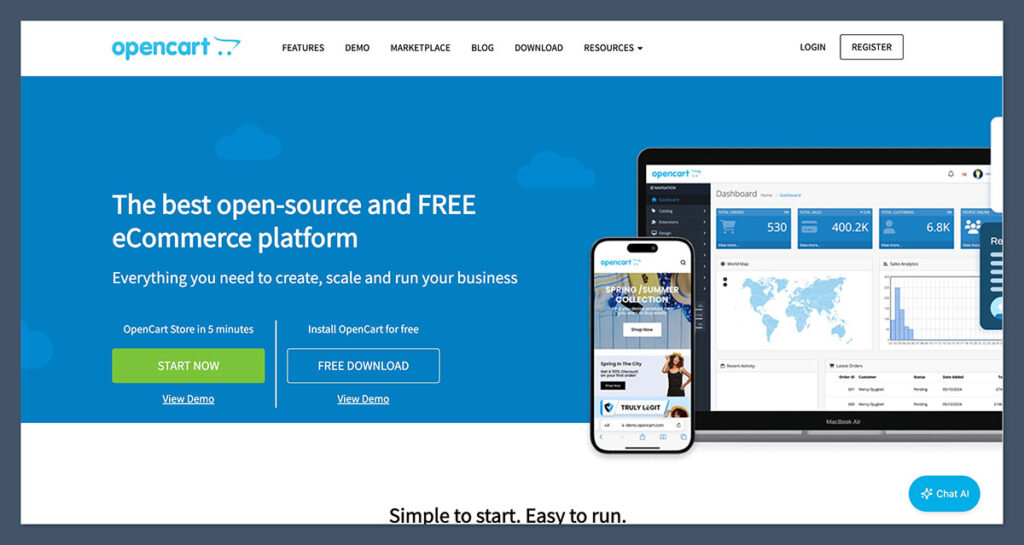
OpenCart is free. That sounds like a win, right? But here’s what most people don’t see.
Yes, the software itself doesn’t cost anything. But running a fully functional OpenCart store requires more investment than most people expect. Once you factor in the hidden costs of running and maintaining the platform, the “free” label starts to lose its shine.
With OpenCart, you’ll still need to pay for:
- Web hosting (around $10–30/month depending on provider and performance)
- SSL certificates (often $50+/year unless bundled with hosting)
- Themes and extensions (many key features like SEO, advanced filters, and backups come from paid add-ons)
- Maintenance and security (updates, patches, and fixes are manual or outsourced to developers)
All of these moving parts can add up quickly — and more importantly, managing them takes time and technical knowledge.
Shopify, on the other hand, starts at $29/month and includes:
- Hosting
- SSL
- Security updates
- 24/7 customer support
- Access to over 190 templates (13 free, others paid)
- App marketplace with 8,000+ integrations
You’re paying more upfront with Shopify, but you’re also getting a platform that removes the headaches and gives you more time to focus on growing your store.
It’s also worth noting that Shopify often runs a $1/month for 3 months deal — a great way to validate your product idea or MVP without spending big right away.
Shopify Pricing Plans
| Plan | Monthly Price | Transaction Fees (Shopify Payments) |
|---|---|---|
| Basic | $29 | 2.9% + $0.30 |
| Shopify | $79 | 2.6% + $0.30 |
| Advanced | $299 | 2.4% + $0.30 |
One thing to keep in mind is that Shopify does charge transaction fees unless you use their native Shopify Payments gateway. That said, the seamless integration and built-in fraud analysis can offset those costs, especially at scale.
By comparison, OpenCart lets you choose your own payment gateway without platform fees, which can be useful for stores doing high volumes or operating in regions where Shopify Payments isn’t supported.
But again, setting it up securely will likely require developer help or added plugins.
Verdict:
If you’re technical and want to keep costs low, OpenCart works.
But if you value speed, peace of mind, and built-in features, Shopify is worth every cent. For most store owners — especially those focused on growing and scaling — the convenience and support you get from Shopify more than justifies the cost.
Selling Features: Shopify Is Built to Sell, OpenCart Needs Custom Work
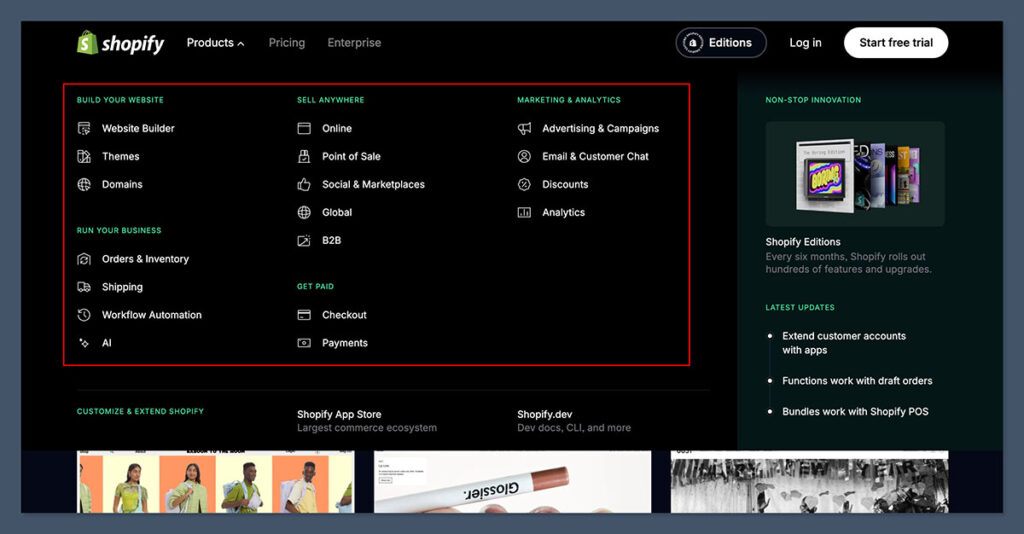
When you’re running an online store, sales functionality isn’t just a bonus — it’s the engine that keeps your business alive. From inventory control to payment processing, the right tools can help you scale faster and convert more customers with less friction.
Shopify is focused on sales. Every tool, every update, every app in their ecosystem is designed to help you sell more — and do it quickly. Whether you’re selling a single product or managing thousands of SKUs, Shopify has the infrastructure to handle it out of the box.
Shopify Sales Features:
- Abandoned cart recovery to bring back lost revenue
- AI-generated product descriptions using Shopify Magic, which saves time on copywriting
- 100+ payment gateways, including Shopify Payments, PayPal, Apple Pay, Google Pay, Stripe
- Real-time shipping rates with carrier integrations like USPS, UPS, and DHL
- Built-in analytics and reporting, including dashboards and sales trends
- Multichannel selling via Instagram, TikTok, Facebook, Amazon, and Etsy
- Inventory management that auto-syncs across all channels
- POS integrations if you sell in person
These features are available across Shopify’s plans, and many of them work without needing third-party apps. The few features that do require apps can usually be added in just a couple of clicks — no code or developer required.
Now let’s look at OpenCart.
OpenCart Sales Features (default install):
- Basic order and customer management
- Inventory tracking for simple product listings
- Coupon codes and basic discounts
- Multilingual and multicurrency capabilities
- Access to an extension marketplace for extra features
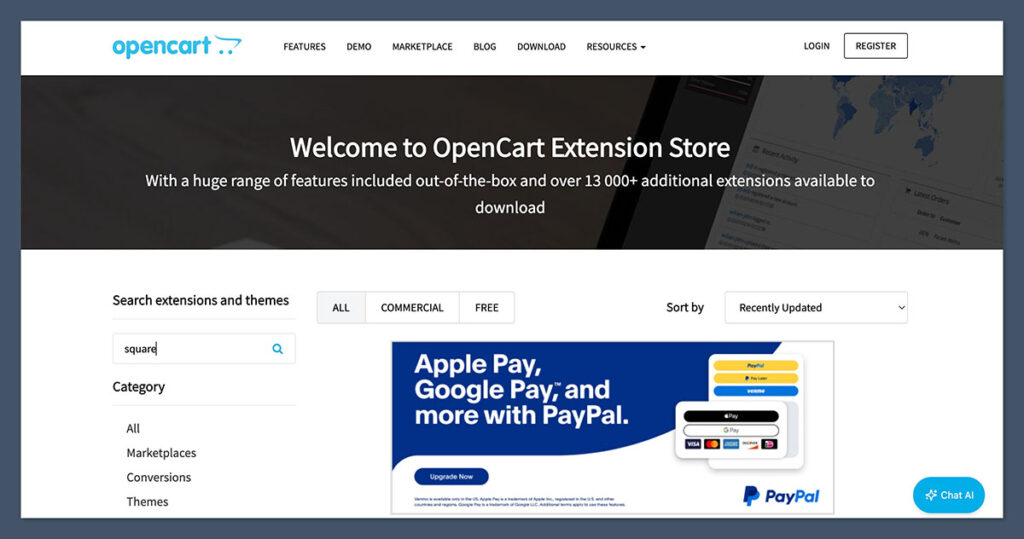
Out of the box, OpenCart gives you the foundation to start selling — but that’s all it is: a foundation. You’ll need to manually add a lot of key functionality that Shopify includes by default.
To get the same sales stack on OpenCart, expect to install add-ons for:
- Abandoned cart recovery
- Email marketing
- Advanced analytics
- CRM tools or customer segmentation
- Automated taxes and shipping integrations
- Omnichannel selling features
This means extra setup time, potential compatibility issues, and a learning curve. And unless you’re comfortable editing code or managing extensions, you’ll likely need a developer to help manage or troubleshoot the stack.
To be fair, OpenCart’s flexibility gives you full control over how your store operates — you’re not locked into one system. But that flexibility can come at the cost of speed and simplicity.
Verdict:
Shopify is ready to go from day one.
OpenCart gives you the tools, but you have to build the machine yourself. For store owners who want to hit the ground running, Shopify makes the process smoother, faster, and easier to scale. OpenCart is best suited for experienced developers or teams that need full control and don’t mind assembling everything piece by piece.
Marketing & SEO: Shopify Offers More Tools, OpenCart Needs More Effort
If people can’t find your store, you won’t get sales. Simple.
Getting traffic — and turning that traffic into buyers — depends heavily on solid marketing tools and smart SEO features. The easier it is to manage those tools, the faster you can grow.
Shopify comes out ahead here again — not just because of what it offers out of the box, but because it connects seamlessly with leading marketing platforms and ad networks. It’s built for visibility and conversions, especially for store owners who want quick wins without having to learn technical SEO.
What Shopify Delivers:
- Built-in blogging and content pages to help drive organic traffic and educate buyers
- SEO-friendly URLs and automatic redirects when you change a product or category
- Image optimization tools that compress files and boost load speed without affecting quality
- Google Shopping and Facebook Ads integrations baked into the backend
- Semrush-powered SEO app that scans your site and gives you SEO to-do lists
- Shopify Email for designing and sending email campaigns directly from the dashboard
- Third-party apps for SMS, influencer tracking, affiliate marketing, and retargeting
These features make it easy to run multichannel campaigns from one central location. Most of them are point-and-click — you don’t need a developer or third-party software to get started.
What OpenCart Offers:
- Meta tags and SEO URLs for each product and category (but you’ll have to set them up manually)
- Ability to create custom product pages with SEO fields
- A basic newsletter module for email marketing (limited functionality)
- A variety of extensions for SEO, retargeting, and email tools
- Google Merchant integrations available through third-party modules
You can still run successful SEO and marketing strategies on OpenCart, but the setup isn’t as intuitive. You’ll need to research, install, and configure separate extensions for many features that Shopify includes natively.
To get to the same level of marketing power on OpenCart, you’ll likely need:
- Technical SEO knowledge to manage URL structure, sitemap indexing, and schema markup
- Multiple plugins for email, social media integration, and analytics
- Time to test and configure everything manually or through custom development
That’s fine if you’ve got a team or an agency managing your site. But if you’re a solo founder or small team without tech skills, it becomes a burden fast.
Verdict:
Shopify gives you a full-stack marketing toolkit out of the box. OpenCart lets you build one — if you’ve got the time or dev support.
Shopify streamlines the marketing process and gives you tools that grow with your business. OpenCart offers the flexibility to create a custom setup, but it requires more hands-on effort, more plugins, and more knowledge to achieve the same outcome.
Ease of Use: Shopify Is for Beginners, OpenCart Is for Developers

Over the last decade, I’ve helped launch ecommerce sites for everyone — from side hustlers building their first store to enterprise retailers migrating from legacy platforms.
And honestly — if you’ve never touched code or cPanel, OpenCart will frustrate you.
Shopify is designed for simplicity. From the moment you sign up, the platform guides you through setup with tooltips, checklists, and prompts. You can build and run a store without writing a single line of code.

Shopify has:
- A clean, intuitive backend with step-by-step guidance and built-in tooltips
- A visual section-based editor (not fully drag-and-drop, but beginner-friendly)
- Structured onboarding that walks you through your first setup — adding products, setting up payments, connecting domains
- An app store that just works, with one-click install and automatic integration
- A setup checklist that helps you track your progress from idea to launch
Even if you’ve never sold anything online, you’ll be comfortable inside Shopify’s dashboard within a couple of hours. You’ll spend your time launching, not learning.
OpenCart is different.
OpenCart requires:
- Manual installation on a web host using FTP or a hosting control panel
- Knowledge of PHP and MySQL, or access to someone who does
- Working inside an admin panel that’s functional but feels outdated compared to modern SaaS builders
- Adding features via extensions or modules, often uploaded through FTP or configured manually
- Regular maintenance tasks like security patches, backups, and performance tweaks
Even small things, like changing the layout or configuring tax settings, can turn into a multi-step process if you’re not familiar with how it works. That’s not to say OpenCart is bad — it’s just not beginner-friendly.
Comparison Table: Setup Experience
| Feature | Shopify | OpenCart |
|---|---|---|
| Installation | Web-based (1-click) | Manual via hosting/server setup |
| Onboarding | Guided steps + tooltips | None (you’re on your own) |
| Editor | Section-based visual editor | Backend settings only |
| Extensions | 1-click app store | Manual FTP or extension upload |
| Skill requirement | No coding needed | Basic to advanced tech skills |
For developers, OpenCart offers more control and flexibility. But if you just want to run your business — not tinker with infrastructure — Shopify is the easier path.
Verdict:
Shopify helps you launch in hours. OpenCart might take days — or weeks — unless you already know the ropes.
If ease of use matters to you — or you just want to get your store live without hiring a developer — Shopify is the clear winner. OpenCart gives you control, but it expects you to know what you’re doing.
Templates & Design: Shopify’s Themes Are Polished and Mobile-Ready
First impressions matter. Especially online.
When a visitor lands on your site, you’ve got seconds to grab their attention. A slow, clunky, or outdated design doesn’t just hurt your brand — it kills conversions. This is where design flexibility and theme quality become deal breakers.
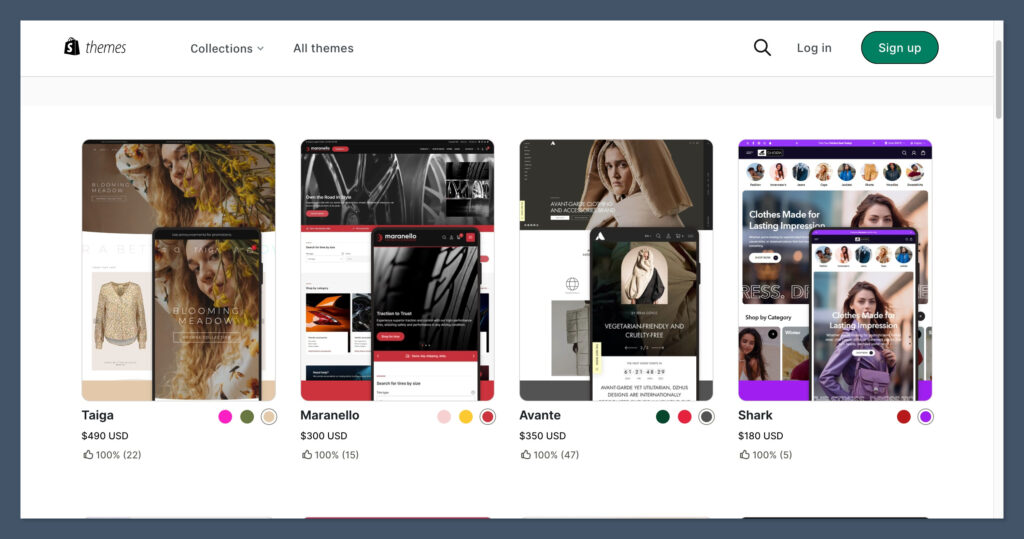
Shopify has over 190 professionally designed themes, covering a wide range of industries — from fashion to electronics to digital products. The templates are clean, fast-loading, and optimised for mobile devices. Whether you’re a beginner or an experienced seller, it’s easy to launch a visually strong storefront without touching a single line of code.
Shopify:
- 13 free templates to get started quickly without spending more
- Premium themes range from $100 to $500 (one-time payment)
- All are mobile-responsive and speed-optimised
- Filter by industry, layout style, or features
- Customisable via the Theme Editor — change fonts, colours, sections without coding
- Most themes come with built-in features like sliders, newsletter forms, and testimonials
Shopify’s theme store also includes previews and feature lists, so you can test and compare options before committing. This makes it easy to choose a theme that aligns with your brand and products — no surprises after purchase.
OpenCart handles things differently.
OpenCart:
- Around 10–20 decent free themes are available through community sources
- Dozens of premium themes on marketplaces like ThemeForest or TemplateMonster
- Most themes need FTP upload or extension install — no one-click activation
- Customisation usually requires HTML/CSS or hiring a developer
- Responsiveness varies by theme — not all are fully optimised for mobile
While some OpenCart themes look great, they’re inconsistent in quality and harder to apply. You often have to rely on external marketplaces or forums to find what you need, and even premium themes can lack documentation or support.
Design Comparison Table
| Feature | Shopify | OpenCart |
|---|---|---|
| Free Themes Available | 13 | 10–20 (quality varies) |
| Premium Themes | $100–$500 | $29–$100 |
| Mobile Optimisation | Guaranteed on all themes | Varies by template |
| Theme Installation | 1-click install | Manual FTP or module install |
| Ease of Customisation | Visual editor, no coding needed | Coding required for layout edits |
| Built-in Design Features | Yes (sliders, banners, etc.) | Depends on theme or plugin |
OpenCart can still look great — but it takes extra work. You’ll often need to:
- Source a high-quality theme from a third-party seller
- Manually upload and configure files
- Adjust styles using code or developer support
In contrast, Shopify lets you launch with a beautiful, responsive theme within minutes.
Verdict:
Shopify gives you beautiful templates ready to go. OpenCart can look great too — but only with extra effort.
If design is a priority and you want a site that looks professional without technical hassle, Shopify makes it easy. OpenCart gives you flexibility, but with more complexity and hands-on work.
Support & Community: Shopify Has Real-Time Help, OpenCart Relies on Forums
No matter how experienced you are, something will go wrong. A checkout issue. A payment error. A broken layout after a theme update. When that happens, getting fast, reliable help can be the difference between lost sales and a quick fix.
This is where Shopify and OpenCart take very different paths.
Shopify is a fully hosted platform, so their support team is part of the product. Their entire system is built around reducing friction — and that includes helping store owners when they’re stuck.
Shopify Support:
- 24/7 live chat with instant access to a human
- A detailed Help Center packed with tutorials, troubleshooting guides, and documentation
- Shopify Academy, offering free training and ecommerce courses
- A large, active user forum with Shopify staff and experienced merchants answering questions
- Phone support (available on Shopify Plus plans)
Everything is built to be accessible — even for non-technical users. You can search for a topic, chat with support, or request a callback in minutes. And in my experience, their team is trained well enough to solve most issues without escalation.
OpenCart, on the other hand, takes a more hands-off approach.
OpenCart Support:
- A community forum where users and developers answer questions (response times vary)
- No official live chat, email, or phone support provided by the OpenCart core team
- Paid support is available through freelance developers or agencies (usually billed hourly or by project)
- Support quality depends on who you hire and how experienced they are
- Some premium themes or modules come with limited developer support
This open-source model works for users who are comfortable troubleshooting themselves or hiring technical help. But it’s not ideal if you need immediate answers or don’t want to manage third-party contractors for basic issues.
Support Comparison Table
| Feature | Shopify | OpenCart |
|---|---|---|
| Live Chat Support | Yes, 24/7 | No |
| Email Support | Yes (via ticket system) | No |
| Phone Support | Yes (Plus plan only) | No |
| Help Center / Docs | Yes, extensive | Yes, community-driven |
| Community Forum | Active, moderated by staff | Active, peer-supported |
| Developer Support | Optional, not required | Usually necessary for complex help |
| Training Resources | Shopify Academy (free) | Limited to documentation and forums |
For Shopify users, help is built-in. You can rely on official support around the clock, and the documentation is detailed enough to walk you through almost any issue.
OpenCart users are mostly on their own unless they pay for support or rely on community forums. While the community is knowledgeable, response times aren’t guaranteed — and troubleshooting can be slow, especially if you’re not fluent in code.
Verdict:
Shopify gives you instant help. OpenCart leaves you to figure it out or hire help.
If real-time, reliable support matters to you — especially during a product launch or sale — Shopify’s dedicated team and educational resources give you a huge advantage. OpenCart is best for those who prefer to solve things on their own or have trusted developers in place.
Final Verdict: Which One Should You Use?
Both Shopify and OpenCart have their strengths — but they’re built for very different types of store owners. What works best depends on your goals, your technical experience, and how much time or money you’re willing to invest in setup and maintenance.
If you’re launching your first store and want a platform that handles the heavy lifting — from hosting to updates to design — Shopify is the better choice. It’s designed for ease, scalability, and fast implementation. You can go from idea to launch in a matter of hours, not weeks.
On the flip side, OpenCart gives you full control. If you’re building a highly customised ecommerce site with specific technical requirements — and either know how to code or have a developer working with you — OpenCart gives you the flexibility to shape every part of the experience.
But this flexibility comes with trade-offs: slower setup, more maintenance, and the need for technical knowledge or support.
Recommended Platform by Business Type
| Business Type | Best Platform |
|---|---|
| First-time ecommerce seller | Shopify |
| Non-technical business owner | Shopify |
| Custom ecommerce build | OpenCart |
| Developer with hosting ready | OpenCart |
| Growth-focused brand | Shopify |
| Low-budget side project | OpenCart |
If you’re trying to figure out where to begin, here’s my honest take:
- Go with Shopify if you want to start quickly, scale easily, and spend more time on marketing than maintenance.
- Go with OpenCart if you’re comfortable with manual configuration, server management, and building things from scratch.
So, which one would I use?
If I were launching a store today — from scratch, with no team or developer behind me, I’d start with Shopify.
- Less friction
- More built-in tools
- Faster path to growth
It lets you focus on what really matters: building your brand, driving traffic, and making sales — not figuring out why your SSL certificate expired or your shipping plugin isn’t working.
If your goal is to sell and scale without technical headaches, Shopify is the smarter investment.



I really think that opencart is better than shopify because you self host it and you can upload thousands of products without any issues.