

After spending over 200 hours testing and comparing 10 of the leading AI website builders, our team has narrowed the field down to seven tools that genuinely deliver on the promise of AI-powered site creation in 2026.
Hostinger AI comes out on top as the best all-in-one option, pairing AI site generation and vibe coding with hosting, an AI toolkit and email marketing at a price nothing else on this list matches. Wix AI is the strongest all-around pick if you want the deepest ecosystem rather than the best value.
That said, not every builder suits every use case. Some are built for speed over polish, others prioritize design fidelity, and a few bundle business tools like CRM and invoicing alongside the website itself.
The honest truth: no AI builder produces a finished, launch-ready site without some manual refinement. What separates the best from the rest is how much of the heavy lifting the AI handles before you need to step in.
In this guide, I’ll walk you through the standout features, pricing, and real trade-offs for each of our top picks, so you can find the right AI builder for your specific situation.
Our Top 7 AI Website Builders
- Hostinger AI – Best all-in-one AI website builder
- Wix AI – Best all-around AI website builder
- Design.com – Best for fast brand-first websites
- BrandCrowd – Best for simple branded business sites
- Durable – Fastest AI site generation + business tools
- Framer – Best for design-focused AI sites
- Base44 – Best for teams and AI-built web apps
In addition to hands-on testing, I’ve recently updated this guide to reflect how AI builders have evolved in early 2026.
The market has shifted from “templates with AI sprinkled on top” to near end-to-end generation: you describe your business, and the tool handles layout, copy, images, and basic SEO in a single flow. Below, you’ll see how each builder handles that process and where each one falls short.
AI Website Builder Comparison Table
Here’s a side-by-side look at our top seven picks so you can quickly compare what matters most:
| Builder | Core pitch | AI stand-out features | Best for | Starting price (USD, billed annually) |
|---|---|---|---|---|
| Hostinger AI | AI site generation, hosting and marketing in one platform | AI generation and vibe coding, AI writer, logo maker, heatmaps, Reach email marketing | Beginners and small stores wanting the most in one bill | $2.99/mo (48-month term) |
| Wix AI | Conversational full-site generation on a mature platform | ChatGPT-powered chat flow, AI content and images, 800+ app integrations | SMBs needing a complete ecosystem | Free; paid from $17/mo |
| Design.com | Brand-first site builder inside a wider identity toolkit | AI-assisted design, AI name/domain/logo generation, matching brand assets | Founders launching a business and brand at once | Free to try; paid from $15/mo (website from $24/mo) |
| BrandCrowd | Quick branded websites tied to logo and design tools | AI logo matching, consistent brand assets, simple site editor | Small businesses needing a simple branded web presence | Free to try; paid from $15/mo (website from $24/mo) |
| Durable | “Website in 30 seconds” plus small-business OS | 30-second generation, AI copy, built-in CRM and invoicing | Service businesses and solo founders | Free; paid from $12/mo |
| Framer | Design-grade AI site generation | Wireframer AI layouts, AI Workshop components, built-in A/B testing | Designers, startups, marketing teams | Free; paid from $10/mo |
| Base44 | AI-built apps and sites with team collaboration | AI content and layout, component-based editing, shared workspaces | Agencies and service-based teams | Free; paid from $16/mo |
Key Takeaways
- Hostinger AI is our top-rated AI website builder, combining AI site generation and vibe coding with hosting, an AI writer, a logo maker, heatmaps and the Reach email marketing tool in one plan
- Wix AI is the strongest all-around platform, offering a conversational build flow powered by ChatGPT alongside 15+ AI tools and over 2,000 templates
- Pricing ranges from free to around $159 per month (billed annually). Hostinger is the cheapest paid option at $2.99/mo, while Framer’s Pro plan at $30/mo targets professionals
- Wix, Durable, Framer, and Base44 all offer free plans you can use indefinitely, though with branding and feature limitations. Design.com and BrandCrowd both let you explore their tools for free before subscribing
- Durable is the fastest builder we tested, generating a complete website in roughly 30 seconds, and it bundles CRM and invoicing in every paid plan
- Design.com and BrandCrowd stand out for founders building a brand and site at the same time, tying the website to matching logos, names, and design assets in one workflow
- AI builders in 2026 have moved beyond basic template generation. The real differentiator is how tightly AI integrates with hosting, commerce, marketing, and business workflows
#1. Hostinger AI: Best All-in-One AI Website Builder
- Starting price: $2.99 per month (48-month term)
- AI website builder: Yes (AI generation and vibe coding)
- Free plan: No (30-day money-back guarantee)
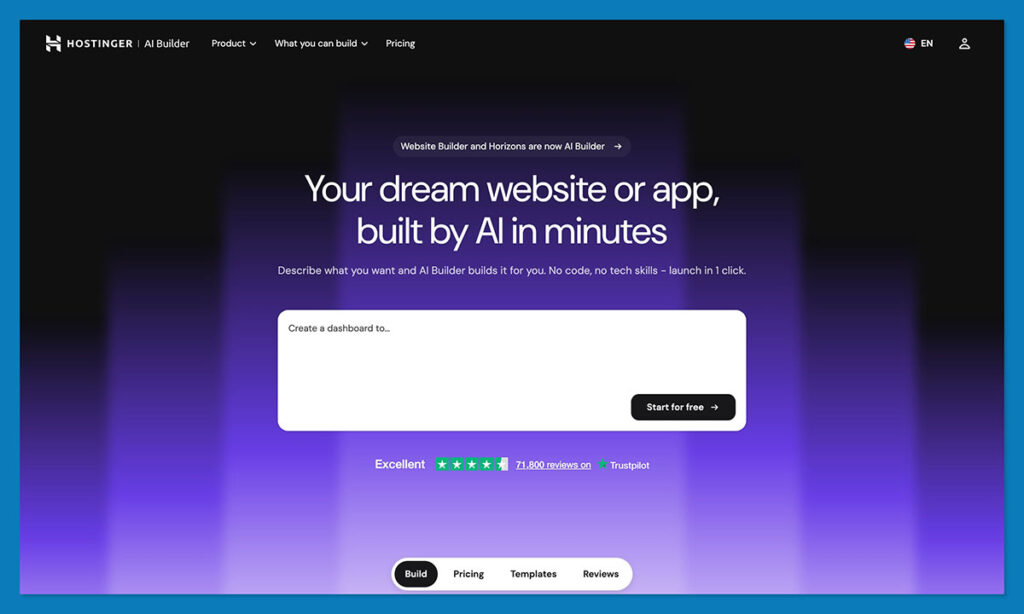
Hostinger used to be one of the better budget-friendly picks on my list, but these days I like more than just its low price. The AI system can generate a structured, multi-page website for you, with both copy and images in minutes from a basic prompt. There’s also conversational “vibe coding” options if you have a more complicated idea you want to bring to life.
Beyond that, though, Hostinger gives you more than just the website. Hosting and SSL are obviously handled for you, and there’s a full AI toolkit, like an AI writer, logo maker, plus a heatmap analyzer. There’s also the Hostinger Reach AI-powered email marketing tool, so you’ve got a headstart on your promotional strategy once your website’s ready to go.
Pros
- One of the most affordable options for a website, hosting and more
- SEO, ecommerce, AI writing, logo generation and email marketing included
- No transaction fees and more than 100 payment methods
- Vibe coding or simple website generation
Cons
- Hard to migrate to another hosting provider
- Some AI-generated text and content can be generic
- No app marketplace included
- Stores are capped at 1,000 products
What’s new with Hostinger in 2026
- Hostinger merged its drag-and-drop Website Builder with the prompt-based Horizons Web App Builder into a single AI Builder, so you can jump between prompting the AI and making manual visual edits as you work
- Horizons got a built-in backend in February with native database and authentication features
- Hostinger Reach introduced smart email marketing with tools that can segment your audience, manage drip campaigns, and create content
- WhatsApp integration, transactional emails, and campaign ideas hub coming soon
I’ve always been pretty impressed by the value for money you get from Hostinger, the 2026 updates just turn things up a notch. What really appeals to me now isn’t just the versatile AI website building options, it’s all the things you can do after you’ve published your website.
The Reach tool, in particular, can take the contacts you’ve collected for your website, create campaigns from your prompts, handle follow-ups, manage segmentation, and even help you optimize performance for an ongoing strategy.
How Much Does Hostinger AI Cost?
Pricing starts at $2.99 per month for the Premium plan if you buy 48 months up front, and that includes both hosting and the website builder. When you renew, the price goes up to $10.99 per month, which is still quite affordable.
The Unlimited plan starts at $3.79 per month and renews at $16.99 per month, and it gives you the more complete AI toolkit. There’s also a Cloud Startup plan that starts at $7.99 per month and renews at $25.99.
Hostinger AI is suitable for:
- Beginners that want an AI website and hosting for a low price
- Smaller ecommerce sellers that need a fast setup
- Anyone looking for an AI website and AI email marketing in one
Hostinger AI isn’t suitable for:
- Stores that need space for more than 1,000 products
- Companies that need a lot of third-party apps
- Anyone who doesn’t want to commit to a long contract at first
Why Use Hostinger AI in 2026?
Really, Hostinger AI is worth using because the value for money is excellent. The toolkit lets you do more than just build a website with AI. You can create a logo, produce content, examine heatmaps, run analytics, and even create and optimize email campaigns with Reach, all in the same platform responsible for hosting your store.
It’s still beginner-friendly, and one of the faster options to setup on this list, 2026 just gave it a lot more appeal for companies interested in growing after they launch their site.
#2. Wix AI: Best All-Around AI Website Builder
- Starting price: $17 per month (billed annually)
- AI website builder: Yes (ChatGPT-powered)
- Free plan: Yes (with Wix branding)
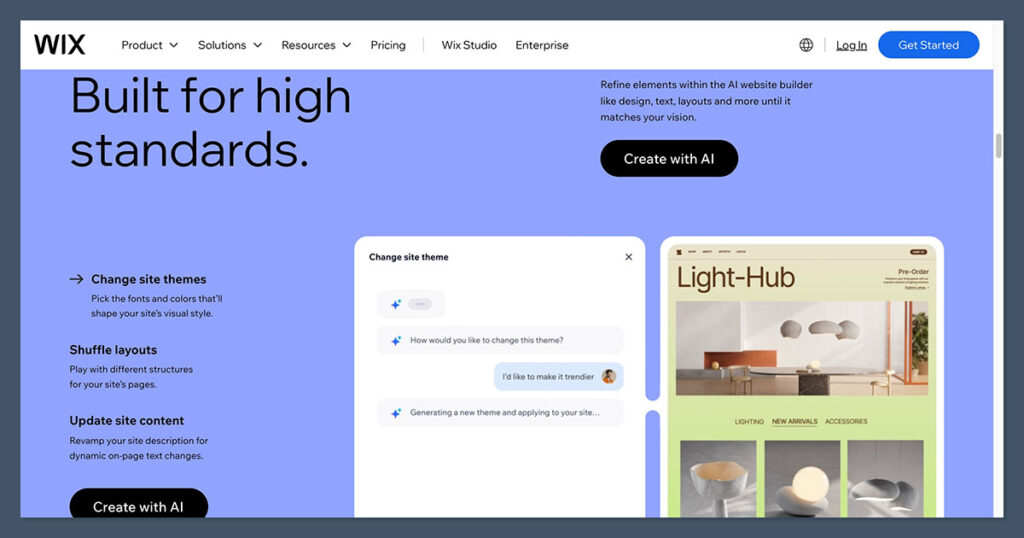
Wix AI is the most fully featured AI website builder I’ve tested. Rather than just swapping out templates, Wix’s AI builder uses a ChatGPT-powered conversational flow to ask about your business, audience, and goals, then generates a multi-page site with unique content, images, and a personalized dashboard.
It’s a significant step up from the older Wix ADI, which still exists as a simpler design engine but doesn’t match the newer builder’s content generation depth.
Pros
- Conversational AI generates unique, customized sites
- 15+ AI tools (text, images, sections, SEO meta tags, ads)
- Over 2,000 free templates
- 800+ third-party app integrations
- 24/7 customer support
Cons
- Can’t switch templates after your site goes live
- Editor can run slowly during editing sessions
- Mobile/tablet layouts need separate manual adjustments
- The sheer number of features can overwhelm new users
What’s new with Wix in 2026
- Wix Harmony launched in January 2026, combining agentic AI (via the Aria assistant) with drag-and-drop editing in a single hybrid interface
- Wix has partnered with Stripe to let merchants sell products via AI agents
- Wix Restaurant Experiences lets food businesses set up dining events directly from their site
I used Wix’s AI chatbot to set up a test site, and it made the process feel genuinely collaborative. The chatbot asked four or five targeted questions about purpose, content type, and goals, then built a custom site with matching sections, imagery, and copy. For me, the quality of the AI-generated content was noticeably better than most competitors, though I still needed to rewrite some of the copy to sound less generic. The bigger issue was the editor speed: it lagged during complex edits, so give yourself extra time if you’re building something detailed.
How Much Does Wix AI Cost?
Wix pricing ranges from $17 to $159 per month on annual billing. The free plan lets you access the AI builder and all templates, but your site carries Wix branding and ads. You’ll need the $29/mo Core plan to sell products online. Transaction processing fees run 2.9% + $0.30 per sale through Stripe or PayPal. All premium plans include a free custom domain for the first year and SSL.
Wix AI is suitable for:
- Businesses that want to build, market, and manage from one platform
- Users who want deep customization after AI generates the initial site
- Online stores needing ecommerce, apps, and marketing tools
Wix AI isn’t suitable for:
- Users who want pixel-perfect design control (Framer is better here)
- People who need to refresh their template frequently
- Anyone on a very tight budget (Hostinger is cheaper)
Why Use Wix AI in 2026?
Wix’s advantage isn’t just its AI generation. It’s the ecosystem surrounding it. Once your AI-generated site is live, you have access to Wix Automations, the Astro AI assistant for ongoing management, a full app marketplace, email marketing, and ecommerce tools all under one roof.
For businesses that need more than a brochure site, that integration matters. The new Wix Harmony editor also lets you move seamlessly between AI prompts and manual drag-and-drop editing without rebuilding sections, which is something most AI-native tools can’t offer yet.
#3. Design.com: Best for Fast Brand-First Websites
- Starting price: $15 per month
- AI website builder: Yes
- Free plan: Yes (free to try)
I’m not going to say that Design.com is as feature-rich as something like Wix or Shopify, because that’d be overselling it. I wills ay that it’s a better system than it seems to be at first glance, because it’s not just giving you a website builder on its own. What you’re actually getting is everything you need for the first version of your business identity.
The site builder sits inside a larger AI-enhanced system with logos, business names, domains, social assets, and print collateral, so the website ends up matching the rest of the brand without much extra work.
Pros
- Fast setup for simple business sites and landing pages
- Works neatly with Design.com’s logo, naming, and branding tools
- Lets you add a custom domain, contact forms, and online payments
- Beginner-friendly editor with enough controls for basic customization
- Good option for founders building a brand and site at the same time
Cons
- Too limited for serious ecommerce or content-heavy websites
- Less flexible than stronger standalone builders like Wix
- Template quality is fine, but not especially distinctive
- Pricing makes more sense if you use the wider toolkit, not just the website builder
What’s new with Design.com in 2026
- Stronger AI-assisted personalization and generation tools, so you can tweak designs more fully, without having to start from scratch
- Wider collection of AI-powered tools for name generation, domain naming, and logo creation alongside website design
- More assets to choose from, including QR codes, link-in-bio pages, AI presentations, and flyers.
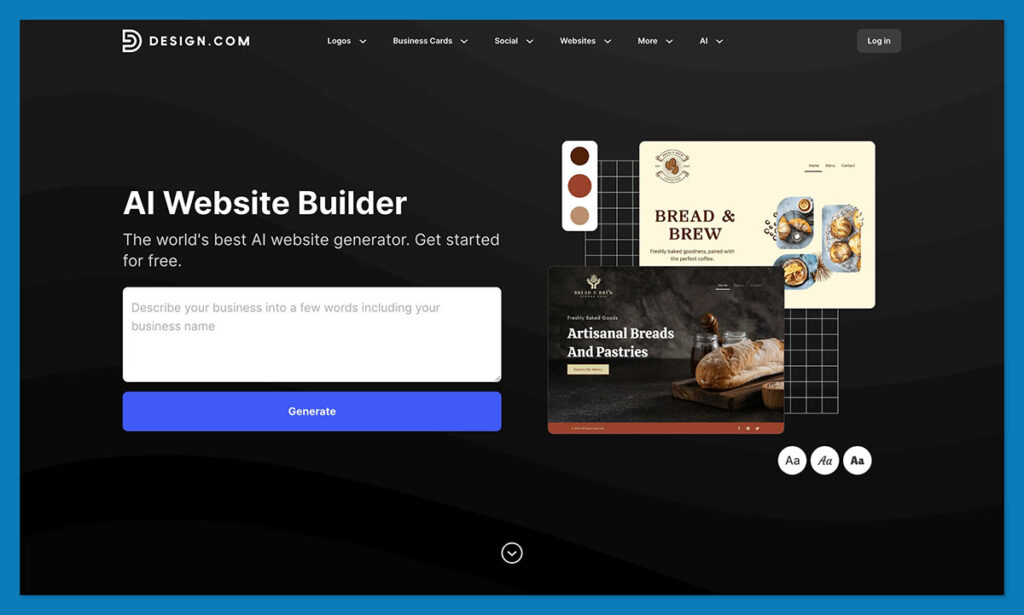
I initially used Design.com to generate a logo with AI, which as you can probably imagine is very straightforward. The website building process feels like much of the same. You enter a few details about your brand, share your business name, and get templates to choose from. Then you move through the design process with AI helping you along the way.
While you’re working you can also use AI to suggest business names, generate domain names, and remove backgrounds from images you want to add to your website. It’s all very simple.
How Much Does Design.com Cost?
You can play with the tools for free. If you want to download a logo, you’ll need the Saver plan starting at $15 per month, the website design tools are included in the Value plan starting at $24 per month, and the Premium plan ($29 per month). Still, you’ll probably need to pay for a subscription to an ecommerce platform too, since Design.com gives you the assets, but not the ecommerce depth.
Design.com is suitable for:
- Founders launching a business from scratch
- Small businesses that need a homepage or simple branded site
- Users who want their website tied closely to the rest of their brand
Design.com isn’t suitable for:
- Businesses that need a full ecommerce website builder
- Users who want advanced layout control or deeper CMS features
- Brands that already have their identity sorted and just need a stronger site platform
Why Use Design.com in 2026?
Design.com makes sense when you are still putting the whole business together. The website builder isn’t the most advanced I’ve seen, but it does solve a problem a lot of smaller brands have early on: everything looking like it came from different places.
If you need a simple site that matches your logo, your name, and the rest of your starter brand, it is a useful option. If the website itself is the main product, you will outgrow it faster than some of the other top builders on this list.
#4. BrandCrowd: Best for Simple Branded Business Sites
- Starting price: $15 per month
- AI website builder: Yes
- Free plan: Yes (free to try)
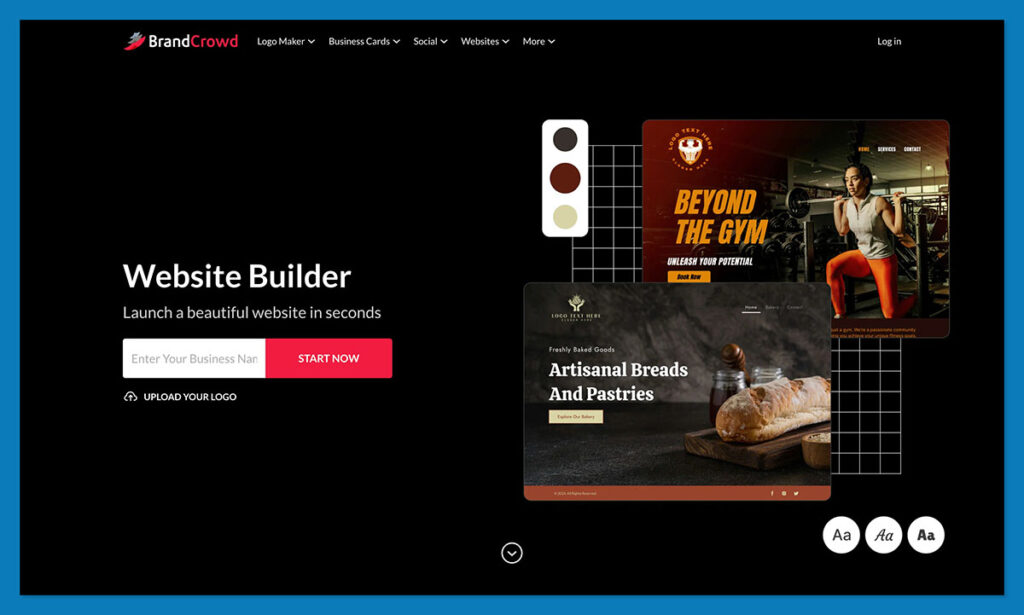
BrandCrowd tends to fall off lists like this because it pitches AI for logo design more than for website generation, but it still has the basic features you need to get started. Its website builder is built around the same ecosystem as its logo maker and design tools, so it’s easy to keep your fonts, colors, and overall brand direction consistent. There are no “premium” AI features here, but there’s definitely enough to get you started.
Pros
- Quick route from logo to matching website
- Easy to keep your branding consistent across assets
- Simple editor with a low learning curve
- Lets you add a custom domain, contact forms, and online payments
- Good fit for service businesses, local businesses, and simple web presences
Cons
- Still a lightweight builder, not a real ecommerce platform
- Sites can feel generic if you settle for the first usable template
- Not ideal for bigger websites or more custom structures
What’s new with BrandCrowd in 2026
- Smarter AI matching from an engine that analyzes sectors, business names and design preferences to give you better ideas
- Stronger design tools for alignment, color refinement, and background removal. You also get tools for animated logos and email signatures
- Over 150,000 logo concepts, with new library options expanded to match 2026 trends
What impressed me about BrandCrowd wasn’t really the AI features, since they’re still pretty simple, it was more how straightforward and quick everything felt. I didn’t have to worry about learning how to prompt a new model, or stress over the small stuff. I just created a logo, then a site, then a few extras, and I felt like I had something ready to launch.
I also like how easy it is to re-imagine your brand in different formats, putting a logo on a shirt, creating an Etsy banner, or designing business cards without starting again.

How Much Does BrandCrowd Cost?
BrandCrowd’s pricing starts at about $15 per month, with Value at about $24 per month and Premium at about $29 per month in the attached review drafts. You can try the builder before paying, but the value is clearer when you’re also using BrandCrowd for logos and other design assets, not just the website builder by itself.
BrandCrowd is suitable for:
- Small businesses that need a simple branded website quickly
- Users already creating logos or graphics inside BrandCrowd
- Founders who care more about ease than deep customization
- Freelancers, service brands, and local businesses that need a web presence
BrandCrowd isn’t suitable for:
- Businesses that need a full ecommerce platform
- Users who want advanced customization and site structure
- Brands chasing a more original or design-heavy website
- Teams that expect super impressive AI features.
Why Use BrandCrowd in 2026?
BrandCrowd is useful for businesses that want to get a site live without turning it into a project. It’s quick, easy to use, and good at making a small brand look coherent online. That’s enough for plenty of businesses in the early stage. It’s not enough for merchants or teams that need deeper ecommerce features, more flexibility, or a builder with more long-term headroom.
#5. Durable: Fastest AI Generation + Business OS
- Starting price: $12 per month (billed annually)
- AI website builder: Yes (30-second generation)
- Free plan: Yes (limited to 3 pages)
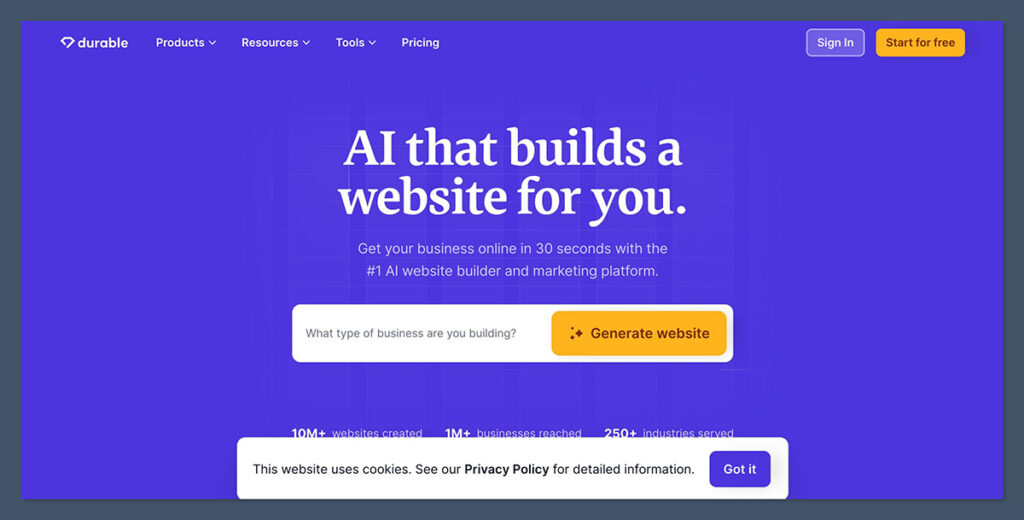
Durable’s entire pitch is speed, and it delivers. In my testing, the AI generated a complete, functional website in under a minute from just a business name and type. But what makes Durable more interesting than just a quick-site novelty is the business tooling that comes bundled: CRM, invoicing, AI copywriter, analytics, and appointment scheduling are all built into the same subscription.
For service businesses like consultants, cleaners, or photographers, that eliminates the need for three or four separate SaaS tools.
Pros
- Generates a full site in roughly 30 seconds
- CRM, invoicing, and analytics included in paid plans
- AI copywriter produces surprisingly contextual content
- Google Business Profile integration for local businesses
- No coding knowledge required at all
Cons
- Limited design customization compared to Wix or Framer
- Templates can look similar across industries
- No real ecommerce support for product-based businesses
- Fewer third-party integrations
The AI-generated content was one of the better outputs I saw during testing. Headlines read naturally, the copy used common copywriting techniques (leading with verbs, highlighting USPs), and the image selection actually matched the business type rather than defaulting to generic stock photos.
Durable also automatically adds a Google Maps embed for local businesses, which is a small but smart touch. The main limitation is design flexibility. You’re working within pre-made templates, and while you can regenerate sections you don’t like, you don’t get the granular layout control of a Wix or Framer.
How Much Does Durable Cost?
Durable’s free plan includes three pages on a subdomain. Paid plans start at $12/mo (billed annually) for the Starter tier, which adds a custom domain, CRM, and invoicing. The Business plan at $25/mo adds AI marketing tools and more AI-generated images. There’s also a Mogul plan at $95/mo for managing multiple business sites. All paid plans include a free custom domain and 30-day money-back guarantee.
Durable is suitable for:
- Service businesses (consulting, cleaning, coaching, photography)
- Solo founders who need a site plus basic business tools fast
- Local businesses that want Google Maps and lead capture built in
Durable isn’t suitable for:
- Users who want deep design customization
- Product-based ecommerce stores
- Businesses needing advanced SEO features or third-party app integrations
Why Use Durable in 2026?
The “AI website builder as business operating system” trend is one of the defining shifts in 2026, and Durable is the clearest example of it. Instead of building a website and then bolting on separate tools for leads, invoicing, and marketing, Durable puts everything in a single dashboard. For solo founders and service businesses that don’t need pixel-perfect design or a product catalog, this approach eliminates complexity and saves real money on software subscriptions.
#6. Framer: Best for Design-Focused AI Sites
- Starting price: $10 per month (billed annually)
- AI website builder: Yes (Wireframer AI + AI Workshop)
- Free plan: Yes (Framer subdomain, with branding)
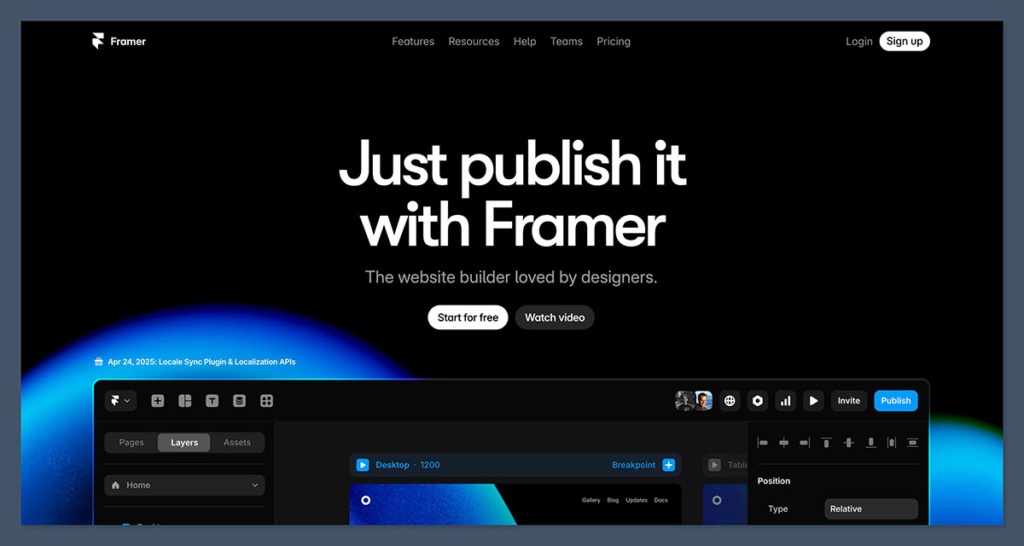
Framer is the AI builder I’d recommend to anyone who cares deeply about visual quality. The platform feels more like a professional design tool than a traditional website builder, with a Figma-like canvas that gives you precise control over every element. Its AI layer, including Wireframer for responsive layouts and the AI Workshop for interactive components, generates sites that look noticeably more polished than what you’ll get from most competitors.
Pros
- Highest visual fidelity of any AI builder we tested
- Wireframer AI creates responsive layouts from prompts
- AI Workshop generates interactive components
- Built-in A/B testing on higher-tier plans
- Strong performance and fast page loads
Cons
- Steeper learning curve than Wix or Hostinger
- Basic plan limited to one CMS collection
- No built-in ecommerce (requires third-party tools like Frameship)
- Less intuitive for complete beginners
What’s new with Framer in 2026
- Framer simplified its pricing to three main tiers (Basic, Pro, Scale) down from five, with most customers seeing lower prices
- On-Page Editing lets you update live pages directly in the browser
- Native vector support and improved AI tools (Wireframer, Workshop) included on all plans
In my testing, the gap between Framer’s AI output and other builders was most obvious in layout quality and typography. Where Wix and Hostinger produce solid-looking sites, Framer generates pages that look like they were designed by a professional studio.
The trade-off is usability: the design-tool interface takes time to learn, and if you just want a simple business site, Framer’s power is overkill. I’d also flag the CMS limitation on the Basic plan. You only get one collection, which means most real-world sites with a blog will need to jump to the $30/mo Pro tier.
How Much Does Framer Cost?
Framer’s free plan is surprisingly generous with 1,000 pages and 10 CMS collections, though your site lives on a Framer subdomain with branding. Paid plans start at $10/mo (Basic) for a custom domain and hosting, $30/mo (Pro) for staging, CMS flexibility, and advanced analytics, and $100/mo (Scale) for high-traffic sites with usage-based add-ons. Annual billing saves around 33% on Basic and Pro. Editor seats are billed separately, which can add up for teams.
Framer is suitable for:
- Designers and creatives who want visual precision
- Startups and agencies building high-end marketing sites
- Teams comfortable working in a design-tool environment
Framer isn’t suitable for:
- Complete beginners looking for the simplest option
- Ecommerce businesses (Wix or Shopify are better fits)
- Users who want built-in business tools like CRM or invoicing
Why Use Framer in 2026?
The “vibe coding” trend in 2026 describes tools where you describe the feel and behavior of a site and AI assembles a working result. Framer does this better than anyone for marketing and portfolio sites. Its AI doesn’t just generate a layout; it produces something with real visual personality, motion, and interaction. For startups, agencies, and creatives who treat their website as a core brand asset, that quality difference justifies the learning curve and higher Pro pricing.
#7. Base44: Best for Teams and AI-Built Web Apps
- Starting price: $16 per month
- AI website builder: Yes (natural language app/site generation)
- Free plan: Yes
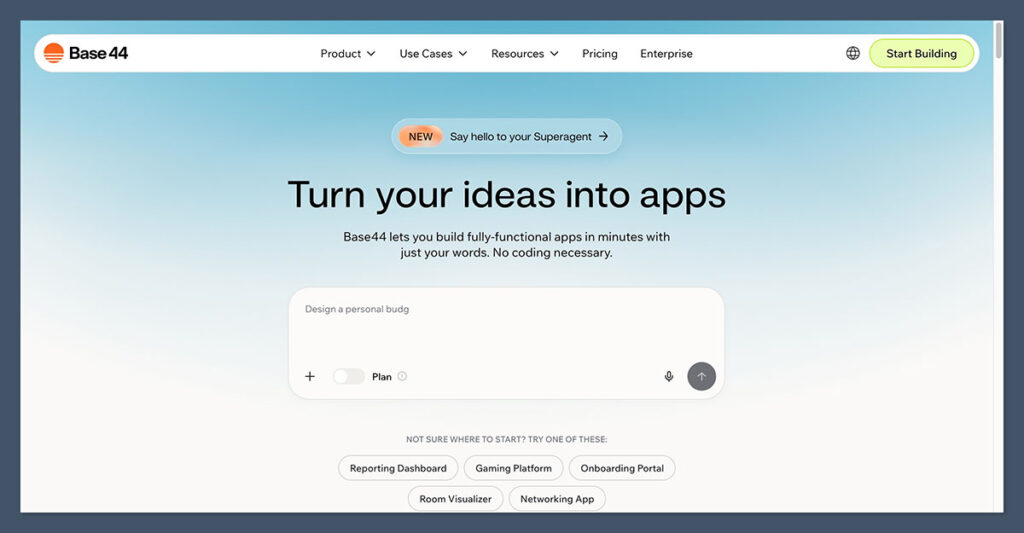
Base44 occupies a different space from the other builders on this list. Rather than focusing purely on websites, it positions itself as a platform for building fully functional web apps using natural language. You describe what you want, and the AI generates a working prototype with components, workflows, and collaboration features.
For agencies managing multiple client sites or teams that need internal tools alongside a public website, Base44 offers a unique all-in-one approach.
Pros
- Builds functional web apps, not just brochure sites
- Strong team collaboration with shared workspaces
- Component-based editing for reusable elements
- Email, CRM, and scheduling bundled in
Cons
- Newer platform with a smaller user base than Wix or Framer
- Less proven track record for long-term reliability
- Not as strong for simple brochure-style websites
Where Base44 shines is in the agency and team workflow use case. I could create a client project, share it with collaborators, and iterate on components that carried across multiple pages.
The AI handled layout generation well, and the component-based system meant I wasn’t rebuilding similar sections from scratch for every new page. It’s not the builder I’d recommend for a solo founder who just needs a simple site (Durable or Hostinger serve that need better), but for teams producing multiple client sites or building app-like experiences, Base44 fills a gap that most competitors don’t address.
How Much Does Base44 Cost?
Base44 offers a free plan to get started, with paid plans beginning at $16/mo. The pricing is competitive for what you get, especially considering the collaborative workspace features and bundled marketing tools that would cost extra on other platforms.
Base44 is suitable for:
- Agencies managing multiple client projects
- Teams needing collaborative AI site building
- Service businesses wanting apps, email, CRM, and scheduling in one platform
Base44 isn’t suitable for:
- Solo users who just need a simple website
- Design-focused projects where visual fidelity is the priority
- Large ecommerce operations
Why Use Base44 in 2026?
The line between “website” and “web app” keeps blurring, and Base44 is built for that convergence. In 2026 comparisons, it consistently shows up alongside tools like Lovable and Hostinger Horizons as part of the “vibe coding” wave, where AI builds functional prototypes from natural language descriptions. If your projects regularly need forms, dashboards, client portals, or workflow automation alongside a public-facing site, Base44 is purpose-built for that overlap.
How Do I Choose the Right AI Website Builder?
Choosing the right AI website builder comes down to understanding what you actually need versus what looks impressive in a demo. The AI generation part is table stakes now. Nearly every builder on this list can produce a decent-looking site from a text prompt in under five minutes. The real decision is about what happens after that initial generation.
Here’s a practical checklist of factors to weigh before committing:
Customization depth: Do you need granular design control (Framer), or is a good-enough layout with fast setup more valuable (Durable, Hostinger)? If you’re the type who wants to adjust every pixel, the speed-first tools will frustrate you. If you just need a professional presence online quickly, Wix and Framer’s advanced editors are overkill.
Business tools beyond the website: Do you need CRM, invoicing, or appointment booking? Durable and Base44 bundle these in. With Wix, you’ll tap into its app marketplace. With Framer or Hostinger, you’ll connect third-party services.
Budget and long-term costs: Look beyond the launch price. Factor in domain renewals, plan renewals (Hostinger’s prices jump after the initial term), transaction fees, and the cost of any third-party tools you’ll need to add.
Scalability: Hostinger’s two-plan structure limits growth. Wix and Framer offer clear upgrade paths. Base44 scales for teams but is newer. Think about where your site needs to be in 12 to 18 months, not just today.
Ecommerce needs: If you sell physical products, Wix is the strongest all-in-one option on this list. Durable and Framer are not designed for product-based selling. For serious ecommerce, you may want to look at dedicated platforms like Shopify alongside these AI builders.
SEO requirements: All five tools generate mobile-friendly, clean-structure sites by default. But if SEO is critical to your business (for example, you depend on organic traffic to money pages), you’ll still need to manually optimize content, meta tags, and page speed. No AI builder handles that fully on autopilot yet.
How We Test AI Website Builders
Our team evaluated 10 AI website builders across six core categories, each weighted to reflect what matters most for real-world use:
| Testing area | What we evaluate | Weight |
|---|---|---|
| AI generation quality | Speed of initial generation, content relevance, image quality, layout structure, and how much manual editing is needed post-generation | 30% |
| Design and customization | Template variety, editor flexibility, responsive design, visual quality of AI output, and ability to refine after generation | 25% |
| Business features | Ecommerce, CRM, invoicing, marketing tools, SEO capabilities, and third-party integrations | 20% |
| Pricing and value | Plan costs, free tier generosity, renewal pricing, transaction fees, and overall cost of ownership | 10% |
| User experience | Onboarding flow, editor intuitiveness, dashboard navigation, and learning curve | 10% |
| Support and resources | AI assistant quality, live support availability, documentation, and community resources | 5% |
Each builder was tested hands-on by creating real sites from scratch, evaluating the AI output, then editing and customizing to assess post-generation flexibility. We also tracked page load speeds, tested mobile responsiveness, and compared the actual user experience against each platform’s marketing claims.
Final Verdict: Which AI Website Builder Do I Recommend?
Hostinger AI is the AI website builder I would point most people to in 2026. It generates a structured multi-page site from a prompt, adds conversational vibe coding for anything more involved, and then bundles hosting, SSL, an AI writer, a logo maker, heatmap analytics and the Reach email marketing tool into the same low bill. Nothing else on this list does that much for the money.
Wix AI remains the strongest all-around platform if depth matters more to you than value. Its ChatGPT-powered build flow, 15+ AI tools, huge app ecosystem and mature drag-and-drop editor still give it the widest appeal across business types and skill levels. Hostinger is not the fastest (Durable is quicker) or the most design-focused (Framer takes that), and it caps stores at 1,000 products, but for most people starting out it is the better opening move.
That said, the right builder depends entirely on your situation. If you’re a service business that needs a site plus CRM and invoicing tomorrow, Durable gets you there faster than anything else.
If you’re a designer or startup that treats the website as a brand statement, Framer’s visual quality is in a different league. If you want the deepest app ecosystem rather than the best value, Wix is worth the higher monthly cost. And if you’re an agency or team building apps and client sites, Base44 offers collaboration features the others lack.
My honest advice: take advantage of the free plans. Every builder on this list except Hostinger lets you generate a site for free. Build a test site on two or three platforms, compare the output quality and editing experience, and then commit to the one that feels right for how you work.
Frequently Asked Questions
Can AI website builders create a professional-looking site without any manual editing?
They can get you 70 to 80% of the way there. The AI handles layout, initial copy, and images well, but you’ll almost always need to refine the text, swap out some images, and adjust spacing or colors to match your brand. Think of AI generation as a very strong first draft, not a finished product.
Are AI-generated websites good for SEO?
The structural basics are solid. Most AI builders generate mobile-responsive layouts, clean HTML, fast-loading pages, and basic meta tags automatically. But ranking for competitive keywords still requires manual optimization: writing unique, high-quality content for key pages, building internal links, and refining meta descriptions. AI handles the technical foundation; the content strategy is still on you.
What’s the difference between an “AI website builder” and a regular website builder with AI features?
The distinction is becoming blurry, but in practical terms: an AI website builder (like Durable or Base44) generates an entire site from a single prompt. A traditional builder with AI features (like Wix or Hostinger) uses AI to assist within an existing template-based workflow, offering AI writing, image generation, and layout suggestions as tools within a broader editor. In 2026, the most capable platforms like Wix are merging both approaches.
Can I switch from one AI website builder to another?
Yes, but it’s rarely seamless. In most cases, you’ll need to rebuild your site from scratch on the new platform. Your content, design, and settings won’t transfer automatically. If you own a custom domain, you can usually point it to a new provider. The best way to avoid painful migrations is to test two or three builders on their free plans before committing to a paid subscription.
Do AI website builders work for ecommerce?
It depends on the builder. Wix is the strongest ecommerce option on this list, with product listings, checkout, payment processing, and marketing tools. Hostinger supports ecommerce on its Business plan but caps products at 1,000. Durable and Framer are not built for product-based selling. If ecommerce is your primary need, consider a dedicated platform like Shopify alongside or instead of a general AI builder.
How much does an AI website builder actually cost per year?
True annual costs vary widely. Hostinger can run as low as $24/year on a long-term commitment, while Wix’s Core plan (the minimum for ecommerce) costs around $348/year. Durable’s Starter plan is about $144/year. Framer’s Pro plan sits at $360/year. Factor in domain registration ($10 to $20/year), any premium apps or plugins, and transaction fees if you’re selling online. The advertised monthly price is always just the starting point.


Comments 0 Responses