

Best for Beginners

Sender
View Pricing Read Review →Free for 2,500 subscribers
Paid plans from $9/month
- 15,000 free emails a month
- Automation and 10 landing pages on the free plan
- Live chat and email support on every plan
Best for Multichannel Marketing

Brevo
View Pricing Read Review →Free for 300 emails a day
Paid plans from $9/month
- Built-in CRM and sales pipelines
- Email, SMS, WhatsApp and live chat
- Aura AI content and send-time tools
It’s been a little while since I’ve had a chance to really experiment with email marketing platforms, but I don’t think that much has changed since the last time I was ranking tools. Obviously, now we have a lot more AI and automation plugged into these platforms, and the templates, analytics, and integrations have gotten a lot better.
But most people comparing systems like Sender and Brevo are still going to be focusing on the same things: which tool is the most reliable, easy to use, and aligned with their actual marketing strategies, and which can deliver the best value for money.
So, here’s my current breakdown of how Sender and Brevo compare right now, and which companies would probably benefit most from each tool.
Sender vs Brevo: My Quick Verdict
Brevo is probably the better-known contender, even if you’re more familiar with its old name SendinBlue. It’s arguably the bigger toolkit, made to help companies combine WhatsApp, SMS, email marketing and live chat, with a central CRM system.
Sender is the more affordable option, especially with its free plan, giving you support for 2,500 contacts and up to 15,000 emails a month, even if you do have to deal with Sender branding. It’s also the more straightforward choice for most smaller businesses, perfect if you need landing pages, email automation, and even abandoned cart recovery without spending a fortune.
Neither tool is completely perfect, but at a glance, I’d recommend Sender to most small businesses just getting started, and Brevo to companies looking to scale.
Sender vs Brevo: Side-by-Side Comparison
Both are technically marketing tools, originally built for email marketing, and both still offer email marketing automation tools and solutions for transactional emails. Sender is the slightly simpler option, intended for smaller and mid-sized businesses, and ecommerce stores. It gives you easy tools for creating newsletters, automated email and SMS strategies, and landing pages or pop-ups.
Brevo, which used to be SendinBlue, is more comprehensive, combining a customer relationship management (CRM) system with marketing tools that spread across channels from email, to SMS, WhatsApp campaigns, and live chat.
| Feature | Sender | Brevo |
|---|---|---|
| Pricing | Subscriber-based | Monthly email volume, with contact caps on lower tiers |
| Free plan | 2,500 contacts and up to 15,000 emails a month | Up to 100,000 contacts and 300 emails a day |
| Channel coverage | Email and SMS | Email, SMS, WhatsApp and Live Chat |
| Contact management | Basic, with segmentation | Built-in CRM |
| Automation | Unlimited workflows on all plans | Visual workflows, capped at 2,000 contacts on Free and Starter |
| Transactional emails | Yes | Yes |
| Landing pages | 10 free | 1 on Standard, 10 on Professional |
| Customer support | 24/7 email and chat | Email on Free, Starter and Standard; phone from Professional |
| Best for | Small businesses | Multi-channel marketing |
Sender vs Brevo Pricing: Which Offers Better Value?
I’m starting with pricing because both of these tools deserve their reputation for being budget-friendly, and both are pretty generous with their free plans.
Starting with the free options, Sender gives businesses support for 15,000 emails a month and 2,500 contacts, with live support, segmentation and automation included. You also get ten landing pages whereas Brevo doesn’t give you any. Brevo supports up to 100,000 contacts on the free plan, and lets teams send 300 emails a day. There’s marketing automation on the free plan, too, limited to 2,000 contacts.
The paid plans for Sender start at $9 per month (paid monthly), and increase based on the number of contacts you have. So if you have 500 subscribers, Standard costs $9 per month (up to 6,000 emails), Professional is $15 per month (12,000 emails), and then there’s the custom-priced enterprise plan.
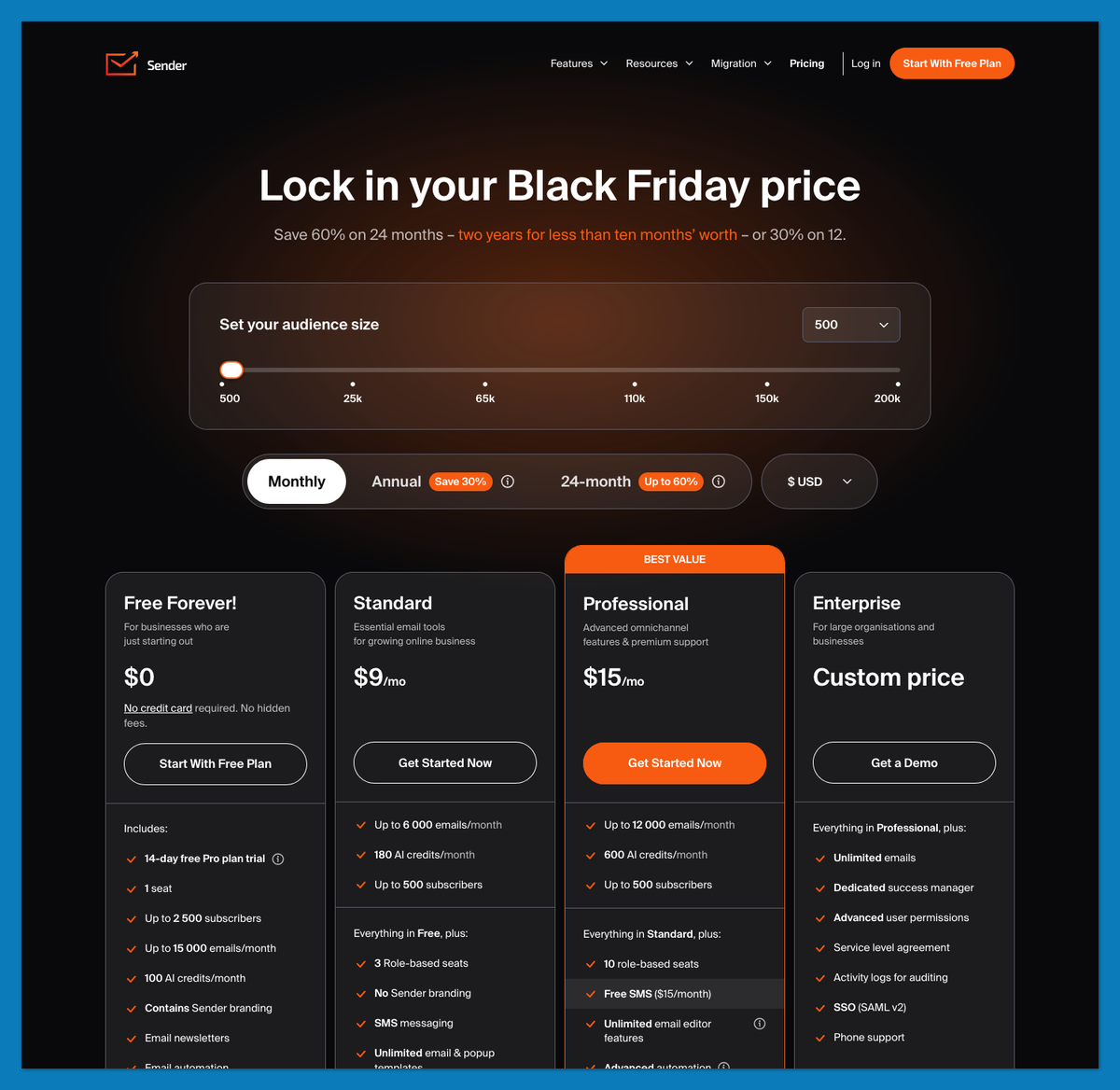
Moving up a tier from Free to Standard gives you extra features, like SMS messaging, A/B testing, unlimited landing pages, and 3 role-based seats, while Professional offers tools for advanced automation and reports, as well as more email editor features.
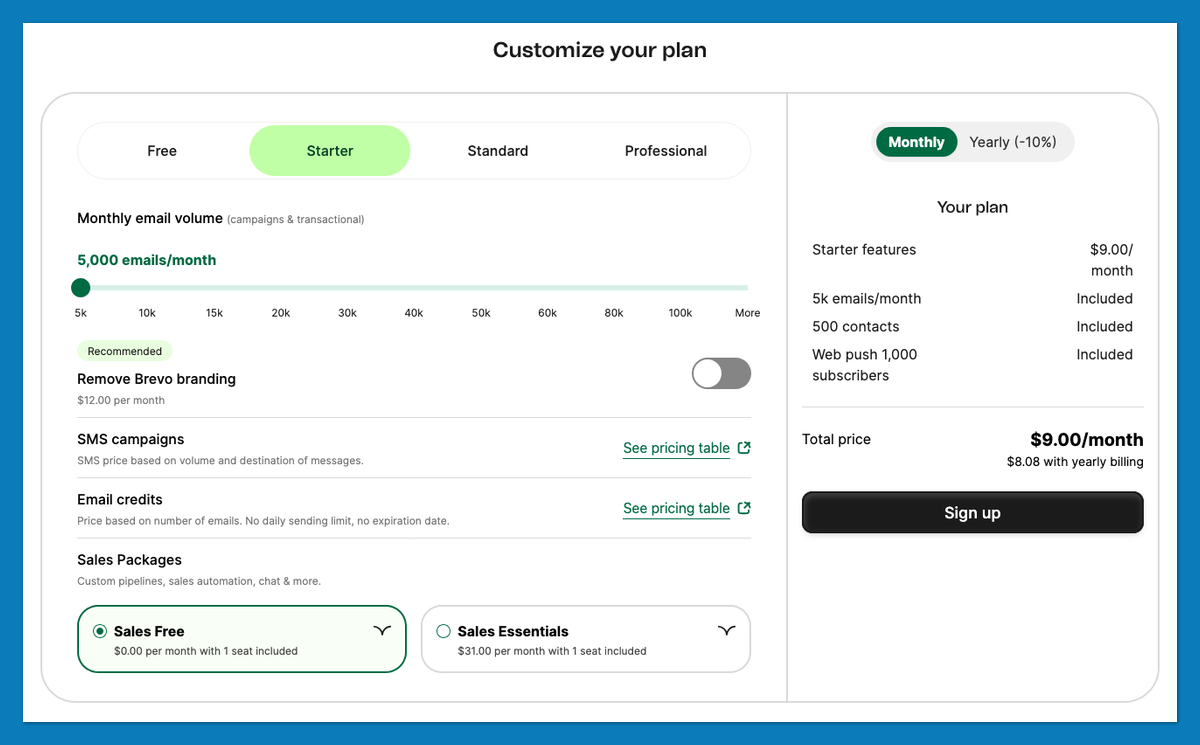
Brevo’s paid plans are actually quite similar at first, starting at $9 per month, billed monthly, for the Starter plan, which gives you 5,000 emails and 500 contacts and removes the 300-a-day sending cap. On Starter and Standard, each email tier carries a contact cap: 5,000 emails allows 500 contacts, 10,000 allows 1,500, and 15,000 allows 2,500, while from 20,000 emails ($32 per month on Starter), the cap is 500,000 contacts. Since the AI content generator and MCP are already included on the free plan, Starter’s real additions are content feeds plus back-in-stock and price-drop alerts. Oddly, though, you do have to pay another $12 per month to remove the Brevo branding, or upgrade to Standard for $18 per month.
The higher tier plans, like Professional, are much more expensive (starting at $499 per month), though they add things like AI segmentation and an AI data analyst, contact scoring, additional user access, and more channels (like popups or WhatsApp).
What Works Out Cheaper?
It really depends on what you need, but if, for instance, you have 2,000 newsletter subscribers, and you send out four messages a month (8,000 emails), you can do all that with Sender for free, whereas Brevo’s free plan can’t send to all 2,000 people in a day because of its 300-a-day cap. Brevo’s paid tiers cap contacts by email volume, so 2,000 contacts puts you on the 15,000-email tier: $25 per month on Starter (plus $12 per month to remove branding) or $49 per month on Standard.
On the other hand, if you’ve got 25,000 contacts receiving 10,000 emails a month, Brevo’s contact caps push you onto its 20,000-email tier, which allows 500,000 contacts, at $32 per month on Starter or $69 per month on Standard. Sender prices by subscriber count, so 25,000 subscribers costs $149 per month on Standard or $280 per month on Professional, billed monthly. In this case, Brevo works out far cheaper.
Sender vs Brevo Features: How Do They Compare?
I’m bundling a few features together for this comparison, because it would take forever to explain exactly how each one works one at a time. We’ll start with email campaigns and design tools.
Email Campaigns, Design, and AI Features
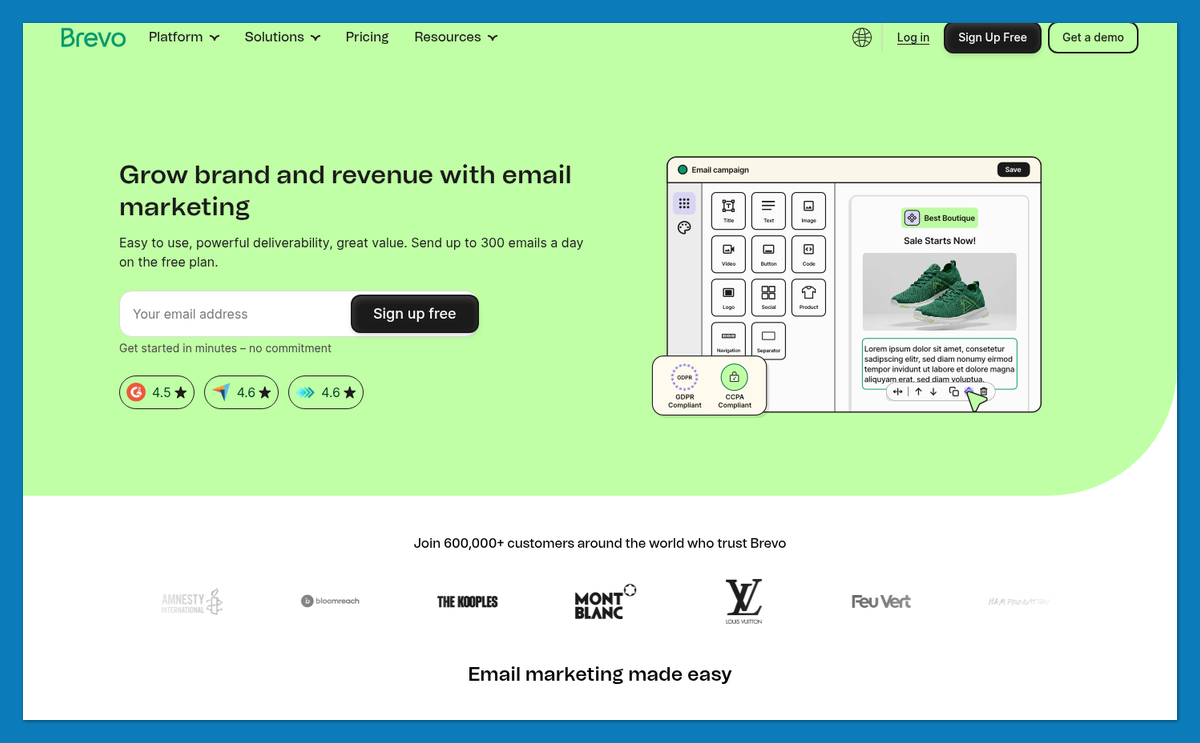
Brevo is arguably a little more advanced on the email front, with 40+ templates you can play with in a drag-and-drop builder, adding buttons, social icons, content blocks, or even custom code. It also gives you a lot of AI support with Aura AI, which can create content for you, suggest subject lines, rewrite copy, and even make suggestions about when to send certain emails. There’s also support for AI-based translation for global teams.
Sender’s email editor and tools are still very good, especially for beginners. The design tools are still drag-and-drop, and there’s support for personalized tags and dynamic content, HTML editing, and reusable content blocks. You can also experiment with over 100 templates, and add nestable containers or separate mobile layout controls to newsletters.
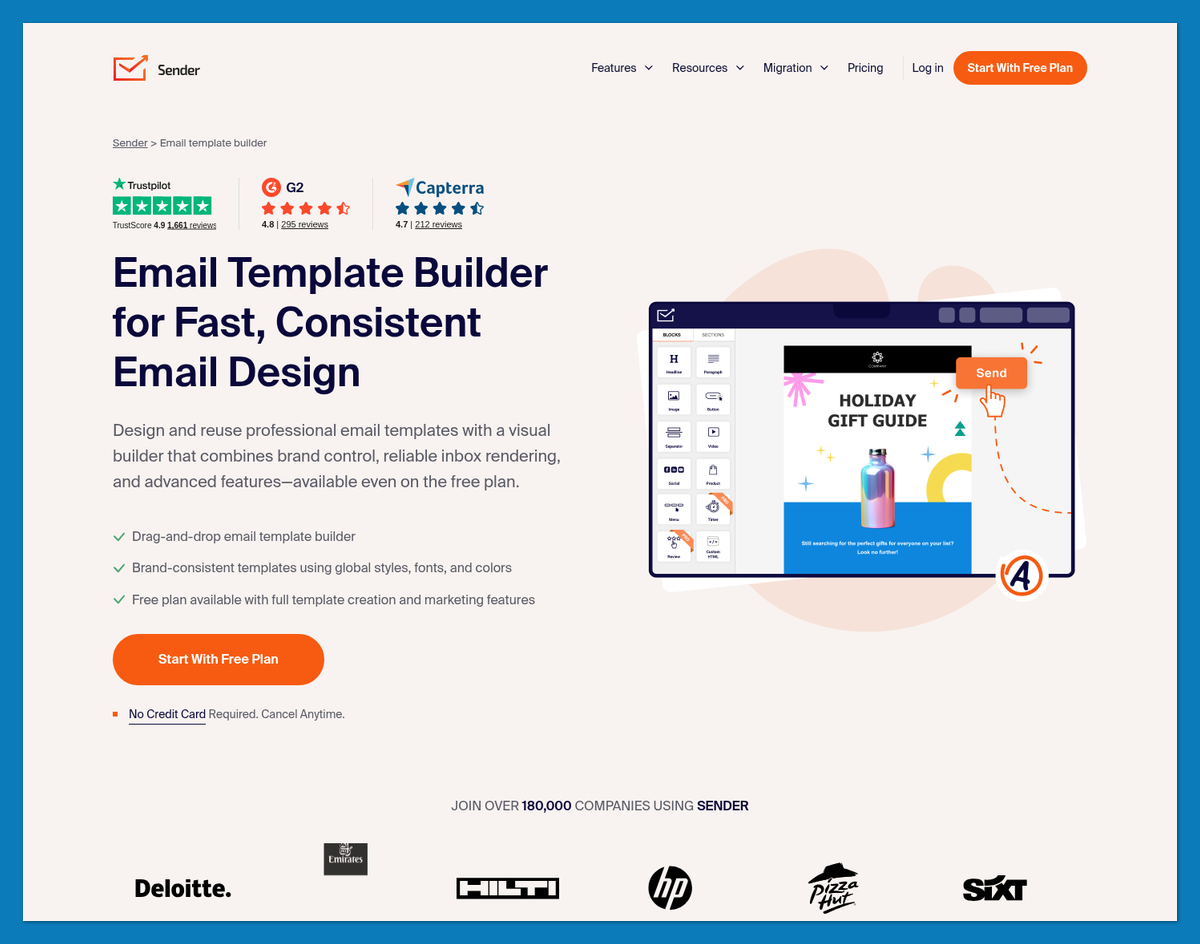
Although the AI assistance is a little less advanced, you can still use tools to generate subject lines and copy, and the MCP integration means you can connect an assistant to your campaign data and get it to review previous results to help with future drafts.
Marketing Automation, List Management, and Segmentation
Sender gets an early lead on the automation front, because it’s available in the company’s free plan, whereas Brevo includes automation on Free and Starter only for up to 2,000 contacts, with Standard ($18 per month) removing that cap.
On Sender’s platform, there’s a list of 79 pre-made automation templates that you can use to create abandoned cart sequences, winback workflows, welcome campaigns, or whatever else you can imagine, and there’s even support for custom triggers and advanced segmentation. I particularly like that you can segment customers based on ecommerce activity and data from tools like Shopify.
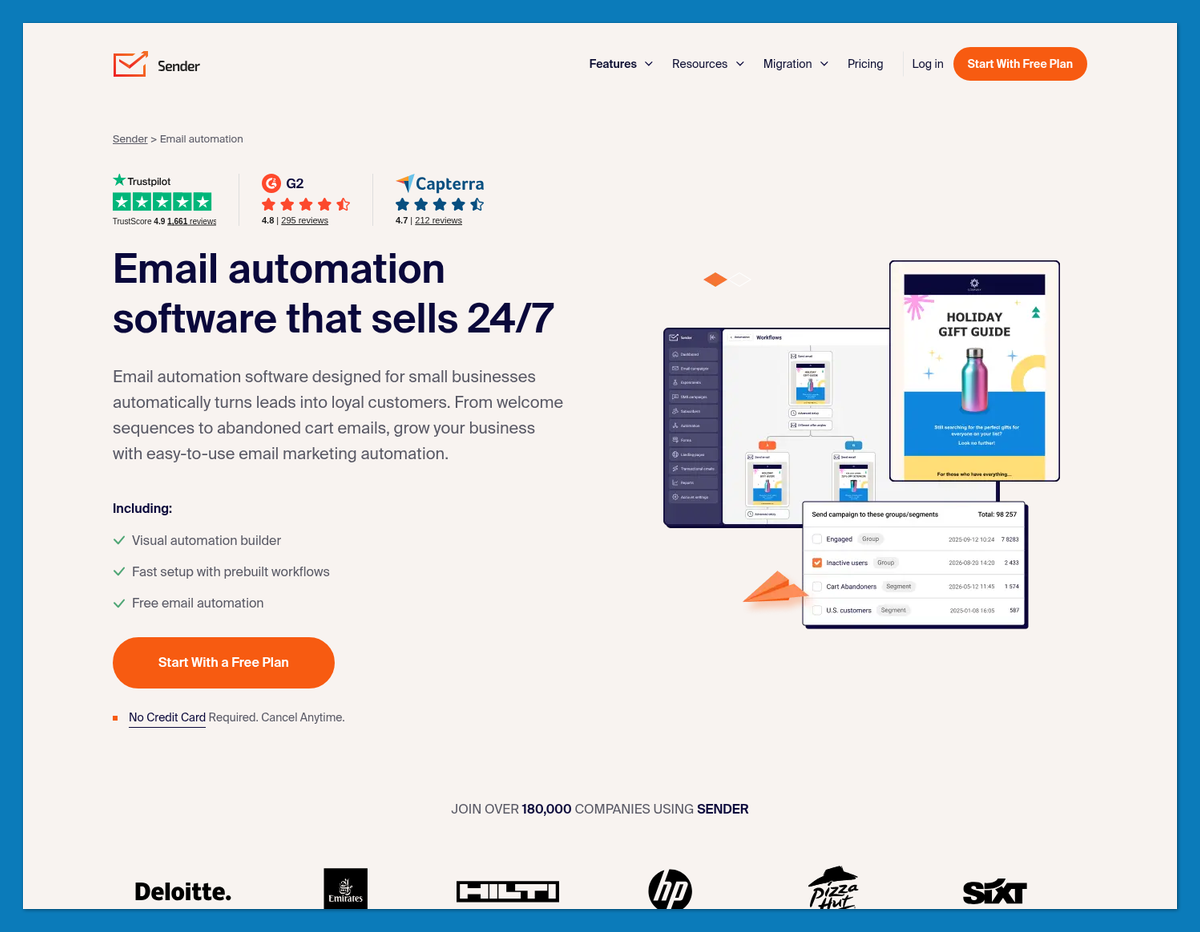
Brevo’s automation tools are great too, of course, especially if you’re designing a multi-channel campaign that involves sending messages through email, SMS, WhatsApp and web push notifications at specific times. Companies also get plenty of standard templates here, as well as room to add their own multi-step logic, although setting up advanced workflows can be a bit more complex.
Brevo also offers advanced segmentation based on email engagement, contact properties, and CRM activity (more on that in a second). So, both tools are excellent, but Sender does let you get experimenting with automation and segmentation much faster.
Integrations and CRM Functionality
Obviously, Brevo has to get the win here, because it has its own CRM system, as well as a native sales platform (although there are extra fees if you want to access things like “Sales Essentials,” which costs $31 per month on monthly billing or $27.92 per month billed yearly).
The free sales tools give teams Kanban-style deal pipelines, and on the free plan, you can create a single pipeline supporting up to 50 deals. Companies can also connect calendars to keep track of opportunities, and manage or assign tasks.
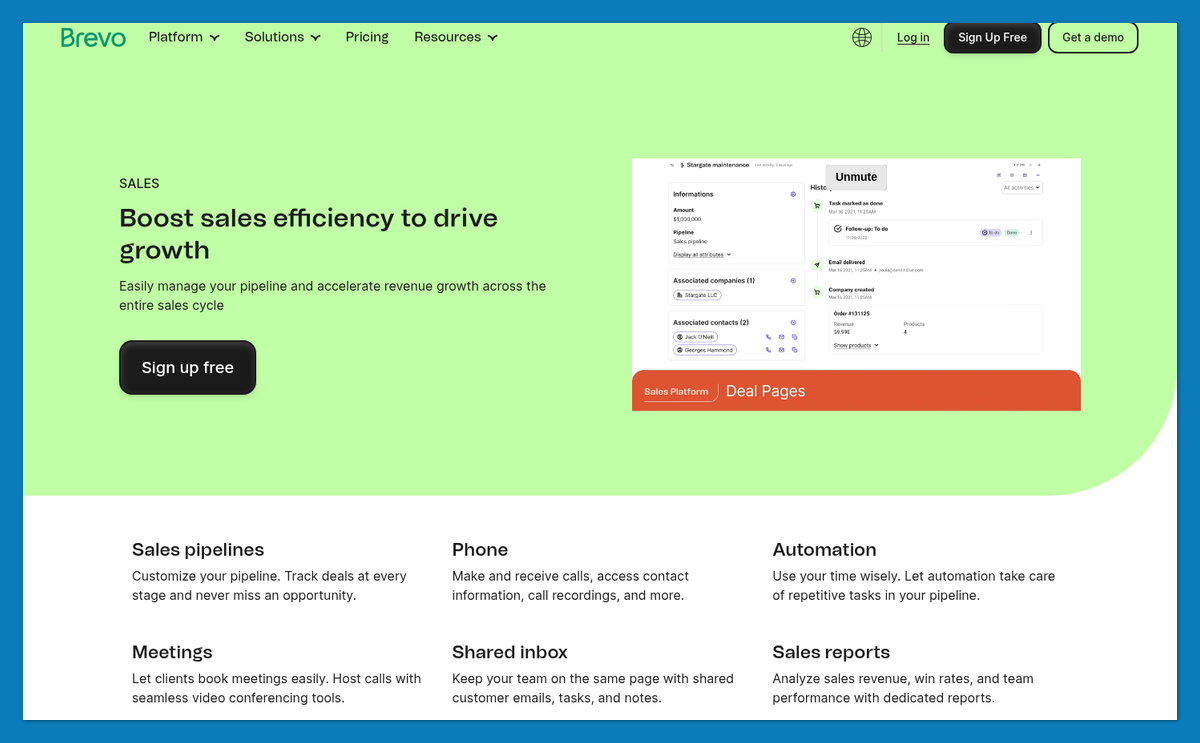
Plus, the free sales package covers meeting scheduling and live chat. Calls with AI-generated summaries (VoIP phone) are only in the Sales Advanced package, and payment collection through Brevo Payments is France-only. You can also ask Aura, Brevo’s AI assistant, to create deals for you.
Sender doesn’t have its own CRM, though companies can still create contact profiles with custom fields and group subscribers into segments based on things like purchasing behavior. You’d connect CRMs like Salesforce and HubSpot through Zapier, though, and both Sender and Brevo have their own APIs, and can connect to ecommerce platforms (like Shopify).
Landing Pages, Forms, and Lead Gen
Again, I’m giving Sender a slight edge here, because although Brevo has some brilliant lead management tools, you don’t get much on its free plan.
With Sender, teams get ten landing pages for free, with more than 40 signup form and popup templates linked to things like exit-intent offers, or spin-to-win promotions. When you upgrade, you also get unlimited landing pages, custom domains, and you get to remove Sender branding.
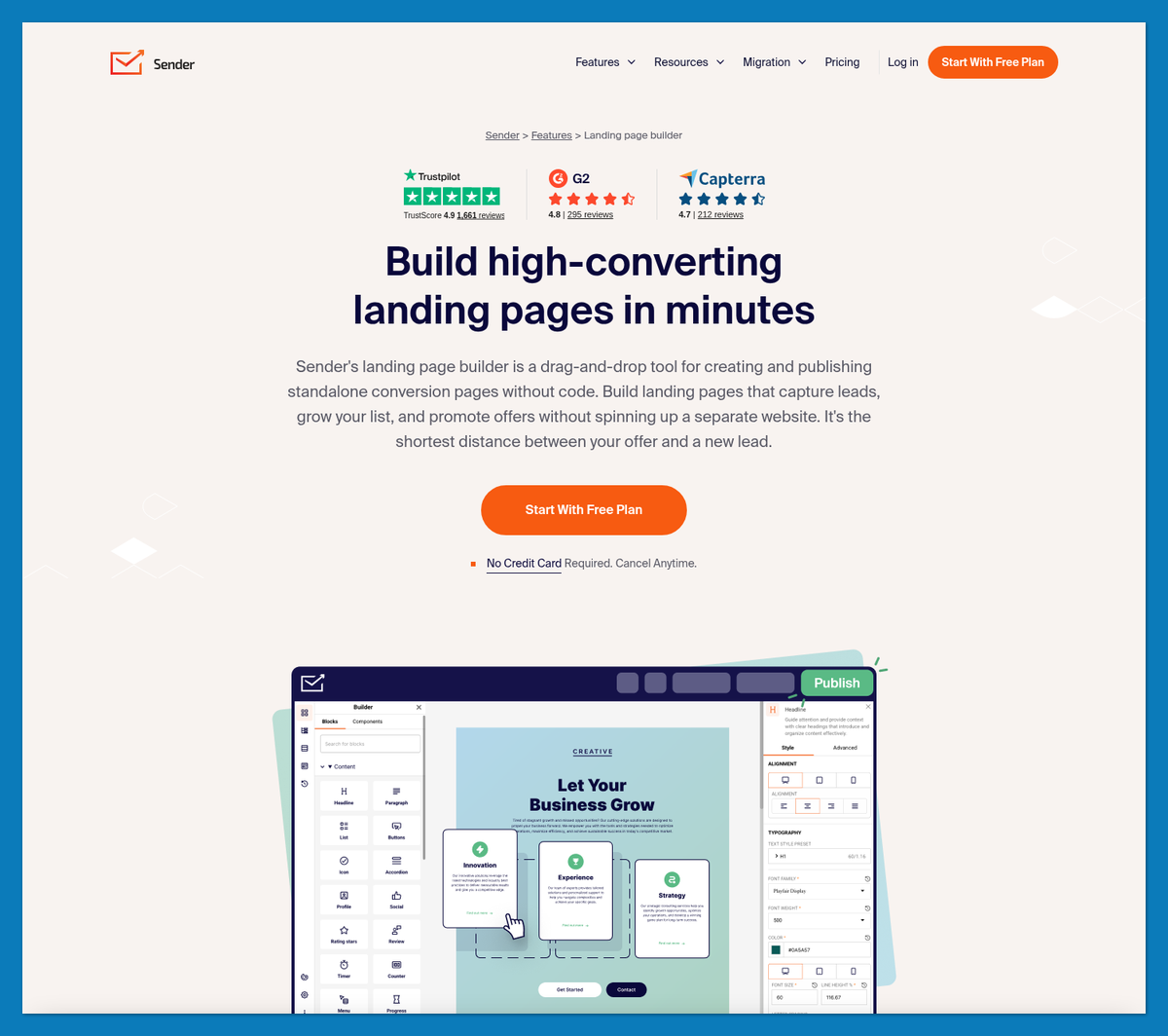
Brevo does give teams signup forms on the free plan, but you need at least a Standard plan for a landing page (only one is included); the Professional plan increases the allowance to ten.
Both have drag-and-drop tools for customizing forms and landing pages, and they can both support automated workflows. For instance, you can automatically send form information into a CRM or a contact profile.
Transactional Messaging and Multichannel Marketing
I’ve already defined Brevo as the better option for multichannel marketing, since it supports SMS, live chat, web push notifications, mobile push notifications, and WhatsApp alongside email. Although it’s worth remembering that if you want something like WhatsApp, you’ll need at least the Professional plan starting at $499 per month.
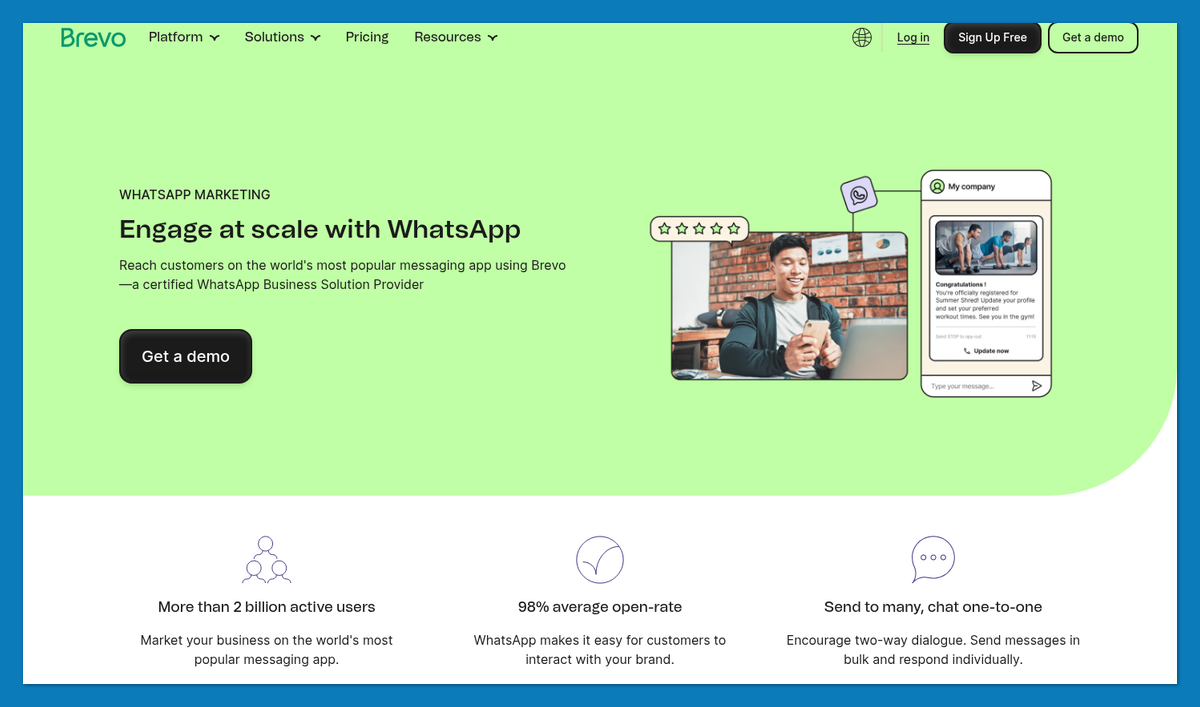
Sender really just sticks with email and SMS, with SMS campaigns charged on a pay-as-you-go credit model. I don’t necessarily think fewer channels is always going to be a bad thing, though, since a lot of smaller businesses don’t have the time or energy to manage huge multichannel campaigns in the first place.
Also, Sender is arguably just as good as Brevo for ecommerce companies that need to send a lot of transactional emails. Both of the platforms support SMTP relay and REST APIs, and they also both give you real-time delivery logs and notifications to help with tracking delivery status.
Deliverability, Reporting and Analytics
Deliverability is tricky because it can be affected by so many different things, not just the platform you choose. Both platforms support domain authentication, and help you track bounced emails, so you can hopefully see where things are going wrong.
Brevo does give companies a few more advanced features, like separate routing channels for transactional emails, and IP management with warmup plans. A dedicated IP on Brevo is a paid add-on even on Professional (included only on Enterprise), while Sender includes one dedicated IP on Professional plans from 20,000 subscribers at no extra cost. Still, Sender has a decent reputation for being reasonably reliable, especially for simple SMB newsletters.
For reporting and analytics, I was surprised to see that Sender gives free users click heatmaps, which is a feature reserved for Standard plan users and above on Brevo. Sender also offers full ecommerce reports starting on the paid Standard plan, which you can combine with insights into click-through rates, unsubscribes, and open rates.
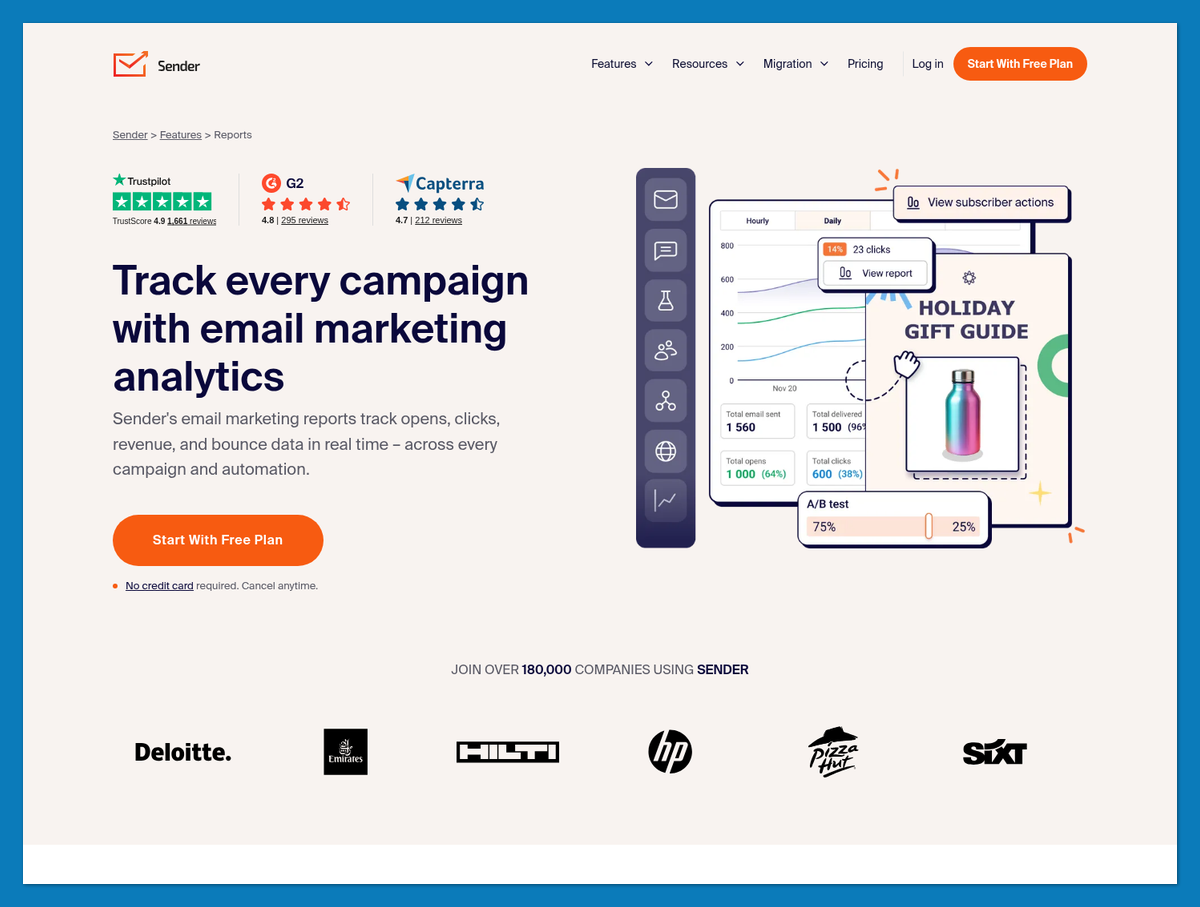
Brevo’s reporting tools are still more advanced, especially if you’re looking for data broken down by location, device usage, or other factors, and you get some pretty detailed logs for every send, delay, and block in your campaigns. Plus, there are visual graphs you can create with your own filters.
All of those things are great, provided you have the right skills. The more data you’re dealing with, the more of a learning curve you’ll have to go through before you understand how to use it.
Ease of Use and Customer Support
I’m not going to give either platform the direct win here, because both of them are very easy to use in their own way, but I do think it’s quicker and easier to get started with Sender, especially if you’re truly new to everything. There are fewer channels and tools to get your head around, after all, and Sender does a very good job of walking you through everything.
Both companies are pretty similar from a support perspective too, and Brevo’s even earned a “Best Support” award for its team. I still think Sender pulls ahead slightly, though, because live chat and email support is available on every plan, including the free one, whereas Brevo mostly uses email support for its cheaper plans (Free, Starter and Standard). Professional plans give you phone support, but then you’re paying $499 per month.
I also like that Sender has a very helpful selection of free courses available on email marketing strategies, lifecycle marketing, and deliverability, if you join the Sender Academy.
Sender vs Brevo: Final Recommendation
Brevo definitely has an edge over Sender in a few areas, especially if you’re looking for an integrated CRM, and multichannel marketing capabilities, and you’d rather avoid a subscriber-based pricing model. It’s also great if your team needs more advanced tools for handling sales campaigns.
For companies getting started though, particularly in ecommerce, Sender seems like the easier initial platform. You can do a lot with even the free plan, and the design tools, templates and automated workflows are incredibly easy to use. If all you need is an easy route into everyday email (and SMS) marketing, it seems a little silly to pay the extra for Brevo.
If neither one fits, our Brevo vs MailerLite comparison and our list of the best Brevo alternatives cover more budget-friendly options.


Comments 0 Responses