

Quick Answer: Prestashop is a powerful, open-source ecommerce platform that’s best suited for developers, agencies, or experienced store owners who want full control over their site.
It’s not beginner-friendly, but if you know what you’re doing (or have a dev), it gives you insane flexibility. The catch? You’ll need time, technical skills, and some budget for add-ons. It’s not plug-and-play, but it’s capable of scaling fast.
I’ve been in ecommerce for more than a decade. I’ve run Shopify stores, launched WooCommerce builds, tested Magento, and yes—built out multiple Prestashop stores.
It’s not the sleekest platform, but when it works, it really works. Here’s my real, unfiltered take after years of hands-on experience.
What Is Prestashop?
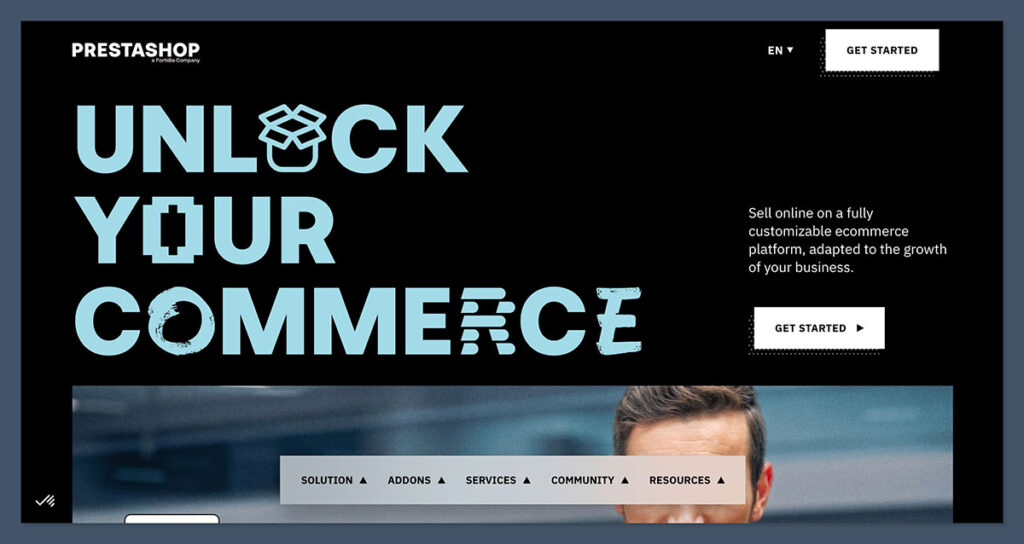
Prestashop is an open-source ecommerce platform written in PHP. Unlike Shopify or Wix, you don’t pay a monthly fee to use it—it’s free to download and install.
That’s where the simplicity ends.
Prestashop gives you the base structure to build an online store, but everything else—hosting, security, themes, payment integrations, SEO tools—is either on you or through add-ons.
It’s the kind of platform that lets you build exactly what you want, but it won’t hold your hand while you do it.
Who is Prestashop for?
- Experienced store owners with access to technical resources
- Agencies managing ecommerce clients
- Merchants selling in regions like Europe or Latin America (where Prestashop adoption is strong)
- Developers looking for a high level of control
Who should avoid it?
- Total beginners without tech support
- Anyone looking for a drag-and-drop setup
- Store owners who just want to launch fast and focus on selling
Pros 👍
- No monthly fees — the platform itself is 100% free
- Full ownership and control over your site and data
- Highly customisable design and functionality
- Strong SEO capabilities out of the box
- Supports multilingual and multi-currency setups
- Wide range of third-party modules and themes
- Scales well with large product inventories
- Great for international ecommerce and EU tax compliance
- Developer-friendly codebase and documentation
- Active community forums and third-party support options
Cons 👎
- Not beginner-friendly — steep learning curve
- Requires technical knowledge or a developer to maintain
- Core features often need paid modules to unlock
- Hosting, backups, and security are your responsibility
- Limited official support unless you pay for it
- Add-on costs can add up fast
- No built-in blogging functionality (must use modules)
- Updates can break themes or modules if not handled properly
- Documentation is sometimes outdated or incomplete
What I Like About Prestashop
Over the years, I’ve found Prestashop to be surprisingly versatile—if you know how to work with it.
It’s not a polished out-of-the-box platform like Shopify, but when you’re building something tailored or complex, it gives you the control most SaaS tools can’t.
1. You own everything
No monthly SaaS fees. No platform lock-in. Prestashop is self-hosted, which means you’re not tied to a company’s infrastructure or policies. You install it on your own server, set it up how you want, and own the store outright.
That also means:
- No transaction fees unless your payment provider charges them
- No forced feature updates that might break your theme
- You’re not relying on a company to keep your store live
It’s one of the last few platforms where you can still own your ecommerce stack completely.
2. It’s very customizable
From the front-end design to back-end business logic, you can modify just about anything. Prestashop uses a modular architecture, which makes it easier to add or swap out functionality.
What makes it stand out:
- You can override almost any core function
- You can build or buy modules for shipping, inventory, or marketing
- You’re not stuck with rigid templates—frontend freedom is real here
Developers love it because it’s not locked down. Designers love it because they’re not stuck using drag-and-drop limitations. You can build exactly what you need.
3. Great for SEO
Prestashop comes SEO-ready, even before you add any plugins.
Right out of the box, you get:
- Clean, human-readable URLs
- Editable meta titles and descriptions
- Canonical tag support
- Auto-generated sitemaps
- Image alt-tag editing
- 301 and 302 redirect management
It also handles multilingual SEO better than most platforms. If you’re running stores in multiple languages or regions, Prestashop makes it easier to structure URLs, manage hreflang tags, and localise your product metadata.
4. Strong European community
Prestashop originated in France and has a huge user base across Europe. That shows in the module marketplace.
You’ll find:
- Localised payment gateways (Klarna, PayPlug, Mollie)
- EU-compliant VAT modules
- Shipping integrations with providers like DPD, GLS, and Chronopost
- Legal modules for cookie consent, invoice compliance, and GDPR
If you’re operating in the EU, especially in multilingual markets, Prestashop is one of the few platforms that gets it right without needing tons of workarounds.
What I Don’t Like About Prestashop
Here’s where Prestashop gets tricky—and where most people give up. It’s flexible, but that flexibility comes at the cost of simplicity.
1. You need a developer
Unless you’re technically fluent, this isn’t a DIY platform.
Installing updates, debugging errors, managing performance, setting up CRON jobs, integrating APIs—none of it is point-and-click. If you’re running a serious store, you’ll want a developer on call or on staff.
Expect to rely on dev help for:
- Installing and configuring themes
- Making core code changes
- Resolving module conflicts
- Scaling performance as traffic grows
It’s not like Shopify or Wix where you can launch in an afternoon. You’ll need a plan, some patience, and technical support.
2. Add-ons get expensive
The core platform is free. But a fully functioning store? That’s going to cost you.
Many must-have features—like layered navigation, advanced search, security, backups, and even one-page checkout—come as paid modules. And because the module marketplace is fragmented, prices vary a lot.
Here’s a typical breakdown:
| Item | Average Cost |
|---|---|
| Premium theme | $60 – $150 (one-time) |
| Payment module | $40 – $100 (one-time) |
| SEO tools | $50 – $200 (one-time or annual) |
| Security/Backup module | $10 – $50/month |
This means your “free” store might cost $300–$600 before it’s actually functional. And that doesn’t include dev time.
3. Hosting is on you
You’ll need a reliable server to run Prestashop smoothly—especially if you’re selling high volumes or managing a large catalog.
Shared hosting won’t cut it. I recommend going with a VPS, cloud hosting, or a Prestashop-optimised host like A2 Hosting, SiteGround, or Cloudways.
Typical costs:
| Hosting Type | Monthly Cost (USD) |
|---|---|
| Shared Hosting | $5 – $15 (not recommended) |
| VPS Hosting | $20 – $50 |
| Cloud Hosting | $40 – $100+ |
You’re also in charge of:
- Performance tuning (caching, GZIP, image compression)
- SSL installation
- Backups
- Server maintenance and patches
If you want simplicity, Prestashop isn’t the answer. But if you want speed and control, the tradeoff may be worth it.
SEO Performance: How Does Prestashop Stack Up?
SEO is one area where Prestashop shines—if you know what you’re doing.
Out of the box, it gives you more raw control over SEO elements than most SaaS platforms.
You’re not stuck waiting on app integrations or developer restrictions to make foundational optimisations. But it doesn’t walk you through anything either. You need to know what to configure—or be willing to learn.
The Pros
Here’s what Prestashop does well from an SEO perspective:
- Clean URL structure (fully customizable and SEO-friendly)
- Manual control over meta titles, descriptions, and canonical tags
- Auto-generates XML sitemaps for easier indexing
- Multilingual and multi-currency ready, so international SEO is covered
- SSL support included by default
- Mobile-responsive themes (crucial for Core Web Vitals)
What really makes Prestashop stand out is how international-friendly it is.
For stores operating across languages and regions, you can easily configure separate URLs, language tags, and regional tax settings—all of which directly impact your visibility in non-English SERPs.
The Cons
Still, it’s not all smooth sailing.
Prestashop doesn’t include a native blog feature, which limits content marketing unless you install a module (usually paid).
While technical SEO elements are available, many require manual setup or developer support.
The interface also isn’t as intuitive when managing on-page content—things like editing headings (H1, H2, etc.) often involve digging through the theme files or templates.
Here’s a quick breakdown:
| Weakness | Workaround Required? |
|---|---|
| No built-in blog | Yes — use a blog module |
| No live preview SEO | Yes — edit from backend |
| Poor heading structure control | Yes — theme customisation |
| No native schema markup | Yes — install module or edit templates |
If you’re coming from a builder like Wix or Shopify, this might feel clunky. But once set up properly, it’s as capable—if not more—than most mainstream platforms.
My Verdict on SEO
I’ve ranked Prestashop stores in competitive niches using basic best practices and the right modules.
With customisable URLs, full meta control, and international capabilities, it ticks the boxes for technical SEO. That said, it takes more setup time than Shopify or WooCommerce.
If you’re after plug-and-play simplicity, Prestashop isn’t it. But if you care about SEO—and have the right team—it’s solid.

In short: it’s a strong SEO platform, but it won’t hold your hand. You’ll get results if you put in the work or bring in someone who knows what they’re doing.
Prestashop vs Shopify, WooCommerce, and Magento
Prestashop is often lumped into the same category as other ecommerce platforms, but it plays a very different game.
It sits somewhere between WooCommerce and Magento—open-source, powerful, and flexible—but it’s not for everyone.
Here’s a quick side-by-side of the most common choices I’ve worked with over the years.
| Platform | Flexibility | Cost | Ease of Use | Best For |
|---|---|---|---|---|
| Prestashop | Very High | Medium | Low | Developers, agencies |
| Shopify | Low | High | Very High | Beginners, fast launch |
| WooCommerce | High | Medium | Medium | WordPress users |
| Magento (Adobe Commerce) | Extreme | Very High | Very Low | Enterprise brands with IT teams |
Shopify wins on simplicity. You can launch in a day, the interface is clean, and you don’t need a single line of code. But flexibility is limited unless you start stacking third-party apps, which also inflate costs.
WooCommerce sits nicely in the middle: flexible if you know WordPress, but still needs dev time for serious builds.
Magento? It’s Prestashop on steroids—great if you’ve got deep pockets and a dev team on payroll.
When I’d pick Prestashop
These are the real-world scenarios where Prestashop pulls ahead:
- I need multilingual or multi-currency support
- I want to customise shipping, tax rules, or checkout logic
- I’m working with a developer or an agency and need backend flexibility
- I’m targeting Europe or Latin America (Prestashop’s strongest regions)
- I want full ownership without SaaS restrictions
When I wouldn’t
This is when I steer clients toward something else:
- I’m launching a small DTC brand and want speed over control
- I don’t want to manage hosting, patches, or backups
- I need built-in tools like email, blogging, or abandoned cart recovery
- I’m on a shoestring budget and can’t pay for modules or dev time
- I don’t have time to troubleshoot modules or outdated documentation
Prestashop is powerful, but it’s not forgiving. The tradeoff is control vs. convenience—simple as that.
A Real Store I Built on Prestashop
One of my clients runs a large automotive parts business across Europe, and Prestashop was the clear winner for their setup.
The business needed flexibility more than speed, and Prestashop delivered on the tech.
Why It Worked
- We needed 5 currencies and 3 languages
- Shipping rates changed by country and weight
- The catalog had over 10,000 SKUs
- Checkout needed to support regional tax rules and carrier preferences
Using Prestashop, we built a system that handled all of that without breaking under pressure.
The store felt lightweight on the front end but packed with functionality behind the scenes.
We spent about $500 upfront—covering development time, modules, and a premium theme. Ongoing server and module costs averaged around $50/month.
The Results (after 6 months)
| Metric | Value |
|---|---|
| Traffic growth | +220% |
| Conversion rate | 2.9% |
| Monthly revenue | $30,000+ |
We ran basic SEO and performance optimisation, but the platform handled most of the heavy lifting. Orders ran smoothly. No crashes. And customers could shop in their local language and pay in local currency.
The Downsides
Prestashop wasn’t perfect—far from it.
Updates would sometimes break modules. Backup systems had to be managed manually. And we ran into multiple cases where the documentation just didn’t match the current version of the software.
But overall, it did what Shopify couldn’t: gave us total control without monthly software fees, perfect for a cross-border store with complex requirements.
Pricing Breakdown
While Prestashop is technically free to download and install, running a live, scalable ecommerce store involves real costs.
ou’re not paying monthly subscription fees like with Shopify, but there are infrastructure, module, and maintenance expenses that add up fast if you want a professional setup.
Here’s the real-world cost breakdown I’ve seen across multiple Prestashop builds:
| Item | Monthly / One-Time Cost |
|---|---|
| Hosting (VPS) | $30/month |
| Domain | $15/year |
| SSL Certificate | Free – $50/year |
| Premium Theme | $60–$150 (one-time) |
| Key Modules | $200–$500 (one-time or annual) |
| Developer Time | $500–$2,000 (setup/customisation) |
These numbers can shift depending on your store’s complexity.
If you’re building a multilingual store with advanced filtering, regional tax logic, or API integrations, expect to lean closer to the higher end.
On the flip side, a leaner store with a limited catalog and fewer third-party dependencies might come in cheaper.
One-Time Costs
Most of your budget will go toward:
- Customising your theme or layout
- Purchasing essential modules (SEO, payment gateways, checkout improvements)
- Initial developer setup for configuration and testing
Ongoing Monthly Costs
Once live, your main recurring costs will be:
- Hosting and server monitoring
- Paid module renewals (if needed)
- Developer maintenance (if something breaks or needs upgrading)
Overall, you’re looking at a $1,000–$3,000 initial build, and $30–$100/month in recurring costs for a typical mid-level store.
If you compare that to Shopify Plus or Adobe Commerce (Magento), Prestashop still comes out cheaper—especially at scale.
Support and Help Options
Prestashop doesn’t come with the kind of hand-holding you get from SaaS builders like Shopify or Wix.
There’s no live chat or in-editor tutorial unless you pay for enterprise-level support. For solo founders or lean teams, this can be a real bottleneck.
Here’s what you do have access to:
- Community forums – Active user base, especially in Europe. You’ll find help, but responses vary in quality and depth.
- Official documentation – Covers the basics, but tends to lag behind the latest versions. Often written for developers, not store owners.
- Paid support plans – Starting from $300/year, you can get official help from the Prestashop team. Good for peace of mind but adds to your cost base.
- Independent developers and agencies – This is where most people turn. Plenty of freelancers and agencies specialise in Prestashop builds, fixes, and upgrades.
Support Comparison Table
| Platform | Free Support Quality | Paid Support Available | Best For |
|---|---|---|---|
| Prestashop | Low – Forum-based | Yes – from $300/year | Dev teams, agencies |
| Shopify | High – 24/7 support | Included in all plans | Beginners, solo users |
| WooCommerce | Medium – Community | No official paid option | WordPress users |
If responsive support is non-negotiable for your business, Prestashop will likely frustrate you—especially during high-stakes issues like downtime, payment errors, or module conflicts.
That’s why I always recommend budgeting for third-party dev support, even if you don’t use it every month. Think of it like insurance.
Final Verdict: Should You Use Prestashop?
Prestashop isn’t for everyone—and that’s a good thing.
If you’re a developer, experienced merchant, or ecommerce agency, Prestashop gives you an unmatched level of control, flexibility, and scalability.
You’re not boxed into someone else’s templates, pricing plans, or feature limitations. And with no monthly software fee, you can reinvest more into growth or infrastructure.
But that freedom comes with tradeoffs. If you’re new to ecommerce, Prestashop will feel like overkill.
There’s no onboarding wizard, no live chat support, and no built-in tools for things like blogging, email marketing, or performance insights.
You’re responsible for everything—from backups and updates to hosting and uptime.
Use Prestashop if:
- You have a developer (or can hire one reliably)
- You’re scaling internationally and need multilingual/multi-currency features
- You want total control over your tech stack, checkout logic, or UX
- You’re comfortable managing hosting, modules, and upgrades
- You care about long-term cost efficiency over initial convenience
Don’t use Prestashop if:
- You’re a solo founder with no technical background
- You want to launch fast and start selling tomorrow
- You hate dealing with servers, file managers, or module conflicts
- You rely heavily on built-in tools like blogging, CRM, or abandoned cart recovery
- You expect 24/7 live support out of the box
Final Thoughts
I’ve used Prestashop for projects that required more than what Shopify or WooCommerce could offer—especially in markets like Europe where cross-border selling is the norm.
It’s a workhorse, not a show pony. If you’re okay trading convenience for control, it’s a serious platform that can scale with you.
But don’t go in expecting a plug-and-play experience. You’ll need to roll up your sleeves, or bring someone on who can.
For the right business model, Prestashop is an absolute win. For the wrong one? It’s just a time sink.



I have to advise against Prestashop: the shop itself is ok, but nothing works without addons. But these addons are poorly programmed and if there is a problem, nobody feels responsible! You have to invest first and don’t know what you’re getting. And there is no refund no matter how bad the addon is! So, steer clear of this shop system.
Hello Stefan,
The best solution is to hire a developer to help you with customization, rather than buying add-ons.