

Quick answer: SendPulse is a solid all-in-one tool for ecommerce brands looking to run email, SMS, web push, and chatbot marketing without juggling a dozen apps.
It’s not as deep as Klaviyo when it comes to ecommerce integrations, but if you want value, ease of use, and automation under one roof, it’s a strong choice.
I’ve tested most marketing platforms out there — Klaviyo, Omnisend, ActiveCampaign, you name it. So when I started trialing SendPulse across a few of my stores, I came in with a pretty high bar.
Here’s what happened — and whether I’d recommend it.
Why You Can Trust This Review
I’ve built, scaled, and sold ecommerce brands for over a decade. I’ve used email to drive over seven figures in revenue across campaigns. Every email marketing platform I test, I use in real scenarios — not sandboxed demos.
This isn’t some theoretical overview. I tested SendPulse with two different Shopify stores and a WooCommerce build — sending live campaigns, setting up flows, and measuring real-world impact.
SendPulse Pros & Cons
| Pros | Cons |
|---|---|
| Multichannel automation in one place (email, SMS, chatbot, web push) | Not as deep with Shopify data as Klaviyo |
| Built-in CRM with automation triggers | SMS credits are limited on free/cheaper plans |
| Generous free plan to get started | Some parts of the UI feel a bit dated |
| Easy visual automation builder | Learning curve for beginners with limited support |
What I Like
SendPulse hits the sweet spot for multichannel communication, especially if you’re managing a lean ecommerce team or wearing multiple hats yourself.
I’ve tested a lot of marketing platforms over the years, and very few give you this much flexibility without charging enterprise-level prices.
Here’s where SendPulse stands out for me:
- All-in-one simplicity:
You don’t need to duct-tape five tools together to reach your customers on email, text, WhatsApp, or Messenger. Everything is built into one dashboard. That alone cuts down on time, confusion, and integration issues. - Automation that works:
The automation builder is visual, intuitive, and does more than just basic flows. I built welcome series, cart recovery, product drop alerts, win-back flows, and even chatbot triggers using the same drag-and-drop canvas. It’s not limited to just email — you can include SMS, push, and Messenger logic too. - AI features are a nice touch:
They’ve added built-in AI tools to help write subject lines and email copy. It’s not going to replace your brain, but for speeding up quick campaigns or brainstorming angles, it definitely helped me move faster. - Fair pricing for growing brands:
Pricing is super competitive, especially for ecommerce brands with lean margins. You get multichannel functionality without paying a premium for every add-on. The free plan is actually usable — not just bait.
I also appreciate that SendPulse isn’t bloated with features I’ll never touch. It focuses on doing a handful of things well — and that’s exactly what you want when growing an ecommerce store.
Here’s a snapshot of the value you’re getting:
| Feature | Included in Free Plan | Included in Paid Plans |
|---|---|---|
| Email automation | Yes | Yes |
| SMS marketing | Limited | Yes |
| AI content assistant | No | Yes |
| Web push notifications | Yes | Yes |
| Chatbots | Limited | Yes |
| CRM access | Yes | Yes |
If you're just getting started or running a small but growing operation, SendPulse gives you enough muscle without overcomplicating your stack.
What I Don’t Like
No platform is perfect, and SendPulse definitely has its rough edges. While it covers a lot of ground, there are a few limitations that more experienced ecommerce marketers will notice right away.
Here are the areas that gave me pause:
- Shallow ecommerce integrations:
Klaviyo still does a better job of pulling detailed customer and product data directly from Shopify or WooCommerce. With SendPulse, the native integrations are there, but I had to manually work around segmentation gaps. I couldn’t easily build product-level flows or segment users based on specific purchase history without extra setup. - CRM is basic:
The built-in CRM is helpful for light lead tracking, but it’s not something I’d recommend if you’re managing a sales team or working with multiple reps. There’s no deep reporting, sales forecasting, or contact scoring. It works well for solo founders or very small teams. - SMS needs improvement:
While I like that SMS is included, the automation options are limited compared to what you get for email. There are fewer templates and not as many conditions or flow options. If SMS is a major part of your customer communication strategy, this might fall short. - Design limitations:
Some templates (especially landing pages) look outdated or clunky on mobile. I had to put in extra effort to make sure they didn’t look out of place on smaller screens. The email builder is solid, but you won’t get ultra-modern layouts or advanced customization without some HTML tweaks.
Here’s a comparison of where SendPulse lags behind platforms like Klaviyo or Omnisend:
| Limitation | SendPulse | Klaviyo | Omnisend |
|---|---|---|---|
| Shopify data depth | Basic | Advanced | Moderate |
| SMS automation | Entry-level | Advanced | Strong |
| CRM features | Basic | None | None |
| Template design | Mixed | Modern | Good |
| Ecommerce segmentation | Tag-based | Product-based | Event-based |
So while it’s solid for small-to-mid-sized stores, I’d think twice if you're doing 7+ figures and want tighter ecommerce-native features. It’s a great starting point — but it’s not going to scale with the same level of control or insights you’ll find in more advanced platforms.
My Experience Using SendPulse for Ecommerce
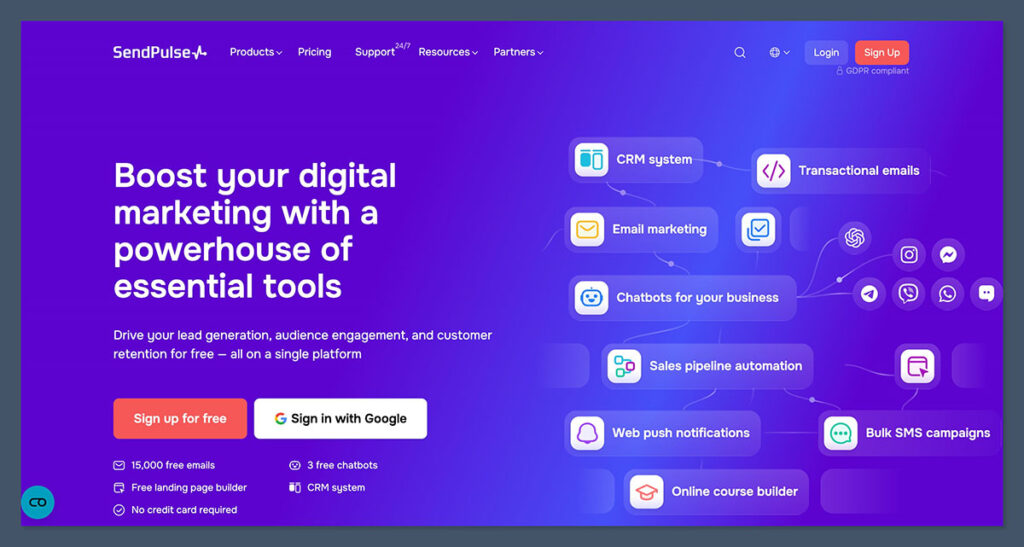
Getting started with SendPulse was refreshingly straightforward. No credit card required, and the sign-up process only took a minute or two.
Once I logged in, the platform immediately prompted me to choose the channels I wanted to activate: email, SMS, chatbot, or push notifications. That alone told me this was a multichannel tool that took usability seriously.
Connecting to ecommerce platforms
I integrated SendPulse with Shopify in under five minutes. It was smooth, with no manual setup required. Just a few clicks and I was pulling in contacts, syncing order data, and triggering automations based on customer actions.
WooCommerce was slightly more hands-on. You’ll need to install a plugin and configure some webhook settings to get the same level of data flow. Once it’s connected, it works fine — but it’s not as plug-and-play as Shopify.
Building my first campaigns
The first thing I did was build out my welcome flow. I used the drag-and-drop email builder to create a simple three-part series for new subscribers.
From there, I tested a cart abandonment flow, a promotional email tied to a flash sale, and a push notification campaign for a limited-time offer.
Here’s a quick breakdown of the first flows I set up:
- Welcome email series
Engaged new subscribers with a 3-email drip campaign offering a discount, product intro, and review request. - Cart recovery
Triggered a reminder email and an SMS 4 hours after abandonment. Added a chatbot follow-up at the 24-hour mark. - Sale promotion
Combined email and push notifications to promote a weekend-only discount with urgency-driven language.
Automation flexibility
The best part? I could link actions across channels. For example, if someone clicked an email and didn’t purchase, I could send them a push message. If they still didn’t convert, a chatbot would ping them on Messenger.
That kind of cross-channel logic is rare — especially at this price point.
Email & Automation Features
Email is the backbone of SendPulse, and for ecommerce businesses, it delivers enough flexibility and control to handle day-to-day campaigns and lifecycle automations alike.
Templates
SendPulse offers over 130 email templates. While some are more modern than others, they’re a strong starting point for ecommerce use.
- Templates are grouped by campaign type (welcome, sales, seasonal, abandoned cart)
- Responsive layouts that adjusted well on mobile screens
- Basic but useful styling controls: fonts, colours, CTAs, images
- Easily editable product sections, though not automatically pulled from store data like Klaviyo
If you’re short on time, these templates help you build fast without needing a designer. I reused a few with minor branding tweaks across multiple stores.
Visual Automation
The visual automation builder is one of the most useful parts of the platform. It uses a canvas-style interface where you can drag and drop events, actions, and conditions.
- Triggers: site visit, form submission, purchase event, cart abandonment, email opened
- Actions: send email, send SMS, assign tag, add to list, move CRM stage
- Conditions: “if clicked”, “if opened”, “if tag is X”
The logic builder is intuitive. I never needed to reference a tutorial once I understood the structure.
Personalization
SendPulse lets you personalize emails using dynamic fields and behavioral tags. These help build smarter automations and increase conversions.
- Use merge fields for names, product types, order totals, and more
- Tag subscribers based on actions (e.g., “clicked discount email” or “abandoned cart > 2x”)
- AI writing assistant helps generate subject lines and email copy variations for A/B testing
It’s not as data-rich as Klaviyo, but for most ecommerce campaigns, it’s more than enough.
CRM and Customer Journeys
SendPulse includes a basic but capable CRM built into the same platform, which sets it apart from most email tools in its price range.
I didn’t expect much from it — but it turned out to be pretty useful, especially for B2B orders and managing wholesale leads.

Features available:
- Custom pipelines
Create your own sales stages (e.g., New Lead > Qualified > Negotiation > Closed) - Tag-based segmentation
Apply tags manually or automatically to segment leads based on behaviour or stage - Automation triggers
Move someone in the pipeline and trigger an email, SMS, or internal task - Manual management
Add notes, create deals, and assign tasks across your team
This came in handy for managing high-value customer conversations that wouldn’t fit neatly into automation flows. I used it to track wholesalers who requested bulk pricing and followed up based on pipeline stage.
That said, it’s not a full-scale CRM solution. If your team needs forecasting, deep reporting, or tight sales integrations, you’ll eventually need to pair SendPulse with something like Pipedrive or HubSpot.
Templates and Design
Designing emails with SendPulse is functional, though not particularly flashy. The drag-and-drop editor does its job and includes the core content blocks needed for ecommerce emails.
Key strengths:
- Templates are mobile responsive and preview well across devices
- Layout builder is easy to use, even for non-designers
- Content blocks for CTAs, images, product listings, and social buttons
- Template library is organised by goal (sales, education, announcement)
Limitations:
- Several templates look a bit outdated — especially the ones not refreshed in recent years
- Some ecommerce-focused elements (like dynamic product grids) need manual input
- No brand kit feature — unlike Mailchimp, it doesn’t automatically pull in your fonts and colours
Still, if you build 2-3 branded templates and reuse them, you’ll avoid most of these issues. I recommend starting with a clean layout, adding your logo and colour palette, and saving them as master templates.
Analytics & Reporting
For ecommerce, SendPulse gives you just enough data to make smart decisions without overwhelming you with dashboards.
What you get out of the box:
| Metric | Description |
|---|---|
| Open Rate | Percentage of recipients who opened your emails |
| Click Rate | Tracks who clicked and which links they clicked |
| Unsubscribes | Helps identify content or timing issues |
| Conversions | Can be tracked via UTM links or integrated analytics |
| Heatmaps | Visual breakdown of email click activity |
For automation flows, performance is broken down by each step, so you can see where people drop off or convert. I found this especially helpful when A/B testing subject lines or reordering flow steps in my abandoned cart series.
SMS stats are a bit lighter — mostly delivery and click-through rates. There’s no built-in revenue tracking from SMS unless you use Google Analytics with UTM parameters.
Ecommerce Integrations
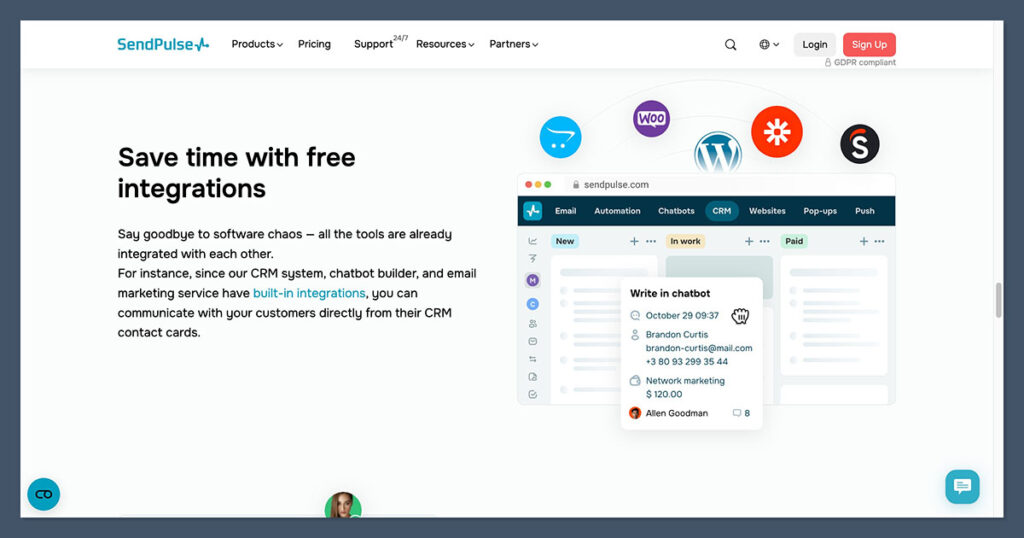
SendPulse supports a growing list of ecommerce platforms and third-party tools. The big ones are covered, and integration setup is usually straightforward.
Native integrations:
- Shopify
- WooCommerce
- BigCommerce
- OpenCart
- Stripe
- PayPal
Communication channels:
- Telegram
- Facebook Messenger
Workflow automation:
- Zapier (to connect 1,000+ other apps)
- Webhooks for custom setups
- API access for developers
Shopify users will have the smoothest experience. You can:
- Sync product and customer data
- Trigger flows based on order events
- Use tags and conditions for segmentation
WooCommerce works too, but requires plugin installation and a bit more technical setup. I used Zapier to connect additional tools like Typeform (for quizzes) and Airtable (for content planning), and everything worked as expected.
Pricing Breakdown
SendPulse is easily one of the best-priced multichannel tools I’ve tested. You get solid automation and multiple communication channels for less than what most email-only platforms charge.
Pricing overview:
| Plan | Monthly Cost | Contacts | Channels Included |
|---|---|---|---|
| Free | $0 | 500 | Email + limited push/SMS |
| Standard | $8 – $12 | 1,000 | Email + SMS + web push |
| Pro | $19 – $35 | 2,500 | Email + SMS + chatbot + CRM |
| Enterprise | Custom | 10,000+ | All features + support |
SMS costs are credit-based. For example, sending 1,000 SMS in the US costs about $12 to $15 depending on volume. You can top up credits as needed.
They also offer:
- Pay-as-you-go email plans: For businesses that don’t send frequently
- Dedicated IPs and advanced deliverability tools: Available on higher plans
Considering most ecommerce platforms charge more just for email and push, SendPulse gives real bang for your buck.
SendPulse vs Other Tools
There’s no shortage of marketing tools out there — especially for ecommerce brands. But choosing the right one depends entirely on your budget, your tech stack, and how complex your customer journey really is.
I’ve used or tested all the platforms below in real ecommerce environments.
Here’s how SendPulse compares to some of the most popular tools in the space:
| Platform | Best For | Starting Price | Key Strength |
|---|---|---|---|
| SendPulse | Small ecommerce brands | $0 | Multichannel on a budget |
| Klaviyo | Shopify-focused scaling brands | $20 | Deep ecommerce segmentation |
| Mailchimp | General small businesses | $13 | Simplicity and branding |
| Omnisend | Shopify and BigCommerce stores | $16 | Email + SMS automation |
| ActiveCampaign | Complex workflows and CRM | $29 | Advanced automation logic |
SendPulse: The All-in-One Starter Kit
SendPulse is perfect if you’re looking for a cost-effective, multichannel platform to manage email, SMS, chatbots, push notifications, and even basic CRM tasks — all in one place.
It’s built for lean teams, early-stage founders, or store owners who want to avoid paying for five separate tools. You sacrifice a bit of depth, but the trade-off is worth it if budget and speed matter most.
Klaviyo: The Shopify Powerhouse
Klaviyo is built for data-rich ecommerce brands, especially those scaling on Shopify. Its segmentation is incredibly powerful, allowing you to filter customers based on purchase frequency, average order value, SKU-level interactions, and more.
If you’re running a store doing $50k/month or more and want to maximise revenue per customer, Klaviyo will give you the firepower you need.
Mailchimp: Solid for Simplicity
Mailchimp is best for general businesses — not just ecommerce. Its UI is beginner-friendly, the branding tools are solid, and you can get up and running fast. But it doesn’t go deep into ecommerce automation.
If you're running a side hustle or content-first store and want clean emails and basic flows, it gets the job done.
Omnisend: The Ecommerce Middle Ground
Omnisend is somewhere between SendPulse and Klaviyo. It’s ecommerce-focused, integrates smoothly with Shopify and BigCommerce, and offers a good mix of email and SMS.
It doesn’t have Klaviyo’s depth or SendPulse’s pricing advantage, but it’s a strong option for growing stores that need a bit more polish.
ActiveCampaign: Automation on Steroids
If you’ve got a complex funnel — multiple touchpoints, high-value lead nurturing, long B2B sales cycles — ActiveCampaign can handle it. It offers conditional logic, lead scoring, and in-depth automation rules. But it’s more suited to tech-savvy teams.
If you’re an ecommerce store without a CRM-heavy process, it’s probably overkill.
The Bottom Line
If you're focused on value, ease of use, and covering multiple marketing channels without breaking your budget — SendPulse is hard to beat.
It’s not the deepest tool on the market, but it gives you 80 percent of what you need to run successful email and SMS marketing, with push notifications and chatbot support baked in.
That’s more than enough to grow a six-figure store — especially if you’re starting from scratch or rebuilding after platform fatigue.
Final Verdict: Is SendPulse Worth It?
If you want one tool that handles your email, SMS, push notifications, chatbot automations, and even CRM — then yes, SendPulse is absolutely worth checking out.
You’ll get the most value out of it if you’re running a lean team, operating a side hustle, or managing a store under $50k in monthly revenue. The platform does enough to run solid campaigns without drowning you in complexity.
Great fit:
- New or small ecommerce brands
- Dropshipping stores on Shopify
- Shopify or WooCommerce stores under $50k/month
- Store owners who want automation without tech headaches
Maybe not:
- High-growth DTC brands needing deep product-level data
- Teams reliant on advanced audience modeling or AI-driven segmentation
- Businesses requiring full-service CRM platforms with sales automation
Bottom line? For small ecommerce teams that need multichannel automation without enterprise complexity — SendPulse is a smart, cost-effective choice.


Comments 0 Responses