


The advertised price of ecommerce hosting is rarely the price you pay. SiteGround’s entry plan moves from $2.99 to $17.99 per month on renewal, Kinsta bills $0.50 for every 1,000 visits above your allowance, and three of the eight providers here do not include email at all. Those details matter far more than the headline rate, because they decide what your store actually costs once it is trading.
Below, I compare eight ecommerce hosting providers on the things that determine whether your checkout holds up: renewal pricing rather than the introductory offer, PHP workers and concurrency, backup frequency and retention, PCI scope, and how each one behaves when traffic spikes.
Key Takeaways:
- You only need separate ecommerce hosting if your platform is self-hosted. Shopify, Wix, and Squarespace include hosting. WooCommerce, Magento, PrestaShop, and OpenCart do not.
- Renewal pricing is the real cost. Most budget hosts advertise a first-term rate that doubles or triples on renewal. SiteGround’s entry plan moves from $2.99 to $17.99 per month, and Bluehost’s entry shared plan moves from $3.99 to $9.99.
- Managed hosts meter visits, not bandwidth. Kinsta charges $0.50 per 1,000 visits over your allowance and WP Engine charges $2.00 per 1,000, so a viral product page can produce a surprise invoice.
- Premium managed hosts rarely include email. Kinsta, WP Engine, and Cloudways all exclude it, which adds roughly $6 to $7 per user per month for Google Workspace.
- PCI compliance is shared, not delivered. Your host secures the infrastructure. Your plugins, checkout configuration, and access controls remain your responsibility.
Quick Verdict: Which Host Should You Pick?
Best for small businesses that want hands-on support: HostPapa. Phone, chat, and email support around the clock, a free onboarding call, and free migration on eligible plans.
Best budget WooCommerce hosting: SiteGround. The entry plan is cheap for the first term and the platform runs on Google Cloud, though renewals climb steeply.
Best for non-WordPress stores: Cloudways. Magento, PrestaShop, and OpenCart all run on it, and the pay-as-you-go model has no renewal hike.
Best for high-traffic WooCommerce stores: Kinsta. Isolated containers on Google Cloud’s premium network, plus the lowest overage rate among the premium managed hosts.
Best for stores with seasonal traffic spikes: Nexcess. Auto-scaling PHP workers are included on every plan rather than sold as an add-on.
Best for agencies managing client stores: WP Engine. Per-site economics improve sharply at the Growth and Scale tiers, and there is a 60-day money-back window.
Ecommerce Hosting Compared
| Provider | Hosting type | Entry price | Renewal / ongoing | Ecommerce platforms | Free migration | Best for |
|---|---|---|---|---|---|---|
| HostPapa | Shared, optimised WP, managed WP, VPS, dedicated | $2.95/mo (3-year term) | From $8.99/mo on 3-year renewal; $12.99 monthly | WooCommerce | Yes, on eligible plans | Small businesses that want a phone number to call |
| SiteGround | Shared, WooCommerce, cloud | $2.99/mo (12-month term) | $17.99/mo (StartUp), $29.99 (GrowBig), $44.99 (GoGeek) | WooCommerce | Yes | Budget WooCommerce hosting for the first term |
| Bluehost | Shared, WordPress, WooCommerce, VPS, cloud | $14.99/mo for WooCommerce plans (36-month term) | Roughly $19.99 to $24.99/mo | WooCommerce | Varies by plan | Beginners who want an all-in-one starting point |
| Scala Hosting | Shared, WordPress, managed cloud VPS | From $2.95/mo shared; cloud VPS tiers cost more | Rises after the promotional term | WooCommerce, plus most apps on VPS | Yes, handled by their team | Stores that want VPS resources with managed support |
| Kinsta | Managed WordPress on Google Cloud | $35/mo (roughly $29 billed annually) | Same rate, no promotional cliff | WooCommerce | Yes, on most plans | High-traffic stores and development teams |
| Cloudways | Managed cloud (DigitalOcean, Vultr, Linode, AWS, GCP) | $11/mo standard, $14/mo premium (DigitalOcean) | Same rate, billed hourly with no contract | WooCommerce, Magento, PrestaShop, OpenCart | One free migration | Non-WordPress stores and anyone avoiding lock-in |
| Nexcess | Managed WooCommerce, WordPress, Magento | $19/mo for the entry WooCommerce plan | Same rate after any introductory discount | WooCommerce, Magento | Yes, premium migration included | Stores with seasonal or promotional traffic spikes |
| WP Engine | Managed WordPress and WooCommerce | From roughly $24/mo for the entry WooCommerce plan | Same rate; annual billing saves about two months | WooCommerce | Yes, white glove on higher tiers | Agencies and multi-site store portfolios |
Pricing was checked against each provider’s published rates at the time of writing. Hosting prices change frequently, so confirm the current rate before you buy.
How We Chose These Ecommerce Hosting Providers
Hosting is one of the easiest categories to review dishonestly, because affiliate commissions are generous and most differences only appear months after signup. Here is what we actually weighed.
Ecommerce-specific capability
A host that runs a brochure site well can still collapse under a checkout. We looked for object caching, database performance, PHP worker allocation, and whether the provider supports platforms beyond WordPress.
Total cost across three years, not the headline rate
Every price in this guide is paired with its renewal figure where the provider publishes one. A host advertising $2.99 that renews at $17.99 is a $17.99 host with a discount attached.
Support access and escalation
We checked which channels are available (chat, phone, ticket), whether phone access is gated behind higher tiers, and whether migration assistance is included or billed separately.
Security and compliance posture
SSL is table stakes. We looked further at web application firewalls, malware scanning, DDoS mitigation, backup frequency and retention, and how each provider handles PCI scope.
Scaling behaviour
Stores do not grow smoothly. We favoured providers with clear overage terms, auto-scaling resources, or one-click resource adjustment over those that simply throttle you and send an upgrade prompt.
What we did not do
We did not run controlled uptime or load tests across all eight providers, so we do not publish speed rankings we cannot stand behind. Where we cite performance characteristics, they come from the provider’s published specifications or infrastructure, not from our own benchmarks.
Best Ecommerce Hosting Providers Reviewed
1. HostPapa
Best for: Small businesses that want someone to call when their store breaks.
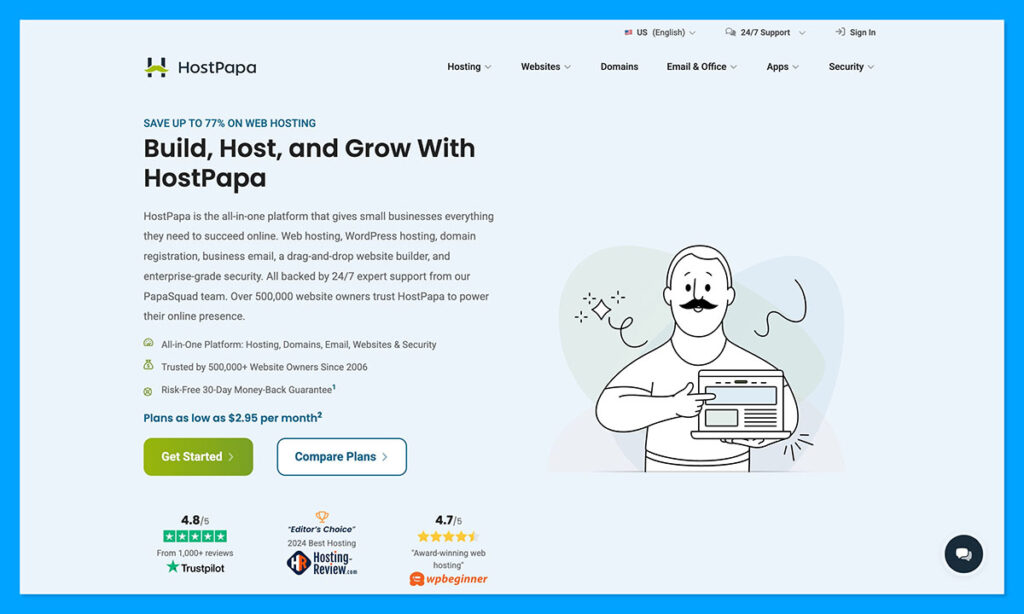
HostPapa is an interesting option for hosting, designed for smaller businesses who want a single company to handle more of the website management aspects behind their online presence. It offers plenty of different plan options, ranging from affordable shared hosting, to optimized or managed WP hosting, with WooCommerce support, SSL, plus WP Toolkit built-in.
For bigger companies, there’s also dedicated servers, and VPS hosting, plus resellers have their own range of plans to choose from, with branded portals, and built-in security. What’s exciting is all the extra stuff around the hosting packages.
PapaCare gives you access to premium support and protection tools. If you need help creating your site, there’s an AI website builder, plus “done for me” and custom design options. You can also get your domain, business email, automated backups and extra apps from the same vendor.
Still, like every provider on this list, HostPapa does have some limitations, especially from an ecommerce perspective. For instance, the Business Plan only supports 12 products, so it’s going to feel restrictive fast when your company starts to grow.
Support and Security
HostPapa definitely does support better than a lot of the other providers I’ve seen. The PapaSquad is always on-hand to help via chat, email, or phone, plus there’s a free onboarding call available if you need help with the initial setup process. HostPapa even offers migration support for free with eligible plans, though you’ll still need to tweak aspects of your site’s setup yourself.
Security features vary depending on the plan you get. There are standard plans that include SSL and basic security tools, but the backup offer changes depending on the amount you spend each month, and you may need to pay extra for things like Protection Power or backup storage on certain plans.
Pricing
HostPapa offers similar value for money as most budget-friendly hosting providers. Some plans start at just $2.95 per month if you sign up for three years at once. WP Growth starts at $5.95, WP Elite at $9.95, and Managed WordPress at $19.95 per month.
Those are great opening prices, especially with the round-the-clock support and migration services included. Still, renewals are more expensive. For instance, WP Premium increases to $19.99 per month after your first three years. On the plus side, there is a 30-day money-back guarantee on most plans, which gives you a bit of reassurance.
Pros:
- Wide range of different hosting plans for specific needs
- Website building support from AI or professionals
- Security features, domains, and extra apps available
- Phone, chat, or email support available 24/7
- Free migration for eligible customers
- No transaction fees for ecommerce users
Cons:
- Website Builder Business restricts you to 12 products
- Staging isn’t included on the cheapest WordPress plan
- Renewal prices can be much more expensive on some packages
2. SiteGround
Best for: Companies building their ecommerce site with WooCommerce.
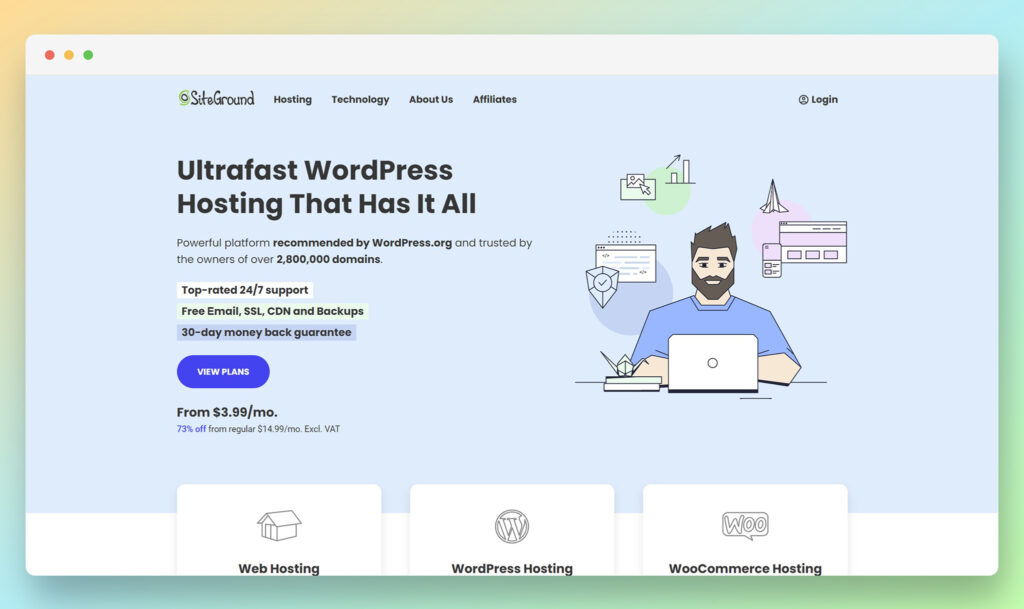
Easily one of the most popular hosting services around, SiteGround offers business leaders a range of options to choose from, including dedicated WordPress hosting, with integrated WooCommerce support. SiteGround benefits from a variety of advanced features which can make life a lot simpler for ecommerce vendors. The auto-installation system ensures you can quickly get your site up and running without a lot of technical knowledge.
Plus, SiteGround’s ecommerce plans feature everything from pre-installed shopping carts, to free store transfer and migration options, and an optimized ecommerce server. The platform includes CDNs (Content Delivery Networks) to improve site speed and performance. Plus, you can take advantage of multiple server locations around the world to connect with customers.
In terms of overall reliability, SiteGround is incredibly impressive, with an uptime guarantee of 99.98%, so you should be able to keep your store up and running no matter what. Plus, backups are available to protect your site from unexpected incidents.
Support and Security
If you’re worried about security and customer support from your hosting provider, SiteGround is sure to put your mind at ease. The platform offers customers a comprehensive knowledgebase for self-service, as well as live chat and phone support, delivered 24/7.
SiteGround also provides users with a free SSL certificate, and gives business leaders support from an in-house monitoring system that checks server status every half second to prevent issues. There’s also advanced spam protection available as part of standard pricing plans.
Pricing
From a pricing perspective, SiteGround is extremely affordable. WooCommerce hosting packages start at $2.99 per month when you commit to an annual plan. There are also advanced packages available, such as the GrowBig plan ($4.99 per month) and the GoGeek plan ($7.99 per month), which provide access to PCI compliant servers, SuperCacher, and more.
Pros 👍
- Excellent automatic installation
- Automated WordPress and WooCommerce updates
- Fantastic uptime guarantee
- Excellent 24/7 customer support
- Reliable performance monitoring
Cons 👎
- Limited storage options on some plans
- No dedicated or VPS plans
3. BlueHost
Best for: Creating a wide range of ecommerce sites
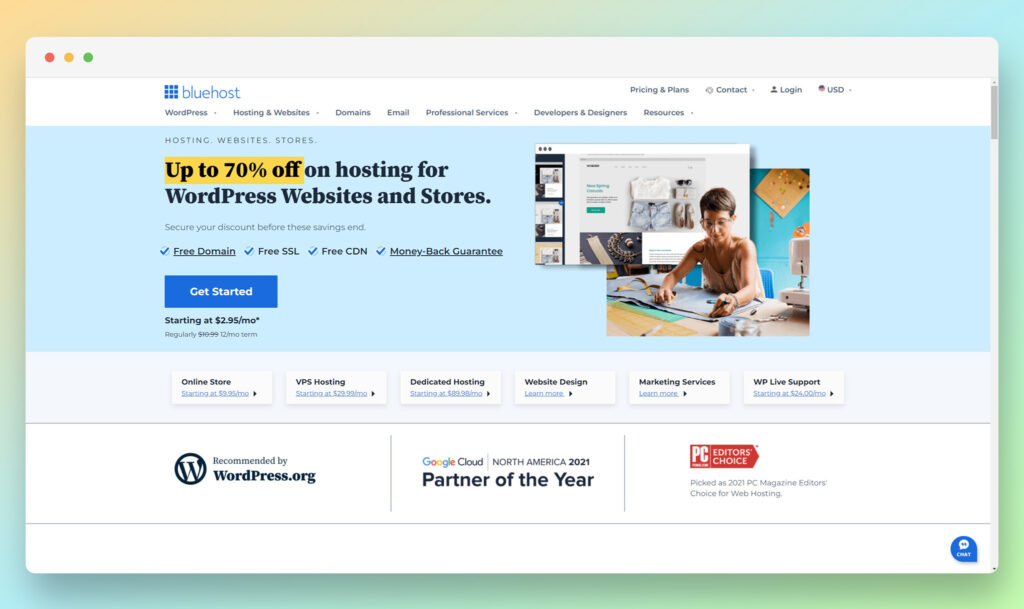
Offering a combination of fantastic reliability and advanced functionality, BlueHost is an excellent option for all-around ecommerce site hosting. If you’re using WordPress and WooCommerce for your business, you’ll be pleased to know BlueHost is one of the top ecommerce web hosting services recommended by WordPress.
This scalable hosting solution is ideal for a variety of different types of businesses too. You can even provide booking and appointment services through your online store, thanks to a range of featured powered by YITH. Plus, BlueHost comes with a fantastic user-friendly dashboard, so you don’t have to worry about having limited tech knowledge.
BlueHost comes with fantastic website analytics, tons of SSD storage, and a free domain, SSL certificate, and Yoast SEO access for a year. In addition, you can also use this hosting service to create stores with Wonder Theme, and build wish lists, and create gift cards using the WooCommerce plugin.
Support and Security
For customer support, BlueHost provides access to email tickets, and 24/7 live chat and phone support. Plus, when you first purchase a package from BlueHost, you’ll receive an onboarding call to get you started.
As far as security goes, you’ll have access to your free SSL certificate, spam protection, secure shell access, and hotlink protection. The security measures available are some of the best on the market, and you can expand them even further with the SiteLock Find add-on.
Pricing
BlueHost offers decent value for money, with various hosting types to choose from. If you’re looking for WordPress Ecommerce, prices start at either $9.95 or $12.95 per month, however, the cheaper plans don’t come with instant backups.
BlueHost customers can access a 30-day money back guarantee as well as various deals throughout the year to help cut costs.
Pros 👍
- Excellent WooCommerce and WordPress hosting
- Theme tools and website building features
- Yoast SEO and free features included
- Options for selling unlimited products
- Wish lists, booking options and more
Cons 👎
- Site speeds are variable
- Limited backup options for cheaper plans
4. Scala Hosting
Best for: Unmetered bandwidth
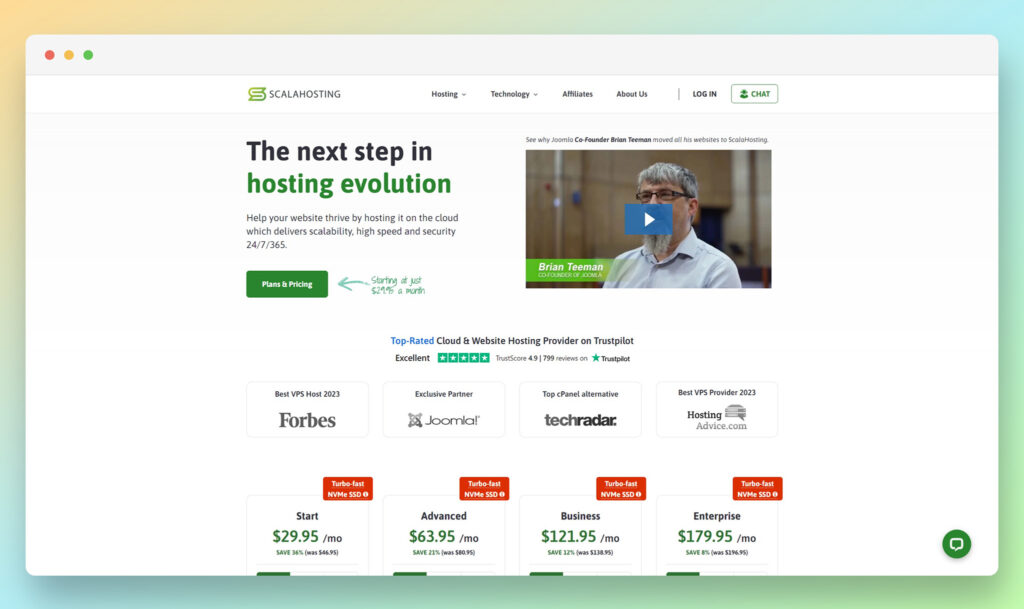
One of the top-rated hosting providers, Scala hosting delivers a variety of hosting packages to different types of business owners, including Managed Cloud VPS, WordPress, and web hosting. The most popular option for ecommerce hosting services is the managed WooCommerce hosting package, which provides access to everything from multiple CPU cores, to hassle-free migration, delivered by technical experts.
All hosting options for ecommerce store owners come with a free domain name and SSL certificate. Plus, you’ll be able to control the components of your WooCommerce store easily using the dedicated SPanel control panel (Scala Hosting’s alternative to Cpanel). The solution includes effortless VPS management, one-click installations, and automatic backups.
Dynamic caching guarantees rapid performance, and you can also leverage a range of blacklists, monitoring tools, dedicated IP addresses, and spam tools. Plus, Scala Hosting offers unmetered bandwidth on all managed WooCommerce packages.
Support and Security
The support available from Scala Hosting is fantastic, with expert guidance and assistance constantly available from a technical team. You can send support tickets, or connect with technicians via instant chat on a 24/7 basis.
From a security perspective, Scala Hosting offers all the basics, such as SSL certificates and disaster recovery backups. However, there’s also 24/7 proactive monitoring, real-time malware protection powered by AI and a range of tools for managing spam and other issues.
Pricing
Packages for WooCommerce hosting start at $24.95 per month for the entry-level product with 50GB of SSD storage, 2 CPU cores, and 2GB of RAM, plus unlimited bandwidth. You can increase your plan all the way up to a package of $138.95 per month with 8 CPU cores, 16GB of RAM, and a 150 GB NVMe SSD.
Pros 👍
- Fantastic control panel capabilities
- Unmetered bandwidth on all managed plans
- Free features like dynamic caching and SSL
- Real-time malware protection and AI-powered security
- LiteSpeed web server for increased speed
- Free domain comes with all plans
Cons 👎
- Packages can be quite expensive
- No phone contact options
5. Kinsta
Best for: Developers creating web projects
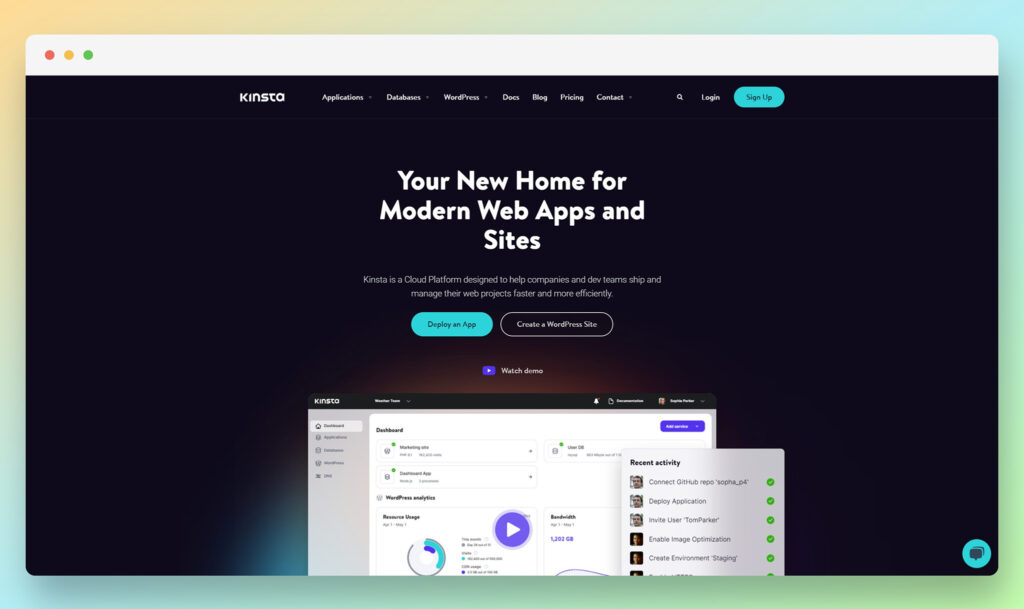
Kinsta is a unique cloud platform, designed to assist companies and development teams manage their products more effectively. You can deploy your ecommerce services on infrastructure built using Google Cloud Platform’s Premium network, as well as C2 machines, built to offer phenomenal uptime and excellent speeds.
Kinsta comes with dedicated database options, so you can eliminate query limits, internal traffic restrictions and more. Plus, if you’re running a WordPress website with WooCommerce, Kinsta offers an amplified managed experience, complete with a staging environment, automatic backups, redirects, SSL certificates, and performance monitoring tools.
Kinsta offers a slightly different service to most hosting solutions, as it combines options for website hosting with application hosting services too. The WooCommerce hosting comes with CDNs, server-level caching, and enterprise grade firewalls.
Support and Security
All packages offered from Kinsta come with 24/7 support from a technical team, offered 365 days per year. The customer service from the company has achieved a fantastic 97% satisfaction rate, and there are no tiered support issues to worry about.
From a security perspective, Kinsta combines standard SSL certificates with isolated technology, firewalls, and Cloudflare-powered DDoS protection.
Pricing
Pricing from Kinsta depends on the service you need. For managed WordPress hosting with WooCommerce, you’ll spend around $70 per month for the basic plan, with 20GB of storage, and 2 WordPress installs, which can be a little expensive.
Cheaper options are available for $35 per month, but you don’t get nearly as much storage or CDN access. Prices can also add up if you want add-ons like visit overage, CDN overage or disk space overage.
Pros 👍
- Fantastic managed hosting experience
- Lots of security features built-in
- Caching and CDNs for faster load times
- Application and website hosting in one
- Highly rated customer service
Cons 👎
- Expensive packages for most users
- Some technical knowledge may be required
6. Cloudways
Best for: Hosting various ecommerce sites
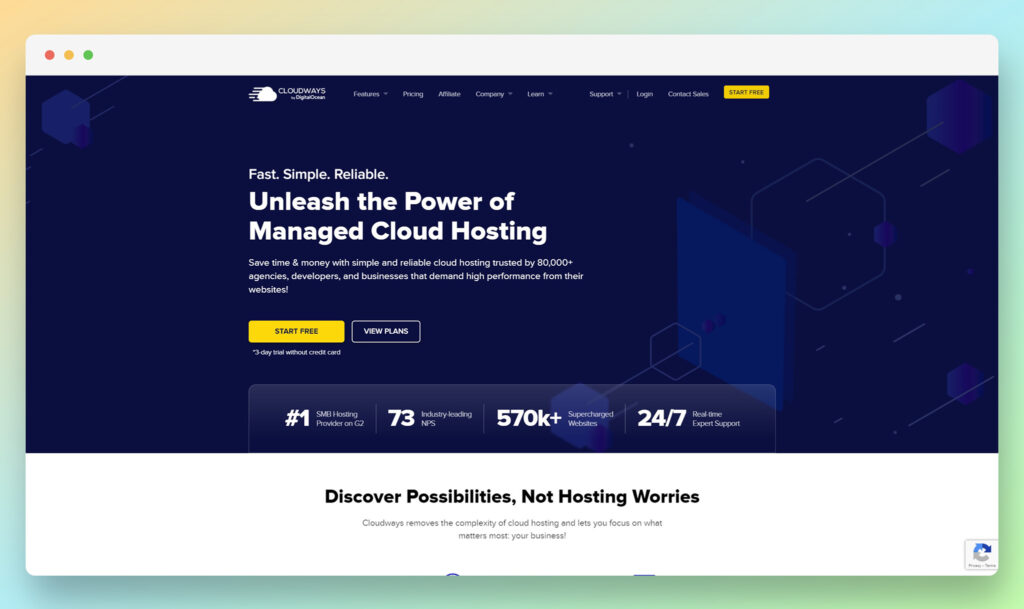
As you might have guessed from the name, Cloudways specializes in cloud-based hosting services for ecommerce business owners. Unlike most ecommerce hosting options, Cloudways doesn’t focus exclusively on WordPress either. You can use the system with virtually any ecommerce platform, from Magento to Prestashop and Opencart.
Cloudways makes it easy to set up your store and go live in minutes, with a comprehensive back-end environment where you’ll find staging tools, options to whitelist Ips, and the option to launch apps with a single click. The scalable service comes with smooth reliability, and the opportunity to adjust specs like CPU, RAM, and bandwidth whenever you like.
Cloudways includes the latest PHP ready services, Cloudflare integrations, and advanced caching tools. Plus, the cloud hosting stack combines a variety of powerful tools to keep small businesses up and running consistently, with minimal downtime.
Support and Security
The ecommerce hosting solutions from Cloudways come with excellent assistance from a dedicated support team. You can even choose to access dedicated managed hosting for your platform. Alongside rapid support, you’ll also get auto-healing and 24/7 monitoring.
For security, you can rely on regular security patching, free SSL certificates, dedicated firewalls, and more, all designed to keep your store running smoothly with unlimited bandwidth. Plus, there’s automated protection against DDoS attacks.
Pricing
For ecommerce hosting, Cloudflare offers a range of packages, starting at $14 per month for the premium service, or $11 per month for the standard service. More expensive packages include access to advanced object caching, increased storage, and RAM.

Pros 👍
- Support for a range of ecommerce website builders
- Innovative control panel for online business control
- One-click installations with reliable uptime
- Auto healing services and automated DDoS protection
- Regular security patching
Cons 👎
- Limited bandwidth and storage on cheaper plans
- No PCI compliance tools
7. Nexcess

Best for: Fantastic monitoring and support
Another excellent option if you’re looking for a hosting company with powerful ecommerce features, Nexcess is a top-rated cloud hosting provider. Officially recommended by WooCommerce, it’s one of the most popular tools for WordPress site owners, with a variety of great features to explore.
Users can take advantage of free object caching for fast-loading products, as well as amazing page loading speeds with a global CDN and DNS service, and more. Plus, there are some great sales and marketing tools on the ecommerce hosting plans too. For instance, you’ll be able to take advantage of conversion optimization tools, cart abandonment solutions, and smart monitoring alerts.
All plans come with support for premium migration, PHP solutions, and unlimited email hosting. The daily backups offered by Nexcess also prevent you from having to worry about any downtime. Worldwide data centers and CDN solutions are also excellent for boosting site speeds.
Support and Security
When it comes to security and support, the Nexcess hosting company has a lot of great options available. All ecommerce plans come with 24/7/365 support available through chat and email. Plus, the team works with you on smart monitored hosting solutions.
For security, you can take advantage of level 1 PCI compliance, regularly updated firewalls, SSL certificates, and 24/7 server tracking.
Pricing
If you pay on a monthly basis, packages for managed WooCommerce hosting from Nexcess start at $19 per month for 30GB of storage, 3TB of bandwidth, and 20 auto-scaled PHP workers per site. The most advanced enterprise packages start at $449 per month, with up to 10TB of bandwidth and 800GB of storage, as well as support for up to 30 stores.
Pros 👍
- Excellent security features for peace of mind
- Cloud accelerator tools for fantastic speeds
- Proactive customer support and assistance
- Developer friendly environments
- Lots of tools for sales and marketing
Cons 👎
- No free domain offering
- Limited bandwidth on all plans
8. WP Engine
Best for: WordPress hosting
Finally, WP Engine is a fantastic tool for companies investing in the WooCommerce and WordPress landscapes. The company specializes in customized packages for hosting, so you can build your own ideal solution from scratch, with access to fast page load speed, payment gateways, and security on every plan. The managed WooCommerce plans also include templates and 1-click store creation.
WP Engine uses EverCache technology to increase load speeds, tools for maximizing performance with SEO, and automated updates. You’ll be able to use a customizable back-end to control all of the aspects of your site, and leverage an attractive checkout and cart tool.
WP Engine is incredibly easy to use, and flexible enough to scale with any site environment. Plus, it protects credit card payments on all plans, with secure payment gateways.
Support and Security
Support from WP Engine varies depending on the package you get. All customers can connect with the service team through email, live chat, or phone. Additionally, if you opt for an advanced package, you can get white glove migration and launch support.
From a security perspective, WP Engine includes auto plugin updates for site safety, proactive threat blocking, and SSL certificates. Some plans also come with advanced DDOS protection.
Pricing
Plans for managed ecommerce hosting for WordPress and WooCommerce start at $50 per month for extensive speed, SEO, and threat protection tools, automatic updates, and 1-click store creation. You can adjust your package based on your site and bandwidth needs. Plus, WP Engine offers a 60-day money back guarantee for peace of mind.
Pros 👍
- Fantastic ease-of-use with one-click store creation
- Excellent caching and speed services
- Marketing and sales tools
- Secure payment processing
- Dedicated shopping cart software
Cons 👎
- Limited visitors on each plan
- Few options for automatic backups
Types of Ecommerce Hosting Explained
Most confusion about hosting pricing comes from comparing products that are not the same thing. A $2.95 shared plan and a $35 managed plan are not competing on quality alone, they are different categories.
Shared hosting
Your store sits on a server alongside hundreds of other sites, sharing CPU, memory, and disk I/O. It is the cheapest option and it works for a store with a small catalogue and modest traffic. The trade-off is that a neighbouring site’s traffic spike can slow your checkout, and resource limits are enforced with throttling rather than graceful scaling. HostPapa, SiteGround, Bluehost, and Scala all sell shared plans.
VPS hosting
A virtual private server carves out guaranteed CPU, RAM, and storage for you alone. Performance is consistent, and you can usually add resources without migrating. Unmanaged VPS assumes you can administer a Linux server. Managed VPS, which is Scala Hosting’s core product, adds a control panel and a support team on top.
Managed cloud hosting
Cloudways is the clearest example: it provisions servers on DigitalOcean, Vultr, Linode, AWS, or Google Cloud and layers provisioning, caching, patching, and backups on top. You get cloud infrastructure without learning to configure it, and billing is hourly rather than contractual. The gap is that email hosting and domain registration are not part of the package.
Managed WordPress and WooCommerce hosting
Kinsta, WP Engine, Nexcess, and HostPapa’s Managed WordPress tier all sit here. The host runs an environment tuned specifically for WordPress: server-level caching, staging, automatic updates, WordPress-aware firewall rules, and support staff who know the platform. You pay considerably more, and you generally give up cPanel, arbitrary software installs, and sometimes email.
Dedicated servers
An entire physical machine. Relevant for large catalogues, strict compliance requirements, or stores that have genuinely outgrown virtualised resources. HostPapa’s dedicated plans start at $59.95 per month and renew at the same rate, which is unusual in this category.
Renewal Pricing and the Costs Nobody Advertises
The single most common complaint about ecommerce hosting is not speed or downtime. It is the invoice that arrives at the end of the first term. Budget hosts fund their acquisition costs with a steep first-term discount, and the renewal is the actual price of the product.
| Provider | Advertised entry rate | Rate after the promotional term | Effective increase |
|---|---|---|---|
| HostPapa (WP Essentials) | $2.95/mo on a 3-year term | $8.99/mo on a 3-year renewal, $12.99 monthly | Roughly 3x |
| HostPapa (WP Premium) | $6.95/mo on a 3-year term | $19.99/mo on a 3-year renewal | Roughly 3x |
| SiteGround (StartUp) | $2.99/mo | $17.99/mo | Roughly 6x |
| SiteGround (GoGeek) | $7.99/mo | $44.99/mo | Roughly 5.6x |
| Bluehost (WooCommerce plans) | $14.99 to $21.99/mo on 36-month terms | Roughly $19.99 to $24.99/mo | Roughly 1.2x to 1.5x |
| Kinsta, Cloudways, Nexcess, WP Engine | Published rate | Same published rate | No promotional cliff |
Renewal pricing is only part of it. These are the line items that tend to surface later:
Visit overages on managed plans
Managed WordPress hosts meter monthly visits rather than bandwidth. Kinsta charges $0.50 per 1,000 visits above your allowance. WP Engine charges $2.00 per 1,000, which means a single successful campaign that adds 50,000 visits costs $100 on top of your plan.
Email hosting
Kinsta, WP Engine, and Cloudways do not include email on any plan. Budget $6 to $7 per user per month for Google Workspace or the equivalent. HostPapa, SiteGround, Bluehost, and Nexcess do include mailboxes.
Backups and backup storage
Nightly backups are included on managed plans, but on cheaper shared tiers they are frequently a paid add-on or free only for the first year. HostPapa includes automated backups free for the first year on optimised WordPress plans, after which the storage renews separately. Bluehost sells CodeGuard backups from $47.88 per year.
SSL beyond the basic certificate
A standard certificate is free almost everywhere. Wildcard and premium certificates are not: HostPapa lists wildcard SSL at $109.99 per year outside the plans that bundle it.
Security add-ons
Malware scanning and web application firewalls are bundled at the top of most ranges and sold separately at the bottom. Bluehost’s SiteLock tiers start at $95.88 per year. HostPapa’s Protection Power tiers start at $35.88 per year.
Domain renewal
The free first-year domain is close to universal. The second-year renewal is at standard registry rates and is non-refundable if you cancel the hosting in the first term.
What to Look For in Ecommerce Hosting
An uptime SLA, not an uptime claim
Most hosts advertise 99.9% uptime. The question is whether that figure is contractual and what you receive if it is missed. 99.9% still permits roughly nine hours of downtime per year, and 99.99% permits under an hour.
PHP workers and concurrency
This is the metric that actually determines whether your checkout holds up. WooCommerce cannot cache logged-in sessions or cart pages, so every add-to-cart and checkout request consumes a PHP worker. A plan with generous storage and few workers will stall under order volume.
NVMe rather than SATA SSD
Database read speed drives product filtering, search, and cart operations. NVMe is now standard at the top of most ranges and increasingly at the bottom.
A staging environment
Testing a plugin update against a live store is how stores break during peak season. Staging is included on SiteGround’s GrowBig and above, HostPapa’s WP Growth and above, and every managed plan from Kinsta, WP Engine, and Nexcess.
Backup frequency and retention
Daily is the minimum for a store taking orders. Also check retention: some providers keep only one day by default, which is not enough to recover from a problem you notice on a Monday.
Object caching
Redis or Memcached materially reduces database load on stores with large catalogues or many logged-in customers. On some hosts it is included, on others it is a paid add-on.
Migration terms
Free migration is common, but the number of sites covered, whether it includes a store with active orders, and whether downtime is guaranteed to be zero all vary.
An exit route
Check whether you can take a full backup and leave without assistance. Hosts using proprietary control panels can make this harder than hosts running cPanel.
Choosing a Host by Ecommerce Platform
WooCommerce
Every provider in this guide supports WooCommerce, so the decision is about budget and traffic. Under 10,000 monthly visits, a shared plan from HostPapa or SiteGround is adequate. Between 10,000 and 100,000, Nexcess or Cloudways give you room without the premium managed price. Above that, Kinsta and WP Engine become easier to justify.
Magento and Adobe Commerce
Magento is resource-hungry and will not run acceptably on entry-level shared hosting. Cloudways and Nexcess both offer Magento-specific plans. Of the two, Nexcess has the longer history in the category.
PrestaShop and OpenCart
Cloudways is the only provider on this list built to run these platforms as first-class citizens. The rest are WordPress-centric, and while you can technically install PrestaShop on a generic shared plan, you will not get platform-aware support.
Headless and custom builds
If you are running a decoupled frontend against a WooCommerce or Magento backend, look at Cloudways for the flexibility or WP Engine’s headless offering, which is quoted rather than listed.
Shopify, Wix, and Squarespace
You cannot self-host these. Hosting is bundled and not separable, so nothing in this guide applies to them.
Handling Traffic Spikes and Peak Season
Ecommerce traffic is not evenly distributed. A store can run comfortably for eleven months and then face ten times its normal load across a single weekend. Three things determine whether that weekend converts or crashes.
Whether resources scale automatically or you have to notice
Nexcess includes auto-scaled PHP workers on every plan, so a spike is absorbed rather than throttled. Cloudways lets you resize a server in one click, but the click is yours to make. Shared plans generally throttle first and notify afterwards.
What happens when you exceed the allowance
Managed hosts differ sharply here. Kinsta and WP Engine bill overages rather than cutting you off, which is preferable during a sale even though the invoice stings. Shared hosts are more likely to enforce limits directly, which is worse: throttled checkout during your best trading day.
Cache behaviour under load
Full-page caching does nothing for logged-in customers or cart pages, which are exactly the pages that matter during a rush. Object caching and adequate PHP workers matter more than CDN coverage for the checkout path.
Practical step: test before the season, not during it. Push a copy of your store to staging, run a load test at three to five times your expected peak, and see where it breaks. Upgrading in October is cheap. Upgrading mid-sale is not.
PCI Compliance: What Your Host Covers and What Stays With You
PCI DSS compliance is frequently marketed as a hosting feature. It is more accurate to treat it as a shared responsibility, and knowing where the line sits protects you.
What the host is responsible for
- Physical data centre security and access control
- Network segmentation, firewalls, and intrusion detection
- Server-level patching on managed plans
- Encryption in transit through TLS
Nexcess advertises Level 1 PCI compliance at the infrastructure layer, and SiteGround, Kinsta, and WP Engine all operate compliant environments.
What remains yours
- Every plugin and theme you install, and keeping them patched
- How your checkout handles card data (a hosted gateway like Stripe or PayPal keeps card data off your server and dramatically reduces your scope)
- Access control: who has admin accounts, whether multi-factor authentication is enforced, and how quickly departing staff are removed
- Completing your own Self-Assessment Questionnaire, which no host does for you
- Logging and monitoring at the application layer
The practical takeaway: choosing a PCI-compliant host reduces your scope, it does not eliminate it. If you use a hosted payment gateway and never store card numbers, your obligations are far lighter than if you process cards on your own server, which very few small stores should attempt.
How to Move Your Store to a New Host
Migration sounds risky and mostly is not, provided you sequence it correctly. Every provider in this guide offers migration assistance in some form, and taking it is usually the right call for a live store.
1. Audit before you move
Record your current PHP version, database size, plugin list, and any custom server configuration. Note anything that will not carry over: proprietary caching plugins, host-specific staging tools, or server-level redirects.
2. Take a full backup you control
Files and database, downloaded to your own machine. Not the host’s backup, since you are about to leave.
3. Build on the new host without switching DNS
Use a temporary URL or a hosts-file entry. Install the store, import the database, and confirm that products, orders, customer accounts, and the checkout all work before any customer sees it.
4. Test the checkout end to end
Place a real order in test mode. Confirm payment gateway callbacks, order confirmation emails, tax calculation, and shipping rates. Payment gateway webhooks pointing at the old server are the most common post-migration failure.
5. Freeze orders for the cutover
Put the store into maintenance mode briefly, take a final database export to capture orders placed since the first import, and reimport. Skipping this loses every order placed during the migration window.
6. Lower your DNS TTL first, then switch
Reduce TTL to 300 seconds a day before the move so propagation is fast. Then repoint the nameservers.
7. Verify SSL, redirects, and search visibility
Confirm the certificate is active, that HTTP redirects to HTTPS, that www and non-www resolve consistently, and that any existing redirect rules survived. Then resubmit your sitemap and watch for crawl errors over the following fortnight.
8. Keep the old host running for two weeks
Cheap insurance. Cancel only after you have confirmed a full billing cycle of clean orders.
Other Providers Worth Considering
These did not make the main list, but they are legitimate options depending on your situation.
- Liquid Web: Nexcess’s parent company, aimed at larger stores that want the same support model at a higher resource tier.
- Rocket.net: Cloudflare Enterprise on every plan, which makes it competitive on raw delivery speed for a WooCommerce store.
- Pressable: Owned by Automattic, so its WordPress alignment is about as direct as it gets.
- Hostinger: Aggressive pricing at the entry level, though the same renewal caveats apply as with any budget host.
- A2 Hosting: A long-standing option with strong performance tiers and a genuine anytime money-back policy.
- Convesio: Containerised, auto-scaling WordPress built specifically for stores that need to survive spikes.
Ecommerce Hosting FAQ
Do I need special hosting for WooCommerce?
Not technically. WooCommerce runs on any hosting that supports WordPress. In practice, ecommerce-specific plans give you object caching, more PHP workers, and support staff who understand carts and checkouts, all of which matter once you are taking real orders.
Can I host a Shopify store myself?
No. Shopify is a fully hosted platform and hosting cannot be separated from the subscription. The same applies to Wix and Squarespace.
How much bandwidth does an online store need?
Less than most people expect. A store with 10,000 monthly visits and optimised images typically uses well under 50GB. The constraint that bites first is almost always CPU and PHP workers, not bandwidth.
Is shared hosting safe for taking payments?
Yes, provided you use a hosted payment gateway such as Stripe or PayPal so card data never touches your server. Shared hosting becomes a problem for performance under load long before it becomes a security problem.
Why is renewal pricing so much higher than the advertised rate?
Budget hosts treat the first term as customer acquisition and price it below cost. The renewal figure is the actual price. Choosing a three-year initial term locks in the discount for longer, which is why most providers push it.
What are PHP workers and why do they matter for a store?
A PHP worker processes one uncached request at a time. Because cart and checkout pages cannot be cached, every simultaneous shopper in your checkout occupies a worker. Run out of workers and requests queue, so the checkout appears to hang.
Can I switch hosts later without losing sales?
Yes, with a maintenance window of a few minutes and a final database export taken at the cutover. The risk is not the move itself, it is forgetting to capture orders placed during the transfer or leaving payment gateway webhooks pointed at the old server.
Do managed hosts include email?
Kinsta, WP Engine, and Cloudways do not. HostPapa, SiteGround, Bluehost, and Nexcess do. If you are comparing a $19 plan with mailboxes against a $35 plan without, add roughly $6 to $7 per user per month to the second figure.
Should I pay monthly or commit to a longer term?
Longer terms carry the deepest discounts on shared hosting, but they also lock you in for three years with a provider you have not yet tested. Starting on a shorter term and upgrading after the money-back window has passed is the safer sequence, even though it costs slightly more.
Best Ecommerce Hosting: Final Verdict
There is no single best ecommerce host, because the eight providers here are not competing for the same store. They split cleanly by budget and by how much of the technical work you want to hand over.
If you want a phone number and a human on the other end, HostPapa is the pick. Support runs around the clock across chat, email, and phone, onboarding calls are included, and migration is free on eligible plans. Be clear-eyed about the renewal, though: WP Essentials moves from $2.95 to $8.99 per month, and the Website Builder Business tier caps you at 12 products, which a growing store will hit quickly.
If you want the lowest first-term cost for a WooCommerce store, SiteGround remains the strongest value, running on Google Cloud with genuinely good support. Just budget for $17.99 rather than $2.99 from year two.
If your store is not built on WordPress, Cloudways is effectively the only real option here. It runs Magento, PrestaShop, and OpenCart, bills hourly with no contract, and has no renewal cliff. The trade-off is that email and domains are not included.
If your store is doing enough revenue that downtime costs more than hosting, Kinsta and WP Engine both earn their price. Kinsta has the better overage terms at $0.50 per 1,000 visits against WP Engine’s $2.00. WP Engine has the better agency economics and a 60-day money-back window.
If you get seasonal spikes, Nexcess is the most sensible default, because auto-scaling is included rather than sold as an upgrade.
The mistake that costs the most is not picking the wrong host. It is picking a plan sized for the store you have rather than the store you will have in six months, then discovering the limits during your busiest week.


Very informative post. this will be very helpful to me. thank you so much for sharing.
You’re welcome Sumita!
I dropped Bluehost in 2015 after years of being with them. My shared server got hacked and they said nothing was wrong. I switched to Siteground and have never looked back.
HI, great article! I have a small retail business online with 400 products. Just starting out so not a lot of page views…around 50-200. I was told to move my oscommerce shopping cart to woo commerce bc it is newer and more modern, do you agree? if so, would you recommend could hosting (cloudways.com) or shared server (siteground.com) theres also Hostgater and AZ hosting. Im trying to save as much money as possible since it will take awhile i believe to get my page views up, maybe a 2-4 months? so which would you go with for now..shared or cloud since they are about the same price from the websites listed above.
Hi Teresa,
Some of the best looking templates around are available for WooCommerce and Shopify. So both services will be great if you are aiming for a sleek and clean aesthetic which makes them perfect for modern, forward-thinking websites. You can read our Shopify vs WooCommerce comparison for more info.
When it comes to hosting we haven’t got the chance to review Cloudways, but here are a few articles that might help (SiteGround included):
Best Ecommerce Hosting: Bluehost vs WP Engine vs SiteGround vs Pagely vs FlyWheel
BlueHost Ecommerce Hosting Review 2016
WP Engine Review [Hosting Service]
Best of luck!
tanks for this review! helped me a lot!