

Quick answer: BigCartel is better if you’re a solo creator or artist selling fewer than 50 products and want a no-fuss setup.
Squarespace is better if you care about slick design, want built-in marketing tools, and plan to grow your business long term.
I’ve worked in ecommerce for over a decade. Built sites, scaled brands, crashed a few along the way.
And if there’s one thing I’ve learned?
Picking the right platform at the start saves you months of pain later.
In this head-to-head, I’ll walk through how BigCartel and Squarespace stack up – based on actual use, not marketing hype. I’ve used both. I’ve built client sites on both.
Here’s what really matters.
Quick Comparison Table
Here’s the high-level summary of which platform wins in each category based on real use, not marketing spin:
| Need | Winner |
|---|---|
| Free Plan | BigCartel |
| Ease of Use | BigCartel |
| Design & Templates | Squarespace |
| Ecommerce Features | Squarespace |
| SEO & Marketing | Squarespace |
| Payment & Shipping | Squarespace |
| Customer Support | Squarespace |
| Best for Beginners | BigCartel |
| Best for Business Growth | Squarespace |
Who Should Use Which?
Let’s start with the basics.
Before we talk features or pricing, it helps to understand who these platforms were really made for.
This isn’t about which tool is better in a vacuum — it’s about which one fits your business model, skill level, and long-term goals.
Here’s the breakdown:
BigCartel is built for:
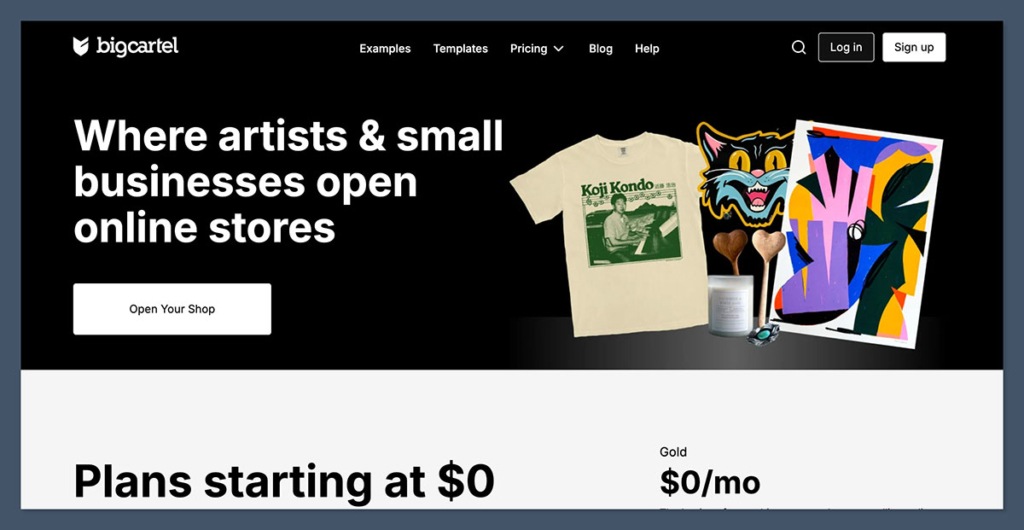
- Artists, creatives, indie makers
If you’re selling handmade prints, zines, crafts, or apparel in small batches — this is your lane. - People selling fewer than 50 products
BigCartel literally caps you at 500 products even on the highest plan. Most sellers I know on the platform run lean product lines. - Anyone who wants a free, simple setup
The free plan gets you up and running fast. No credit card. No steep learning curve. It’s very plug-and-play.
Squarespace is built for:
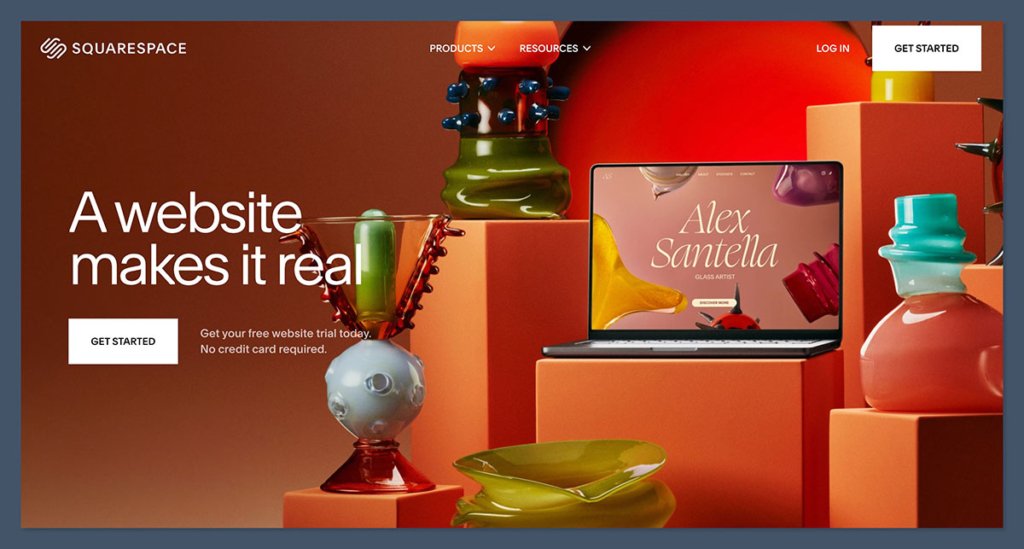
- Small to mid-sized businesses
Think brands with real growth ambitions. If you’re investing in SEO, content, or product photography, this is your tool. - Brands that care about visuals and polish
Squarespace templates look like they’ve been designed by people who get modern branding. It’s great for fashion, lifestyle, food, fitness, and service-based businesses. - Sellers who need blogging, SEO, and more tools baked in
If your traffic strategy involves organic search, content marketing, or social integration — Squarespace is already set up for it.
Use Case Comparison Table
| Business Type | Best Platform | Why |
|---|---|---|
| Artist selling 10-20 items | BigCartel | Simple, free, low-maintenance |
| Brand launching 3+ product categories | Squarespace | More structure, better marketing tools |
| Selling digital products | Squarespace | Native support and checkout flows |
| Selling only in-person at markets | BigCartel | Lightweight, fast setup |
| Building a long-term ecommerce business | Squarespace | Scales better with more features |
Verdict:
- If you’re an artist or hobbyist, BigCartel wins on simplicity.
- If you’re building a brand and want room to grow, Squarespace is the better long-term bet.
It really comes down to this:
Are you running a side hustle, or are you trying to build a business?
BigCartel is great for the first. Squarespace is made for the second.
Ease of Use
User experience matters more than most people realise.
A clunky interface can kill momentum fast — especially when you’re trying to launch your store quickly or juggle ten things at once.
Here’s what it’s like using both platforms from setup to site building.
BigCartel:
- Takes 5 minutes to set up
You sign up, add a few products, choose a theme, and you’re technically ready to go. No complicated onboarding or configuration. - Very limited dashboard — which can be a good thing
The backend is minimal. No distractions, no overwhelm. But also not much depth. - No drag-and-drop builder – it’s more form-based
You fill in boxes, upload images, choose colours — but you don’t “build” pages in the visual sense. - You get what you get – and that’s not much
Perfect if you want speed and simplicity. Frustrating if you want flexibility or customisation.
Squarespace:
- More polished onboarding
The setup process asks useful questions about your business and goals, which helps guide template selection and feature suggestions. - Real drag-and-drop builder
You can move content blocks, adjust layouts, and preview your site live — all with no code. - Takes longer to master, but way more control
There’s a learning curve, especially if you’ve never used a visual editor before. But once you’re used to it, it’s intuitive. - Cleaner interface, better site structure
Everything’s neatly laid out — from design to ecommerce tools — and there’s more hierarchy, which helps once your store grows.
Quick Comparison Table
| Feature | BigCartel | Squarespace |
|---|---|---|
| Setup Time | Under 10 mins | 15–30 mins |
| Learning Curve | Low | Medium |
| Site Editor | Form-based | Drag-and-drop |
| Customisation | Very limited | High |
| Ideal For | First-time users | Users wanting design control |
Verdict:
BigCartel is easier on day one — no bells, no whistles, just straight to the point.
Squarespace gives you more power and flexibility, but you’ll need to spend a bit more time learning how to use it.
If you want to launch in under an hour and don’t care about tweaking every detail, go BigCartel.
If design control and long-term scaling matter, Squarespace is worth the extra effort.
Design & Templates
Let’s be honest — design matters.
First impressions online are visual, and if your site looks outdated, people bounce. It’s that simple.
This is one of the biggest gaps between BigCartel and Squarespace.
BigCartel

- 18 themes
All free, which is great. But selection is very limited. - Basic layouts, not super modern
These templates feel like they were made five years ago. Clean, yes — but visually underwhelming. - Very limited customisation unless you know code
You can change colours and fonts to an extent, but if you want to move elements or change layout structure, you’ll need to touch HTML/CSS. - Feels dated compared to modern platforms
For creators who just want a store live in an hour, it works. For branding, it’s not going to wow anyone.
Squarespace

- 100+ professionally designed templates
Split across industries: fashion, food, fitness, photography, tech, you name it. You’re not stuck with one look. - Mobile responsive, custom fonts, animations
Out of the box, templates work well across devices and give your brand a premium feel. You can add video backgrounds, hover effects, custom fonts — all without touching code. - Easy to tweak with their visual editor
Everything from layouts to image cropping is handled visually. No developer needed. - Templates actually look like they were made this year
The typography, spacing, and image treatment feel modern and intentional. It feels like a designer helped you — because one did.
Template Comparison Table
| Feature | BigCartel | Squarespace |
|---|---|---|
| Number of Templates | 18 | 100+ |
| Custom Fonts | No | Yes |
| Mobile Responsive | Yes | Yes |
| Customisation (No Code) | Low | High |
| Ideal For | Quick setup | Brand-focused stores |
Verdict:
Squarespace crushes BigCartel on design. No contest.
If your brand image matters (and it should), go with Squarespace.
The templates feel modern, professional, and flexible — everything you want if you’re trying to build trust and look the part.
BigCartel works if you’re okay with “good enough.”
But if visuals drive your product (fashion, art, DTC brands), Squarespace makes your stuff pop right out of the box.
Ecommerce Features
This is where the rubber meets the road.
Your storefront might look great, but if it can’t handle inventory, taxes, or checkout — you’re in trouble.
Let’s look at what both platforms actually let you do when it comes to selling.
BigCartel:
- No inventory tracking on the free plan
That means if you sell out of something, you have to manually update the stock. Risky if you’re not paying close attention. - Max 500 products, even on the highest tier
If you plan to scale with a deep catalogue, you’ll hit a wall. Fast. - Limited options for product variants and categories
You can’t do much beyond basic size/colour. No advanced filtering or complex product structures. - Can’t sell digital products without workarounds
You’ll need third-party tools like Pulley or Gumroad just to deliver files.
So yeah, it works — but it’s bare bones. BigCartel is fine for one-off sales or simple stores, but not much else.
Squarespace:
- Sell physical and digital goods
No hacks required. PDFs, music files, templates — all handled natively. - Inventory management, tax setup, shipping zones
You can track stock, set auto-restock limits, define tax rates by location, and build flat or weight-based shipping rules. - Abandoned cart recovery on higher plans
This alone can pay for the plan if you recover just a few sales a month. - Integration with Apple Pay, Stripe, PayPal
Multiple payment options built in, all SSL secured, no plugins needed.
Squarespace’s store features feel like they were built for business — not just basic selling.
Feature Comparison Table
| Feature | BigCartel | Squarespace |
|---|---|---|
| Max Products | 500 | Unlimited |
| Inventory Tracking | Paid plans only | All plans |
| Digital Products | No (needs workaround) | Yes (native) |
| Abandoned Cart Emails | No | Yes (Commerce Advanced) |
| Payment Gateways | Stripe, PayPal | Stripe, PayPal, Apple Pay |
| Tax & Shipping Rules | Basic | Advanced |
Verdict:
Squarespace is the serious ecommerce tool here.
You get features that help you grow, not just start.
BigCartel feels more like a digital pop-up shop — it’s lightweight, easy, and fast… but once you want to run a real business, the limitations hit hard.
If you’re testing the waters, BigCartel will get you afloat.
But if you’re ready to swim laps, Squarespace gives you the pool, the lifeguard, and the lanes.
Pricing
Let’s break down the cost.
This isn’t just about monthly fees — it’s about what you actually get for the money and how that scales as your business grows.
Here’s what you’re paying at a glance:

Pricing Comparison Table
| Plan Tier | BigCartel | Squarespace |
|---|---|---|
| Free Plan | Yes (up to 5 products) | No |
| Entry Plan | $9.99/mo (up to 50 products) | $23/mo |
| Mid Plan | $19.99/mo (up to 500 products) | $36/mo |
| Advanced Plan | N/A | $65/mo |
BigCartel is clearly priced for smaller sellers.
The free plan is one of the only truly forever free options in ecommerce — no trial period, no card required. But you’re limited to just five products, and no inventory tracking.

Squarespace doesn’t have a free plan, but the features included on every tier are heavier.
You’re not just paying for hosting — you’re getting ecommerce, design, marketing, and content tools in one system.
BigCartel Pros:
- Free forever plan
Ideal if you’re selling fewer than 5 items and want to keep overheads near zero. - No transaction fees
BigCartel doesn’t charge a cut of your sales — regardless of your plan. - Simple, predictable billing
One flat rate. No surprises. Great if you hate unexpected charges.
Squarespace Pros:
- More features included
From the $23/mo plan up, you get blogging, email marketing, product analytics, and full ecommerce functionality. - Better value per dollar if you’re growing
While the monthly fee is higher, you’re getting tools that would cost extra elsewhere (like Mailchimp or SEO plugins). - Built for scaling
Unlimited products, multiple variants, integrations — none of which are capped like they are on BigCartel.
Hidden Costs to Watch For
| Platform | Hidden Costs | Notes |
|---|---|---|
| BigCartel | Low | Very few upsells, but limited functionality |
| Squarespace | Medium | No app store, but higher-tier plans are required for full ecommerce |
Verdict:
BigCartel wins for cost if you’re tiny.
If you’ve got a micro-inventory and want to keep costs as close to zero as possible, BigCartel delivers.
Squarespace wins on ROI if you’re serious.
Yes, you’re paying more. But you’re also getting a full suite of tools — not just a store. And if you’re trying to build a real brand, those extras matter.
Think of BigCartel as a basic toolbox.
Squarespace is the full workbench, complete with power tools.
SEO & Marketing
It doesn’t matter how good your product is if nobody can find it.
This is where most new sellers fall flat — not because of their product, but because of how little their platform helps with getting eyes on that product.
Here’s how BigCartel and Squarespace compare when it comes to visibility, traffic, and engagement.
BigCartel:
- Almost zero built-in SEO tools
There’s no real way to control metadata, URL structure, or open graph tags. You can’t even preview how your pages look in search results. - No blogging features
That means no content marketing. No long-form traffic drivers. No internal linking. You’re boxed in. - No native email marketing
If you want to send newsletters or abandoned cart emails, you’ll have to hook up third-party platforms like Mailchimp or ConvertKit. - You’ll need to use external tools for everything
That includes SEO, analytics, pop-ups, and social campaigns. It’s not built for visibility — it’s built for simplicity.
Squarespace:
- Built-in blogging
It’s not WordPress, but it’s more than good enough. You can write, edit, tag, and schedule posts from one dashboard. Perfect for long-term SEO. - SEO settings for pages and products
Meta titles, descriptions, clean URLs, alt text — it’s all customisable. You can even auto-generate structured data for rich snippets.

- Email campaigns baked in
You can design and send newsletters right from your dashboard. No extra tools or plugins. You’ll get analytics on opens, clicks, and conversions too. - Social media integrations out of the box
Easily connect Instagram, Facebook, Pinterest, LinkedIn, and more. You can also auto-publish blog posts and sync product updates.
Squarespace makes it easy to turn your store into a real brand. BigCartel… doesn’t.
SEO & Marketing Feature Table
| Feature | BigCartel | Squarespace |
|---|---|---|
| On-page SEO Controls | Very Limited | Yes |
| Blog Support | No | Yes |
| Email Marketing | No | Yes (built-in) |
| Social Integrations | Basic | Strong |
| Content Scheduling | No | Yes |
| Structured Data | No | Yes (auto-generated) |
Verdict:
Squarespace gives you real tools to grow traffic and build a brand.
If content, email, or SEO are even remotely part of your plan — Squarespace is the clear choice.
BigCartel is silent on the marketing front.
You’ll have to bolt everything on, and most beginners never do. That’s fine if you’re selling a few pieces to a small, loyal audience. Not fine if you’re trying to scale.
If you’re planning to grow organically, run email campaigns, or optimise your store for Google — start with a platform that gives you those tools upfront.
Payments, Shipping & Integrations
When you’re just starting out, accepting money might seem like the only box you need to tick.
But as you grow, things get more complex — shipping zones, tax automation, integration with your accounting software, or automating order fulfilment.
This is where platforms either help you scale or hold you back.
BigCartel:
- Only supports Stripe and PayPal
That’s it. No Apple Pay, Afterpay, Klarna, or alternative gateways. You’ll need to make do with just the basics. - No advanced shipping rules
You can set flat-rate shipping, but there’s no way to set tiered rates based on weight, location, or product category. International shipping is manual. - No native integrations – you’ll need to plug into Zapier
If you want to sync orders to Google Sheets, connect to print-on-demand tools, or tie in with a CRM — you’ll need to use Zapier (and likely pay for it). - Manual is the name of the game
Everything from shipping labels to tax handling is on you unless you add external workarounds.
Squarespace:
- Stripe, PayPal, Afterpay support built in
Customers can pay using cards, digital wallets, and even in instalments with Afterpay. All secured and integrated. - Shipping zones, taxes, label printing
Squarespace lets you automate US sales tax, create different rates for different countries, and print shipping labels using services like ShipStation or USPS. - Integrates with accounting tools, CRMs, print-on-demand
Connect your store with Xero, QuickBooks, Printful, Mailchimp, and more. These integrations are smooth — often just a couple of clicks. - Automation-ready from the start
You don’t need to be a developer to connect and automate your store. Most key tools are built in or natively supported.
Payments & Integrations Comparison Table
| Feature | BigCartel | Squarespace |
|---|---|---|
| Payment Gateways | Stripe, PayPal | Stripe, PayPal, Afterpay |
| Apple Pay Support | No | Yes (via Stripe) |
| Shipping Rules | Basic flat-rate only | Advanced zones + live rates |
| Shipping Labels | No | Yes |
| Native Integrations | No | Yes |
| Print-on-Demand | Zapier required | Built-in (e.g., Printful) |
| Tax Automation | No | Yes |
| CRM/Email Sync | No | Yes (e.g., Mailchimp, ConvertKit) |
Verdict:
If you want to grow, automate, or scale – Squarespace is far ahead.
You’re not stuck piecing things together manually. The tools you need to handle fulfilment, taxes, and payments professionally are right there.
BigCartel is fine for bare-bones transactions, but if you plan to grow beyond just a few manual sales a month, you’ll quickly find yourself limited — or buried in Zapier automations and spreadsheets.
Choose based on how far you plan to go.
If you’re building something that needs to run without your constant hand-holding, Squarespace gives you the infrastructure to do that.
Customer Support
At some point, something will break, confuse you, or need fixing.
When that happens, support can make or break your experience — especially if you’re not technical or just need a quick answer to keep sales moving.
Here’s what support looks like on both platforms.
BigCartel:
- Email support only
You send a message and wait. No real-time help. No direct feedback loop. - No live chat, no phone
If you’re in the middle of a launch or dealing with a payment issue, this can be frustrating. You’re on your own in real-time. - Help docs are thin
There’s a basic knowledge base, but it doesn’t go very deep. Some common questions aren’t covered. No videos or guided walkthroughs. - Feels DIY all the way
It’s consistent with BigCartel’s lean, minimalist model. You’re expected to figure things out yourself — and you often can, but it’s not always fast or easy.
Squarespace:
- 24/7 email support
Responses are usually fast, and the team is trained across both technical and design-related issues. - Live chat available (weekdays)
This is huge. If you’re stuck on a design block or payment issue, you can get help in real time. It’s responsive and helpful. - Massive help center and tutorials
Video walkthroughs, step-by-step guides, webinars, community forums — all searchable and frequently updated. - Feels like real infrastructure
Squarespace has a dedicated support team, trained agents, and resources that feel like they were built by an actual customer service department.
Support Comparison Table
| Feature | BigCartel | Squarespace |
|---|---|---|
| Email Support | Yes (business hours) | Yes (24/7) |
| Live Chat | No | Yes (Mon–Fri) |
| Phone Support | No | No (except enterprise) |
| Help Center | Basic articles | Extensive with videos & guides |
| Community Forum | No | Yes |
| Onboarding Guides | No | Yes |
| Support Experience | DIY feel | Professional & guided |
Verdict:
Squarespace’s support feels like a real company.
There are layers of support, resources, and real-time help available when you need it most — especially useful when deadlines or technical issues hit.
BigCartel’s feels like a side project.
You’ll be emailing someone and hoping they get back to you. If you’re comfortable troubleshooting on your own, it’s manageable. But if you value timely, structured support, it’s not even close.
If you’re running an actual business — with customers, deadlines, and real money on the line — Squarespace gives you the safety net BigCartel just doesn’t have.
Final Verdict: What Should You Choose?
Let’s bring it all together.
Here’s the straight-up truth:
If you’re an artist just starting out, go with BigCartel. It’s free, fast, and designed for simplicity. You’ll spend less time worrying about settings and more time focusing on your product.
It’s ideal for:
- Selling under 50 items
- Not worrying about SEO, blogs, or advanced features
- Testing the waters with no upfront cost
But — and it’s a big but — you’ll quickly hit a ceiling. If you need more than the basics, you’ll find yourself stitching together apps or outgrowing the platform entirely.
If you’re building a business, go with Squarespace.
It’s flexible, scalable, and gives you all the tools you need under one roof.
You’ll get:
- Better design and branding options
- Built-in tools for SEO, blogging, and email
- Ecommerce features that actually scale
- Support you can rely on when it counts
Squarespace isn’t free, and it’s not the fastest to set up — but it’s the platform you won’t need to migrate from six months down the line.
Final Thought:
Your choice comes down to this:
- Want a low-maintenance storefront to sell a few pieces? BigCartel.
- Want to build a brand, grow traffic, and run a serious store? Squarespace.
Pick based on the future you’re building — not just the price tag today.


Comments 0 Responses