



ShipBob and Fulfillment by Amazon (FBA) are two of the most popular order fulfillment solutions for ecommerce sellers. Both help you outsource warehousing, packing, and shipping—but they operate in completely different ways.
I’ve tested both across different ecommerce setups: Amazon-only storefronts, multichannel DTC brands, and hybrid models.
Based on firsthand experience and hours of research, here’s how these two fulfillment giants stack up.
ShipBob vs Amazon FBA: Quick Verdict
ShipBob – Best for multichannel sellers and branded DTC stores
Amazon FBA – Best for selling directly on Amazon with Prime delivery
If you want to sell on Amazon and benefit from fast Prime shipping, FBA is the clear choice.
But if you care about brand control, packaging, and selling across multiple platforms like Shopify, Walmart, and Etsy, ShipBob comes out ahead.
Quick Comparison: ShipBob vs Amazon FBA
Here’s a quick overview of how ShipBob and Amazon FBA compare:
| Feature | ShipBob | Fulfillment by Amazon (FBA) |
|---|---|---|
| Best for | Multichannel ecommerce brands | Amazon-first sellers |
| Platform restriction | Sell anywhere | Amazon-focused |
| Branded packaging | ✅ Yes | ❌ No |
| Prime badge | ❌ No | ✅ Yes |
| Customer service & returns | Optional add-on | Fully managed |
| Storage pricing | Transparent | Can spike in Q4 |
| Setup complexity | Moderate onboarding | Quick and easy |
| Account management | Dedicated rep | Limited support |
| Inventory limits | Flexible | Strict (especially in Q4) |
Both have strengths—but they’re built for different kinds of businesses.
Below, I’ll walk you through pricing, features, and real-world performance to help you decide.
Best for Pricing: Depends on What You Sell
Let’s start with one of the biggest deciding factors—cost. Both ShipBob and FBA charge for storage, picking, packing, and shipping. But their pricing models are structured differently.
Amazon FBA Pricing
FBA charges based on product size and weight, plus seasonal storage costs.
| Fee Type | Price (Standard Products) |
|---|---|
| Fulfillment fee | $3.22 – $6.12 per unit |
| Monthly storage (Jan–Sep) | $0.87 per cubic foot |
| Monthly storage (Oct–Dec) | $2.40 per cubic foot |
| Aged inventory (271+ days) | $6.90 per cubic foot |
| Returns handling | Included for most categories |
There’s no seasonal storage spike or aged inventory penalty—what you see is what you get. But the per-order cost can be higher, especially for low-margin products.
ShipBob Pricing
ShipBob takes a flat-fee, transparent approach to pricing. You’ll pay based on services used, order volume, and product dimensions. The upside? No surprise spikes or penalties.
| Fee Type | Average Price |
|---|---|
| Pick & Pack | $0.25 per pick (1st pick free) |
| Shipping | Starts at $5.00 per order |
| Storage | $10 per shelf/month or $40 per pallet/month |
| Receiving | $25 per hour (or flat rate per shipment) |
| Custom packaging | Additional, varies by material & volume |
ShipBob also offers volume-based discounts for larger merchants and bundled rates for high-frequency SKUs.
One key advantage is consistent pricing across seasons—there’s no spike in Q4 storage rates, and no aged inventory penalties. You can forecast expenses more accurately and scale with fewer surprises.
Winner:
- FBA is more cost-effective for fast-moving, Amazon-only inventory
- ShipBob is better for sellers who want pricing consistency, branded packaging, and multichannel flexibility
Best for Multichannel Fulfillment: ShipBob
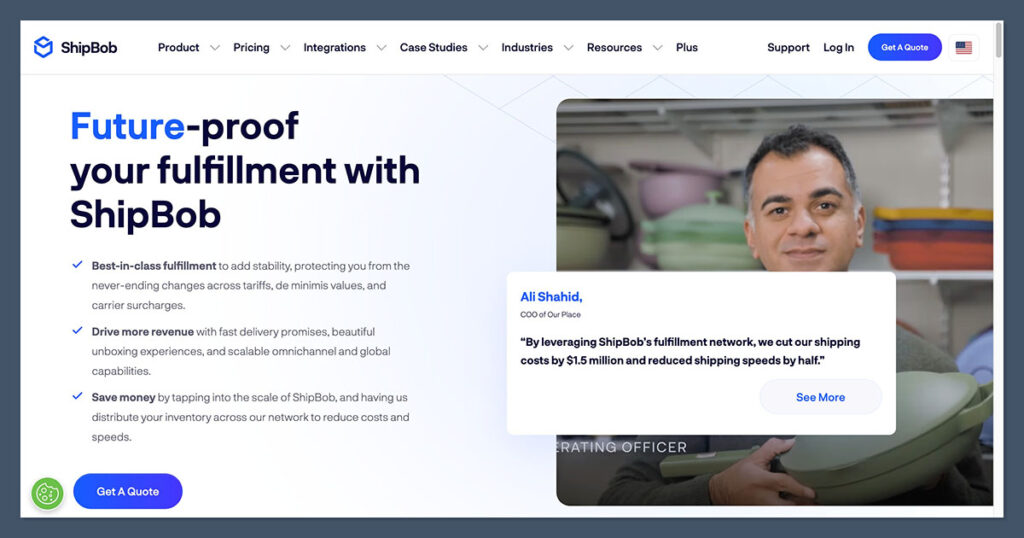
If you plan to sell across multiple platforms—like your Shopify store, Amazon, Walmart, and Etsy—ShipBob is the better choice.
ShipBob Supports:
- Shopify
- WooCommerce
- BigCommerce
- Amazon
- Walmart
- Etsy
- eBay
- Custom platforms via API
You can manage all channels in one dashboard, distribute inventory across warehouses for 2-day shipping, and track performance in real time.
Another big plus is that ShipBob offers a seamless tech stack with integrations for inventory forecasting, order tracking, and ERP systems.
If you’re using tools like Skubana, NetSuite, or Cin7, you’ll appreciate how easy ShipBob makes it to sync your logistics across platforms. This level of backend alignment isn’t something you get out of the box with Amazon FBA.
Amazon FBA Supports:
- Amazon (obviously)
- Multi-Channel Fulfillment (MCF) for Shopify, etc. (but expensive and slow)
While Amazon technically allows non-Amazon orders through MCF, it’s not cheap, and shipping isn’t Prime-fast. Also, you can’t use custom branding.
Winner:
ShipBob is purpose-built for multichannel DTC brands, while FBA works best for Amazon-only sales.
Best for Branding & Packaging: ShipBob
With FBA, your orders ship in generic Amazon-branded boxes. You can’t add inserts, coupons, or custom packaging.
ShipBob lets you:
- Use custom boxes, tape, tissue paper
- Include flyers, thank-you cards, discount codes
- Personalize packaging per product or SKU
- Deliver a branded unboxing experience
This makes a huge difference for customer retention and long-term brand value.
Even better, ShipBob offers kitting and assembly services. That means if you sell bundles, multi-packs, or custom kits, they can prep everything for you.
These details matter when you’re trying to create a high-end customer experience or compete in a saturated niche.
Winner:
ShipBob gives you full control over customer experience, which FBA simply doesn’t allow.

Best for Customer Support & Returns
Fulfillment by Amazon
Amazon handles:
- Returns and exchanges
- Customer service (emails, chats, calls)
- Refunds, including issuing partial refunds
This is great for automation—but it also means you’re giving up control over customer communication.
ShipBob
ShipBob offers:
- Optional returns management (charged separately)
- Direct integration with returns tools like Loop and Returnly
- Customer service is on you (or your support team)
- Dedicated account reps available for most users
ShipBob’s support is human and personalized, whereas Amazon support is process-heavy and reactive.
One of the things I’ve appreciated most with ShipBob is having a dedicated point of contact. When there’s a shipping delay or inventory miscount, I’m not stuck navigating a maze of bots—I talk to someone who knows my business.
That kind of relationship makes problem-solving quicker and way less stressful.
Winner:
FBA is more hands-off.
ShipBob is better if you want to own the customer experience.
Best for Setup & Ease of Use: Amazon FBA

You can start selling on Amazon using FBA in a few hours:
FBA Setup
- Sign up for a Seller Central account
- Choose your products and SKUs
- Send your inventory to an Amazon fulfillment center
- Turn on FBA settings
Amazon handles the rest.
ShipBob Setup
ShipBob takes a bit longer:
- Create an account
- Integrate with your ecommerce store
- Set up SKUs, dimensions, shipping zones
- Ship inventory to one or more warehouses
- Configure packaging preferences and returns
This can take a few days to get right, especially if you’re new to logistics.
ShipBob does offer onboarding support, including dedicated implementation specialists for high-volume brands. While it’s not as plug-and-play as FBA, the trade-off is that you get a system tailored to your needs rather than a one-size-fits-all setup.
Winner:
FBA is faster to get started, especially if you’re only selling on Amazon.
Best for Scaling and Flexibility: ShipBob
Amazon FBA Scaling Issues:
- Inventory storage limits apply (especially during Q4)
- Long-term storage fees punish slower-moving inventory
- No custom packaging
- Multichannel fulfillment is awkward and expensive
ShipBob Scaling Benefits:
- No seasonal storage spikes
- No inventory caps
- You choose where inventory lives (closer to customers = faster delivery)
- Supports fast-growing multichannel DTC brands
I’ve personally found FBA to be a great launchpad but a bottleneck once you’re ready to build your own customer base.
ShipBob also supports international fulfillment with locations in the US, Canada, the UK, EU, and Australia. As your brand expands globally, you won’t need to manage separate 3PLs per region—ShipBob handles it under one roof.
That’s a major advantage when scaling across borders.
Winner:
ShipBob gives more flexibility as your business grows.
Real-World Case Studies
- A Shopify-based skincare brand saw a 13% higher AOV after switching to ShipBob for custom unboxing experience (Source: Shopify)
- An Amazon-first seller hit storage limits during Q4 2023, losing $10k in sales due to delayed restocking (Source: Helium10)
- Brands that use ShipBob’s distributed inventory model ship to 99% of US in 2 days (Source: ShipBob internal data)
- Amazon FBA sellers report an average 45% gross revenue loss to Amazon fees (Source: JungleScout 2024)
While both providers have delivered strong results for the right business model, choosing the wrong one can be costly.
Sellers who tried to use Amazon FBA for non-Amazon sales often found themselves paying premium MCF rates with slower delivery times and unhappy customers.
On the flip side, brands that moved to ShipBob too early—before validating demand—sometimes struggled to justify the flat-rate costs. The takeaway? Match your logistics solution to your current stage and long-term goals.
Final Recommendation
Choosing between ShipBob and Amazon FBA isn’t about which service is “better”—it’s about what your business actually needs.
If you’re selling a few SKUs through Amazon and prioritizing speed and convenience, FBA makes sense. But if you’re building a brand, expanding into multiple sales channels, or care about long-term margins, ShipBob is a more strategic fit.
| Business Type | Best Option |
|---|---|
| Amazon-only seller | Fulfillment by Amazon (FBA) |
| Shopify/WooCommerce seller | ShipBob |
| Multichannel (Amazon + DTC) | ShipBob |
| Brand-focused business | ShipBob |
| Launching fast with no team | FBA |
My Advice
If you’re all-in on Amazon and don’t care about branding, use FBA—it’s fast, cheap (upfront), and fully managed.
But if you’re building a real business with long-term customer relationships, ShipBob gives you the flexibility to scale on your terms.
Both platforms have strengths—just don’t try to force your business into the wrong system.


Comments 0 Responses