

After testing both platforms hands-on across real store setups, the quick answer is this:
BigCommerce is better for established businesses that need built-in features and multichannel scalability.
Ecwid is better for beginners who want to start fast, add ecommerce to an existing site, or keep things simple.
Both are solid in their own ways—but they serve different types of users. Below, I’ll unpack everything from pricing to support, based on direct experience using each platform.
BigCommerce vs Ecwid: Quick Comparison Table
| Feature | BigCommerce | Ecwid |
|---|---|---|
| Overall Rating | 4.1 / 5 | 4.0 / 5 |
| Starting Price | $29/month | Free plan available |
| Free Trial | 15 days | Yes – forever free plan |
| Best For | High-volume stores | Small shops & beginners |
| Multichannel | Yes (Amazon, eBay, FB, Insta) | Yes (FB, Insta, TikTok, more) |
| Templates | 100+ themes | Fewer design templates |
| Apps/Integrations | 1,200+ | 130+ |
| POS System | Integrates with third-party POS | Built-in POS available |
| Transaction Fees | 0% on all plans | 0% (except third-party gateways) |
Best for Pricing: Ecwid Wins for Affordability
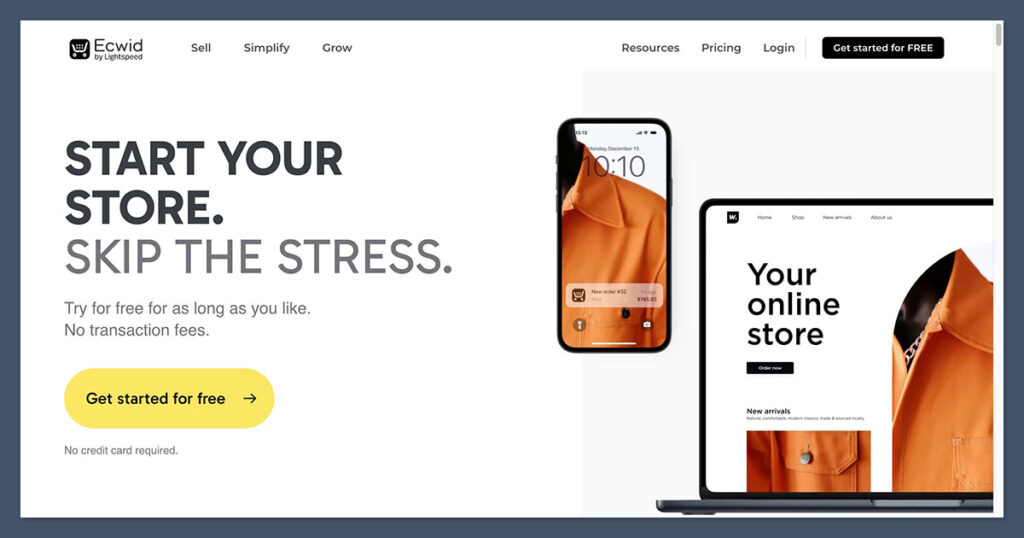
When it comes to price, Ecwid makes it easier to get started—especially if you’re just testing an idea or adding a store to an existing site like WordPress, Wix, or even a social media page.
It’s built for simplicity and scale, letting you grow your business without making a big upfront investment.
Unlike many ecommerce platforms, Ecwid offers a truly usable free plan. You can list up to five products, start selling right away, and upgrade only when you’re ready.
This flexibility is a big plus if you’re launching your first online store or just need a quick way to monetize traffic from an existing blog or website.
Ecwid Pricing Plans:
| Plan | Price | Key Features |
|---|---|---|
| Free | $0/month | Sell up to 5 products, online store only |
| Venture | $19/month | Up to 100 products, mobile POS, SEO tools |
| Business | $39/month | Up to 2,500 products, abandoned cart emails |
| Unlimited | $99/month | Unlimited products, branded mobile app, POS |
Ecwid’s pricing is simple and predictable. Each plan adds functionality as you scale, but even the Venture and Business plans offer features you’d typically only see at higher tiers elsewhere—like discount coupons, inventory tracking, and multichannel selling.
BigCommerce Pricing Plans:
| Plan | Price | Key Features |
|---|---|---|
| Standard | $29/month | Unlimited products, real-time shipping, coupons |
| Plus | $79/month | Customer groups, abandoned cart saver |
| Pro | $299/month | Google Reviews, advanced search filtering |
| Enterprise | Custom | Full customisation, high-volume support |
BigCommerce doesn’t offer a free plan, and its entry-level pricing starts at $29 per month. While it matches the market rate for serious ecommerce builders, that starting cost can be a hurdle if you’re running a side hustle or testing product-market fit.
Why Ecwid wins here:
- The free plan lets you start without pressure.
- Venture is a solid low-cost option with essential features.
- Ecwid scales well without jumping to $299 like BigCommerce’s Pro plan.
That said, there’s a tradeoff.
BigCommerce includes more features upfront—like real-time shipping quotes, built-in product reviews, unlimited staff accounts, and 0% transaction fees on all plans. So while it’s more expensive from the get-go, you might get better value over time if you’re planning to build a larger or more complex store.
In short:
- Ecwid is ideal if you’re price-sensitive or testing the waters.
- BigCommerce is better if you want a full suite of features included from day one.
Verdict: Ecwid wins on price for beginners. BigCommerce offers better value long-term.
Best for Selling Online: BigCommerce Takes the Lead

If your business revolves around ecommerce, BigCommerce gives you more tools out of the box.
It’s built for serious sellers—especially those with large product catalogs, multiple customer types, or plans to scale across different markets and channels.
BigCommerce doesn’t require you to install dozens of third-party apps to get core functionality. It’s all included in the platform—things like real-time shipping, product reviews, and coupon codes come standard on most plans, making setup much smoother.
BigCommerce Strengths:
- Unlimited products with no storage caps
- Built-in product reviews without needing an app
- Real-time shipping quotes from major carriers
- Abandoned cart saver (included on Plus plan and up)
- 0% transaction fees regardless of payment gateway
- Multiple storefronts from one dashboard
- Headless commerce support for total frontend freedom
You’ll also find flexible product management tools, bulk import/export, custom product rules, and complex variant options. These features are ideal for stores managing thousands of SKUs or unique sales logic, like wholesale pricing or bundled products.
Ecwid Strengths:
Ecwid, while lighter, is more about agility. It’s great if you need to add ecommerce to an existing non-commerce site or social profile. It works well as a plug-in or standalone option.
- Quick setup via plugin or hosted Instant Site
- Multichannel support – Sell on Facebook, Instagram, Amazon, eBay, TikTok
- Digital products and subscription support
- Built-in POS system with Square and other options (Unlimited plan)
- Abandoned cart recovery from Business plan and above
Ecwid covers the fundamentals well, and you don’t need to dive into deep settings to make it work. It’s designed for simplicity and speed—but that simplicity comes with limits when you’re managing complex inventory or high traffic volumes.
The Catch:
BigCommerce is packed with ecommerce-first tools like:
- Advanced inventory management with custom SKUs
- Product filtering for large catalogs
- Wholesale and B2B pricing levels
- International tax and multi-currency support
These are features that growing brands or established businesses rely on. With Ecwid, you’d need a combination of apps or custom development to reach the same functionality.
BigCommerce also supports multi-storefront selling, which lets you run separate branded experiences from one backend. This is useful if you sell in multiple regions, or manage both B2C and B2B sales under one roof.
Bottom line:
- BigCommerce is built for full-scale ecommerce from day one.
- Ecwid is best when you’re starting small or adding ecommerce to an existing online presence.
Verdict: BigCommerce is the better pick for full-scale online selling.
Best for Marketing: Ecwid Edges Ahead on Simplicity
Marketing is where Ecwid shines for newer sellers. It’s built to help you connect with your audience quickly, without having to configure ten different tools.
For small stores, that ease of use can mean the difference between launching campaigns in an afternoon—or putting it off for weeks.
While BigCommerce offers more customization and control, Ecwid is more approachable if you’re just starting out.
The platform bundles essential marketing tools right into the dashboard, so you’re not forced to search the app store or manage third-party plugins just to run ads or build email flows.
Ecwid Marketing Tools:
- Automated Google Shopping ads using Kliken integration
- Built-in email marketing with options for Mailchimp, Omnisend, Klaviyo, and others
- Social selling via Facebook and Instagram in just a few clicks
- TikTok integration to sell and promote products on trending short-form video
- SEO tools for custom meta titles, descriptions, and URLs per product
- On-site tracking and analytics, including Facebook Pixel and Google Analytics support
Ecwid makes it incredibly easy to connect your product catalog to popular marketplaces and ad networks. You can sync to Facebook Shop or run Instagram product tags without needing to write code or mess with custom feeds.
For email campaigns, everything’s centralized—abandoned cart recovery, discount emails, and follow-up sequences are either built-in or easy to plug in with a few clicks.
BigCommerce Marketing Tools:
- Social integrations with Facebook, Instagram, and Google Shopping
- Amazon and eBay product syncing
- Coupons, gift cards, and upselling features
- Abandoned cart emails (Plus plan and above)
- Full SEO control, including 301 redirects, meta fields, schema markup
- Built-in blog for content-driven marketing
BigCommerce gives you a lot more control—but that also means more to set up. You’ll often find yourself relying on apps to get the same “plug-and-play” experience Ecwid offers by default.
Want custom loyalty programs, advanced A/B testing, or CRM integrations? BigCommerce can handle it—but you’ll likely need an additional subscription or developer help.
Side-by-Side Comparison:
| Feature | Ecwid | BigCommerce |
|---|---|---|
| Social Selling | FB, IG, TikTok built-in | FB, IG, Google Shopping |
| Email Marketing | Easy plug-ins | Requires third-party tools |
| SEO Settings | Simple UI for basic SEO | Full technical SEO capabilities |
| Blog Capability | No built-in blog | Blog included |
| Marketplace Syncing | Amazon, eBay via apps | Amazon, eBay built-in |
| Ads Setup | Automated Google ads | Manual setup required |
The Catch:
BigCommerce gives you powerful tools—but often too many options for beginners. If you’re not experienced with ad platforms or integrations, it can feel overwhelming. You may need to research, test multiple apps, and budget for third-party tools.
Ecwid is more streamlined. You get a handful of quality marketing tools that work well right away. No bloat, no over-complication.
In summary:
- Ecwid is easier to market with, especially for one-person shops or small teams.
- BigCommerce is built for marketing teams and advanced users who want deeper control and broader reach.
Verdict: Ecwid makes marketing easier for small stores. BigCommerce suits advanced users who know what tools they need.
Best for Ease of Use: Ecwid Is Much More Straightforward
When it comes to usability, Ecwid is clearly the more beginner-friendly option. It’s built for people who want to get online and start selling with minimal friction.
BigCommerce, on the other hand, has the tools and flexibility for complex businesses—but that comes at the cost of a steeper learning curve.
BigCommerce: Powerful, but Demanding
BigCommerce’s backend is built for high-volume sellers. That’s great if you’re already running a brand or managing a team, but for solo founders or those without technical experience, it can feel like too much.
Even basic tasks like setting up tax rules or customizing checkout flows often require diving deep into the settings panel. The interface is feature-rich, but not particularly intuitive.
There’s a lot of toggling between menus, and it’s easy to get lost if you’re not familiar with ecommerce platforms.
Ecwid: Fast and Lightweight
Ecwid feels almost the opposite. It’s designed to get you selling as fast as possible.
You can launch an Instant Site in minutes or embed a store widget onto an existing WordPress, Wix, or Weebly site with just a few clicks. You don’t need a separate hosting plan, and there’s no theme to install or manage.
Once you sign up, a setup wizard guides you through uploading products, setting prices, choosing payment methods, and even launching on Facebook or Instagram.
The admin interface is clean, simple, and surprisingly powerful given how lightweight it feels.

My Experience:
Ecwid Pros:
- Clear onboarding flow that walks you through setup step by step
- Mobile app for iOS and Android to manage orders, edit products, and view reports on the go
- Platform integration with WordPress, Wix, Weebly, Joomla, Facebook, and more
- Instant Site for launching a standalone store with no developer required
- Simple dashboard with minimal clutter and direct access to key tools
BigCommerce Cons:
- Longer setup time, especially for new users
- Overwhelming dashboard with dozens of settings and advanced options
- Advanced tools hidden behind complex menus
- Requires more time to learn the platform’s full capabilities
Use Case Comparison:
| Feature | Ecwid | BigCommerce |
|---|---|---|
| Onboarding Process | Step-by-step wizard | Setup checklist, but less guided |
| Dashboard Complexity | Simple and clean | Advanced and crowded |
| Platform Setup Time | Under 30 minutes | 1–2 hours or more |
| Mobile Store Management | Native app for all plans | Available via third-party apps |
| CMS/Website Integration | Direct embeds and plugins | Requires standalone build or custom |
That said, if you’re familiar with ecommerce, BigCommerce rewards your experience. Once you know where everything is, you gain a lot more control over your store’s operations, especially if you’re working with multiple channels, currencies, or teams.
But for those who just want to get online and start selling with as little friction as possible, Ecwid is the faster and smoother choice.
Verdict: Ecwid is easier for solo founders and non-tech users.
Best for Templates and Design: BigCommerce Offers More Flexibility
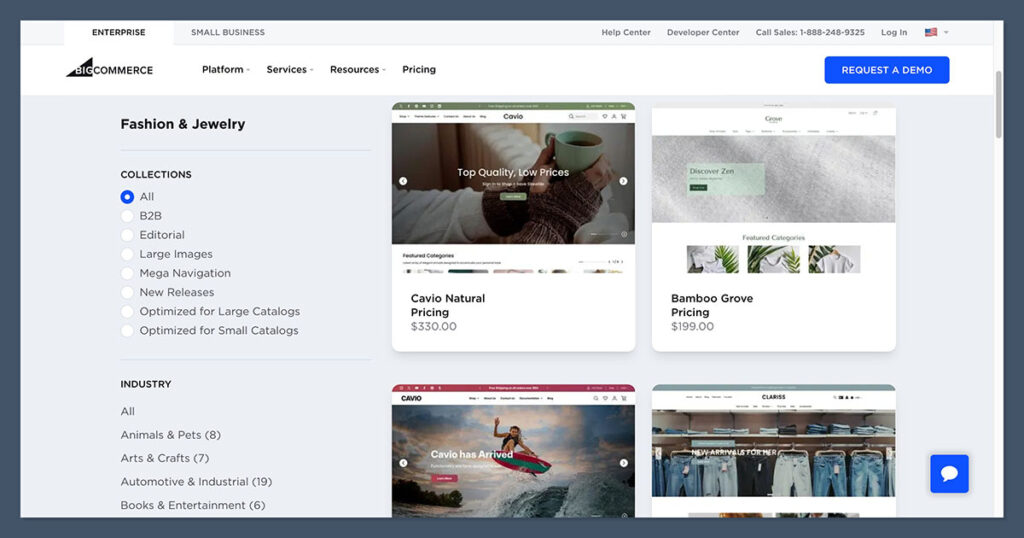
Design matters—especially when your store is your brand’s first impression. Whether you’re building credibility or setting the tone for your products, having control over the look and feel of your site is key.
BigCommerce gives you more flexibility and creative freedom out of the box.
You get a strong set of responsive templates, a theme editor that allows for customisation, and the ability to go deep with HTML/CSS if you have development experience. That flexibility helps your store stand out and better reflect your brand identity—especially as you scale.
BigCommerce Design Highlights:
- Section-based theme editor for stacking content blocks and elements
- Full access to HTML/CSS files for deeper design customisation
- All themes are mobile-optimised by default
- Over 100 themes available, both free and paid
- Themes organised by industry, like electronics, fashion, food, health, and more
Most of BigCommerce’s premium themes range from $150 to $300 one-time, while free themes cover the basics and work well for smaller stores.
Even the free options come with responsive layouts and essential ecommerce elements, like featured product blocks, navigation menus, and homepage banners.
The section-based editor is easy to get started with but does have its limits. If you want to fine-tune layout or spacing beyond what the builder allows, you’ll need to modify the code—which makes BigCommerce more appealing for teams with a developer or design background.
Ecwid’s Simpler Approach to Design
Ecwid takes a very different route. Rather than giving you a standalone site builder with deep visual controls, it focuses on blending in with whatever platform you’re using—like WordPress, Wix, Joomla, or Squarespace.
If you install Ecwid on an existing site, the storefront will match your current style and branding. That’s ideal if you already have a polished site and just want to add ecommerce without rebuilding everything.
If you’re starting from scratch, Ecwid’s Instant Site gives you a basic, mobile-friendly layout with simple branding options.
Ecwid’s Visual Tools:
- Instant Site offers pre-designed sections with a clean look
- Responsive design for mobile, tablet, and desktop
- Brand customisation with your logo, colours, and fonts
- Limited drag-and-drop functionality
- No theme marketplace or deep design customisation
You won’t find a variety of themes or granular control over layout. The goal with Ecwid is speed and simplicity, not creative flexibility. It’s designed for users who don’t want to think about design—but that also means fewer options to differentiate your storefront.
Side-by-Side Comparison:
| Feature | BigCommerce | Ecwid |
|---|---|---|
| Number of Themes | 100+ (free and paid) | Instant Site only |
| Theme Editor | Section-based, with HTML/CSS access | Limited – branding tools only |
| Mobile Responsiveness | All themes responsive | Instant Site is mobile-friendly |
| Drag-and-Drop Editing | Not available | Minimal |
| Integration with CMS | Requires separate BigCommerce build | Embeds into WordPress, Wix, etc. |
| Standalone Site Builder | Yes | Yes (basic Instant Site) |
Final Thoughts:
BigCommerce gives you much more flexibility to create a visually distinctive storefront, whether you want to work with a designer or customise it yourself. It supports a wide range of industries and business types with dedicated themes and layout options.
Ecwid, in contrast, keeps things very simple. If you’re using an existing site and just need ecommerce that blends in seamlessly, it does the job. But if you’re looking to build a unique store from scratch, it may feel limiting.
Verdict: BigCommerce wins for visual control and design variety.
Best for Customer Support: BigCommerce Goes Further
Customer support matters—especially when you’re stuck on launch day or scrambling to fix checkout issues. Whether it’s a broken product link, a payment gateway not syncing, or a cart recovery email that won’t send, fast help can make or break your momentum.
BigCommerce and Ecwid both offer support across multiple channels, but the depth and availability vary significantly based on your plan. If you want full support access from day one, BigCommerce comes out ahead.
BigCommerce Support Options:
- 24/7 live chat and phone support, even on the Standard plan
- Priority support available on the Enterprise plan
- Email support across all tiers
- Extensive Help Center with step-by-step guides, articles, and video tutorials
- Community forum with active discussions and peer help
From personal experience, BigCommerce’s support staff are well-trained and responsive. I tested their live chat and phone lines during both off-peak and busy hours and got help in under 5 minutes each time.
The platform’s documentation is also well-written and detailed—ideal if you prefer solving issues on your own.
Ecwid Support Options:
- Email support available on the Free and Venture plans
- Live chat unlocked at the Business plan ($39/month)
- Phone support offered only on the Unlimited plan ($99/month)
- Self-service knowledge base with setup articles, tutorials, and community Q&A
- Video walkthroughs for most features
While Ecwid’s knowledge base is helpful, you’re mostly on your own if you’re using a free or lower-tier plan.
Their support team is friendly and responsive when available, but the fact that live chat and phone support are locked behind higher plans can be frustrating for new users needing real-time help.
Comparison Table:
| Support Channel | BigCommerce | Ecwid |
|---|---|---|
| Live Chat | 24/7 on all plans | Available on Business plan ($39/mo) |
| Phone Support | 24/7 on all plans | Available on Unlimited plan ($99/mo) |
| Email Support | Yes (all plans) | Yes (Free and up) |
| Knowledge Base | Yes | Yes |
| Priority Support | Enterprise plan only | Not available |
| Forum or Community Help | Active forum available | Limited |
Key Takeaways:
- BigCommerce delivers full-scale support from the ground up, regardless of your budget.
- Ecwid limits direct support to higher-paying customers, which could slow you down when issues come up early in your journey.
That tradeoff makes a big difference. If you’re launching on a free or entry-level plan with Ecwid and run into an issue—say, with Stripe payments or Facebook Shop syncing—you’ll have to rely on documentation or wait for an email response.
With BigCommerce, you can jump on a call or chat right away, even on the lowest-tier plan. That peace of mind is worth a lot, especially when time-sensitive problems arise.
Verdict: BigCommerce offers stronger, faster support—especially at lower tiers.
How I Tested BigCommerce vs Ecwid
Before writing this comparison, I went hands-on with both BigCommerce and Ecwid by building real test stores. I wanted to understand how each platform performs in day-to-day use—not just how they look in a feature list.
I tested everything from setting up a storefront and uploading products to managing checkout flows, integrating marketing tools, and handling customer support tickets. I didn’t rely on demos or screenshots—I created actual working setups and ran through common scenarios an ecommerce owner would face.
This helped me get a clear sense of how the platforms behave under real conditions—especially when it comes to usability, feature access, and how smoothly the experience runs from a seller’s perspective.
Testing Breakdown
Here’s how I evaluated each platform, with a weighted scoring system to reflect what matters most to store owners:
- Sales Features (40%)
I looked at inventory management, product variants, shipping setup, discount rules, digital products, subscriptions, and built-in POS. I also tested abandoned cart tools, tax rules, and multichannel selling on platforms like Facebook and TikTok. - Ease of Use (15%)
I tracked the time it took to go from signup to a live storefront. I also evaluated how intuitive the dashboard was, how much guidance the platform provided, and how steep the learning curve felt across both basic and advanced tasks. - Marketing Tools (15%)
I reviewed the quality of native tools for email marketing, SEO, ad integration, and social selling. This included how easily I could connect third-party tools, run promotions, and track performance with built-in analytics. - Support (10%)
I tested response times for live chat and email, looked at the depth of the knowledge bases, and reviewed how accessible each channel was based on the pricing tier. I also submitted questions to both support teams to gauge the clarity and helpfulness of their answers. - Design Options (10%)
I assessed how flexible each platform was when it came to themes, layout customisation, mobile responsiveness, and branding. I also looked at whether users could control key design elements without needing to touch code. - Value for Money (5%)
I compared the features offered at each pricing tier and considered which platform gave you the most useful functionality per dollar—especially for early-stage businesses trying to keep costs down. - App Ecosystem (5%)
I explored the number and quality of third-party integrations in each platform’s app store. I focused on tools related to shipping, analytics, marketing, and workflow automation to see how easily each builder could be expanded.
Why This Matters
My goal wasn’t just to tally up feature lists. I wanted to see which platform feels right for real sellers—whether you’re building your first store or scaling your operation. It’s one thing to have the right features.
It’s another thing to make those features easy to use without hitting walls or needing extra help.
That’s why I treated this like I would for a client or a business I was launching myself. I took each platform for a real test drive, so I could give you a practical comparison—based on actual workflows, not just specs on a page.
Final Verdict: Choose Based on Your Store’s Stage
After putting both platforms through their paces, one thing became clear: BigCommerce and Ecwid aren’t direct competitors—they serve different needs and business stages.
The better choice depends entirely on where your store is right now, and what kind of growth you’re aiming for.
BigCommerce is powerful, scalable, and packed with features—but it assumes you’re ready to go all-in on ecommerce. Ecwid, by contrast, is fast, simple, and non-technical, perfect if you want to launch without much overhead or complexity.
Here’s the bottom line:
- Pick Ecwid if:
- You’re just getting started and want a free or low-cost way to sell online
- You already have a website (WordPress, Wix, Squarespace, etc.) and want to add ecommerce
- You want to get live quickly without learning a new platform
- You’re focused on ease of use and selling across social platforms
- Pick BigCommerce if:
- You’re building a standalone ecommerce store from scratch
- You need advanced tools like real-time shipping, product filtering, and customer groups
- You plan to scale quickly or sell across multiple storefronts and regions
- You have a team or technical support to manage a more complex backend
Both platforms can support successful online stores—but your experience will vary depending on your goals, resources, and comfort level with ecommerce tools.
Still unsure? Try both for free:
| Platform | Trial Option | What You Get |
|---|---|---|
| Ecwid | Free forever (up to 5 items) | Launch immediately, no card required |
| BigCommerce | 15-day free trial | Full feature access, great for test stores |
There’s no better way to decide than to get hands-on. Set up a few products, walk through the checkout, and see which dashboard feels more natural to you.
Both platforms are solid choices—but how well they work depends on how well they fit your current business model.



Comments 0 Responses