

Lightspeed Retail (formerly Vend) is a cloud-based POS system built to support growing retail stores — especially those juggling multiple locations and an ecommerce presence.
Whether you’re selling on Shopify, running a brick-and-mortar fashion boutique, or managing inventory across several stores, Lightspeed’s tools are built with modern retail in mind.
In this review, I’ll take a close look at Vend’s transition into Lightspeed, the pricing, standout features, integrations with ecommerce platforms, and whether it truly delivers value for growing businesses.
Why You Can Trust This Review
I’ve reviewed and tested dozens of POS systems across ecommerce platforms.
I’ve spent time using Vend (now Lightspeed Retail X-Series) firsthand, combed through industry research, and compared the platform to other top options like Shopify POS or Square. All pricing and features have been updated for August 2025.
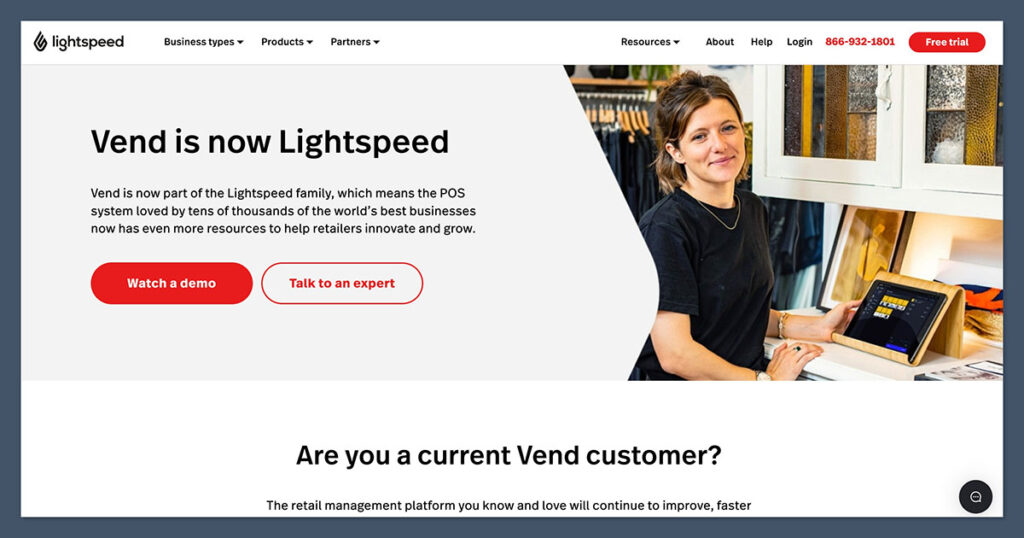
Vend POS was acquired by Lightspeed in 2021 and is now offered as Lightspeed Retail POS (X-Series). While the name has changed, the core functionality remains focused on helping retailers run smarter, connected stores.
Vend (Lightspeed) At a Glance
| Feature | Verdict |
|---|---|
| Best For | Retail businesses with multi-store operations |
| Not Suited For | Restaurants or service-based businesses |
| Pricing | From $109/month (billed annually) |
| Free Trial | Yes |
| Ecommerce Integrations | Shopify, BigCommerce, WooCommerce |
| Inventory Tools | Robust and multi-location capable |
| Customer Support | 24/7 live chat, onboarding help |
| Device Compatibility | iPad, Mac, PC, Android-compatible web access |
What I Like About Vend (Lightspeed)
✔️ Strong Inventory Tools: Built for retailers who need to manage thousands of SKUs across multiple stores.
✔️ Excellent Ecommerce Syncing: Integrates directly with Shopify and other ecommerce platforms for real-time inventory updates.
✔️ Offline Mode: Sales keep running even without internet, then sync when you’re back online.
✔️ User-Friendly Dashboard: Clean, intuitive interface — works well even for non-technical users.
✔️ Built-In CRM: Loyalty programs and customer tracking are included without needing extra software.
What I Don’t Like
❌ Not Ideal for Restaurants or Service Businesses: This is a retail-first platform — if you’re in food or services, consider Lightspeed Restaurant or Square.
❌ Some Features Locked Behind Higher Tiers: Features like advanced analytics and loyalty require the Advanced plan.
❌ No Built-in Ecommerce Site Builder: You’ll need a Shopify or BigCommerce account to sell online.
My Experience Setting Up Lightspeed Retail (Formerly Vend)
When I signed up for Lightspeed (Vend), I was guided through a streamlined onboarding process.
It asked for basic info like the type of retail business I was running and what products I’d be selling. No credit card was needed for the free trial.
After setup, I was taken straight to the dashboard. Here’s what stood out during the first setup:
Setup Checklist
- Add products (manually or via CSV)
- Customize tax settings
- Set up payment processors (e.g. Lightspeed Payments, Square)
- Connect ecommerce platform
- Configure loyalty and customer settings
I found the product management experience to be intuitive. Creating product variants (like color, size, style) was easy, and stock levels automatically updated when I ran test transactions.
Vend POS Pricing (2025)
Lightspeed Retail X-Series is priced for serious retailers.
While not cheap, it’s competitive with other advanced POS systems like Shopify POS Pro or Clover.
Lightspeed X-Series Plans
| Plan | Price (Annual) | Key Features |
|---|---|---|
| Lean | $109/month | Basic inventory, reporting, 1 register |
| Standard | $179/month | Ecommerce sync, gift cards, advanced reporting |
| Advanced | $289/month | Multi-store support, loyalty program, purchase orders |
| Enterprise | Custom | For high-volume businesses with dedicated support |
Free Trial: Yes – 14 days
Add-ons: Additional registers and hardware available separately
Ecommerce Integration Add-on: Included with Standard plan and up
If you need advanced inventory, loyalty, and multi-store features, you’ll need the Advanced or Enterprise tier.
The Lean plan is enough for smaller retailers just starting out, but most ecommerce businesses will likely need at least the
Standard plan to take advantage of omnichannel syncing and more detailed reporting.
If you’re scaling quickly, investing in the Advanced plan early on can save you time and system-switching headaches later.
Inventory and Product Management
One of the strongest areas of Lightspeed (formerly Vend) is its inventory control.
If you’re juggling inventory across a few store locations and syncing it to Shopify or WooCommerce, this system handles it with ease.
Inventory Features
- Bulk product import/export
- Variant management (size, color, style)
- Composite products (e.g. bundles or kits)
- Stock transfers between locations
- Reorder alerts and low stock notifications
- Supplier management and purchase orders
For ecommerce stores, the inventory sync ensures you’re not overselling online what’s already sold in-store. This is a big time-saver and reduces refunds or manual updates.
One standout feature I appreciated was the ability to assign different reorder points for different locations.
For example, my warehouse location needed a different threshold than a pop-up shop.
Lightspeed lets you configure this with precision, which adds a layer of control that’s valuable for scaling operations.
Ecommerce Integrations
Lightspeed Retail doesn’t offer its own ecommerce storefront — but it integrates directly with major platforms.
| Platform | Supported? | Sync Capabilities |
|---|---|---|
| Shopify | Yes | Products, inventory, customer data |
| BigCommerce | Yes | Products and inventory |
| WooCommerce | Yes | Product syncing |
What It Syncs:
- Product catalog (including variants)
- Inventory levels (bi-directional)
- Online orders appear in POS
- Unified customer records
If you’re already using Shopify, this integration is seamless. Lightspeed even allows omnichannel reporting, so you can see which products sell best online vs. in-store.
The integrations are straightforward to set up and manage, and they don’t require complex configuration or plugins.
Once connected, the system does the heavy lifting — I didn’t have to worry about reconciling product data manually or building workarounds to get the POS and ecommerce platforms talking to each other.
Sales Reporting and Analytics
Lightspeed’s analytics tools offer everything you’d expect from a serious POS system — and more.

Reporting Highlights
- Sales by product, category, or time period
- Gross margin and profit reporting
- Sell-through rates
- Inventory turnover
- Sales by location or staff member
- Custom reports (Advanced plan)
You can also set up scheduled reports to be emailed to managers or staff. I found this especially useful for multi-location setups where you want oversight without checking in daily.
For ecommerce, having access to sell-through rates and profit per product is critical, and Lightspeed makes it easy to visualize those metrics.
The ability to drill down into location-specific performance also helped me identify where to focus promotional efforts and which SKUs were underperforming at specific stores.
Customer Management and Loyalty
Unlike some POS systems that require third-party apps for loyalty and customer tracking, Lightspeed Retail includes built-in CRM features.
Included CRM Tools:
- Customer profiles with purchase history
- Notes, tags, and custom fields
- Email capture at checkout
- Built-in loyalty program (Advanced plan)
You can reward customers with points-per-dollar spent and set up automated offers or discounts.
It’s not as robust as a full email marketing suite, but it’s solid for in-store and online loyalty.
One thing I liked is how seamlessly the loyalty program links online and offline shopping.
Customers could earn and redeem points regardless of where they shopped, which helped increase repeat visits. It also made customer segmentation easier, since I could see total spend and frequency across all channels in one place.
Payments and Hardware
Lightspeed Retail supports multiple payment processors and a range of retail hardware.
Supported Payment Providers:
| Payment Processor | Supported? |
|---|---|
| Lightspeed Payments | Yes |
| Square | Yes |
| PayPal Zettle | Yes |
| Worldpay | Yes |
| Tyro (AU) | Yes |
If you use Lightspeed Payments, you benefit from seamless reconciliation and no third-party transaction fees. Otherwise, you’ll pay fees based on your selected processor.
Supported Hardware:
- iPads and tablets
- Receipt printers
- Barcode scanners
- Cash drawers
- Label printers
Hardware can be purchased directly from Lightspeed or sourced elsewhere — the system is flexible and browser-based, so it works across platforms.
The POS interface was optimized for touchscreen, and I didn’t experience any lag or issues on iPad.
Whether you’re using an in-store setup or a mobile station at an event, Lightspeed’s hardware compatibility offers flexibility without locking you into proprietary devices.
Multichannel Selling and Offline Mode
Lightspeed POS supports multichannel sales — across physical stores, ecommerce platforms, and social selling tools like Instagram and Facebook.
- All channels sync to the same inventory database
- Sell in-store even if the internet goes down
- Mobile app available for on-the-go sales
Lightspeed also supports gift cards, layaways, custom sales, and split payments across payment types — features that growing retailers often rely on.
If you’re running pop-ups, attending trade shows, or selling in areas with inconsistent internet, the offline mode really shines.
It queues transactions locally and syncs them once you’re back online, so there’s no downtime or missed revenue due to poor connectivity.
Support and Customer Service
Support is where Lightspeed has improved significantly in recent years.
Support Channels:
- 24/7 live chat
- Help center with guides and tutorials
- Onboarding and training available (for paid plans)
- Dedicated account manager (Enterprise)
When I contacted support via live chat, I got a response within minutes. The help documentation is well organized and covers everything from setting up registers to managing ecommerce integrations.
For more complex issues, Lightspeed’s team was knowledgeable and didn’t push generic scripts.
I appreciated being able to escalate issues quickly and have a dedicated onboarding specialist during my first setup phase — it made the transition from my old POS system much smoother.
How Vend (Lightspeed) Compares
If you’re evaluating Vend against other top POS platforms, here’s a quick snapshot:
| POS Platform | Best For | Starting Price | Built-in Ecommerce? |
|---|---|---|---|
| Lightspeed Retail | Growing retailers with ecommerce | $109/mo | No (integrates with Shopify etc.) |
| Square POS | New or small retailers | Free | Yes (basic) |
| Shopify POS | Shopify store owners | $39/mo | Yes |
| Clover | Restaurants and retail | Varies (resellers) | No |
| Toast POS | Food service businesses | $0 (with contracts) | No |
Lightspeed isn’t the cheapest option, but it’s arguably the most scalable and inventory-focused for retail businesses with ecommerce operations.
If you’re deciding between Square and Lightspeed, the biggest difference comes down to scale and depth.
Square is easier to get started with, but Lightspeed is designed for retailers who need more than just a register — it’s a full operational backend that grows with you.
If you’re already on Shopify, Shopify POS is an obvious first choice. It’s tightly integrated into your Shopify store, offers a clean interface, and has solid inventory tools.
But its in-store features aren’t as robust as Lightspeed’s — especially for multi-store setups or retailers with more advanced inventory needs. You’ll also need the Pro version at $89/month per location to match many of Lightspeed’s core features.
Clover is a strong alternative for brick-and-mortar retailers, especially those in food service or hybrid business models.
It offers a sleek interface, customizable hardware, and solid in-store functionality. However, ecommerce support is limited and often requires third-party workarounds, making it less attractive for omnichannel retailers compared to Lightspeed.
Toast POS is built specifically for restaurants, cafes, and food service businesses — not retail. Its features cater to table management, tipping, and kitchen operations.
If you’re running a coffee shop or quick-service restaurant, Toast makes sense. But if you need retail-specific inventory management, ecommerce syncing, or multi-location controls, Lightspeed is far more suitable.
Final Thoughts: Is Vend POS (Lightspeed Retail) Right for You?
If you’re a growing ecommerce retailer who also sells in person — whether at a permanent storefront or pop-up locations — then Vend POS (Lightspeed Retail X-Series) is one of the most complete POS systems you can get.
It offers the right mix of inventory control, sales analytics, and omnichannel selling — without tying you down to a specific ecommerce platform.
Yes, it’s more expensive than Square or Shopify’s basic POS, but you’re getting retail-grade tools built to scale.
For ecommerce-only brands or businesses with tight budgets, it might feel like too much. But for serious retail operations that need structure, sync, and scalability — this system delivers.
If you’re planning to expand across locations or unify your online and offline channels, Lightspeed is a long-term investment that pays off through efficiency and visibility.
It’s not just about processing sales — it’s about running smarter operations.


Vend is a great solution for smaller stores that don’t have their products/pricing change often. For stores with 500+ products, you will have a really hard time keeping products up to date via spreadsheet imports. If you have spreadsheets lists that you update and import with changes, you wont be able to do this. You will need to sort the products you want to update, export them and get a product id for each product to re-import updates. It makes simple tasks such as updating pricing, stock levels or product names very time consuming. You will be left scratching your head as to why a simple task is so convoluted.
Thanks for sharing James!
Nice Review Rosie – if only it were true.
1. VEND claims to be able to print label sheets – but in reality – not so much. You’re stuck to using the Dymo 450 Turbo label printer – which uses expensive labels and has a nasty habit of jamming.
2. Four times since May 12th this year, VEND has had problems processing integrated payments with WorldPay, leaving merchants literally “holding the bag”. Seems that VEND’s software change assurance is lacking.
You are correct that VEND is often slow – since they run on AWS that means that they aren’t buying enough virtual server capacity from AWS. A easy problem to fix – but it does cost money.
As a merchant who uses the system everyday, I wouldn’t recommend it to anyone.
Thanks for Sharing your experience George!