

Best for Most Online Stores

Shopify
View Pricing Read Review →$29/month Basic, billed yearly
$39 billed monthly • 3 days free, then $1/month for 3 months
- Complete hosted store with 24 free themes
- Buy Button adds a cart to any website
- Shopify Payments and Shop Pay built in
- 16,000+ apps in the App Store
- 24/7 live chat support
Best for Developers

Snipcart
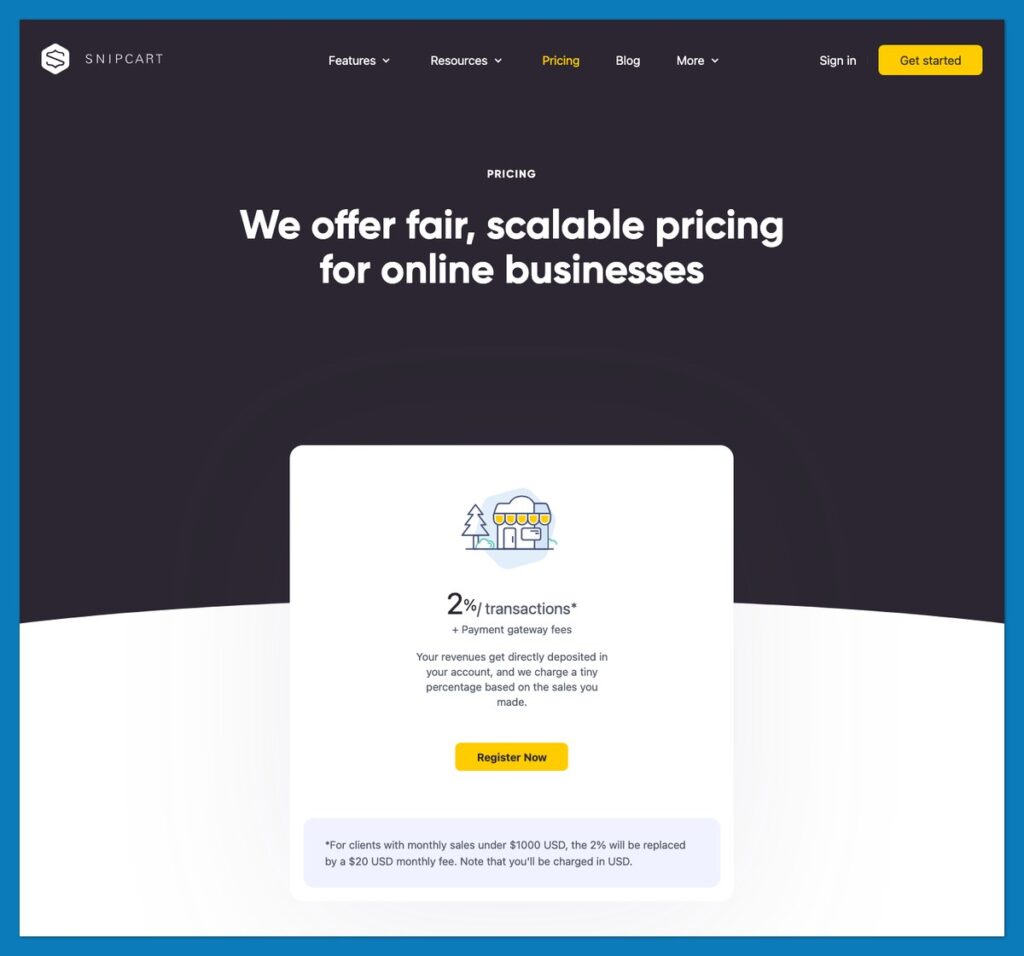
View Pricing Read Review →2% per transaction + payment gateway fees
$20/month flat when monthly sales are under $1,000 • free test mode
- Adds a cart to any website or static site
- Products defined with HTML attributes
- Stripe, PayPal, Square and more gateways
- Webhooks, REST API and JavaScript SDK
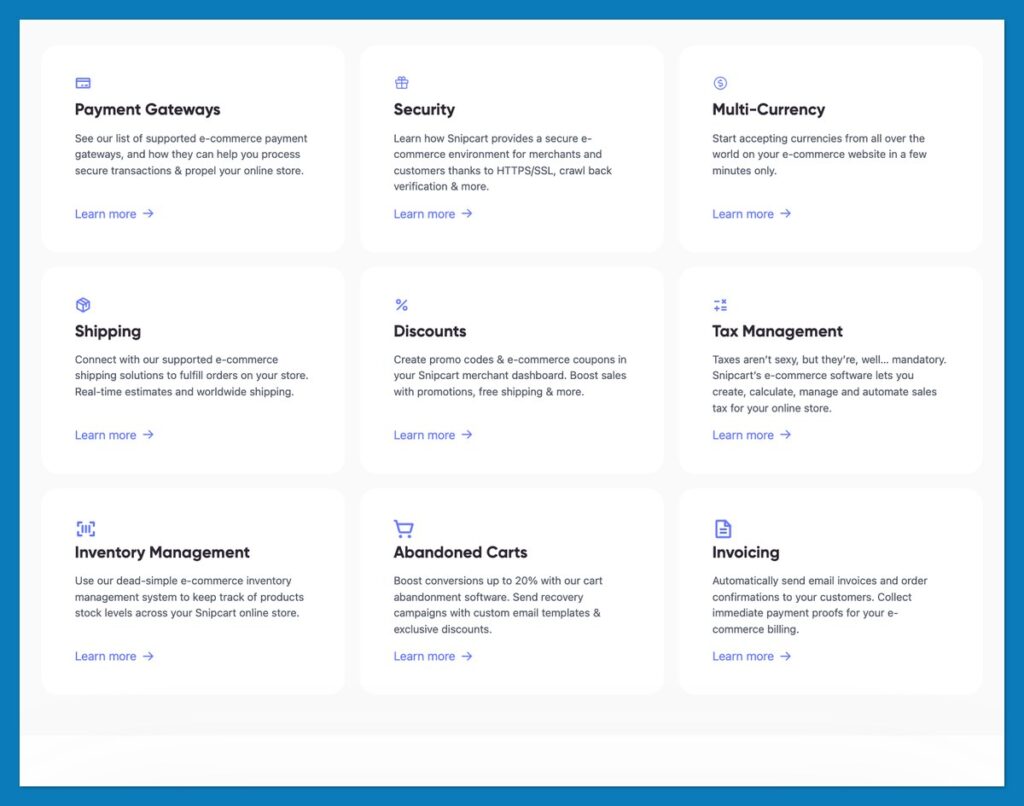
- Abandoned cart emails and discounts
Shopify is the better choice for most sellers, but it isn’t always the better fit for your website. After comparing Shopify vs Snipcart, I recommend Shopify for a complete hosted store without a developer, and Snipcart for adding checkout to a site you already run.
Snipcart is the cheaper, more flexible pick for developers, particularly below $1,450 in monthly sales versus yearly Basic with Shopify Payments. I’ve compared seven areas to help you choose: pricing, selling online, marketing, ease of use, templates, developer flexibility and support.
Updated November 26, 2026
This rewrite covers Snipcart’s $20 monthly minimum, in place since January 1, 2024, its v3.9 cart, MCP server and EU e-invoicing. It also covers Shopify’s $39/$105/$399 monthly plans, Buy Button and Storefront Web Components.
The $5 Starter plan is no longer on Shopify’s pricing page. Searching for Shopify Lite? That old $9 plan was replaced by Starter for new merchants in 2022.
Key Takeaways
- Snipcart is cheaper below $1,450 a month in sales: $20 monthly under $1,000, then 2%, versus Shopify Basic’s $29 billed yearly.
- Shopify costs less as you grow: at $10,000 monthly sales, Basic costs $4,548 yearly with card fees, versus Snipcart with Stripe at $6,600.
- Shopify is the complete store, including hosting, themes, POS, email marketing and 16,000+ apps.
- Snipcart is built for developers: installation needs JavaScript/CSS, HTML attributes and access to your site’s code.
- Shopify gives you 24/7 live chat, while Snipcart offers email and a support forum, without phone support.
A Quick Comparison of Shopify vs Snipcart
The key difference in Snipcart vs Shopify: Shopify supplies your store; Snipcart adds checkout to your existing site.
| Shopify | Snipcart | |
|---|---|---|
| Overall rating | 4.8/5 | 3.8/5 |
| What it is | Hosted ecommerce platform: store, hosting, checkout and admin • Buy Button and Storefront Web Components for other sites | Shopping cart and checkout you add to your own website • hosted merchant dashboard |
| Starting price | Basic: $29/month billed yearly • $39 billed monthly | 2% of monthly sales • $20/month flat when monthly sales are under $1,000 |
| Free trial or test mode | 3 days free, no credit card • then $1/month for 3 months | Test mode free forever, no credit card • unlimited test transactions |
| Transaction fees | No third-party transaction fee with Shopify Payments • other gateways: 2% Basic, 1% Grow, 0.6% Advanced, 0.2% Plus | 2% of total monthly sales at $1,000 or more; $20 flat below that • no gateway-choice surcharge |
| Online card rate (US) | Shopify Payments: Basic 2.9% + $0.30 • Grow 2.7% + $0.30 • Advanced 2.5% + $0.30 | Your gateway’s rate • Stripe: 2.9% + $0.30 |
| Payment gateways | Shopify Payments in 41 countries and regions • alternative providers available | 6: Stripe, PayPal, Braintree, Mollie, Square, Authorize.net • custom gateway API |
| Number of templates | 24 free themes plus 1,371 paid theme listings | No storefront themes • one default cart theme you restyle with CSS |
| Apps and integrations | 16,000+ apps in the App Store | No app store • REST API, webhooks and a Make.com app • no official Zapier app |
| Pros | • Hosting, checkout, POS and admin in one plan • Shopify Payments and Shop Pay built in • 16,000+ apps • Email, SMS and WhatsApp marketing built in • 24/7 live chat | • Works on any website or static site generator • Cheaper than yearly Basic under $1,450 monthly sales • Checkout stays on your domain • Free test mode with no time limit • API, webhooks and an MCP server |
| Cons | • $29/month on yearly Basic before your first sale, excluding promotions • 2% fee on Basic with a third-party gateway • Phone support only on Plus • Extras often mean paid apps | • Needs HTML access and technical skills • $20/month once live, even with no sales • No storefront themes, SEO tools or email campaigns • Subscriptions closed to new merchants • No phone support or published support hours |
What Kinds of Business Is Shopify or Snipcart Best For?
Choose based on who will maintain your website, not just the monthly fee.
Shopify Is Best for…
- Anyone starting from scratch who wants hosting, a theme, checkout and payments together.
- Growing stores selling more than $1,450 monthly, where yearly Basic with Shopify Payments beats Snipcart with Stripe.
- Brands selling in person, on marketplaces, on social and in AI chats from one admin.
Snipcart Is Best for…
- Developers adding a cart to existing sites, including Hugo, Gatsby, Next or Nuxt projects.
- Small or occasional sellers below $1,450 in monthly sales.
- Teams keeping control of their website design, with checkout on their own domain.
1. Best for Pricing: Snipcart
The Winner
Snipcart is cheaper for small and occasional sellers.
Snipcart charges $20 a month below $1,000 in monthly sales, then 2%. With matching standard US card rates, Shopify Basic becomes cheaper above $1,450 monthly sales on yearly billing.
For a handful of orders each month, Snipcart is the cheaper way to take payments. Its advantage is narrow, though, and flips as your sales grow.
How Much Do Shopify and Snipcart Cost?
Snipcart pricing starts at 2% of monthly sales plus gateway fees, replaced by a flat $20 monthly fee below $1,000 in sales. You pay that minimum even with no orders once live.
The floor rose from $10 for sales under $500 to $20 for sales under $1,000 on January 1, 2024. Billing is monthly in USD on your go-live anniversary; the terms also name a Custom plan without a published price.
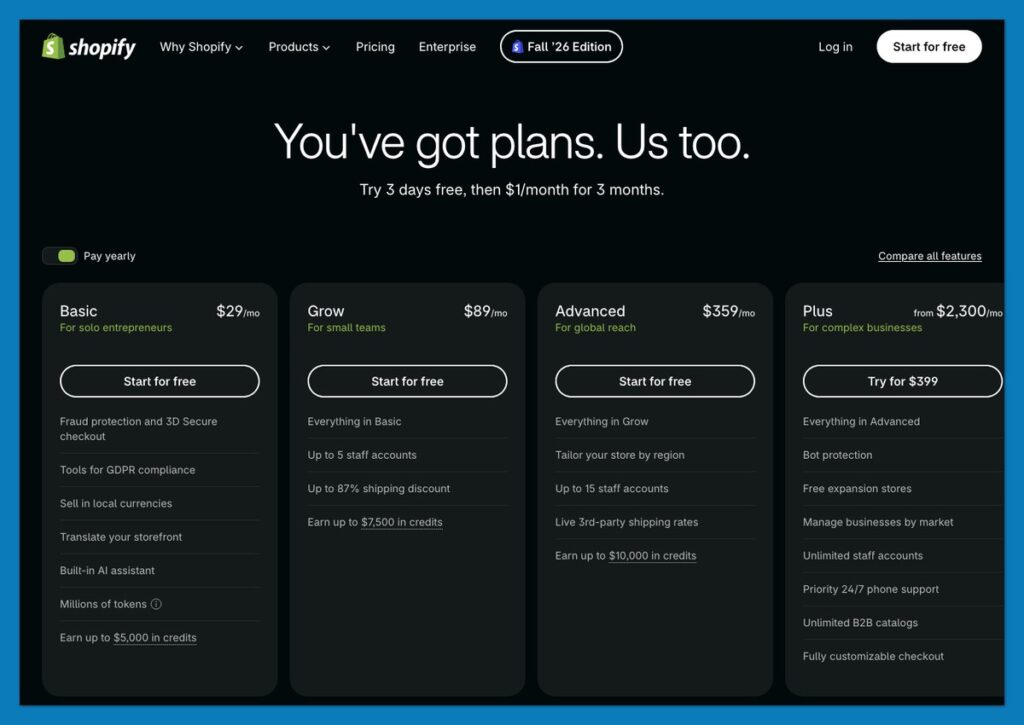
Shopify’s pricing plans cost $29 to $359 monthly billed yearly, or $39 to $399 billed monthly. Plus starts at $2,300 monthly on a three-year term.
| Plan | Price | Key features |
|---|---|---|
| Snipcart: Standard | 2% of monthly sales + gateway fees • $20/month flat under $1,000 in monthly sales | • Unlimited products, variants and discounts • 6 payment gateways plus a custom gateway API • Abandoned cart recovery • Multi-currency • Inventory management • TaxCloud and TaxJar integrations • Full APIs and webhooks |
| Shopify: Basic | $29/mo billed yearly • $39 monthly | • Hosted store, themes and checkout • Shopify Payments: 2.9% + $0.30 online • 2% fee with third-party gateways • 10 inventory locations • Email campaigns and abandoned checkout recovery • 24/7 live chat |
| Shopify: Grow | $89/mo billed yearly • $105 monthly | Everything in Basic, and: • 2.7% + $0.30 online • 1% third-party gateway fee • 5 staff accounts |
| Shopify: Advanced | $359/mo billed yearly • $399 monthly | Everything in Grow, and: • 2.5% + $0.30 online • 0.6% third-party gateway fee • 15 staff accounts • Third-party calculated shipping rates • Enhanced 24/7 live chat |
| Shopify: Plus | From $2,300/mo on a 3-year term • $2,500 on a 1-year term | • 2.25% + $0.30 online • 0.2% third-party gateway fee • Unlimited staff accounts • 25 headless storefronts • Priority 24/7 phone support |
The $5 Shopify Starter plan is no longer on Shopify’s pricing page. The cheapest Buy Button route is now Basic, at $29 monthly billed yearly.
What You’ll Really Pay Each Year
At $2,500 in monthly sales, yearly Basic saves $252 a year once platform fees and card processing are included.
Assumptions: $50 average order, standard US cards, Stripe and Shopify Payments Basic both at 2.9% + $0.30, evenly spread sales, and no hosting, domain, developer, app or theme costs. Shopify’s introductory offer is excluded.
| Yearly cost, $50 average order | $500 a month | $1,000 a month | $2,500 a month | $5,000 a month | $10,000 a month |
|---|---|---|---|---|---|
| Orders a year | 120 | 240 | 600 | 1,200 | 2,400 |
| Snipcart fee | $240 | $240 | $600 | $1,200 | $2,400 |
| Stripe card processing | $210 | $420 | $1,050 | $2,100 | $4,200 |
| Snipcart total | $450 | $660 | $1,650 | $3,300 | $6,600 |
| Shopify Basic plan (billed yearly) | $348 | $348 | $348 | $348 | $348 |
| Shopify Payments card processing | $210 | $420 | $1,050 | $2,100 | $4,200 |
| Shopify Basic total | $558 | $768 | $1,398 | $2,448 | $4,548 |
| Shopify Basic total, billed monthly | $678 | $888 | $1,518 | $2,568 | $4,668 |
| Cheaper option | Snipcart by $108 | Snipcart by $108 | Shopify by $252 | Shopify by $852 | Shopify by $2,052 |
- Break-even: $1,450 monthly sales. Matching card rates leave Snipcart’s 2% versus Basic’s $29 plan fee. With Basic billed monthly at $39, break-even becomes $1,950.
- The $20 floor applies even with no sales: a live Snipcart account still costs $240 yearly, versus Basic’s $348 on yearly billing.
- At $1,000 monthly sales or more, Snipcart with Stripe costs 4.9% + $0.30 per order. Basic charges 2.9% + $0.30 plus its plan fee, saving $2,052 yearly at $10,000 monthly sales.
- With your own gateway, Snipcart’s platform fee stays below Basic’s: Basic adds 2% to its subscription. Snipcart saves $228 yearly at $500 monthly sales and $348 from $1,000 upward. At $10,000, platform fees are $2,400 versus $2,748, excluding identical gateway charges.
- Snipcart’s fee doesn’t cover your website: budget separately for hosting, a domain and development. Shopify includes hosting and free theme options. On processing savings alone, yearly Grow beats yearly Basic only above $30,000 monthly sales; at $10,000, Grow costs $5,028 yearly.
Run your numbers with our Shopify pricing calculator and Stripe fee calculator.
I recommend Snipcart for less than $1,450 in monthly sales if you already have a website. Above that, Basic with Shopify Payments costs less under these assumptions.
Do Shopify and Snipcart Offer Free Trials?
- Snipcart’s test mode is free forever, without a credit card, including unlimited test transactions. It uses a built-in test payment method; real gateways connect in Live mode, which requires a valid credit card.
- Shopify offers 3 days free, then $1/month for 3 months on Basic, Grow and Advanced. The initial trial needs no credit card; Plus has no free trial. Read our Shopify free trial guide.
2. Best for Selling Online: Shopify
The Winner
Shopify gives you a complete store and more ways to sell.
Shopify combines checkout, Shop Pay, POS and marketplace syncing with inventory, tax and shipping tools. Its App Store adds 16,000+ apps. Snipcart covers cart essentials but has no POS, app store or subscriptions for new merchants.
Shopify offers the better sales features overall, especially if you sell beyond your website. Snipcart deserves credit for including digital products, carrier rates and EU e-invoicing without requiring a higher plan.
Checkout and Payments
Shopify’s default one-page checkout includes Shop Pay, with a three-page option available. Apps customizing its information, shipping and payment pages require Plus.
Shopify Payments operates in 41 countries and regions. Standard US online rates are:
- Basic: 2.9% + $0.30.
- Grow: 2.7% + $0.30.
- Advanced: 2.5% + $0.30.
International cards add 1%. Choose an alternative provider instead, and Shopify adds 2% on Basic, 1% on Grow, 0.6% on Advanced or 0.2% on Plus.
Snipcart’s checkout opens as an overlay on your own domain, without redirecting shoppers elsewhere. Its six supported gateways are:
- Stripe
- PayPal
- Braintree
- Mollie
- Square
- Authorize.net
Each account connects one primary gateway, with custom gateways available on top through an API. PayPal Express Checkout and deferred “bill me later” payments are also supported.
Funds go directly to your gateway account, and that gateway handles chargebacks. Our Shopify Payments vs Stripe comparison explains the processor trade-offs.
Sales Channels and POS
Shopify combines in-person and online selling in one admin:
- In-person selling: Shopify POS comes with every plan; POS Pro costs $89 monthly per location.
- Marketplaces and social: synced marketplace orders are free for the first 50 monthly, then cost 1%, capped at $99 monthly.
- AI chats: Shopify Catalog shares products with ChatGPT, Google AI Mode and Gemini, Microsoft Copilot and Meta. Since November 23, 2026, agentic checkout lets agents purchase for shoppers in ChatGPT, with orders reaching your Shopify admin.
Snipcart sells wherever you place its buy buttons, across unlimited domains and subdomains. It has no POS or marketplace channels of its own.
Products, Inventory, Taxes and Shipping
Snipcart includes unlimited products and variants, plus tools for managing orders:
- Digital products: upload files through the dashboard; download resets arrived in April 2026.
- Subscriptions: closed to new merchants. Despite the pricing-page listing, the Stripe-only v3 beta grants no new access. Shopify supports subscriptions through apps.
- Inventory: track stock per product or variant, with an option to allow out-of-stock purchases.
- Taxes: use country/state rates, tax-included pricing, a tax webhook, TaxCloud or TaxJar.
- Shipping: set methods by location, weight, order total or postal code. Carrier integrations cover USPS, UPS, Purolator, Canada Post and Australia Post. FedEx isn’t available to new users; ShipStation requires custom integration through the shipping webhook.
- EU compliance: additions include Factur-X/ZUGFeRD e-invoicing in July 2026, refund credit notes in August and a withdrawal request button in v3.9.0.
- Customer accounts: offer optional registration, order history and pre-filled checkout through Snipcart’s modal. Use the “Allow Guests only” setting if you don’t want customer accounts.
Shopify supports unlimited products and 10 inventory locations on Basic through Advanced, or 200 on Plus. Shopify Tax charges 0.35%, or 0.25% on Plus, after an introductory discount in self-managed tax mode.
Third-party calculated shipping rates cost extra on Grow and are included on Advanced and Plus.
App Market
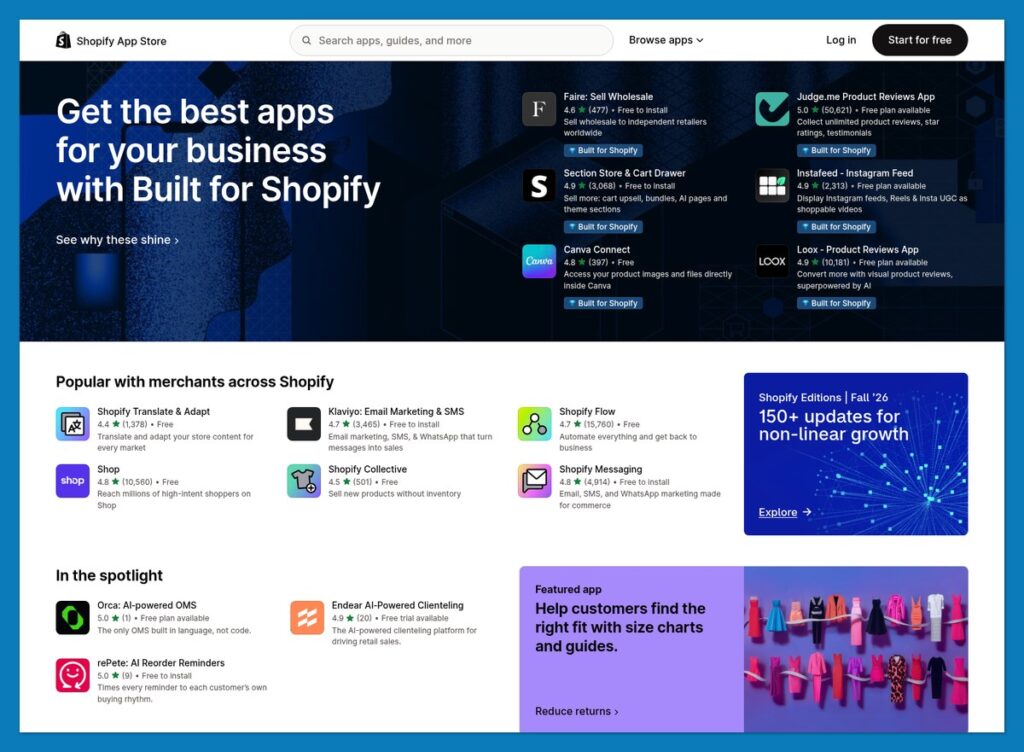
Shopify’s App Store lists 16,000+ apps, including options for reviews, subscriptions and loyalty. Many charge monthly fees, so budget for your shortlisted Shopify apps, not just the platform subscription.
Snipcart has no app store. Extensions use its REST API and webhooks, Make.com’s Snipcart app or third-party CMS plugins such as verbb’s Craft CMS integration. Zapier lists Snipcart as “Not Yet Supported.”
I recommend Shopify when you want multiple channels in one admin. Snipcart covers a website store well, but extending beyond that means code or another tool.
3. Best for Marketing Products: Shopify
The Winner
Shopify has the marketing tools built in.
Shopify Messaging handles email, SMS and WhatsApp campaigns, including 10,000 free emails monthly. You also get SEO settings, a blog and discounts. Snipcart handles discounts and recovery emails, but your website handles content and SEO.
I recommend Shopify for managing campaigns alongside your store. Snipcart makes more sense when your existing website already has its own marketing tools.
Marketing Tools
Shopify combines campaigns and checkout recovery in its admin:
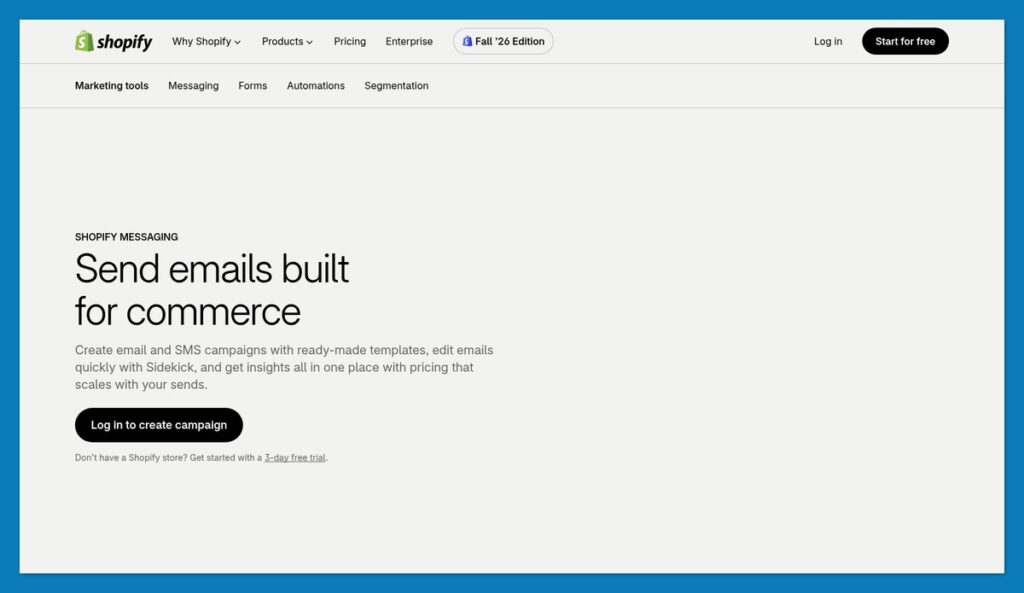
- Shopify Messaging, formerly Shopify Email: email, SMS and WhatsApp campaigns and automations. You get 10,000 free emails monthly, then pay $1 per 1,000 through 300,000, $0.65 per 1,000 after 300,000 and $0.55 after 750,000. Unused emails don’t roll over; SMS is pay-per-send.
- Recovery and promotions: abandoned checkout recovery, discount codes, gift cards and marketing automations come with every plan.
- Shop Campaigns: charges apply when a customer converts. Shopify Audiences requires Plus.
For example, two monthly campaigns to 8,000 subscribers total 16,000 emails, costing $6 a month after the free allowance. Budget by emails sent, not just subscriber count: each additional campaign uses more of that allowance.
Snipcart’s tools focus more narrowly on completing purchases:
- Abandoned cart recovery: use custom email templates and discounts to follow up with shoppers who leave checkout.
- Flexible discounts: fixed amounts, percentages, product/category offers and free shipping. Version 3.8.0 added a button for removing codes.
- No email campaigns: connect your own email service through webhooks or Make.com. Plan that integration separately from Snipcart’s built-in recovery emails.
SEO and Content
Shopify covers SEO basics in its admin, including a blog and editable page titles, meta descriptions and URL handles. Product and collection URLs retain the fixed /products/ and /collections/ prefixes. Our Is Shopify good for SEO? guide explains the trade-offs.
Snipcart has no SEO tools because it isn’t your website. Your CMS or code controls product pages, URLs, sitemaps and schema. That’s useful freedom for a developer, but additional responsibility if you’re expecting a store builder.
Snipcart does support GA4 in the cart for merchants with Google Analytics tracking enabled, a feature available since v3.4.0.
Selling Internationally
Shopify Markets comes with every plan, supporting storefront translations and local currencies across markets from one store. Shopify Payments operates in 41 countries and regions; our Shopify Markets guide covers the setup.
Snipcart stores separate currency prices in each product’s data-item-price attribute, and your gateway must support those currencies. Open-source locale files translate the cart; v3.8.0 expanded language support, but the dashboard remains English-only.
For cross-border selling without building your own site, Shopify is more complete. Choose Snipcart if you already have an SEO and email setup; skip it if you want those tools in one admin.
4. Easiest to Use: Shopify
The Winner
Shopify is the one you can set up without a developer.
Shopify puts hosting, a theme editor, payments and a setup guide in one admin, with Sidekick to handle tasks. Snipcart needs someone who can edit your site’s HTML and JavaScript before you take orders.
Shopify is far easier for non-developers. Snipcart’s own FAQ calls for “a minimum of HTML and CSS knowledge” and makes clear that you can’t build a new website with it.
Getting Started With Shopify
Shopify offers 3 days free without a credit card, followed by $1 monthly for three months. Everything happens in one admin, where you work through:
- Adding your products.
- Customizing your theme.
- Setting up payments.
Shopify Payments is built in, so you don’t need a separate processor account to connect when using it. That removes one of the separate setup jobs required by Snipcart.
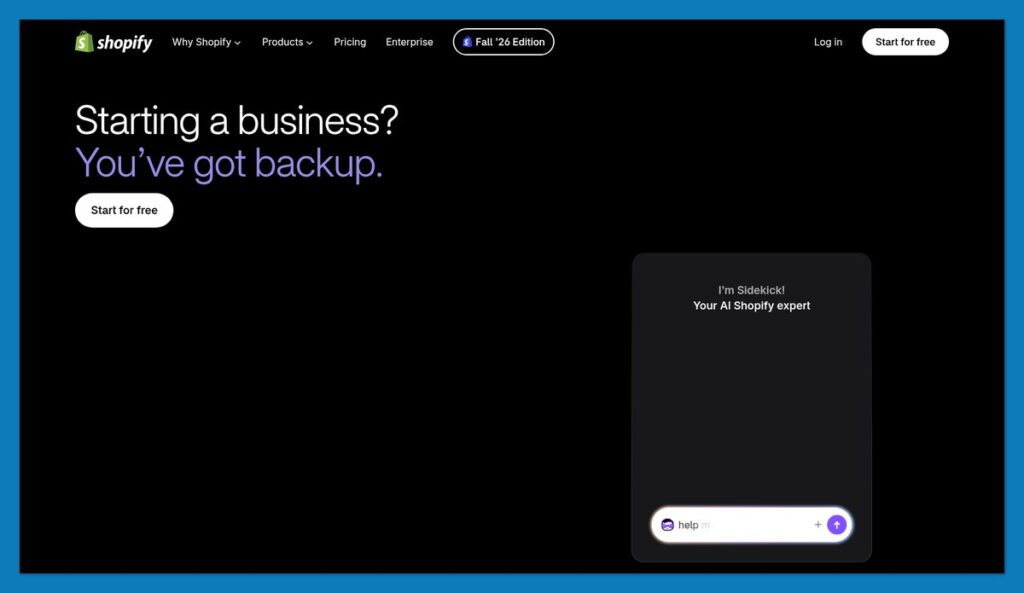
Sidekick is available on every plan. Canvas, introduced in the October 28, 2026 Fall ’26 Edition, lets you design your store by chatting. Our guide explains how to build a Shopify store with AI.
Shopify also rebuilt its store activity log on November 13, 2026. It records who changed products and orders, along with other store changes, and keeps that history for 18 months.
Getting Started With Snipcart
Your account starts in free test mode without a credit card. You or your developer then need to:
- Install the snippet. Add Snipcart’s JavaScript and CSS, with your public API key, to your website’s HTML.
- Create buy buttons. Add the
snipcart-add-itemclass and product ID, price and URL data attributes to your product links. - Make product data reachable. Before confirming an order, Snipcart’s crawler checks the product ID and price against your public page or a JSON endpoint you provide.
- Switch to Live mode. Connect your payment gateway, add a credit card and replace the test API key with your live key.
Your product content stays in your site’s code or CMS. Snipcart hosts the English-only merchant dashboard, where you manage orders and customers alongside inventory and other store settings.
I recommend reading our Snipcart review before committing if you’re unsure who will maintain that integration.
What’s the Next Step After Setup?
With Shopify, you add products and choose a theme in the same admin. With Snipcart, the cart and order dashboard are ready, but your website still needs its own hosting and maintenance.
Shopify keeps the work together; Snipcart splits it between your website and dashboard. For an agency maintaining an existing site, that separation can be useful. For a first-time seller without technical help, I recommend Shopify.
5. Best Online Store Templates: Shopify
The Winner
Shopify gives you a ready-made store design; Snipcart uses yours.
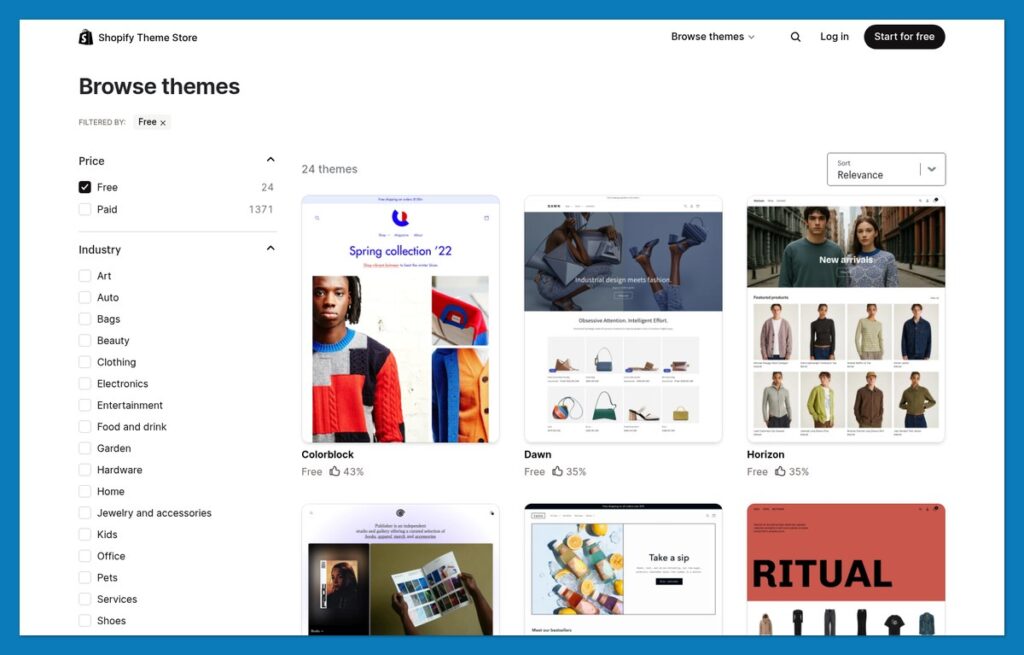
Shopify’s Theme Store has 24 free themes and 1,371 paid theme listings, with AI tools for editing designs. Snipcart has no storefront themes because its cart sits on top of your website.
If you don’t already have a website, Shopify’s themes are the faster route to a professional store. Snipcart doesn’t give you an equivalent starting point: choosing it means bringing or building the storefront first.
Shopify offers 24 free themes plus 1,371 paid listings, although each style of a theme counts separately. Paid themes are one-time purchases starting at $100, in addition to your subscription.
I recommend starting with our best free Shopify themes guide before paying for a design. Compare those options with the best Shopify themes for your store’s requirements, rather than assuming a paid theme is necessary. Canvas and Sidekick can also make theme changes from a prompt.
Before buying, preview these elements with your own product content:
- Product-page layouts and variant selectors.
- Navigation for your catalog.
- Cart presentation on mobile screens.
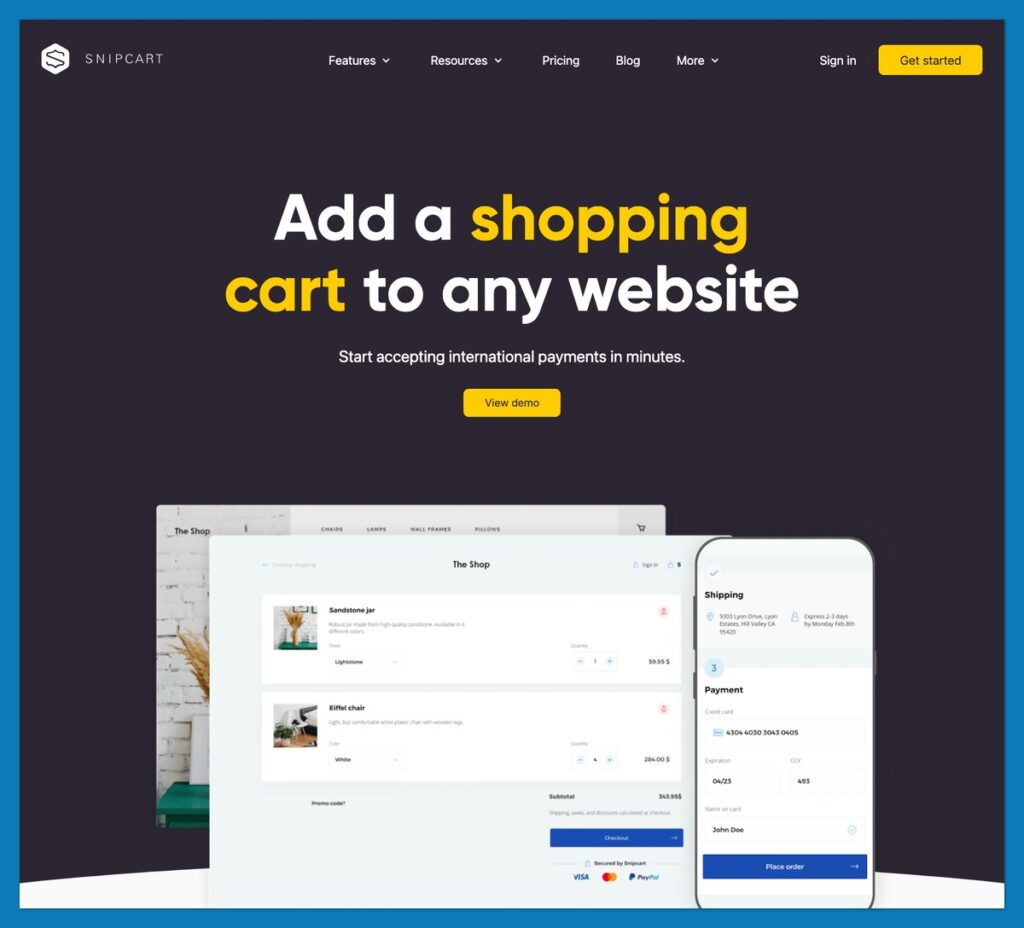
Snipcart has no storefront templates: your existing site supplies the design, while its cart opens over that site. The cart has one default theme, restyled using CSS custom properties, with template-component overrides available for deeper changes.
That distinction matters if you’ve already invested in a custom website. You can keep its design and adapt the cart rather than move your pages into a Shopify theme.
Snipcart’s community page also lists starter projects:
- Planty, built for Stackbit.
- Fur, CloudCannon’s Jekyll template.
- Headless Dropshipping Starter, using Next.js and Printful.
These are starting points for a development project, not a built-in theme library you manage through Snipcart. I recommend Shopify if you want the storefront design and its editing tools supplied together.
Top Tip
Start with Snipcart’s CSS custom properties for colors, fonts and spacing. Reserve template-component overrides for layout changes, reducing the custom code you need to review when Snipcart releases new versions.
6. Best for Developer Flexibility: Snipcart
The Winner
Snipcart fits into your existing stack with HTML attributes and a snippet.
Snipcart keeps checkout on your domain and provides APIs, webhooks, a JavaScript SDK and an MCP server. Shopify has strong headless tools too, but your catalog and checkout remain on Shopify.
If you want to add a shopping cart to any website you already run, Snipcart is the more flexible tool. Shopify supports existing-site integrations and headless ecommerce, but its admin remains the center of your commerce setup.
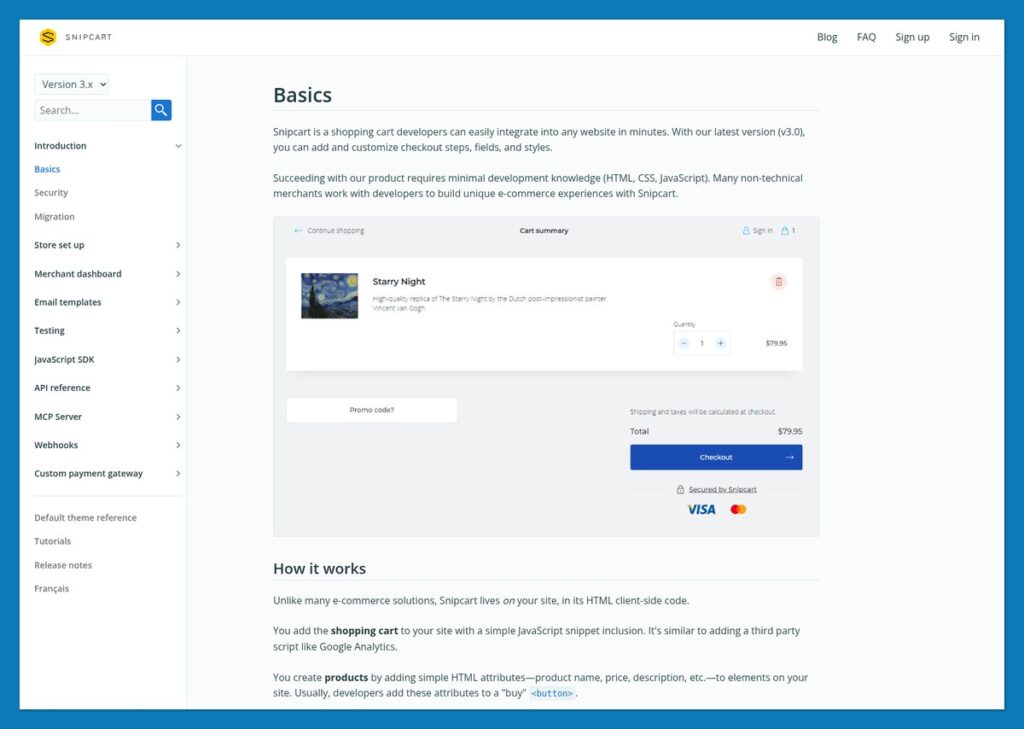
How Snipcart Works on Any Site
With Snipcart, products are HTML attributes, not records you must first recreate in Shopify’s catalog. Your website supplies the product information, and Snipcart adds the cart and checkout.
That works with static site generators such as Hugo and Gatsby, applications built with Next or Nuxt, and platforms such as WordPress or Laravel.
Checkout opens as an overlay on your domain. Unlimited domains and subdomains can share one account, which is useful when your existing web presence spans more than one site.
Its developer tools include:
- Validation you control: the crawler checks product IDs and prices against your pages, or a JSON endpoint when your products live in an application or API. TLS 1.3 crawler support arrived September 9, 2026.
- REST API, JavaScript SDK and webhooks: connect order events to your own systems or calculate shipping and taxes in code. Subscription events exist for existing beta users, not new merchants.
- Custom payment gateway API: integrate a provider outside the six supported gateways without moving your catalog elsewhere.
- Snipcart MCP Server: introduced March 30, 2026, its 38 tools cover store operations, including orders, products, refunds and abandoned carts. Supported clients include Claude Desktop and Claude Code, Cursor, Windsurf, OpenAI Codex CLI and GitHub Copilot. It doesn’t work in ChatGPT’s web interface or Claude.ai on the web.
Keep the product IDs and prices in your buy buttons consistent with the public HTML or JSON endpoint used for order validation.
I recommend Snipcart when retaining your current product markup and checkout presentation matters more than having Shopify’s wider merchant tools.
Shopify’s Options for Developers
Shopify offers several development routes, all using its back end. You don’t have to use a hosted Shopify theme to get its commerce features:
- Shopify Buy Button: included in every subscription plan, this channel embeds products, collections and a cart on a non-Shopify site. It requires a supported gateway and uses Shopify Checkout; cart permalinks are another option. For WordPress, see our Shopify WordPress plugin review.
- Storefront Web Components: HTML elements such as
<shopify-store>and<shopify-context>display commerce content on an existing website. You can style those components with CSS. - Storefront API and Hydrogen: create a custom front end using the API for products, search and carts, then hand off to Shopify Checkout. Hydrogen is Shopify’s React Router-based framework, with Oxygen hosting included on paid plans. Our Shopify headless commerce guide explains these options.
- Plan limits: Basic, Grow and Advanced allow one headless storefront; Plus allows 25. Apps customizing checkout’s information, shipping and payment pages also require Plus.
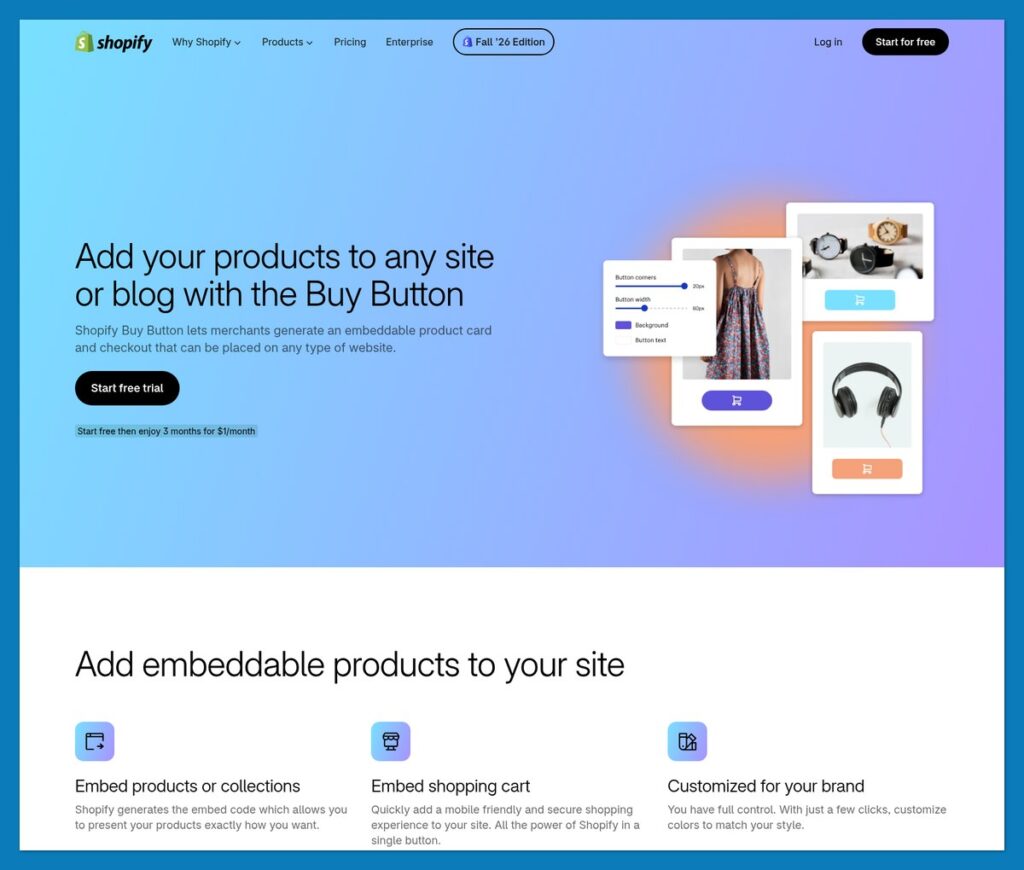
The Buy Button route starts at $29 monthly billed yearly on Basic, versus Snipcart’s $20 floor. Using an external site doesn’t remove Shopify’s third-party gateway fees.
Choose Shopify’s headless route when you want its admin, POS and checkout behind your custom front end. Choose Snipcart when your existing site should remain responsible for the catalog presentation and product markup.
For other approaches, compare our best headless ecommerce platforms.
7. Best for Business Support: Shopify
The Winner
Shopify has round-the-clock help; Snipcart relies on email and a quiet forum.
Shopify offers 24/7 live chat on every plan, enhanced chat on Advanced and phone support on Plus. Snipcart offers email and a support forum, without phone support or published support hours.
If checkout stops taking orders outside your working day, Shopify’s support is easier to reach at any hour. I recommend comparing the available channels before choosing a platform, particularly if you won’t have a developer on call.
Shopify Support
What I like:
- 24/7 live chat on Basic and Grow, with enhanced live chat on Advanced.
- Sidekick answers store questions and carries out tasks inside your admin.
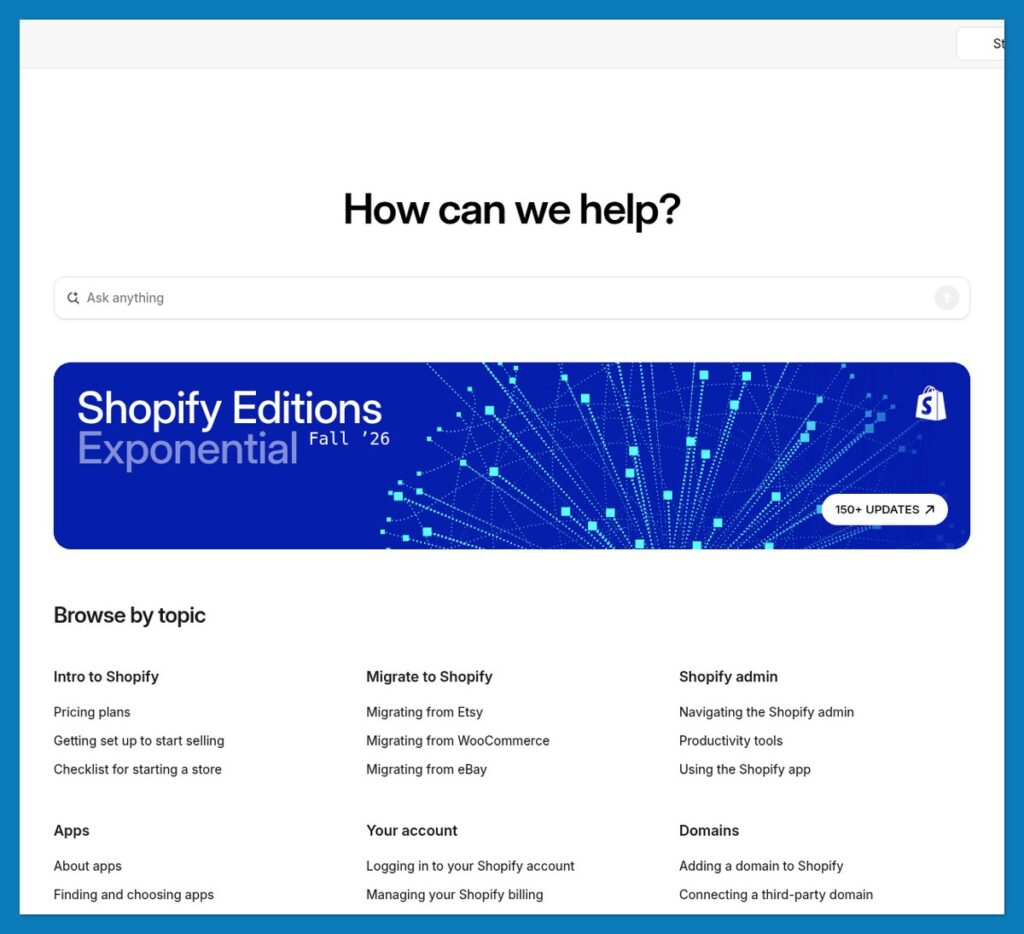
- A Help Center and Community Forum, backed by a large partner and app ecosystem.
What I don’t like:
- Phone support is only on Plus, starting at $2,300 monthly on a three-year term.
- Priority support is also reserved for Plus, so lower-priced plans don’t receive the same service level.
Snipcart Support
What I like:
- Email support for every account, with “responsive technical support” promised on the pricing page regardless of sales volume.
- Developer documentation, tutorials and dated release notes.
- Snipcart’s FAQ says you can message its developers from inside the dashboard.
- A public status page for checking service incidents.
What I don’t like:
- No phone support or published support hours, so there’s no stated round-the-clock contact option.
- A quiet support forum: its 12 most recent topics span February 26 to November 18, 2026, and most show no visible reply.
- The merchant dashboard is English-only, which may not suit everyone managing your store.
Snipcart, which website builder Duda acquired in 2021, has release notes through September 24, 2026, but its newest blog post is dated April 29, 2022, so use the docs and release notes for current product information.
Before contacting Snipcart support, prepare details that identify the affected part of your setup:
- The product URL and buy-button attributes for a validation issue.
- The payment gateway and affected order for a payment issue.
- The cart version and custom template overrides for a display issue.
If you need to contact someone at 2 a.m. without a developer available, I recommend Shopify. If your developer handles website issues and only needs occasional platform guidance, Snipcart’s documentation and email support can be enough.
How We Test Ecommerce Website Builders
We’ve reviewed and compared ecommerce platforms at ecommerce-platforms.com since 2012. For this comparison, we weighted seven areas by their importance to selling online:
- Selling Online: 25%
- We compare checkout, payments, channels, products, taxes, shipping and app stores.
- Pricing: 15%
- We compare plan fees, transaction fees and yearly costs, including card processing.
- Ease of Use: 15%
- We compare signup, setup and admin tools.
- Developer Flexibility: 15%
- We examine APIs, webhooks, headless options and existing-site integration.
- Marketing: 10%
- We compare email, discounts, SEO and international selling.
- Templates: 10%
- We compare libraries, free options, prices and design control.
- Support: 10%
- We check contact channels and when they’re available.
For this update, I compared both vendors’ public pages on November 26, 2026: pricing and plan comparisons, documentation, release notes, feature pages, help centers, and app and theme stores. I also captured screenshots of both platforms’ public pages.
Scores reflect the weighted criteria above, rather than simply counting round wins. Selling Online carries the largest weight because checkout and order-management features affect what you can sell and how you run the business. Shopify scored 4.8/5 overall and Snipcart 3.8/5, with Snipcart winning Pricing and Developer Flexibility.
Shopify vs Snipcart: Our Winner
For most people selling online, Shopify is the better choice. It won five of seven rounds because it provides the store and day-to-day selling tools together, rather than asking you to maintain a separate website.
Its strongest advantages are:
- A hosted store with Shop Pay, POS and AI-chat selling.
- Shopify Messaging with 10,000 free emails monthly.
- A choice of 24 free themes.
- Live chat available 24/7.
It also costs less above $1,450 in monthly sales with Shopify Payments and yearly Basic billing. Under our pricing assumptions, $10,000 in monthly sales produces a yearly bill of $4,548 versus Snipcart with Stripe at $6,600. Our full Shopify review covers the platform in more detail.
That said, Snipcart is the better pick in a few clear cases. Choose it if:
- You’re adding a cart to an existing or static site, whether that’s built with Hugo, Next or WordPress.
- You sell less than $1,450 monthly, where its $20 floor and 2% fee beat Basic’s $29 subscription before separate website costs.
- You want control of design and checkout presentation, with the cart running on your own domain.
- You want your own gateway without a gateway-choice surcharge, using one of six supported providers or a custom integration.
For an agency maintaining an established site, that control can outweigh Shopify’s broader feature list. For a non-technical owner starting from nothing, I recommend paying for Shopify’s more complete setup.
Other Snipcart alternatives include Foxy, which takes a developer-first approach, and Ecwid for adding a store to an existing website. See our Ecwid vs Shopify comparison, or explore the best WordPress ecommerce plugins if your site runs on WordPress.
While Shopify is my overall choice, try both before committing: Snipcart’s test mode is free forever without a credit card, and Shopify offers three days free, then $1 monthly for three months. Start with the option that matches who will maintain your website.


Comments 0 Responses