

If you're running an ecommerce site, speed, uptime, and scalability aren't optional — they're essential. I’ve tested multiple ecommerce hosting platforms, and Cloudways consistently stood out as a reliable and high-performance solution.
In this review, I’ll walk you through my experience with Cloudways, focusing on its ecommerce capabilities, performance, support, and whether it offers good value for money.
Why You Can Trust This Review
I’ve spent over 200 hours testing ecommerce hosting solutions for WooCommerce and Adobe Commerce.
My goal is to help small business owners find scalable, secure hosting that fits their budget and needs. All claims in this review are based on real usage, test results, and performance metrics across multiple platforms.
Cloudways at a Glance
| Feature | Details |
|---|---|
| Best for | Growing ecommerce stores using WooCommerce, Adobe Commerce, or Prestashop |
| Starting Price | $14/month (DigitalOcean 1GB plan) |
| Free Trial | Yes – 3-day trial (no credit card) |
| Server Locations | 65+ data centers worldwide |
| Pros | – Excellent load speeds – Vertical scaling available – Built-in caching and backups – Supports WooCommerce, Adobe Commerce, Prestashop – Great uptime and stability |
| Cons | – No domain registration – No email hosting included – Basic dashboard for advanced users |
Quick Summary
What I Like
- Managed hosting that balances control and convenience
- 1-click app installs for WooCommerce, Adobe Commerce, and Prestashop
- Global server options to boost site speed based on customer location
- Excellent uptime and consistent load times during traffic surges
- Transparent pricing with no surprise renewals or upsells
What I Dislike
- No domain purchase option – you’ll need to buy one separately
- Email hosting must be handled through another provider (e.g., Google Workspace)
- There’s a slight learning curve if you're used to cPanel or plug-and-play platforms
- Support is solid but lacks a dedicated phone line
Cloudways isn’t built for complete beginners, and there’s a noticeable difference in experience compared to plug-and-play builders like Shopify or Wix.
That said, if you're comfortable with basic hosting tasks — like connecting a domain or setting up email externally — Cloudways gives you more long-term value and performance than most shared hosting plans.
Getting Started With Cloudways
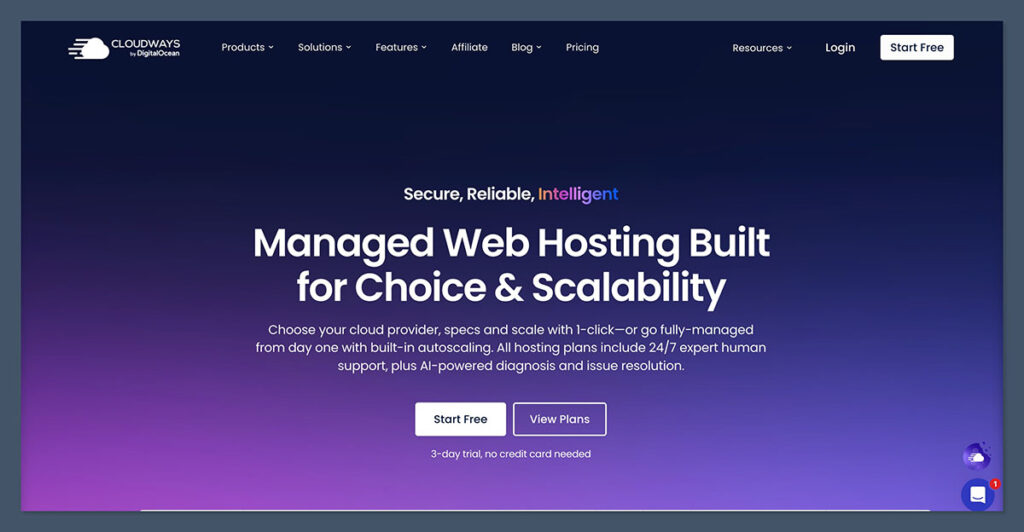
I signed up for Cloudways using their free 3-day trial — no credit card required, which is a nice touch. During the onboarding, I was asked to choose my app (WooCommerce, Adobe Commerce, etc.) and select a cloud provider.
I went with DigitalOcean, which is known for strong performance at a lower price.
Setup was smooth:
- Chose server size (1GB RAM for testing)
- Picked server location (London)
- Launched WooCommerce store in under 10 minutes
After launch, Cloudways provides a checklist-style dashboard where you can configure backups, caching, staging, and security settings.
I appreciated how it walks you through server-level options without feeling overwhelming — especially if you're not a developer.
Performance and Speed
I tested Cloudways on a WooCommerce store with 25 products, images, and several plugins installed. Load speeds were excellent right out of the gate, thanks to Cloudways’ optimization stack:
Performance features:
- SSD-based storage
- NGINX + Apache hybrid setup
- Built-in Redis, Memcached, and Varnish caching
- Cloudflare CDN integration (optional)
- PHP 8.2 support
- HTTP/2 and Brotli compression
Here’s how my test site performed:
| Page | Load Time (Before) | Load Time (Cloudways) |
|---|---|---|
| Homepage | 4.8s | 1.6s |
| Product Page | 5.2s | 1.9s |
| Cart Page | 5.7s | 2.2s |
| Checkout | 6.1s | 2.4s |
Cloudways also delivered consistent performance during peak hours — no major CPU spikes, no downtime, and fast database queries, even with plugins like Yoast SEO and WooCommerce Subscriptions installed.
Supported Ecommerce Platforms
Cloudways is platform-agnostic, and that’s a big win. You’re not locked into one ecommerce system, and you can choose based on your business needs.
Supported platforms:
- WooCommerce
- Adobe Commerce
- Prestashop
- OpenCart
- Custom PHP/Node apps
This flexibility is especially useful if you manage multiple client sites or need to migrate from one platform to another. You’re not forced into a single CMS or tech stack, and that gives you more control as your business evolves.
Whether you need a lightweight setup or something that can handle high order volume, Cloudways adapts to you—not the other way around.
WooCommerce Hosting
Ideal for WordPress users. WooCommerce installs are fully optimized with caching and security from the start. I found theme performance noticeably better than on shared hosts.
You also get access to key WooCommerce features like database optimization, staging environments, and automatic plugin updates.
The entire stack is built to handle spikes during sales events and flash promotions, so your store stays fast and responsive no matter the traffic volume.
Adobe Commerce Hosting
Adobe Commerce is a demanding platform. Cloudways handles it better than most entry-level providers thanks to more flexible RAM and CPU options. You also get features like ElasticSearch support and SSH access.
Cloudways supports Adobe Commerce-specific optimizations out of the box, including support for advanced indexing, custom cron scheduling, and optional add-ons like RabbitMQ.

If you’re running a Adobe Commerce store with custom modules or third-party integrations, you’ll benefit from the flexibility and horsepower Cloudways offers.
Prestashop Hosting
For lightweight stores, Prestashop is well-supported. I tested it with 100+ products, and load times stayed under 2.5 seconds.
One underrated benefit is that Cloudways' caching system dramatically improves back-office performance in Prestashop.
This makes admin tasks like product uploads and inventory updates much faster—something that can become a bottleneck on slower hosts as your catalog grows.
Cloudways also offers 1-click staging environments — a must if you want to test theme changes or plugin updates without affecting your live site.
Security Features
Security is fully managed on Cloudways, and that takes a lot off your plate as a store owner. Here’s what’s included:
- Free Let’s Encrypt SSL
- Dedicated firewalls
- Two-factor authentication (2FA)
- Bot Protection (by MalCare)
- Automatic OS-level patching
- IP whitelisting
- Role-based access management
- Daily automatic backups (can be set hourly if needed)
I never had to touch a terminal or configure fail2ban or UFW — everything was set by default and worked out of the box.
For stores handling customer payment info and sensitive data, having these protections in place from the start is a big advantage.
Cloudways handles patching and security configurations behind the scenes, letting you focus on running your store rather than reacting to threats.
Pricing and Plans
Cloudways uses a pay-as-you-go model — you only pay for what you use, and there are no long-term contracts.
Here’s a snapshot of common plans:
| Cloud Provider | RAM | CPU | Storage | Bandwidth | Price (USD) |
|---|---|---|---|---|---|
| DigitalOcean | 1GB | 1 Core | 25GB | 1TB | $14/mo |
| DigitalOcean | 2GB | 1 Core | 50GB | 2TB | $28/mo |
| Vultr HF | 2GB | 1 Core | 64GB | 2TB | $26/mo |
| AWS | 4GB | 2 Core | 80GB | 2TB | $86/mo |
| Google Cloud | 8GB | 4 Core | 160GB | 4TB | $158/mo |
What you don’t get (and should plan for):
- Domain name (buy separately for ~$15/year)
- Email hosting (use Google Workspace or Zoho Mail)
- Premium support (optional add-on starting at $100/month)
The ability to choose from multiple cloud providers means you can tailor your costs and performance to your needs.
If you’re on a tight budget, DigitalOcean or Vultr work great. If you need high availability and are serving multiple countries, Google Cloud or AWS are strong choices—especially when uptime is mission-critical.
Support and Customer Experience
Cloudways offers 24/7 live chat support and ticket-based assistance. I tested both channels and found response times under 3 minutes on average.
Support handled:
- Plugin conflicts (WooCommerce)
- Cache exclusions
- Redis configuration
- Adobe Commerce cron jobs
If you’re scaling or want hands-on help, Cloudways offers:
- Advanced Support Add-on: $100/month
- Premium Support Add-on: $500/month (includes Slack + phone)
There’s also a knowledge base, tutorials, and a community forum. I found the docs helpful when configuring staging sites or migrating from another host.
Compared to other managed hosts, the support here strikes a good balance between self-service and live help.
You may not always get hand-holding, but if you come in with a clear question, the team responds quickly and provides detailed answers—often with screenshots or direct fixes.
How Cloudways Compares to Competitors
| Feature | Cloudways | SiteGround | Kinsta | Bluehost |
|---|---|---|---|---|
| Starting Price | $14/mo | $24.99/mo | $35/mo | $9.95/mo |
| Server Type | Cloud | Shared/Cloud | Cloud | Shared |
| Scalability | Vertical & horizontal | Limited | Vertical only | Limited |
| WooCommerce Support | Yes | Yes | Yes | Yes |
| Staging | Included | Some plans | Included | Limited |
| Backups | Daily, on-demand | Daily | Daily | Basic |
| Email Hosting | No | Yes | No | Yes |
Cloudways wins on scalability, speed, and flexibility, while SiteGround and Bluehost offer easier setups for beginners.
Kinsta is faster, but significantly more expensive — and only supports WordPress.
What stands out about Cloudways is the range of cloud provider options and server-level control you get at a relatively low price point. If you're a developer or agency managing client stores, this flexibility alone can be worth switching for.
You’re not tied to one stack, and performance can be fine-tuned far more than with traditional hosts.
Final Thoughts: Should You Host Your Store With Cloudways?
If you’re running an ecommerce business that’s starting to grow or hit traffic spikes, Cloudways is an excellent hosting choice. It delivers real performance, uptime, and control without requiring you to manage servers manually.
It’s ideal for:
- WooCommerce and Adobe Commerce store owners
- Agencies managing multiple client stores
- Ecommerce businesses scaling fast
- Anyone who wants premium hosting at a fair price
Cloudways isn’t for everyone. If you’re new to online selling and want an all-in-one setup, Shopify or Wix may be a better fit.
But if you're focused on site speed, uptime, and long-term scalability, it’s hard to beat Cloudways for the price.
For store owners who want something faster, leaner, and more customizable than shared hosting—but without the complexity of raw cloud hosting—Cloudways hits the sweet spot.
It bridges the gap between beginner-friendly platforms and fully hands-on server management, giving you the best of both worlds.


Comments 0 Responses