

Quick Answer: If you’re building a serious multi-vendor marketplace and want full control, CS-Cart Multi-Vendor is a powerhouse—but you’ll need time, budget, and technical help to make the most of it.
After 10+ years in ecommerce—testing SaaS platforms, open-source carts, and hosted services—I can confidently say CS-Cart Multi-Vendor is one of the most complete solutions I’ve ever used for marketplace-style businesses.
This is not a Shopify clone or a plugin pretending to be a marketplace. It’s purpose-built software, and it shows.
In this review, I’ll take you through my full experience—from setting up vendors to testing shipping logic, and why this platform might be the right (or wrong) choice for your next project.
Pros and Cons
What I Like
- Fully equipped for multi-vendor commerce: This isn’t a workaround—it’s a native marketplace platform with everything from vendor-specific shipping to payout automation.
- Lifetime license option: One-time payment can be a game-changer for reducing long-term SaaS costs.
- Advanced commission and payout systems: Per vendor, per product, or category-based—take your pick.
- Built-in tools: Includes a mobile app, vendor rating system, and vendor plans without needing third-party apps.
What I Don’t Like
- High upfront cost: $1,450 for the lifetime standard license isn’t cheap.
- Interface feels dated: The backend is functional but clunky, especially compared to more modern tools.
- Steep learning curve: This isn’t plug-and-play. You’ll need to read the docs or hire a developer.
- Limited free design options: Only one or two decent free themes—others cost $100 to $300.
My Experience Using CS-Cart Multi-Vendor
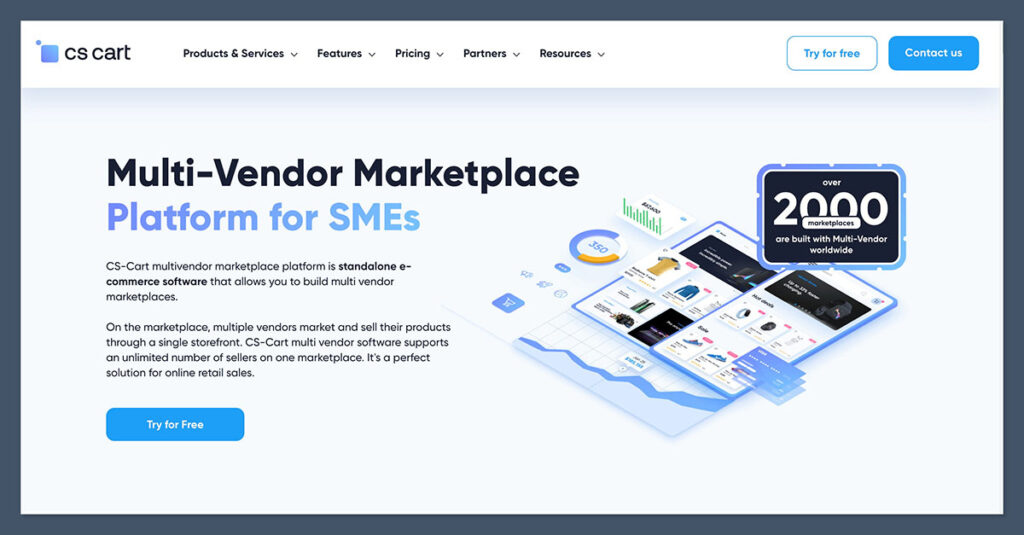
I ran CS-Cart Multi-Vendor on a staging site for six weeks while testing it for a digital goods marketplace.
The installation process was pretty standard for open-source platforms. You can either host it yourself or go with CS-Cart’s own managed cloud hosting. I used Cloudways for my test site.
The onboarding wizard was helpful but not as beginner-friendly as Shopify or Wix. It assumes you’re technically confident or have someone who is. That said, I was up and running in less than 90 minutes with sample vendors and products.
The dashboard is functional, with widgets for vendor applications, revenue, and order statuses. It’s not pretty, but it gets the job done.
I appreciated the ability to switch between the admin and vendor panels quickly. It let me see what my vendors would experience—something I always check during testing.
One thing to note: if you’re building a serious marketplace, you’ll want to spend time configuring taxes, shipping, payout schedules, and vendor permissions early on. Otherwise, your test data won’t reflect real-world complexity.
To give you a better idea, here’s how CS-Cart’s setup experience compares to others I’ve tested:
| Platform | Onboarding Time | Tech Skill Required | Visual Editor | Default Demo Content |
|---|---|---|---|---|
| CS-Cart Multi-Vendor | 90 mins | Moderate to high | Basic block-based | Yes |
| Shopify | 30 mins | Low | Section-based | Yes |
| Sharetribe Go | 15 mins | Very low | No visual editor | Yes |
| WooCommerce + Dokan | 2 hours | High | WordPress-based | No |
Once inside CS-Cart, I spent most of the first week adjusting marketplace rules:
- Defined commission levels by product category
- Created three sample vendor plans with different limits
- Set up Stripe Connect and tested payout scenarios
- Applied regional tax settings based on vendor location
- Enabled manual product approvals for all vendors
These features are built into the platform and don’t require add-ons, which I appreciated. But the trade-off is you need to understand how they interact before going live.
From a performance angle, the site loaded well under a decent server stack. I ran speed tests using GTmetrix and PageSpeed Insights—out of the box, it scored between 83 and 88 for desktop. For an open-source platform without heavy caching, that’s a solid baseline.
There’s also a mobile app for vendors (available with the Plus plan or higher), which I installed and tested on Android.
The experience was clean, letting vendors manage orders, products, and communication from their phones without much lag or confusion.
Overall, I came away impressed with the flexibility CS-Cart offers. But I wouldn’t recommend it for someone looking for a plug-and-play experience. This is professional-grade software—and it expects you to treat it that way.
Adding Vendors and Products
The vendor onboarding system is flexible, but not automatic like it is on something like Sharetribe Go.
- Vendors apply using a front-end form
- Admin reviews and approves vendors
- You can assign them to a vendor plan (free or paid)
- From there, vendors can log into their own dashboard
This workflow lets you stay in control of who’s allowed onto your marketplace. If you’re running a curated platform or working in a regulated niche, that control is important. You can enable auto-approval, but I preferred the manual approach during testing.
What stood out to me was the ability to customize the vendor experience through “Vendor Plans.” Each plan lets you define access levels based on price, permissions, and tools:
- Basic Plan: 10-product limit, no promotions, limited categories
- Pro Plan: Unlimited products, access to built-in SEO tools
- Premium Plan: Priority support, access to advanced reports
This is ideal if you’re building a tiered revenue model or want to upsell advanced features over time. You can even tie commission percentages to each plan, giving you another way to monetise vendors based on scale.
When it comes to adding products, vendors can do it themselves via a clean interface.
I tested adding both digital and physical goods, and the setup was smooth. Each product can have options, variants, and images, and vendors can also request product approvals if needed.
Here’s a quick look at what product management looks like for vendors:
| Feature | Availability |
|---|---|
| Product variants (size, color) | Yes |
| Digital product support | Yes |
| Stock tracking per variant | Yes |
| Mass product import/export | Yes |
| Admin product approval toggle | Yes |
The bulk product import/export works well, especially with CSVs. I uploaded 100+ SKUs in one go using their sample file format and didn’t run into any major errors.
It handled categories, stock, prices, and variant data cleanly. You can map columns during import, which makes the process smoother than I expected.
During testing, I impersonated a vendor and walked through the full process—from signup to storefront setup to publishing 10+ live products. It took me under an hour to build a functioning vendor store, which shows how mature the system is.
CS-Cart also gives each vendor their own storefront URL and branding options. Vendors can customize their logo, company profile, shipping zones, and contact info, making their area of the marketplace feel like a standalone shop.
If your goal is to offer a true multi-storefront experience for each vendor while keeping full backend control, this setup delivers it right out of the box.
Customizing Your Marketplace
Customization is where CS-Cart both shines and struggles.
The layout manager is flexible but not intuitive. It’s based on grids and blocks, which gives you full control—but it’s not a drag-and-drop system like Wix or Shopify.
You have to think in terms of rows and columns, assigning content blocks manually. It works, but it takes getting used to, especially if you’re coming from more visual builders.
I used the built-in “Bright” theme as a starting point, then installed a paid theme from ThemeForest. The difference was night and day.
The third-party themes made the front end feel more polished, but customization required editing .tpl files and working with Smarty (CS-Cart’s template engine). You’ll need some technical familiarity or a developer for deeper changes.
Here’s what you can tweak out of the box:
- Homepage layout and banners
- Category and product page structure
- Header/footer blocks
- Color schemes and typography
- Multi-language and multi-currency support
To keep things flexible, CS-Cart separates layout settings by device—so you can create different experiences for desktop and mobile users. That helped me make minor layout changes without affecting everything globally.
The Theme Editor tool lets you adjust colors, logos, and fonts visually. It’s basic, but useful for quick changes without diving into code.
I used it to align the color palette with the brand I was testing and update the site-wide typography in a couple of clicks.
Mobile responsiveness is decent, especially with premium themes. All front-end pages passed Google’s Mobile-Friendly Test during my audits. Still, some third-party themes required manual spacing tweaks to look clean on smaller screens.
Here’s how CS-Cart’s customization options stack up against a few common ecommerce platforms:
| Feature | CS-Cart Multi-Vendor | Shopify | Wix |
|---|---|---|---|
| Visual layout editor | Block-based | Section-based | Drag-and-drop |
| Custom code editing | Full access | Limited (unless Plus+) | Limited |
| Multi-language support | Built-in | Available via apps | Available |
| Free themes available | 1–2 | 13 | 900+ |
| Mobile layout control | Per-device layouts | Responsive only | Responsive only |
One feature I appreciated was the ability to create layout presets and assign them per page. For example, I created a minimal layout for landing pages with fewer blocks, while keeping my homepage loaded with promotional banners and featured vendors.
CS-Cart gives you the tools to build a fully branded marketplace, but it rewards users who understand front-end structure and are willing to roll up their sleeves.
If you want pixel-perfect layouts and don’t mind getting technical—or hiring someone who can—there’s a lot of room to create something unique.
Pricing Breakdown
CS-Cart Multi-Vendor offers two primary licensing models: a one-time lifetime license or a monthly SaaS subscription.
Here’s a breakdown of the core pricing options:
| Plan | Price | Type | Key Features |
|---|---|---|---|
| Standard | $1,450 | One-time | Unlimited vendors, single storefront, admin control |
| Plus | $2,250 | One-time | Mobile app, Stripe Connect, SEO improvements |
| Ultimate | $3,500+ | One-time | Multi-storefront support, advanced segmentation |
| Monthly SaaS | $125/month | Subscription | Managed hosting, updates, limited flexibility |
During my testing, I used the Standard license hosted on Cloudways. The one-time model worked well for me since I prefer full ownership over recurring billing, but the SaaS plan would be more appealing to users who don’t want to manage hosting or updates themselves.
What you’ll need to budget for beyond the license:
- Hosting: $25–$80/month (I recommend Cloudways or DigitalOcean)
- Premium themes: $100–$300 (ThemeForest or official CS-Cart store)
- Add-ons: Many are free, but advanced ones range from $50–$200
- Developer work: Custom features, design tweaks, or integrations typically cost $30–$100/hour
Another thing to keep in mind is the support cost. Beyond the 90-day support included with the Standard plan, you’ll need to purchase a support subscription if you want continued help from the CS-Cart team.
Is CS-Cart Multi-Vendor Good Value?
This depends entirely on what you need your platform to do. If you’re looking to spin up a basic store quickly, this is overkill. But if your business relies on multiple vendors and long-term scalability, it’s a smart investment.
Good value if:
- You want full control over your infrastructure and business model
- You’re planning to scale beyond 50 vendors
- You prefer a one-time license over monthly fees
- You have access to development support
Poor value if:

- You’re launching a simple MVP or short-term project
- You’re unfamiliar with server setup or self-hosting
- You need advanced marketing tools built in from day one
Long-term, the one-time license can pay off compared to platforms like Sharetribe Flex or Shopify + apps. But there is a learning curve—and to get the most out of it, you’ll need to commit the time or resources upfront.
Selling Features
CS-Cart is built to support real multi-vendor operations from day one. You won’t need to cobble together plugins to get things working.
Here are the standout tools I tested:
- Vendor-specific shipping: Each vendor can set their own rates, regions, and methods
- Automated vendor payouts: Integrated with Stripe Connect, PayPal for Marketplaces, or handled manually
- Product moderation system: Admins can approve or reject listings before they go live
- Cross-sell and upsell support: Vendors can tag related items across seller boundaries
- Order splitting: CS-Cart automatically splits customer orders between vendors and generates separate shipping labels
These tools worked well together in my test store. I enabled Stripe Connect, set commission rules per vendor plan, and watched funds get allocated to test vendors correctly during checkout.
There are also valuable extras:
- Vendor storefront URLs (example: yourdomain.com/vendor/store-name)
- Public vendor reviews and star ratings
- Vendor-exclusive promotions and coupon codes
- Built-in chat between admin and vendors
All of this comes out of the box without needing paid extensions, which is a big plus if you’re trying to avoid plugin bloat.
Payment Integrations
CS-Cart supports over 70 payment gateways, making it easy to adapt to different markets.
Native integrations include:
- PayPal Commerce Platform
- Stripe Connect
- Authorize.Net
- Square
- Braintree
During my trial, I tested Stripe Connect, which supports full marketplace logic: onboarding vendors, holding funds, calculating commissions, and automating payouts.
Setup was straightforward and took under 30 minutes with test credentials. I appreciated how CS-Cart provided clear guidance within the admin dashboard, with pre-built configuration fields and sandbox credentials for testing.
For sellers operating across multiple currencies or jurisdictions, CS-Cart also allows you to assign different payment processors to different storefronts or vendors.
This flexibility is ideal for international marketplaces where local gateways are a necessity rather than a nice-to-have. The admin panel makes it easy to activate or deactivate specific methods per vendor or region, ensuring compliance and customer convenience.
CS-Cart also gives you the ability to define minimum or maximum transaction limits and configure payment method availability based on order value, vendor category, or user group.
This kind of control is rare, and it gives marketplace owners the ability to fine-tune their checkout and payout logic.
Here’s how the payout models stack up:
| Model | How It Works |
|---|---|
| Manual | Admin triggers payouts manually, often offline |
| PayPal for Marketplaces | Payouts are triggered via PayPal, good for small vendors |
| Stripe Connect | Full automation, ideal for large marketplaces |
If you’re operating in a region without Stripe, CS-Cart offers alternatives, though they may require manual intervention or setup via third-party modules.
For example, in markets like India or Southeast Asia, local providers such as Razorpay or PayU can be added with available extensions or through custom integrations. It’s not out-of-the-box, but it’s possible.
SEO + Marketing Tools
I ran technical audits on my test marketplace using Ahrefs, Screaming Frog, and PageSpeed Insights. CS-Cart performed better than expected for an open-source cart.
SEO features include:
- Editable meta titles and descriptions per page, product, and category
- Automatic schema markup for products and reviews
- Clean, canonical-friendly URLs
- XML sitemap and robots.txt built-in
- Vendor-specific SEO settings
The platform also supports multilingual SEO, allowing you to define meta data and slugs per language, which is helpful if your marketplace targets international buyers.
Structured data was clean and well-organized, especially for product listings and vendor reviews. Out of the box, CS-Cart does a good job maintaining SEO best practices without needing plugins.
Marketing tools include:
- A basic blog module (good for content marketing or announcements)
- Built-in newsletter tool (functional but limited)
- Promotions engine for discount codes, bundles, and category-wide sales
- Facebook Pixel and Google Analytics integration
- Abandoned cart notifications (optional add-on)
There are also native customer segmentation tools that allow for targeted promotions based on user groups, purchase history, or behavior.
While not as advanced as full-scale CRM platforms, it gives you enough flexibility to run basic loyalty programs or flash sales for select customer groups.
That said, if email automation is a major part of your strategy, you’ll want to connect to a service like Mailchimp, Klaviyo, or ActiveCampaign using an integration.
CS-Cart’s native marketing features are good for small teams but don’t compete with standalone platforms. There’s no native workflow builder for complex sequences, so third-party email tools will be essential for scaling lifecycle campaigns.
Support & Security
I tested support via CS-Cart’s ticketing system. Over the course of six weeks, I submitted three tickets:
- One about configuring Stripe Connect
- One related to vendor storefront SEO URLs
- One performance question related to caching
Each time, I received a reply within 24 hours with clear, step-by-step advice. The tone was professional and technical—definitely not canned responses.
They provided direct links to documentation and, in one case, offered a SQL query to help troubleshoot vendor filtering in the backend.
Support includes:
- Ticket-based system (90 days free with Standard license)
- Large knowledge base with how-to guides
- Public forums and Facebook group
- Marketplace for vetted developers and partners
Security-wise, CS-Cart checks most boxes out of the gate:
- PCI-compliant architecture
- Free SSL support
- CSRF, XSS, and SQL injection protection
- Access logs and admin activity history
- Two-factor authentication (2FA) for admins and vendors
- Regular updates (every 3 to 4 months)
The system includes access control lists (ACLs), letting you define user roles and granular permissions for your team or vendors. This is especially useful if you’re working with multiple admins, customer service reps, or content moderators.
CS-Cart also has version rollback capabilities for certain changes, so if something breaks during customization, you can revert to a previous state with minimal disruption.
As always, if you self-host, you’ll want to harden the server yourself. But the software doesn’t ship with any major vulnerabilities out of the box.
CS-Cart vs the Competition
Choosing the right platform depends on your business model, team size, technical resources, and long-term goals. I’ve worked with most of the major players in the multi-vendor space, and each has its own strengths and blind spots.
Here’s a direct comparison to help you evaluate where CS-Cart stands.
| Platform | Best For | Pricing | Key Difference |
|---|---|---|---|
| CS-Cart Multi-Vendor | Full-featured marketplaces | $1,450+ one-time | Built-in tools, no plugins required |
| Sharetribe Go | MVPs and startups | $99/month | Very fast setup, limited customisation |
| Shopify + Marketplace App | Simple marketplaces | $39/month + app/plugin fees | Easier UI, plugin-reliant for multi-vendor |
| WooCommerce + Dokan | WordPress users | Free core + $149–$499/year Dokan | Customisable, but fragmented and dev-heavy |
CS-Cart vs Sharetribe Go
Sharetribe Go is great if you want to validate a marketplace idea without any tech setup. It’s cloud-hosted, supports user-generated listings, and has a clean frontend design. But it’s highly limited when it comes to payment flexibility, feature extensibility, and vendor control.
You can’t modify the backend logic without upgrading to Sharetribe Flex—which moves you into custom code territory. CS-Cart, on the other hand, gives you full backend access from day one and can scale well past MVP stage without a full rebuild.
CS-Cart vs Shopify + Marketplace Apps
Shopify doesn’t offer native multi-vendor functionality. To build a marketplace, you’ll need third-party apps like Multi Vendor Marketplace by Webkul or similar.
While these plugins can work, they feel like bolt-ons and often create patchwork experiences that are harder to scale or support. CS-Cart offers all the vendor logic—shipping, payouts, dashboards, commissions—natively, which leads to better performance and reliability as your marketplace grows.
CS-Cart vs WooCommerce + Dokan
WooCommerce with Dokan is powerful if you already know WordPress and want a high degree of flexibility. Dokan Pro adds multi-vendor logic, but like many WordPress plugin stacks, it can feel unstable when you start layering too many extensions together.
You’ll also need to stay on top of plugin conflicts, performance optimisations, and ongoing maintenance. CS-Cart consolidates all those features into one system, so there’s less risk of breakage and fewer moving parts to manage.
Why CS-Cart Stands Out
CS-Cart offers the most complete built-in toolkit of the group, especially for mid- to large-scale marketplaces that need vendor autonomy, multiple revenue models, and enterprise-grade control.
It lacks the onboarding simplicity of Sharetribe or Shopify, but it makes up for that in flexibility and long-term cost control. For teams that want to own their platform and build something sustainable, it delivers both value and capability.
Final Verdict: Should You Use CS-Cart Multi-Vendor?
If you’re serious about building a multi-vendor business and want control without ongoing SaaS costs, CS-Cart Multi-Vendor is a strong choice.
It’s not flashy, but it’s incredibly functional—and the features are built for real marketplace use.
You’ll be working with a platform that’s been around for over a decade, used in thousands of live marketplaces across every niche you can imagine—from fashion to food delivery to industrial B2B catalogs.
It’s software designed to grow with you, not hold you back or force you into third-party dependencies.
That said, it’s not a beginner’s platform. You’ll need time to learn the system or a developer to help you configure it properly. Expect to read documentation, tweak settings, and occasionally troubleshoot integrations.
If you want a plug-and-play experience, this probably isn’t the tool for you.
Best for:
- Niche marketplaces with specialised needs
- Local business directories or service platforms
- Vertical-specific platforms (fashion, food, wholesale, B2B)
- Founders or teams with technical expertise or dev resources
Not for:
- Basic stores or single-seller shops
- Non-technical founders who need instant results
- MVPs with no budget or short-term test projects
In a crowded market of SaaS builders and marketplace plugins, CS-Cart offers something unique: a robust, standalone platform that doesn’t require endless app stacking or recurring payments to unlock serious ecommerce power.
It’s ideal for long-term marketplace projects that need full control and built-in multi-vendor logic.
If you’re building a serious platform and want a system that grows with you—not one that holds you hostage to app fees and platform lock-ins—CS-Cart is worth every dollar.
Just make sure you’ve got the technical firepower to use it right. And once you get past the learning curve, it’s a tool that can scale as big as your ambitions.



Comments 0 Responses