

Shopify POS and Korona POS are two well-known retail point of sale systems, but which one’s the better fit for your business?
I’ve spent over 12 years helping ecommerce brands choose the best tools to scale into physical retail.
Whether you’re setting up your first in-person store or running multiple brick-and-mortar locations alongside your online store, picking the right POS is critical.
After evaluating both platforms in depth, Shopify POS stands out as the best choice for ecommerce-focused businesses thanks to its seamless integration with Shopify’s online store platform.
If you sell online first and retail second, Shopify POS is a natural fit—but if your business is built on inventory and retail complexity, Korona POS may be the better choice.
Best Overall

Shopify POS
View Pricing Read Review →POS Lite included with a paid Shopify plan
POS Pro: +$89/month per location, billed yearly
- Online and in-store inventory in one place
- Unified customer profiles across channels
- In-store pickup and omnichannel tools with Pro
Best for Retail

KORONA POS
View Pricing Visit Website →Core from $59/month per terminal
Advanced inventory and modules cost extra
- Advanced inventory and reorder automation
- Multi-store management and stock transfers
- Flexible hardware for complex retail setups
Quick Verdict: Shopify POS vs Korona POS
Shopify POS – Best overall, perfect for ecommerce brands scaling into retail
Korona POS – Best for high-volume retail and multi-location operations
In this review, I’ll walk you through exactly how Shopify POS and Korona POS compare on pricing, inventory features, ecommerce integrations, retail functionality, hardware, and more.
Each platform is strong in its own right—the best option depends on your store type, growth plans, and level of operational complexity.
Quick Comparison Table: Shopify POS vs Korona POS
Here’s a side-by-side look at both platforms:
| Category | Shopify POS | Korona POS |
|---|---|---|
| Best For | Ecommerce-first businesses | Inventory-heavy retail chains |
| Ecommerce Integration | Built-in (Shopify only) | 3rd-party integrations only |
| Inventory Tools | Moderate | Advanced |
| Omnichannel Features | Strong | Limited |
| POS Hardware | Shopify-branded kits | Hardware-agnostic |
| Offline Mode | Yes | Yes (robust) |
| Customer Profiles | Built-in CRM | Basic customer data |
| Loyalty & Promotions | Basic | Highly customizable |
| Ticketing Support | No | Yes |
| Setup Complexity | Low | Moderate |
| Pricing (Starting) | Free (POS Lite), $89/month (Pro) | $59/month per terminal |
| Best For Multilocation | Yes | Yes |
Best for Pricing: Korona POS
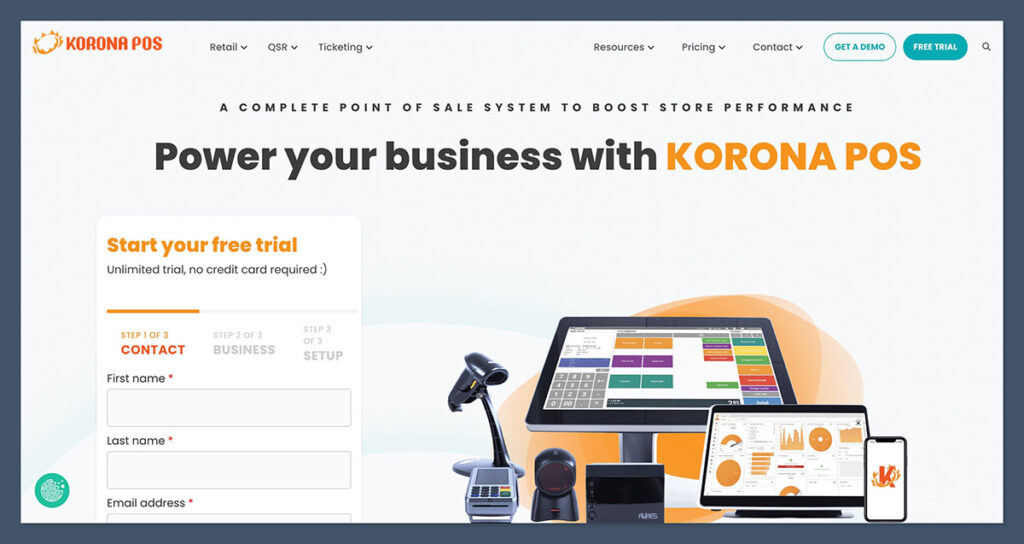
If you’re comparing pricing alone, Korona POS comes out slightly ahead—especially for larger operations.
Shopify POS Pricing
Shopify POS is available in two tiers, and you must already have a Shopify ecommerce plan to use it.
- POS Lite: Free with any Shopify plan
- POS Pro: $89/month per location
Shopify POS Pro is required for features like smart inventory, staff roles, and omnichannel checkout. That means if you’re running multiple locations, those fees can add up.
Shopify’s pricing is straightforward, but scaling with Pro across many locations can quickly increase your monthly costs.
Korona POS Pricing
Korona POS offers more granular pricing with modules for specific retail needs:
| Plan | Price | Features |
|---|---|---|
| Core | $59/month | Basic POS functionality |
| Retail | $69/month | Includes inventory, promotions, reports |
| Ticketing | $79/month | For events, attractions, museums |
| Enterprise | Custom | High-volume or multi-store setups |
No ecommerce features are included natively—you’ll need integrations via API or middleware.
Korona’s modular structure gives more control over what you pay for, which is helpful for businesses that only need certain features.
Verdict on Pricing
If you’re looking for the most value, especially as a physical-first retailer, Korona POS wins. For ecommerce-first businesses, Shopify’s costs may be higher—but you’re paying for tight online integration.
Best for Ecommerce Integration: Shopify POS
This category is a clear win for Shopify POS.
Shopify POS
Because Shopify POS is part of the Shopify ecosystem, all your inventory, orders, and customer data live in the same place—no syncing, no connectors, no hassle.
Benefits include:
- Real-time inventory sync between online and retail
- Buy online, pick up in-store (BOPIS)
- Ship-from-store and return-to-store functionality
- Unified customer profiles across all channels
- Marketing automation that connects online and in-store behavior
If your ecommerce site is already on Shopify, turning on POS is as simple as activating it in your dashboard.
This tight integration gives Shopify users a real omnichannel advantage with less setup and maintenance effort.

Korona POS
Korona does not offer built-in ecommerce. To sell online, you’ll need to connect it to:
- WooCommerce
- Magento
- Custom-built ecommerce platforms
These integrations work, but they require setup and may need developer support. Data syncing isn’t always real-time, which adds risk if you’re moving large volumes across channels.
For ecommerce to work well with Korona, you’ll need more technical know-how or a development partner to build and maintain connections.
Verdict
Shopify POS dominates when it comes to ecommerce integration. It’s built for ecommerce-led businesses and offers native features that make omnichannel selling easy and efficient.
Best for Inventory & Retail Features: Korona POS
If your business has deep inventory needs or complex physical operations, Korona POS is the more powerful system.
Korona POS Features
Korona is built for operational control. It’s ideal for liquor stores, franchises, convenience stores, and multi-location setups. Here’s what stands out:
- Real-time stock alerts and reorder automation
- Advanced product grouping and bundling
- Custom pricing rules by location or customer group
- Multi-store inventory transfers
- Employee permissions and theft prevention tools
It’s a system designed for volume and complexity.
Businesses that rely on tight inventory control and custom workflows will find Korona especially helpful.
Shopify POS Features
Shopify POS is more lightweight. It offers:
- Basic inventory management
- In-store pickup
- Custom discounts and staff permissions
- Product syncing across locations
- Integration with Shopify’s ecommerce analytics
It’s best suited for businesses that need moderate retail capabilities without deep operational complexity.
While Shopify handles inventory well enough for most growing stores, it lacks the advanced operations layer Korona provides.
Verdict
For inventory-heavy retail or chains, Korona POS takes the lead. For simpler retail needs tied to an online store, Shopify is more than enough.
Best for Omnichannel Selling: Shopify POS
Shopify POS was designed with omnichannel in mind. That’s where it shines.
Shopify POS Omnichannel Features
- Unified cart: Let customers buy online and pick up in-store
- In-store fulfillment for online orders
- In-store returns for online purchases
- Customer tracking across all channels
- Loyalty and email tools that work across POS and ecommerce
Everything is in one system, with no need to manually sync customer or order data. Customers get a consistent experience whether they shop on your website, in your store, or both.
Korona POS Omnichannel Features
Korona can support some omnichannel workflows—but only with external tools. You’ll need:
- WooCommerce or other platforms for ecommerce
- Zapier, WebSell, or custom APIs for syncing
There’s no centralized experience unless you build it yourself. For brands that rely heavily on omnichannel marketing and sales, this can be a technical barrier.
Verdict
Shopify POS is the best omnichannel solution if you’re selling online and in-store. It’s seamless, fast, and tailored for customer convenience.
Best for Hardware & Setup: Shopify POS
Getting started is simpler and faster with Shopify POS.
Shopify POS Hardware
Shopify sells its own retail hardware kits, including:
- iPad stands
- Tap & chip readers
- Receipt printers
- Barcode scanners
- Cash drawers
All devices are plug-and-play, and the Shopify POS app is mobile-friendly. You can start selling in hours with minimal setup.
Shopify’s hardware ecosystem is designed to remove friction during setup—ideal for small teams or solo founders.
Korona POS Hardware
Korona is more flexible, supporting:
- Touchscreen terminals
- External barcode scanners
- Custom receipt printers
- Ticket printers (for events)
But that flexibility comes with complexity. You’ll need to source and configure the hardware yourself. It’s not as beginner-friendly and may require technical assistance.
Verdict
Shopify POS offers a simpler, smoother setup experience. Korona is more customizable but better suited to experienced operators or IT-supported businesses.
Best for Customer Management: Shopify POS
Both systems offer customer management tools, but Shopify gives you more insight across channels.
Shopify POS CRM Features
- Unified customer profiles from online and in-store purchases
- Lifetime value and purchase history tracking
- Notes and custom tags for segmentation
- Integration with Shopify Email and other marketing apps
This data is extremely valuable for running loyalty campaigns and automated marketing.
Shopify helps you turn purchase behavior into actionable marketing, which can directly drive retention.
Korona POS CRM Features
Korona collects basic customer info and purchase history, but it’s limited compared to Shopify. It’s enough for running loyalty programs or discounts, but not optimized for personalized marketing.
You’ll need to integrate with third-party marketing tools if you want deeper personalization or segmentation.
Verdict
For businesses looking to build customer relationships across multiple channels, Shopify POS offers a more complete CRM experience.
Best for Multilocation and Franchises: Korona POS
If you’re managing multiple locations, Korona POS was built for you.
Korona’s Strengths in Multilocation
- Location-based pricing and promotions
- Inventory transfers across stores
- Franchise-level reporting and user roles
- Local tax and compliance features
- Offline mode with auto-syncing
It’s the kind of system that scales with retail complexity. Multi-location management is native to the platform, not an afterthought.
Shopify’s Multilocation Capabilities
Shopify does offer:
- Inventory tracking by location
- Fulfillment prioritization
- Staff roles by location
But it’s not built for franchise-scale operations. It works best for small chains or ecommerce brands expanding into a handful of stores.
If you’re operating at national or franchise scale, Shopify POS will likely fall short.
Verdict
If your business model relies on dozens of physical locations, Korona POS is a better long-term fit.
Final Verdict: Which POS Should You Use?
Here’s the bottom line:
- Choose Shopify POS if you’re an ecommerce-first business wanting to add in-person selling, unify inventory, and create a seamless customer experience across channels.
- Choose Korona POS if your core business is retail-first, with complex inventory needs, multiple locations, or high operational volume.
While both are great tools, one is ecommerce-native and the other is retail-native—your business model should guide your pick.


Comments 0 Responses