


I was experimenting with these tools long before new market leaders like Gelato, Printify, and Printful burst onto the scene. These days, I’m a lot more likely to recommend that creators use alternatives to Redbubble if they really want to build a memorable brand and boost their profits.
But Redbubble is still a great option if you want to get your products in front of a lot of people fast. There are more than 700,000 artists on the platform for a reason (and more than 40 million monthly site visitors). There are lots of products to choose from, a great community, and you get the freedom to set your own profit margin.
So, is Redbubble worthwhile? Here’s what I think.
Quick Verdict, Pros and Cons
Overall, I’d say Redbubble is a comfortable, beginner-friendly entry point for anyone itching to test out Print on Demand. It’s free to get started, you set your own profit margins, and you can design and sell dozens of different products with no immediate overhead.
But is it perfect? No. Like most POD marketplaces, Redbubble offers limited scalability. You’re not going to be able to build a memorable brand, or sell your products across multiple channels – which limits your profits. Plus, the customer service leaves something to be desired.
On top of that, you will be fighting for attention with thousands of other sellers. So yes, it’s a good option for beginners – but for long-term growth, I’d recommend looking elsewhere.
Pros
- Completely free to start, with no upfront investment
- Set your own profit margin, giving you control over your pricing
- Quick, easy setup—I was able to list my first design in just a few minutes
- Built-in audience of about 40 million monthly site visitors
- Nice range of products (70+)
Cons
- Account suspensions can sometimes happen without clear explanations or warnings
- No direct integrations with other e-commerce sites (e.g., Shopify) or marketplaces (like Etsy)
- Customer support is quite limited, relying mostly on a help center and a chatbot
- Daily design upload cap (30 per day) may be restrictive for prolific creators
- Smaller product catalog compared to certain competitors like Zazzle or Printful
The Core Features
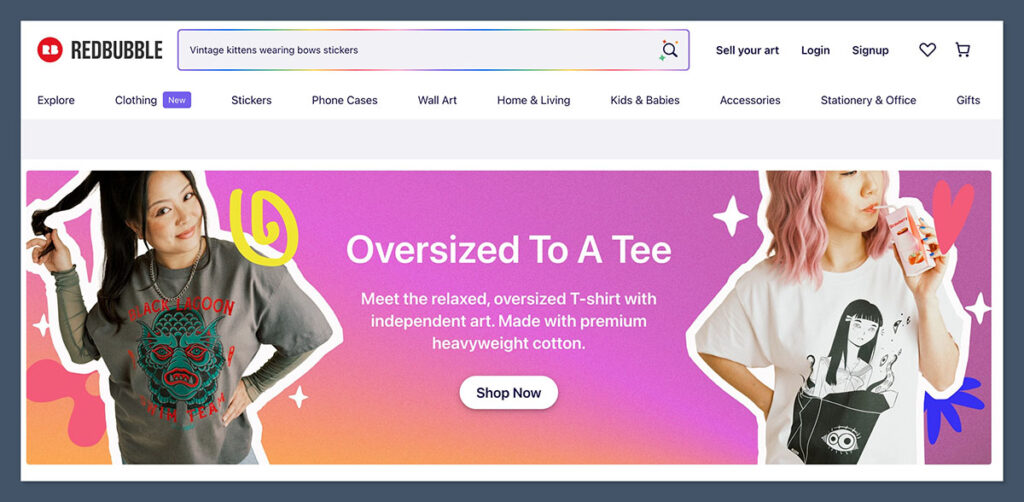
Redbubble is one of the world’s better-known print on demand marketplaces. It’s been supporting artists, designers, and creators for years – allowing them to upload designs that customers can have printed onto a range of products, from stickers to shirts.
Unlike some POD providers (like Printful) that integrate into personal online stores, Redbubble functions as its own all-in-one marketplace, so your designs live on Redbubble.com. That means you don’t necessarily have to drive all your own traffic or manage complicated third-party integrations. People are already checking out the site on a daily basis.
However, I do recommend have a strong marketing strategy anyway – since there are already a lot of competitors on Redbubble.
One thing that sets Redbubble apart is how it tries to nurture a community vibe. You have a shop profile that displays your work, and your fans or potential buyers can follow your shop, leave comments, and sometimes even interact with you. This is less purely transactional and can feel more personal – something you don’t always get with a typical e-commerce store.
I’m also impressed by the site’s design flow. You upload artwork, position it, and configure it on whichever product categories you like- t-shirts, stickers, phone cases, and so on. The best part is that you get to set your own margin (they have a standard 20% markup, but you can increase or decrease that percentage). Many marketplaces fix your payout, so this is a huge plus in my book.
Product Variety & Customization Options
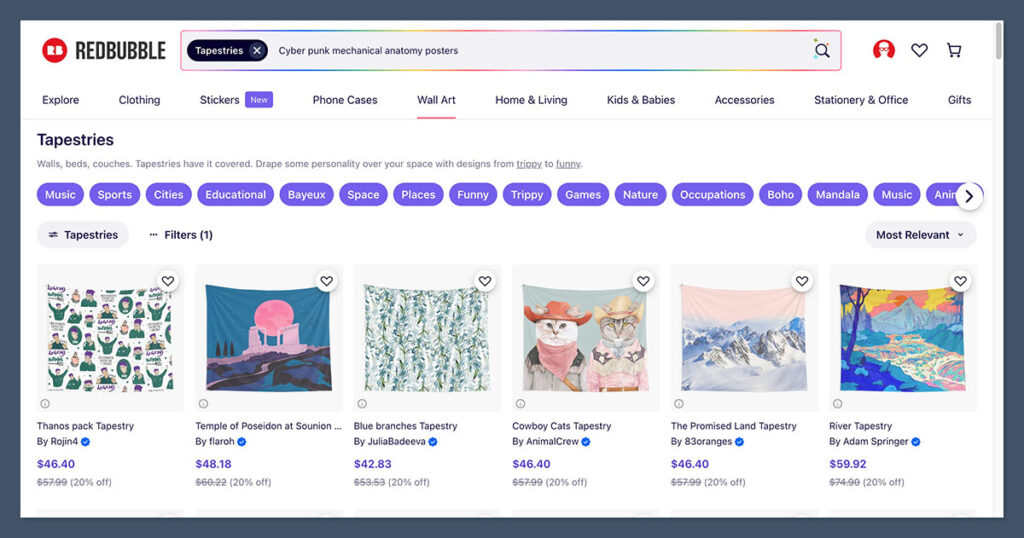
Compared to some companies, like Printify, Redbubble does have a slightly smaller product catalog. Still, there are about 70 different types of products to choose from, ranging from stickers and wall art, to clothing, and accessories.
I do think the platform has a pretty good selection of wall-art options too. You can find art printed on a bunch of different materials (like metal or photographic paper), and customers can apply frames to purchases too. It’s not quite as great as Gelato’s collection – but still impressive.
Another good thing about Redbubble’s products is that they are becoming more sustainable. Redbubble has doubled-down on its approach to environmental responsibility lately – partnering with renewable energy specialists and eco-conscious vendors.
On top of that, actually designing products is pretty straightforward with Redbubble. I like that the platform gives you a ton of control over how your artwork appears. You can re-scale or reposition an image differently for each product – an especially great feature for me since certain designs look wonderful on tote bags but might be a little off-center on a phone case.
That said, I do wish Redbubble had some bulk editing tools, as I sometimes get stuck doing a bunch of repetitive, product-by-product edits.
Product Quality, Branding, and Profitability
There’s always a gamble with POD services: Does the final product look as good as the digital mockup? In my experience, Redbubble’s print quality is variable. A lot of customers on review sites and Reddit complain about inconsistency in print quality.

Then again, some people say that Redbubble has improved overall product quality in recent years – working with manufacturers on more durable materials, and premium-level goods. It’s difficult to know for certain what you’re going to get until you start ordering samples.
From a branding perspective, your options are pretty limited – you don’t get a bunch of options for creating custom labels, for instance. You also don’t get a huge “brand presence” on the marketplace itself. You can create a custom storefront – with a shop banner, profile picture, and short bio- but that doesn’t compare to running your own domain via Shopify.
Still, in terms of profitability, Redbubble does quite well. You don’t have to worry about the “base price” for products like you do with other platforms. Instead, you just get a commission every time your customers choose to print your design onto something. The good news is that you can choose the profit margin you set. Obviously, I’d recommend starting “reasonably low” if you want to attract buyers, but as customer loyalty goes up, your pricing can increase.
Sales Channels (Integrations) & Fulfillment
Here’s the major difference that might be a deal-breaker for some: Redbubble doesn’t integrate with external platforms like Shopify, WooCommerce, or Etsy. You sell strictly on Redbubble.com. This can be a blessing if you like an all-in-one approach. But if you already have a bustling Shopify store or a presence on Etsy, you can’t just “plug in” Redbubble products to your existing storefront.
That’s one of the main reasons I always almost recommend shifting to something like Gelato or Printful when your business starts to grow. You’ll be able to integrate all of your sales channels with these providers, and automate most of the transaction process for customers.
On the plus side, even if you can only sell through the Redbubble marketplace, fulfillment is still automated with Redbubble. Redbubble prints, packs, and ships the product from whichever of their third-party producers is geographically appropriate.
In fact, as part of their new sustainability promise, Redbubble says that 95% of the packages they ship out are made in the same region they’re ordered from. That’s good news if you’re looking for both sustainability and quick delivery times.
Redbubble Review: Ease of Use & Customer Support
I like to review both of these things together because they usually have an impact on each other. First, in terms of simplicity, I’d argue that Redbubble is among the simplest POD marketplaces to set up and operate. When I first created my shop, it took fewer than ten minutes to register, add a cover image, upload my first design, and configure a handful of products.
For each design, Redbubble automatically generates mockups for its available product range – again, around 70 items. You can then turn items on or off, decide whether you want each product to be visible for sale, and tweak the position, scale, and background color to your liking. It feels a bit like painting by numbers: you have some freedom, but there’s a clear structure telling you how to get from point A (the design on your desktop) to point B (the design on a Redbubble product listing).
One potential limitation for power sellers is the 30-design daily upload limit. Although I don’t personally hit that every day, I can imagine some busier designers might. It’s something to keep in mind if you have a massive catalog you’re hoping to move onto Redbubble fast.
Customer support is Redbubble’s weak link, unfortunately. Redbubble’s help system feels quite impersonal. The site heavily relies on a comprehensive help center that covers basic FAQs.
They’ve also got a chatbot that tries to funnel you to relevant articles but doesn’t connect you with a live human. If you have a fairly simple question, like “Why won’t my images upload?” the help center is probably enough. But if you’re dealing with something seriously tricky – like your account getting suddenly suspended, you’re going to have trouble getting help.
Redbubble Pricing and Fees
Pricing on Redbubble is refreshingly straightforward. You don’t pay any monthly fee to open a shop, nor do you pay listing fees. Redbubble just prints each product on demand, takes its base cost out of the total, and you pocket the markup you set. The default profit margin is 20%, but if you feel your artwork warrants a bigger profit or you’re focusing on a niche where shoppers will pay more, you can crank that percentage up (or down).
One thing you will pay for is an “account fee” if you have a standard account. This is basically a flat fee based on how much you earn in a period. So if you don’t earn anything, you don’t pay anything. That fee is removed if you’re eligible for a Premium or Pro account.
These are two “upgraded” account tiers that offer extra features, like a dedicated account manager, advanced notice of sales data, and advanced product launches on the Premium account. The Pro account also comes with new marketing and PR opportunities and analytics.
These “premium” tiers don’t cost anything, but you need to be identified as a major marketplace seller by Redbubble to apply, so obviously, not everyone will be eligible.
Redbubble Review: Final Verdict
After spending a decent chunk of time uploading designs, tweaking my margins, and occasionally ordering samples for quality checks, I’ve come away with a mostly positive view of Redbubble.
It’s perfect for side-hustlers, hobbyist designers, and even professional artists wanting some passive income. The built-in audience of art enthusiasts, plus the ability to set my own margin, definitely makes Redbubble stand out.
Still, if you’re looking for a strong brand presence, advanced marketing features, or 24/7 live support, you might feel limited here. Redbubble remains primarily a marketplace, and you can’t integrate it with your personal store the way you can with Gelato or other POD services Plus, Redbubble’s support is far from stellar.
For me, Redbubble is a simple “starter” option, but it’s not going to be the ultimate partner for long-term POD growth.



Redbubble is Deadbubble. I have 2 artworks that are on top of the page in selling, One has 9 sales so far, other has 35. Those themes are the most popular ones.
Sorry to hear about the bad experience with Redbubble Didi, can you share the link to your artworks?