

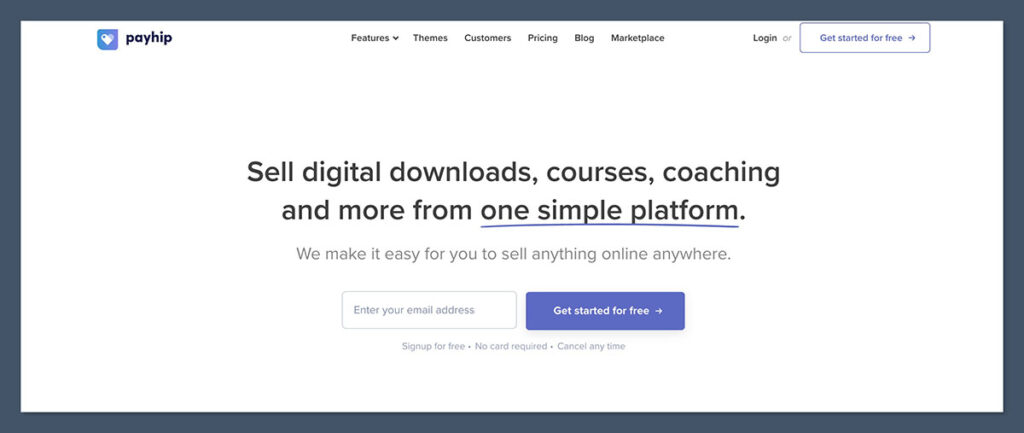
PayHip is one of the top-rated platforms for selling digital products and online courses, offering built-in VAT tools, instant delivery, and flexible pricing plans to help creators launch with zero upfront cost.
In this review, I’ll take a closer look at PayHip’s pricing, features, and selling tools, so you can see why it’s one of the best options for launching and growing a digital-first business online.
Key Takeaways
- PayHip is ideal for selling digital products, courses, and memberships
- All plans include built-in EU/UK VAT handling and instant delivery
- You can get started for free — no monthly fees until you scale
- Great for solo creators, coaches, and digital entrepreneurs
- Less flexible when it comes to design or selling physical products
- Includes affiliate marketing, coupons, and memberships even on the free plan
PayHip Quick Summary
| Platform | PayHip |
|---|---|
| Best For | Digital creators and course sellers |
| Rating | ★ 4.6 out of 5 (Excellent) |
| Ideal Users | – Low-cost product launches – Digital-first businesses – Creators selling courses or downloads |
| Pricing | Free plan available Paid plans: $29 – $99 / month |
PayHip Pros & Cons
Pros
- No monthly fees on the free plan
- Courses and memberships included at all tiers
- Built-in EU/UK VAT compliance
- Instant delivery of digital products
- Affiliate marketing system included
Cons
- Storefront design is limited
- No drag-and-drop editor
- Basic analytics and email features
- Not built for managing physical product inventory
What I Like About PayHip
I’ve used dozens of platforms over the years, and PayHip stands out for its speed, simplicity, and value. Here’s what really impressed me:
- No monthly fee until you scale
Start on the free plan and only pay 5% when you make a sale. Ideal if you’re validating an offer or launching a new funnel. - You can embed buy buttons anywhere
I’ve added PayHip to WordPress, Notion, and even Carrd pages. It’s versatile and fits into any existing website with ease. - EU VAT is handled automatically
PayHip takes care of the VAT calculation and even handles reporting, which saves hours and reduces tax-related stress. - Digital delivery is seamless
Upload a file, set a price, and it’s live. Customers receive their download instantly after checkout without needing third-party delivery tools. - Memberships, subscriptions, and courses built in
I was able to offer recurring memberships and drip course content — without using extra tools like Teachable or Kajabi.
From signup to my first live product page, I was up and running in under 10 minutes. That kind of speed is rare in ecommerce platforms.
What I Don’t Like
There are a few areas where PayHip falls short — especially compared to more advanced ecommerce platforms.
- The storefront themes are basic
Branding options are minimal. You get control over colours and fonts, but no drag-and-drop or dynamic layout tools. - You can’t do much in terms of design
If you’re trying to build a visually complex site, you’ll likely need to embed PayHip into a separate website. - Analytics and automation are limited
Reporting covers essentials, but lacks behavioral tracking, segmentation, or advanced customer insights. - It’s not built for physical product catalogs
There’s no inventory system, shipping calculator, or fulfillment flow. If you sell tangible goods, look elsewhere.
| Feature | PayHip | Shopify |
|---|---|---|
| Store Design | Minimal | Highly customizable |
| Digital Delivery | Built-in | Requires apps |
| VAT Compliance | Built-in | App or manual setup |
| Physical Product Support | Limited | Full inventory and tools |
| Memberships & Subscriptions | Included (all plans) | App-dependent |
My Experience Using PayHip
Signing up was straightforward. No credit card required — just an email address and password. The dashboard was clean and walked me through everything with a quick-start checklist.
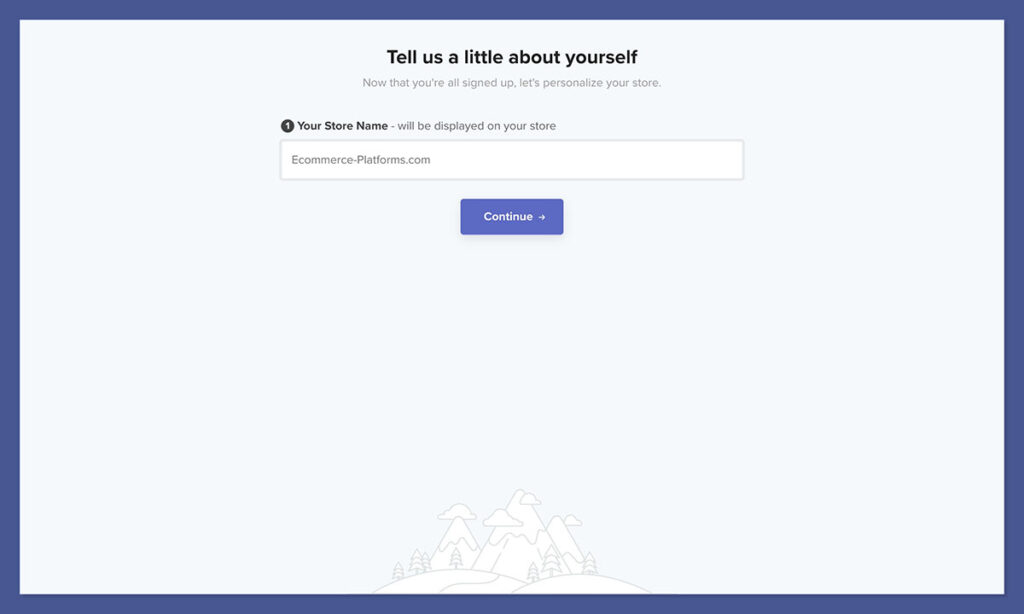
Here’s what the setup process looked like:
- Upload a digital product (I used a PDF template bundle)
- Set pricing and optional coupons
- Connect Stripe and PayPal
- Add download limits and license settings
I liked that everything was built around the product. Unlike other platforms that bury features behind menus or apps, PayHip kept it simple. For creators looking to launch without tech headaches, it’s a very smooth experience.
Uploading and Selling Digital Products
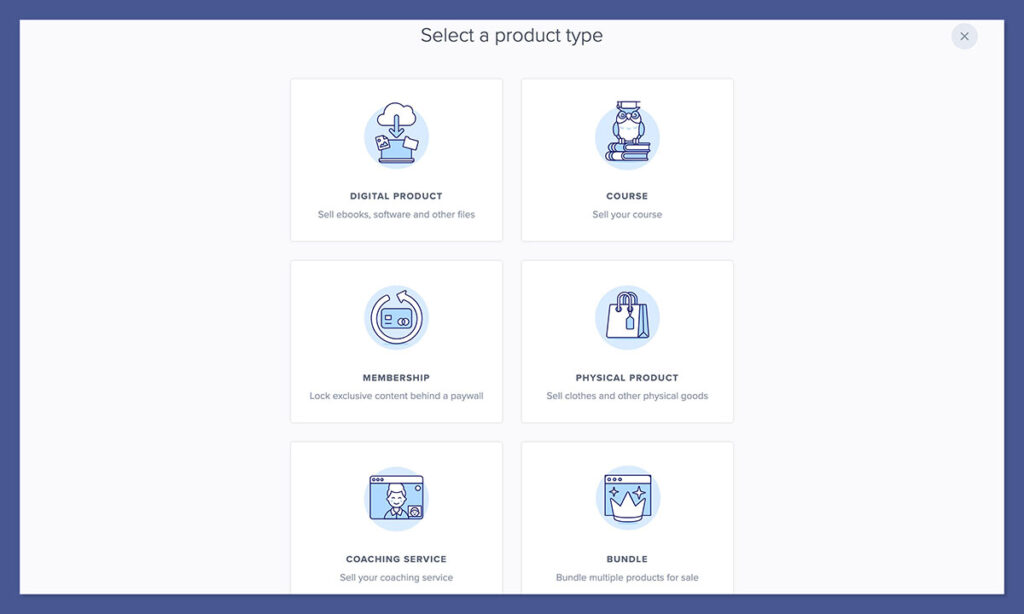
PayHip supports all the standard file types you’d expect for digital sales:
- PDFs and ebooks
- Video files or streaming links
- ZIP folders (great for bundles)
- Audio files and MP3s
This flexibility means you can sell everything from a simple checklist to a high-ticket digital course bundle — all from the same dashboard. I’ve used it to deliver slide decks, multi-file kits, and audio coaching libraries with zero issues.
Each product gets its own hosted landing page. You can:
- Add a custom headline and product description
- Upload preview images, embedded video, or GIFs
- Write FAQs or showcase testimonials
- Include checkout timers, coupons, or bonuses
Here are some of the built-in selling tools that make product delivery seamless:
- Pay what you want pricing — great for lead magnets and donation-based content
- Download restrictions — set a limit on how many times a product can be accessed
- Watermarking and license enforcement — ideal for protecting templates and PDFs
- Checkout customization — adjust confirmation pages, email receipts, and upsells
What stood out to me was how little technical setup is needed. Your buyer gets immediate access to their purchase, the email confirmation is sent automatically, and files are hosted securely. No need for Zapier integrations, cloud storage, or third-party delivery apps.
You can even edit a product after launch and push updates to past customers — a helpful feature if you’re selling evolving resources like playbooks, templates, or swipe files.
Selling Courses and Memberships
PayHip includes full support for selling online courses and memberships, even on the free plan — a huge win for creators building recurring revenue streams.
Courses
You can:
- Add lessons in text, video, PDF, or link format
- Organise lessons into structured modules or topics
- Drip content over days or weeks based on start dates
- Issue completion certificates with your branding
For my funnel course, I uploaded a mix of screen recordings, templates, and weekly challenges — all inside PayHip’s builder. The student experience is smooth, and the backend lets you track enrollments and engagement.
If you’re familiar with Teachable or Podia, PayHip feels simpler. It won’t give you quizzes or community features, but for evergreen or self-paced content, it ticks all the boxes.
Memberships
You can:

- Offer recurring access with flexible billing (monthly, annual, trial periods)
- Bundle courses, downloads, and blog-style content
- Segment access to specific tiers or content groups
- Deliver new content automatically to subscribers
I tested this by launching a private template library for coaching clients. Setup was quick, and members got automatic access to any new files I uploaded — without me needing to update anything manually.
You also get analytics on your subscribers, churn, and payouts, which makes it easier to refine your offers over time.
Whether you’re offering a $10/month creator vault or a $500/year mentorship, PayHip gives you the tools to manage subscriptions with minimal overhead.
Customising Your Store
PayHip provides a hosted storefront out of the box. While it’s not built for deep design control, it gives you everything you need to present your products cleanly and professionally.
You can:
- Upload your own logo and header image
- Choose brand colours and font styles
- Create extra pages like FAQs, contact, or About
- Add categories and collections for easier navigation
It’s enough to launch with a simple branded storefront — especially if you don’t want to manage a separate website.
But here’s the tradeoff: there’s no drag-and-drop editor, custom sections, or visual design freedom. This won’t matter if your focus is conversion-first, but it does mean you’re limited in layout flexibility.
Where PayHip shines is its embed functionality. You can drop a “Buy Now” button, pricing block, or full checkout form into platforms like:
- WordPress
- Squarespace
- Carrd
- Notion
- Webflow
In one client project, we used Webflow for the main site and PayHip for product checkouts. The customer never left the site visually, but PayHip handled the ecommerce behind the scenes — including delivery, tax, and order receipts.
Pricing: How Much Does PayHip Cost?
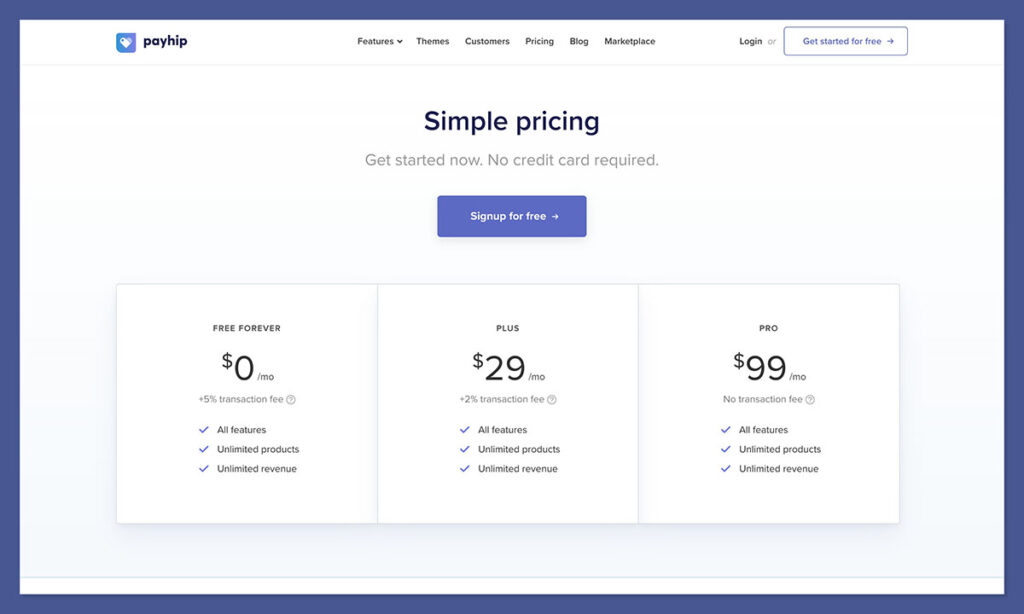
PayHip keeps pricing simple with three tiers. You can start completely free and only upgrade when it makes financial sense.
| Plan | Monthly Fee | Transaction Fee | Ideal For |
|---|---|---|---|
| Free | $0 | 5% per sale | Beginners testing new offers |
| Plus | $29 | 2% per sale | Growing stores with stable sales |
| Pro | $99 | 0% | High-volume sellers or agencies |
What’s included in every plan:
- Unlimited digital products
- Instant product delivery
- EU and UK VAT handling
- Online courses and memberships
- Affiliate system and discount tools
There are no hidden fees, upsells, or restrictions on features. Unlike other platforms, you’re not forced to upgrade just to unlock basics like coupon codes or custom emails.
If you’re under $2,000/month in sales, the Free or Plus plan will serve you well. As you grow and want to avoid transaction fees entirely, the Pro plan pays for itself quickly.
Payments and Taxes
PayHip connects to both Stripe and PayPal, which means you can start accepting payments globally in just a few clicks.
Payment options include:
- Credit and debit cards
- Apple Pay, Google Pay
- International currencies (auto-converted)
Where PayHip really stands out is tax compliance. If you sell to the UK or EU, VAT is automatically handled without any extra tools.
Key tax features:
- EU and UK VAT calculated at checkout
- Rates applied based on buyer’s country
- Order logs include VAT breakdowns
- Tax reports can be downloaded as CSV
As someone who’s dealt with the complexity of MOSS filings in the EU, this feature alone is worth using PayHip. It removes legal risk and saves you hours on accounting and bookkeeping each month.
Even if you’re just selling one ebook in Europe, you’re technically obligated to charge VAT — and PayHip ensures you stay compliant from day one.
Marketing Tools Built In
While PayHip doesn’t offer full-blown marketing automation, it does include the core tools you need to promote your products and increase conversions.
Built-in tools include:
- Email opt-ins — Collect emails directly from product pages
- Discounts — Apply % or flat-rate discounts, with expiration dates
- Checkout cross-sells — Offer another product at checkout
- Affiliate marketing — Track referrals and set commissions
- Social incentives — Offer a discount in exchange for a share or follow
These tools make it easy to run small promotions, launch discounts, or encourage your audience to spread the word.
If you’re already using email tools like MailerLite, ConvertKit, or Flodesk, you can sync leads via Zapier or export CSVs for manual upload.
It’s not a CRM, but for creators focused on simplicity, it’s enough to run basic launches, tripwire offers, and evergreen sales.
Analytics and Reports
PayHip provides a clean analytics dashboard that gives you insight into what’s working and what needs tweaking.
You’ll get access to:
- Views and conversion rates per product
- Daily, weekly, and monthly sales
- Country-based sales breakdown
- Coupon and affiliate usage
For deeper analysis, you can export all order data to CSV — useful if you want to run pivot tables or segment customers in Google Sheets.
While it’s not as advanced as what you’d find in Shopify or WooCommerce, it gives you enough to measure performance, tweak pricing, and optimise sales over time.
I do wish there were more visual reports or funnel tracking, but for the price point — especially on the free plan — it covers the essentials well.
Customer Support and Help
Support on PayHip is handled via email, and I’ve consistently received replies within 24 hours during weekdays.
You also get access to a detailed Help Center, with step-by-step guides on:
- Creating products
- Building courses
- Managing payments
- VAT setup and compliance
- Embedding buttons and pages
Even without live chat, I never felt lost. The interface is intuitive, and the documentation is updated regularly. Unless you’re managing a complex course platform or large-scale business, you’re unlikely to run into support roadblocks.
How Does PayHip Compare to Other Platforms?
| Feature | PayHip | Gumroad | Teachable | ThriveCart |
|---|---|---|---|---|
| Best For | Digital products, courses, memberships | Simple downloads | Online courses | Funnels and checkouts |
| Monthly Fee | $0–$99 | $0 (10% fee) | $39–$499/month | One-time (from $495) |
| Transaction Fee | 0–5% | 3.5–10% | 0–5% | 0% |
| VAT Handling | Built-in | No | No | No |
| Course Builder | Yes (included) | No | Yes (advanced) | Yes (basic) |
| Affiliate Management | Yes | Pro only | Mid/High tiers | Yes |
Summary:
If you’re focused on simplicity, low cost, and digital-first sales, PayHip wins on value. It won’t replace a full LMS or funnel builder, but it gets you 90% of the way there — fast.
Final Verdict: Should You Use PayHip?
If you’re a creator, coach, educator, or freelancer selling digital products — and you want to launch fast, with zero monthly overhead — PayHip is one of the best platforms available today.
It’s not the most customizable. It won’t manage your shipping logistics or let you build a branded ecommerce empire. But it will get your offer live, start generating income, and let you scale up at your own pace.
If that’s what you need, PayHip delivers.



Comments 0 Responses