



If you’re trying to figure out whether to go with Shopify or Prestashop, here’s the short answer:
Shopify is better if you want an all-in-one platform that’s fast to launch and easy to scale.
Prestashop gives you more control, but expect a steeper learning curve and more technical setup.
I’ve built dozens of ecommerce stores over the past decade — for myself and for clients. I’ve used both platforms under pressure, with real money on the line.
Here’s what I’ve learned from that experience, broken down section by section.
Quick Comparison: Shopify vs Prestashop
| Feature | Shopify | Prestashop |
|---|---|---|
| Ease of Use | Beginner-friendly, no code required | Developer-friendly, high customisation |
| Price | $29–$299/month + app costs | Free core software, hosting + dev costs |
| Design/Templates | 190+ templates (13 free) | 6 free themes, 3,000+ paid templates |
| Sales Tools | Built-in, wide app store | Many built-in, fewer add-ons |
| Payment Options | 100+ gateways + Shopify Payments | 250+ gateways |
| SEO | Good, but URL structure is rigid | Excellent control over SEO |
| Support | 24/7 support, community, docs | Community, forum, paid tech support |
| Best For | Beginners, fast launch, scalability | Devs, custom builds, localisation |
Ease of Use: Getting Started Without Breaking Stuff
Shopify: Launch in Hours

Shopify is designed to be plug-and-play. You don’t need to know how to code, and you won’t need a developer just to get off the ground.
From the moment you sign up, it walks you through a guided setup — picking a theme, adding products, connecting a domain, setting up payments.
It’s intuitive, clean, and purpose-built for people who just want to get selling.
Everything you need is right in one dashboard:
- Themes and design customisation
- Product inventory and categories
- Apps and integrations
- Order management and fulfilment
- Payment settings and shipping zones
I’ve onboarded complete beginners onto Shopify in under a day. The admin is visual and logical, and there’s a setup checklist to guide you through key steps.
The learning curve is shallow — and that’s exactly what most small business owners need.
That said, Shopify’s simplicity is a double-edged sword. It keeps things user-friendly, but it also limits how much you can change without apps or a developer.
If you want to go deep on custom functionality or redesign core features, you’ll eventually run into walls. But for 90% of store owners, that tradeoff is worth it.
Prestashop: Built for Developers
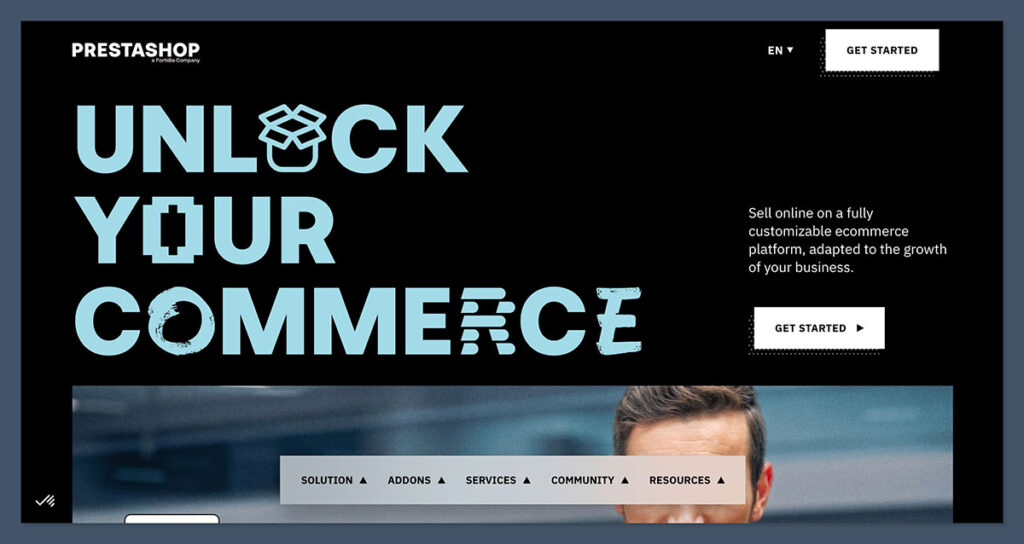
Prestashop is the opposite approach. It’s not hosted. It’s not plug-and-play. You get complete control — and total responsibility.
To get started, you’ll need to:
- Buy hosting (ideally with PHP 8.1 or higher)
- Manually install Prestashop on your server
- Set up your database, SSL, and permissions
- Choose and install a theme (often through FTP or cPanel)
- Configure key modules before anything works
That’s not to scare you off — it’s just the reality. If you know your way around web servers and CMS systems, this is normal. But for beginners, it’s overwhelming fast.
Once it’s up and running, Prestashop gives you serious flexibility:
- You can edit your code
- Control the structure of your store
- Build in multi-language or multi-store setups natively
- Extend or override just about anything
I’ve worked with agencies who swear by Prestashop because of how much you can tailor every aspect.
But I’ve also seen solo store owners abandon it because of how hard it was to get started.
Verdict: Shopify Wins for Speed and Simplicity
Here’s how I break it down:
| Use Case | Go with Shopify if… | Choose Prestashop if… |
|---|---|---|
| You’re new to ecommerce | ✅ You need simplicity | ❌ Too much setup overhead |
| You want to launch quickly | ✅ Live in hours | ❌ Dev work needed |
| You’re technical or have devs | ✅ Optional | ✅ Fully customisable |
| You want full control | ❌ Limited access | ✅ Total freedom |
If your priority is launching fast, keeping things simple, and focusing on sales — Shopify is the better option. You’re not dealing with server settings, file transfers, or compatibility errors.
If you want complete control, especially over custom workflows, themes, and backend logic — Prestashop gives you the tools. But expect a hands-on experience from day one.
For most ecommerce owners without a developer on retainer, Shopify just makes life easier. You’re selling, not debugging. That matters.
Design & Templates: First Impressions Matter
Shopify: Clean and Polished
Shopify puts a heavy focus on modern, professional design.
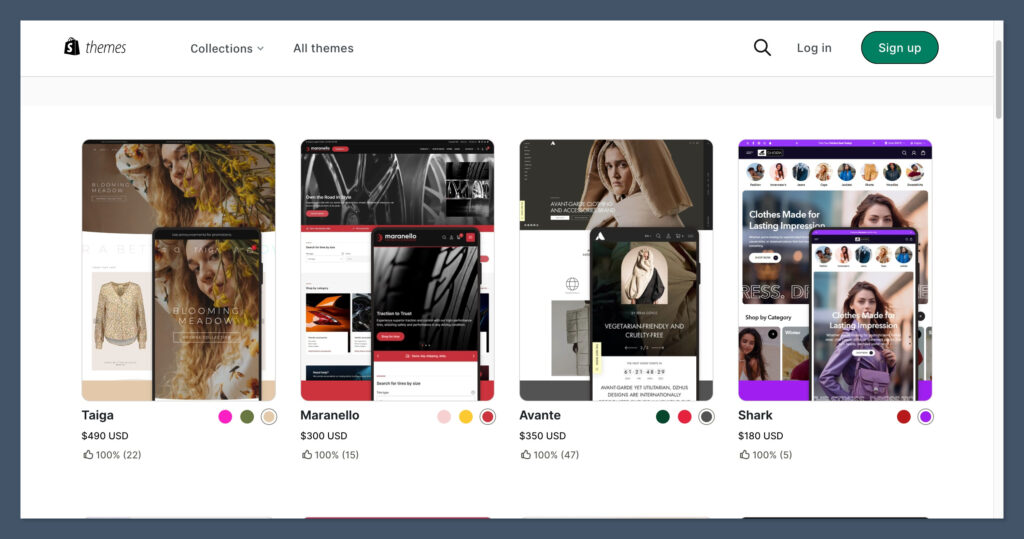
All their templates are fully responsive, cleanly built, and optimised for mobile shopping — which matters, since over 70% of ecommerce traffic today comes from mobile.
You’ve got 13 free themes to start with. That might sound limited, but they’re high-quality and cover a range of industries like fashion, health, electronics, and home decor.
If you need something more advanced, there are 180+ premium themes in the official Theme Store, typically ranging from $100 to $400 — a one-time fee.
What I like most is the Theme Editor:
- Drag-and-drop interface (section-based)
- Live preview while editing
- No coding required
- Global colour and font controls
- Easy product and collection display options
Shopify’s ecosystem also means many themes are built with conversion rate in mind — clear CTAs, fast loading, good UX on mobile. Plus, you can switch themes without losing your core content.
The tradeoff? Customisation beyond the theme’s built-in options is limited unless you dive into Liquid (Shopify’s templating language) or use paid apps.
But for most stores, the default tools are more than enough.
Prestashop: More Choices, More Work
Prestashop’s default theme selection is slim — only a few basic templates are included when you install the platform. But that’s not the whole picture.
Their Addons Marketplace has over 3,000 themes, many of which are tailored to specific industries.
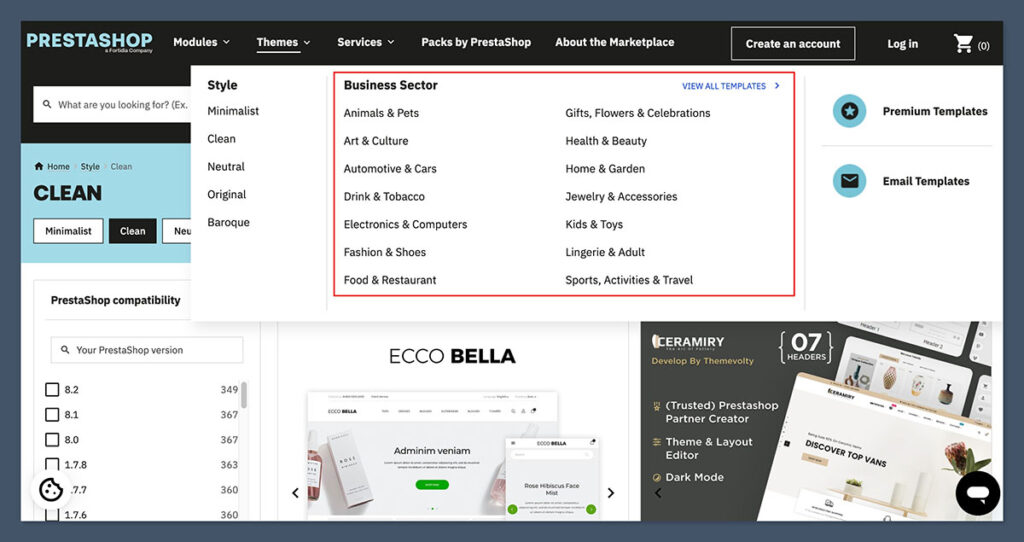
The upside? Variety and freedom.
The downside? Inconsistency in quality.
Unlike Shopify’s tightly curated themes, Prestashop’s templates come from a wide range of independent developers. Some are great. Others feel clunky, outdated, or bloated.
You’ll want to vet themes carefully before committing. Reviews, updates, and developer reputation matter here.
Prestashop gives you full control over the frontend:
- Edit CSS, HTML, and Smarty templates directly
- Use custom modules for visual elements
- Create highly specific layout changes
But here’s the catch: to make the most of this flexibility, you’ll probably need a developer. Even tweaking basic layouts or styling can require editing template files.
The CMS isn’t as beginner-friendly — it’s built for people who know what they’re doing.
Verdict: Shopify Wins for Design Out of the Box
If you need speed and polish, Shopify’s themes deliver right away.
They look good, work well on mobile, and don’t require a designer to get a professional result.
If you want to go deep with frontend control — or have a very specific layout or brand look in mind — Prestashop is more flexible, but it comes with technical baggage.
| Criteria | Shopify | Prestashop |
|---|---|---|
| Free Themes | 13 high-quality | 6 basic ones |
| Premium Themes | 180+ ($100–$400) | 3,000+ (varied quality) |
| Ease of Customisation | Beginner-friendly | Developer required |
| Mobile Optimisation | Strong across all themes | Depends on the theme |
| Design Verdict | ✅ Plug-and-play | ✅ Fully customisable |
Bottom line: Shopify gets you live fast, looking polished, and mobile-ready. Prestashop gives you total control, but you’ll need to know what you’re doing — or hire someone who does.
Features & Apps: What Can You Actually Do With It?
Shopify: App-Heavy, Feature-Light

Shopify gives you all the core functionality to run a solid ecommerce store — product management, basic reports, fulfilment, discounts, abandoned cart recovery, and multichannel selling.
If you’re launching a small to mid-size store, you’ll find what you need out of the box.
But here’s the thing: most advanced features aren’t built-in. Want better filters? Need advanced analytics? Want upsell funnels? You’ll be heading straight to the App Store.
Shopify’s App Store has 8,000+ apps, including:
- CRM and email tools (Klaviyo, Omnisend)
- Upsell and cross-sell tools (ReConvert, Zipify)
- Inventory and shipping solutions (ShipStation, Easyship)
- SEO and speed optimisers
- Loyalty, reviews, chat, analytics — you name it
The variety is impressive, and the integration process is seamless — most apps install with a click. The downside is obvious: cost and complexity creep in fast.
Popular apps often start free, but useful features are locked behind paid tiers. It’s not unusual for growing stores to spend $100–$300/month extra on apps.
Also, stacking too many apps can bloat your store, slow down load times, and create conflict between features — especially if apps touch the same part of the site (like the checkout).
Prestashop: Features Built-In
Prestashop flips the script. It’s more powerful out of the box, especially for international or complex ecommerce setups.
You don’t need 10 apps to do basic things — it just works.
Some of the native features include:
- Multi-language support
- Multi-currency support
- Multi-store management
- Advanced tax rules and regional pricing
- Product customisation with attributes and combinations
- Built-in return handling
- Cart rules and layered navigation
That gives you a ton of flexibility without touching the module marketplace.
Now, Prestashop also has a Module System — their version of an app store — with over 4,000 modules.

Many are paid, and prices vary a lot more than Shopify apps (some are $40, others $300+). Quality also varies, so check reviews and developer updates before buying.
One thing I appreciate as a developer is that Prestashop’s features are more “exposed” — meaning you can override or customise them more easily. In Shopify, you’re often stuck unless you install an app or upgrade to a higher-tier plan.
Verdict: Prestashop Wins for Built-In Power
If you want a platform that does more natively, Prestashop is the winner here. It’s built for complexity and customisation.
Shopify makes it easier to get started and offers endless possibilities via its app ecosystem — but you’ll need to budget for extra monthly costs, and you’ll eventually hit limitations unless you upgrade or add more apps.
Here’s a side-by-side breakdown:
| Feature Category | Shopify | Prestashop |
|---|---|---|
| App/Module Count | 8,000+ | 4,000+ |
| Built-in Features | Limited | Extensive |
| Multilingual | App required | Built-in |
| Multi-store | Only via Shopify Plus | Built-in |
| Product Variants | Basic | Advanced |
| SEO Control | Moderate | High |
| App Pricing Model | Subscription-based | Mostly one-time fee |
| Custom Feature Development | Limited access | Fully open |
If you’re building a highly tailored store with unique workflows or international complexity, Prestashop will save you time and tech debt down the line.
If you’re prioritising ease, support, and don’t mind paying extra to simplify the process, Shopify is still a smart option — just know that you’ll likely end up subscribing to multiple apps to get the flexibility Prestashop has by default.
SEO & Marketing Tools: Can It Rank and Sell?
Shopify: Simple, But Limited
Shopify gives you the basics for SEO, but that’s where it mostly stops.
It handles:
- Meta titles and descriptions
- Image alt text
- Automatic sitemap generation
- SSL security
- Decent mobile speed
But if you’ve worked on SEO before, you’ll quickly notice some limitations.
Here’s where Shopify drops the ball:
- URL structure is locked — You’re stuck with
/products/and/collections/in your URLs. You can’t change that. - Duplicate content — Shopify sometimes creates multiple URLs for the same product (collection and canonical), which can dilute link equity unless fixed.
- Limited access to server-level controls — Can’t customise robots.txt deeply, and advanced redirects need apps.
You can fix or patch a lot of this — but it usually requires adding third-party apps like Smart SEO, Plug in SEO, or Yoast SEO for Shopify. These work, but again, you’re stacking costs and complexity.
That said, Shopify stores can still rank well, especially for brands that nail their content, link-building, and technical hygiene. I’ve ranked Shopify stores on Page 1 in competitive niches. But you’re playing within the rules of a walled garden.
Where Shopify shines more is in marketing features:
- Shopify Email is solid for basic campaigns
- Facebook & Instagram integrations are native
- TikTok, Pinterest, Google Shopping — all plug in easily
- Abandoned cart recovery is built into most plans
- Shopify Magic (AI) helps generate product copy on the fly
You can run full campaigns from the backend with minimal effort. It’s beginner-friendly, and the integrations are smooth.
Prestashop: Technical SEO Beast
Prestashop is a whole different animal when it comes to SEO.
You have full control over everything, and I mean everything.
Out of the box, Prestashop lets you:
- Edit URLs for every product, page, and category
- Add custom meta titles, descriptions, and keywords
- Create and manage 301 redirects
- Add canonical tags manually
- Control robots.txt and .htaccess files
- Add structured data and schema markup where needed
This kind of flexibility is gold if you’re building a content-heavy or SEO-driven ecommerce store. You can structure your site exactly how you want it — silos, clusters, technical tags — no problem.
On top of that, the Prestashop Addons marketplace offers SEO modules to level up:
- Pretty URLs (remove IDs from URLs)
- Rich snippets
- SEO audit tools
- XML sitemap boosters
- SEO rewrite modules for multilingual support
You can also directly access your server if needed — no platform restrictions.
On the marketing side, Prestashop doesn’t hold your hand like Shopify does. It has some built-in promo tools:
- Vouchers and cart rules
- Upsell and cross-sell modules
- Newsletter opt-in management
But to get email marketing, social ads, or CRM features, you’ll need to plug in external tools or modules like Mailchimp, ActiveCampaign, or Mautic.
That’s not a dealbreaker, but it does mean more setup and testing if you’re not using an agency or dev support.
Verdict: Prestashop Wins for SEO and Technical Freedom
If you care about ranking in competitive markets, control over every SEO element, or running an international store with unique content structures — Prestashop is the clear winner.
Shopify does just enough to help most stores rank — and makes marketing easy with built-in tools and slick integrations. But if you’re serious about technical SEO, you’ll eventually get frustrated by its limitations.
Here’s a comparison:
| SEO & Marketing Feature | Shopify | Prestashop |
|---|---|---|
| URL Structure | Locked (/products/, etc.) | Fully customisable |
| Meta Data Control | Yes | Yes, more flexible |
| Structured Data | Requires app or theme tweak | Manual or module |
| Duplicate Content | Common without redirects | Minimal if configured |
| SEO Apps/Modules | 300+ | 200+ (powerful) |
| Built-in Email Tools | Shopify Email | External module required |
| Social Media Integrations | Native (FB, TikTok, IG) | Third-party setup |
| Technical Control (robots.txt, etc.) | No access | Full access |
If your priority is speed and plug-and-play marketing — go Shopify.
If you want to build an SEO powerhouse with surgical control — go Prestashop.
Pricing: What Are You Really Paying For?
Shopify: Predictable, But Adds Up
Shopify uses a subscription-based pricing model that’s easy to understand — and that’s part of the appeal. You know exactly what you’ll be billed each month. It removes surprises.
Here’s the breakdown of Shopify’s core plans:
| Plan | Monthly Cost (USD) | Who It’s For |
|---|---|---|
| Basic | $29 | New stores, low volume |
| Shopify | $79 | Growing brands |
| Advanced | $299 | High-volume or complex ops |
Those prices are billed monthly, or annually at a small discount. Each plan unlocks more features, like better reporting, extra staff accounts, and lower transaction fees.
Speaking of transaction fees — here’s where things can get tricky:

- If you use Shopify Payments, you’ll pay:
- 2.9% + $0.30 per transaction on the Basic plan
- Drops to 2.6% + $0.30 on the Shopify plan
- Goes down to 2.4% + $0.30 on Advanced
- If you use a third-party gateway like PayPal or Stripe, Shopify adds a 1%–2% extra fee, depending on your plan.
That can eat into your margins fast, especially for high-ticket stores or brands doing large order volumes.
Then there’s the apps — Shopify’s biggest hidden cost.
It’s common to start with a few free ones, then add premium apps as your store grows. Some examples:
- ReConvert: $19/month
- Klaviyo: $20–$150/month
- Page builders: $20–$60/month
- SEO tools: $10–$30/month
Need a premium theme? Most cost $100–$400, and that’s a one-time purchase.
Put it all together and many stores end up paying:
- $29–$299/month base
- $50–$300/month in apps
- Transaction fees on top
Still, it’s predictable. No server bills. No surprise dev costs. That’s worth it for many businesses.
Prestashop: Free Core, Paid Everything Else
Prestashop advertises itself as “free.” And technically, it is — you can download and use the software at no charge. But the total cost of ownership can vary wildly depending on your setup.
Here’s what you’ll actually end up paying for:
1. Hosting
You need to host Prestashop yourself. Shared hosting can cost as little as $10/month, but for real performance and scalability, you’ll want VPS or cloud hosting, which could run $30–$100/month or more.
2. Developer Time
Prestashop isn’t designed for beginners. If you’re not technical, you’ll likely need help with:
- Installation and updates
- Theme tweaks and custom modules
- Performance and SEO fixes
- Security hardening
Freelance devs often charge $30–$100/hour, and larger projects can run into the thousands.
3. Modules and Themes
The Addons Marketplace has thousands of modules, many paid:
- SEO modules: $40–$150
- Payment gateways: $50–$200
- Design upgrades: $70–$300
- Integrations (e.g., CRM, shipping): $50–$250
Themes range from $60 to $250, with a few premium themes going higher.
So while you don’t pay a monthly platform fee, you’re still spending money — it’s just less predictable and more backend-heavy.
Here’s a cost comparison table:
| Expense Type | Shopify | Prestashop |
|---|---|---|
| Base Cost | $29–$299/month | $0 |
| Hosting | Included | $10–$100/month |
| Themes | $100–$400 (1x) | $60–$250 (1x) |
| Apps/Modules | $20–$300/month | $50–$300 (per module) |
| Dev Costs | Optional | Likely needed |
| Transaction Fees | 2.9%+ or lower | Depends on payment provider |
Verdict: Shopify Wins for Predictable Pricing
Shopify keeps things simple. You pay a monthly fee, add apps when needed, and manage costs as you grow.
Yes, those costs can add up — but you always know what you’re dealing with. And you don’t have to worry about server maintenance, downtime, or hiring developers every time something breaks.
Prestashop gives you more freedom to control and optimise expenses — but that only works if you know what you’re doing.
It can be cheaper if you run a lean setup or handle everything in-house. But for most non-technical store owners, it can also turn into a much more expensive option once you factor in dev time and paid modules.
If you want clarity, choose Shopify.
If you want control (and you’re okay with complexity), go Prestashop.
Speed & Hosting: How Fast Does Your Store Run?
Shopify: Optimised Hosting
Shopify takes care of everything under the hood.
When you sign up, you’re automatically hosted on their high-performance infrastructure — no setup needed, no separate hosting bill, no server configuration.
That’s a big deal if you’ve ever wrestled with caching or uptime issues on self-hosted platforms.
Included with every Shopify plan:
- Global CDN (Content Delivery Network) for fast worldwide loading
- Built-in SSL certificate for every store
- Automated platform updates — no patching or downtime
- Enterprise-level infrastructure that scales with your traffic
From experience, Shopify stores generally score well on Google’s PageSpeed Insights and Core Web Vitals right out of the box.
The templates are clean, and the image compression is handled automatically — all of which helps with SEO and conversion rates.
The only time you’ll see performance issues is when you overload your store with third-party apps or poorly built themes. But even then, Shopify support can help identify the issue, and the environment is still more stable than most shared hosts.
For most store owners, this “just works” approach is a huge time and cost saver.
Prestashop: It Depends on Your Hosting
Prestashop doesn’t come with hosting — and that changes the game completely.
The platform itself is relatively lightweight and efficient. But how fast your store runs depends entirely on the quality of your hosting environment and how well it’s configured.
Here are your options:
- Shared hosting ($5–$15/month): easy and cheap, but usually too slow for serious ecommerce
- VPS hosting ($30–$80/month): better performance, more control, but requires setup
- Cloud hosting (like AWS, DigitalOcean): scalable and fast, but technical to manage
- Managed Prestashop hosting: a middle ground — decent performance, costs more, but simpler
Beyond just picking a host, you also have to consider:
- Proper caching setup (e.g., Varnish, Memcached)
- PHP version optimisations
- CDN integration
- Database tuning (especially if your catalog is large)
Most non-technical store owners don’t optimise any of that — which leads to slow stores, poor rankings, and conversion loss.
I’ve audited dozens of Prestashop sites running on bad hosting — and speed was almost always a problem until things were reconfigured properly.
The upside? If you do it right, Prestashop can fly.
With the right hosting stack, a CDN, and caching, you can match or even outperform Shopify in speed. But that’s on you — or your dev team.
Verdict: Shopify Wins for Performance and Reliability
Shopify removes the guesswork. It’s fast from day one, and you don’t have to touch a thing. The infrastructure scales automatically, handles traffic spikes, and gets out of your way.
Prestashop is powerful but fragile — your store’s performance is only as good as the host and configuration behind it. If you know how to set things up (or pay someone who does), you can build a lightning-fast Prestashop store.
But out of the box? Not even close.
Here’s the side-by-side:
| Hosting & Speed Factor | Shopify | Prestashop |
|---|---|---|
| Hosting Included | ✅ Yes | ❌ No |
| SSL Certificate | ✅ Yes | ❌ Manual |
| CDN | ✅ Global CDN | ❌ Must add separately |
| Auto-Scaling | ✅ Yes | ❌ No |
| PageSpeed Performance | High (by default) | Depends on setup |
| Server Access | ❌ No | ✅ Full access |
| Caching Control | ❌ Shopify manages | ✅ Full control |
| Uptime/Monitoring | Managed by Shopify | DIY or host-dependent |
If speed, stability, and hands-off setup matter — Shopify is the better choice.
If you’re comfortable tuning a server (or paying someone who is), Prestashop can keep up — but it’s not plug-and-play.
Support: Who Helps You When Things Go Wrong?
Shopify: 24/7 Everything
One of Shopify’s biggest strengths is its support system.
Whether you’re just getting started or running a high-volume store, there’s always someone — or something — ready to help.
Here’s what you get with Shopify:
- 24/7 live chat — fast response times, available across all plans
- Phone support — available for Shopify Plus customers
- Comprehensive Help Center — loaded with how-to articles, tutorials, and video guides
- Shopify Community Forum — active discussions, store feedback, and app tips
- Shopify Learn — free business courses and step-by-step ecommerce tutorials
The live support is AI-assisted at first (you’ll start with a chatbot), but you can get through to a human when needed. It’s not perfect — especially when things get technical — but it’s better than what most platforms offer.
That said, email support was removed, which frustrates some users who prefer written follow-ups or detailed troubleshooting.
Also, priority support is limited to enterprise clients — so if you’re on a Basic or Shopify plan, you may have to wait during peak hours.
Still, for most users, the onboarding and ongoing support are more than enough to keep your store moving.
Prestashop: Community-Powered
Prestashop doesn’t have the same hand-holding experience — and that’s by design.
It’s an open-source platform, which means the expectation is that users (or their developers) are comfortable solving problems themselves.
Here’s what support looks like on Prestashop:
- Extensive documentation — good for setup, development, and module use
- Active community forum — helpful if you know how to search and filter answers
- GitHub access — for developers who want to inspect or report bugs
- Paid support plans — official support packages from Prestashop starting at several hundred dollars
In real-world terms, if something breaks — or you want to customise something — you’re either:
- Digging through community threads
- Reading dev documentation
- Hiring someone who knows the platform inside out
For businesses with an internal dev or agency support, this isn’t a problem. You get flexibility, not training wheels.
But for solo entrepreneurs or non-technical teams, it can be frustrating — especially when time-sensitive issues pop up and no instant help is available.
It’s worth noting that the ecosystem has grown a lot.
You’ll find thousands of Prestashop specialists and freelancers on platforms like Upwork and Fiverr. But you’ll need to vet them, and it’s still a different experience from Shopify’s always-available help.
Verdict: Shopify Wins for Support and Onboarding
If you want direct help, quick answers, and a support team that walks you through setup, Shopify is the winner here — no question.
Prestashop support is solid if you’re part of the developer crowd or have a team managing the store.
But if you’re trying to troubleshoot alone, you’ll often end up on your own — digging through forums or hiring out for even basic help.
| Support Features | Shopify | Prestashop |
|---|---|---|
| 24/7 Live Chat | ✅ | ❌ |
| Phone Support | ✅ (Plus only) | ✅ (Paid support) |
| Email Support | ❌ Removed | ✅ via contact form (slow) |
| Community Forum | ✅ Active | ✅ Active |
| Official Docs | ✅ Extensive | ✅ Extensive |
| Developer Support | ❌ Limited access | ✅ Full access |
| Paid Priority Support | Shopify Plus only | Available (costly) |
If you value peace of mind, especially during peak sales periods or product launches, Shopify support is a huge asset.
If you’re comfortable taking control and handling things under the hood, Prestashop offers enough — but it’s on you to make it work.
Scaling: Which Platform Grows With You?
When your store starts doing real numbers, scaling stops being optional — it becomes a necessity.
You need infrastructure that can handle spikes, a backend that won’t buckle under pressure, and tools that support growth without turning your tech stack into a Frankenstein setup.
So, how do Shopify and Prestashop handle scaling?
Shopify: Smooth Scaling, With Limits
Shopify is built for growth — especially if you’re using Shopify Plus.
For small to mid-size stores, the standard Shopify plans can handle a surprising amount of volume. But once you cross into high six- or seven-figure revenue territory, Shopify Plus becomes the recommended move.
Here’s what scaling looks like with Shopify:
- No need to manage servers or performance — it’s all hosted and elastic
- Unlimited products and bandwidth — even on Basic plans
- Shopify Plus (starting at $2,000/month) unlocks advanced features:
- Custom checkout flows
- API integrations
- Access to exclusive apps and automation tools
- Multi-store dashboard (manage multiple stores in one admin)
Internationalisation is also straightforward:
- Shopify Markets allows for country-specific domains, currencies, and languages
- Currency conversion is automatic
- Language support can be added via Shopify Translate or apps
- Shopify Payments supports multiple regions with localised gateways
Where things can get limiting:
- You don’t have control over the database or server
- Advanced backend workflows (e.g., complex ERP integrations) require apps or API work
- Multi-store setups outside Shopify Plus can get messy
Still, the ability to go from 0 to 8 figures without migrating platforms is a major reason Shopify dominates the DTC space.
Prestashop: Total Control, But Requires Strategy
Prestashop doesn’t hand you scaling features — it gives you the freedom to build them.
It’s completely open-source, so you can architect the infrastructure your business needs:
- Scale across multiple servers or cloud instances
- Add powerful caching (Varnish, Redis) and CDNs
- Customise the database or backend logic
- Hook into any external system or software
Multi-store? Built-in.
Prestashop supports multi-store architecture out of the box, allowing you to:
- Run multiple frontends from one admin
- Share or separate inventory across stores
- Set different pricing or currencies by region
- Run localised promotions per store
International selling is also well supported:
- Native multi-language and multi-currency
- Region-specific tax rules
- Language-specific SEO URLs
- Modules to integrate with global carriers and payment providers
But this freedom comes with responsibility.
Scaling Prestashop requires a skilled team — whether that’s in-house devs, a trusted agency, or a strong freelancer.
You’re in charge of performance optimisation, load balancing, failover, backups, and integrations. For stores with unique needs or enterprise complexity, that’s ideal.
For businesses without technical support, it can be a bottleneck.
Verdict: Shopify Wins for Simplicity, Prestashop Wins for Flexibility
Here’s how the platforms compare when you’re looking beyond the startup phase:
| Scaling Factor | Shopify | Prestashop |
|---|---|---|
| Infrastructure Scaling | ✅ Handled automatically | ❌ Manual setup |
| Shopify Plus Equivalent | ✅ Shopify Plus ($2k/month+) | ✅ Fully custom builds |
| Multi-Store Support | ✅ Only on Shopify Plus | ✅ Built-in |
| Language Support | ✅ Apps + Shopify Markets | ✅ Native |
| Multi-Currency Support | ✅ Shopify Payments or apps | ✅ Built-in |
| Custom Backend Logic | ❌ Limited (via API) | ✅ Fully open |
| ERP/CRM Integrations | ✅ App-based | ✅ API or custom-built |
Shopify is the better fit if you want to scale without complexity.
Everything grows with you, and the platform handles most of the backend heavy lifting. You’ll pay more at the top end (Shopify Plus isn’t cheap), but the performance and tools are enterprise-grade.
Prestashop is the better fit if you want control at scale.
You’ll need to invest more upfront — in infrastructure, development, and system design — but the flexibility is unmatched. Ideal for businesses with custom workflows, legacy integrations, or multi-brand structures.
Final Verdict: What I’d Choose and Why
At the end of the day, both Shopify and Prestashop are solid platforms — but they serve very different types of store owners.
I’ve used both in real-world ecommerce setups, and here’s how I make the call based on what a business actually needs, not just what sounds good on a feature list.
If you’re starting from scratch, want to launch quickly, and don’t want to touch a single line of code, Shopify is the better option — no contest. You’ll get a polished store live fast, with built-in tools to handle payments, shipping, and even marketing.
But if you’ve got technical resources or a dev team on standby — or you’re planning a very specific ecommerce setup that needs custom workflows or SEO precision — Prestashop offers the control you’re probably looking for.
Here’s a breakdown:
| Use Case | My Recommendation |
|---|---|
| Beginners | ✅ Shopify – easy to set up, beginner-friendly |
| Dropshipping | ✅ Shopify – seamless integrations with tools like Oberlo and DSers |
| International / Multilingual Stores | ✅ Prestashop – native multi-language, currency, and tax support |
| SEO-Heavy Stores | ✅ Prestashop – better URL structure, metadata control, schema |
| Scalable DTC Brand | ✅ Shopify – strong infrastructure, Shopify Plus support |
| Dev-Heavy Custom Store | ✅ Prestashop – full access to source code and backend logic |
Why I’d Choose Shopify (Most of the Time)
If I’m working with a small brand trying to grow quickly, Shopify wins.
The setup is smooth, the UI is clean, and the platform rarely gets in your way. Even if you need to grow later, Shopify Plus can handle serious volume. For most DTC brands, it’s the safe and scalable path.
Why I’d Choose Prestashop (When It Makes Sense)
When control matters — like building a multilingual marketplace, creating a complex B2B pricing model, or running multiple stores from one backend — Prestashop is better.
It’s powerful, but not forgiving if you’re under-resourced. So I only recommend it when there’s technical muscle behind the scenes.
Ultimately, the “best” platform is the one that matches your goals and your reality.
If you need speed and simplicity, go with Shopify.
If you need freedom and flexibility, go with Prestashop.



Thank you for the useful information. I’ve been deciding between Presta and Shopify for a long time now. Needed to find a rather user-friendly solution with lots of features that would help in store management. I’m not a techie, that’s why I will probably go with Shopify. Besides, I’ve tried moving my Magento store’s data to it with Cart2Cart’s migration preview option. It helped me test the platform in action without the need of installing Shopify itself.
👍👍👍