

Lightspeed eCom is a solid choice if you run a brick-and-mortar store and want your online shop wired directly into Lightspeed Retail.
But if you are here, you have probably hit one of its limits: the price climbs quickly once you add locations and registers, the online storefront tooling lags behind dedicated ecommerce builders, and the platform makes far more sense for physical retailers than for online-first brands.
After comparing the leading ecommerce platforms across pricing, sales features, point-of-sale integration, design flexibility, and ease of use, I have shortlisted five Lightspeed eCom alternatives worth your attention.
Shopify is my top recommendation because it is the only platform on this list that matches Lightspeed’s unified online-and-in-store model while offering a stronger app ecosystem, better templates, and more predictable pricing.
In this guide, I will walk you through the key features, pricing, and drawbacks of each alternative, so you can find the right fit for your store.
Our Top 5 Lightspeed eCom Alternatives
- Shopify: Best all-round alternative for online and in-store selling
- Square Online: Best budget alternative for retailers with a POS
- BigCommerce: Best for large catalogs and zero transaction fees
- WooCommerce: Best for customization and WordPress users
- Wix: Best for beginners and design-led small stores
Lightspeed eCom Alternatives Comparison Table
Take a look at our top picks side-by-side to see which best suits your needs:
| Platform | Best for | Starting price (billed annually) | Free plan or trial | Transaction fees (native payments) | Built-in POS | AI store builder |
|---|---|---|---|---|---|---|
| Shopify | All-round online and in-store selling | $29 per month | 3-day free trial, then $1 per month for 3 months | 2.9% + $0.30 online (Basic) | Yes (Shopify POS) | Yes |
| Square Online | Budget-conscious retailers | $0 (free plan) | Free plan forever | 2.9% + $0.30 online | Yes (Square POS) | Yes |
| BigCommerce | Large catalogs and growing stores | $29 per month | 15-day free trial | 0% platform fee on any gateway | Via third-party integrations | Yes |
| WooCommerce | Customization and WordPress users | Free plugin (hosting extra) | Free plugin | 2.9% + $0.30 (WooPayments, US) | Via extensions | Limited (via plugins) |
| Wix | Beginners and design-led stores | $17 per month ($29 to sell) | Free plan forever (no selling) | 2.9% + $0.30 (Wix Payments, US) | Yes (Wix POS, US only) | Yes |
Pricing and fees are based on each vendor’s published US pricing at the time of writing and are subject to change. Always confirm current rates on the platform’s own pricing page before committing.
Why Look for a Lightspeed eCom Alternative?
Lightspeed eCom is no longer sold as a standalone product. It is bundled into Lightspeed Retail, which starts at $89 per month billed annually for the Basic plan according to Lightspeed’s pricing page at the time of writing, with Core and Plus tiers priced significantly higher.
Lightspeed Payments charges around 2.6% + $0.10 for in-person transactions and 2.9% + $0.30 for online payments.
That pricing makes sense if you run a multi-location retail operation and need deep inventory, purchasing, and supplier tools. It makes a lot less sense if:
- You sell primarily online and are paying for POS capabilities you rarely use
- You want more design freedom than Lightspeed’s storefront themes allow
- You need a larger app ecosystem for marketing, subscriptions, or marketplace integrations
- You want a simpler, cheaper entry point while your business is still small
- You are frustrated by the complexity of managing a POS-first platform for a small catalog
The five platforms below solve one or more of those problems, and in most cases they cost less to get started.
#1. Shopify: Best All-Round Alternative

- Starting price: $29 per month (billed annually)
- AI store builder: Yes
- Built-in POS: Yes, Shopify POS (Lite included, Pro from $89 per month per location)
Shopify is the closest like-for-like replacement for Lightspeed eCom because it does the same fundamental job: one platform that runs your online store and your physical registers from a single inventory and customer database.
The difference is that Shopify was built online-first, so the storefront, checkout, and marketing tools are considerably stronger than what Lightspeed offers.
The trade-off is that Shopify’s editor is section-based rather than free-form drag-and-drop, so design-focused users may find it restrictive. And while the entry price is lower than Lightspeed Retail, the costs add up once you factor in paid apps, premium themes, and POS Pro if you need advanced in-store features.
Pros
- Unified online and in-person selling with Shopify POS
- Largest app market in ecommerce (thousands of apps for marketing, shipping, subscriptions, and more)
- Sell unlimited products on every plan
- Strong scalability, from a side hustle to enterprise with Shopify Plus
- AI assistant, Shopify Sidekick, for store management and design support
Cons
- Additional fees of up to 2% if you don’t use Shopify Payments
- Section-based editor limits creative freedom
- Few free themes; premium themes typically cost $200 to $400
- POS Pro is a separate cost per location
What’s new with Shopify
- Shopify Sidekick has been upgraded as part of Shopify’s Winter ’26 Edition, making the AI assistant more proactive and adding design support
- Shopify’s Agentic Storefronts allow products to surface and be purchased inside AI-powered shopping conversations, including ChatGPT
Where Shopify really pulls ahead of Lightspeed is in its ecosystem. Lightspeed’s app integrations are solid but limited; Shopify’s app store covers almost any use case you can think of, and its theme store is far larger.
If you are moving from Lightspeed because you want to grow your online channel, Shopify gives you the most room to do that. Just be aware that the section-based editor can slow you down if you want pixel-level control over your design.
How Much Does Shopify Cost?
Shopify has three core plans plus a Starter tier and an enterprise offering. The figures below are based on Shopify’s published US pricing at the time of writing:
| Plan | Monthly (billed annually) | Monthly (billed monthly) | Online card rate (Shopify Payments) | Fee if using a third-party gateway | Staff accounts |
|---|---|---|---|---|---|
| Starter | $5 | $5 | 5% per transaction | N/A | 1 |
| Basic | $29 | $39 | 2.9% + $0.30 | 2% | 1 |
| Grow | $79 | $105 | 2.7% + $0.30 | 1% | 5 |
| Advanced | $299 | $399 | 2.5% + $0.30 | 0.6% | 15 |
| Plus | From $2,300 (3-year term) | Custom | Negotiated | 0.2% | Unlimited |
- Free trial: Shopify offers a three-day free trial, followed by $1 per month for your first three months
- Annual discount: Paying annually saves roughly 25% compared with monthly billing
- In-person rates: Shopify Payments charges around 2.6% + $0.10 per in-person transaction on Basic, dropping on higher plans
- POS costs: POS Lite is included on every plan; POS Pro costs $89 per month per location (billed annually) and adds features like unlimited staff logins, smart inventory, and in-store analytics
- Hidden costs to budget for: premium themes ($200 to $400 one-off), paid apps (many run $10 to $50 per month each), and card reader hardware
Compared with Lightspeed: Shopify Basic at $29 per month is significantly cheaper than Lightspeed Retail Basic at $89 per month, but once you add POS Pro for a single location, you land at roughly $118 per month, which is above Lightspeed’s entry price. Shopify wins on cost if you are online-first; the two are closer if you need advanced in-store features.
Shopify is suitable for:
- Retailers who want one system for online and in-store sales
- Growing stores that need powerful apps and integrations
- Businesses with large or complex inventories
Shopify isn’t suitable for:
- Design-focused users who want full creative freedom
- Very small stores that want the lowest possible monthly cost (see Square Online)
- Merchants who want to avoid paying for apps to fill feature gaps
Why use Shopify? It gives you everything Lightspeed eCom does for online and in-store selling, plus a far larger app and theme ecosystem, better AI tools, and a clearer path to scale. If you are leaving Lightspeed but still need a POS, Shopify should be the first platform you test.
#2. Square Online: Best Budget Alternative for Retailers

- Starting price: $0 (free plan available)
- AI store builder: Yes
- Built-in POS: Yes, Square POS (free software)
If your main reason for leaving Lightspeed is cost, Square Online is the alternative I would test first. It offers a genuinely free ecommerce plan that syncs with Square’s free POS software, so a small retailer can run online and in-store sales for nothing beyond payment processing fees.
The catch is that Square Online is far more basic than Lightspeed or Shopify. Design options are limited, the app ecosystem is small, and the free plan shows Square branding and doesn’t support a custom domain. It is a great fit for small shops, cafes, and service businesses, but larger catalogs will outgrow it.
Pros
- Free plan with no monthly fee, including online ordering and pickup
- Seamless sync with Square POS, which is also free
- Very quick setup with AI-assisted site generation
- Good tools for local businesses: pickup, local delivery, and appointment booking
Cons
- Limited design customization compared with Shopify or Wix
- Small app market and fewer third-party integrations
- Free plan includes Square ads and no custom domain
- Not built for large, complex inventories
Square’s biggest strength is simplicity. Adding products, setting up local pickup, and connecting your register all happen inside one dashboard with very little friction. For a retailer moving from Lightspeed with a modest catalog, that simplicity can feel like a relief. But if you rely on Lightspeed’s advanced inventory features (purchase orders, supplier management, multi-location stock transfers), Square’s inventory tools will feel thin by comparison.
How Much Does Square Online Cost?
Square Online has three tiers. The figures below reflect Square’s published US pricing at the time of writing:
| Plan | Monthly (billed annually) | Monthly (billed monthly) | Online card rate | Key inclusions |
|---|---|---|---|---|
| Free | $0 | $0 | 2.9% + $0.30 | Unlimited products, pickup and delivery, Square-branded domain |
| Plus | $29 | $35 | 2.9% + $0.30 | Custom domain, no Square ads, abandoned cart recovery, advanced item options |
| Premium | $79 | $95 | 2.6% + $0.30 | Lower processing rate, real-time shipping rates, priority support |
- In-person rates: Square charges around 2.6% + $0.15 per tapped, dipped, or swiped transaction
- No transaction fees on top of processing, and you are locked into Square Payments (no third-party gateways)
- POS software is free; hardware ranges from a free magstripe reader to several hundred dollars for a Square Register
- Custom domain: requires the Plus plan or above, or you can connect one you already own
- Hidden costs to budget for: premium features like loyalty, email marketing, and payroll are separate Square subscriptions
Compared with Lightspeed: A small retailer can run Square Online and Square POS for $0 per month versus $89 per month on Lightspeed Retail Basic. Even the Premium plan at $79 undercuts Lightspeed’s entry point. The saving is real, but you are giving up depth in inventory and reporting to get it.
Square Online is suitable for:
- Small retailers, cafes, and food businesses already using Square POS
- Store owners who want the lowest possible running cost
- Local businesses offering pickup, delivery, or bookings
Square Online isn’t suitable for:
- Stores with large or complex catalogs
- Brands that need advanced design control
- Merchants who want to use a payment provider other than Square
Why use Square Online? It is the cheapest way to keep online and in-person sales in one system. If Lightspeed’s monthly bill is the problem and your catalog is manageable, Square Online removes that cost almost entirely.
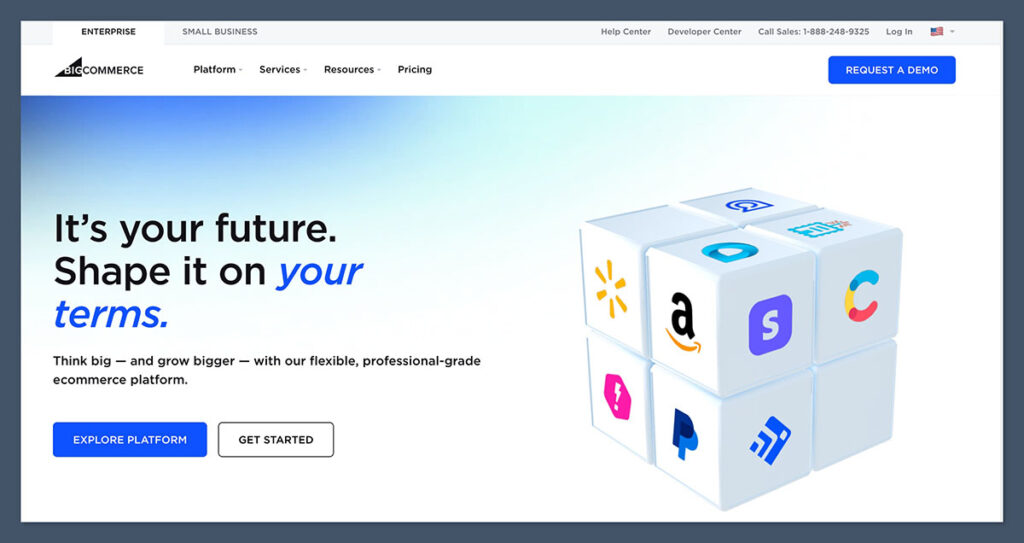
#3. BigCommerce: Best for Large Catalogs
- Starting price: $29 per month (billed annually)
- AI store builder: Yes (AI-assisted design and product content)
- Built-in POS: No native POS; integrates with Square, Clover, and others
BigCommerce is the platform I would recommend to Lightspeed users who are primarily online sellers with big inventories. It ships with more built-in ecommerce features than Shopify (product variants, filtering, multi-currency, and B2B tools are included rather than app-dependent), and it charges zero transaction fees regardless of which payment gateway you use.
The main limitation is that BigCommerce has no native POS. If in-store selling is central to your business, you will rely on an integration with a third-party POS, which is workable but less seamless than Shopify or Square. BigCommerce also enforces annual sales thresholds on each plan, which pushes fast-growing stores onto higher tiers.
Pros
- No transaction fees on any gateway
- Strong built-in features without relying on apps
- Handles very large catalogs (600 variants per product)
- Good B2B and multi-storefront tools on higher plans
Cons
- No native POS system
- Annual sales limits force plan upgrades
- Steeper learning curve than Wix or Square
- Fewer free themes than competitors
What’s new with BigCommerce
- BigCommerce’s Catalyst storefront framework (built on Next.js) gives developers a headless, high-performance front end without leaving the platform
- BigCommerce’s parent company rebranded as Commerce.com, bringing BigCommerce, Feedonomics, and Makeswift under one umbrella
BigCommerce’s built-in feature depth is its biggest selling point over Lightspeed. Where Lightspeed’s online store feels like an add-on to the POS, BigCommerce’s storefront is the main event, with SEO controls, faceted search, and bulk pricing all available out of the box. The editor is less polished than Wix or Squarespace, but for merchants who care more about catalog management than visual design, that is a fair trade.
How Much Does BigCommerce Cost?
BigCommerce has three self-service plans and an Enterprise tier. The figures below reflect BigCommerce’s published US pricing at the time of writing:
| Plan | Monthly (billed annually) | Monthly (billed monthly) | Annual online sales limit | PayPal (Braintree) rate | Platform transaction fee |
|---|---|---|---|---|---|
| Standard | $29 | $39 | $50,000 | 2.59% + $0.49 | 0% |
| Plus | $79 | $105 | $180,000 | 2.35% + $0.49 | 0% |
| Pro | $299 | $399 | $400,000 (then $150 per additional $200,000) | 2.05% + $0.49 | 0% |
| Enterprise | Custom | Custom | Custom | Negotiated | 0% |
- Free trial: 15 days, no credit card required
- Zero transaction fees on every plan, whether you use PayPal, Stripe, Authorize.net, or another gateway
- Sales thresholds: if your trailing 12-month online sales exceed your plan’s limit, BigCommerce automatically moves you up a tier
- POS costs: depend on the third-party POS you integrate (Square POS software is free; Clover and others charge monthly)
- Hidden costs to budget for: premium themes (typically $150 to $300 one-off) and any paid apps
Compared with Lightspeed: BigCommerce Standard costs $29 per month against Lightspeed Retail Basic’s $89, and the absence of transaction fees can save high-volume sellers hundreds of dollars a month. If you don’t need Lightspeed’s POS, BigCommerce offers more online features for less money.
BigCommerce is suitable for:
- Online-first stores with large or complex product catalogs
- Merchants who want to keep their existing payment gateway without penalty
- Businesses selling B2B or across multiple storefronts
BigCommerce isn’t suitable for:
- Retailers who need a tightly integrated native POS
- Complete beginners who want a guided, design-led builder
- Stores that dislike being moved between plans based on sales volume
Why use BigCommerce? If your business has outgrown Lightspeed’s online storefront but you don’t want to pay for apps to fill gaps, BigCommerce gives you enterprise-grade catalog tools and zero transaction fees at a mid-market price.

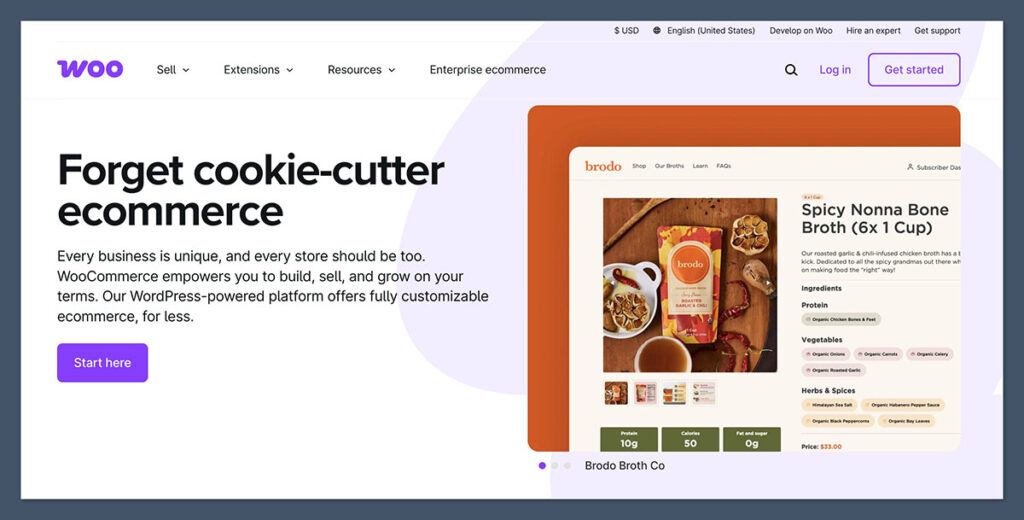
#4. WooCommerce: Best for Customization
- Starting price: Free plugin (hosting and domain extra)
- AI store builder: Limited, via WordPress and third-party plugins
- Built-in POS: No native POS; available through extensions
WooCommerce is the most flexible platform on this list, and the only one that gives you full ownership of your store’s code and data. It runs on WordPress, so if you already publish content on WordPress or want complete control over design, SEO, and functionality, it is a natural fit.
That flexibility comes with responsibility. You manage hosting, security, updates, and backups yourself (or pay a managed host to do it), and building a polished store usually requires more technical involvement than any hosted platform. For Lightspeed users who value an all-in-one system, that can be a shock.
Pros
- Free, open-source core plugin
- Unlimited customization through themes, plugins, and custom code
- Full data ownership and no platform lock-in
- Excellent SEO and content marketing tools via WordPress
Cons
- You are responsible for hosting, security, and maintenance
- Costs are unpredictable once you add hosting and paid extensions
- Steeper learning curve for non-technical users
- POS requires third-party extensions
What’s new with WooCommerce
- WooCommerce’s block-based cart and checkout are now the default, bringing faster, more customizable checkout pages to new stores
- WooPayments continues to expand, with built-in support for multi-currency, in-person payments via WooPayments hardware, and buy now, pay later options
The best way to think about WooCommerce is as a toolkit rather than a product. Everything Lightspeed does out of the box can be replicated with WooCommerce, but you will assemble it yourself from hosting, a theme, payment plugins, and inventory extensions. For a store with a specific workflow that hosted platforms can’t accommodate, that freedom is worth the effort. For a retailer who just wants to sell without thinking about servers, it probably isn’t.
How Much Does WooCommerce Cost?
WooCommerce itself is free, so your cost depends entirely on the pieces you add around it. Here is a realistic breakdown based on typical market pricing at the time of writing:
| Cost item | Typical range | Notes |
|---|---|---|
| WooCommerce plugin | $0 | Open source, free forever |
| Web hosting | $10 to $40 per month | Shared hosting is cheaper; managed WooCommerce hosting costs more but handles updates and security |
| WordPress.com Commerce plan | $45 per month (billed annually) | All-in-one hosted option with WooCommerce pre-installed |
| Domain name | $10 to $20 per year | Often included free for the first year with hosting |
| Theme | $0 to $100 one-off | Many free themes; premium themes add polish |
| Paid extensions | $49 to $299 per year each | Subscriptions, bookings, advanced shipping, and POS extensions are typically paid |
| WooPayments processing | 2.9% + $0.30 (US cards) | Plus 1% for international cards; other gateways available |
- No platform transaction fees; you only pay your payment processor’s rate
- Realistic total for a small store: around $15 to $50 per month with shared hosting and a couple of extensions
- Realistic total for a serious store: $100 to $300 per month once you add managed hosting, premium extensions, and a developer’s time
- POS costs: depend on the extension you choose; some are free with hardware, others charge monthly
- Hidden costs to budget for: extension renewals, security plugins, backups, and occasional developer help
Compared with Lightspeed: WooCommerce can be dramatically cheaper than Lightspeed Retail’s $89 per month, or considerably more expensive, depending on how much you build. The cost is flexible, but so is the workload.
WooCommerce is suitable for:
- Businesses already running a WordPress website
- Stores that need custom functionality hosted platforms can’t provide
- Merchants who want full ownership of their data and no lock-in
WooCommerce isn’t suitable for:
- Retailers who want a hands-off, all-in-one platform
- Non-technical users without a developer
- Stores where in-person sales are the priority
Why use WooCommerce? If Lightspeed feels too rigid and you want a store that bends to your business rather than the other way around, WooCommerce gives you unlimited control, provided you are willing to manage the technical side.
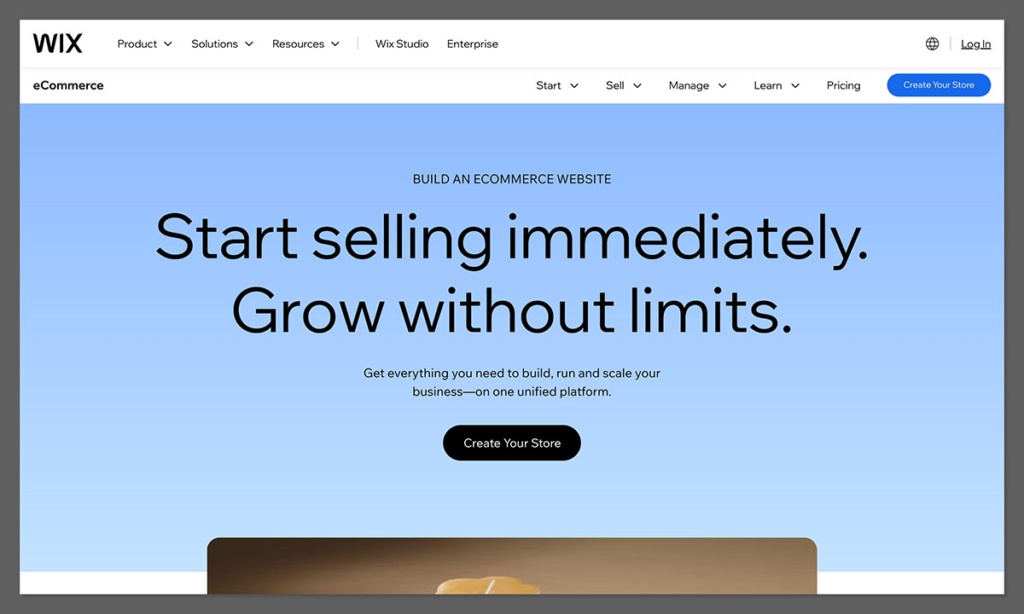
#5. Wix: Best for Beginners
- Starting price: $17 per month (billed annually); $29 per month to sell
- AI store builder: Yes
- Built-in POS: Yes, Wix POS (US only)
Wix is the easiest platform on this list to get started with, thanks to its AI website builder and free-form drag-and-drop editor. It is a strong choice for a small store that cares about how its site looks and wants marketing, email, bookings, and ecommerce in one dashboard.
Wix is not a heavy-duty ecommerce platform, though. Its inventory and in-store tools are basic compared with Lightspeed and Shopify, Wix POS is only available in the US, and stores with large catalogs will find it limiting. Treat it as the right choice for design-led small businesses, not for multi-location retailers.
Pros
- Free-form drag-and-drop editor with over 2,000 templates
- AI website builder that creates a custom site from a few questions
- Built-in marketing tools, including email campaigns and automations
- 24/7 support
Cons
- Can’t switch templates once your site is live
- Basic inventory management for larger stores
- Wix POS is US only
- Slower loading times than leaner platforms
What’s new with Wix
- Wix has partnered with Stripe to help merchants sell products through AI agents
- UPS shipping is now supported by Wix Shipping for US and Canada-based online stores
Wix stands out for how approachable it is. The AI builder asks a handful of questions and generates a working site and dashboard, and you can then refine every element by hand. That is a very different experience from Lightspeed’s retail-first setup. The flip side is that Wix’s editor can feel sluggish, and the sheer number of built-in features can be overwhelming if you only need a simple store.
How Much Does Wix Cost?
Wix has four paid plans plus a free tier. The figures below reflect Wix’s published US pricing at the time of writing:
| Plan | Monthly (billed annually) | Can you sell online? | Storage | Key inclusions |
|---|---|---|---|---|
| Free | $0 | No | 500MB | Wix-branded domain and ads |
| Light | $17 | No | 2GB | Custom domain, no ads, basic marketing |
| Core | $29 | Yes | 50GB | Ecommerce, basic analytics, 2 collaborators |
| Business | $36 | Yes | 100GB | Advanced ecommerce, multi-currency, 5 collaborators |
| Business Elite | $159 | Yes | Unlimited | Advanced developer tools, priority support, 15 collaborators |
- Free plan forever: useful for testing, but you cannot sell products and your site carries Wix ads
- Monthly billing is available at a higher rate than the annual figures above
- Payment processing: Wix Payments charges 2.9% + $0.30 per transaction in the US, with no additional platform fee
- POS costs: Wix POS software is included on ecommerce plans; hardware such as card readers and registers is sold separately (US only)
- Hidden costs to budget for: premium apps from the Wix App Market, and the fact that your first-year domain discount expires on renewal
Compared with Lightspeed: Wix Core at $29 per month is roughly a third of Lightspeed Retail Basic’s price. Even the Business plan at $36 per month, which is the one most small stores actually need, comfortably undercuts Lightspeed. Wix is cheaper, but you are trading retail depth for design and marketing tools.
Wix is suitable for:
- Beginners who want an intuitive, guided build
- Small stores that prioritize design and branding
- Businesses that want marketing, bookings, and ecommerce in one place
Wix isn’t suitable for:
- Retailers with large inventories or multiple locations
- Stores outside the US that need integrated POS
- Users who want to change templates regularly
Why use Wix? If you are a small, design-focused business that found Lightspeed overbuilt for your needs, Wix gives you a beautiful store, strong marketing tools, and an easy editor for a fraction of the price.
How Do I Choose the Right Lightspeed eCom Alternative?
To choose the right alternative, you should evaluate eight key factors, ranging from POS integration and pricing to scalability and design freedom. The right answer depends on what pulled you toward Lightspeed in the first place and what is pushing you away now.
Below is a checklist of what to consider when comparing platforms:
- POS integration: Do you sell in person? Does the platform have a native POS, or will you rely on a third-party integration? Is the POS available in your country?
- Inventory depth: How many products and variants do you have? Do you need purchase orders, supplier management, or multi-location stock?
- Pricing: What is the true monthly cost once you include apps, themes, POS software, and processing fees? Is there a free plan or trial?
- Transaction fees: Does the platform charge extra if you use your own payment gateway?
- Design freedom: Is the editor drag-and-drop or section-based? How many templates are available, and are they free?
- App ecosystem: Can you add the integrations you need for marketing, shipping, accounting, and marketplaces?
- AI support: Is there an AI store builder? Can you generate product descriptions and get instant help from an AI assistant?
- Scalability: Will the platform grow with you, or will you be planning another migration in two years?
Can I Switch From Lightspeed eCom?
Yes, you can switch from Lightspeed eCom, and all five platforms above will let you import your product catalog. However, migration is rarely a one-click process, and the difficulty depends on where you are going.
In most cases, the process looks like this:
- Export your data from Lightspeed: products, variants, inventory levels, customers, and order history can be exported as CSV files from the Lightspeed back office
- Import your catalog into the new platform: Shopify, BigCommerce, Square, Wix, and WooCommerce all accept CSV imports, though you will usually need to reformat columns to match their templates
- Rebuild your storefront: themes and page designs don’t transfer, so expect to redesign your site from scratch
- Reconnect your domain: point your custom domain to the new platform once the store is ready
- Set up redirects: map old product URLs to new ones to protect your search rankings
- Reconnect your POS and payments: if you sell in person, configure your new POS hardware and payment processor before switching off Lightspeed
Third-party migration services such as Cart2Cart and LitExtension can automate much of the data transfer for a fee, which is worth considering if you have a large catalog or extensive order history. Run both systems in parallel for a short period so you can verify inventory counts before you cancel your Lightspeed subscription.
How We Evaluate Ecommerce Platforms
To rank these Lightspeed eCom alternatives, I compared each platform against a consistent set of criteria, weighted to reflect what matters most to retailers moving away from a POS-first system:
- Sales and inventory features (30%): product management, variants, inventory tracking, shipping, discounts, and multichannel selling
- POS and in-store integration (20%): whether the platform offers a native POS, how well it syncs with the online store, and where it is available
- Pricing and value (20%): plan costs, transaction fees, free plans or trials, and the true total cost once add-ons are included
- Design and ease of use (15%): editor quality, template range, AI building tools, and onboarding
- Apps and scalability (10%): the size of the app ecosystem and how well the platform supports growth
- Support and reputation (5%): support channels, availability, and independent user reviews
Pricing and feature information is drawn from each vendor’s published documentation at the time of writing. Where a figure comes from the platform itself rather than an independent source, I have said so.
Key Takeaways
- Shopify is the best overall Lightspeed eCom alternative, combining a unified online store and POS system with the largest app market in ecommerce
- Pricing ranges from $0 to $299 per month (billed annually) across our five picks, with Square Online offering a genuinely free plan and BigCommerce Pro sitting at the top end
- Square Online and Wix have free plans you can stay on forever, though Wix requires an upgrade before you can sell products
- Shopify, Square, and Wix all offer their own POS systems, making them the closest like-for-like replacements if you sell in person as well as online
- BigCommerce charges zero transaction fees on any payment gateway, which makes it the strongest option for high-volume stores that want to keep their existing payment provider
- Every platform on this list offers AI-assisted store building or product content tools, though Shopify and Wix currently lead on the depth of their AI features
Final Verdict: Which Lightspeed eCom Alternative Do I Recommend?
After comparing the five platforms, Shopify is the best Lightspeed eCom alternative for most retailers. It is the only option that matches Lightspeed’s unified online-and-in-store model while adding a bigger app ecosystem, stronger AI tools, and a clearer path to scale.
That said, each platform has a clear use case:
- Choose Shopify if you need online and in-store selling in one system and plan to grow
- Choose Square Online if cost is your main concern and your catalog is small
- Choose BigCommerce if you sell primarily online, have a large catalog, and want zero transaction fees
- Choose WooCommerce if you want full control and already work in WordPress
- Choose Wix if you are a design-led small business that found Lightspeed overbuilt
If you are unsure where to start, use the free plans and trials. Square Online and Wix are free to explore indefinitely, BigCommerce offers 15 days, and Shopify’s $1-per-month introductory offer gives you three months to test it properly before committing.
Lightspeed eCom Alternatives FAQ
What is the cheapest Lightspeed eCom alternative?
Square Online is the cheapest alternative, with a free plan that includes unlimited products and syncs with Square’s free POS software. You only pay payment processing fees. WooCommerce can also be very cheap, but you will need to pay for hosting and a domain.
Which Lightspeed alternative has the best POS system?
Shopify has the most capable POS system among Lightspeed alternatives, with multi-location inventory, staff permissions, and in-store analytics on the POS Pro plan. Square POS is a strong free option for smaller retailers, and Wix POS works well for US-based small businesses.
Is Shopify better than Lightspeed eCom?
For most online-first and hybrid retailers, Shopify is the stronger platform because of its larger app market, better templates, and more advanced AI tools. Lightspeed retains an edge for complex physical retail operations that rely heavily on purchasing, supplier management, and multi-store inventory transfers.
Can I move my products from Lightspeed to Shopify?
Yes. You can export your product catalog from Lightspeed as a CSV file and import it into Shopify using its product import template. Migration services such as Cart2Cart can automate the transfer, including customers and order history, for a fee.
Does Lightspeed eCom still exist as a standalone product?
No. Lightspeed eCom is now bundled with Lightspeed Retail rather than sold separately, which is one reason its entry price is higher than most dedicated ecommerce platforms. Lightspeed also owns Ecwid, which it markets as a lightweight add-on store builder.
Which alternative is best for a large product catalog?
BigCommerce is the best choice for large catalogs, supporting up to 600 variants per product and offering built-in filtering, bulk pricing, and B2B tools without relying on apps. Shopify also handles large inventories well, particularly on its Advanced and Plus plans.
Do any Lightspeed alternatives charge zero transaction fees?
BigCommerce and WooCommerce charge no platform transaction fees regardless of which payment gateway you use. Shopify, Square, and Wix don’t add fees if you use their native payment processors, but Shopify charges up to 2% extra if you use a third-party gateway.


Comments 0 Responses