


Kajabi and LearnDash are two leading platforms for creating and selling online courses. But which one is best suited for ecommerce businesses looking to scale?
I’ve spent over 100 hours researching, testing, and comparing the best online course platforms so you don’t have to. After putting both Kajabi and LearnDash through their paces, here’s what I found.
Kajabi vs LearnDash: Quick Verdict
Kajabi – Best all-in-one platform for ecommerce entrepreneurs who want to launch fast with minimal tech setup.
LearnDash – Best for developers and ecommerce brands already using WordPress who want maximum customization and flexibility.
In this review, I’ll break down how Kajabi outperforms LearnDash in ease of use and ecommerce features, while LearnDash wins on customization and flexibility.
This comparison was updated on 08/18/25 with new pricing, feature updates, and platform testing.
Quick Comparison: Kajabi vs LearnDash
Here’s a quick look at how Kajabi and LearnDash stack up for ecommerce use:
| Feature | Kajabi | LearnDash |
|---|---|---|
| Best For | Beginners & creators | WordPress users & devs |
| Hosting | Included | Self-hosted |
| Ecommerce Features | Built-in | WooCommerce required |
| Pricing | From $149/month | $199/year + hosting |
| Design Flexibility | Template-based | Fully customizable |
| Built-in Email Marketing | Yes | No |
| Support | 24/7 chat + tutorials | Ticket-based + forums |
| SEO | Good basic features | Depends on WordPress setup |
| Learning Curve | Beginner-friendly | Moderate to steep |
Best for Pricing: LearnDash Wins on Cost, Kajabi Wins on Simplicity
If you’re looking at the price tag alone, LearnDash is cheaper — but there’s more to the story.
Kajabi Pricing
- Basic Plan: $149/month
- Growth Plan: $199/month
- Pro Plan: $399/month
- Includes hosting, checkout, email, automations, and video storage
LearnDash Pricing
- $199/year (one site)
- Hosting: $20–$40/month
- Email marketing: Add $20–$50/month for tools like Mailchimp or ConvertKit
- WooCommerce: Free, but paid add-ons may be needed
While LearnDash looks more affordable upfront, remember it only includes the LMS. You’ll need to build the rest of your stack (hosting, email, checkout, CRM, etc.).
That also means more responsibility — every extra tool you add brings new integrations, potential plugin conflicts, and maintenance overhead.
Kajabi’s value comes from bundling these tools together, even if you’re paying more for the convenience.
The Winner: LearnDash for budget-conscious users, Kajabi for bundled simplicity.
Best for Selling Online: Kajabi’s Ecommerce Tools Are Built-In

When testing ecommerce features, I found Kajabi much easier to work with.
Everything is included in the dashboard: digital products, subscriptions, upsells, order bumps, and payment integrations.
Kajabi Sales Features
- One-click upsells and order bumps
- Subscriptions and payment plans
- Stripe and PayPal support out of the box
- Checkout pages with no additional plugins needed
- Product bundles and digital offers
LearnDash Sales Features
- Requires WooCommerce to sell anything
- Must configure products manually
- Upsells, bundles, and subscriptions need additional plugins
- More control, but much more setup
If you want to launch quickly, Kajabi is the clear winner. For example, I created a course, set a price, connected Stripe, and was ready to sell — all in under 30 minutes. With LearnDash, the same setup took hours due to plugin dependencies.
Even something as basic as setting up a checkout page on LearnDash involves coordinating multiple tools — WooCommerce for products, a theme to handle design, and plugins for upsells or payments.
Kajabi cuts through that with native tools, saving you serious time.
The Winner: Kajabi, hands down. You can sell faster, with less tech.
Best for Templates and Design: LearnDash Is More Flexible
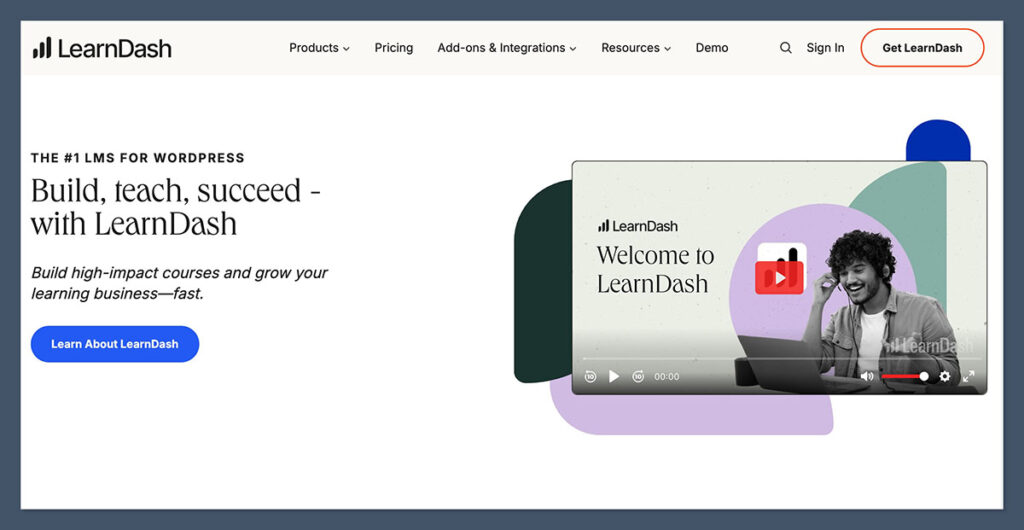
Design matters, especially when you’re building a brand.
Kajabi offers beautiful templates that work well out of the box. But you’re limited when it comes to deeper customization unless you use code.
Kajabi Design
- Pre-designed templates
- Drag-and-drop editor for landing pages
- Clean, professional layouts
- Limited flexibility beyond what’s offered
LearnDash Design
- Works with any WordPress theme
- Compatible with Elementor, Divi, and other builders
- Full control over course pages, layouts, headers, and footers
- Higher learning curve but almost unlimited customization
If you’re already comfortable with WordPress and want pixel-perfect branding, LearnDash will give you more freedom.
But if you want something that looks good without design experience, Kajabi is quicker and easier.
I should also mention that with LearnDash, the flexibility can become a downside if you don’t already have a visual direction.
It’s easy to get lost in design tweaks and plugin settings. Kajabi helps you avoid that by limiting options in a good way — you stay focused on content and selling, not fiddling with CSS.
The Winner: LearnDash for customization, Kajabi for ease of use.
Best for Marketing Tools: Kajabi’s Built-In Automation Wins
Marketing is where Kajabi really shines.

It comes with everything you need to capture leads, nurture your audience, and convert sales — no external tools required.
Kajabi Marketing
- Built-in email marketing
- Visual funnel builder
- Tag-based automation (e.g., email someone who finishes a course)
- Landing pages, webinars, and lead capture forms included
LearnDash Marketing
- No native email or funnels
- Requires integration with tools like ActiveCampaign or ConvertKit
- Can use plugins like WP Fusion for automation
- Needs technical setup and maintenance
Kajabi’s all-in-one system made it easier for me to create a complete funnel — from opt-in to thank-you page to automated email sequence — all in one place.
With LearnDash, I had to bolt on several tools to get the same result.
Beyond just setup, Kajabi also makes reporting easier. I could track open rates, conversions, and even where users dropped off in the funnel — all from one dashboard.
LearnDash has no unified marketing view unless you connect third-party CRMs or analytics, which adds complexity and risk.
The Winner: Kajabi. Better marketing, less setup.
Best for Scalability: LearnDash Gives You More Control
When it comes to long-term growth, both platforms can scale — but in very different ways.
Kajabi Scalability
- Scales well up to mid-size businesses
- Managed hosting keeps performance solid
- Less flexibility with backend customization
LearnDash Scalability
- Scales as far as your hosting allows
- You can move to a VPS or dedicated server
- Advanced caching and performance plugins available
- Developer access to build custom solutions
If you want to build a massive content library or run complex workflows with full backend access, LearnDash gives you the control to scale on your terms.
But it also means you’re responsible for performance, updates, and infrastructure.
I’ve worked with ecommerce clients who migrated from Kajabi to WordPress once their business became more complex — especially when they needed integrations that Kajabi just couldn’t support.
LearnDash became the go-to because it allowed them to architect a custom stack tailored to their growth.
The Winner: LearnDash — but you’ll need technical support as you grow.
Best for Support: Kajabi Is Faster and Easier to Reach
Customer support can make or break your experience — especially when something breaks right before a launch.
Kajabi Support
- 24/7 live chat on all plans
- Detailed knowledge base
- Video tutorials and community
- Fast response times in my testing
LearnDash Support
- Ticket system (no live chat)
- Knowledge base and Facebook groups
- Developer documentation
- Slower replies depending on time zone
I tested both platforms’ support teams by asking the same questions.
Kajabi responded within minutes via chat. With LearnDash, I waited over 12 hours for a ticket response.
Also worth noting: Kajabi’s support staff seemed more “product fluent.” They weren’t just reading from a script — they understood how real course businesses work.
LearnDash’s support was knowledgeable, but slower and more limited to plugin-specific issues. Anything outside their scope becomes your problem.
The Winner: Kajabi. More responsive, more accessible.
Best for User Experience: Kajabi Is More Beginner-Friendly
Ease of use was a major difference in my testing. Kajabi is designed for creators, coaches, and entrepreneurs — not developers. Its UI is modern, intuitive, and requires zero coding.
Kajabi Onboarding
- Easy-to-follow dashboard
- Guided setup checklists
- Clear product creation workflow
- No technical hurdles
LearnDash Onboarding
- Setup involves WordPress, plugins, hosting, and themes
- Requires familiarity with the WordPress backend
- WooCommerce adds another layer of complexity
- Not ideal for non-technical users
If you’re already running a WordPress site and feel confident using plugins, LearnDash won’t be an issue.
But if you’re looking for a smooth experience from login to launch, Kajabi is the winner.
Even tasks like updating a lesson or changing a price felt faster in Kajabi. In LearnDash, you often need to click through several layers in WordPress or a third-party plugin just to make a simple change.
Kajabi just makes common tasks feel easier, especially for solo entrepreneurs.
The Winner: Kajabi. Simpler from start to finish.
The Final Verdict: Kajabi vs LearnDash
Both platforms are excellent — but they serve different users.
Choose Kajabi if you:
- Want an all-in-one ecommerce solution
- Are just starting or don’t want to deal with tech setup
- Need built-in email, checkout, and automations
- Are okay with paying a premium for simplicity
Choose LearnDash if you:
- Already use WordPress and WooCommerce
- Need full control over your design and tech stack
- Have the technical knowledge (or team) to support it
- Want to customize every part of your funnel
Overall Winner: Kajabi
For ecommerce businesses that want to start selling fast, Kajabi delivers a more complete, beginner-friendly package. It’s ideal if you want a clean, easy-to-use platform with everything built-in — even if it costs a bit more upfront.
That said, if you’re building a highly customized course platform on WordPress, LearnDash is still a powerful, flexible choice — as long as you’re prepared to manage the extra setup.
If you’re stuck choosing between them, think about how much time and control you want. Kajabi gives you speed and simplicity, while LearnDash gives you options and ownership.
One isn’t better than the other in absolute terms — it’s about which one aligns with how you like to build and run your business.



Comments 0 Responses