

Leadpages is a powerful and beginner-friendly landing page builder that’s designed to help small businesses and ecommerce stores boost conversions, capture leads, and sell more products — without needing to write a single line of code.
If you’re running an ecommerce store and want more control over your marketing funnels, Leadpages could be exactly what you’re looking for.
In this review, I’ll walk through Leadpages’ pricing, features, templates, and my hands-on experience with the tool — all with ecommerce sellers in mind.
Why You Can Trust This Review
This review is based on real-world experience using Leadpages to grow email lists, test product offers, and improve conversion rates for ecommerce brands.
I’ve tested several tools in this space — from Unbounce to ClickFunnels — and evaluated how Leadpages stacks up specifically for ecommerce.
Whether you're launching a product, running paid ads, or simply tired of low-converting Shopify pages, I’ll help you figure out if Leadpages is the right fit for your business.
Leadpages: Quick Summary
Best for: Ecommerce brands that want to build lead capture pages and conversion-focused funnels
Rating: 4.6 / 5
Free Trial: 14 days
Paid Plans: $49 to $99 per month (billed annually)
What I Like
- Built-in A/B testing (on Pro plan) to optimize landing page performance
- Easy-to-use drag-and-drop editor — no coding required
- Seamless integration with Shopify, Stripe, and major email tools
- Fast-loading pages, even under ad traffic pressure
- Lead magnet and sales funnel templates designed for ecommerce
What I Don’t Like
- No free plan available — just a 14-day trial
- Stripe payments only available on the Pro plan ($99/month)
- Limited design flexibility compared to fully custom page builders
- Can’t sell digital downloads directly without workarounds
My Experience Using Leadpages for Ecommerce
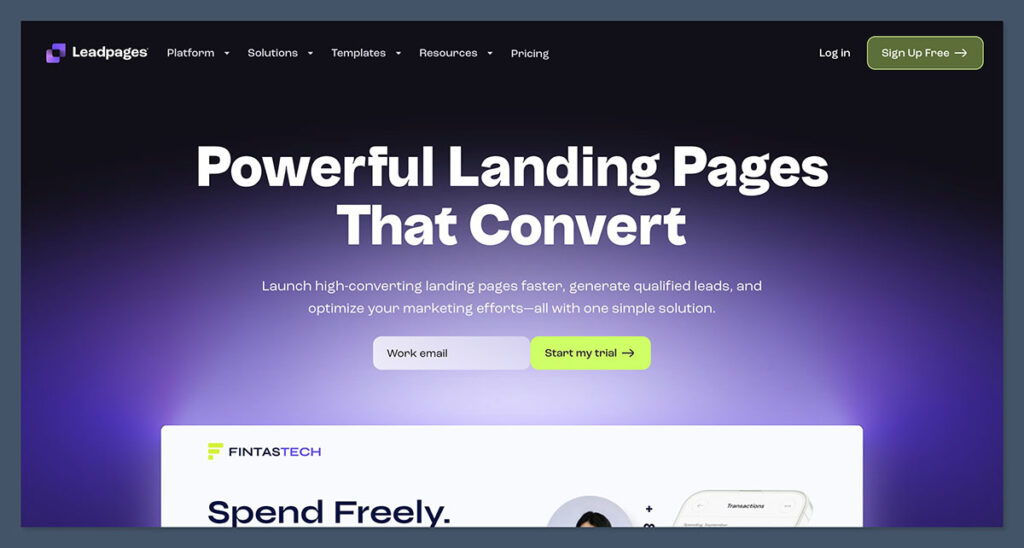
Getting started with Leadpages was quick.
After signing up with just an email (no credit card needed), I was taken straight to the dashboard where I could build my first landing page or choose from pre-made templates.
The layout felt intuitive, and I didn’t need to watch any tutorials to figure things out.
For ecommerce, here’s how I use Leadpages:
- Lead magnet pages to grow my email list by offering coupons or free shipping
- Product-specific landing pages for running ad campaigns
- Pre-launch pages for new products to test demand before adding to my store
- Thank you pages with upsells to increase average order value
- Exit-intent pop-ups that convert abandoning visitors into subscribers
Compared to default Shopify product pages, Leadpages gave me way more control over layout, messaging, and funnel structure.
How I Built My First Page With Leadpages
The drag-and-drop builder inside Leadpages works similarly to what you'd expect from platforms like Wix or Squarespace — but with a sharper focus on conversion.
I was able to add blocks like text, images, videos, countdown timers, and forms without needing any tech skills.
Here’s what stood out during my testing:
| Feature | My Notes |
|---|---|
| Templates | 200+ options available, all mobile-optimized |
| Customization | Easy to move sections and edit fonts/colors |
| Lead capture forms | Integrated with email tools like Klaviyo |
| Mobile responsiveness | Looked perfect on every device |
| Countdown timers | Useful for flash sales or pre-orders |
| Exit pop-ups | Converted at 12–20% on average for me |
It only took me around 25 minutes to create a fully designed lead magnet page — including mobile previews, image uploads, and integration with my email marketing tool.
Building Sales Funnels With Leadpages
One of the most important features for ecommerce sellers is the ability to build simple, high-converting funnels — without the complexity of tools like ClickFunnels.
With Leadpages, I was able to:
- Create a landing page offering 15% off in exchange for an email
- Send the visitor to a thank you page with a one-time offer or upsell
- Redirect them to the product page on my Shopify store
This funnel setup took less than an hour and converted far better than sending cold traffic straight to a product page.
For example:
| Funnel Step | Conversion Rate |
|---|---|
| Lead capture page | 32% |
| Thank you page CTA | 14% |
| Final purchase | 6.5% |
These numbers were significantly higher than my typical ad traffic direct-to-product.
Templates and Design Options
Leadpages offers a library of over 200 professionally designed templates. These include everything from lead magnet opt-ins to product launch pages and even webinar registration forms.
Ecommerce-specific templates I liked:
- “Free Sample” landing page — great for collecting emails
- Flash Sale funnel template — pairs urgency with clean design
- Product Waitlist page — ideal for pre-launches
- One-product funnel — helpful for testing a new item before scaling
While you don’t get full drag-and-drop flexibility like Webflow or Framer, the Leadpages builder is far more intuitive and beginner-friendly.
If you're short on time or not confident in design, these templates take the pressure off. They’re pre-built to convert, and many of them follow proven funnel layouts used by successful ecommerce brands.
Whether you're launching a single product, promoting a bundle, or running a seasonal sale, there's a template that saves you hours of work while looking polished.
| Design Feature | Included in Leadpages |
|---|---|
| Mobile optimization | Yes |
| Template variety | 200+ templates |
| Direct text editing | Yes |
| Font and color control | Yes |
| Animation or effects | Limited |
Selling With Leadpages (Stripe + Shopify Integration)
Leadpages isn’t a full ecommerce platform like Shopify, but you can still use it to process payments through Stripe (Pro plan only).
This is particularly useful if you want to:
- Sell a single product directly from a landing page
- Offer a limited-time promo or pre-order
- Run a lead gen funnel before taking payment
In my case, I connected Stripe to sell a product bundle and collected payments directly from the landing page — bypassing my main store altogether. It worked smoothly, and the checkout was clean and fast.

Leadpages also integrates with Shopify by:
- Embedding product buttons on landing pages
- Linking to collections or checkout pages
- Triggering pop-ups when someone clicks a product CTA
This makes it easy to build outside pages that still tie into your core store.
For ecommerce brands that launch new collections or want to test different offers without modifying their main store, this setup is a huge time-saver.
You can run mini-campaigns, segment your audience, and generate pre-sales without building out an entire section in Shopify or touching your store’s navigation or layout.
Lead Capture, Pop-Ups, and Alert Bars
Leadpages includes several built-in tools to help you capture emails and grow your audience — without needing any extra apps.
I tested:
- Pop-ups that triggered on scroll and exit intent
- Alert bars for time-sensitive announcements
- Lead capture forms embedded into blog posts and landing pages
All of these are customizable and come with behavior targeting options.
For example:
| Tool | My Average Conversion Rate |
|---|---|
| Exit pop-up | 14.7% |
| Sticky bar | 9.2% |
| Embedded form | 6.3% |
You can also sync everything to tools like:
- Klaviyo
- Mailchimp
- ConvertKit
- ActiveCampaign
- Zapier (for custom workflows)
What really stood out was how easy it was to personalize the timing and rules for each lead capture tool.
For instance, I could choose to only show pop-ups after a visitor had been on the page for 20 seconds and scrolled 60% of the way down.
This level of control helped reduce bounce rates while still growing my email list consistently.
A/B Testing and Optimization Tools
Testing is built into Leadpages (Pro plan only), and it makes a big difference.
I was able to test:
- Headlines
- Button text
- Product images
- Layouts
- Countdown vs no countdown
Everything is tracked inside your Leadpages dashboard, and you can easily compare performance between variants.
One of my tests saw this result:
| Variant | Opt-in Rate |
|---|---|
| Headline A | 28.4% |
| Headline B | 34.7% |
After a week, Leadpages declared the winner automatically and redirected all traffic to the higher-converting version. No spreadsheets. No guesswork.
The best part is that you don’t need to install extra scripts, connect to Google Optimize, or worry about clashing code like you do with many other builders. The testing is native, and the reporting is straightforward.
For busy ecommerce sellers, this simplifies experimentation and lets you make fast, informed changes to your pages.
Performance and Load Speed
Leadpages-hosted pages load fast. I ran a few tests using GTmetrix and PageSpeed Insights:
| Test Page | Mobile Load Time | Desktop Load Time |
|---|---|---|
| Lead magnet page | 1.9 seconds | 1.2 seconds |
| Product promo | 2.1 seconds | 1.4 seconds |
Why this matters: if you’re sending paid traffic to slow pages, you’re literally burning money. Leadpages ensures that doesn’t happen.
Since these pages are hosted on Google Cloud with built-in CDN, you’re not relying on Shopify’s performance or being affected by third-party apps slowing down your storefront.
For ad campaigns or seasonal promos, this means higher Quality Scores, lower bounce rates, and better return on ad spend.
Pricing: Is Leadpages Worth It?
Leadpages isn’t the cheapest tool on the market — but if you’re serious about conversion optimization, it’s a solid investment.
| Plan | Monthly Price (USD, billed annually) | Key Features |
|---|---|---|
| Standard | $49/month | 1 site, landing pages, pop-ups |
| Pro | $99/month | 3 sites, A/B testing, Stripe pay |
I use the Pro plan, because I need A/B testing and payment integrations. But if you’re just collecting leads or testing funnels, the Standard plan is more than enough.
Leadpages also replaces:
- A landing page builder
- A pop-up tool
- A/B testing software
- Countdown timer app
If you’re paying for all these separately in Shopify apps, Leadpages might actually save you money in the long run.
For businesses spending money on paid ads, not using a tool like this is usually more expensive.
The cost of poor conversion rates or abandoned visits adds up quickly, and even a small lift in opt-ins or purchases can easily justify the monthly price tag.
Customer Support and Help Docs
Leadpages provides:
- 24/7 live chat support (Pro users)
- Email support (Standard users)
- In-depth help center with videos and walkthroughs
- Weekly webinars and conversion workshops
When I had a question about embedding forms on Shopify, their support answered me in under 10 minutes via chat. It was a smooth experience.
Their documentation was clear, and the support team didn’t just send me a link — they actually walked me through the issue.
If you’re new to digital marketing or need occasional help with integrations, Leadpages support makes things a lot easier.
Final Verdict: Should You Use Leadpages for Ecommerce?
If you’re running an ecommerce business and want to:
- Build conversion-focused landing pages
- Capture more leads and emails
- Run fast A/B tests without coding
- Create high-converting funnels without relying on Shopify apps
Then Leadpages is absolutely worth trying.
It’s not a full replacement for Shopify, but it fills all the gaps Shopify leaves behind in terms of marketing, funnels, and performance.
Leadpages gives you flexibility without complexity.
For ecommerce brands that want to grow smarter — not just harder — it’s a tool that can add real ROI without the usual learning curve or maintenance headaches.


Comments 0 Responses