

Shoprocket is a lightweight ecommerce solution designed to let you sell products from any website — whether it’s built in Webflow, WordPress, Notion, Framer, or even basic HTML.
Unlike traditional platforms like Shopify or WooCommerce, Shoprocket doesn’t require you to build a brand-new store.
Instead, you simply embed a shopping cart, product listings, or a checkout onto your existing site using a few lines of code.
In this review, I’ll cover everything you need to know about Shoprocket — its pricing, features, pros, and limitations — to help you decide if it’s the right ecommerce tool for your business.
Why You Can Trust This Review
I’ve spent time testing Shoprocket across multiple platforms, including Notion, Webflow, and Framer.
I’ve also compared it directly with leading ecommerce builders like Shopify and Ecwid. This review is based on hands-on testing, real user feedback, and up-to-date product research, so you can make an informed decision.
Shoprocket Pros & Cons
Best for embedding ecommerce on an existing website
Rating: 4.5 out of 5
Free Plan Available
Paid Plans: $29 – $79 / month
Pros 👍
- Works with any website (just paste code)
- Zero transaction fees on paid plans
- Fast setup (under 15 minutes)
- Multi-currency and multi-language support
- Secure checkout with 180+ payment gateways
Cons 👎
- Limited store design control
- No built-in email marketing or CRM
- Not suitable for complex product catalogs
- Requires Stripe or PayPal to accept payments
Quick Summary: What I Like and Don’t Like
What I Like
- Shoprocket lets you launch a store on your existing site without rebuilding anything
- The checkout process is fast, secure, and mobile-optimized
- It supports physical, digital, and subscription products
- No platform lock-in — your site stays wherever you’ve built it
What I Don’t Like
- Customizing the visual style requires CSS or API use
- No built-in tools for email marketing, funnels, or retargeting
- The dashboard can feel a bit basic compared to Shopify
- Some advanced features are locked behind the Scale plan
My Experience Setting Up Shoprocket
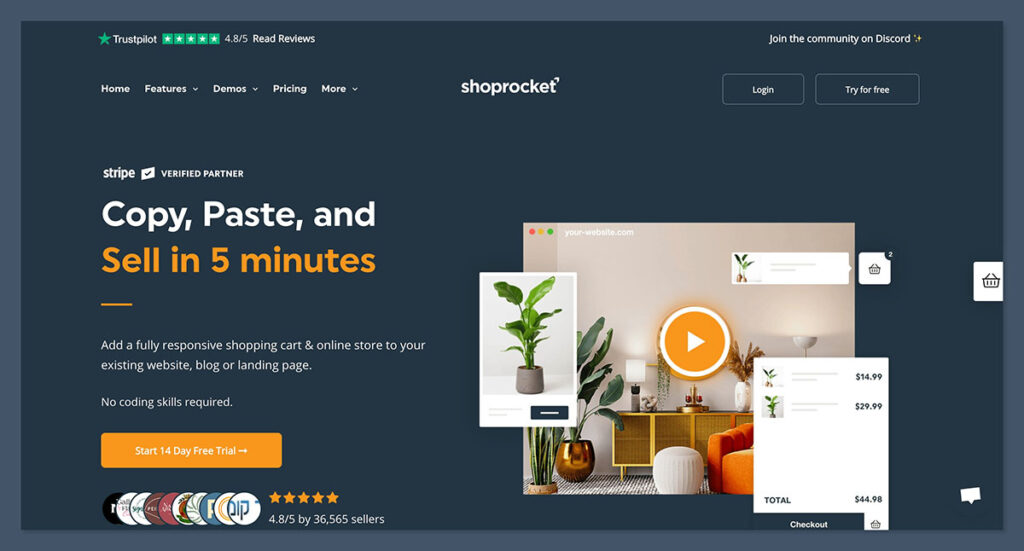
Getting started with Shoprocket was refreshingly simple. I didn’t need to install anything.
After signing up, I was immediately dropped into a clean dashboard where I could:
- Add my first product
- Set up payment gateways
- Configure shipping and tax
- Copy and paste embed code directly into my site
Setup Steps
- Sign up – no credit card needed for the free plan
- Add products – name, description, images, variants, and prices
- Configure checkout – choose Stripe, PayPal, or Square
- Embed anywhere – Shoprocket gives you HTML snippets to paste in your site
It took less than 15 minutes to go from zero to a live checkout. Compared to WooCommerce or even Shopify, the process felt much leaner.
Supported Website Builders
- Webflow
- WordPress
- Notion
- Framer
- Wix
- Squarespace
- Google Sites
- Custom HTML/CSS sites
If your website platform lets you paste code or use custom embeds, Shoprocket will work.
Adding Products in Shoprocket
Adding products was straightforward. I could define product names, descriptions, prices, and inventory. I also had the option to add:
- Variants (like size or color)
- Digital files (for instant download)
- Inventory limits
- Custom metadata for SEO
Product Features
| Feature | Available? |
|---|---|
| Physical & Digital Products | ✅ |
| Subscriptions | ✅ |
| Product Variants | ✅ |
| Inventory Management | ✅ |
| Product Categories | ✅ |
| SEO Fields | ✅ |
| Reviews / Ratings | ❌ |
| Upsells / Cross-sells | ❌ |
You can track stock levels, hide out-of-stock items, and enable backorders if needed. It’s well suited for small-to-medium catalogs.
Customizing Your Storefront
Because Shoprocket embeds into your existing site, you don’t design a storefront inside Shoprocket — you design it in your platform (e.g. Webflow or Notion) and drop in your Shoprocket product widgets or checkout.
Customization Options
- Change button colors and styles via the dashboard
- Add custom CSS for more design control
- Use the API for full customization (on Scale plan)
- Add custom fields like product specifications or delivery time
However, customization is limited unless you’re comfortable editing styles or using the API.
If you want full design flexibility, the headless API route is best — but that’s more developer-focused.
Features Breakdown
Shoprocket offers a surprisingly robust feature set, especially considering its lean setup.
Sales & Checkout Features
- Secure, mobile-friendly checkout
- Guest checkout (no account required)
- Abandoned cart recovery (Scale plan)
- Discount codes and coupons
- Multi-currency and language support
Payment Gateways
- Stripe
- PayPal
- Square
- Over 180 currencies supported
You can customize taxes, add flat-rate or weight-based shipping, and even enable pickup or local delivery.

Beyond the basics, Shoprocket also supports advanced ecommerce use cases through its headless API. This allows developers to build fully custom checkout experiences, sync product data with external systems, or integrate Shoprocket into mobile apps.
It’s a valuable feature for teams who want full control over the buying journey without the complexity of managing a traditional ecommerce backend.
Shoprocket Pricing
Shoprocket’s pricing is simple and predictable. There are three main plans, with the option to start for free.
| Plan | Price | Key Features |
|---|---|---|
| Free | $0/month | Unlimited products, PayPal only, branded checkout |
| Pro | $29/month | Stripe/Square support, unbranded checkout, 0% fees |
| Scale | $79/month | API access, cart recovery, custom branding, support |
Free Plan – $0/month
This plan is ideal for testing the platform or running a small store with limited sales volume.
It gives you full access to product creation, inventory management, and PayPal payments, but includes Shoprocket branding on your checkout and embeds.
Pro Plan – $29/month
The Pro plan is best for growing stores that want a clean, unbranded checkout and access to Stripe or Square.
With zero transaction fees and support for multiple payment methods, this tier offers great value for small to mid-sized businesses looking to streamline operations without overcomplicating things.
Scale Plan – $79/month
Designed for more advanced users or businesses with development resources, the Scale plan unlocks access to the API, abandoned cart recovery, priority support, and full custom branding.
It’s a good fit for teams building tailored shopping experiences or integrating ecommerce more deeply into existing workflows.
There are no additional transaction fees on paid plans, which is a big plus for high-volume sellers.
Note: You’ll still pay Stripe or PayPal’s standard processing fees (usually 2.9% + $0.30).
Who Is Shoprocket Best For?
Shoprocket is ideal for users who want to sell online without switching platforms or overhauling their existing website.
Best For:
- Small businesses with existing websites
- Digital product sellers using Notion or Webflow
- Creators and freelancers with personal portfolios
- SaaS startups adding checkout to a pricing page
- Agencies building fast ecommerce solutions for clients
Not Ideal For:
- Enterprise ecommerce operations
- Dropshipping with multiple suppliers
- Stores with complex fulfillment or CRM needs
- Users who need full email marketing automation built-in
If you already use Shopify or need built-in funnels, CRM, or integrations, Shoprocket may feel a bit too minimal.
How Shoprocket Compares to Other Platforms
Here’s how Shoprocket stacks up against popular ecommerce tools:
| Feature | Shoprocket | Shopify | WooCommerce | Ecwid |
|---|---|---|---|---|
| Setup Time | <15 minutes | 1–2 hours | 1–2 days | 30–60 minutes |
| Platform Lock-In | No | Yes | Yes | No |
| Transaction Fees | 0% (Pro) | Up to 2% | 0% | 0% (paid) |
| API Access | Scale only | Yes | Yes | Limited |
| Embedded Checkout | Yes | No | No | Yes |
| Hosting Required | No | Yes | Yes | No |
Shopify is best for businesses that want an all-in-one ecommerce solution with extensive apps and built-in marketing tools.
WooCommerce is ideal for WordPress users who want full control and customization, but don’t mind managing plugins and hosting.
Ecwid is a good option for sellers who want to add ecommerce to an existing site with minimal technical work and a friendly backend.
Shoprocket’s biggest strength is its flexibility — you’re not forced to build your entire store on their platform.
That alone gives it a unique advantage for site owners who already have design and structure elsewhere.
Real Business Use Cases
Webflow Agency (UK)
An agency added a merch store to a client’s Webflow site using Shoprocket. It went live in one day without touching the original layout.
- Setup time: 1 day
- Platform: Webflow
- Products: Branded T-shirts and posters
- Result: Over $3,500 in launch month sales
Notion-Based Creator (US)
A digital creator selling Notion productivity templates added Shoprocket buy buttons to their documents. No external landing page or store needed.
- Platform: Notion
- Sales: $12,000 in 90 days
- Tools used: PayPal + Free Plan
SaaS Startup (Global)
A SaaS company used Shoprocket to monetize premium support add-ons directly from their pricing page, improving conversion by 27%.
Final Verdict: Is Shoprocket Right for You?
Shoprocket delivers on what it promises: an easy, fast, and flexible way to sell products from your existing website.
It’s ideal if you don’t want to commit to a full-blown ecommerce platform and just need a secure, customizable checkout embedded into your site.
It won’t suit everyone — especially businesses with complex product catalogs or multi-step sales funnels — but for solo creators, freelancers, small teams, and agencies, it’s a lightweight powerhouse.
Recommended If:
- You have an existing website and want to add ecommerce
- You need a simple, clean checkout without paying extra fees
- You want to avoid complicated store builders and plugins
Not Recommended If:
- You’re building a massive online store with 1,000+ products
- You need email marketing, CRM, or advanced sales workflows
- You’re looking for a free all-in-one ecommerce solution
If you already have a website you love and just need to start selling — without rebuilding everything — Shoprocket gives you a fast, affordable way to make it happen.
It’s not a full ecommerce ecosystem, but that’s exactly what makes it so appealing for businesses that want to keep things simple and stay in control.


Comments 0 Responses