

Honestly, if there’s one thing that’d put me off starting an ecommerce business right now, it’d probably be the thought of having to deal with accounting. I know accounting probably isn’t great fun for anyone (even accountants), but for ecommerce merchants, it just feels overly complex.
You’ve got so much to think about: card payments, sales tax, shipping fees, processor fees, gift card redemptions, marketplace charges, transaction fees. Then there’s the fact that you’re probably handling a bunch of different rules from different countries and jurisdictions too.
Xero and Sage both give you tools to make that a bit easier, but Xero is more directed at small to mid-size businesses that need simple, affordable software, convenient automation, or useful integrations. Sage is the more expensive tool for larger enterprises with a lot of complicated financial rules.
Here’s how I think they stack up.
Quick Verdict: Xero vs Sage
Xero is what I’d typically choose first for most ecommerce sellers. It’s more affordable, easier to get your head around, and built to connect the stack of tools you’re already using. There’s even a Shopify app that can sync sales, fees, payouts, and taxes, and let you dive into daily summaries.
Sage gives you a tiered line-up of products, from Sage Accounting, the basic system, to Sage 50 Accounts, Sage Intacct, Sage 200, and so on. I’m focusing mostly on Sage 50 here, because it’s supposed to be for smaller businesses, but it’s still more expensive and complex. Still, it does give you a lot more control if you have heavy governance requirements or specific industry needs.
| Category | Xero | Sage |
|---|---|---|
| Best fit | Ecommerce SMEs, marketplace sellers, app-led teams | Stock-heavy businesses, finance-led teams, job costing needs |
| US pricing | $25, $55, or $90/month | Sage 50 starts at $128.67/month |
| Users | No per-user license fees | Sage 50 Pro is 1 user; higher plans add more users |
| Ecommerce connections | Stronger fit for Shopify and connected sales apps | Works better when ecommerce is part of a wider accounting setup |
| Inventory | Fine for basic stock, better with apps | Stronger native stock tools |
| Reporting | Easier for owners and operators | Better for formal finance review |
| AI and automation | JAX, smart document capture, auto-reconcile beta | Sage Copilot, document capture, duplicate checks |
| My verdict | Start here unless you’ve outgrown simple accounting | Choose it when the finance workload justifies the cost |
Xero vs Sage: Pricing and Total Value
Xero is going to be a lot easier to argue for in most ecommerce businesses, partially because the pricing is a lot simpler. You’ve got a handful of plans (though those vary depending on your location), and they’re all surprisingly affordable.
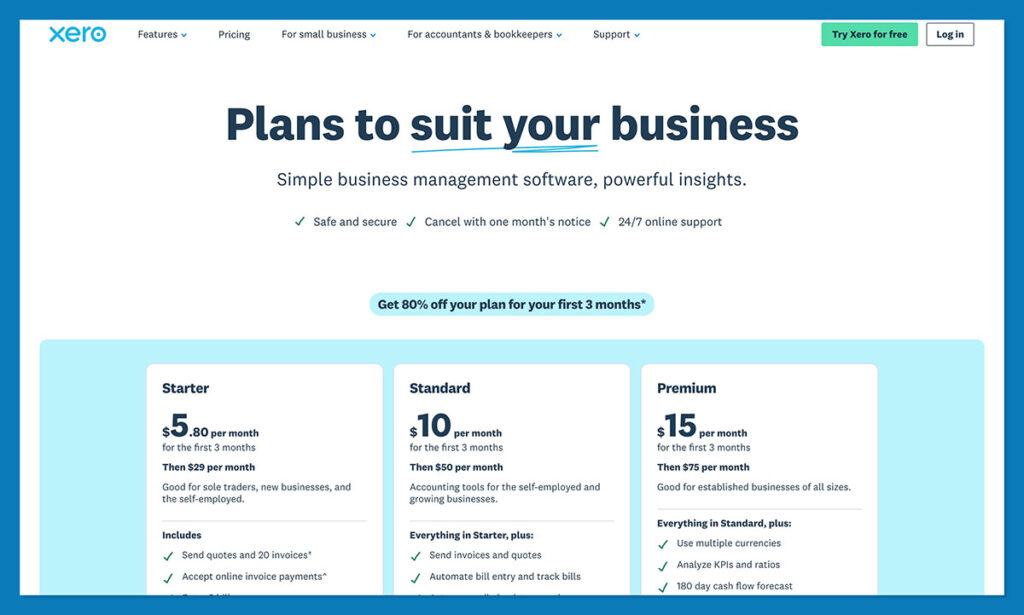
Right now there’s a big discount running (90% off your plan for the first 6 months), but generally, the Early plan starts at $25 per month and gives you quotes (plus up to 20 invoices), online invoice payments, 5 bills, reconciliation for bank transactions, smart document capture, real-time reports, W-9 and 1099 management and all the other basics.
The Growing plan for $55 per month removes limits on invoices and gives you 60 days of cash flow forecasting instead of 30, plus customized dashboards. Then the Established plan for $90 per month gives you multiple currencies, time tracking, and employee expense claims, among other things.
Sage is a bit more complicated up front, because as I mentioned, there are so many different types of plans depending on your business size. Sage 50’s Pro plan starts at $128.67 per month, with similar features to Xero’s standard plans, though job management is included, along with real-time collaboration, and there are no limits on invoices.
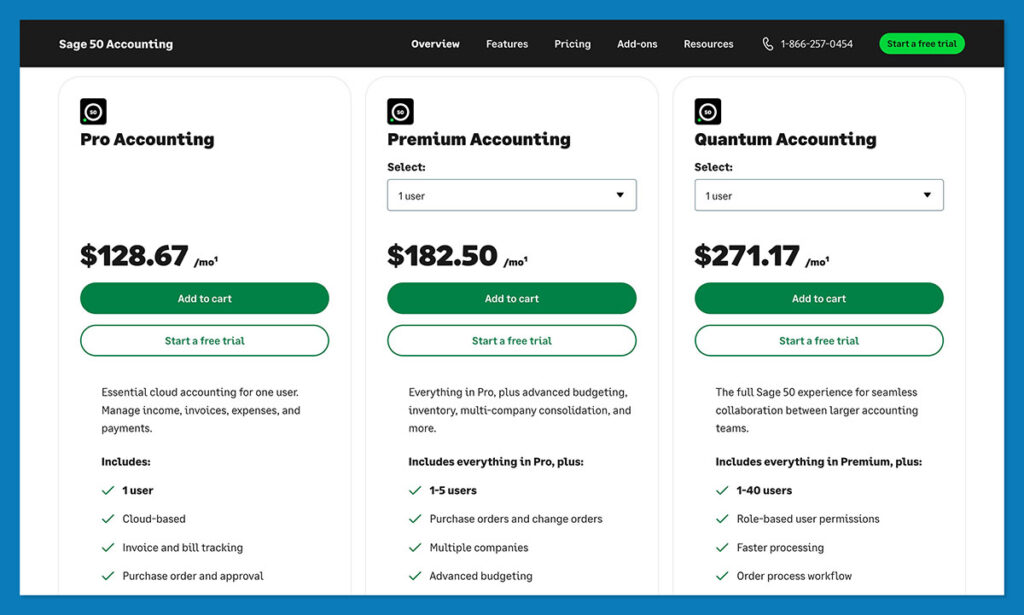
The Premium plan for $182.50 per month (for up to 5 users) has all that, plus extra features like advanced budgeting, reporting, and serialized inventory tracking. Then there’s Quantum for $271.17 per month with workflow management and more.
The Winner: Pricing
Xero definitely gives most online sellers the better value, if they don’t need more complicated tools upfront, while Sage probably does make a lot of sense if you need the extra horsepower.
Xero vs Sage: Core Accounting Features for Ecommerce
I could probably spend thousands of words explaining all of the different features of these two tools in depth, but nobody really has time for that, so I’m going to keep it simple.
Both of these tools are brilliant, but you’ll see pretty quickly when you compare them that one feels custom-made for smaller ecommerce sellers stuck in the weeds of accounting, and one feels hyper-focused on large companies, already scaling and complicating their bills.
Invoicing, Expenses, Bills, and Everyday Accounting
Xero is fantastic if you’re the kind of ecommerce operator that has to constantly keep checking the books in between customer and supplier emails. The day-to-day tools are very straightforward. You’ve got quotes, invoices, bill tracking, receipt capture, bank reconciliation, online file storage, and real-time reports. There’s also W-9 and 1099 management, sales tax with Avalara, and free ACH bill payments across plans.
Higher plans do give you automated bill entry too, which is great if you’re losing all your time trying to keep track of everything.
Sage does go a lot deeper, even from the first tier. The Pro Accounting plan for Sage 50 includes full invoice and bill tracking, expense management, automated bank reconciliation, purchase order approval, cash flow, job management, payroll, and automatic updates as standard. There’s also real-time collaboration and a dedicated Sage Security Shield for protection.
All of that’s very impressive, but I think it’s usually more than a lot of smaller stores need. That said, if you’re running a wholesale business, or your selling strategy isn’t exactly “standard,” it might help.
Ecommerce Channels, Marketplaces, and Payout Reconciliation
I have to give Xero the win in this section, mainly because it’s so perfectly designed to fit into the tools you’re already using. The Shopify app is brilliant, and lets you choose between daily summaries and per-sale transactions when you need to dive into the numbers. Still, you’re not chained to Shopify, there’s a marketplace of over 1,000 third party apps you can mix and match.
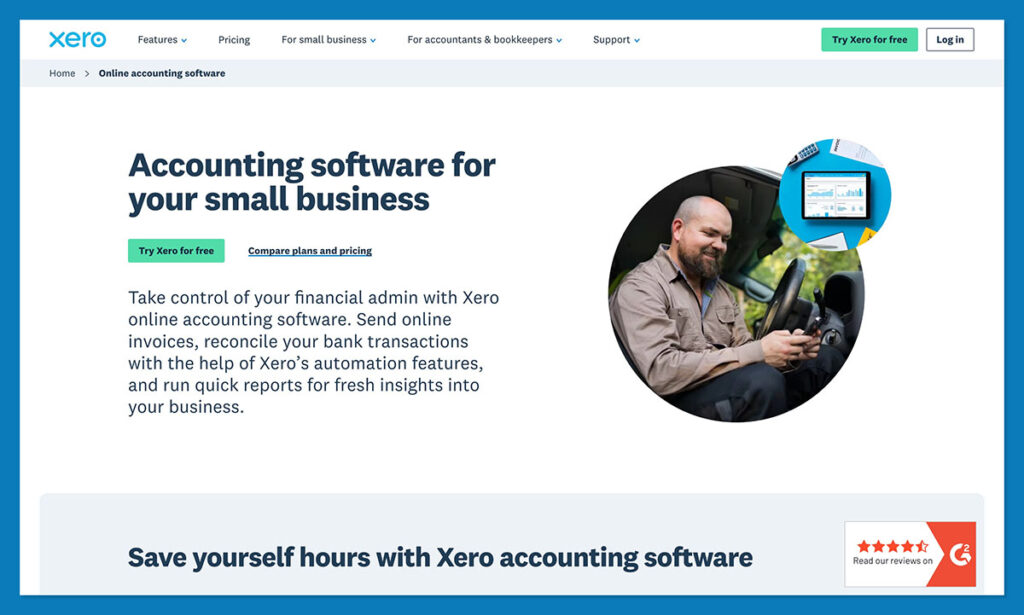
You can even connect straight to marketplaces like Etsy, or you can work with Xero to build a custom solution if you’ve got an unusual setup.
Sage is obviously designed to handle ecommerce too, and you probably won’t need as many integrations, because a lot of more advanced HR and accounting features are already built in, hence the higher price. Still, it feels like less of the natural pick for a seller using Shopify, Etsy, Stripe, PayPal, and a handful of inventory apps.
Inventory, Stock, and Product Margins
Xero’s inventory tools are more than enough for basic stock management. You can assign tracked and untracked items, and get the system to update your levels automatically. There’s average cost tracking, purchase orders you can generate automatically, and handy profitability reports.
Plus, if you decide you need something more advanced, you can always connect another inventory app. Probably the one you’re already using.
Sage has a more comprehensive selection of tools for inventory management, including automated reordering (with low stock alerts), multi-warehouse and batch tracking, stock valuations, flexible item types, and real-time tracking. There’s also advanced job costing, audit trails, change and purchase orders, and all the budgeting features you could possibly need.
The Winner: Inventory
Sage probably gets the initial win here, if you do have a complicated inventory setup. Xero still works well if your inventory lives inside a connected ecommerce stack.
Tax, Sales Tax, 1099s, and Multi-Currency
For sellers in the US (and around the world for that matter), Xero covers all the basics: sales tax, and real-time reports, plus online payment, and document management for W-9 and 1099s. There’s also plenty of support for things like VAT management in the EU and UK.

The system works with Avalara for sales tax calculations and reporting, and Xero supports payments in more than 160 currencies, although you do have to upgrade to an Established plan to get the multi-currency features enabled.
Sage is a little more immediately useful for global sellers. Plenty of its plans include things like automated exchange rates, real-time revaluation, and there’s even a foreign trader module in Sage 50, for your supplier accounts. You also get audit trails, role-based permissions, advanced reporting by department, and job costing by phase and cost level.
The thing to remember is that all of those features are impressive, but only if you’re actually going to use them. A smaller Etsy seller or Shopify user probably won’t need the whole kit.
Reporting, Analytics, and Security
Xero is great for reports that you don’t have to get a financial professional to translate for you. Even the Early plan comes with real-time reports, sales tax, basic graphs, and a 30-day cashflow forecast. Then Growing adds performance graphs and 60-day forecasts, plus custom dashboards and financial health scorecards. On Established, you get 180-day forecasting, KPI and ratio analysis, short-term cash flow projections, and snapshots.
Sage 50 is a little more intimidating from a reporting perspective, but it does give you everything you might need. There are financial statements, cash flow reports, general ledger reporting and advanced reporting groups in the Pro plan. You can also add more advanced features in the more expensive plans, with workflow management and project management built in.
On the security side of things, both tools are impressive, as you’d expect for software focused on finance. You’ve got the JAX permissions model on Xero, which also limits access to data for AI models, and all the data protection, SOC 2 compliance, and extra protections you could want.
Sage is excellent too, with absolutely all of the AI and data protections you need right now, comprehensive access controls, and certificates for virtually every global standard, from PCI to GDPR. Both companies also give you excellent support, just in case you need help figuring out all of the protections you need to implement.
AI and Automation
On the AI and automation side of things, Xero seems to be focused on improving usability more than anything else. The smart bank feeds help with reconciliation, and let you set smart categorization rules. You’ve got JAX for no extra charge, which helps bring accounting insights into your business, and save you time on admin work, without getting you into security hot water.
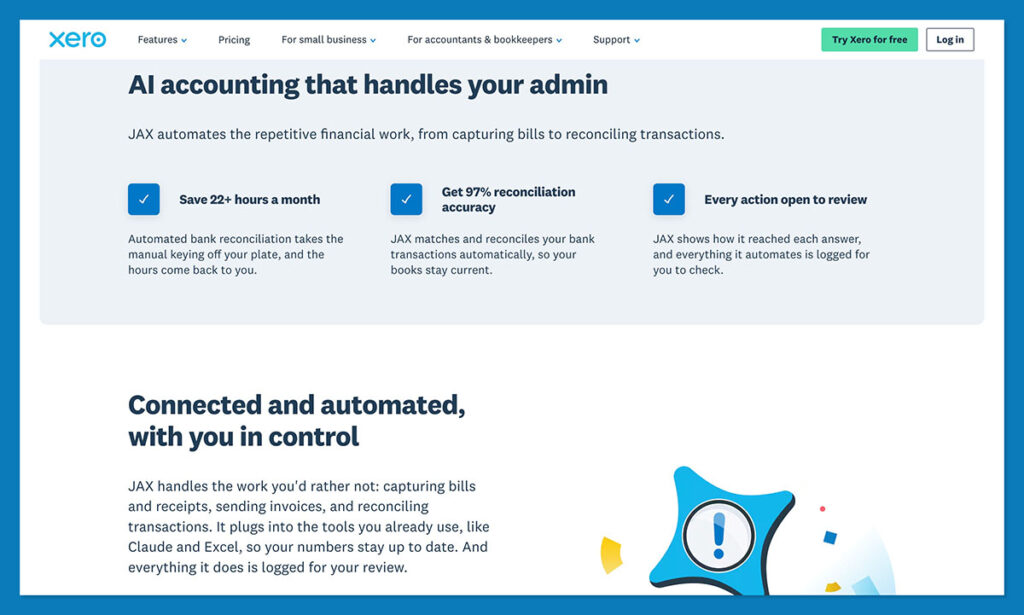
Then there’s all the simple stuff, like automated document capture and bill capture, plus auto-reconcile in the higher plans.
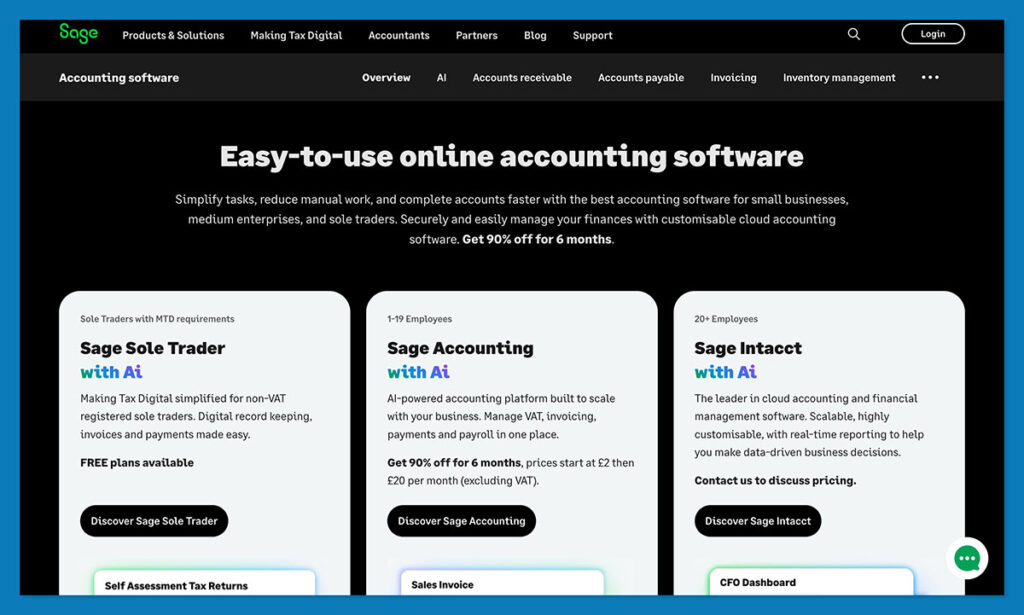
Sage seems to be going a little deeper with AI across the whole product family. There’s Sage Copilot, your AI assistant for finance workflows with task help, monitoring, contextual search, and so on. There’s also smart invoice processing, error detection, and intelligent finance analysis.
The Winner: AI and Automation
Personally, I think both companies do well on this front, but Xero seems like the better pick if you’re looking for everyday help to speed accounting up. Sage seems to be more focused on big enterprises that want to go deeper into AI insights.
Should You Choose Xero or Sage?
I don’t think there’s really a “right and wrong” answer here. Sage is a brilliant platform, particularly for big enterprises who need advanced accounting tools, and better native inventory management straight away. It’s more expensive, but it’s generally more powerful, and it doesn’t require you to install as many extra apps when you start to scale.
Xero, though, seems like the better first choice for most ecommerce companies in my opinion. The pricing is a lot more affordable for a beginner, no matter which plan you choose. The system works with all the ecommerce apps and tools you’re already using, from Shopify to PayPal. Plus everything’s designed to make your life a little simpler, particularly if you don’t want to spend hours scanning through reports and graphs.
Sage is still probably the one you’d choose for tighter inventory and enterprise-level performance. Xero, though, seems like the easier one to recommend for the majority of ecommerce SMEs.
Xero vs Sage: Frequently Asked Questions
Is Xero better than Sage for ecommerce?
For most online sellers, yes. Xero is cheaper, quicker to learn, and built to plug into the apps an ecommerce business already runs on, including Shopify, Stripe, PayPal, and marketplace connectors. Sage is the stronger platform overall, but a lot of that strength sits in features a small store will never open, like job costing by phase and departmental reporting.
Which is cheaper, Xero or Sage?
Xero, by a wide margin at the entry level. Xero’s Early plan starts at $25 per month and the top Established plan is $90 per month, with no per-user license fees. Sage 50 Pro Accounting starts at around $124 per month for a single user, and the multi-user Premium and Quantum tiers climb from there. Both vendors run promotional offers that change regularly, so check the live pricing pages before you commit.
Does Xero connect to Shopify?
Yes, through an official Shopify app. It syncs sales, fees, payouts, and taxes, and lets you choose between daily summaries and per-sale transactions depending on how granular you want the ledger to be. Xero also has a marketplace of over 1,000 third party apps, so you can add Etsy, Amazon, or inventory connectors alongside it.
Can Sage handle ecommerce sales and marketplace payouts?
It can, but it is rarely the natural first pick. Sage handles ecommerce best when the online channel is one part of a wider accounting operation with stock, payroll, and job costing running through the same system. If your business is a Shopify or Etsy store with a handful of connected apps, you will spend more time bridging Sage into that stack than you would with Xero.
Is Xero or Sage better for inventory management?
Sage, if your inventory is genuinely complicated. It offers automated reordering with low stock alerts, multi-warehouse and batch tracking, stock valuations, and real-time tracking natively. Xero covers tracked and untracked items, average cost tracking, automatic purchase orders, and profitability reports, which is enough for most stores. Beyond that, Xero expects you to connect a dedicated inventory app.
Do Xero and Sage support multi-currency?
Both do, but Sage makes it available sooner. Xero supports payments in more than 160 currencies, though you have to be on the Established plan at $90 per month to switch the multi-currency features on. Sage includes automated exchange rates and real-time revaluation across more of its plans, and Sage 50 adds a foreign trader module for supplier accounts.
Which one is easier to learn?
Xero, clearly. The interface is built for business owners and operators rather than trained finance staff, and the reports are readable without someone translating them for you. Sage 50 gives you more depth, but the reporting side in particular is more intimidating if you do not have an accountant or bookkeeper involved.
Can you migrate from Sage to Xero?
Yes, though it takes planning. Both platforms support exporting and importing core data such as the chart of accounts, contacts, and transaction history, and Xero works with conversion partners who handle larger or messier migrations for you. The safest approach is to move at the start of a financial period and keep your old system accessible in read-only form until the first full reconciliation clears.
Does Xero handle US sales tax and 1099s?
Yes, on every plan. Xero includes W-9 and 1099 management, sales tax handling through Avalara, and free ACH bill payments across its tiers. It also supports VAT management for sellers operating in the UK and EU.
Which should a small Shopify or Etsy seller choose?
Start with Xero. The Early plan covers a store sending fewer than 20 invoices a month, and Growing removes those limits once volume picks up. Move to Sage when the finance workload genuinely justifies it: heavy stock management, job costing, governance requirements, or a finance team that needs formal reporting rather than dashboards.


Comments 0 Responses