

Webflow and Framer are two of the most talked-about visual website builders on the market — but when it comes to ecommerce, which one is actually worth using?
I’ve spent hours using both tools to build ecommerce landing pages, test site speed, manage SEO, and evaluate their capabilities for actual online stores.
Based on that hands-on experience, Webflow is the better choice if you’re building a fully functional ecommerce store.
Framer, on the other hand, shines when you need to build quick, animated landing pages or simple single-product websites.
But without native ecommerce features, it’s not suited for businesses looking to grow online sales directly through their site.
Quick Verdict: Webflow vs Framer
Webflow – Best overall, ideal for ecommerce stores that need scale, SEO, and content
Framer – Best for lightweight sites, ideal for fast, animated landing pages
In this comparison, I’ll take a closer look at where each platform stands out — and where it falls short — across pricing, ecommerce functionality, design tools, SEO, ease of use, and more.
Webflow vs Framer: Comparison Table
| Feature | Webflow | Framer |
|---|---|---|
| Native Ecommerce Support | Yes | No |
| CMS Support | Yes | Limited |
| Animation & UI Tools | Good, but complex | Excellent, very beginner-friendly |
| SEO Features | Advanced (custom meta, sitemap, schema) | Basic |
| Ease of Use | Moderate learning curve | Very easy to learn |
| Hosting & Speed | Fast CDN + clean code | Fast React framework |
| Templates & Design | 2,000+ templates | 200+ modern templates |
| Pricing (ecommerce plans) | $29–$212/month | Requires 3rd-party workarounds |
| Free Trial | Yes (limited plans) | Yes |
| Pricing (ecommerce plans) | $29–$212/month | Requires 3rd-party workarounds |
| Try Webflow | Try Framer |
Ecommerce Capabilities: Webflow Wins
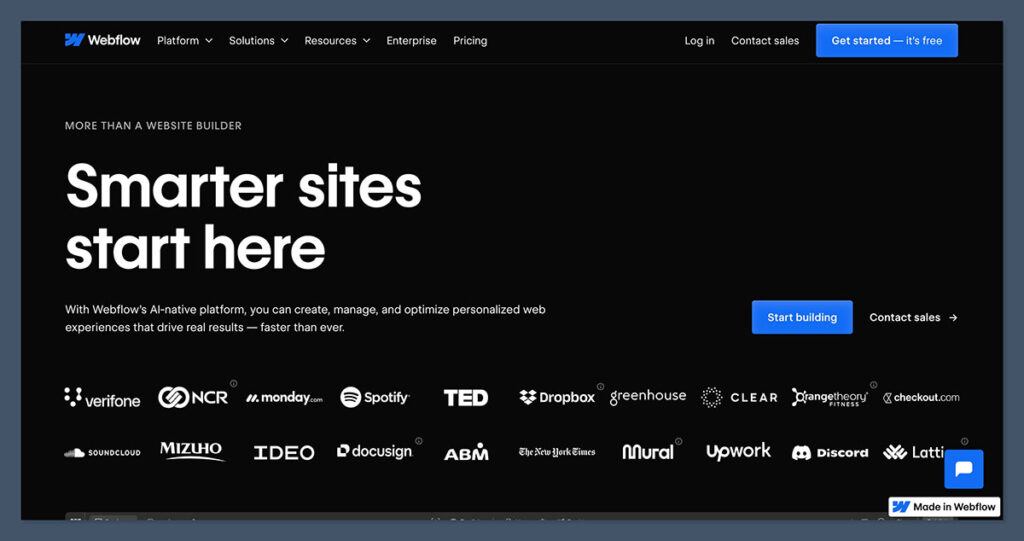
If you’re building an actual online store, Webflow is far ahead.
It’s built to support ecommerce businesses with:
- Product management
- Checkout customization
- Inventory controls
- Tax & shipping setup
- CMS for content marketing
- Integrated payment options
Webflow offers native ecommerce, meaning everything from product pages to checkout happens inside your site. This is critical for performance, SEO, and user experience.
Framer doesn’t support ecommerce natively. You can only build a front-end and connect to third-party checkout tools like Shopify Buy Buttons or Stripe.
While that might work for simple use cases, it’s not viable for growing brands or anyone who wants to manage orders directly inside the platform.
Ecommerce Feature Breakdown
| Feature | Webflow | Framer |
|---|---|---|
| Product Pages | Customizable, native | Must embed via Shopify |
| Shopping Cart | Fully integrated | Not available |
| Checkout | Webflow-hosted | External (e.g. Stripe) |
| Inventory Management | Yes | No |
| Payment Gateways | Stripe, PayPal, Apple Pay | External integration only |
| Coupons & Discounts | Yes | No |
Winner: Webflow — full ecommerce toolkit built-in.
Design & User Interface: Framer Takes the Lead
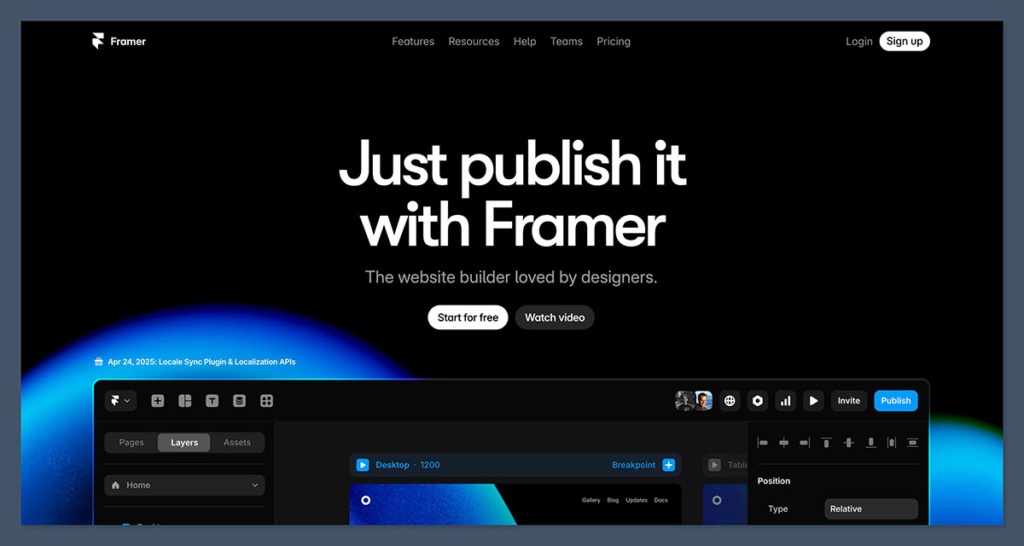
Framer shines when it comes to animation, interaction, and general UI polish.
It’s a designer-first platform, and it feels more like working in Figma than building in a CMS.
You can build pages using a clean, drag-and-drop editor.
Hover states, scroll animations, and transitions are easy to create without code. It’s perfect for portfolio sites, single-product pages, and startups that want to ship fast.
Webflow is more powerful, but less intuitive.
It mimics front-end development — with settings for padding, margin, z-index, and more. That gives you deep control, but also a learning curve.
Design Feature Comparison
| Feature | Webflow | Framer |
|---|---|---|
| Drag-and-drop Builder | Yes, but grid/flex-based | Yes, free-form Figma-style |
| Animation Tools | Timeline-based interactions | Visual animations built-in |
| Template Selection | 2,000+ templates | 200+ modern templates |
| Mobile Responsiveness | Custom breakpoints available | Responsive by default |
If you want total design freedom and are willing to learn, Webflow delivers. If speed and visual polish matter more, Framer is easier and faster to use.
Winner: Framer — fast, modern design UI with simple animations.
SEO: Webflow Is Much More Robust
SEO is a deal-breaker for ecommerce sites.
If you rely on Google to drive organic traffic, you need full control over titles, descriptions, schema, and site structure.
Webflow gives you that control:
- Custom meta titles and descriptions
- Canonical tags
- Sitemap control
- Open Graph settings
- Structured data with schema markup
- Fast-loading pages
Framer offers basic SEO settings, like meta titles and descriptions, but doesn’t support canonical tags, structured data, or full sitemap control yet.

If SEO matters to your ecommerce growth, Webflow is the obvious winner.
SEO Feature Comparison
| Feature | Webflow | Framer |
|---|---|---|
| Meta Titles | Yes | Yes |
| Canonical Tags | Yes | No |
| Structured Data | Yes (manual & integrations) | No |
| Sitemap | Customizable | Auto-generated only |
| Speed Optimization | Yes | Yes (React) |
Winner: Webflow — advanced SEO tools built in.
Pricing: Both Have Pros and Cons
Webflow has clear ecommerce plans with scalable pricing.
Webflow Pricing (2025)
- Standard: $29/month — 500 items, 2% transaction fee
- Plus: $74/month — 1,000 items, 0% fee
- Advanced: $212/month — 3,000 items, 0% fee
Framer doesn’t have ecommerce pricing because it doesn’t offer ecommerce.
To build a basic product site, you’ll use the Pro plan ($35/month), but checkout and order management will rely on external platforms — which usually carry their own monthly costs.
So while Framer might look cheaper upfront, it often ends up costing more when you account for:
- Shopify Buy Button ($5–$9/month)
- Stripe fees
- Embedded cart tools
Winner: Webflow — transparent pricing with built-in ecommerce.
Ease of Use: Framer Is Simpler
Framer is easier to learn and faster to use — especially for visual designers. If you’ve used Figma, you’ll feel at home.
The drag-and-drop experience is seamless, and you can launch a site within a few hours.
Webflow has a much steeper learning curve.
You’ll need to understand how layouts work in HTML/CSS, and the UI isn’t as beginner-friendly. However, once you get the hang of it, it offers far more control.
Learning Curve Comparison
| Factor | Webflow | Framer |
|---|---|---|
| Learning Curve | Moderate to advanced | Beginner-friendly |
| Time to First Publish | 4–6 hours (with tutorials) | 1–2 hours |
| Visual Editing | Timeline-based | Figma-style |
| Support Docs | Extensive guides and community | Basic help center |
If you’re new to building websites, Framer will feel easier. But Webflow offers more room to grow.
Winner: Framer — best for speed and simplicity.
Templates & Themes: Webflow Offers More Choice
Webflow has a massive template marketplace with over 2,000 professionally designed themes.
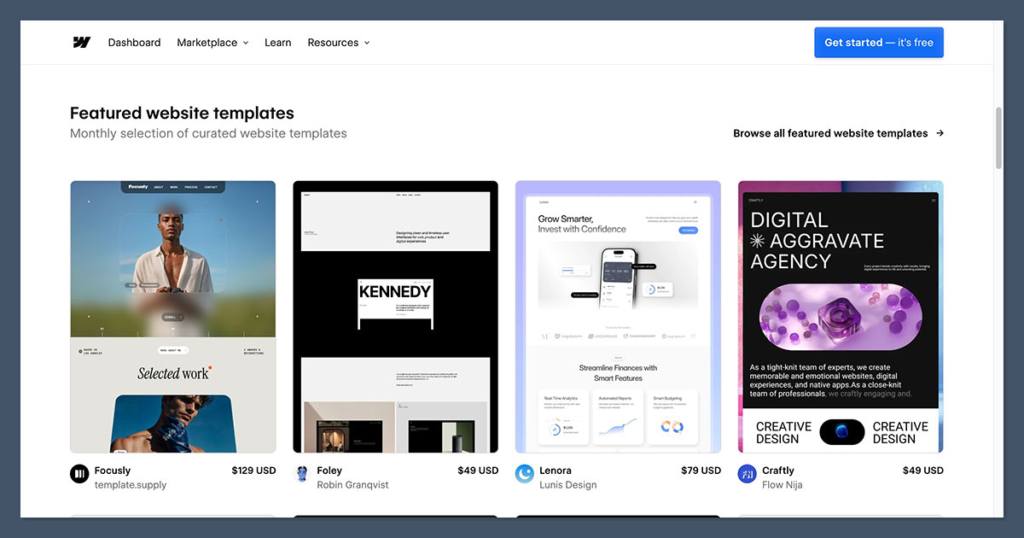
These include ecommerce templates, blog layouts, SaaS pages, and more.
The real strength of Webflow’s template library is the variety of ecommerce-specific layouts that are available.
These templates come pre-built with product pages, shopping carts, and responsive elements that make them easy to adapt for different industries.
Whether you’re launching a fashion store, a supplement brand, or a digital goods site, you’ll likely find a strong starting point.
Framer’s selection is smaller — around 200 templates — but they’re modern, beautiful, and optimized for fast building.
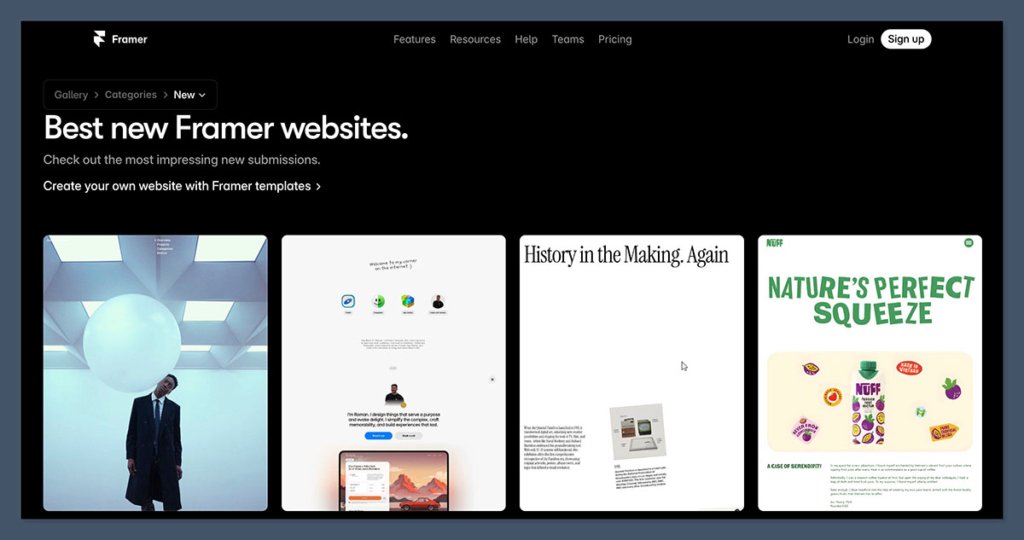
Some templates are free, others are paid (often $20–$100 per site).
Framer templates, while visually polished, are generally optimized for landing pages, portfolios, or single-product sites.
You won’t find templates with built-in cart functionality or product filtering — and that’s because ecommerce isn’t native to the platform.
If you need a store that functions as well as it looks, Webflow gives you more to work with right out of the box.
Template Feature Comparison
| Feature | Webflow | Framer |
|---|---|---|
| Number of Templates | 2,000+ | 200+ |
| Ecommerce Templates | Yes | No (requires workarounds) |
| Mobile-Optimized | Yes | Yes |
| Customization Options | Full CSS-like control | Visual drag-and-drop |
Winner: Webflow — more ecommerce-specific templates.
Best For…
Let’s break it down further by situation:
| Use Case | Best Choice |
|---|---|
| Full ecommerce store | Webflow |
| SEO and content-driven store | Webflow |
| Animated landing page | Framer |
| Single product pre-launch | Framer |
| Designer portfolio with products | Framer |
| Scalable ecommerce with CMS integration | Webflow |
Final Verdict: Webflow or Framer?
If you’re building a real ecommerce site, Webflow is the best choice. It offers:
- Native ecommerce functionality
- Advanced SEO control
- CMS integration
- Better long-term scalability
Framer is great for simple, quick builds — but not ready for serious online selling.
If you’re launching a single product or a beta waitlist page, Framer is ideal.
But for growing ecommerce brands, agencies, or content-focused businesses, Webflow wins every time.
That said, there’s no harm in testing both.
Both platforms offer free trials, and depending on the type of site you’re building — whether it’s a fully-featured online store or a single product teaser page — the best choice might come down to how fast you need to move, and how far you plan to scale.
Webflow requires more time upfront but pays off long-term. Framer helps you move quickly, but with limitations.


Comments 0 Responses