


As someone who works closely with ecommerce brands every day, I’ve seen firsthand how fulfillment either fuels growth or completely stalls it.
For US-based brands looking to outsource shipping without losing control, ShipBob is one of the top 3PL options out there.
This guide breaks down how ShipBob works across the USA, how it compares to other fulfillment partners, and what ecommerce stores need to know before using it.
Whether you’re shipping from your garage, overwhelmed with in-house fulfillment, or trying to expand nationally, this is the overview you’ll want to reference.
What Is ShipBob?
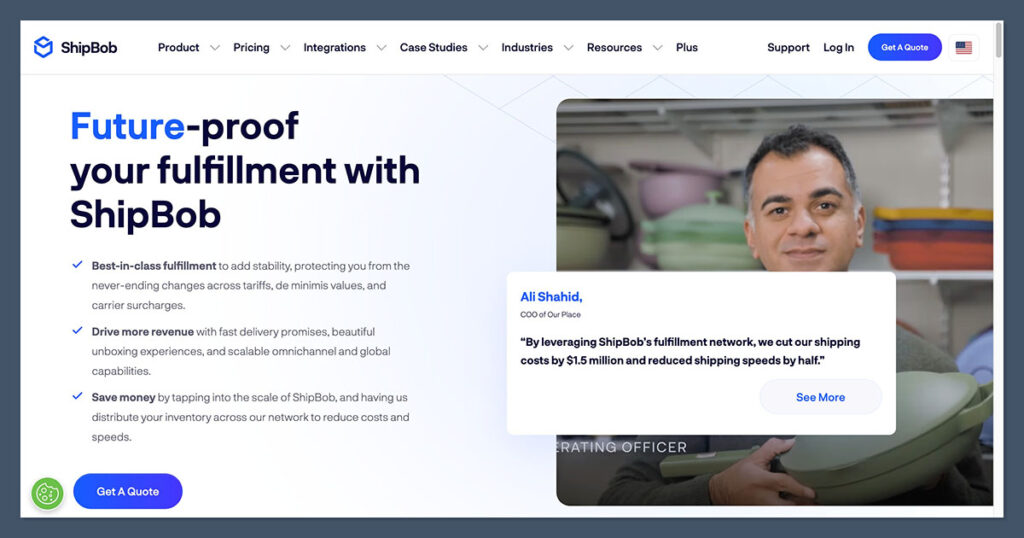
ShipBob is a tech-enabled third-party logistics provider that helps ecommerce brands store inventory, pick and pack orders, and ship them out — all from a network of fulfillment centers across the United States.
They focus heavily on direct-to-consumer (DTC) brands, which means they understand the importance of branding, fast shipping, and post-purchase experience.
Unlike some older, more industrial-focused 3PLs, ShipBob is built around ecommerce integration and automation.
Here’s how the core process works:
- Inventory is shipped to one or more ShipBob warehouses.
- Orders from your ecommerce store sync automatically with ShipBob’s software.
- Their team picks, packs, and ships the order from the closest location.
- Tracking updates are sent back to the customer in real time.
ShipBob’s backend gives you visibility across everything — from where your stock sits to which SKUs are running low. For fast-growing brands, this removes the operational headaches that come with managing fulfillment manually.
Some key benefits include:
- 2-day shipping to most of the USA
- Built-in connections to Shopify, BigCommerce, WooCommerce, and more
- Branded packaging options for DTC unboxing experiences
- Clear inventory analytics and real-time tracking
- A distributed fulfillment model to cut costs and speed up delivery
It’s not a universal fit for every store, but for brands shipping at scale or planning to, ShipBob makes fulfillment a lot more manageable.
Where ShipBob Operates in the USA
ShipBob operates a wide network of fulfillment centers across the country.
This distribution model is core to their value — it lets brands split inventory across multiple locations to reach customers faster and cheaper.
Here’s a table of some of their major US warehouse locations:
| State | Cities or Regions |
|---|---|
| California | Los Angeles, Moreno Valley |
| Illinois | Chicago |
| Texas | Dallas |
| Pennsylvania | Bethlehem |
| New Jersey | Edison |
| Georgia | Atlanta |
| Arizona | Phoenix |
| Nevada | Las Vegas |
| Kentucky | Louisville |
| Florida | Tampa |
When inventory is stored across several of these hubs, the software routes orders from the warehouse closest to the customer. This allows for:
- Lower shipping zones and faster delivery
- Reduced costs compared to single-location fulfillment
- Better customer experience, especially in competitive markets
ShipBob’s software helps recommend optimal warehouse distribution based on your order history, customer locations, and shipping goals.
For brands aiming for 2-day delivery nationwide, this is the easiest way to get there without building your own warehouse network.
ShipBob’s Ecommerce Platform Integrations
One of the strengths of ShipBob is how easily it connects to the tools most ecommerce brands are already using. It’s built to work out of the box with no custom development needed.
Supported ecommerce platforms include:
- Shopify
- Shopify Plus
- WooCommerce
- BigCommerce
- Squarespace
- Wix
- Amazon
- Walmart
- eBay
- TikTok Shop
In addition to storefront platforms, ShipBob also integrates with tools like:
- Inventory Planner
- Skubana
- Brightpearl
- Gorgias
- Klaviyo
- Returnly
- Loop Returns
They also offer a REST API and EDI support for brands using custom systems or ERP setups.
Here’s how the integration process typically works:
| Step | Description |
|---|---|
| 1. Connect Store | Your ecommerce store is synced to ShipBob’s platform |
| 2. Import Products | Your product catalog (SKUs) is pulled in |
| 3. Ship Inventory | You send products to their warehouse(s) |
| 4. Orders Sync | Orders are automatically routed for fulfillment |
| 5. Shipping & Tracking | Orders are packed, shipped, and tracking sent to customers |
For most stores on platforms like Shopify or WooCommerce, this setup can be done in under a day.
The automation ensures there’s no delay between the time a customer orders and when the fulfillment process begins.
ShipBob’s Pricing Structure in the USA
ShipBob doesn’t publish all pricing publicly, but based on what I’ve seen in client onboarding and case studies, the pricing model is fairly standardized. It’s transparent, modular, and mostly pay-as-you-go.
Here’s a breakdown of typical pricing in the US:
| Service | Price (USD) |
|---|---|
| Receiving | $25/hour (2-hour minimum) |
| Storage | $5 per bin/month, $10 per shelf/month, $40 per pallet/month |
| Pick and Pack | First 4 picks per order free, $0.20 per extra item |
| Standard Packaging | Included (plain boxes and mailers) |
| Custom Packaging | You provide materials; fees vary |
| Shipping | Based on weight, dimensions, and delivery zone |
Some important notes:
- No setup fees for standard onboarding
- Storage is charged monthly and based on space used
- Custom rates are available for high-volume brands
- You can use ShipBob’s shipping rates or bring your own carrier accounts in certain cases
The actual shipping cost depends on dimensions, weight, delivery zone, and shipping method (ground, 2-day, etc.). Brands typically save money by distributing inventory across warehouses to reduce shipping zones.
If you’re evaluating cost vs in-house fulfillment, it’s worth considering:
- Labor and team costs
- Warehouse rent or lease
- Packing materials and storage supplies
- Software and integrations
Many mid-size brands find that ShipBob is either cost-neutral or a savings — especially when factoring in time saved and shipping discounts.
Delivery Speed and Shipping Options
Fast shipping is a proven sales driver. Based on my experience working with brands, delivery times of 2 days or less can increase conversion rates and reduce cart abandonment — especially for first-time customers.
ShipBob supports several domestic shipping speeds through major carriers:

| Shipping Option | Delivery Time | Carrier Examples |
|---|---|---|
| Standard Ground | 2–5 business days | USPS, UPS Ground, FedEx Ground |
| Expedited (2-Day) | 1–2 business days | UPS 2nd Day Air, FedEx 2Day |
| Overnight | 1 business day | FedEx Overnight, UPS Next Day |
The software automatically chooses the best carrier based on speed and cost, unless you set specific preferences. For most orders, the cheapest method that hits the delivery promise is selected.
With inventory placed in multiple locations, most brands can offer 2-day delivery to over 90% of the continental United States.
Benefits of faster shipping:
- Higher AOV (average order value)
- Improved customer retention
- Lower return rates
- Better reviews and brand perception
If you sell consumables, supplements, personal care, or anything people want quickly, 2-day delivery is worth investing in.
Branded Packaging and Custom Fulfillment
Unboxing has become a big part of ecommerce branding. Customers notice packaging. It impacts perception, shareability, and repeat purchases.
ShipBob supports custom-branded packaging — but you need to supply the materials.
How it works:
- You ship custom boxes, tape, inserts, etc., to the warehouse
- ShipBob stores them and uses them during packing
- You’re billed for storage and handling as with normal inventory
This allows your fulfillment process to stay on-brand without having to manage it in-house. It’s especially valuable for:
- Subscription boxes
- Product launches
- Premium products
- Influencer and UGC marketing campaigns
Just be aware:
- Custom materials may increase complexity and cost
- You need to manage restocking packaging like you do product inventory
- Not every fulfillment center supports every packaging format
The good news is that once set up, the system is automatic. Every order goes out in your preferred packaging without any extra manual steps.
Inventory Management and Analytics Tools
ShipBob isn’t just a shipping provider — it gives brands visibility into inventory performance, fulfillment metrics, and operational trends.
Here are the key tools you get access to:
| Tool | What It Tracks |
|---|---|
| Inventory Dashboard | Stock levels across all warehouses |
| Forecasting Reports | Projected stockouts based on sales trends |
| Order Accuracy | Error rates on fulfillment and delivery |
| Storage Usage | How much space your products occupy |
| SKU Performance | Sales velocity and demand across regions |
For brands scaling quickly, this helps avoid surprises. You can see which products need restocking, which SKUs are underperforming, and how your fulfillment accuracy is trending.
The analytics also help with:
- Budgeting for inventory purchases
- Planning promotions and flash sales
- Catching operational issues before they escalate
You don’t need a separate warehouse management system — ShipBob’s dashboard is designed to give you what you need out of the box.
Pros and Cons of Using ShipBob in the USA
Based on dozens of brand audits and client experiences, here’s a realistic take on the advantages and trade-offs of using ShipBob in the US.
Pros 👍
- Easy to set up and integrate
- National fulfillment network with 2-day coverage
- Real-time inventory visibility and analytics
- Flexible branded packaging options
- No long-term contracts required
- Discounted carrier rates
Cons 👎
- Pricing can get complex for brands with large catalogs
- Not well-suited for fragile or oversized items
- Custom workflows can require manual setup or support
- Can be expensive for very low-volume sellers
For brands doing 300–5,000+ orders per month, ShipBob tends to be a strong fit. For brands still validating product-market fit or fulfilling fewer than 50 orders/month, in-house may be more cost-effective short-term.
Real Brand Examples and Case Studies
ShipBob publishes a wide range of case studies that show how different US-based brands use their platform. Here are a few worth highlighting.
Touchland
- Hand sanitizer brand that scaled massively during 2020–2021
- Used ShipBob to fulfill over 5,000 orders/day at peak
- Maintained 2-day delivery using multiple warehouses
Spikeball
- Outdoor game company scaling nationwide
- Switched to ShipBob to optimize zone-based shipping
- Saved over $2 per order by reducing delivery distances
TB12
- Health and wellness brand from Tom Brady
- Uses ShipBob to manage fulfillment and inventory visibility
- Improved delivery times without managing logistics in-house
These examples show that ShipBob can handle scale while maintaining control and visibility — two things ecommerce founders care about as they grow.
Final Thoughts: Should You Use ShipBob?
Choosing a fulfillment partner is a big decision — and it has to align with your business model, customer base, and operational goals.
ShipBob is a strong fit for US ecommerce brands that:
- Are doing 300+ orders/month
- Want 2-day delivery coverage nationwide
- Use Shopify, BigCommerce, or WooCommerce
- Need better inventory visibility and shipping speed
- Want to offer branded packaging without managing it in-house
It may not be ideal if:
- You’re fulfilling fewer than 50 orders/month
- Your products are heavy, oversized, or fragile
- You want total control over every part of the packing process
If you’re trying to grow an ecommerce brand in the US and want to spend less time on fulfillment while delivering a better customer experience, ShipBob can be a strong option.
This ShipBob USA Guide should give you a clear overview of what to expect and how to approach the decision with confidence.


Comments 0 Responses