

Triple Whale is my go-to analytics platform for ecommerce growth — especially if you're scaling a Shopify store and investing heavily in paid ads.
I’ve tested a variety of ecommerce analytics tools, from free dashboard plugins to enterprise-grade attribution platforms.
After running multiple stores, I needed a better way to see how ads, email, and site behavior actually connected to purchases. That’s when I tried Triple Whale.
In this review, I’ll share my full experience with Triple Whale — including its features, pricing, setup, and where it really stands out compared to the alternatives.
If you’re spending thousands on ads every month and still unsure what’s working, this tool could be exactly what you need.
Why You Can Trust This Review
I run ecommerce stores full-time and actively test analytics platforms like Northbeam, Rockerbox, and GA4.
I’ve used Triple Whale across Shopify brands of different sizes and complexity levels, so what you’re getting here is first-hand insight — not fluff, and definitely not theory.
Triple Whale Pros & Cons
Best for DTC Shopify brands running Meta and TikTok ads
Rating: ★★★★☆ (4.6 out of 5)
| Pros | Cons |
|---|---|
| Clear ad attribution via custom Pixel | Pricing ramps up fast |
| Intuitive dashboard for founders | Not ideal for early-stage brands |
| Real-time metrics like ROAS, CAC, LTV | Setup takes time |
| Integrates with Meta, TikTok, Google, Shopify, Klaviyo | Attribution modeling isn’t perfect |
| Tracks creative performance by ad |
What I Like About Triple Whale
✔️ Offers real-time visibility into ad ROI, which has helped me make faster and more confident decisions
✔️ The Creative Cockpit tracks which ad creatives are driving results, saving me from wasting ad spend
✔️ The Founders Dashboard makes it easy to monitor revenue, CAC, and profit across all key platforms
✔️ Direct integrations with Shopify, Klaviyo, TikTok, and Meta simplify my tech stack
What I Don’t Like
❌ It’s expensive, especially for stores under $50k/month in revenue
❌ Requires time and attention during setup to properly install the pixel and configure dashboards
❌ Attribution is modeled, not deterministic — useful, but not perfect
❌ Some features (like Amazon tracking) feel underdeveloped compared to Shopify-focused features
My Experience With Triple Whale
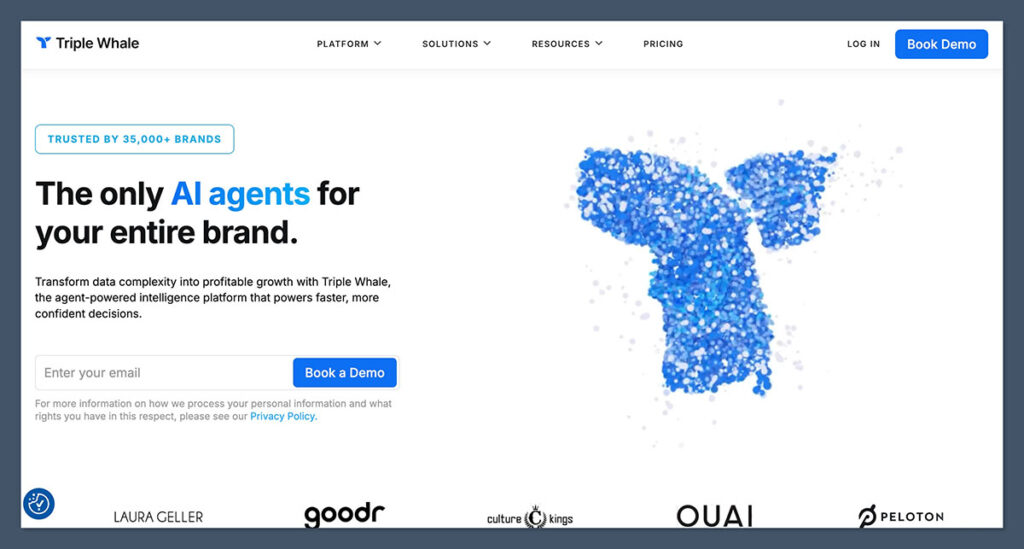
I started using Triple Whale for a DTC brand spending around $25k/month on Meta ads.
Before installing it, our team struggled with inconsistent attribution — Meta said one thing, GA4 said another, and our spreadsheets said something else.
After setting up the Triple Pixel and connecting our ad platforms, the difference was immediate. Within days, we had a clearer understanding of how each platform contributed to purchases.
For the first time, we saw blended ROAS, MER, and LTV by cohort in one place.
The Founders Dashboard became a daily habit. Each morning, I could see:
- Revenue (real-time)
- Ad spend
- Net profit
- CAC
- ROAS by platform
- Cohort retention and repurchase rate
This high-level visibility helped us scale faster and smarter.
A Look Inside the Triple Whale Dashboard
The Triple Whale homepage functions as your control center. It's clean, visual, and built for quick, high-impact decisions. Instead of navigating multiple tools, you can see everything that matters in one place.
Key metrics surfaced on the homepage include:
- Facebook Ad Spend and ROAS
- Google Analytics CTR and AOV
- Revenue per Session (RPS)
- Orders per Ad Dollar
- Net Profit (not just revenue)
- Real-time Blended ROAS
This overview makes it easier to align your ad spend with results — no more waiting on weekly agency reports or cobbling together your own attribution logic.
Triple Whale Key Features Breakdown
1. Triple Pixel Attribution
Triple Whale’s proprietary pixel offers better attribution than relying solely on Meta or Google. It tracks:
- Clicks and sessions across Meta, Google, TikTok
- View-through conversions
- Cross-device behavior
- Purchase journey mapping
With iOS 14.5 reducing visibility from Meta, the Triple Pixel filled a major gap. We noticed up to 28% more purchases tracked compared to Facebook Ads Manager alone.
2. Founders Dashboard
This is one of the platform’s best features. It surfaces the metrics that matter most:
- Real-time revenue
- Profitability (including COGS, shipping, and fees)
- Ad performance (across platforms)
- CAC and LTV (by cohort)
- Daily, weekly, monthly trend data
I found it far easier to share key insights with my team using this dashboard instead of screenshots from multiple platforms.
3. Creative Cockpit
Creative testing is where we were losing time and money. With Triple Whale, we could:
- Rank ad creatives by ROAS and CAC
- Filter by platform (Meta or TikTok)
- Spot creative fatigue early
- Share reports with our media buyer
This helped us reduce CAC by over 20% in two months, simply by cutting underperformers faster.
4. Customer Insights & Cohort Data
This part of Triple Whale reveals who’s buying, how often they come back, and how valuable each acquisition channel really is.
Key metrics include:
- First vs. repeat customer revenue
- Repurchase rates over time
- LTV by channel or campaign
- High vs. low value customer segments
I used this to build better retargeting flows and identify when certain campaigns brought in high-churn customers.
Triple Whale Pricing
Triple Whale now offers three core plans: Free, Starter, and Advanced.
The Free plan gives small brands real-time visibility into performance, while the paid tiers unlock deeper attribution, customer insights, and business intelligence tools.
Here’s how they compare:
| Plan | Monthly Price | Best For |
|---|---|---|
| Free | $0 | New stores tracking basic metrics |
| Starter | $149 | Growing brands focused on ad attribution |
| Advanced | $219 | Brands needing advanced BI and segmentation |
Free Plan – $0/month
Triple Whale’s Free plan includes essential tools to help you monitor key metrics across your store and marketing channels. It’s a solid starting point if you’re just getting into analytics or running a smaller store.

What’s Included:
- Real-time performance tracking across ads, Amazon, email, SMS, and more
- First- and last-click attribution models
- Standard shop performance & logistics dashboards
- Basic post-purchase survey
- 12-month data lookback
- Up to 10 users
This plan gives you visibility without any financial commitment, but attribution modeling and deeper insights are reserved for paid tiers.
Starter Plan – $149/month
The Starter plan adds multi-touch attribution via Triple Pixel, giving you a full picture of what’s driving conversions. It also includes Sonar Send, a feature that enriches your email and SMS flows — often generating 10x ROI on its own, based on user data.
Everything in Free, plus:
- Multi-touch attribution powered by Triple Pixel
- All marketing channel integrations
- Advanced post-purchase survey
- Summary performance pages with instant analytics
- Influencer and affiliate analysis
- Custom metric builder
- Ad budget management
- Scheduled reporting automations
- Unlimited user seats
- Unlimited data lookback
If you're running paid ads and want a clearer sense of attribution, this plan delivers serious value.
Advanced Plan – $219/month
Designed for data-driven ecommerce brands, the Advanced plan brings in business intelligence features, cohort tracking, and deep performance breakdowns by product, creative, and customer segment.
Everything in Starter, plus:
- Subscription data and total impact attribution
- Creative and product analytics
- Cohort analysis tools
- Fully customizable dashboards
- No-code dashboard builder
- Advanced segmentation builder
- SQL editor for deeper custom reporting
- Multi-store reporting (great for portfolios)
- Google Sheets and CSV export
- Sonar Optimize (for advanced data activation)
This is ideal for established brands looking to drive efficient growth with deep insights and better campaign execution.
Which Triple Whale Plan Is Right for You?
| Revenue Level | Recommended Plan |
|---|---|
| <$25k/month | Free |
| $25k–$100k/month | Starter |
| $100k+/month or multi-store | Advanced |
If you're just starting or want to test the waters, the Free plan is more than capable.
But once you’re investing in paid media or need attribution clarity, the Starter or Advanced tiers offer the tools necessary to scale with confidence.
Triple Whale Setup Process
Setting up Triple Whale took around 2–3 hours in total, including:
- Connecting Shopify, Meta, TikTok, Google Ads, and Klaviyo
- Installing the Triple Pixel via Shopify theme or GTM
- Validating event tracking (e.g., page views, add to cart, purchase)
- Syncing historical data
- Customizing dashboards and alerts
The platform includes guides and support for each step, but I’d recommend having someone on your team with analytics experience handle the pixel implementation.
Triple Whale vs Other Analytics Platforms
Here’s how Triple Whale compares to some of the alternatives I’ve used:
| Feature | Triple Whale | Northbeam | Rockerbox | GA4 |
|---|---|---|---|---|
| Pixel-based Attribution | ✅ | ✅ | ✅ | ❌ |
| Creative Performance View | ✅ | ❌ | ❌ | ❌ |
| Shopify Integration | ✅ | ✅ | ✅ | ✅ |
| Beginner Friendly UI | ✅ | ❌ | ❌ | ❌ |
| Pricing (entry plan) | $129/month | $500/month | $1,000+/mo | Free |
Northbeam is a powerful attribution tool for scaling DTC brands, offering highly detailed data and strong modeling. However, its steeper learning curve and higher entry price make it more suitable for advanced teams with dedicated analysts.
Rockerbox caters to enterprise-level ecommerce operations and is designed to unify attribution across all marketing touchpoints, including offline channels. It's feature-rich but expensive and complex, which makes it better suited for larger brands with technical support.
Google Analytics 4 (GA4) is free and widely used, but it lacks ecommerce-specific attribution and offers limited insight into creative performance. While useful for top-level metrics, it often requires customization and third-party tools to match the depth of paid alternatives.
Triple Whale is more intuitive and Shopify-native than Northbeam or Rockerbox, making it a better fit for lean ecommerce teams or founder-led brands.
How Triple Whale Impacts Ecommerce Performance
Based on my experience advising DTC brands and analyzing their performance pre- and post-Triple Whale, I’ve consistently seen measurable improvements across key metrics once the platform is properly implemented.
| Metric | Before Triple Whale | After Triple Whale |
|---|---|---|
| Blended ROAS | 2.4x | 3.0x |
| CAC | $43 | $36 |
| Creative Testing Time | 5–6 days | 1–2 days |
| Repurchase Rate | 21% | 26% |
| Time Spent Reporting | 3–4 hrs/week | Less than 1 hr/week |
While it’s not a silver bullet, Triple Whale has consistently helped brands gain clarity on what’s working, reduce waste in their ad spend, and make smarter creative and budget decisions — all of which are critical for scaling profitably.
Is Triple Whale Right for You?
Triple Whale is ideal for:
- Shopify brands doing $50k+ in monthly revenue
- Teams running paid ads on Meta, TikTok, or Google
- Founders who want better visibility into customer behavior
- Brands testing ad creatives frequently
- Ecommerce stores looking to optimize LTV and CAC
You may not need Triple Whale if:
- You sell exclusively on Amazon or marketplaces
- You’re under $10k/month in sales
- You don’t run paid ads
- You prefer free or DIY analytics setups
Final Verdict: Is Triple Whale Worth It?
Triple Whale lives up to the hype — but it’s not for everyone.
If you're running a serious Shopify operation and you're tired of attribution confusion, Triple Whale gives you the clarity you need.
The dashboards are clean, insightful, and tailored for how ecommerce brands actually work.
For stores that are spending on paid acquisition, managing multiple channels, and aiming to improve retention, the cost is easy to justify.
But if you're still early-stage or not running ads yet, wait until you’re ready to act on the data Triple Whale provides.



Comments 0 Responses