

CampaignMonitor is a long-standing email marketing platform known for its beautiful email templates and easy-to-use editor. But how does it hold up in the world of ecommerce?
I’ve tested CampaignMonitor hands-on and compared it with tools like Klaviyo, Mailchimp, and Omnisend to see how well it supports ecommerce brands.
In this review, I’ll walk you through its key features, pricing, automation tools, and limitations—so you can decide if it’s the right tool to help grow your online store.
Why You Can Trust This Review
I review and test marketing platforms to help ecommerce businesses make informed decisions. I’ve spent time exploring dozens of tools—CampaignMonitor included—putting their features, pricing, and performance to the test through hands-on use.
My goal is to give you a clear, honest perspective based on real functionality, not sales pitches.
CampaignMonitor Pros & Cons
Best for design-focused ecommerce emails
Rating: 4.2 out of 5
Free Trial Available
Paid Plans: $9 – $149+/month
Pros 👍
- Intuitive email builder with mobile-responsive templates
- Prebuilt automation for abandoned carts and welcome series
- Easy integration with Shopify and WooCommerce
- Pay-as-you-go pricing available
Cons 👎
- Limited ecommerce-specific analytics and product tracking
- Less powerful segmentation than Klaviyo
- Costs increase quickly with larger lists
- No SMS marketing built-in
A Quick Overview of CampaignMonitor
CampaignMonitor is an email marketing platform owned by Marigold, the same company behind Emma and Sailthru. It focuses on helping businesses send professionally designed emails without technical headaches.
While it wasn’t originally built for ecommerce, it now offers integrations with major platforms like Shopify, WooCommerce, and BigCommerce.
The platform has a reputation for being user-friendly with minimal setup required, making it appealing to ecommerce store owners who want to get started quickly.
What I Liked About Using CampaignMonitor for Ecommerce
✔️ Beautiful Email Templates That Actually Convert
CampaignMonitor offers a strong library of ecommerce-friendly templates, including layouts for flash sales, product launches, and abandoned cart reminders.
Each template is mobile-responsive and can be customized with the drag-and-drop editor.
You don’t need a designer to create something that looks professional.
✔️ Automation Is Simple and Clean
CampaignMonitor comes with prebuilt email journeys that are ideal for ecommerce:
- Welcome emails
- Cart abandonment
- Product review requests
- Re-engagement flows
Each journey is easy to modify with logic-based steps, making it beginner-friendly.
✔️ Shopify and WooCommerce Integration
You can integrate your online store with CampaignMonitor using its native connectors or via third-party tools like Zapier.
Once connected, you can trigger emails based on customer actions—though the data sync isn’t as deep as tools like Klaviyo.
✔️ Flexible Pricing for Seasonal Sellers
CampaignMonitor’s pay-per-campaign pricing is a rare find in email marketing.
If you’re running seasonal ecommerce promotions, this can save you from paying a full monthly fee during quiet periods.
What I Didn’t Like
❌ Limited Real-Time Ecommerce Data
Unlike Klaviyo, which automatically tracks customer behavior (like viewed products or added-to-cart actions), CampaignMonitor relies on basic triggers and limited data syncing.
This means you can’t always create advanced, behavior-based automations without extra setup.
❌ Segmentation Is Basic
CampaignMonitor lets you segment your list by location, engagement, and signup source, but it lacks the granular behavioral data you’d find in ecommerce-specific tools.
Personalization is possible—but often manual.
❌ Pricing Can Creep Up Quickly
While the base plans are affordable, CampaignMonitor becomes expensive as your list grows.
There’s also a jump in cost when you need advanced features like dynamic content or analytics.
Pricing Breakdown
Here’s how CampaignMonitor’s pricing looks in 2025:
| Plan | Monthly Price | Email Sends | Automation | A/B Testing | Ecommerce Integrations |
|---|---|---|---|---|---|
| Basic | $9/month | 2,500/month | No | No | Basic via Zapier |
| Unlimited | $29/month | Unlimited | Yes | Yes | Shopify & WooCommerce |
| Premier | $149+/month | Unlimited | Advanced | Yes | Enhanced + priority sync |
- Pay-as-you-go: Starts at $5 per campaign for lists under 500 contacts
- Premier plan: Required for priority support and advanced segmentation
Tip: If you have a list under 2,500 contacts and want basic automation, the Unlimited Plan offers good value.
CampaignMonitor’s pricing structure is competitive for small ecommerce businesses but becomes less cost-effective as your subscriber list grows.
Unlike platforms like Mailchimp or Omnisend, there are no free plans beyond the trial period, and costs scale quickly with contact volume.
It’s also worth noting that certain features—like advanced segmentation or personalized content blocks—are locked behind the higher-tier Premier plan.
If you’re planning to scale aggressively or run frequent campaigns across large lists, these limitations can make CampaignMonitor less appealing from a long-term value perspective.

My Experience Using CampaignMonitor
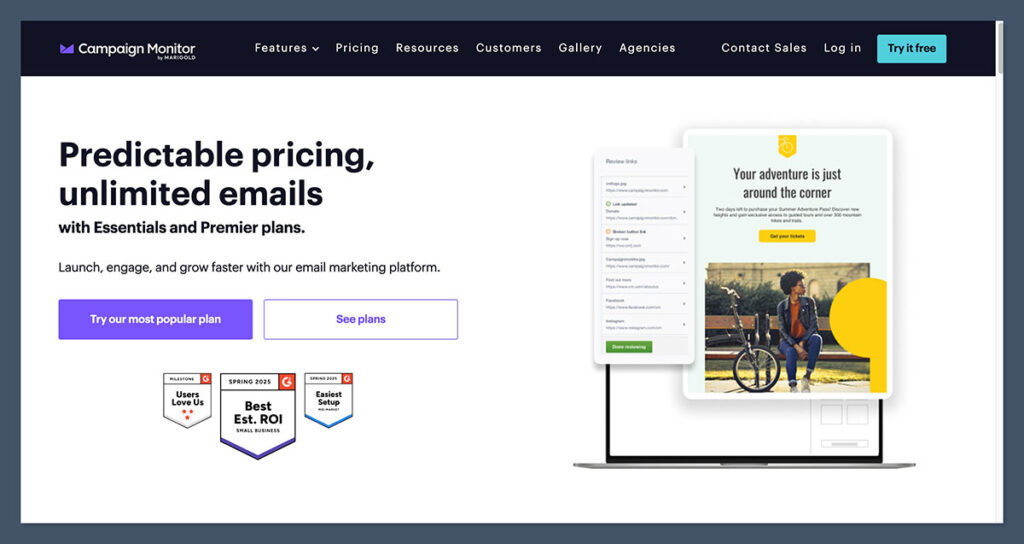
Onboarding and Setup
Getting started was straightforward. I connected my Shopify demo store using the native integration and created a test list of 1,000 subscribers.
The onboarding wizard walked me through setting up a basic welcome email sequence and importing products.
No coding was needed, and everything synced within a few minutes.
Building Emails
The drag-and-drop editor was one of the best parts of the experience. I was able to:
- Insert product images
- Create coupon blocks
- Highlight best-sellers
- Add call-to-action buttons
The mobile preview tool made it easy to tweak formatting before sending.
Creating Automation
I set up an abandoned cart sequence using the prebuilt automation flow. CampaignMonitor let me:
- Send a reminder 1 hour after cart abandonment
- Follow up 24 hours later with a discount
- Remove the contact from the flow if they completed a purchase
While it worked well, I had to manually tag purchase events from my Shopify store using Zapier. Klaviyo does this automatically.
Reporting and Analytics
Reporting included:
- Open and click rates
- Bounce rates
- Link tracking
- Geographic breakdown
What’s missing is product-level reporting—things like “revenue per campaign,” “conversion rate,” and “most purchased items.” These are vital for serious ecommerce analytics.
CampaignMonitor vs Other Ecommerce Email Tools
Here’s how CampaignMonitor compares to other email tools popular with ecommerce brands:
| Feature | CampaignMonitor | Klaviyo | Mailchimp | Omnisend |
|---|---|---|---|---|
| Built for Ecommerce | Partially | Yes | Basic support | Yes |
| Drag-and-Drop Editor | Yes | Yes | Yes | Yes |
| Product Recommendation Block | No | Yes | No | Yes |
| Native Shopify Integration | Yes | Yes | Yes | Yes |
| A/B Testing | Yes | Yes | Yes | Yes |
| SMS Marketing | No | Yes | Yes (addon) | Yes |
| Pricing (5,000 contacts) | ~$69/month | ~$100/month | ~$75/month | ~$59/month |
CampaignMonitor sits between Mailchimp and Klaviyo in terms of features. If you’re just starting out and want something simple, it’s a solid option. But if you’re scaling fast, Klaviyo offers more data and flexibility.
While Klaviyo remains the top choice for data-driven ecommerce brands, its steeper learning curve and higher price point can be overwhelming for newer businesses.
On the other hand, Mailchimp is a familiar name but lacks the ecommerce depth and flexibility that growing online stores often need.
Omnisend strikes a nice balance with built-in SMS, solid automation features, and a lower price tag—but its template editor isn’t quite as polished as CampaignMonitor’s.
If design and ease of use are your top priorities, CampaignMonitor offers a clean, focused experience.
Just keep in mind that it doesn’t provide the ecommerce-specific tools or behavioral targeting that Klaviyo and Omnisend include by default.
Best Use Cases for Ecommerce Brands
Ideal For:
- Small to mid-size ecommerce stores
- Brands that care about beautiful email design
- Stores with fewer SKUs and simple funnels
- Seasonal stores that benefit from pay-as-you-go plans
Not Ideal For:
- Large catalogs with thousands of SKUs
- Brands that rely heavily on dynamic content
- Marketing teams that need deep reporting and revenue tracking
- Businesses that want to integrate email and SMS in one tool
Ultimately, CampaignMonitor is best suited for ecommerce brands that prioritize simplicity and design over advanced functionality.
It covers the essentials well and makes it easy to launch attractive campaigns without a steep learning curve.
If your store has straightforward email needs and you’re not relying on complex automations or deep personalization, it can be a reliable, low-friction solution.
But if you're planning to scale rapidly, rely heavily on customer data, or want to manage both email and SMS in one place, it may be worth exploring more ecommerce-specialized platforms.
Real Feedback From Ecommerce Users
Several ecommerce business owners I spoke with praised CampaignMonitor for its ease of use and template quality.
However, they often moved to other tools once they needed:
- Product-specific email triggers
- Deep customer segmentation
- Revenue attribution per campaign
One DTC brand in the skincare space told me they used CampaignMonitor for a year before switching to Klaviyo to support their product recommendation engine and integrations with reviews and loyalty platforms.
Should You Use CampaignMonitor?
CampaignMonitor is a great starting point for ecommerce businesses that want to build attractive emails quickly. It shines in design, usability, and basic automation.
But if you need deep ecommerce functionality, advanced triggers, and conversion reporting—you may outgrow it quickly.
Use it if:
- You’re focused on simple, branded campaigns
- You’re new to email marketing
- You need quick setup and a clean user experience
Skip it if:
- You need ecommerce-specific reporting
- You want dynamic product feeds or advanced flows
- You’re managing multiple SKUs or stores at scale
If you’re in the early stages of building your ecommerce email strategy and want something easy to use with well-designed templates, CampaignMonitor delivers on the basics.
It’s a solid option for simple campaigns and smaller stores. Just be aware that as your business grows, your email needs may outpace what CampaignMonitor can offer—so it’s smart to think ahead before locking into a long-term plan.



Thank you so much for taking the time to create such a detailed review! If there’s anything we can do to help with your email marketing, please don’t hesitate to ask. – Ros Hodgekiss, Campaign Monitor