

Quick Answer: W3bstore is a niche ecommerce platform that focuses on helping brick-and-mortar stores go digital with a “shared cart” multichannel system.
It’s not the most flexible tool I’ve used, but for retail-first businesses looking to connect physical and online operations, it offers a unique angle.
I’ve tested 50+ ecommerce platforms in my time, from Shopify to niche POS hybrids. W3bstore isn’t a mainstream name, but it does something different—and that caught my attention.
In this review, I’ll break down how it stacks up across setup, pricing, features, and usability—based on hands-on experience.
Why You Can Trust This Review
I’ve been building, scaling, and advising ecommerce businesses for over a decade. From solo Shopify stores to 7-figure omnichannel setups, I’ve seen what works—and what burns money fast.
Every platform review I write comes from real testing. I signed up for W3bstore, built out a storefront, synced inventory, added products, and put it through its paces so you don’t have to guess.
W3bstore Pros & Cons
Pros 👍
- Combines online and in-store shopping via a shared cart system
- Built-in POS and order management for retailers
- Supports multi-location fulfillment and inventory syncing
- No need for third-party apps for essential functions
Cons 👎
- Templates feel dated and limiting
- Editor lacks flexibility and drag-and-drop ease
- Pricing isn’t transparent—you have to request a quote
- Poor marketing and SEO tools compared to competitors
My Experience With W3bstore
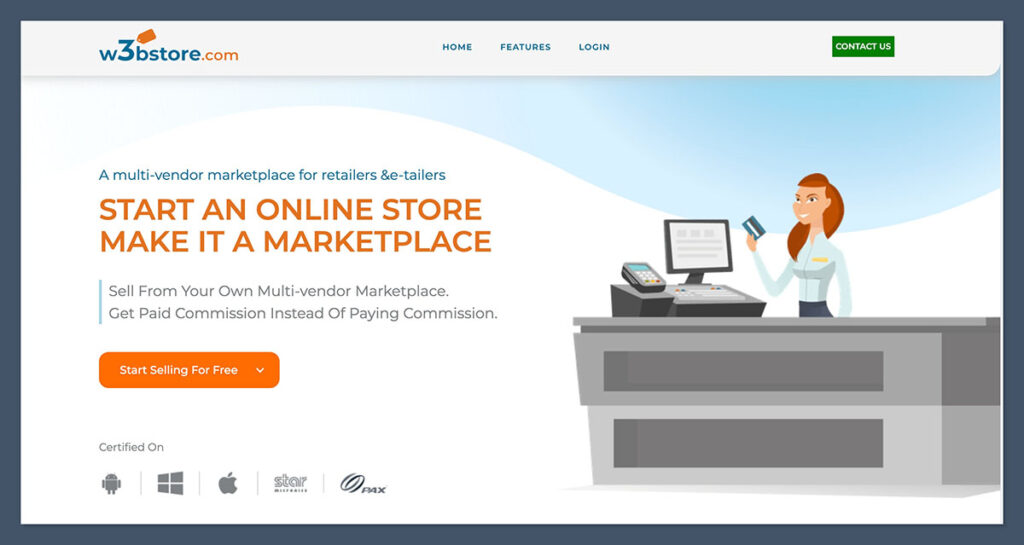
Getting started with W3bstore wasn’t flashy, but it was functional.
I didn’t need a credit card to start a trial, but the onboarding felt like an old-school ERP rather than a modern builder.
There’s no onboarding wizard or visual walkthrough like you’d find in platforms like Wix or Squarespace. Instead, it’s straight into the backend.
Here’s what setup looked like:
- Account creation took less than 2 minutes
- I was asked about my store type (retail, B2B, etc.)
- From there, I was dropped into a backend dashboard—not a builder
- No tutorials or walkthroughs offered up front
The admin panel reminded me of legacy systems from 2010. Functional but not pretty.
Definitely not made for beginners. If you’re used to the polished UI of Shopify or Wix, this will feel clunky. It’s more similar to using a POS backend or ERP suite than a drag-and-drop website builder.
Navigation is menu-driven, not visual. You click through sections like “Products,” “Orders,” and “Locations” from a sidebar.
Each opens up a form-style interface that feels more like internal software than an ecommerce storefront editor. It’s efficient, but not intuitive for someone building their first store.
That said, I liked the structure for retailers:
- It’s clearly built for managing physical and digital sales together
- You can map store locations, define pickup and shipping zones
- Orders from online and in-store sync into one place
- Product listings and stock levels can be segmented by location
There’s a strong focus on multi-location retail, and that’s where W3bstore carves out a unique advantage.
If you have physical stores and want to treat your ecommerce site as an extension of that ecosystem, W3bstore connects the dots.
The backend supports order routing, store-specific availability, and shared cart functionality across channels.
However, for merchants starting from scratch—especially those without physical inventory or brick-and-mortar roots—it feels overengineered. You’ll spend more time configuring settings and workflows that aren’t necessary for a lean digital launch.
To give you an idea of the interface, here’s a quick comparison:
| Feature | W3bstore Experience | Shopify Experience |
|---|---|---|
| Onboarding | Minimal, backend-led | Visual wizard with setup steps |
| Interface | ERP-style dashboard | Section-based editor |
| Tutorials | None provided | In-app guides and prompts |
| Ease of Use | Moderate to complex | Beginner-friendly |
If you’re a retail store owner moving online, this might be the right fit. For anyone starting fresh without a physical store? You’ll hit friction fast. The learning curve isn’t impossible, but it’s steeper than it needs to be for new sellers.
Adding Products – Functional But Manual
Product creation is one of the most important parts of any ecommerce setup.
With W3bstore, it’s built for businesses that already have inventory processes. The entire product management flow is focused on efficiency for retail operations rather than flexibility for creators or digital-first brands.
Here’s what I noticed:
- You can bulk upload products via CSV, which is helpful for large catalogs
- Individual product setup requires filling out multiple fields—no automation
- Variants and pricing are managed in a matrix format (good for retail SKUs)
- No AI-powered product description or SEO text tools
There’s no onboarding or setup wizard to walk you through the process. You go straight to data entry. The product form includes a mix of tabs and required fields—titles, SKUs, images, tax class, shipping class, availability, and more.
It works fine if you’re transferring over an existing catalog from a POS system or spreadsheet, but it feels time-consuming for small sellers.
What stood out was how focused W3bstore is on physical store syncing:
- I could assign products to specific store locations
- Inventory levels are tracked by location and auto-synced across sales channels
- You can even apply location-based pricing and availability
- Each product listing can be toggled as available for in-store pickup, local delivery, or online-only
This makes W3bstore ideal for multi-location retail operations. You can control what’s available at each store, maintain unified inventory, and ensure customers see the right availability based on location.
It’s especially useful for brands that offer limited editions or store-exclusive stock.
But it’s slow if you’re building a store from scratch:
- No auto-suggestions for categories
- No drag-and-drop image uploads (just file selectors)
- No dynamic product bundles or subscription options
- No bulk editing tools for fields like SEO, descriptions, or pricing
If you’re used to platforms that offer tools like Shopify Magic or Wix’s AI descriptions, W3bstore will feel manual.
Even for something like setting a product category, there’s no predictive typing or category tree—you create it manually, assign it manually, and repeat that for each product.
Here’s a quick side-by-side breakdown of product management features:
| Feature | W3bstore | Shopify |
|---|---|---|
| Bulk Upload via CSV | Yes | Yes |
| AI Product Descriptions | No | Yes (Shopify Magic) |
| Inventory by Location | Yes | Yes |
| Drag-and-Drop Image Uploads | No | Yes |
| Product Bundles/Subscriptions | No (requires workaround) | Yes (via apps) |
| SEO Metadata Editing | Manual only | Inline & guided |
This is clearly built for someone moving hundreds of SKUs from a retail system into an ecommerce store. For a solo creator or small team, it might be overkill.
You’ll spend more time managing backend data than building or testing products. But if you’re already deep in retail operations and need centralized product control across physical and digital channels, this feature set could be a perfect match.
Designing With W3bstore – Not Built for Creatives
This was where I struggled the most. If you’re looking for a visual builder like Wix or Squarespace, you won’t find it here.
W3bstore’s design interface isn’t designed with aesthetics or ease of use in mind—it’s focused on structure, not style.
W3bstore uses a basic template editor with minimal flexibility:
- Only a small handful of free templates
- No drag-and-drop functionality
- Changes are made in a settings panel—not visually on-page
- You can’t preview changes without publishing
You’re not editing in real time. Any design updates require saving, refreshing, and checking the live store to see changes take effect.
That workflow adds unnecessary friction, especially if you’re used to making on-page edits and seeing immediate results. There’s no undo history either, which adds risk when tweaking your layout.
The templates themselves felt outdated:
- Most look like early-2010s Shopify themes
- Mobile responsiveness was hit or miss
- Limited font, colour, and section layout control
- Layouts feel rigid, with few customisable content blocks
Design is often the first impression customers get from your brand, and W3bstore doesn’t give you the tools to make it a strong one.
While it’s possible to get a store up and running with basic branding, you’ll find yourself limited quickly—especially if you’re trying to stand out in a competitive space.
That said, if you just need a functional storefront and don’t care about heavy design customisation, it’ll do the job.
Retailers who want to match the look of their physical store online can add branding elements and showcase products without needing advanced design experience.
What you can do:
- Add logos, banner images, homepage sliders
- Customise navigation and product categories
- Add widgets for featured products or in-store promotions
- Embed simple content blocks like FAQs, store hours, and announcements
These tools are fine for basic branding, and you can keep your site clean and simple. But if design is a big part of your brand? You’ll find yourself wanting more.
Here’s how W3bstore stacks up against more modern ecommerce builders when it comes to design tools:
| Feature | W3bstore | Shopify | Wix |
|---|---|---|---|
| Drag-and-Drop Editor | No | Limited (sections) | Yes |
| Free Templates | Fewer than 10 | 13 | 900+ |
| Mobile Responsiveness | Inconsistent | Solid | Excellent |
| On-Page Editing | No | No (sidebar only) | Yes |
| Preview Before Publishing | No | Yes | Yes |
| Advanced Layout Control | No | Moderate (with apps) | Yes |
Overall, W3bstore’s design experience is functional but uninspiring.
It’s suitable for retailers who prioritise syncing operations over aesthetics.
But if your store’s appearance is central to your brand identity—or if you want to create a rich user experience with immersive visuals and interactive design—you’ll hit the limits very quickly.
Pricing – Zero Transparency, Big Red Flag
Unlike most ecommerce platforms that advertise plans clearly, W3bstore doesn’t show pricing on its website. You have to contact sales and get a custom quote.
There’s no pricing table, no breakdown of tiers, and no mention of what’s included at different levels.
That’s never a great sign—especially for small businesses. When pricing isn’t public, it usually means the platform is geared toward enterprise or complex retail clients. And that means potential hidden costs, unpredictable fees, and a much longer decision cycle.
Here’s what I was quoted:
- Starting at $99/month for a single-location retailer
- Additional fees apply for extra users, stores, or custom features
- No free plan or official trial period beyond demo access
- No way to test core functionality unless you’re in a sales pipeline
That puts W3bstore at the same price point as Shopify, without the polish or ecosystem. For $99/month, you’re getting fewer templates, no built-in marketing tools, and limited design functionality. T
hat pricing only becomes justifiable if you specifically need multi-store syncing, integrated POS, and the shared cart experience across retail and online channels.
Let’s look at how W3bstore compares to mainstream ecommerce platforms:
| Platform | Starting Monthly Price | Free Trial | Templates Available | AI Features |
|---|---|---|---|---|
| W3bstore | $99 (quote-based) | Demo only | 6 total | None |
| Shopify | $29 | 3-day trial | 200+ | Yes |
| Wix | $23 | Free plan | 900+ | Yes |
| Square Online | $0 | Free plan | 40+ | Yes |
As you can see, W3bstore is the only platform in this group that doesn’t offer transparent pricing or any form of public trial. That makes it a tough sell if you’re trying to budget out your tech stack or compare platforms on a like-for-like basis.
You’ll need to book a call, describe your business, and wait for a custom quote—slowing down the evaluation process.
To make it work financially, your business should already be doing decent volume through retail, and be looking to connect those offline operations with a digital storefront. That’s where the real value of W3bstore lies—not in entry-level ecommerce.
For small online stores, the math doesn’t work. Here’s why:
- You’re paying more than double the cost of Wix or Shopify’s entry plans
- There’s no built-in SEO or email marketing tools to offset that price
- You’ll likely need developer support for integration and design
- You’ll miss out on ecosystems with massive app marketplaces and support
If pricing is a key factor for you, W3bstore won’t compete well—unless you run a retail chain and need the POS integrations.
It’s not built for hobbyists, freelancers, or digital-first creators. It’s tailored for operational retail businesses with multiple locations and a need for centralised control.

Sales Features – Strong for Retailers, Weak for Digital Sellers
Sales tools are where W3bstore shines—but only if you’re running a multi-location retail business. The platform was clearly designed with traditional retailers in mind, and the feature set reflects that.
It’s not trying to be all things to all sellers, which is both its strength and limitation.
Here’s what’s built-in:
- Shared cart system across online and in-store purchases
- Syncing between POS and online checkout
- Local pickup and in-store returns
- Real-time inventory sync between locations
This setup allows your customer to add items to their cart from multiple locations, and check out with a single transaction—whether the products come from different stores or the web.
That shared cart experience is rare and solves a real problem for omnichannel retail businesses.
It also supports B2B selling:
- Customer-specific pricing
- Tiered discounts
- Account-based ordering workflows
- Manual approval flows for purchase orders
These features are helpful if you’re dealing with wholesale accounts, institutional buyers, or corporate customers who need net payment terms or negotiated pricing.
But here’s what it lacks:
- No built-in upsell or cross-sell tools
- No subscription management for recurring revenue
- No AI-driven abandoned cart emails or sales funnels
- No built-in loyalty or rewards system
Conversion-focused features like “you may also like,” volume discounts at checkout, or dynamic bundles don’t exist unless you build them yourself or through external dev work. That’s a problem for digital-first brands trying to increase average order value.
Here’s how W3bstore compares to other platforms in terms of sales capabilities:
| Feature | W3bstore | Shopify | BigCommerce |
|---|---|---|---|
| Multichannel Cart Sync | Yes | No | No |
| POS Sync | Yes | Yes | Yes |
| B2B Pricing | Yes | Yes (with apps) | Yes |
| Upsells/Cross-sells | No | Yes | Yes |
| Subscription Support | No | Yes (via apps) | Yes (via apps) |
| Abandoned Cart Emails | No | Yes | Yes |
If you’re selling apparel in-store and online and need to track inventory across multiple warehouses or locations, this works well. W3bstore is purpose-built for that use case.
If you’re launching a DTC brand and want to focus on conversion rate optimization, upselling, and lifetime value, W3bstore falls short.
Payments + Checkout – Solid but Not Customisable
W3bstore supports major payment gateways, but the list is shorter than platforms like Shopify or BigCommerce. The focus here is on functionality, not flexibility.
Here’s what’s included:
- Stripe and PayPal integrations
- Manual payments (for B2B invoices)
- Partial payment support for large orders
- Built-in tax calculator
The essentials are there, and they work fine for simple transactions. You can enable tipping at checkout, allow notes on orders, and set rules around pickup or delivery options per store location.
What’s missing:
- No native payment processor
- No Klarna, Afterpay, or Buy Now Pay Later support
- No integrations with Apple Pay or Google Pay
- Checkout is rigid—very few customisation options
- No one-click checkout or cart optimization tools
You can’t redesign the checkout page or add branded elements like trust badges, testimonials, or conversion triggers. Everything is controlled from backend settings, and you’re locked into a single layout.
If your business runs high-ticket orders and needs split payments or custom invoicing, W3bstore handles that well. But for user-friendly, conversion-optimized checkout experiences? It lags behind.
SEO & Marketing Tools – Needs a Lot of Work
If SEO and marketing are core to your business strategy, W3bstore is behind the curve. It handles the basics, but lacks the advanced tools modern ecommerce brands expect out of the box.
It offers:
- Basic SEO fields (meta titles, descriptions, URL slugs)
- Built-in blog functionality
- Store-level schema for business info
But the implementation is shallow. There’s no SEO guidance, no suggestions, and no keyword optimization tools. Metadata is added manually, and there’s no preview of how your site will look in search results.
What’s missing:
- No structured data for product listings
- No blog templates or scheduling options
- No integration with SEO tools like Semrush, Surfer, or Google Search Console
- No built-in sitemap generator or index control
Marketing features are also thin:
- No email marketing integrations (e.g., Mailchimp, Klaviyo)
- No native SMS campaigns
- No automation for reviews or UGC
- No Google Shopping or Meta product feed tools
To get any of this working, you’ll need third-party workarounds or API development. Even simple things like cart abandonment campaigns or popup forms will require custom builds or external scripts.
For businesses that rely heavily on inbound marketing, SEO, or content, W3bstore lacks the infrastructure to support growth without serious extra effort.
App Integrations – Limited Ecosystem
W3bstore doesn’t have a public app marketplace, which limits your ability to extend functionality easily. This is a huge contrast to Shopify or Wix, where entire ecosystems exist to help you plug in tools instantly.
Here’s what’s supported:
- Custom integrations via API (developer required)
- Native integrations for a few POS systems
- Order routing to fulfillment services like ShipStation
The API is solid, and technically you can build anything—but there’s no plug-and-play functionality. That means added cost, longer setup time, and more reliance on technical resources.
But there’s no easy way to plug in tools like:
- Klaviyo or Mailchimp
- Loyalty programs
- Subscription billing engines
- Live chat or helpdesk apps (like Gorgias or Tidio)
This makes W3bstore better suited for businesses that want an all-in-one retail setup, rather than a modular ecommerce system. If you want to build a marketing stack or test tools rapidly, this platform will slow you down.
Shipping + Fulfillment – Good for Local, Lacking for Global
W3bstore includes some strong retail-oriented shipping tools but doesn’t handle international shipping well. Like much of the platform, it’s optimised for businesses fulfilling from one or more local stores.
What works:
- Set shipping zones by location or distance
- Enable curbside pickup or local delivery
- Print labels and track packages
- Integrate with ShipStation or Shippo for order management
This makes sense if you have a chain of stores and offer local fulfilment or click-and-collect. The system can route orders by proximity and stock availability, which is helpful.
Where it falls short:
- No dynamic rates from carriers like FedEx or DHL
- No international tax or duty support
- No split fulfillment by warehouse or vendor
- No returns portal or branded tracking pages
If you’re fulfilling out of one physical store, it works.
If you’ve got warehouses, 3PLs, or international customers—it’s limited. There’s also no multi-currency support, which rules out cross-border sales unless you custom-develop it.
Security + Support – Minimal But Secure
Security is solid—W3bstore includes standard protections for modern ecommerce stores. It’s compliant and reliable.
Security features include:
- SSL for all stores
- PCI-compliant checkout system
- Regular data backups
- Admin permission controls and user-level access
These protections are what you’d expect from any serious ecommerce platform. There were no red flags in terms of data handling, uptime, or privacy.
Support, however, is limited:
- Email support only
- No live chat or 24/7 help
- Small knowledge base
- No community forum or user group
There’s no onboarding assistant or design help either.
If you need hand-holding, this isn’t the right platform. W3bstore assumes its users are already familiar with retail systems or have access to technical staff who can manage integrations and troubleshooting internally.
W3bstore vs Shopify vs Wix
Let’s break it down simply. Each of these platforms serves a very different audience, and it shows in how they approach design, functionality, and growth.
Here’s a closer comparison:
| Platform | Best For | Strengths | Weaknesses |
|---|---|---|---|
| W3bstore | Retail chains | Shared cart, POS sync, multi-location inventory | Limited design, poor SEO, weak marketing |
| Shopify | Growth-stage ecommerce stores | Best sales tools, massive app store | Expensive, reliant on third-party apps |
| Wix | Beginners and creators | Beautiful templates, easy drag-and-drop editor | Limited multichannel or retail capabilities |
W3bstore is ideal for retailers looking to unify online and offline operations. Its core features—shared cart, POS syncing, and inventory by location—don’t exist in most traditional ecommerce platforms. It’s also one of the few platforms that was clearly built with physical storefronts as the priority.
Shopify dominates when it comes to ecommerce scalability. Whether you’re selling one product or managing thousands, Shopify gives you the tools to grow fast. But with great power comes complexity—and a higher price. Expect to rely on apps for anything beyond the basics.
Wix is by far the most user-friendly platform. It’s ideal if you’re just getting started or building a brand-heavy experience with design as a top priority. But when it comes to advanced ecommerce features, retail syncing, or custom workflows, it doesn’t offer much depth.
So how do you choose?
If you’re running a retail business with multiple physical locations and you want your ecommerce store to plug directly into your day-to-day operations, W3bstore has the edge.
You won’t get the best design tools or flashy features, but you will get operational control.
If you want to build a fully online brand, run campaigns, test product funnels, and scale aggressively, Shopify is a safer bet. It’s a bit more expensive, but its flexibility makes it worth the cost for most ecommerce-first businesses.
If your goal is to build a beautiful storefront without learning a new system, Wix is a great start. It’s intuitive, quick to launch, and has enough ecommerce power to support smaller product catalogs.
Final Verdict: Should You Use W3bstore?
W3bstore is a niche tool—and that’s not a bad thing. If you’re a brick-and-mortar store trying to sell online, it offers retail-native features that Shopify and Wix don’t match.
The platform is clearly designed for operational businesses that need unified inventory, local fulfillment, and order syncing across physical and digital channels.
But it’s not for beginners, and not for pure ecommerce brands. The learning curve is steep, the design is outdated, and you’ll miss the modern marketing and automation tools that come standard on other platforms.
There’s no drag-and-drop editor, no app store, and minimal help content.
Here’s a simple way to know if W3bstore fits your business:
Use W3bstore if:
- You have one or more physical stores
- You need inventory synced across locations
- You want a shared cart for multichannel orders
- You already have retail workflows and POS systems in place
- You prioritize operations and logistics over design
Skip W3bstore if:
- You want a sleek, branded ecommerce site
- You care about SEO, email marketing, or blogging
- You need flexibility and integrations
- You plan to scale using apps, automation, or AI tools
- You’re just starting out and want something beginner-friendly
If your ecommerce goals are rooted in brand-building, content marketing, and conversion optimization, W3bstore likely won’t support your growth strategy.
But if you’re a traditional retailer going digital—and need ecommerce to act more like a centralized operations platform than a storefront—then W3bstore offers real value where other tools fall short.


Comments 0 Responses