

I thought, at the start of all this, that I already had a good idea of what HostPapa was: another company offering cheap hosting for smaller businesses. Then I actually looked at the current product range, and realized how much has changed in the last couple of years.
HostPapa still gives companies hosting options (though there are quite a few more plans available today than there used to be). But it goes beyond that, too. HostPapa can register your domain, migrate your existing site, host WordPress, build a new website, manage your email, add security, and provide ongoing technical help through PapaCare. If the business outgrows shared hosting, there are VPS and dedicated servers available further up the line.
I think that makes HostPapa a more interesting provider right now, especially since most small business owners are already sick of trying to handle a bunch of different suppliers and systems at the same time. It’s still not going to be the right toolkit for everyone, but I do think HostPapa is actually getting a lot of things right.
Who is HostPapa Right For? (Pros and Cons)
HostPapa is probably going to be a good option for small businesses that want to work with a single company that handles the website, and the extra jobs around it. The combination of cPanel hosting, WordPress tools, migration support, business email, security options, and access to real people gives it more practical value than the initial starting price might suggest.
It’s also a good pick for agencies using reseller hosting, or companies that want HostPapa to build and maintain the site for them. I’d still avoid recommending it based on “cheaper pricing” alone. Quite a few plans (including the shared and reseller options) can cost more at renewal, and you can end up paying more depending on how much assistance you really need.
Pros
- cPanel, CloudLinux, NVMe storage, and Softaculous on shared hosting
- Phone, live chat, ticket support, and a free onboarding session
- Strong WordPress options, including staging and managed maintenance
- Free eligible migration with help for files, databases, and email
- Easy routes into VPS, dedicated, and reseller hosting
Cons
- Several entry prices require two- or three-year commitments
- Shared and reseller renewal prices can rise quickly
- Backup, security, and management inclusions vary by plan
What is HostPapa and What Does it Offer?
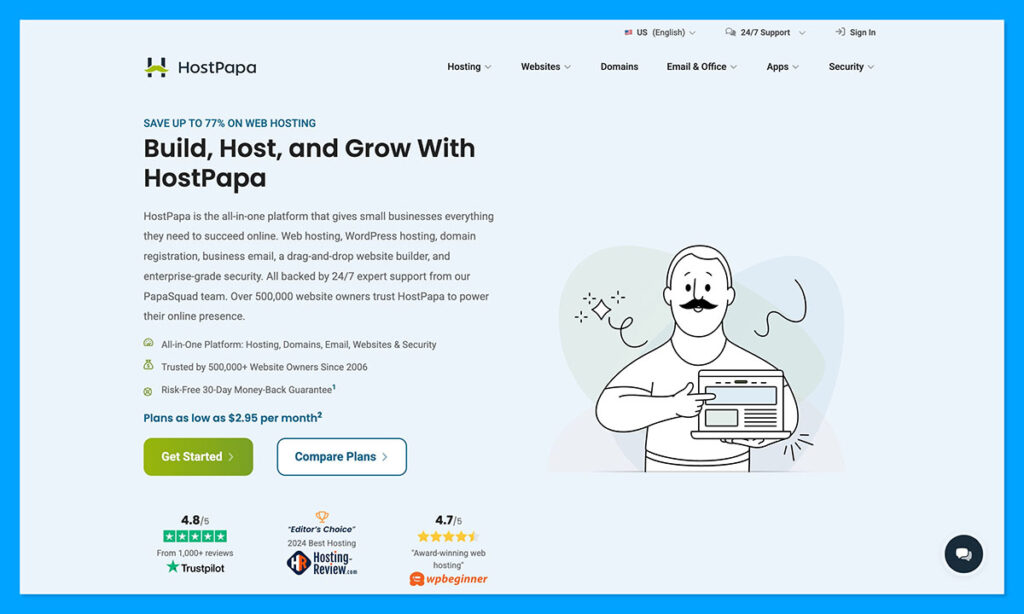
HostPapa is a Canadian hosting and cloud services provider, with about two decades of history in the industry. Lately, it’s become hyper-focused on giving smaller companies and individuals the toolkit they need to get up and running online, from domain registration to website building tools, plus business email.
Though it started off focused mainly on shared hosting, it now offers WordPress options, reseller plans, PapaCare, VPS hosting, dedicated servers, and more. The company even bought Tailor Made Servers and Hostwinds, giving it more bare-metal experience in Dallas, plus extra depth in VPS or dedicated hosting.
For hosting, you’ve got a handful of options, including:
- Web hosting with cPanel and 400+ apps
- Optimized WordPress with WP Toolkit and staging
- Managed WordPress with offsite backups and managed updates
- Reseller hosting with white-label client accounts
- PapaCare for hands-on administration support
Shared and WordPress Hosting
The standard HostPapa web hosting option combines cPanel, CloudLinux isolation, NVMe storage, and Softaculous for more than 400 applications. The cheapest “Essentials” shared plan supports one site with 25GB of storage. Growth moves to five sites and 100GB, while Premium and Elite allow unlimited websites within published CPU, memory, process, and inode limits.
I actually think it’s helpful that HostPapa doesn’t hide the resource caps here, since it saves you from signing up for a plan just because it’s budget-friendly, then discovering you have to upgrade five minutes later.
With WordPress hosting, you get two options, which honestly do have a bit of overlap. Optimized WordPress gives you WP Toolkit, pre-installed WordPress, caching, security controls, plus centralized site management with plans starting at $2.95 per month. The Managed option starts at $19.95 per month, and adds nightly offsite backups, automated updates, malware scanning, one-click recovery, Cloudflare enterprise delivery, plus patching.
Then there’s the separate “PapaCare” offer alongside those options, which gives you bonus help with email, apps, security checks, performance management, and backups.
VPS and Dedicated Hosting
For companies that find resource limits holding them back, VPS hosting options give you a bit more scope to scale. There are unmanaged plans with CPU and RAM, root access, NVMe storage, plus control through the VHI panel. There are also dedicated managed VPS hosting options with cPanel/WHM, operating system maintenance, security, monitoring, plus migration help.
If even that doesn’t suit your needs, dedicated hosting gives you plenty of power for heavier workloads, including 40TB of transfer, a private IPv4 address, and network options from 1Gbps to 10Gbps. Again, you can choose between managed and unmanaged plans here, but the managed options definitely give you more value if you need migration help, SSL certificates, plus extra backup storage included in the mix.
I will say, you should probably check the hardware carefully before signing up. The entry Spark machine uses a Xeon E3-1240v3, while newer options include AMD Ryzen chips and NVMe storage. “Dedicated server” sounds expensive and impressive; an older processor doesn’t become young again because nobody else shares it.
Reseller Hosting
For agencies, the reseller range of plans offers WHM, branded cPanel accounts, private nameservers, separate client resources, and billing software on higher tiers. I’ve seen some great case studies linked to those plans. For instance, OfTheBridge says it manages over 70 websites through this service. That’d be a lot to handle without a dedicated plan.
Still, it’s worth pointing out that every plan has its limits. The Bronze plan starts at $14.95 and gives you 20 cPanel accounts, 2GB of RAM, and no WHMCS billing license. On the plus side, all of the plans include free automated billing, migration support, the 100% HostPapa guarantee, and integrated security features.
The Website-Building Features
As I said, one of the good things about HostPapa is that it isn’t forcing companies to figure out everything from hosting to web design separately. You’ve got three different ways to get your website online. You can build your site yourself and just use HostPapa for hosting, use an AI website builder, or commission a custom project (though that last version costs a bit more).
The AI-powered website builder is similar to a lot of other intelligent builders I’ve used from companies like Wix. You basically describe your business to the system, and it creates a first draft, generates copy and images, and pulls the whole result into a drag-and-drop editor for extra tweaking. You also get branded email, plus appointment scheduling on the Advanced plan.
The plan limits are obvious here. Basic stops at five pages. Advanced raises that to 50 and adds appointment scheduling. Ecommerce begins with Business, where 100 pages sounds generous until you notice the store limit of just 12 products.
Premium raises the allowance to 100 products and adds inventory tracking, digital goods, coupons, and the app marketplace. Enterprise reaches 1,000 products, with abandoned-cart emails, multilingual selling, tax automation, and marketplace connections. HostPapa supports more than 50 payment gateways and adds no transaction fee of its own. Your processor still takes its cut, though.
Still, all of this gives you plenty if you’re running a compact store, it just might not be ideal for larger, enterprise-level customers.

If you need more control, there’s both DIFM website design (starting at $99 per month) with hosting, maintenance, revisions, plus help with copy. Basic sites can be ready to go in seven to ten business days, which is good news for companies with a deadline. The downside is that HostPapa retains rights over certain code, formatting, content, and images created, so leaving the provider could land you with some intellectual property transfer fees.
Then there’s the custom website design option, which costs more (obviously), and can take around four to eight weeks to deliver a result. Still, you end up with a site that you fully own, and you can take advantage of connections to tools like QuickBooks, Xero, or Salesforce.
What’s HostPapa Like to Use?
Right now, HostPapa looks like it’s trying to sell reassurance just as much as server space. It’s constantly drawing attention to its friendly customer service reputation, which is actually backed up by the reviews I’ve read from TrustPilot, and similar websites.
For everyday admin, HostPapa keeps the account and technical sides of things separate. The main dashboard deals with products, billing, domains, and support, while cPanel opens separately for files, databases, DNS, software, plus email.
I will say that there can be a lot to take in at first. Experienced hosting users will probably feel right at home, but beginners will have a bit of a learning curve to tackle. Still, cPanel does give you more control than the simplified panels certain budget hosts use.
HostPapa Performance and Reliability
Performance and reliability always depends on a bundle of different things, so it’s hard to give a “guarantee” here, but based on the WooCommerce tests I’ve seen, HostPapa’s cheapest shared account has no problem with basic traffic.
One review found it handled five and nine concurrent users, recording average responses of 0.97 and 1.05 seconds, although at 15 users, the availability did fall to about 95.64%. That’s not necessarily worrying. Most budget-friendly providers can give you decent shared hosting, but you do start to notice limitations when demand builds up.
Plus, it’s worth remembering that HostPapa promises a 99.9% monthly uptime score (excluding scheduled maintenance). If you don’t see the same results, you can contact support for account credits, which can cut down some future costs.
Security, Support, and Migration
Security starts with SSL, CloudLinux isolation, Imunify360, firewall protection, and brute-force defenses. Higher plans and add-ons bring broader malware and DDoS coverage. I did find it a little tricky to figure out which entry plans include “Protection Power” so it might be worth confirming that before you submit your order.
There’s backup support too, but again, allowances vary. Essentials gives you 1GB for free in your first year, if you sign up for a longer-term plan, but you can always add the “Automated website backup” option for $47.99 per year.
Easily one of the best things about HostPapa, though, is the PapaSquad. It’s basically the customer support team that gives you full assistance available around the clock through phone, chat, or email. Every new customer also has the option to book a 30-minute onboarding session.
Then there’s the free migration service. New customers can ask for it within 30 days of their purchase, and HostPapa will move eligible files, MySQL databases, cPanel settings, and email configurations for you. It doesn’t “redesign” your website, though. Closed Wix and Squarespace projects still need rebuilding, regardless of which host you choose.
HostPapa Extras: Domains, Email, and Apps
Not everyone looking at HostPapa will really need all the extras, but they can be useful if you’re trying to reduce the number of suppliers you’re working with.
First, there’s domain support. Eligible plans give you one domain for the first year, and after that, the pricing varies depending on the kind of domain you want. For instance, a .com costs $12.99 per year to start with, then $23.99 to renew.
Then there’s the email options. You can get a paid HostPapa business email for as little as $1 per user, per month, and Advanced email starts at $2. You can also bundle in Google Workspace or Microsoft 365 if you’re already using those for day-to-day work.
There’s also more than 400 applications available through Softaculous, so you can easily link in WordPress, Drupal, Joomla, Magento and other systems. You also get plenty of extra support in the form of blogging tools, learning management systems, project management apps, and self-hosted options, so there’s plenty of room for scale.
HostPapa Pricing and Total Cost
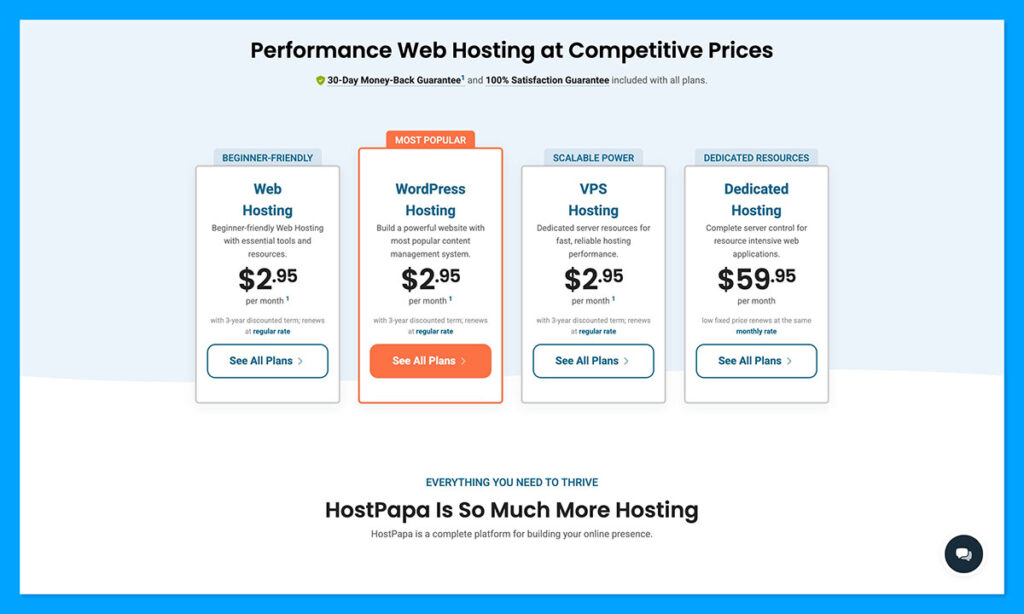
Every hosting type, website option, and extra comes with its own fees to think about, but I will say that I was impressed by HostPapa’s decision to make renewal pricing as clear as possible. You do see the “initial offer” upfront, like the $2.95 per month price for Web Essentials if you lock into a three year plan, but you can also see that it goes up to $8.99 per month after that.
Some hosting providers wait until you’ve already entered your credit card details, or decided it’s time to renew to give you that information.
| Cost item | Starting price | Worth knowing |
|---|---|---|
| Web Essentials (shared) | $2.95 per month | Renews at $8.99 per month, three year term for the intro rate |
| Optimized WordPress | $2.95 per month | WP Toolkit, caching, security controls |
| Managed WordPress | $19.95 per month | Nightly offsite backups, automated updates, malware scanning |
| Reseller (Bronze) | $14.95 | 20 cPanel accounts, 2GB RAM, no WHMCS license |
| DIFM website design | $99 per month | Seven to ten business days for basic sites, IP transfer fees may apply |
| Business email | $1 per user, per month | Advanced email from $2 |
| Domain (.com) | $12.99 per year | Renews at $23.99 per year |
| Security add-ons | $2.99 per month | Protection Power and SiteLock |
| SSL certificate | $29.95 per year | Needed as an add-on on some plans |
| Automated website backup | $47.99 per year | Essentials includes 1GB free in year one on longer terms |
Still, it’s worth keeping all the extra fees in mind too. Security options like Protection Power and SiteLock start at $2.99 per month, some plans need SSL certificates added on too, with pricing starting at $29.95 per year. Then there are extra costs for website building (either with AI or custom support), advanced email tools, domains, and so on.
On the plus side, eligible first-time hosting purchases do get a 30-day refund window, while domains, business email, Google Workspace, Microsoft 365, and several security services are excluded.
Is HostPapa Worth It?
I think HostPapa makes a lot of sense when you look at the offer as a collection of services around a website, rather than just another hosting solution.
The hosting packages are generally good value for money, if you know what you’re looking for. For a small business site, the Web Essentials plan is actually a really good starting point. A single site and 25GB of NVMe storage will cover plenty of consultants, local firms, and portfolio sites.
Growth becomes the better buy once you need a second domain or expect the site to expand, and the Managed WordPress plans are great if your sites bring in leads or sales and missed updates can become a liability.
Outside of that, the HostPapa website builder is great for small stores, and both DIFM and custom website design give you more professional support outside of delegating your entire website launch to a machine. Then there’s all the extra options, like email inboxes, domains, app integrations, migration help, plus security tools.
I’d recommend HostPapa to a small business that values human support and wants fewer suppliers to manage. The plan names need a little untangling, and shared-hosting renewals can climb sharply, so I’d check the long-term total before paying. Still, it’s definitely worth considering.



Comments 0 Responses