

Quick answer: Shopify is better for most businesses. It’s intuitive, packed with tools, and ideal if you’re scaling fast.
Kooomo is a solid choice for enterprise retailers, especially across Europe, with more complex international or omnichannel needs.
In this review, I’ll break down everything I found while comparing both platforms — from pricing and payment gateways to templates, apps, SEO, and enterprise capabilities.
Quick Comparison: Kooomo vs Shopify
| Feature | Shopify | Kooomo |
|---|---|---|
| Overall Rating | 4.8/5 | 3.9/5 |
| Starting Price | $29/month | Custom quote (enterprise only) |
| Free Trial | 3-day trial + $1/month deal | No public trial |
| Templates | 190+ (13 free) | Limited, bespoke builds only |
| App Marketplace | 8,000+ integrations | No app store |
| AI Tools | Shopify Magic | None |
| Transaction Fees | Yes (unless using Shopify Payments) | None |
| Built-in POS | Yes | Yes (through 3rd-party setup) |
| Best For | SMBs, DTC brands, dropshippers | Mid-to-large EU-based retailers |
Best for Selling Online: Shopify Offers More Built-In Sales Features

When it comes to selling, Shopify stands out for its ease, speed, and built-in power.
You don’t need a developer to get started, and most of what you need to run and scale an ecommerce store is ready to go on day one.
Whether you’re launching a new product or managing hundreds of SKUs, Shopify handles it all with a clean, centralised backend.
Kooomo, on the other hand, isn’t built for smaller teams or DIY store owners. It’s geared toward enterprise use cases where you’ve already got a developer or agency team involved.
The sales tools are strong — but they’re either custom developed or dependent on third-party systems.
Here’s how the two stack up on core selling features:
Shopify Sales Features
- Abandoned cart recovery
- AI-powered product descriptions (Shopify Magic)
- Discount and coupon rules
- Built-in omnichannel tools (POS, TikTok, Instagram, Google, Amazon)
- Multi-language storefronts
- Product bundling and volume pricing
- Subscription support via apps
- Shopify Flow for automation (Shopify Plus only)
Kooomo Sales Features
- Custom checkout flows with flexible payment rules
- Multi-store and B2B catalog support
- Advanced promotions engine (vouchers, coupons, multi-buys)
- Warehouse, stock location, and order routing logic
- Seamless ERP, CRM, PIM, and WMS integration
- Role-based pricing and customer groups
- Order splitting and partial fulfilment handling
- Omnichannel inventory across stores and retail locations
Shopify’s strength is in making it easy for anyone to start selling quickly. The dashboard is intuitive, the features are well-documented, and the ecosystem is huge.
It’s ideal if you’re focused on growth and need tools to manage everything from product pages to abandoned carts.
Kooomo leans into high-complexity setups.
If you’re managing regional pricing, B2B and DTC in the same system, or need to sync multiple ERPs, it’s a powerful platform — but it assumes you’re already operating at a certain scale.
The Verdict
Shopify wins for plug-and-play ecommerce. Everything you need is already built in, with the ability to scale up using apps or Shopify Plus.
Kooomo only makes sense if you need complex B2B rules, multi-warehouse stock control, or ERP-level infrastructure that’s already part of your tech stack.
Payment Options: Kooomo Edges Ahead on Fees
Setting up payments on both platforms is straightforward, but the long-term impact on your bottom line depends on transaction fees, gateway flexibility, and regional support.
Shopify and Kooomo both give you a good selection of options, but the difference comes down to cost structure and global readiness.
Shopify’s setup is polished and beginner-friendly. You can connect your store to over a hundred payment providers with just a few clicks.
Shopify also has its own built-in payment processor — Shopify Payments — which simplifies things, especially if you’re based in North America or select countries in Europe.
But unless you use Shopify Payments exclusively, you’ll pay additional fees on every transaction.
Kooomo is less flashy, but arguably more flexible — especially for enterprise brands operating across multiple EU markets.
Its payment setup doesn’t come with added transaction fees and it supports a wide range of European and international gateways. For companies processing high volumes, that can mean major savings over time.
Shopify Payment Setup
- 100+ supported payment providers
- Shopify Payments removes extra gateway fees
- Up to 2.9% + 30¢ per transaction on the Basic plan
- Gateway options include:
- Google Pay
- Apple Pay
- Klarna
- PayPal
- Amazon Pay
- Payouts managed directly inside Shopify dashboard
- Currency conversion for global customers
Kooomo Payment Setup
- 0% transaction fees, regardless of the provider
- Over 30 native gateways including:
- Adyen
- Braintree
- Stripe
- WorldPay
- SagePay
- Multi-currency display and settlement
- Optimised for PSD2 and EU-specific payment compliance
- Custom checkout workflows with regional rules
- Payment logic based on location, device, or basket value
One thing to consider is how Shopify ties its transaction fees to your chosen plan and whether or not you use Shopify Payments.
If you’re using a third-party gateway like Stripe or PayPal, expect to pay an additional 1% to 2% in fees, unless you upgrade to a higher-tier plan.
On the flip side, Kooomo’s model allows merchants to avoid those charges altogether — which is a big win for high-volume businesses.
For global sellers, both platforms support multiple currencies, but Kooomo gives you more native control over how prices display and convert per market. It’s especially well-suited to managing European regulations like PSD2 and localised checkout requirements.
The Verdict
If you’re focused on reducing transaction fees and selling across Europe, Kooomo’s flexibility gives it the edge.
Shopify’s native payment system is great for North America and easy to manage, but you’ll pay more per transaction unless you’re on a higher-tier plan or fully committed to Shopify Payments.
For enterprise-level cost control, Kooomo comes out ahead.
App Market: Shopify Dominates

This one’s not even close. If flexibility and growth speed matter to your business, Shopify’s app ecosystem is in a different league.
It’s one of the reasons Shopify has become the default choice for ecommerce startups, DTC brands, and fast-growing stores.
Shopify’s App Store is massive, offering more than 8,000 integrations across nearly every category you could need.
Whether you’re looking for advanced analytics, loyalty programs, subscription tools, upsells, or reviews, there’s likely a tool already built and ready to go. Many apps are plug-and-play, and setup takes just a few minutes.
Kooomo takes a very different approach. There’s no public app marketplace. Most features are either built-in or custom developed during your onboarding. While this means a more stable and controlled environment, it comes at the cost of agility.
If you want to try a new app, test a new CRO tool, or run a campaign using a third-party marketing plugin, you’ll probably need developer support.
Shopify App Store
- Over 8,000 apps
- Categories include:
- Email marketing (e.g. Klaviyo, Omnisend)
- SEO tools (e.g. Smart SEO, Plug in SEO)
- Conversion rate optimisation
- Loyalty programs (e.g. Smile.io, LoyaltyLion)
- Subscriptions (e.g. Recharge, Bold Subscriptions)
- Shipping and fulfilment (e.g. ShipStation, Easyship)
- Free and paid options (monthly pricing varies)
- Apps reviewed and rated by real users
- Easy installation and uninstall process
- Custom apps can be built via API or Shopify Plus Partners
Kooomo
- No public-facing app store
- Functionality is either:
- Natively included
- Custom-developed during implementation
- Integrated via direct API by Kooomo’s dev team or partners
- Limited agility for marketing or CRO experimentation
- Stable and secure, but slower to adopt newer tools
- Best suited to businesses with fixed feature requirements
App Market Comparison Table
| Feature Category | Shopify | Kooomo |
|---|---|---|
| Number of Apps | 8,000+ | None (no public marketplace) |
| Installation Process | Click-to-install via dashboard | Requires development or onboarding |
| Marketing Integrations | Klaviyo, Omnisend, Meta, TikTok | Custom API-based only |
| SEO/CRO Apps | Multiple app options available | Built-in or manual setups |
| Subscription Support | Recharge, Bold, etc. | Limited, custom if needed |
| Custom App Development | Supported via API | Supported, dev team required |
| Marketplace Review System | Yes | Not available |
Shopify’s app ecosystem makes it easy to stay ahead of the curve.
If a new trend emerges in ecommerce or a new marketing channel gains traction, odds are a developer has already built a Shopify app for it. That means you can test ideas quickly and scale what works without building everything from scratch.
Kooomo’s app-less model prioritises stability and control. You won’t have to worry about plugin conflicts, but you also lose the ability to rapidly iterate, test tools, or plug into niche integrations on short notice.
The Verdict
Shopify wins for flexibility, innovation, and speed. You can set up what you need in a few clicks.
Kooomo works better if you want tight control and are less concerned with experimenting or iterating fast. For fast-moving ecommerce teams, Shopify’s app ecosystem is a major advantage.
Marketing Tools: Shopify Makes It Easy
Marketing is where Shopify really starts to shine, especially for smaller teams, fast-growing DTC brands, and businesses without in-house developers.
Everything is built to be accessible — whether you’re setting up an email campaign, launching a Facebook ad, or syncing products to marketplaces.
Shopify gives you a full marketing toolkit straight out of the box. From automated emails to multichannel ad campaigns, most of it can be managed within a few clicks — no code needed.
And if you want to go further, the App Store unlocks advanced tools like Klaviyo, Omnisend, and loyalty programs that plug directly into your store and CRM.
Kooomo, on the other hand, focuses more on centralised management for enterprise campaigns.
You get a basic set of marketing tools out of the box, with more advanced features developed during onboarding or built into the system via integrations. It’s capable, but not as nimble.
Shopify Marketing Tools
- Shopify Email: built-in campaign builder with custom templates
- Marketplace Connect: list products across Amazon, eBay, and Etsy
- Ad integrations:
- Google Ads
- Facebook and Instagram Ads
- TikTok
- App integrations with:
- Klaviyo
- Omnisend
- Mailchimp
- Affiliate and loyalty apps:
- ReferralCandy
- Smile.io
- LoyaltyLion
- Custom tracking via UTM parameters, Google Tag Manager, and built-in analytics
Kooomo Marketing Tools
- Native Promotion Manager for coupons, multi-buys, and time-limited offers
- On-site personalisation based on user data and behaviour
- Built-in email tool (basic HTML campaigns)
- Google Shopping feed sync for product visibility
- Content and blog manager for SEO pages
- Support for third-party marketing platforms (via API)
- Campaign performance analytics via dashboard reports
Marketing Tools Comparison Table
| Feature | Shopify | Kooomo |
|---|---|---|
| Email Marketing | Shopify Email + 3rd-party apps | Built-in basic tool |
| Marketplace Sync | Amazon, eBay, Etsy via app | Google Shopping only |
| Ad Platform Integrations | Google, Facebook, TikTok, Pinterest | Requires manual integration |
| Affiliate & Referral Programs | Available via apps | Requires custom setup |
| On-site Personalisation | Via apps or Shopify Plus | Native feature |
| Content Management & Blogging | Built-in with templates | Built-in with editor |
| Loyalty/Review System | Multiple apps (Smile.io, Yotpo) | Requires dev work or partners |
Shopify’s strength is that marketers can launch and iterate fast. Want to test a new campaign? Install an app and go. Need to run a flash sale or abandoned cart sequence? It’s already built in.
The platform lowers the barrier to entry for growth marketing and gives teams the tools they need to experiment.
Kooomo is designed with more structured workflows. It works well if you already have an in-house marketing team or agency managing complex campaign strategies, especially across regions.
But for day-to-day, hands-on marketers, it lacks the speed and ease that Shopify offers.
The Verdict
Shopify offers more tools, deeper integrations, and a much better UX for marketers.
Everything from email to multichannel ads to loyalty programs is either included or just an app away.
Kooomo can handle enterprise campaigns, but it requires more planning, more manual setup, and a higher barrier to entry for non-technical teams. For fast-growing brands that want to move quickly, Shopify wins.
SEO & Internationalization: Kooomo Handles Complexity Better
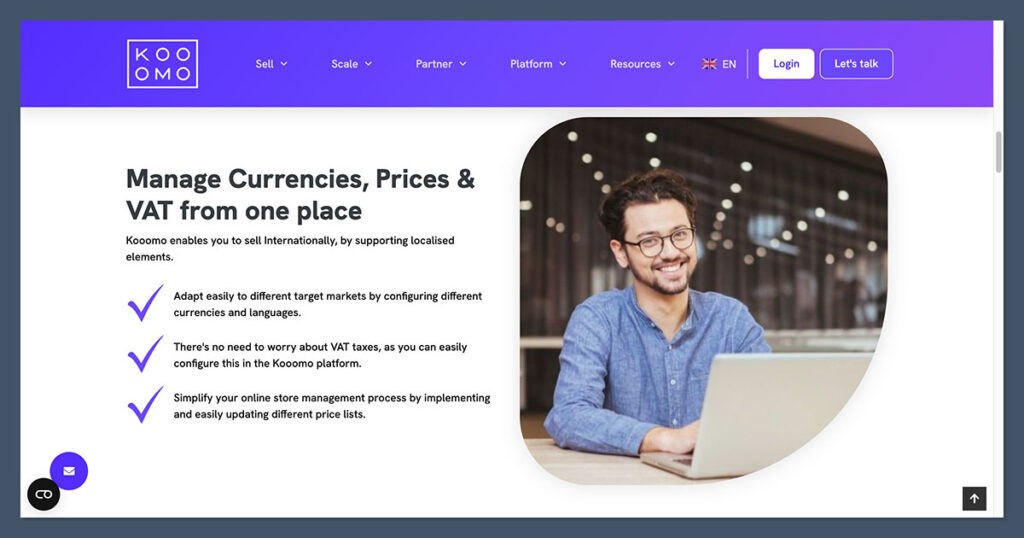
This is the one area where Kooomo really competes hard — especially for brands managing ecommerce across multiple countries.
It’s built from the ground up for cross-border trade, and that shows in how it handles SEO, language, currency, tax, and compliance.
Shopify has come a long way in supporting international businesses, and with the right setup — especially on Shopify Plus — you can create localised storefronts, translate your content, and manage international domains. But many of these features rely on third-party apps or manual configuration.
For complex multinational setups, you’ll likely need developer involvement.
Kooomo bakes internationalisation into the core platform.
Whether you need different pricing structures per region, market-specific SEO configurations, or compliance with local data laws like GDPR, it’s all built in — no extra plugins or subscriptions required.

Shopify SEO Features
- Clean URL structure (no dynamic query strings)
- Customisable meta titles and descriptions
- Automatic sitemap generation
- Schema markup for products, reviews, blogs
- Image alt tags, redirects, and canonical tags
- Multilingual support via Shopify Markets or third-party apps
- Automatic language redirection based on browser settings
Kooomo SEO Features
- Country-level SEO configuration, including individual meta data, tags, and canonical URLs
- Fully localised URLs (e.g.
/de/produkte/for German markets) - Multilingual product catalog, CMS pages, navigation menus
- Real-time currency switching with native pricing rules
- Native VAT and tax handling by region
- GDPR compliance built into platform workflows
- Integrated SEO editing for collections, products, categories
- Automatic hreflang tagging for search engines
SEO & International Features Comparison Table
| Feature | Shopify | Kooomo |
|---|---|---|
| URL Structure | Clean, customisable | Fully localised per language/country |
| Meta Data Control | Yes, with app support | Native per country |
| Language Support | Via Shopify Markets or apps | Native multilingual catalog |
| Currency Switching | Via Shopify Markets | Native, real-time |
| Schema Markup | Available | Custom per locale |
| Tax/VAT Handling | US and select countries | Built-in EU VAT handling |
| GDPR Compliance | Not native, requires custom work | Native features |
| SEO Booster Tools | Semrush Ecommerce Booster app | Built-in SEO controls |
Shopify gives store owners plenty of tools to improve visibility and search rankings, but managing an international SEO strategy requires more effort.
For example, if you want clean URLs across different languages and unique metadata per market, you’ll need to layer on Shopify Markets, use Liquid templates, or install an SEO app to fill the gaps.
Kooomo simplifies this with a centralised backend that manages local content, SEO rules, and pricing logic for each region — no coding or extra apps needed. It’s built for ecommerce brands that operate in multiple territories and need consistent SEO performance at scale.
The Verdict
If you’re a global brand with complex multilingual and multi-currency needs, Kooomo is better out of the box. It’s purpose-built for managing SEO across different regions and complies with EU tax and privacy rules by default.
Shopify still performs well, especially when paired with the right apps, but enterprise-level SEO and internationalization usually require custom work or developer support. For simplicity at scale, Kooomo takes the lead.
Ease of Use: Shopify Is Much Simpler
When you’re setting up a store for the first time, time is everything — and so is clarity.
Shopify delivers one of the most polished user experiences in ecommerce. From the moment you sign up, you’re guided through each step: adding products, choosing a theme, connecting payments, and launching your store.
The interface is built for non-technical users, which means you don’t need a developer to get things off the ground.
Kooomo takes a different approach. The platform is designed for enterprise clients who often have dedicated teams or agency partners.
The tools are powerful, but there’s a learning curve. Most tasks — from setting up a storefront to configuring sales rules — require some backend familiarity. It’s not the kind of system you figure out in a weekend.
Shopify UX Highlights
- Intuitive dashboard with clean navigation
- Step-by-step onboarding for beginners
- Built-in setup checklist that walks you through the key steps
- Drag-and-drop section editor for page layouts
- Real-time theme preview and editing
- Product, order, and customer management in one place
- Easy integration of apps from the Shopify App Store
- No coding needed for most store customisations
Kooomo UX Highlights
- Enterprise-grade admin interface, prioritising scalability
- Requires onboarding or training for most users
- Backend workflows for catalog, pricing, and logistics
- Limited visual editing tools — design handled separately
- Integrations, promotions, and store rules require setup through backend logic
- Content and layout updates often managed through agency or dev teams
- Ideal for large, multi-store operations with complex product logic
- High degree of control, but not user-friendly for solo entrepreneurs
Ease of Use Comparison Table
| Feature | Shopify | Kooomo |
|---|---|---|
| Onboarding Process | Guided, beginner-friendly | Requires training or setup support |
| Interface Design | Clean and intuitive | Dense and functional |
| Visual Editor | Drag-and-drop section editor | None (custom via development) |
| Product Management | Simple forms with media uploads | Structured backend workflows |
| Theme Customisation | Real-time preview + theme store | Fully custom, agency-led |
| Multistore Setup | Complex or Plus-only | Native and backend-controlled |
| Best for | SMBs, DTC brands, solo founders | Large teams, multi-region brands |
Shopify’s biggest strength is approachability. Even if it’s your first time running a store, you’ll be able to set up a clean, working storefront without writing a line of code.
And if you ever get stuck, there’s a vast library of help guides, videos, and support articles to walk you through it.
Kooomo is designed for scale and complexity, not speed or simplicity.
If you have a technical team or ecommerce agency running your implementation, it won’t be a problem — but if you’re looking to set things up yourself or want the flexibility to make changes on the fly, it can feel rigid and slow-moving.
The Verdict
Shopify wins here by a mile. You don’t need a tech team to build, launch, or update your store. Everything is laid out clearly, and the tools are designed for business owners — not just developers.
Kooomo is built with agencies, developers, and enterprise-level workflows in mind, making it far better suited to brands already operating at scale with the resources to manage a complex backend.
Templates and Design: Shopify Has the Range
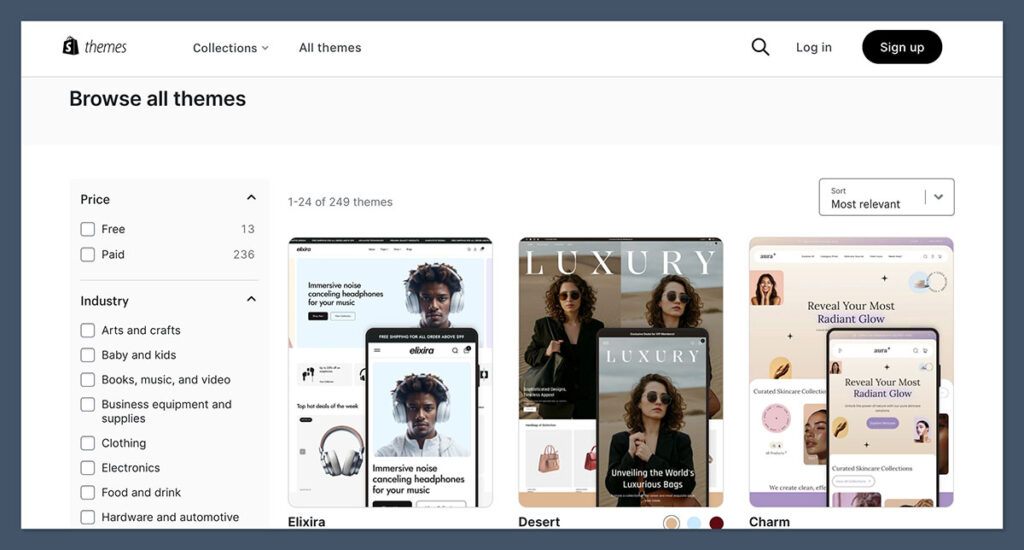
First impressions matter. Your store design sets the tone for your brand, builds trust, and directly impacts conversion. In this area, Shopify stands out with one of the largest and most diverse template libraries in ecommerce.
Whether you’re selling clothing, electronics, homeware, or subscriptions, Shopify has a ready-made theme to match. You can start with a free theme, customise it using the built-in editor, or purchase a premium one from the official Theme Store.
All templates are optimised for mobile, speed-tested, and compliant with best practices for SEO and UX.
Kooomo takes a completely different route. There are no off-the-shelf templates, no theme marketplace, and no drag-and-drop builder. Every storefront is custom-built, either through Kooomo’s in-house team or one of their implementation partners.
While this gives you full control over your design, it also means longer development timelines and additional cost.
Shopify Templates
- 190+ professionally designed themes
- 13 free themes included with all plans
- Premium themes range from $100 to $500 (one-time cost)
- Industry-specific categories (e.g. fashion, electronics, furniture, art, food)
- Built-in support for product filtering, video, reviews, and galleries
- Easy to customise via section editor or Liquid code (optional)
- Live preview and test environment before publishing
Kooomo Templates
- No pre-designed themes
- All storefronts are custom builds
- Designs developed by Kooomo or partner agencies
- Custom UX built around business needs, catalogue complexity, and region
- Requires more upfront planning and project management
- More suited to enterprise businesses with strict design guidelines
Template and Design Comparison Table
| Feature | Shopify | Kooomo |
|---|---|---|
| Number of Themes | 190+ | 0 (custom-only) |
| Free Templates | 13 | None |
| Premium Themes | $100–$500 (one-time) | Custom pricing per project |
| Mobile Responsiveness | Built into all templates | Custom developed |
| Visual Editor | Section-based drag-and-drop | No editor, agency-built only |
| Industry-Specific Designs | Yes (via Theme Store) | Not applicable |
| Speed and UX Optimisation | Tested and built-in | Requires frontend performance tuning |
| Ideal For | Fast setup, DIY or SMB design | Custom enterprise branding |
Shopify’s design system is one of its most powerful advantages. You don’t need a designer or developer to launch a beautiful store. Every theme comes with pre-built layouts, styling options, and elements that can be swapped or removed using the theme customiser.
For those with coding knowledge, Shopify’s Liquid language allows for deeper edits.
Kooomo’s approach is more controlled. If you’re working with strict brand guidelines, need unique UI/UX flows, or want something not possible in a templated environment, the platform gives you that flexibility — but it also locks you into a longer build cycle.
And any major updates typically require going back to your development team.
The Verdict
Shopify is better if you want to get online quickly and look professional. Its massive template library covers every niche, and the built-in editor makes it easy to update your site without technical help.
Kooomo’s custom builds offer more control — but that also means longer launch times and higher costs. For fast, flexible store design, Shopify takes the lead.
Business Support: Kooomo Offers More Personalized Help
Support is a major consideration — especially if your store is processing six- or seven-figure revenue and downtime isn’t an option.
When something breaks, or when you’re scaling into new markets, having the right support behind you can make all the difference.
Shopify provides round-the-clock support, but most of it is geared toward self-service and live chat. If you’re on a standard plan, you’ll mostly rely on the Help Center, forums, or chatbot for routine queries. Human support is available, but response times and depth of knowledge can vary.
If you’re on Shopify Plus, you’ll get access to priority support and a dedicated account manager — but that starts at $2,000/month.
Kooomo, in contrast, treats support more like a partnership. As part of its enterprise service model, you’re assigned a dedicated account manager who stays involved throughout the project lifecycle.
Implementation is typically led by an agency or Kooomo’s internal team, which also handles technical support, updates, and escalations. You’re not just filing tickets — you’re getting a managed service.
Shopify Support
- 24/7 live chat and email support for all users
- Help Center with guides, tutorials, and community forums
- Priority support available only to Shopify Plus users
- Phone support for Plus merchants
- Social media support (Twitter, Facebook)
- No email ticketing on standard plans (chat only)
- General troubleshooting is fast, but complex issues can take time
Kooomo Support
- Dedicated account manager assigned to your business
- Project-led onboarding with technical team involvement
- Ongoing support for performance, integration, and scalability
- Access to developers, designers, and ecommerce consultants
- Agency or in-house team handles updates and technical changes
- Localised support across EU time zones and languages
- SLA-based escalation process for enterprise accounts
Support Comparison Table
| Support Feature | Shopify | Kooomo |
|---|---|---|
| 24/7 Support | Chat and email | Yes, via account manager or team |
| Phone Support | Shopify Plus only | Available for all enterprise users |
| Dedicated Account Manager | Shopify Plus only | Included with all plans |
| Onboarding and Setup Guidance | Self-guided (unless Plus) | Led by agency or internal team |
| Email Support | No longer standard | Direct contact available |
| Community Forum and Help Guides | Extensive | Minimal public documentation |
| Support Coverage | Global | Primarily Europe |
Shopify’s support is ideal for smaller businesses that want quick answers and prefer to handle most tasks independently. The Help Center is well-organised, the forums are active, and most setup steps are documented clearly.
But if your issue involves custom integrations or you need white-glove service, you’ll likely need to upgrade to Shopify Plus or hire a consultant.
Kooomo’s approach is much more hands-on. Their team is involved in the build, launch, and long-term operation of your store. You’ll have a single point of contact, and technical changes are handled for you.
This level of support comes with a price tag, but for enterprise brands, it’s often worth it.
The Verdict
If you’re on Shopify’s standard plans, support is limited to chat and self-help. It’s efficient but can feel impersonal.
Kooomo offers direct, human help — through a dedicated manager, technical team, and agency support — but only because you’re paying enterprise-level fees. For high-touch service, Kooomo has the edge. If you value independence and lower costs, Shopify is still a reliable option.
Final Verdict: Shopify vs Kooomo
Both Shopify and Kooomo are powerful ecommerce platforms — but they’re built for very different types of businesses.
Shopify is designed for flexibility, speed, and scale.
It’s a great fit for direct-to-consumer brands, dropshippers, and growing online retailers that want to move quickly, experiment, and plug into a massive ecosystem of apps and services.
If you’re launching your store without a full tech team, or you want to test and adapt your business as it grows, Shopify gives you the right mix of tools and accessibility.
Kooomo, on the other hand, is tailored for complex, enterprise-grade operations. It’s especially well-suited to businesses based in Europe that manage multiple languages, currencies, tax rules, and supply chains across different regions.
If you already have internal teams or agency support in place — and need deep integration with systems like ERP, PIM, or WMS — Kooomo delivers a high level of control, localisation, and scalability.
Choose Shopify if:
- You’re building a DTC brand, dropshipping, or scaling fast
- You want thousands of integrations, apps, and marketing tools
- You value ease of use and speed to market
- Your team is small or non-technical
- You’re focused on North America or global growth via apps
Choose Kooomo if:
- You’re an enterprise ecommerce business with complex operations
- You’re based in Europe and need full localisation for VAT, languages, and currencies
- You’re managing multiple storefronts or business units in different regions
- You require ERP, CRM, or logistics system integration
- You have an internal dev team or agency partnership for ecommerce


Comments 0 Responses