

So, you want to sell online but aren’t sure where to start?
Whether you’ve got a product idea in mind, or you’re just curious how people actually make money online, this guide will take you through the full process—from deciding what to sell to building your store and attracting your first customers.
Selling online isn’t just about putting a product on a website. It takes strategy, research, and the right tools.
I’ve worked with hundreds of ecommerce businesses and seen what works (and what doesn’t). This guide pulls together everything I recommend if you’re starting from zero—or want to scale what you already have.
Key Takeaways
- Choose a product that solves a clear need and has search demand
- Use the right ecommerce website builder to manage your store
- Sell across multiple platforms (not just your website) to increase reach
- Make your product information and pricing crystal clear
- Build trust through customer reviews, guarantees, and content
- Offer flexible shipping and payment options to reduce cart abandonment
#1. Set Clear Business Goals
Before launching a store or creating product listings, it’s important to define your goals. A clear strategy helps avoid wasted time, scattered marketing, and pricing mistakes.
Here are the four main questions I recommend answering before doing anything else:
What are you trying to achieve?
Define what success looks like for your business. That might be:
- Reaching a set monthly revenue goal
- Launching a single product to test demand
- Growing a customer base in a specific niche
- Building a long-term brand for resale
Without clear targets, it’s easy to chase short-term wins that won’t get you where you want to go.
Do you know your niche?
You don’t need a brand-new product idea, but you do need a specific audience. Selling pet products? Narrow it down. Are you selling organic dog treats for senior dogs? That level of specificity helps your store stand out and compete.
Who is your target customer?
The more you know about your customer, the easier it is to design your store, content, and pricing. Use tools like:
- Google Analytics (if you already have traffic)
- Reddit or Facebook Groups
- Amazon reviews
- TikTok comments in your niche
What are your competitors doing?
Check their product range, pricing, content, and customer feedback. Look for gaps you can fill or mistakes you can avoid.
Tools like SimilarWeb, Ubersuggest, and manual competitor audits can give insight into how top stores operate.
Taking the time to answer these questions upfront will guide your entire strategy—from design and messaging to what platforms you choose to sell on.
#2. Decide What to Sell
Once you’ve outlined your goals, it’s time to choose your product. If you already have one in mind, you’re ahead. If not, product research is your next step.
What Makes a Good Product to Sell Online?
- Fills a real need or solves a problem
- Has consistent search demand
- Is specific enough to stand out in a crowded market
- Has decent profit margins (especially if using paid ads)
You don’t need to invent something brand new. Most successful ecommerce products are better positioned or marketed versions of existing solutions.
Popular Ecommerce Product Types in 2025
| Category | Examples | Scalability |
|---|---|---|
| Digital Products | AI templates, Notion planners, eBooks | High |
| Physical Goods | Supplements, phone accessories, apparel | High |
| Services | Coaching, consulting, 1:1 bookings | Medium |
| Print-on-Demand | T-shirts, posters, mugs | Medium |
| Subscription Boxes | Pet care, coffee, wellness kits | High |
Where to Find Product Ideas
- Google Trends: Spot rising demand
- Amazon Best Sellers: See what people are already buying
- Etsy & TikTok Shop: Identify trending niches
- Reddit and Quora: Look for recurring problems people are trying to solve
Many ecommerce beginners try to chase viral trends. That can work, but I usually recommend choosing something with steady, long-term demand unless you’re purely doing short-term testing.
#3. Choose the Right Platform
There are dozens of places to sell online. Some are all-in-one website builders, others are marketplaces. The best platform depends on your product, audience, and goals.
Ecommerce Website Builders vs. Marketplaces
| Platform Type | Pros | Cons |
|---|---|---|
| Website Builders | Full control, branding, customer data | Requires traffic generation |
| Marketplaces | Built-in traffic, easy to list products | Limited branding, high competition, fees |
If you’re just starting out and want to build a long-term brand, website builders give you the most flexibility and control.
But if your priority is getting sales quickly without managing a full website, marketplaces can help you reach customers faster—just expect to compete with similar sellers.
Top Ecommerce Platforms in 2026
| Platform | Best For | Starting Price (annual plans) | Key Features |
| Wix | New sellers building a complete brand website | $29/month | Wix Harmony, drag-and-drop design, built-in business tools |
| Shopify | Product-based stores planning to scale | $29/month | Advanced checkout, AI selling channels, large app ecosystem |
| Etsy | Handmade or craft sellers | Free to start | Large niche audience |
| Squarespace | Services or simple digital stores | $23/month | Elegant design, scheduling |
| Amazon | Mass-market physical products | $39.99/month | Huge traffic, but high fees |
| WooCommerce | WordPress users with development support | Hosting fees | Full control, steeper learning curve |
| Platform | Best For | Starting Price | Key Features |
1. Wix
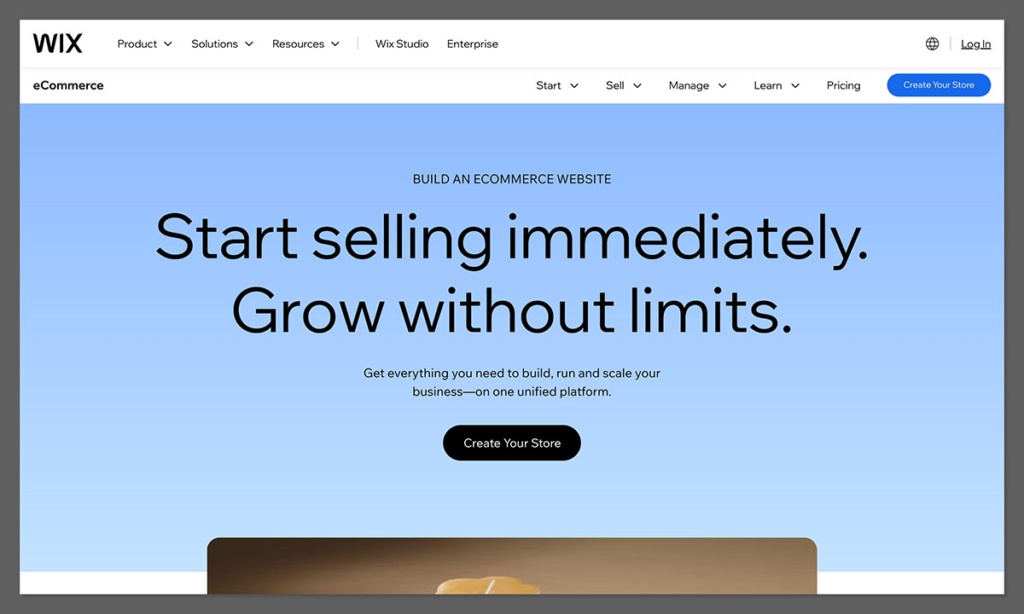
Wix is the number one platform worth checking out right now if you want a great store, but you also want to make sure the rest of your website looks and feels fantastic. Compared to most other commerce platforms, you get a lot more freedom when it comes to things like page layouts. Plus, you still get built-in tools for products, payments, bookings, and marketing.
In 2026, Wix is smarter than ever with the Wix Harmony editor, and the AI agent Aria that can build the first version of your site for you, complete with store sections and quick layout changes. You still get to choose what the final version should look like with the drag-and-drop editor too.
Top features: Wix Harmony, more than 2,000 templates, separate mobile editing, ecommerce, online bookings and built-in marketing tools.
The Pros: Wix is easy to learn, gives you lots of design freedom, and covers a lot more than just basic physical product sales. It’s brilliant for creators, service businesses, or smaller retailers selling a variety of products.
The Cons: Shopify does have a bigger app market, and Wix can make it tricky to switch from one template to another later down the line.
Pricing: There’s a Light plan for $17 per month, but you can’t accept payments. Core starts at $29 per month, while Business Costs $39 per month, and Business Elite costs $159 per month.
2. Shopify

Shopify is still the more advanced ecommerce store builder, with checkout features, inventory tools, plus sales connections that seem custom-made for merchants that are planning to add more products, enter new markets, or even start selling in person.
Every year, Shopify adds something new. In 2026, the Spring update alone added more than 150 changes, including a range of features to prepare product data for AI commerce. Shopify Catalog prepares product data for LLMs, and Agentic Storefronts lets merchants manage sales coming from tools like ChatGPT or Gemini. Sidekick can also now work with apps like Klaviyo, Loop, or Smile, rather than just relying on Shopify data.
Top features: Shopify Checkout, omnichannel sales, comprehensive inventory management, Shopify POS for in-person selling, Sidekick, and gigantic app market.
The Pros: You can build a simple first store with Shopify, but you also have plenty of room to grow, especially with B2B features included in the 2026 plans. You also get integrated AI capabilities, access to thousands of apps, plus world-leading themes.
The Cons: The editor isn’t as flexible as the one you get with Wix, and the app subscriptions you pay for can quickly increase costs. There are also additional transaction fees if you don’t use Shopify Payments.
Pricing: Basic costs $29 per month annually or $39 month to month, Grow costs $79 annually or $105 monthly, while Advanced costs $299 annually or $399 monthly.
The Other Platforms Worth Considering
Etsy is ideal for handmade, vintage, or craft-focused sellers who want to tap into a built-in audience. It’s easy to start, but you’ll face strong competition and limited control over your branding.
Squarespace works well for service-based businesses or creators selling digital products in a clean, design-forward environment. Its scheduling tools and simple interface make it especially appealing for consultants, freelancers, and personal brands.
Amazon offers unmatched exposure and buyer trust, making it great for high-demand, competitive products. However, it comes with strict rules, high fees, and limited control over your customer relationship.
WooCommerce is a solid choice if you already use WordPress and want complete customization. It’s developer-friendly and open-source, but the setup and maintenance can be more technical compared to hosted platforms.
If your focus is on long-term brand building, I recommend starting with a dedicated website builder like Shopify, Wix, or Squarespace.
You can later expand to marketplaces once you’ve built a strong product offer.
#4. Set Up Your Store and Inventory
Once your platform is chosen, it’s time to build your store and list your products.
Essential Store Pages
- Homepage – Your main pitch and brand identity
- Product Pages – Include clear titles, benefit-led descriptions, and reviews
- About Page – Helps build trust and connection
- Shipping & Returns – Clear policies reduce uncertainty
- Contact Page – Give visitors a way to reach you
These core pages do more than fill out your website—they guide the customer journey and build trust at every step.
Getting them right from the start helps reduce friction, answer questions before they’re asked, and make the buying process feel more confident and reliable.
Best Practices for Product Listings
✔️ Write descriptions that speak to your customer’s needs
✔️ Use high-quality images from multiple angles
✔️ Include specs, materials, size guides, or other details
✔️ Add trust badges, reviews, or guarantees
✔️ Keep your design consistent across products
Strong product listings do more than showcase your item—they sell the experience, build credibility, and remove uncertainty.
When done well, they can increase conversions, reduce returns, and make your store feel more professional from the first click.
Sample Pricing Strategy
Use this simple pricing formula:
(Cost of Goods + Shipping + Marketing + Overhead) x 2 to 3 = Retail Price
You should also check competitors to stay in range with what your audience expects.

#5. Set Up Payment Methods
Your store needs a secure, flexible checkout experience. Most modern platforms offer built-in processors or integrations.
Payment Options to Offer
- Debit/Credit Cards (Visa, Mastercard, Amex)
- PayPal
- Apple Pay and Google Pay
- Buy Now, Pay Later (Afterpay, Klarna)
- Local options if selling internationally
Estimated Payment Fees
| Provider | Typical Fee |
|---|---|
| Shopify Payments | 2.9% + $0.30 per transaction |
| PayPal | 3.49% + $0.49 |
| Stripe | 2.9% + $0.30 |
| Afterpay | ~6% + $0.30 |
Understanding payment fees upfront helps you price your products properly and protect your margins.
While these fees may seem small, they can add up quickly—especially as your sales volume grows—so it’s important to factor them into your pricing strategy from day one.
Make sure to display accepted payment options clearly during checkout. It improves trust and reduces cart abandonment.
#6. Plan Shipping and Fulfillment
If you’re selling physical goods, fulfillment is just as important as the product itself.
Fulfillment Options
| Option | Best For | Notes |
|---|---|---|
| Self-fulfillment | Small batches, handmade | Time-intensive but cost-effective |
| 3PL (e.g. ShipBob) | Growing stores | Scalable, but adds cost |
| Print-on-Demand | Merch, niche items | No inventory, longer delivery times |
| Amazon FBA | Mass-market products | Fast shipping, strict policies |
Choosing the right fulfillment method depends on your product type, order volume, and how hands-on you want to be. Each option has trade-offs—some give you more control, while others save time but come with added costs or complexity.
Tips for a Good Customer Experience
- Show delivery estimates before checkout
- Offer tracking for all shipments
- Add free shipping thresholds (e.g. free shipping on orders over $50)
- Consider branded packaging to improve perceived value
I recommend starting with manual fulfillment until you validate demand. As you scale, you can outsource and optimize.
#7. Drive Traffic to Your Store
Traffic doesn’t just happen. Once your store is live, it’s time to attract visitors.
Organic Traffic Strategies
- SEO – Write blog posts targeting search terms your buyers use
- Pinterest – Ideal for fashion, wellness, and home decor products
- YouTube/TikTok – Show products in use, behind the scenes, or tutorials
- Email Marketing – Use discounts or free guides to build your list
Organic channels take time to build but often deliver the highest ROI over the long term. They also help you establish authority, connect with your audience, and reduce your reliance on paid ads as your store grows.
Paid Traffic Channels
- Facebook/Instagram Ads – Great for retargeting or lookalikes
- Google Shopping – Works well for high-intent keywords
- TikTok Ads – Best for trend-based or impulse products
Paid ads can get you fast results, but they work best when paired with a solid product and offer. If you’re running on a tight budget, start small, test different creatives, and double down on what converts.
Most new sellers start organic and reinvest profits into paid campaigns later. Start small, test, and focus on what brings the best ROI.
#8. Sell Across Multiple Channels
Don’t rely on just one store or traffic source. Selling across platforms increases visibility and protects you from algorithm shifts.
Channels to Consider
- Amazon – Great for reaching a massive audience actively searching for products.
- Etsy – Ideal for handmade, vintage, or niche craft-focused items.
- TikTok Shop – Works well for trend-driven or visually engaging products with viral potential.
- Facebook/Instagram Shops – Useful for integrating products directly into your social media presence.
- Pinterest Product Pins – Strong platform for evergreen discovery and lifestyle-based shopping.
- Google Shopping – Targets high-intent buyers who are ready to compare and purchase.
| Channel | Best For | Key Benefits | Considerations |
|---|---|---|---|
| Amazon | Mass-market physical products | Massive reach, built-in buyer trust | High fees, strict policies, intense competition |
| Etsy | Handmade, vintage, niche crafts | Niche audience, easy setup, strong community appeal | Limited customization, smaller scale potential |
| TikTok Shop | Trend-driven or visual products | Viral reach, integrated with short-form content | Requires frequent content creation and trend timing |
| Facebook/Instagram | Brands with an active social presence | Seamless shopping within social media platforms | Paid ads often required to scale visibility |
| Pinterest Pins | Lifestyle, DIY, and visual discovery products | Evergreen content, high intent over time | Slower traction; best for long-term brand building |
| Google Shopping | High-intent shoppers comparing similar products | Strong purchase intent, product-focused listings | Needs optimized feeds and a budget for visibility |
Many platforms (especially Shopify) offer integrations to sync inventory across channels. Just make sure to keep your branding and customer experience consistent.
#9. Track Performance and Improve
The fastest-growing online stores aren’t just selling—they’re measuring, analyzing, and refining.
Once your store is live and making sales, the next step is understanding how people are interacting with your website and where your growth opportunities lie.
Metrics to Watch Weekly
Set aside time each week to review key performance metrics. Most ecommerce platforms come with built-in analytics, or you can connect tools like Google Analytics, Klaviyo (for email), or Hotjar for deeper insights.
| Metric | Why It Matters |
|---|---|
| Website Traffic | Tells you how many people are visiting and from where |
| Conversion Rate | Shows what percentage of visitors are buying |
| Cart Abandonment Rate | Highlights if customers are leaving at checkout |
| Top-Performing Products | Reveals which items are driving the most revenue |
| Email Open/Click Rates | Helps refine your email subject lines and content |
| Source of Conversions | Lets you focus on your most profitable channels |
What to Do With This Data
Once you’re tracking consistently, use that data to guide small, focused changes each week. These small tweaks compound over time into major performance improvements.
Here are a few actions to consider:
- Test new product images, copy, or page layouts to see what improves engagement and conversions
- Adjust prices or add offers if products aren’t moving or if your margins allow room
- Refine your shipping policies or options if you notice drop-offs during checkout
- Bundle related products to increase average order value and reduce decision fatigue
- Review content performance—see which blog posts, emails, or videos are bringing in customers
Don’t try to fix everything at once. Start with one metric or one product that isn’t performing as expected, and test changes to improve it.
Over time, you’ll build a feedback loop that keeps your store moving forward, backed by real data instead of guesswork.
#10. Keep Improving and Scaling
Building a sustainable, successful ecommerce business requires ongoing effort. From keeping your store running smoothly to finding new ways to grow, the real work starts once the orders come in.
Routine maintenance helps you stay consistent, while small, strategic improvements compound over time.
Whether you’re running the store solo or starting to build a team, it’s important to make time for both the day-to-day tasks and the bigger-picture thinking that leads to growth.
Weekly Maintenance Tasks
Make these part of your regular workflow to keep your store healthy and customer-friendly:
- Update product inventory and listings to reflect accurate stock levels and pricing
- Respond to customer support requests to maintain trust and reduce negative reviews
- Post on social media and send out emails to stay visible and drive return traffic
- Check your site speed and mobile performance to prevent drop-offs
- Review recent ratings and customer feedback to spot any recurring issues or opportunities
Keeping a store running doesn’t have to be overwhelming, but it does require consistency. Set aside a few hours each week to stay on top of the essentials and keep your customer experience strong.
Scaling Ideas
When your store is stable and performing well, the next step is growth. That doesn’t always mean adding more products—it can also mean improving margins, increasing average order value, or expanding your brand reach.
Here are a few effective ways to scale:
- Offer upsells, cross-sells, or subscriptions to increase lifetime value
- Partner with influencers or creators who align with your brand and target audience
- Launch a referral program to turn happy customers into advocates
- Explore international markets by offering local currency, language, and shipping options
- Add complementary products to meet more of your customer’s needs without reinventing your catalog
Not every growth tactic will apply to every store, but testing one or two at a time can help you figure out what works best for your audience.
The most successful ecommerce businesses don’t scale by luck—they grow by improving steadily and staying close to their data, their customers, and their brand vision.
Final Thoughts
Selling online is one of the most rewarding ways to build a business. But it takes more than just setting up a store and waiting for traffic.
By choosing the right product, platform, and marketing strategy, you can build a store that’s profitable, scalable, and sustainable.
Whether you’re starting small or looking to scale, the steps above will help you build a strong foundation.
Remember—there’s no perfect first move. The best thing you can do is take action, test your ideas, and keep improving.


Comments 0 Responses