

Have you reviewed your finances and feel you could manage your money better? For example, maybe you’ve split your banking across different online platforms depending on the use case, such as day-to-day transactions, savings, or investments? And now perhaps you’re looking for a comprehensive solution?
With that in mind, today, we’re focusing on one digital banking option: Monese. It’s a digital banking platform as well as a money transfer service. In this Monese bank review, we’ll provide the low down on who Monese is, its pros and cons, its prices, what you get for your money, its functionality, and try to answer any questions you may have too.
That’s lots to cover, so let’s get going.
What is Monese?
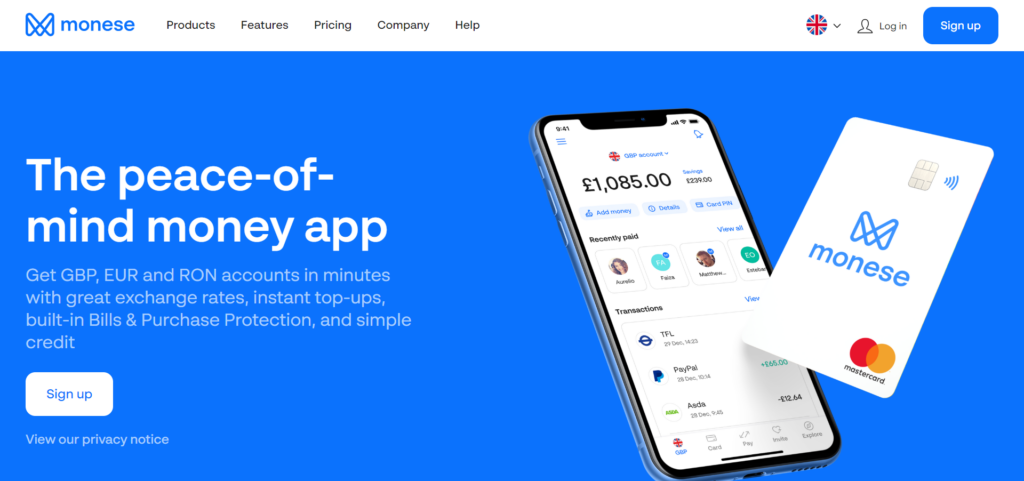
Launched in 2015 and founded by Norris Koppel, Monese functions somewhat like a challenger bank. It’s a British company that’s predominantly a mobile-only banking solution. Interestingly, the first UK mobile app alternative to traditional banks. In October 2024, Monese was acquired by fellow UK fintech Pockit, which now owns the business. Fast forward to today, and it has over two million customers, with 70% of its deposits coming from salaries.
Customers can choose to open a personal or business account. Still, business accounts are only available in GBP and to UK companies registered at UK Companies House.
However, for the purposes of this review, we’ll look predominantly at Monese’s personal banking options. But we’ll touch briefly on its business banking account too.
There are two kinds of personal accounts, either what Monese refers to as an Instant Account or a Joint Account. There’s also a savings option on these accounts called Pots, where you can put money aside to save for a particular goal. These Monese accounts can be in GBP, EUR, or RON (Romanian New Leu).
On top of that, if you want to transfer money overseas, Monese also provides this service.
Monese Pros and Cons
First, let’s start with Monese’s advantages:
Pros 👍
- It’s easy to set up your account.
- The app is intuitive (iOS and Android)
- You can open a UK account without proof of residency or a credit check.
- Premium account holders enjoy benefits such as £50 per day for 30 days if you’re in the hospital.
- You get a Monese debit card with free delivery (that enables contactless payments)
- You get access to virtual payment options, including Google Pay / Apple Pay and a virtual bank card.
- Monese offers customer support in 14 languages.
Cons 👎
- Monese doesn’t have a banking license, so there’s no deposit guarantee.
- With the Starter account, you’re charged £1.50 per withdrawal. With the Classic account, you can withdraw up to £500 per month for free, extending to £1,500 a month with the Premium account.
- Customer support can be (reportedly) slow.
Monese Fees and Products
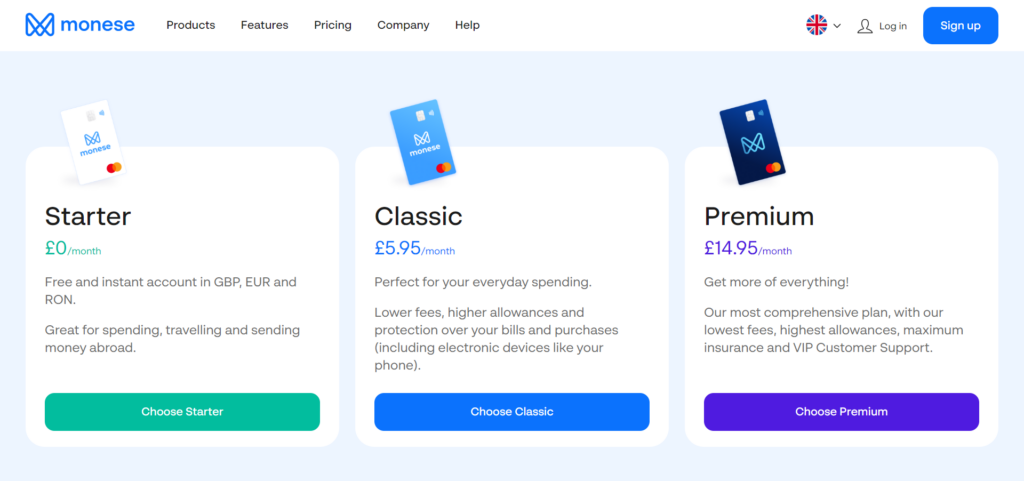
Now you have a quick overview of Monese’s pros and cons, let’s dive into its prices and what you get with each type of account:
Personal Account
Monese has overhauled its personal plans. Rather than the old Starter, Classic, and Premium tiers, there are now four levels (these act somewhat like current accounts):
- Pay as you go: £0 a month
- Everyday: £2.95 a month
- Cashback: £7.95 a month
- Premium: £14.95 a month
If you pay upfront for a year, you’ll benefit from up to a 30% discount on the paid plans. For example, Everyday works out at £29.95 a year, Cashback at £79.95, and Premium at £124.95.
Let’s take a look at each account in turn:
Pay as you go:
Here you get:
- A free account in GBP, Euros, or RON
- Free, instant transfers to other Monese accountholders
- It’s free to set up direct debits and recurring payments
- Bank transfers into your account cost £0.99, and transfers out cost £1.29
- A 2% fee on outgoing global transfers, with an added 1% at weekends
- Incoming global transfers free for the first £10 per year, then a 2% fee (£3 minimum)
- A contactless Mastercard debit card (£4.95 for delivery, or free with a £100 first deposit); replacement cards cost £4.95
- A virtual debit card
- 3% on foreign currency card spending
- A 1% fee on built-in currency exchange between your Monese balances
- 2% on domestic ATM withdrawals, with an added 2% for withdrawals in a foreign currency
- Cash top-ups via Paysafecash, charged at 3.5% (£3 minimum)
- Access to Cash Advance, a short-term advance of up to £50, £100, or £200 for a fixed fee
- Purchases using Google Pay and Apple Pay
- A free joint personal account with another Monese user, with a debit card each
- Money Pots, where spare change on transactions is automatically rounded up to help you save
- Customer support via in-app chat and email
Everyday:
This plan gives you all the above, with some differences:
- Free incoming bank transfers, plus two free outgoing bank transfers a month (£1 each after that)
- 2% on foreign currency card spending
- A reduced 0.5% fee on built-in currency exchange
- A lower 1% fee on debit card top-ups in the same currency
Cashback:
Monese’s most popular plan. It includes everything above, plus:
- Enhanced Cashback: earn 0.5% cashback on the first £500 you spend each month
- £300 of fee-free domestic ATM withdrawals a month (2% after that)
- 0.5% on foreign currency card spending
- Ten free outgoing bank transfers a month (£1 each after that)
- £100 of fee-free cash top-ups a month
- Reduced global transfer fees: 1.5% incoming, and 0.5% outgoing with no weekend surcharge
- One free Cash Advance repayment a month
Premium:
Monese’s most comprehensive plan. It offers everything above, and:
- Free foreign currency card spending
- Free built-in currency exchange
- Free outgoing global transfers, with incoming global transfers at 1%
- £1,500 of fee-free domestic ATM withdrawals a month, with no foreign currency surcharge
- 200 free outgoing bank transfers a month
- Free debit card top-ups
- £1,000 of fee-free cash top-ups a month
- One free replacement card a year (£4.95 after that)
- Two free Cash Advance repayments a month
Other Monese Features
We’ve briefly touched upon Monese Pots, so let’s dig a little deeper into that, and one or two other Monese features:
Pots and Other Savings Features
Personal and business account holders can put money aside across ten separate Monese money pots. For example, imagine you want to save for a holiday or a specific item; you can:
- Put money whenever you like into your Pot
- Set up recurring payments
- Round up transactions so Monese will send the difference to your pots.
In addition, Monese has partnered with Raisin, one of Europe’s most successful fintech companies. Raisin connects you with a choice of banks that offer deposit-protected savings accounts with competitive interest rates.
However, where other money-making options are concerned, your choices are somewhat limited. For example, you can’t use Monese to deal in cryptocurrencies or any gambling scenario.
Cash Advance
Newer to Monese is Cash Advance, a short-term advance of up to £50, £100, or £200 for a fixed, upfront fee. Repayments are chargeable on the Pay as you go plan, with a set number of free repayments included each month on the higher tiers.
Other Newer Features
Monese has also added cash top-ups via Paysafecash, a travel money card, incoming foreign currency (FX) transfers, and Open Banking so you can view your other accounts alongside your Monese balance.
Invite and Earn
You can refer up to 15 friends to Monese, and if they open an account, you can earn £30 per friend (up to £450). You receive the first £20 when your friend orders their card and the remaining £10 once they spend £500 in card transactions or transfer that amount outside the EEA (European economic area) or EU.
Payments
You can transfer money via your mobile using the UK Faster Payments Network. You can also set up direct debits and recurring payments via the mobile app. Monese will tell you if you don’t have enough money to cover these expenses.
Monese will ping you a notification when your payments go through. This includes international transactions.
Typically the fees for international money transfers are lower than traditional banks.
Monese Partners
Monese partners with PayPal and Avios (a frequent flier reward points scheme). In the former case, you can link your Monese account with your PayPal account to track your transactions and balance within the Monese app. So, you can see your PayPal balance in your Monese account in any of its three currencies. You can also add Monese to your PayPal wallet and make Monese your chosen payment option within PayPal.
As for Avios, you can link your Avios points account with Monese to track your points within the Monese app. Or, you can connect your British Airways Executive or Vueling Club account to view your Avios points in the Monese app.
Business Account
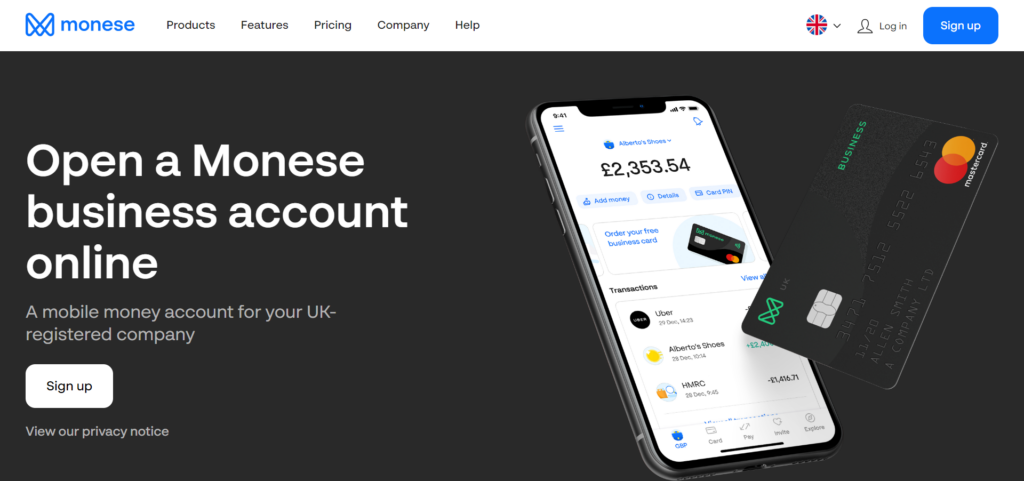
At the time of writing, new Monese business accounts are on hold while the company works “on some changes in the background, which means we can’t onboard new business customers right now.”
However, you can still sign up by downloading the app, and Monese will notify you when things are back up and running.

You can have a Monese business account with a UK-registered business and UK ID. In fact, if you already have a Personal account with Monese, you can manage both that and your Monese business account via the Monese app.
The Monese business account costs £9.95 a month, and for that, you’ll receive:
- A free personal account bundled in, or you can upgrade to a higher personal plan for an added monthly fee.
- A free contactless Monese Mastercard, plus a free first-time replacement card. After that, a replacement card will set you back £4.95
- A 0.5% charge per foreign transaction spend
- Free and instant foreign currency transfers between Monese accounts
- Six free ATM withdrawals a month and £1 per withdrawal after that
- Cash top-ups at Post Office and PayPoint locations costing £1 for each Post Office transaction and 2.5% per PayPoint transaction, with a minimum £1 fee
Plus, features that are similar/same as the Monese personal accounts, namely:
- Multilingual customer support
- Up to ten Monese pots so you can put money aside for your business
- Using the Faster Payments network, you can send and receive money for free from the other UK accounts.
- Secure account authentication features such as Face ID and fingerprint ID.
- You can set up direct debits and recurring payments for free.
Monese Plans at a Glance
Monese now offers four personal plans. The table below sums up the monthly cost and the headline fees so you can see the differences quickly. Full details of each plan sit in the pricing section above.
| Plan | Monthly price | Foreign card spending | Fee-free ATM allowance | Standout benefit |
|---|---|---|---|---|
| Pay as you go | £0 | 3% | None (2% fee) | A free account with no monthly commitment |
| Everyday | £2.95 | 2% | None (2% fee) | Free incoming bank transfers, lower exchange fees |
| Cashback | £7.95 | 0.5% | £300 per month | Enhanced Cashback: 0.5% on the first £500 spent monthly |
| Premium | £14.95 | Free | £1,500 per month | Free foreign spending, exchange, and outgoing global transfers |
Paid plans are cheaper billed annually (up to 30% off): Everyday £29.95, Cashback £79.95, Premium £124.95 per year.
How Monese Compares to the Alternatives
Monese is not the only mobile-first option in the UK and Europe. If you are weighing it against the usual names, the biggest practical differences come down to whether the provider is a licensed bank (and therefore FSCS protected) and how many currencies you can hold. Here is how it stacks up.
| Provider | Regulated as | FSCS protection | Currencies you can hold | Best for |
|---|---|---|---|---|
| Monese | E-money institution (not a bank) | No, funds safeguarded under the EMR 2011 | GBP, EUR, RON | Expats and travelers who want a quick account with no credit check |
| Revolut | Licensed UK bank (from March 2026) | Yes, up to £120,000 on eligible deposits (customers being migrated in phases) | 25+ | All-rounders who want budgeting, investing, and travel tools in one app |
| Monzo | Licensed UK bank | Yes, up to £120,000 | Mainly GBP | Everyday UK current-account banking and budgeting |
| Wise | E-money institution (not a bank) | No, funds safeguarded | 40+ | Low-cost international transfers and multi-currency holding |
| Starling | Licensed UK bank | Yes, up to £120,000 | GBP (plus a separate EUR account) | A full UK current account and strong small-business banking |
FSCS protection covers eligible deposits up to £120,000 per person, per banking licence. E-money providers like Monese and Wise instead keep customer funds separate through safeguarding, which is not the same as FSCS cover.
Who Monese Is Best For (and Who Should Look Elsewhere)
Monese suits some people very well and frustrates others. It helps to be honest about both before you sign up.
Monese is a good fit if you…
- Need an account fast, with no credit check and no proof-of-address document
- Are an expat or new arrival building a financial footprint in the UK or EU
- Travel often and want multi-currency balances, plus fee-free spending abroad on Premium
- Want to hold GBP, EUR, and RON in a single, simple app
Look elsewhere if you…
- Want your balance covered by the FSCS (Monese is e-money, not a bank)
- Are a serious saver after competitive in-app interest, since Pots are fairly basic
- Run a business outside the UK, or need multi-currency business banking
- Dislike per-transaction fees, which on the free plan can apply to inflows, ATM use, and top-ups
What Real Customers Say About Monese
Feedback on Monese is high in volume and mixed in tone. It carries more than 50,000 reviews on Trustpilot alone, alongside ratings on Google Play, the App Store, and Smart Money People, so there is plenty to draw on.
The praise is consistent: people like the fast, no-credit-check sign-up, the clean and easy-to-use app, and free instant transfers between Monese accounts. For anyone who has struggled to open a traditional bank account, that accessibility is the main draw.
The complaints are just as consistent. The most common themes are accounts being frozen or funds held during security and anti-money-laundering checks, fees that customers say were unclear or unexpected (including a charge on incoming bank transfers on the free plan), and customer support that can be slow or reliant on template replies.
The balanced view: Monese scores well for accessibility and day-to-day ease of use, but it is a weaker choice if you need guaranteed quick access to large balances or fast human support when something goes wrong.
How to Open a Monese Account
Opening an account is quick and happens entirely on your phone. There is no appointment, no phone call, and no minimum deposit.
Step 1: Download the Monese app from the App Store, Google Play, or Huawei AppGallery.
Step 2: Choose your account currency (GBP, EUR, or RON) and pick the plan that suits you.
Step 3: Verify your identity with a photo of a government-issued ID (such as a passport or ID card) and a short selfie video. No proof-of-address document or credit check is needed.
Step 4: Confirm your UK address by allowing the app to use your geolocation, so Monese can post your physical card.
Step 5: Add money by bank transfer, debit card top-up, or Paysafecash, then start spending with your virtual card, Apple Pay, or Google Pay straight away.
Are You Ready To Sign Up?
So, there you have it, that’s our Monese review. Hopefully, you now have all the information you need to decide if Monese is for you or not. It’s ideal if you want an almost instant account set up via an easy-to-use mobile app.
However, where it falls flat is that there are very few options for businesses, i.e., if you’re not a UK-based company, it’s not for you, and while we like the simplicity of Monese’s money Pots, it feels somewhat limited for serious savers.
The fee structure for Monese’s personal accounts is clear. But, if you want to make the most out of your personal account, it’s probably better to go for one of the higher-priced ones.
Overall, Monese is a straightforward banking option that’s easy to use and accessible. Are you thinking of downloading Monese from the app store? Or are you considering an alternative online banking service like Revolut? Whatever you decide, tell us about it in the comments box below. Speak soon!
FAQs
This Monese bank review wouldn’t be complete without the answers to a few frequently asked questions:
How Long Does Monese Take to Verify An Account?
First, you download the app. There’s no proof of address check, no credit check, and no documents needed to sign up. You can be up and running within a matter of minutes. You don’t need an appointment, no phone call, and there’s no minimum deposit.
But, although you don’t need to provide documents with proof of address (just a photo of government-issued ID documents like a passport or ID card) and a short video of yourself, you’ll still need to verify your UK address so Monese can send you your physical card. You can do this by giving Monese access to your geolocation while using the Monese app.
Is Monese Safe?
Monese is secured using biometric login and authentication protocols such as 3D secure. You can log in to your Monese app using Face ID, Touch ID, or a fingerprint scanner. Monese also has strong multi-factor encryption to keep your money and transactions safe and secure.
Is Monese a Real Bank?
Although often referred to as a bank, technically, it’s not a bank. Unfortunately, this means your money isn’t protected by the Financial Services Compensation Scheme (FSCS).
However, if Monese becomes insolvent, your money is safeguarded under the UK Electronic Money Regulations 2011 or EU Electronic Money Directive. These are designed to protect money held in electronic accounts.
What is Monese’s Address in London, UK?
Monese’s UK registered office is Eagle House, 163 City Road, London EC1V 1NR, United Kingdom.
What is Monese’s UK Contact Number?
It’s +44 1706 304 001. You can also reach Monese via [email protected].



Comments 0 Responses