

People have been declaring that launching an online store has been “easier” for years, and to a degree, it has been. Most of the ecommerce entrepreneurs I’ve spoken to haven’t had to touch much code, or deal with complicated backends for a while now. Still, I’ve seen plenty of people abandon their Shopify setup mid-way through the process, regardless of how “easy” it’s supposed to be.
I don’t think Shopify’s impossibly difficult (it’s one of my favorite platforms), but the work of getting everything ready to drive revenue does add up. You’ve got theme tweaks to do, product descriptions to write, products to source, and so on.
BuildYourStore.AI is a solution that takes some of that work off your shoulders, and it does it for free. That’s a pretty compelling offer. So I decided to find out if it’s actually worth it.
Quick Verdict: Is BuildYourStore AI Worth It?
If I was starting from scratch, with no experience using Shopify, limited time, and not much of a budget, I’d definitely try BuildYourStore AI before trying to handle everything myself. It’s pretty much a shortcut for getting your business live. That doesn’t mean it does all the work, but you do get the “foundations”, and that’s enough for a lot of beginners.
Pros:
- Professional store design (valued at $250–300), included at no cost.
- Very easy and fast to use (you can have a store in minutes)
- Done-for-you product pages and content
- Pre-loaded dropshipping inventory (10 products)
- Free .store domain
- AutoDS for fulfillment
- Professional store theme
Cons:
- There are still some costs to think about
- Specific to Shopify builds
- You still need to clean up copy and check product margins
What Is BuildYourStore AI?
BuildYourStore AI (BYS) is a free, AI-powered Shopify store builder, designed for new sellers and dropshippers. It’s whole focus is on reducing some of the work it takes to get a Shopify store, up, running, and stocked with products that can actually sell.
You get a free .store domain for the first year, a professional theme, 10 dropshipping products, and access to AutoDS for fulfillment. BYS is actually powered by AutoDS, so that integration with the dropshipping automation software makes a lot of sense, and it’s ideal if you don’t want to handle sourcing and shipping products yourself.
The other great thing is that you don’t have to pay anything to use BYS upfront. Although, that doesn’t mean there aren’t costs (I’ll get back to those in a minute).
Really, I’d describe the whole thing as a kind of store launch assistant, not a full ecommerce platform. You still need a Shopify account; you just do a lot less of the building work, the design and theming, getting a domain, sourcing proven products, writing product copy, and setting up conversion apps and trust badges. BYS takes that groundwork off your plate, so you’re left refining rather than starting from scratch.
BuildYourStore Review: Key Features
Since BuildYourStore AI isn’t a full “ecommerce” platform like Shopify, it doesn’t have a huge list of features. I think that’s actually a good thing, because if you’re looking for a solution like this, you’re really trying to find something that makes launching easier, not more convoluted.
You get:
- An AI-Built Shopify Store: The AI tools create a full Shopify store for you in minutes, with a professional theme based on the “Dawn” theme. The AI customizes that with niche-appropriate layout settings, color schemes, and fonts.
- 10 Winning Products: The AI also selects 10 proven dropshipping products from AutoDS’ catalog and adds them straight to your store, complete with “Winning Product” pages, images, pricing, and descriptions (you’ll still need to tweak these, though).
- Automated fulfillment: AutoDS handles all the fulfillment work for you, so you don’t have to stress about storing or shipping products.
- Ready to sell pages: Every product pages comes primed for high conversion rates. The copy is pretty simple (and a little generic), but you can always add your own voice into the mix, and I’d definitely recommend doing so.
- Free domain: BYS includes a free .store domain for the first year, so domains and DNS settings and managed for you.
- Pre-installed apps and sales badges: You get a suite of apps designed to boost conversions, like review widgets, pop-up tools, upsell triggers, and trust badges.
- 24/7 customer support: Based on the reviews I’ve seen online, BYS actually does really well with customer support. They’re fast to respond to issues or questions, and sometimes you even get personalized video walkthroughs.
BuildYourStore Review: Ease of Use
BuildYourStore AI is all about simplicity, and speed. That’s the whole promise of this system, you can be ready to launch in a matter of minutes, as long as you’ve already got your Shopify account ready, and a general idea of your target niche.
Step 1: Create Your Account
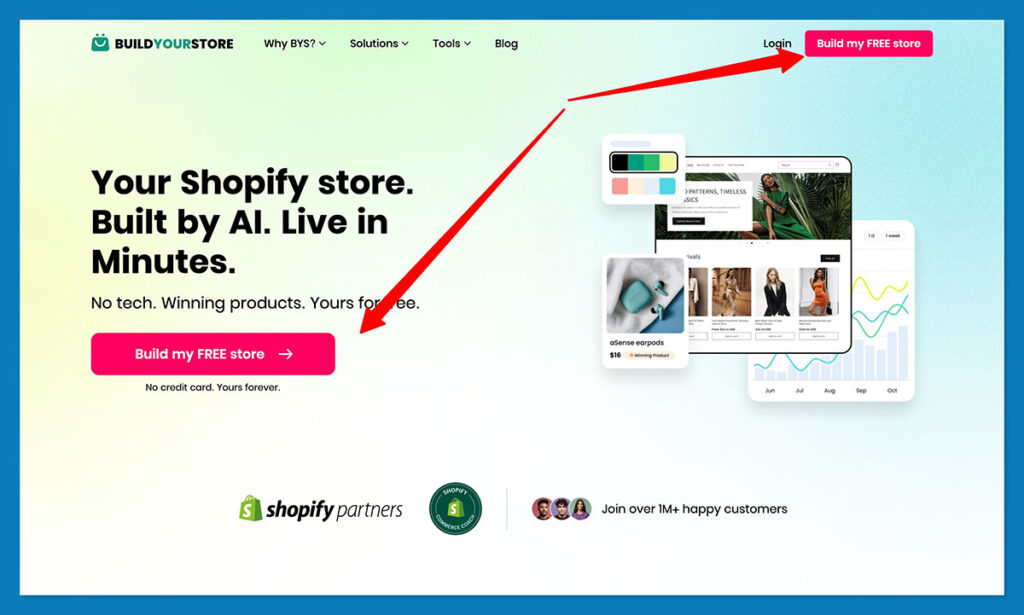
All you need to do is visit the BuildYourStore.AI website, click “Build my Free Store” and create an account. You can log in with your email, or Google account, and you don’t have to enter any credit card details.
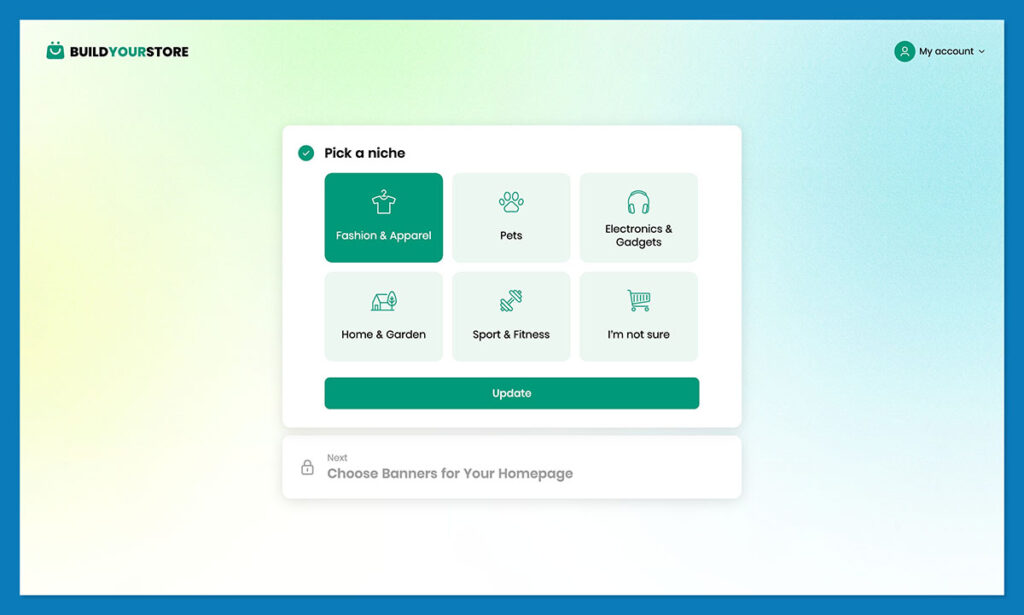
Once you’re in, you choose your niche. This is part of the short “onboarding” process that tells the AI what you actually want from a store. You can choose from a list of 5 niches, which cover things like Pets, Electronics, or Home & Garden, or click “I’m not sure”.
Step 2: Connecting to Shopify
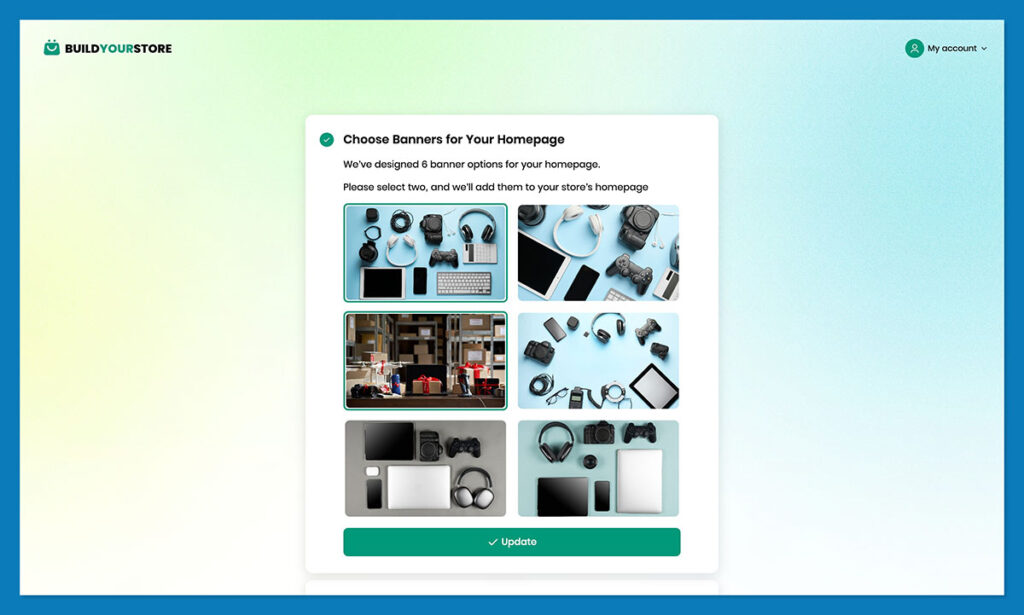
BYS doesn’t direct you straight to Shopify’s theme editor, which is a good thing. The AI walks you through getting the initial steps ready. You choose a couple of homepage banners from six generated options (so the AI can set the tone for the rest of your website).

Once you’re ready, you’ll be prompted to either create a Shopify account, or connect the one you already have.
Copy and paste your Shopify admin URL into the interface, click “Done” and the two platforms will connect.
Step 3: Install the BuildYourStore App and Customize
Once Shopify’s linked to BYS, you install the official BuildYourStore app. This is where you can get the AI to create your entire store with just one click.
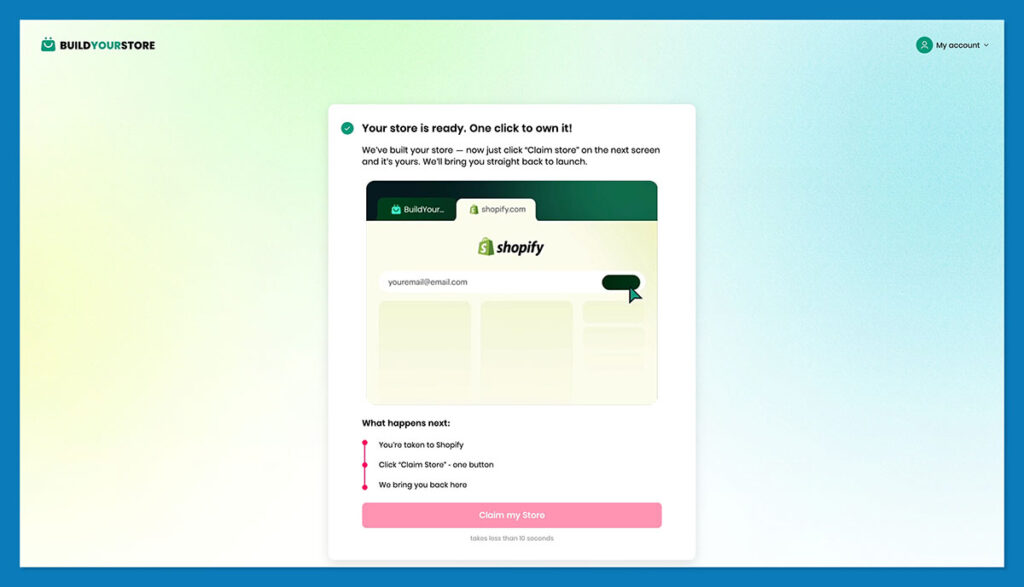
In no time, the AI will build pages, add products, populate your homepage, insert images, prices, reviews, and trust badges. It takes anywhere from a few minutes, to about 5-6 minutes. Once you’ve got all that, you’re free to customize (to an extent).
You can adjust your descriptions to match your voice, switch out images, and make basic layout changes. You’ll need to dive deeper into Shopify itself if you want to do anything more advanced though.
Step 4: Connect AutoDS
You’re not forced to connect AutoDS if you don’t want to, but BYS recommends it. It’s one of the most popular Shopify apps for dropshipping, and as soon as you’re connected you can browse through the marketplace, and explore features like trending products lists, and Ads Spy.
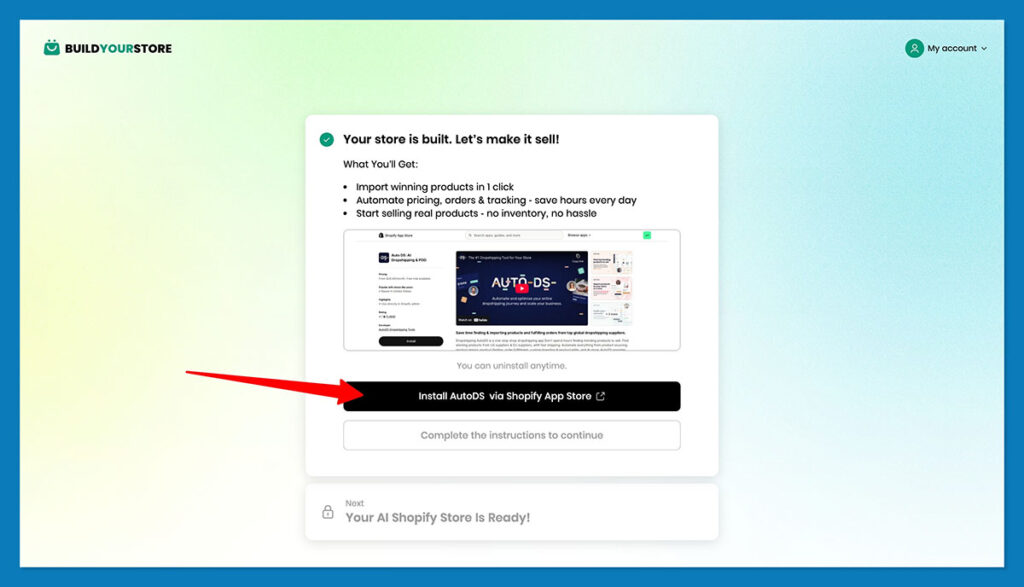
Notably, the connection does have a price. There’s a 3-day trial for $1 – you can explore the full platform before committing to anything long-term. You’ll need to account for that subscription, and your Shopify subscription when you’re budgeting for long-term costs.
Step 5: Go Live
Last, you’ll be ready to go live. I’d run some quick checks at this point. Look over the store settings, remove password protection (so your store is visible publicly), test the checkout, and make sure everything looks, and sounds, exactly like it should.
That’s really the whole process. Even if you’re a little anxious about the final checks, you can still get your store live in less than an hour.
BuildYourStore Pricing: Is It Really Free?
So, as I said before, BuildYourStore AI is free to use, at least for store creation. You make zero payments to use the system, and keep 100% of your profits. The Shopify store, theme, ready-to-sell pages, templates, and domain are yours, for absolutely no cost.
However, you will still have monthly fees to think about, starting with the cost for Shopify. You’re going to need the Basic plan at a minimum to launch a full store. Shopify Basic costs $1/month for the first 3 months, then standard rates apply after that. There are also credit card rates to think about, as well as the costs for any extra apps you want to use.
You’ll also need to pay for AutoDS if you want to use it long-term, which is another $19.90 per month, on top of your Shopify subscription. Both of those tools give you free trials, though, so you can test them out before you fully lock-in.
On top of those two things, you’ll need to think about the cost for marketing, customer support, marketing, product testing, and so on. Most people account for stuff like that in advance anyway, but it’s easy to overlook those things when you see a promise for a “free store”.
Who Is BuildYourStore Best For?
From what I can see, BuildYourStore AI makes a lot of sense for just about anyone who wants to use Shopify to run a store, but doesn’t want to deal with the headache of getting everything set up. You get the theme, domain, product pages, copy, first products, and fulfillment done for you.
That saves a lot of time, and makes it easier to get your business live without hiring a bunch of experts, or getting lost in settings. I’d also recommend BYS to:
- Beginners with a very small budget
- New sellers who need a working draft quick
- Creators teaching people how to sell online
- People who love the idea of dropshipping
- New sellers who need a bit of extra support along the way
It’s probably not the solution for you if:
- You’re avoiding Shopify or AutoDS
- Editing AI-generated copy isn’t your strong point
BuildYourStore AI Review: Final Verdict
What BuildYourStore AI really does for sellers, in my opinion, is nudge you out of that stage where you’re still “thinking” about launching a store, but you’re too overwhelmed by the work involved to actually jump in and do something.
Plenty of beginners in ecommerce get stuck in that phase. BYS helps to get them out of it, so they can actually put their business idea to the test.
It doesn’t do everything for you. You still need to check if the products it suggests make sense for your niche, keep an eye on catalog expansion opportunities, adjust the copy so it sounds like something you’d actually write, and manage things like customer service and marketing yourself.
Still, you’re not just starting with a blank page either. That’s the biggest benefit.
If you want a quick, convenient, and low-cost way to build your first Shopify store, BuildYourStore AI is definitely worth your time.
If you want to give it a try, get your free AI-built Shopify store here, and start building your new business.


Comments 0 Responses