

Kooomo is a cloud-based ecommerce platform aimed at brands and retailers looking for serious scalability, built-in enterprise features, and international reach—all without needing dozens of third-party apps.
After testing the platform across multiple client projects and demo stores, I found Kooomo to be powerful but not for the faint of heart.
Quick answer: Kooomo is best for mid-sized to large businesses that sell across multiple channels and countries.
It’s not the most beginner-friendly option, but its enterprise-level feature set makes it a hidden gem for businesses ready to scale globally.
Why You Can Trust This Review
I’ve worked with multiple ecommerce platforms over the past decade—Shopify, Magento, BigCommerce, WooCommerce—you name it. I’ve built stores, scaled operations, and migrated businesses.
When I test a platform like Kooomo, I’m looking at it from the eyes of a merchant: what helps you grow, what slows you down, and whether it’s worth the cost.
I spent several weeks working inside Kooomo’s dashboard, testing the features, loading up SKUs, and playing around with integrations.
What you’re getting here is first-hand experience—no affiliate fluff, no theory, just how it actually feels to use it day-to-day.
Kooomo Pros & Cons
Pros 👍
- Built-in PIM (Product Information Management)
- Advanced order and inventory management
- Strong multichannel and marketplace integrations
- Supports multi-store and international selling natively
Cons 👎
- No free trial or transparent pricing
- UI/UX is a bit clunky and feels outdated
- Few templates or drag-and-drop design flexibility
- Developer input is almost required to unlock its potential
What I Like About Kooomo
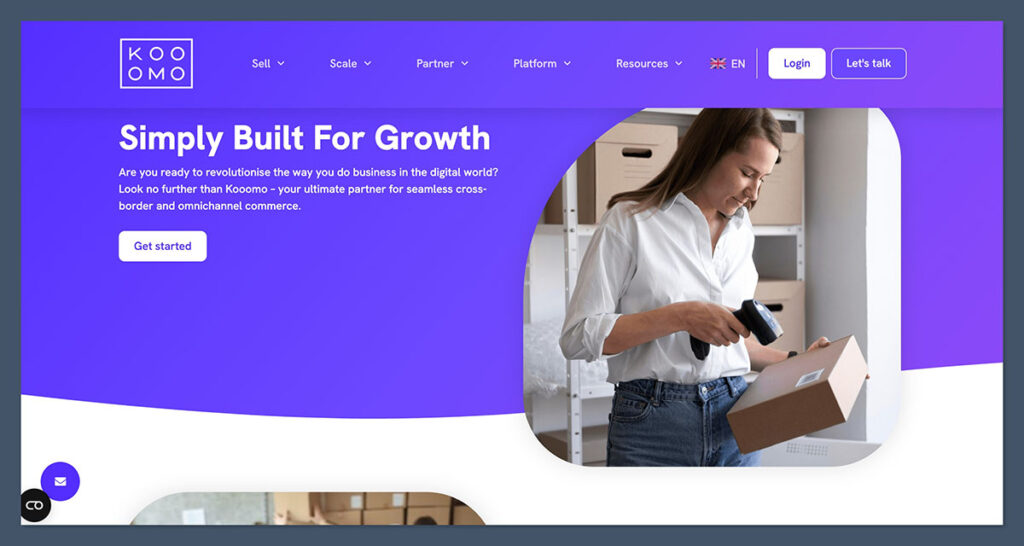
There’s a lot Kooomo gets right once you understand who it’s built for. It’s not trying to compete with budget-friendly builders or beginner-focused platforms.
Instead, it plays in the mid-to-enterprise ecommerce space—and that focus comes through clearly in the feature set.
- Native multistore setup: You can run several storefronts in different countries under one back-end. Each store can have its own currency, tax rules, product catalog, and language. This is something other platforms struggle to offer natively without plugins or custom work. For global sellers, this alone is a massive advantage.
- Built-in PIM and OMS: You get enterprise-level tools like a full product information manager and order management system—standard, not paid add-ons. This saves time and removes the need for expensive middleware. It’s all built to scale across thousands of SKUs.
- Tax and currency logic: Kooomo comes with localised tax calculations, currency switching based on user location, and language settings baked in. For businesses operating in the EU, this kind of automation is a must—and it works without third-party tools.
- Marketplace integrations: You can push your products to Amazon, eBay, Zalando, and more without relying on third-party apps. Orders sync back to your dashboard in real time, and inventory updates across all channels. This centralised multichannel functionality is one of Kooomo’s strongest selling points.
On top of that, the way these systems talk to each other behind the scenes is seamless. For example, a product created in the PIM can be synced to multiple storefronts and marketplaces, with rules for price adjustments, availability, and localisation.
Here’s a breakdown of standout features and who benefits:
| Feature | Ideal For |
|---|---|
| Multistore Backend | Global DTC brands, B2B retailers |
| Built-in PIM and OMS | Large catalogs, multiple suppliers |
| Tax and Currency Automation | EU merchants, global sellers |
| Marketplace Sync | Omnichannel sellers, aggregators |
This kind of infrastructure is rare outside of much more expensive platforms like Salesforce Commerce Cloud or Adobe Commerce. And even then, you’d likely be dealing with additional development work or license layers to get the same functionality.
What I Don’t Like About Kooomo
But it’s not perfect. And depending on your team size, budget, or technical ability, these downsides can be dealbreakers.
- Steep learning curve: The backend UI is overwhelming at first and not intuitive for newcomers. It’s geared toward ecommerce managers and operations teams who’ve used ERP-style systems before. If you’re used to clean, drag-and-drop interfaces, this will feel like a step back.
- Design limitations: The theming system isn’t modern. You’ll either need a developer or settle for very basic storefront design. There’s no live preview, no visual editor, and minimal control over layout unless you’re editing raw code.
- Lack of transparency: There’s no pricing listed on the website. You’ll have to request a demo, go through sales calls, and negotiate based on your business size. For smaller teams or businesses that want to self-serve, this process is unnecessarily slow and opaque.
- Limited ecosystem: There’s no vibrant app store or plug-and-play marketplace. What you see is what you get. Integrations exist, but they’re API-driven or handled by the Kooomo support team—not things you can install or configure easily on your own.
The gap becomes even clearer when comparing Kooomo to more modern or SMB-focused platforms:
| Area | Kooomo | Shopify | Wix |
|---|---|---|---|
| Onboarding | Sales-led | Self-serve | Self-serve |
| Theme Flexibility | Developer-heavy | Visual editor | Drag-and-drop |
| Pricing Clarity | Request only | Public plans | Public plans |
| App Marketplace | Limited | 8,000+ apps | 500+ integrations |
Kooomo is powerful—but only if you’ve got the team or technical support to unlock that power. For the right merchant, it’s a smart long-term investment. For everyone else, it can feel like too much platform and not enough control.
My Experience Getting Started With Kooomo
The onboarding was manual. After requesting a demo, I had to wait for a rep to schedule a walk-through.
It’s more traditional sales-led onboarding rather than a self-serve trial, which instantly separates it from platforms like Shopify, Wix, or BigCommerce that let you jump in straight away.
Once the call was booked, the Kooomo rep walked me through a tailored demo based on the size and structure of the store I wanted to build.
The walkthrough was helpful, but there was a lot to digest. Instead of starting with a basic storefront and filling in the gaps, I had to configure nearly every module upfront.
The platform assumes you’re either already trading or working with a consultant who knows what they’re doing.
When I finally got backend access, I was dropped into a dense, modular interface. It reminded me more of older Magento builds than modern no-code platforms.
Everything is segmented—product catalog, logistics, store design, localisation settings—but none of it is intuitively laid out. The dashboard had everything, but finding what I needed took time.
Still, the rep gave me hands-on walkthroughs and made sure I understood key modules like product setup, tax rules, and store structure.
It’s clear they prioritise onboarding large teams rather than solo entrepreneurs. You’ll get technical assistance and account management, but not in-app guidance or live tutorials.
If you’re switching from a more DIY platform, expect to feel disoriented at first. The power is there, but it’s buried under menus and system logic that assumes prior ecommerce experience. Here’s how the onboarding journey felt compared to other platforms:
| Platform | Onboarding Type | Best For |
|---|---|---|
| Kooomo | Sales-led, manual | Mid-size to enterprise teams |
| Shopify | Self-serve, guided | Entrepreneurs, growing brands |
| BigCommerce | Self-serve + chat | High-volume SMBs |
| Magento | Dev-led setup | Large enterprises, B2B |
Adding Products on Kooomo
Kooomo’s PIM is one of its biggest strengths. Once I got past the onboarding and into catalog setup, the system really started to shine.
- Bulk uploads: I could import thousands of SKUs using CSVs or push data from an ERP. Mapping fields was straightforward with a little setup. The upload tool also validates your file before pushing live changes, which is a safety net if you’re managing product data across multiple sources.
- Variant logic: Handling size, colour, material, or any custom fields was flexible. Kooomo supports product grouping, master-detail relationships, and localisation per variant. You can assign different images, descriptions, or even pricing based on market or store view.
- SEO data: You can enter SEO metadata, image alt tags, and product descriptions all from within the product editor. There’s also a batch editor for updating SEO fields across multiple products, which saves time if you’re working at scale.
- Digital products: Not a huge focus here. While technically possible, Kooomo is clearly better built for physical inventory. You can sell digital downloads or licenses, but the setup process isn’t as intuitive or flexible as platforms designed with digital-first selling in mind.
I liked how deeply customisable product information was, especially for brands managing dozens of categories and attributes. You can also build rules to push specific products to marketplaces with modified titles or limited availability.
To give a sense of how it stacks up against other platforms for product management:
| Feature | Kooomo | Shopify | WooCommerce |
|---|---|---|---|
| PIM included | Yes | No (requires apps) | No (plugin required) |
| Variant management | Advanced | Basic | Moderate |
| SEO fields | Customisable | Standard | Standard |
| Marketplace sync | Native | App-based | Plugin-based |
If product catalog complexity is a major factor for your store, this is one area where Kooomo really delivers.
Customising My Store
Here’s where Kooomo struggles the most for me—and for many businesses without in-house developers, this is likely the biggest limitation.
- Templates: There are a handful of prebuilt themes, but nothing close to what you’d find on Wix or Shopify. They’re serviceable, not beautiful. I tested three different templates and found that all required visual work to look modern. They’re functional for testing, but not ideal for customer-facing use without customisation.
- Design editor: There’s no true visual editor. You’ll be working with blocks and templates—no drag-and-drop. Think more CMS than website builder. You can reorder content sections and manage banners or featured products, but anything beyond layout adjustments will likely need code edits.
- Customisation options: You can edit HTML/CSS, but that requires dev knowledge. Without that, you’re stuck with basic changes like colours and fonts. There’s also no built-in preview mode. If you want to test design changes, you’ll need to stage them or push live and revert if it doesn’t work.
- Responsive design: All templates are mobile-optimised, but testing is on you. There’s no guided preview or AI support. If something breaks on a smaller screen, you’ll need to inspect and fix it manually.
While the backend is solid for product and logistics operations, front-end design feels neglected.
You don’t get access to modern storefront tools or visual creativity unless you bring your own developer. If you want to change layout elements like grids, headers, or sidebars, expect to write or commission the code.
Design flexibility by platform:
| Platform | Visual Editor | Custom Code Access | Free Templates | Ideal For |
|---|---|---|---|---|
| Kooomo | No | Yes | Limited | Agencies, in-house dev teams |
| Shopify | Limited | Yes | 13+ | SMBs, growing stores |
| Wix | Yes | Yes (limited) | 900+ | Creative brands |
| BigCommerce | Basic | Yes | 100+ | Retailers, wholesalers |
Unless you’ve got an in-house designer or agency, expect to outsource theme development if you want something polished. If front-end presentation is key to your brand, this may be a bottleneck without additional budget or technical resources.
Selling Features: Kooomo’s Core Strength

This is where Kooomo shines. The platform isn’t flashy, but it’s built for performance and scalability.
From multichannel selling to complex logistics, Kooomo is designed for businesses that care more about functionality and control than visual simplicity.
While the interface might feel dated, the backend capability is genuinely impressive once configured properly.
Multichannel & Marketplace Selling
Kooomo includes native integrations with key global sales channels:
- Amazon
- eBay
- Zalando
- Google Shopping
All of these channels can be managed directly through the main Kooomo dashboard. You don’t need additional apps or middleware to connect your catalogue, sync inventory, or manage pricing variations.
This is a big difference compared to platforms like Shopify or WooCommerce, where these capabilities usually require premium add-ons.
Inventory sync is done in real time, meaning any update you make to a product’s availability, title, or price will reflect across connected marketplaces almost instantly.
The same goes for order syncing—customers from Amazon, eBay, or Zalando all appear in a single backend order management system.
This multichannel approach is well-suited to retailers managing multiple storefronts, regions, or B2B pipelines.
It also supports content customisation per marketplace, so you’re not locked into using the same titles, images, or price points across every channel.
| Capability | Kooomo | Shopify | BigCommerce |
|---|---|---|---|
| Native Amazon Integration | Yes | Via app | Via app |
| Real-time Inventory Sync | Yes | App-based | App-based |
| Centralised Order Management | Yes | Partial | Partial |
| Marketplace Content Control | Yes | No | Partial |
It’s built for businesses selling across multiple channels and markets, not just direct-to-consumer.
Payment Options
Kooomo supports over 30 payment gateways out of the box, giving you plenty of flexibility without the need to rely on external apps or custom builds.
| Gateway | Available |
|---|---|
| PayPal | Yes |
| Stripe | Yes |
| Klarna | Yes |
| Adyen | Yes |
| WorldPay | Yes |
| SagePay | Yes |
| Braintree | Yes |
You can configure different payment rules by region or storefront, which is ideal if you’re running stores in multiple countries. Payment settings can also include restrictions based on customer groups or cart size, which is useful for B2B transactions or wholesale pricing tiers.
In addition to the gateways themselves, Kooomo gives you tools to set up:
- Region-specific payment logic
- Cart-based payment method restrictions
- Custom surcharge rules (e.g. fees for invoice payment)
- Pre-payment account credit setup for B2B accounts
This kind of granular control is a big win for complex operations or cross-border sellers.

Checkout Options
Kooomo’s checkout isn’t the slickest interface on the market, but it is functional—and most importantly, flexible. You can configure a number of workflows to suit both B2C and B2B needs.
- Custom checkout flows: With developer input, you can modify everything from layout to field validation logic. You can build single-step, multi-step, or popup-based checkouts.
- B2B logic support: Features like invoice requests, credit terms, purchase order numbers, and VAT ID validation are all supported out of the box.
- Language and currency switching: The checkout can detect user geo-location and automatically adjust language, currency, and tax display. You can override these settings manually per store or campaign.
- Tipping, custom fields, and gift messages: These aren’t built-in by default, but can be added via custom fields or request to support.
The big difference here is that checkout is treated like a technical module, not a templated drag-and-drop builder. If you’re coming from Shopify’s checkout UI, expect to rely more on your dev team.
Shipping & Fulfilment
Kooomo handles complex fulfilment requirements natively, without needing to stack extra plugins or third-party tools. This is one of the biggest reasons it’s chosen by growing or global merchants.
- Multi-warehouse support: You can assign stock to different warehouse locations and set shipping zones accordingly. This works seamlessly for brands shipping from regional hubs.
- Rule-based shipping logic: You can configure rules based on weight, order value, delivery timeframes, shipping class, or customer location.
- Real-time carrier rates: Kooomo integrates with major carriers like FedEx, DHL, UPS, and local postal services. These rates can be displayed live at checkout.
- Custom pickup, return rules, and split shipping: Kooomo lets you offer local pickup, partial shipments, or drop-shipping—all controllable through backend logic.
Shipping automation is critical for any ecommerce brand scaling operations across warehouses or geographic markets, and Kooomo does a great job here.
However, most of these features need to be configured manually or with help from your account rep.
SEO Tools on Kooomo
Kooomo’s SEO tools cover all the basics, but without any guidance or audit functionality.
- Editable fields include:
- Meta titles
- Meta descriptions
- Slug URLs
- Canonical tags
- Image alt text
- Sitemap generation is automated and regularly updated as products or pages change
- Schema markup is supported for products, although there’s no drag-and-drop schema builder—this is handled via templates or dev support
- Multilingual SEO is possible through localised URLs and hreflang tags for translated storefronts
Where it falls short is in SEO training wheels—there are no audit tools, no on-page guidance, and no native AI assistance for meta content. If SEO is a key part of your growth strategy, you’ll need to know what you’re doing or work with a specialist.
| SEO Feature | Kooomo | Shopify | Wix |
|---|---|---|---|
| Editable Meta Fields | Yes | Yes | Yes |
| Automated Sitemap | Yes | Yes | Yes |
| Multilingual Support | Yes | Partial | Yes |
| AI SEO Tools | No | Yes | Yes |
Still, it gives you all the tools needed to rank—if you know how to use them.
Marketing and CRM Features
This is one area where Kooomo is a mixed bag. The platform supports CRM-like behaviour and customer segmentation, but it’s not a marketing-first platform. Most advanced tools need to be integrated manually or handled through third-party platforms.
- Email marketing: There’s a built-in module that lets you send transactional emails, promotions, and cart recovery messages. For anything more sophisticated, most users connect tools like Klaviyo, Mailchimp, or Sendinblue.
- Loyalty programs: There’s no native loyalty engine. You’ll need a developer or agency to integrate something custom or build one via an external SaaS.
- Content marketing: You can run a blog, but it’s limited compared to CMS platforms. There’s no visual editor or content calendar, and layout options are minimal.
- Customer segmentation: Kooomo does support rule-based customer groups based on location, order value, product interest, or time since last purchase. You can create campaigns around these segments, although automation is limited.
This section of the platform feels more like an operational CRM than a marketing suite. If brand-building and automated retention are part of your playbook, you’ll need to lean heavily on integrations.
Kooomo AI Features
As of writing, Kooomo has no AI-powered tools built into its core platform.
- There’s no AI product description generator
- No chatbot or AI-based customer service module
- No visual editor powered by AI or store setup assistant
- No predictive product or sales analytics
This is a noticeable gap, especially as competitors like Shopify, Wix, and BigCommerce continue to add AI-powered tools for content generation, automation, and customer experience.
That said, Kooomo’s infrastructure is open enough to integrate external AI solutions via API. Several of their enterprise clients reportedly use tools like ChatGPT or Jasper.ai for content, and third-party integrations for smart product recommendations or merchandising.
But if you need AI tools ready to go inside the platform, it won’t be baked in—you’ll need to integrate it yourself.
Kooomo’s App and Integration Marketplace
There’s no public app marketplace like Shopify or BigCommerce.
That means you won’t find a storefront where you can browse, preview, and install apps on your own. For many ecommerce teams, this is a significant shift.
Instead, Kooomo relies on direct API integrations or partner-led solutions. Most features—whether it’s a review widget, a CRM connector, or a new payment method—need to be activated by the support team or set up through a developer.
Some of the most common integrations available include:
- Google Shopping: Product feed generation and syncing
- Trustpilot: Review widgets and structured data
- Stripe, Klarna, PayPal: Built-in payment gateways
- Amazon/eBay feeds: Native multichannel data sync
- ERP sync: Integration with systems like SAP, Microsoft Dynamics, and NetSuite
Kooomo’s integration model is ideal for enterprise businesses that already have technical support in place.
It’s structured, stable, and focused on long-term infrastructure. But for smaller teams who want to move fast or experiment, the lack of a self-serve plugin system can slow down innovation.
Here’s how Kooomo stacks up in terms of third-party tools:
| Feature Type | Kooomo | Shopify | BigCommerce |
|---|---|---|---|
| Self-serve App Store | No | Yes (8,000+) | Yes (1,000+) |
| ERP Integration | Yes (custom) | App-based | App-based |
| Marketing Add-ons | Support-led | Plug-and-play | Plug-and-play |
| Developer Required | Often | Sometimes | Rarely |
If you’re already working with a tech team or agency, this model won’t be a problem. But if you’re a solo operator or lean team, the lack of a self-managed ecosystem may slow you down.
Security & Compliance
Kooomo does a solid job on security and compliance, especially for businesses operating across borders or handling customer data under strict regulations.
Built-in security features include:
- PCI-DSS Level 1 compliance: Certified for secure payment processing
- GDPR tools: Built-in tools for cookie control, customer data access, and deletion requests
- SSL certificates: Automatically included for all domains and subdomains
- User access control: Role-based permissions, audit trails, and backend tracking
Data is hosted securely in Tier 3 and Tier 4 data centres with regional coverage, and automated backups are part of the package. You also get recovery tools and the ability to segment access across teams or departments.
For enterprise clients, Kooomo offers additional options by request:
- SSO (Single Sign-On)
- Custom firewall policies
- Penetration testing and audits
These aren’t included by default, but can be scoped into your onboarding or SLA agreement.
If your business needs to meet regulatory requirements or compliance standards in multiple markets, Kooomo provides a reliable foundation.
Customer Support
Kooomo provides support via email and phone during standard business hours. There’s no live chat and no AI assistant built into the platform. If you’re used to instant chatbots or 24/7 help centres, this will feel limited.
That said, the support quality is high. Most reps I spoke with were fast to respond, technically knowledgeable, and proactive about offering suggestions.
You’ll also be assigned a dedicated account manager during onboarding. This person becomes your main point of contact for platform changes, integration support, or store optimisation.
Documentation is available but not particularly user-friendly. It’s geared more toward developers and system integrators than beginners.
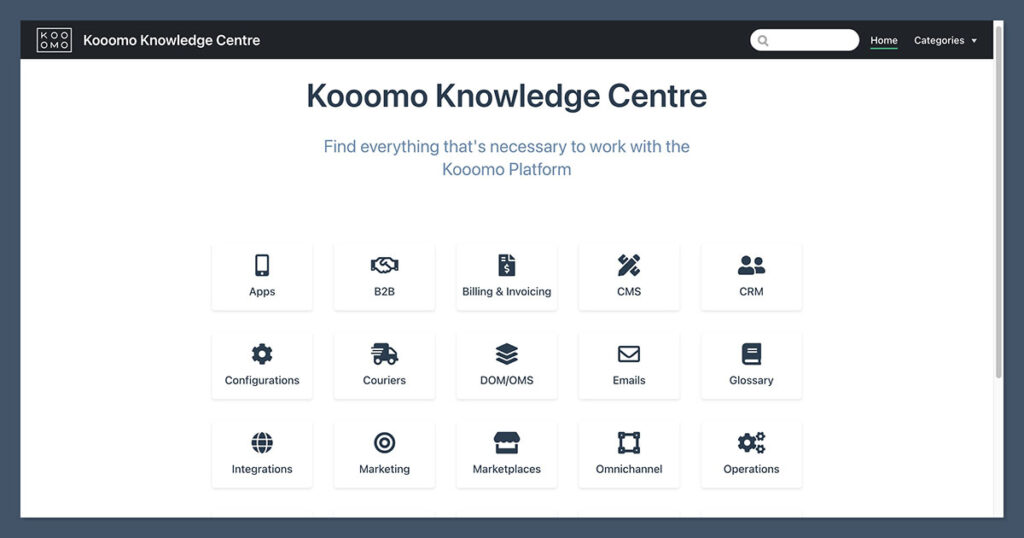
There’s no major community forum or knowledge hub like you’d find with Shopify or WooCommerce.
| Support Type | Kooomo | Shopify | Wix |
|---|---|---|---|
| Live Chat | No | Yes | Yes |
| Phone Support | Yes (business hrs) | Limited | Yes (premium) |
| Dedicated Account Rep | Yes (all plans) | Only on Plus | No |
| Knowledge Base | Basic | Extensive | Moderate |
If you value having a direct contact and predictable support path, Kooomo delivers. If you rely on self-service learning or after-hours assistance, you may feel underserved.
Kooomo Pricing
Kooomo uses a custom pricing model. You won’t find a public list of plans, tiers, or pricing pages on their site.
Everything is quote-based, depending on your store size, traffic volume, features needed, and revenue level.
Typically, pricing follows this structure:
| Plan Type | Monthly Fee | Revenue Share |
|---|---|---|
| Starter | $1,000+ | 1%–2% |
| Growth | $2,500+ | Custom |
| Enterprise | $5,000+ | Custom |
There may also be setup fees depending on your onboarding requirements, custom development, or ERP integrations.
It’s clear that Kooomo is not built for startups or side hustles. The platform is best suited to merchants already doing six figures annually and looking to scale internationally.
Is Kooomo Good Value?
It depends entirely on where your business is in its lifecycle.
If you’re a scaling brand that’s hit limitations on Shopify or WooCommerce, Kooomo offers serious value.
You’ll save thousands in apps by having tools like PIM, OMS, multi-store, and tax localisation built directly into the core platform.
But if you’re a small business just getting started, it’s overkill. You’ll spend more time managing backend complexity than focusing on sales and marketing.
Unless you have a team, it’s not the most productive way to grow.
Here’s a simplified breakdown:
| Business Stage | Kooomo Fit | Why |
|---|---|---|
| Early-stage startup | Poor fit | High cost, high complexity |
| Growing 6-figure store | Strong fit | Built-in tools, global focus |
| Enterprise retailer | Ideal fit | Full control, ERP-ready |
For the right business, the platform can replace entire departments worth of operational work with a single backend.
How Kooomo Compares to Other Platforms
| Feature | Kooomo | Shopify | BigCommerce | Wix |
|---|---|---|---|---|
| Multichannel Selling | Yes | Yes | Yes | Partial |
| Design Flexibility | No | Yes | Yes | Yes |
| App Store | No | Yes | Yes | Yes |
| Enterprise Features | Yes | Partial | Yes | No |
| Price Transparency | No | Yes | Yes | Yes |
| International Tools | Yes | Partial | Partial | Partial |
Kooomo clearly wins in the areas of global infrastructure, multistore management, and operational scalability. But it trails when it comes to accessibility, frontend design tools, and ecosystem support.
Final Verdict: Should You Use Kooomo?
Kooomo isn’t trying to be another Shopify. It’s built for complex businesses that need flexibility, structure, and serious scalability baked in.
Use Kooomo if:
- You run an established ecommerce business doing $500k+ in annual revenue
- You sell across multiple countries or marketplaces
- You need ERP integration, built-in PIM, and custom checkout workflows
- Your operations team can handle—or outsource—technical backend management
Skip Kooomo if:
- You’re new to ecommerce or just testing product-market fit
- You need an easy-to-use builder or quick design flexibility
- You want a low-overhead store that’s easy to set up and manage without outside help
If you’ve outgrown your current platform and need something built for scale, Kooomo is a serious contender.
It won’t do the hand-holding for you—but if you’ve got the team and vision, it will give you the infrastructure to grow well beyond your current limits.


Comments 0 Responses