

With dozens of AI logo generators now competing for your attention, finding the right one depends less on which tool looks flashiest and more on what you actually need: a quick free logo for a side project, a polished brand kit for a growing store, or a creative playground where you control every detail through prompts and sketches.
I've spent over 60 hours testing and comparing 10 of the leading AI logo makers to narrow down our top five recommendations for 2026.
Looka is our number one pick for its combination of logo quality, brand kit depth, and ease of use, but every tool on this list serves a different type of user, and none of them is perfect.
In this guide, I'll walk you through the key features, pricing, and honest drawbacks of each top-rated AI logo maker, so you can find the right fit for your business.
AI Logo Maker Comparison Table
Take a look at our top AI logo maker picks side-by-side to see which best suits your needs:
| Tool | Best For | Starting Price | Pricing Model | Free Option |
|---|---|---|---|---|
| Looka | Brand kits, small businesses | $20 (one-time) | One-time + optional subscription | Free to design (pay to download) |
| Canva Logo Maker | Beginners, multi-asset design | Free / $15 per month (Pro) | Freemium + monthly | Yes (generous free plan) |
| Hatchful by Shopify | Ecommerce beginners | Free | Completely free | Yes (100% free) |
| Designs.ai | Agencies, multi-format creatives | $29 per month | Subscription | Limited free plan + 7-day trial |
| LogoDiffusion | Prompt-native creative control | $24 per month | Credit-based subscription | Yes (20 credits per month) |
Key Takeaways
- Looka is our top-rated AI logo maker, offering strong brand kits with 300+ templates, realistic on-product previews, and one-time logo pricing starting at $20
- Pricing ranges from completely free (Hatchful) to $99 per month (LogoDiffusion Elite). Looka and Canva offer the best balance of quality and value for most users
- Hatchful by Shopify is the only fully free option on this list, making it ideal for ecommerce beginners who need a basic logo without spending anything
- Canva and Designs.ai go well beyond logos, offering full creative suites for social media, videos, and marketing materials
- LogoDiffusion is the most “AI-native” tool here, using generative AI and text prompts to create original logos from scratch rather than relying on templates
- All five tools grant full commercial rights on their paid plans, so you can use your logo on products, packaging, and marketing without licensing headaches
#1. Looka: Best for Brand Kits and Small Businesses
- Starting price: $20 one-time (Basic Logo) | $96 per year (Brand Kit)
- AI logo generation: Yes
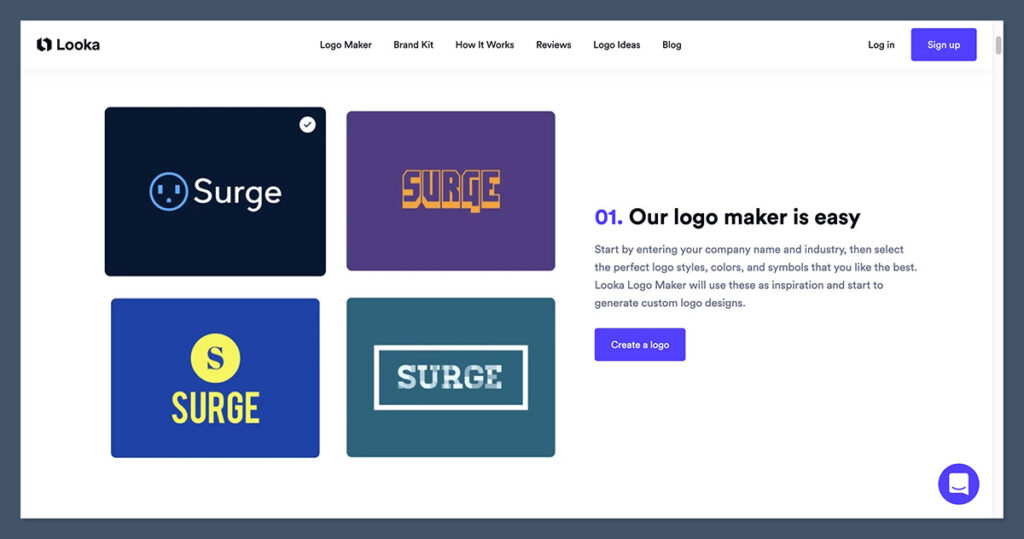
Looka is the best AI logo maker I've tested, and it's earned the top position in our rankings for its ability to deliver a full brand identity from a single design session.
Where other tools stop at handing you a logo file, Looka generates hundreds of branded templates, from business cards and social media graphics to email signatures, all automatically matched to your logo's colors and style.
Pros
- AI generates 100+ logo options from a short questionnaire
- 300+ branded templates in the Brand Kit
- Realistic on-product previews (T-shirts, signage, cards)
- Unlimited logo edits after purchase on Premium plans
- Responsive live chat and email support
Cons
- Basic $20 package only includes a low-res PNG
- Individual icons and fonts are shared across users
- Can't edit your business name in the logo after purchase
- Brand Kit requires an annual subscription on top of logo cost
I started by entering my test business name, selecting an industry, picking a few color preferences, and choosing logo styles I liked. Within about two minutes, Looka generated over a hundred options. The quality was genuinely impressive for AI-generated work. Most designs looked balanced and professional, and the on-product mockups helped me visualize how each logo would actually look in the real world rather than just as a flat file on a screen.
The editor gave me enough control to swap fonts, adjust colors, change symbols, and reposition elements without feeling overwhelming. That said, if you're looking for deep manual control over every curve and corner, this isn't a replacement for Illustrator. It's designed for business owners who want a polished result fast.
How Much Does Looka Cost?
- The Basic Logo Package costs $20 as a one-time purchase and includes a single low-resolution PNG file (1000 x 1000 px, with colored background)
- The Premium Logo Package costs $65 one-time and includes multiple high-resolution file types (SVG, EPS, PNG, PDF), unlimited logo edits, and full ownership
- The Brand Kit Subscription costs $96 per year and adds 300+ branded templates for social media, business cards, email signatures, and more
- The Brand Kit Web Subscription costs $129 per year and adds an AI-generated website on top of everything in the Brand Kit
- Looka accepts major credit cards and PayPal. Discover cards are not accepted
Why Use Looka in 2026?
For small businesses and startups that need more than just a logo file, Looka's strength is that it turns a single design session into a full visual identity. Instead of paying a designer separately for social media templates, business card layouts, and email signatures, you get all of it generated automatically from one logo. The Brand Kit subscription makes this ongoing, so your branded materials stay consistent as your business grows. It's not the cheapest option on this list, but for the depth of output you get, the value is hard to beat.
Looka is suitable for:
- Small businesses that need a complete brand identity
- Startups looking to launch with professional visuals fast
- Users who want realistic mockups before committing
Looka isn't suitable for:
- Users who only need a basic, one-off logo file
- Designers who need pixel-level creative control
- Businesses on a very tight budget (the $20 plan is quite limited)
#2. Canva Logo Maker: Best for Beginners and Multi-Asset Design
- Starting price: Free / $15 per month (Pro)
- AI logo generation: Yes (Dream Lab AI generator + template-based)
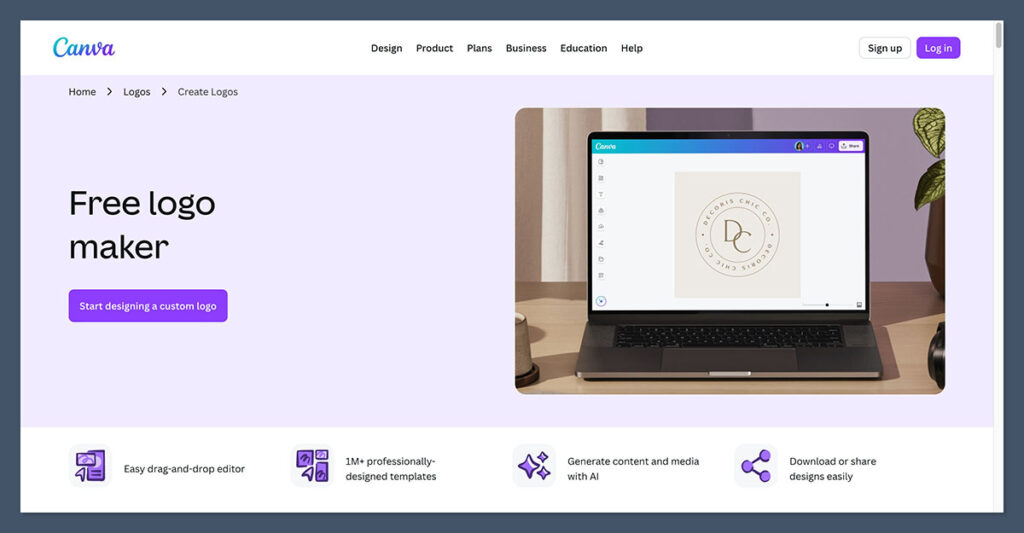
Canva is far more than just a logo maker, but its logo creation tools are strong enough to earn a spot on this list on their own. The platform offers two paths: a massive library of customizable logo templates using the drag-and-drop editor, and an AI logo generator (powered by Dream Lab) that creates original designs from text prompts. For beginners who want to design a logo and then immediately use it across social posts, presentations, and marketing materials, Canva is hard to beat.
Pros
- Generous free plan with thousands of logo templates
- Powerful drag-and-drop editor for manual customization
- AI logo generator creates designs from text prompts
- Huge icon, illustration, and font library
- Seamless transition from logo to social media, presentations, and print
Cons
- Many premium templates and elements locked behind Pro
- Transparent background export requires Pro
- More general-purpose than logo-specific tools
- AI-generated logos can feel more “artistic” than commercially refined
Testing Canva's logo tools, I appreciated how quickly I could go from a blank canvas to a polished design. The template library is enormous, and the categorization by industry and style made it easy to find relevant starting points. The AI logo generator (Dream Lab) produced interesting results from text prompts, though the outputs sometimes leaned more toward artistic illustrations than clean, commercially viable logos.
For the best results, I found that starting with a template and customizing it manually gave me more usable output than relying purely on AI generation.
Where Canva really shines is what happens after you create your logo. You can instantly apply it across social media templates, business cards, flyers, and presentations without leaving the platform. If you're already using Canva for other design work, adding logo creation to your workflow is effortless.
How Much Does Canva Cost?
- The Free plan includes 250,000+ templates, basic design tools, and 5GB of storage. You can create and download logos at no cost, though some elements are Pro-locked
- Canva Pro costs $15 per month ($120 per year) and unlocks 3.6+ million templates, transparent background export, the Brand Kit, Magic Studio AI tools, and 1TB of storage
- Canva for Teams starts at around $20 per user per month for teams needing collaboration features and shared brand assets
- Canva offers a 30-day free trial for Pro
Why Use Canva in 2026?
Canva makes the most sense for users who need a logo as part of a broader design workflow. If you're creating social media content, marketing emails, and presentations alongside your logo, having everything in one platform saves real time. The Brand Kit feature on Pro keeps your logo, colors, and fonts accessible across every design, which helps maintain consistency as you scale your visual content. It's not the most focused logo maker, but it's the most versatile tool on this list.
Canva is suitable for:
- Beginners who want an intuitive, visual design tool
- Creators and marketers who need logos plus social and print assets
- Users who want a strong free tier before upgrading
Canva isn't suitable for:
- Users who want a dedicated, streamlined logo creation flow
- Businesses that need vector-first output without a Pro subscription
- Anyone looking specifically for AI-generated logos from prompts (Dream Lab is decent but not its strongest feature)
#3. Hatchful by Shopify: Best Free Logo Maker for Ecommerce
- Starting price: Free
- AI logo generation: Template-based with AI matching
If you're launching a Shopify store on a tight budget and need a logo that looks decent without spending a dollar, Hatchful is the most straightforward option available. It's completely free, requires no design experience, and delivers high-resolution PNG files you can use immediately. The trade-off is that it's basic.
There's no vector export, limited customization, and the design quality won't rival paid tools. But for getting a new store off the ground quickly, it does exactly what it needs to.
Pros
- 100% free with no hidden costs or upsells
- High-resolution PNG downloads included
- Dead simple questionnaire-based flow
- Social media-sized logo variants included in download
- Full commercial rights on all logos
Cons
- No SVG or vector export
- Very limited customization options
- Template quality is basic compared to paid tools
- No brand kit, business cards, or extended materials
- Designs can look similar across users in the same industry
Using Hatchful felt like having a brief conversation with a designer who's working from a limited but serviceable template library. It asked about my industry, preferred visual styles, and where I planned to use the logo, then generated a selection of options.
The customization editor is bare-bones (you can adjust fonts, colors, and icons, but don't expect Canva-level control), and some of the templates looked noticeably dated. Still, several of the options I was shown were genuinely usable, which is more than I can say for some paid tools I've tested.
You'll need to create a Hatchful account (separate from your Shopify account) to download your files. The download package includes logo files sized for different use cases, including social media profiles and cover images, which is a thoughtful touch for a free tool.
How Much Does Hatchful Cost?
- Hatchful is completely free. There are no paid tiers, premium upgrades, or subscription options
- You don't need a Shopify account to create a logo, but you do need a free Hatchful account to download it
- Logo files are delivered in high-resolution PNG format via email
- There's no limit on how many logos you can create
Why Use Hatchful in 2026?
Hatchful exists to solve a very specific problem: getting a serviceable logo onto a new store as fast as possible with zero budget. For ecommerce beginners who are testing a product idea or launching their first Shopify store, spending $65 or more on a logo before you've made a single sale doesn't always make sense.
Hatchful lets you start with a professional-enough logo and upgrade later if the business takes off. Just keep in mind that the lack of vector files means you'll hit limitations if you ever need to scale your logo for large-format printing or detailed brand applications.
Hatchful is suitable for:
- Ecommerce beginners launching on a tight budget
- Side projects and MVPs that need branding fast
- Users who want a placeholder logo while testing a business idea
Hatchful isn't suitable for:
- Businesses that need vector files for print or merchandise
- Users who want deep customization or unique designs
- Growing brands that need a full identity kit beyond a logo file
#4. Designs.ai: Best for Agencies and Multi-Format Creatives
- Starting price: $29 per month (Basic) | $19 per month billed yearly
- AI logo generation: Yes
Designs.ai isn't just a logo maker. It's a full creative suite that bundles AI-powered logo creation with video, social media, voiceover, image generation, and copywriting tools under one subscription.

If you're an agency or a marketer who needs to produce logos alongside other visual assets at volume, this all-in-one approach can replace several standalone subscriptions. The logo module itself scored well in independent tests for design coherence and variety.
Pros
- Full creative suite (logos, videos, social graphics, voiceovers, copy)
- Logo module produces clean, on-brief designs
- Access to 115+ million stock images and video clips
- AI chat, writer, and image generation included
- 7-day free trial on paid plans
Cons
- Logo maker is one module among many, not the core focus
- Subscription required (no one-time logo purchase option)
- Some users report difficulty canceling and removing payment details
- Premium templates and advanced features locked to higher tiers
Note: Designs.ai has received mixed user reviews regarding cancellation processes and billing practices. We recommend using the 7-day free trial carefully and reviewing the cancellation policy before committing to a paid plan. Consider using a virtual card if you're concerned about billing issues.
The logo creation flow in Designs.ai is solid. After entering a business name, selecting a style, and choosing icons, the AI generated a reasonable selection of designs that I could further refine in the editor. The results were clean and commercially usable, though the customization depth didn't match Looka or Canva.
What impressed me more was how easily I could take a finished logo and immediately apply it across other Designs.ai tools, creating branded social media posts, short videos, and mockups without leaving the platform.
The downside is that you're paying a monthly subscription for the whole suite, even if you only need the logo maker. If all you want is a single logo, Looka or even Hatchful will serve you better for less money.
How Much Does Designs.ai Cost?
- A limited free plan gives access to basic features like the AI wizard and banner resizer
- The Basic plan costs $29 per month ($19 per month billed yearly) and includes 1,000 AI credits, unlimited projects, standard licensing, and access to 115+ million stock assets
- The Pro plan costs $69 per month ($49 per month billed yearly) and adds premium templates, enterprise licensing, 3,000 AI credits, and expanded video and voiceover features
- The Enterprise plan costs $199 per month ($169 per month billed yearly) for teams needing 15,000 AI credits, bulk design features, and up to 5 team members
- A 7-day free trial is available on paid plans
Why Use Designs.ai in 2026?
Designs.ai earns its place when you need more than a logo. For agencies managing multiple clients or marketers producing content across channels, having logo creation, video production, social media design, and AI copywriting in one platform cuts down on tool-switching and subscription stacking. The Logo Maker alone wouldn't justify the subscription cost over a one-time purchase from Looka, but the combined value of the full suite can save agencies real money and time.
Designs.ai is suitable for:
- Agencies that need multi-format creative output under one subscription
- Marketers producing logos alongside social, video, and copy
- Teams that want AI-powered creative tools without managing multiple platforms
Designs.ai isn't suitable for:
- Users who only need a logo (the subscription is overkill)
- Businesses on a tight budget who prefer one-time pricing
- Users who are wary of subscription billing and cancellation policies
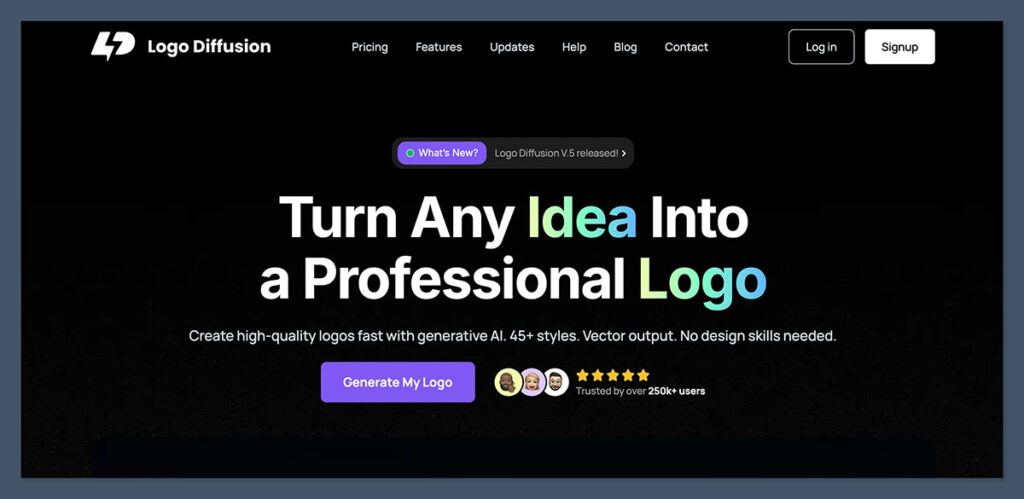
#5. LogoDiffusion: Best for Prompt-Driven Generative Logo Design
- Starting price: Free / $24 per month (Basic)
- AI logo generation: Yes (generative AI from text prompts, sketches, and image uploads)
LogoDiffusion takes a fundamentally different approach from every other tool on this list. Instead of selecting from pre-built templates or answering a questionnaire, you describe your logo in a text prompt, upload a rough sketch, or feed in an existing logo for redesign, and the AI generates original concepts using generative diffusion models.
If you want creative control at the prompt level and are comfortable iterating through AI-generated variations, LogoDiffusion offers a level of originality that template-based tools can't match.
Pros
- Truly generative AI, not template-based
- Text-to-logo, sketch-to-logo, and logo redesign workflows
- Vector export, background removal, and upscaling included
- 2D to 3D logo conversion and style transfer
- Full commercial license on all paid plans
Cons
- Steeper learning curve than questionnaire-based tools
- Credit-based system can feel restrictive on lower tiers
- Output quality depends heavily on prompt quality
- Some users report credit usage is less transparent than expected
- No free plan for commercial use
Testing LogoDiffusion was the most interesting experience of all five tools. When my prompts were specific and well-crafted, the results were surprisingly good and genuinely original.
A prompt like “minimalist mountain peak logo for an outdoor gear brand, clean lines, single color” produced several usable concepts on the first attempt. But vague prompts led to scattered, sometimes unusable results. This tool rewards users who understand what they want and can articulate it clearly.
The additional features are impressive too. I could convert a 2D logo into a 3D illustration, apply style transfers, and export vector files directly from the platform. For designers and creatives who want to push beyond template boundaries, this is the most capable tool on the list. For business owners who just want a logo quickly, the learning curve and credit system make it less practical than Looka or Canva.
How Much Does LogoDiffusion Cost?
- The Free plan includes 20 credits per month (~10 designs) with 1 concurrent generation job. No commercial license is included
- The Basic plan costs $24 per month and includes 1,000 credits (~500 designs), full commercial license, vectorizer access, background removal, and 2 concurrent jobs
- The Pro plan costs $49 per month and includes 2,500 credits (~1,250 designs), higher tool limits, and 3 concurrent jobs
- The Elite plan costs $99 per month and includes approximately 6,250 credits (~3,125 designs), the highest tool limits, and 4 concurrent jobs
- Annual billing gives a discount (approximately 2 months free)
Why Use LogoDiffusion in 2026?
LogoDiffusion makes sense for users who want their logo to be genuinely original rather than a rearrangement of shared template elements. Because the AI generates designs from scratch based on your prompts, the results have a distinctiveness that template-based tools struggle to match. For freelance designers, agencies, and creative professionals who want a rapid ideation tool that they can then refine, LogoDiffusion sits in a unique position. It's not the easiest tool here, but it's the one most likely to produce something nobody else has.
LogoDiffusion is suitable for:
- Designers and creatives who want prompt-driven AI generation
- Users who need sketch-to-logo or logo redesign workflows
- Agencies looking for rapid creative ideation at scale
LogoDiffusion isn't suitable for:
- Beginners who want a guided, questionnaire-based experience
- Users who need a quick logo without a learning curve
- Businesses that prefer one-time pricing over monthly subscriptions
How Do I Choose the Right AI Logo Maker?
To choose the right AI logo maker, you should evaluate six key factors based on what your business actually needs. While we can help you compare tools, you have to determine your priorities and identify what you can live without.
Below, I've put together a checklist of key factors to consider when researching or trialing an AI logo maker:
- Logo quality and variety: Does the tool generate designs that look professional and on-brief? Are there enough variations to choose from, or do the results feel repetitive?
- Customization depth: Can you adjust fonts, colors, layouts, and symbols after generation? Do you have enough control to make the logo feel unique to your brand?
- Brand kit and extras: Does the tool generate business cards, social media templates, and other branded materials? Or does it stop at the logo file?
- Pricing model: Is it a one-time purchase, a subscription, or credit-based? Can you test the tool for free before paying?
- File formats and licensing: Do you get vector files (SVG, EPS) for scaling? Does the plan include full commercial rights for your logo?
- Ease of use: Is the tool designed for non-designers, or does it require prompt-writing skills and design intuition?
How We Test AI Logo Makers
We put 10 leading AI logo makers through a hands-on testing process to determine our ranking and recommendations. Our research covered over 45 areas of investigation across six core categories.
Each category has been given a unique weighting to reflect what matters most when choosing a logo maker for your business:
| Testing Area | What We Evaluate | Weight |
|---|---|---|
| Logo Quality | Design coherence, variety of output, professional appearance, and on-brief accuracy across multiple test scenarios | 30% |
| Customization | Control over fonts, colors, layouts, icons, and the ability to refine AI-generated designs into something unique | 20% |
| Brand Kit and Extras | Availability of branded templates, social media assets, business cards, and other materials beyond the logo file | 15% |
| Pricing and Value | Cost relative to output quality, pricing transparency, free tiers and trials, and what you actually get for the price | 15% |
| User Experience | Ease of onboarding, editor intuitiveness, time from start to finished logo, and accessibility for non-designers | 15% |
| Licensing and File Formats | Commercial rights, available export formats (PNG, SVG, EPS, PDF), resolution quality, and transparency options | 5% |
I also tested each tool myself by creating logos for multiple test scenarios: a new Shopify store, a local service business, a tech startup, and a personal brand. This hands-on experience informs the recommendations throughout this guide.
Final Verdict: Which AI Logo Maker Do I Recommend?
Our research process has determined the top five AI logo makers, and Looka is the best tool for users who want a professional logo and a complete brand identity without hiring a designer. Its combination of AI-generated quality, brand kit depth, and one-time pricing makes it the strongest overall choice.
That said, every tool on this list serves a different need. Canva is the most versatile if you need your logo as part of a broader design workflow. Hatchful is unbeatable on price if you just need a basic logo at zero cost. Designs.ai is the best fit for agencies that want a full creative suite under one subscription. And LogoDiffusion is the most creatively powerful option for users who want prompt-driven, truly original designs.
If you're unsure where to start, I recommend testing the free tiers on Canva, Hatchful, and LogoDiffusion to see which workflow feels right before committing to a paid plan.
Frequently Asked Questions
Are AI-generated logos legal to use commercially?
Yes. All five tools on this list grant full commercial rights on their paid plans, meaning you can use your logo on products, packaging, websites, and marketing materials. Hatchful's logos are fully commercial even though the tool is free. The one exception is LogoDiffusion's free tier, which does not include a commercial license. If you're planning to trademark your logo, keep in mind that AI logo makers use shared icon and font libraries, so individual design elements may appear in other users' logos. It's worth running a trademark search before filing.
Can AI logo makers replace a professional designer?
For many small businesses, startups, and side projects, yes. AI logo makers have reached a point where the output is clean, professional, and commercially usable. However, they have limitations. They're working from patterns and libraries rather than original creative thinking, so truly distinctive or conceptually layered logos still benefit from a human designer's touch. A good middle ground: use an AI tool to generate initial concepts, then hire a designer to refine your top choice if your budget allows.
Which AI logo maker is best for Shopify stores?
Hatchful by Shopify is the most direct option since it's free, made for ecommerce, and produces social-media-ready files. However, if you're willing to spend a bit more for higher quality and a brand kit, Looka is a better long-term investment. Its branded templates for social media, email signatures, and business cards are especially useful for growing online stores.
What's the difference between template-based and generative AI logo makers?
Template-based tools like Looka, Canva, and Hatchful start with pre-designed logo layouts and use AI to match you with relevant options based on your preferences. You then customize the template. Generative tools like LogoDiffusion create logos from scratch using AI diffusion models, producing original designs based on text prompts or uploaded sketches. Template-based tools are faster and more predictable. Generative tools offer more originality but require better inputs and more iteration.
Do I own my AI-generated logo?
On paid plans, yes. All five tools grant full copyright over the complete logo design. However, individual elements like specific icons, fonts, and symbols are typically licensed from shared libraries, which means those same elements could appear in other users' logos. Your complete composition is yours to use without restriction, but trademarking individual elements isn't possible since they're shared assets.
Can I switch from one AI logo maker to another?
Yes, but you'll essentially be starting from scratch. Logos created in one tool can't be imported into another's editor for further customization. If you're thinking about switching, export your current logo in the highest resolution and vector format available so you have a clean base file to work from, even if you end up redesigning it entirely in a new tool.


Comments 0 Responses