

Shopify and Pirate Ship get compared a lot, but they are not really rivals. One of them builds and runs your online store. The other buys your shipping labels for less.
If you sell physical products in the US, the honest answer for most sellers is not “pick one,” it is “use Shopify to run the store and Pirate Ship to buy the labels.”
This comparison breaks down what each platform is built for, where they genuinely overlap, and how to decide which parts of your shipping you should hand to which tool.
Shopify vs Pirate Ship: Quick Verdict
- Shopify: Best for building, hosting, and running your online store, with checkout, payments, marketing, and shipping all in one place.
- Seerower skip: Best for the cheapest USPS and UPS shipping labels, with free software and no monthly fee.
They are not mutually exclusive. Pirate Ship has an official Shopify app, so a common setup is Shopify for the storefront and Pirate Ship for the postage. Below, I compare them on what they each do, cost structure, shipping rates, checkout, workflow, and support, so you can see exactly where each one earns its place.
Vinnige vergelyking: Shopify vs Pirate Ship
| funksie | Shopify | Seerower skip |
|---|---|---|
| Wat dit is | Full ecommerce platform (store builder, checkout, payments, shipping) | Free shipping software for buying discounted USPS and UPS labels |
| Maandelikse koste | $29 to $299 per month billed annually (Plus from $2,300) | $0 per month, you only pay for postage |
| Gratis toets | 3-day free trial, then $1 per month for the first 3 months | Free to use, no credit card required |
| USPS labels | Discounted rates through Shopify Versending | USPS Commercial Pricing, including Priority Mail Cubic |
| UPS labels | Discounted rates through Shopify Versending | Deeply discounted UPS, including UPS Ground Saver |
| Ander draers | DHL Express included, FedEx with your own account | USPS and UPS only |
| Live rates at checkout | Yes, carrier-calculated rates (Advanced and Plus, or add-on) | No, it works after the sale only |
| Batch shipping | Basic, deeper features via apps | Yes, with no batch size limit |
| Storefront and checkout | Yes, this is the core product | Geen |
| Works with the other | Pirate Ship connects as a Shopify artikels | Invoer Shopify orders and syncs tracking back |
| Beste vir | Running your whole online business | Cutting your per-label shipping cost |
What Each Platform Actually Does
The fastest way to understand this matchup is to stop thinking of it as a head-to-head. Shopify is the shop. Pirate Ship is the postage counter. Here is the short version of each one's strengths and trade-offs.
Shopify
Wat Shopify doen goed
- Builds a full, hosted online store with a customizable theme and checkout
- Handles payments, taxes, discounts, marketing, and analytics in one dashboard
- Shows live shipping rates to customers during checkout on higher plans
- Covers USPS, UPS, and DHL Express labels natively, plus FedEx with your own account
- Scales from a first product all the way up to enterprise volume
Waar Shopify val kort
- Has a real monthly subscription, starting at $29 per month billed annually
- Its native label rates are usually beaten by dedicated shipping tools
- Deeper shipping automation often requires third-party apps
Seerower skip
What Pirate Ship does well
- Costs nothing to use, with no monthly fee, markup, or minimums
- Passes through USPS Commercial Pricing and deep UPS discounts
- Unlocks lower-cost services like Priority Mail Cubic and UPS Ground Saver
- Handles batch labels, presets, customs forms, insurance, and returns
- Verbind met Shopify, Etsy, eBay, WooCommerce, en nog baie meer
Where Pirate Ship falls short
- Only supports USPS and UPS, with no FedEx, DHL, or regional carriers
- Has no storefront, checkout, or live checkout rates
- Some sales channels need manual or CSV order imports
- Aimed at low-to-mid volume, so very large operations may outgrow it
1. Best for Building an Online Store: Shopify
This one is not close, because it is the thing Shopify is built to do and the thing Pirate Ship does not do at all. Shopify gives you a hosted storefront, a customizable theme, a product catalog, a checkout, payment processing, and marketing tools, all managed from a single admin.
Shopify runs on tiered plans. Basic is $39 per month (or $29 per month billed annually), Grow is $105 per month (or $79 billed annually), Advanced is $399 per month (or $299 billed annually), and Shopify Plus starts around $2,300 per month for enterprise sellers.

Every store gets a 3-day free trial, and most plans then run at $1 per month for the first three months before standard pricing kicks in. If you use Shopify Payments, card rates start at 2.9% plus 30 cents per online transaction on Basic and drop as you move up the plans.
Pirate Ship, by contrast, has no storefront, no product pages, and no checkout. It assumes you already have a store somewhere and simply need to ship the orders. So if what you need is a place to actually sell, Shopify is not just the winner here, it is the only option of the two.
Die uitspraak: Shopify is a complete ecommerce platform, while Pirate Ship is not a store builder at all. If you need somewhere to list products and take payment, this is Shopify's job.
2. Best for Shipping Rates: Pirate Ship
Here is where the comparison gets interesting, because this is the one area where the two genuinely overlap. Both platforms sell discounted USPS and UPS labels. The difference is how good those discounts are.
Pirate Ship's entire reason for existing is cheap postage. It passes through USPS Commercial Pricing (the same discounted tier that high-volume shippers use) and deeply discounted UPS rates, with no markup added on top.
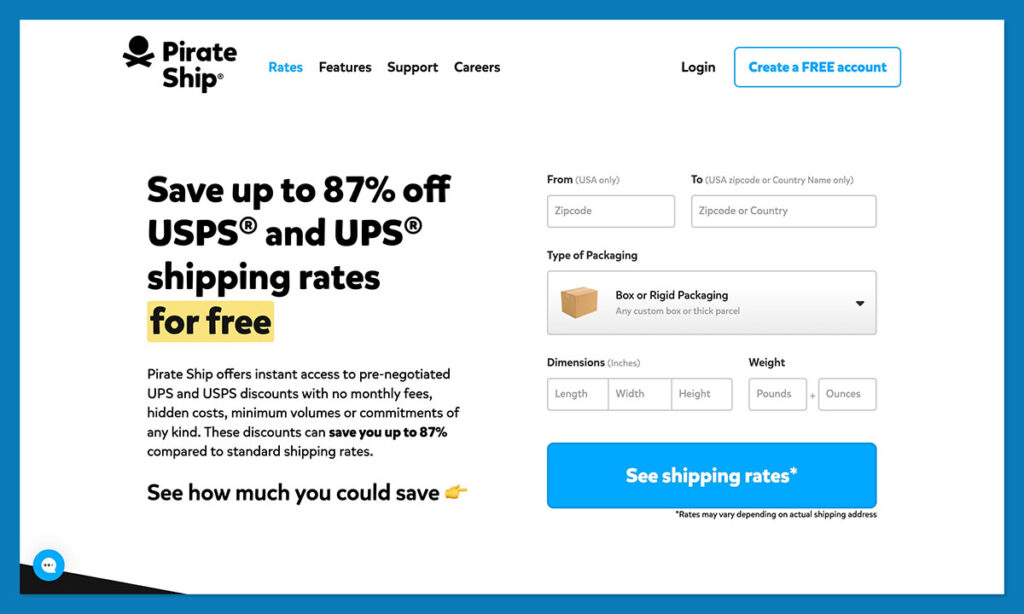
It also opens up lower-cost services that are easy to miss, like USPS Priority Mail Cubic (great for small, heavy packages) and UPS Ground Saver (great for non-urgent, lower-value shipments).
Shopify Shipping also gives you discounted USPS, UPS, and DHL Express labels, and those discounts get better as you move up the plans. But merchant comparisons consistently show Pirate Ship coming out cheaper per label on USPS and UPS, sometimes by a few dollars a package depending on weight and size.
The gap tends to be widest on Priority Mail Cubic and UPS Ground Saver, which Pirate Ship prices aggressively.
For a low-volume seller, the convenience of buying labels right inside Shopify may be worth a small premium. For a store where shipping is a real line on the P and L, that per-label difference compounds fast.
The Verdict:For USPS and UPS postage specifically, Pirate Ship's rates usually beat Shopify's native labels, and it charges nothing for the software. If shipping cost is your priority, this is where Pirate Ship shines.
3. Best for Cost Structure: It Depends on What You Need
On the surface, this looks like an easy win for Pirate Ship, since it is free and Shopify is a paid subscription. But that framing is misleading, because you are paying for two different things.
With Pirate Ship, the software is genuinely free. There is no monthly fee, no markup, and no minimum, so the only money that leaves your account is the postage itself. That makes it an easy add to almost any budget.
Met Shopify, the subscription is the cost of running an actual business online: hosting, checkout, payment processing, security, and the tools to market and manage it. Comparing “$0” to “$29 and up per month” only makes sense if both products did the same job, and they do not.
A fairer way to think about it: Shopify is the cost of your store, and Pirate Ship is a way to shrink the cost of shipping from that store.
If you truly only need to buy labels and you sell somewhere else already (a marketplace, social channels, or in person), then yes, Pirate Ship alone can cover you for nothing. If you need a real storefront, that is a Shopify expense you cannot avoid by choosing Pirate Ship, because Pirate Ship does not offer one.
The Verdict: Pirate Ship wins on pure software cost because it is free. But if you need a store, that is a Shopify werk, and the smart move is to pair the paid platform with the free label tool rather than treating them as either-or.
4. Best for Checkout and Carrier Options: Shopify
Shipping is not only about what a label costs. It is also about what your customer sees at checkout and which carriers you can reach.

Shopify handles the checkout side natively. On higher plans it shows carrier-calculated rates during checkout, so shoppers see real, accurate shipping costs before they pay.
That transparency matters, since a large share of buyers want to know shipping costs upfront. Shopify also reaches more carriers out of the box: USPS, UPS, and DHL Express are supported, and you can connect your own FedEx account for FedEx rates.
Pirate Ship has no presence at checkout at all. It works entirely after the order is placed, when you go to buy and print the label. It also only covers USPS and UPS, so if your shipping mix leans on FedEx, DHL, or regional carriers, it simply cannot help with those.
The Verdict: For live rates at checkout and broader carrier coverage, Shopify is die sterker keuse. Pirate Ship is a back-office label tool, not a checkout solution.
5. Best for the Shipping Workflow: Pirate Ship
Once an order exists and you just need to get it out the door, Pirate Ship's focus starts to pay off. It was designed around the practical job of turning orders into labels quickly.
The workflow is clean: you compare USPS and UPS services side by side, pick the cheapest option that fits, and print. You can batch print large runs with no size limit, save package presets so weights and dimensions auto-fill, validate addresses, generate customs forms, add insurance, print return labels, and produce End of Day SCAN forms.
Labels print to standard desktop printers or 4×6 thermal printers. Its spend reporting also breaks costs down by service and zone, which is handy for budgeting.
Shopify can print labels too, and for a store shipping a handful of orders a day, doing it inside the same admin is genuinely simpler. But once volume climbs, the depth of Pirate Ship's label workflow (batching, presets, rate comparison) pulls ahead of Shopify's native tools, which often need extra apps to match it.
The Verdict: Pirate Ship wins for volume, Shopify – for simplicity. At low volume, printing inside Shopify is the easier path. As order counts grow, Pirate Ship's batch and rate-comparison tools make the daily shipping routine faster and cheaper.
6. Best for Support and Getting Started: A Close Call
Both platforms are well regarded for support, so this comes down to what kind of help you need.
Shopify offers 24/7 support through live chat, a deep help center full of guides and courses, and priority channels for higher-tier merchants. Because it does so much, there is simply more to learn, and getting a full store live takes real setup time.
Pirate Ship is known for fast, friendly live chat and email support (delivered in cheerful pirate speak), and because the product is narrow, onboarding is quick. Most people can create their first label within minutes of signing up, with no credit card required.
The Verdict: Both are strong. Shopify's support has to cover a much bigger product, while Pirate Ship's is fast and focused. Neither should be a dealbreaker.
Hoe om tussen te kies Shopify and Pirate Ship
Because these tools do different jobs, the decision is less about picking a side and more about matching each one to your situation.
Kies Shopify indien:
- You need to build or run an actual online store, not just ship orders
- You want checkout, payments, marketing, and shipping in a single platform
- You want customers to see live shipping rates while they check out
- You ship with FedEx or DHL and need broader carrier support
Choose Pirate Ship if:
- You already sell somewhere and only need cheaper labels
- Your shipping runs mostly through USPS and UPS
- You want the lowest postage cost with no monthly software fee
- You ship enough that a few dollars saved per label adds up
Use both if:
- You run a Shopify store and shipping costs are eating into your margins
- Jy wil Shopify's storefront and checkout, but Pirate Ship's rates on labels
That last option is what a lot of established Shopify merchants land on. Pirate Ship connects to Shopify as an app, pulls in your unfulfilled orders, lets you buy labels at its rates, then marks the orders fulfilled and syncs tracking numbers back automatically. It adds one step to your routine, but the savings on USPS and UPS labels often cover that quickly.
Hoe ons vergelyk het Shopify and Pirate Ship
This comparison is based on each platform's current published pricing and plan details, their documented feature sets, the carriers and services each one supports, how Pirate Ship's Shopify integration actually works, and recurring patterns in merchant feedback across review sites and seller communities.
Pricing was checked against each provider's official pages before publishing, since rates and plans on both sides change regularly. Rather than forcing a single score onto two tools that do different jobs, we weighed each one on what it is designed to do and where the two genuinely overlap.
Belangrike take
- Shopify and Pirate Ship solve different problems, so the real question is which parts of your setup each one should handle.
- Shopify is the better choice for building the actual store, checkout, and customer experience.
- Pirate Ship almost always beats Shopify's native rates on USPS and UPS labels, especially on Cubic and Ground Saver.
- Pirate Ship is free and Shopify is a subscription, but they are not interchangeable, so cost alone should not decide it.
- The most cost-efficient setup for many US sellers is Shopify for the storefront and Pirate Ship for the labels.
Shopify vs Pirate Ship: Our Verdict
Calling a single winner here would be misleading, because Shopify and Pirate Ship are not competing for the same job. Shopify is the best pick if what you need is a place to sell: it gives you the storefront, checkout, payments, and shipping tools to run a real online business, and it scales with you. Pirate Ship is the best pick if what you need is cheaper postage: it is free to use and consistently beats native rates on USPS and UPS labels.
For a lot of US sellers, the strongest setup is not one or the other. It is Shopify running the store and Pirate Ship buying the labels. You keep Shopify's storefront and checkout experience, and you trim your per-order shipping cost with Pirate Ship's rates, all through an integration that keeps your orders and tracking in sync.
Start by deciding whether you need a store, a cheaper label tool, or both, and the right answer for your business will follow from there.
Algemene vrae
Is Pirate Ship really free?
Yes. Pirate Ship charges no monthly fee, markup, or minimum for its software. The only thing you pay for is the postage itself, at USPS Commercial Pricing and discounted UPS rates. It makes its money from the carriers rather than from you.
Can I use Pirate Ship with Shopify?
Yes. Pirate Ship has an official Shopify app. It imports your unfulfilled Shopify orders, lets you buy discounted USPS and UPS labels, then marks those orders as fulfilled and sends the tracking numbers back to Shopify outomaties.
Does Pirate Ship replace Shopify?
No. Pirate Ship has no storefront, checkout, or product catalog. It only buys and prints shipping labels. If you need a place to actually sell online, you still need a platform like Shopify (or another sales channel) alongside it.
Is Pirate Ship cheaper than Shopify Gestuur?
On USPS and UPS labels, usually yes. Merchant comparisons regularly show Pirate Ship coming out lower per label, with the biggest gaps on Priority Mail Cubic and UPS Ground Saver. For very low volume, Shopify's built-in convenience may offset a small difference.
Does Pirate Ship work outside the US?
Pirate Ship ships from US origin addresses, but it handles international shipments through USPS and UPS, including customs forms and a low-cost international option for qualifying packages. It does not support shipping that originates outside the United States.
Should a brand new store use Shopify Shipping or Pirate Ship?
If you are shipping only a few orders and want the least setup, buying labels inside Shopify is the simplest start. As soon as shipping volume grows enough that postage savings matter, adding Pirate Ship for your USPS and UPS labels is one of the easiest ways to cut costs.


Kommentaar Kommentaar