

If you’ve ever tried to price out Semrush, you know the feeling: tabs everywhere, plans called Pro, Guru, Business; something about an AI toolkit; mysterious “add-ons” that may or may not double your bill. I’ve been there, just like many of my team members.
Semrush has been our daily hub here at Ecommerce Platform for years. We use it for our own sites, and for our clients, and at this point, we can’t imagine going without.
But we do realize that, at a glance, Semrush pricing can seem expensive, and overwhelming. This guide is here to help you bypass the confusion, and decide for yourself if Semrush is worth the price (spoiler, we think it is).
Semrush Pricing at a Glance
When people ask me what Semrush costs, my first answer is usually, “It depends.”
Because Semrush isn’t one monolithic subscription. It’s a core SEO toolkit, a brand-new AI visibility toolkit, and a bunch of à-la-carte add-ons too.
Here’s how it really breaks down:
The SEO Toolkit (Pro, Guru, Business):
This is the engine most of us start with. All the keyword research, backlink analysis, site audits, rank tracking, and reporting live here. Plans scale from Pro (solo site owners) to Guru (growing teams with content marketing) to Business (agencies, enterprise SEO). Pricing is monthly but cheaper if you pay annually — about 17% off compared to the month-to-month rate.
The AI Visibility Toolkit:
Semrush's newest add-on, billed at $99/month per domain on an annual contract. It tracks how AI search engines (ChatGPT, Google AI Overview, Gemini, Perplexity) talk about your brand and competitors.
Add-ons & upgrades:
Additional users (seats), lead generation tools, reports, and other extras you might need as your business grows.
Free tier + trials:
Semrush does have a free tier (one project, ten tracked keywords, very low daily data pulls — think “taste test”). Most toolkits, including the SEO one, also offer 7-day free trials so you can kick the tires. Some add-ons like reporting give you 14 days. But note: once a trial ends, billing starts unless you cancel. Still, new annual subscriptions and add-ons have a 7-day money-back guarantee.
Semrush One: Bundled Plans That Include Both Toolkits
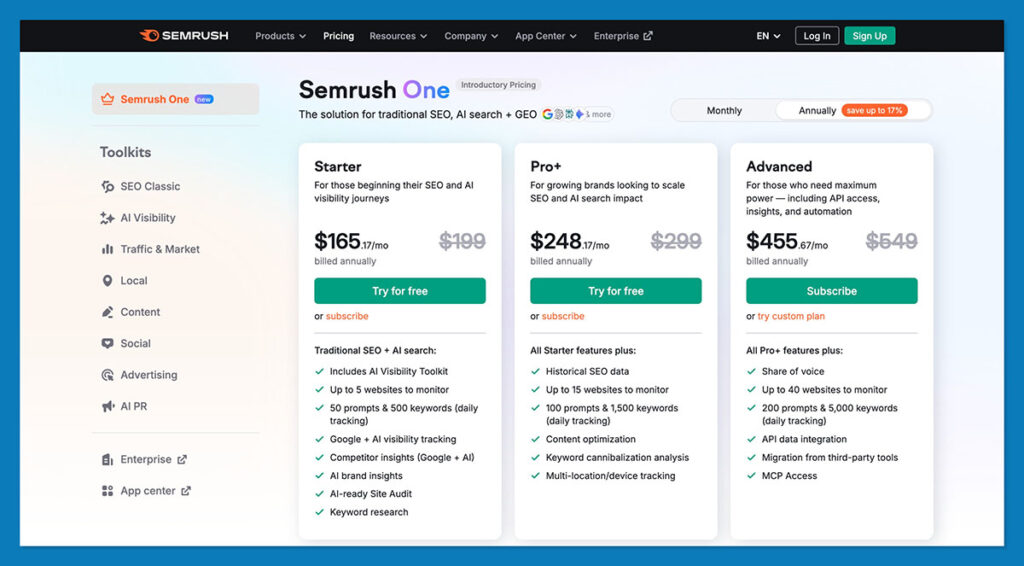
If you're looking for a simple all-in-one solution, Semrush now bundles the SEO Toolkit and AI Visibility Toolkit into new all-in-one plans called Semrush One.
Here’s how the pricing looks:
- Semrush One Starter: Equivalent to Semrush Pro + AI Visibility Toolkit. $165.17/month (on annual billing)
- Semrush One Pro+: Equivalent to Semrush Guru + AI Visibility Toolkit. $248.17/month (on annual billing)
- Semrush One Advanced: Equivalent to Semrush Business + AI Visibility Toolkit. $455.67/month (on annual billing)
It’s a faster way to get everything you need — keyword tools, AI monitoring, backlink analysis, and more — without juggling add-ons or separate upgrades.
You can check the full breakdown and most current offers directly here:
Semrush Pricing: SEO plans (Pro, Guru, Business)
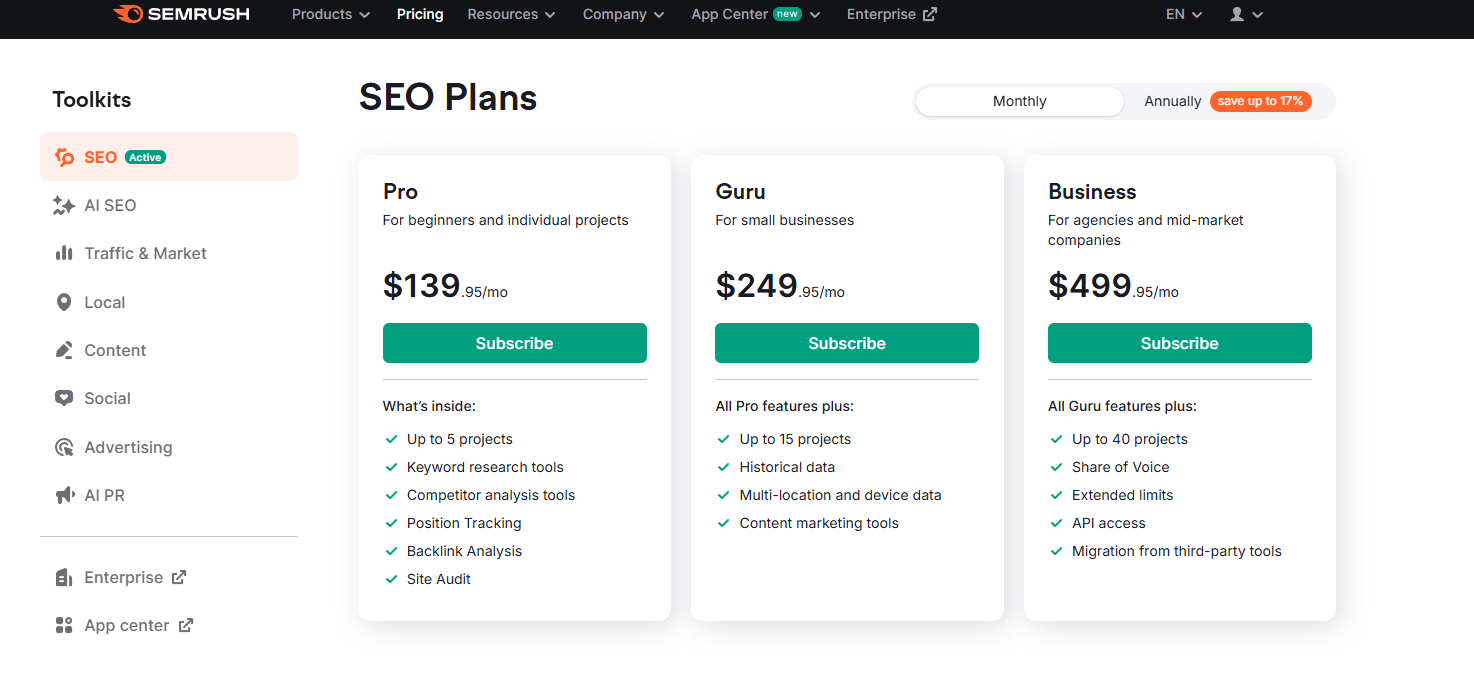
The Semrush SEO Toolkit is your digital Swiss Army knife for visibility. It gives you:
- Keyword research & intent mapping: Find the exact terms customers use – not just search volume, but difficulty, intent, SERP features, and competitive overlap.
- Position Tracking: Daily rank tracking across desktop and mobile, with the ability to split by location or device type. (I use this to watch local rankings for clients with physical stores or region-specific pages.)
- Site Audit: A full technical crawl that spots broken links, speed issues, HTTPS gaps, JavaScript rendering problems, duplicate content, and more. This alone has saved me from hours of manual Screaming Frog runs.
- Backlink analytics & gap analysis: See who’s linking to competitors but not you, catch toxic backlinks before they become a headache, and monitor new/ lost links.
- Competitive domain analysis: Compare your site’s traffic, keyword footprint, and content gaps against direct rivals. (Great when you’re pitching an ecommerce client -nothing wakes up a CEO like showing exactly how their competitor is outranking them.)
- Content marketing & topic research (Guru+): Plan blog clusters, audit cannibalization, and feed writers briefs that actually match SERP intent.
Everything in the plans is really about how deep you can go – more projects, more tracked keywords, more crawl capacity, historical data, API access. That’s what changes as you upgrade.
The Pro Plan: for solo operators & small sites
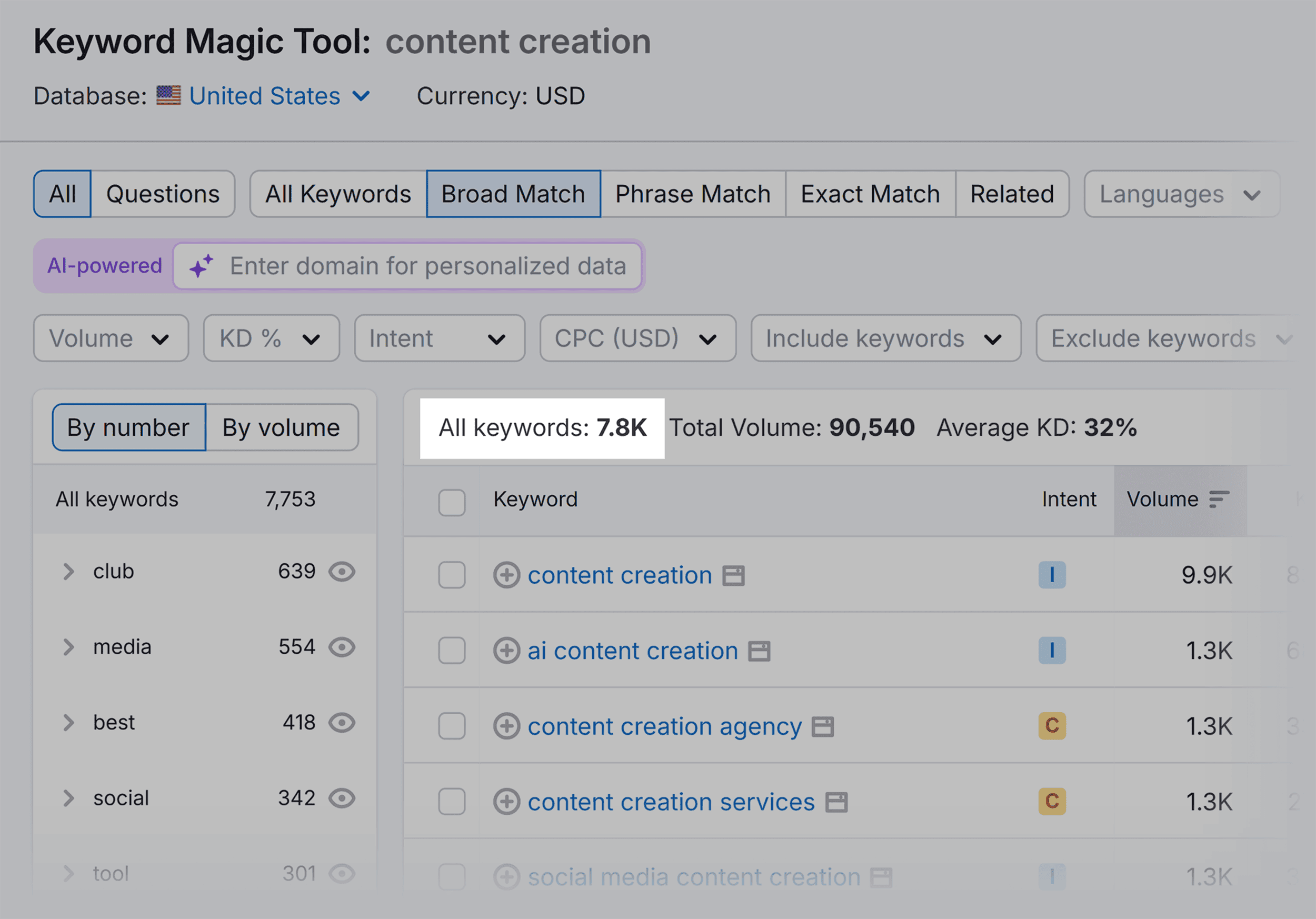
Annual price: $117.33/month. Monthly price: £139.95/month
This is the “starter” plan, but don’t confuse starter with basic. If you’re a solo store owner or a small team running one to three sites, Pro covers a surprising amount:
- Up to 5 projects: Each “project” is essentially one site (or subdomain) with its own audits, tracking, and dashboards. If you’re managing a main store and maybe a blog or two, that’s usually enough.
- Keyword tracking: 500 daily updates: Perfect for a single site or a couple of small ones. You can monitor core product keywords plus some content terms without blowing the quota.
- Site Audit: crawl up to 100,000 pages per month, with 20,000 pages per project.
For most small WordPress/WooCommerce shops, that’s plenty – but if you run a huge catalog or a blog with thousands of posts, you’ll hit this wall fast. - Backlink analytics: full access to link database, gap analysis, toxic link checker.
You can run 3,000 analytics reports per day and see up to 10,000 rows per report – enough for meaningful competitor work. - Domain & keyword analytics: Same 10,000 rows per report, keyword difficulty and intent data, SERP features tracking.
- Reports: Three Base reports included; exportable to PDF and shareable. Good for internal reviews or simple client updates.
What’s missing compared to higher tiers:
- Historical data: You see today’s numbers, not how a keyword trended over the last few years. That can be limiting if you’re planning long-term content strategy or pitching with “look how the market is moving.”
- Content marketing tools: There’s no Topic Research or SEO Writing Assistant. You’ll have to use outside tools or manual briefs.
- Looker Studio integration: Not included; reports stay inside Semrush or as PDFs.
- Advanced JavaScript rendering: The crawler won’t fully render JS-heavy pages.
- API access: Not available, so no automated dashboards.
Real-world fit:
I ran my first serious ecommerce blog on Pro for a year. It handled a 300-page WooCommerce store with ~200 keywords tracked and weekly audits. It only started to strain when we added multiple locales and wanted to compare historical trends or automate reports for clients.
If you’re solo or just starting to build SEO muscle, Pro is more than enough – but know that 500 keywords and 5 projects feel roomy until you grow. Once you add a few sub-brands or markets, you’ll feel the ceiling.
The Guru Plan: for growing teams & content-heavy sites
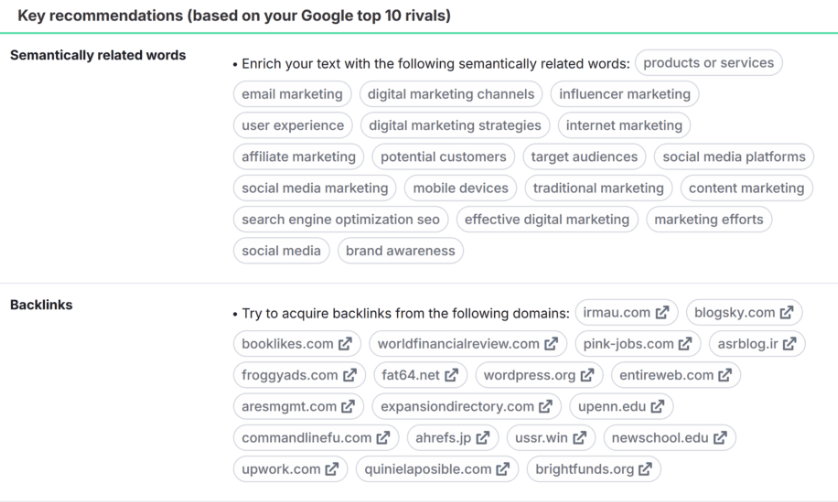
Annual price: $208.33/month. Monthly price: £249.95/month
If Pro feels like a solid starter kit, Guru is the point where Semrush stops feeling like a solo freelancer’s tool and starts behaving like a real marketing platform. This is the plan I move most clients to once they hit scale – either because they’re running content marketing seriously or because their SEO footprint spans multiple markets.
Here’s what you actually unlock when you step up:
- Up to 15 Projects: Suddenly you’re not limited to just your main store. You can track a blog, microsites, campaign landers, or several client sites under one roof.
- Tracked keywords: 1,500 daily updates: That’s triple Pro’s capacity. Big enough to cover multiple product lines, buyer personas, or several country SERPs at once.
- Site Audit: 300,000 pages/month (vs 100K in Pro): Great for larger WooCommerce catalogs or content hubs. You can also set more frequent crawls without worrying about running out.
- Reports & exports: 30,000 rows/report, 5,000 analytics requests/day: This matters when you’re pulling big keyword or backlink lists — no more hitting row caps mid-analysis.
You also get strategic features you can’t find elsewhere. Historical data shows you keyword and domain trends going back years. I use this constantly when pitching: “See how competitor traffic jumped after 2021?” or when planning seasonal campaigns.
There’s also the content marketing toolkit, which includes Topic Research (find trending subtopics), SEO Writing Assistant (on-page guidance while you draft), and Post Tracking (monitor blog performance). If you run content at scale, this is a lifesaver.
Plus, you get Looker Studio integration, so you can pipe Semrush metrics into custom dashboards alongside GA4, GSC, and ad data. Clients love seeing everything in one place.
Oh, and there’s position tracking with multi-location & multi-device splits. Perfect for brands selling in different regions or monitoring mobile vs desktop separately.
Real-world fit:
This is the sweet spot for most serious ecommerce players and boutique agencies. We upgraded our first multi-brand client to Guru when we needed to track four locales, ~1,200 target keywords, and generate client-ready dashboards. The historical graphs alone won over their CMO – they could finally see where seasonal dips or competitor moves happened.

Having the Content Toolkit built-in meant our writers stopped guessing and started writing briefs straight from Semrush.
If you’re building a content-led growth engine – or if you’re an agency tired of cobbling together rank trackers, topic tools, and spreadsheets – Guru pays for itself quickly. But if you need API access, and share of voice metrics, you need to upgrade again.
The Business Plan: for agencies & data-hungry brands
Annual price: $416.66/month. Monthly price: £499.95/month
When you hit the Business level, you’re usually no longer asking, “Is Semrush worth it?” Instead you’re asking, “How do we keep up with the sheer volume of data our SEO team is managing?”
I’ve only moved clients here when the Guru caps started breaking our workflows – usually because of scale (massive product catalogs, multi-region SEO) or because we needed automation. You get:
- Up to 40 projects: Ideal if you’re an agency or a large ecommerce group with multiple brands, subdomains, or campaign microsites. You can give each its own audits, rank tracking, and reporting.
- Tracked keywords: 5,000 daily updates: That’s more than triple Guru’s allowance. Perfect if you’re monitoring thousands of SKUs across languages or tracking competitors in detail.
- Site Audit: 1,000,000 pages/month: This is the big one. If you run a catalog site with tens of thousands of URLs or a content library that’s been growing for years, you finally stop worrying about hitting crawl ceilings.
- Reports & analytics: 50,000 rows per report (vs 30K in Guru). 10,000 analytics requests/day (double Guru). 5,000 keyword metric updates/month.
Another serious bonus? API access. That means you can pull Semrush data straight into custom dashboards, BI tools, or internal reporting systems. We’ve used this to feed weekly KPI reports without manually exporting CSVs.
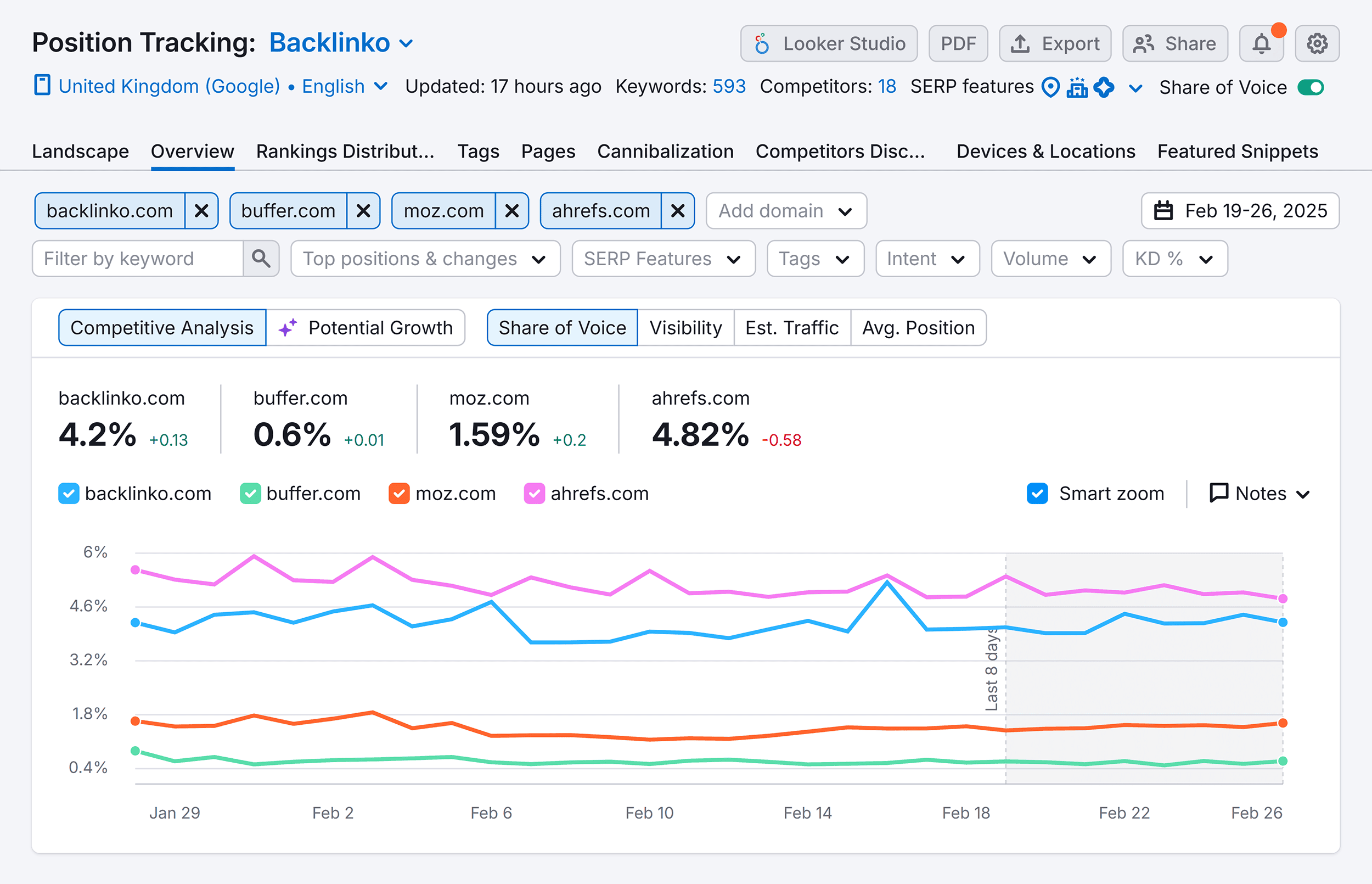
Plus, you get Share of Voice insights, so you can measure your overall market visibility versus competitors across keywords – especially valuable for large brands. There’s extended migration support too.
Real-world fit:
I’ve taken agencies to Business when they’re juggling 10+ clients, need API-driven reporting, or have SEO teams that blow through Guru’s 1,500 keyword cap in a week. For one ecommerce retailer with 250K+ URLs, the jump was a no-brainer – we finally ran full crawls without trimming the site map.
If your operation lives on dashboards and weekly reports to leadership, API + Share of Voice alone can justify the move.
Semrush AI Visibility Toolkit Pricing
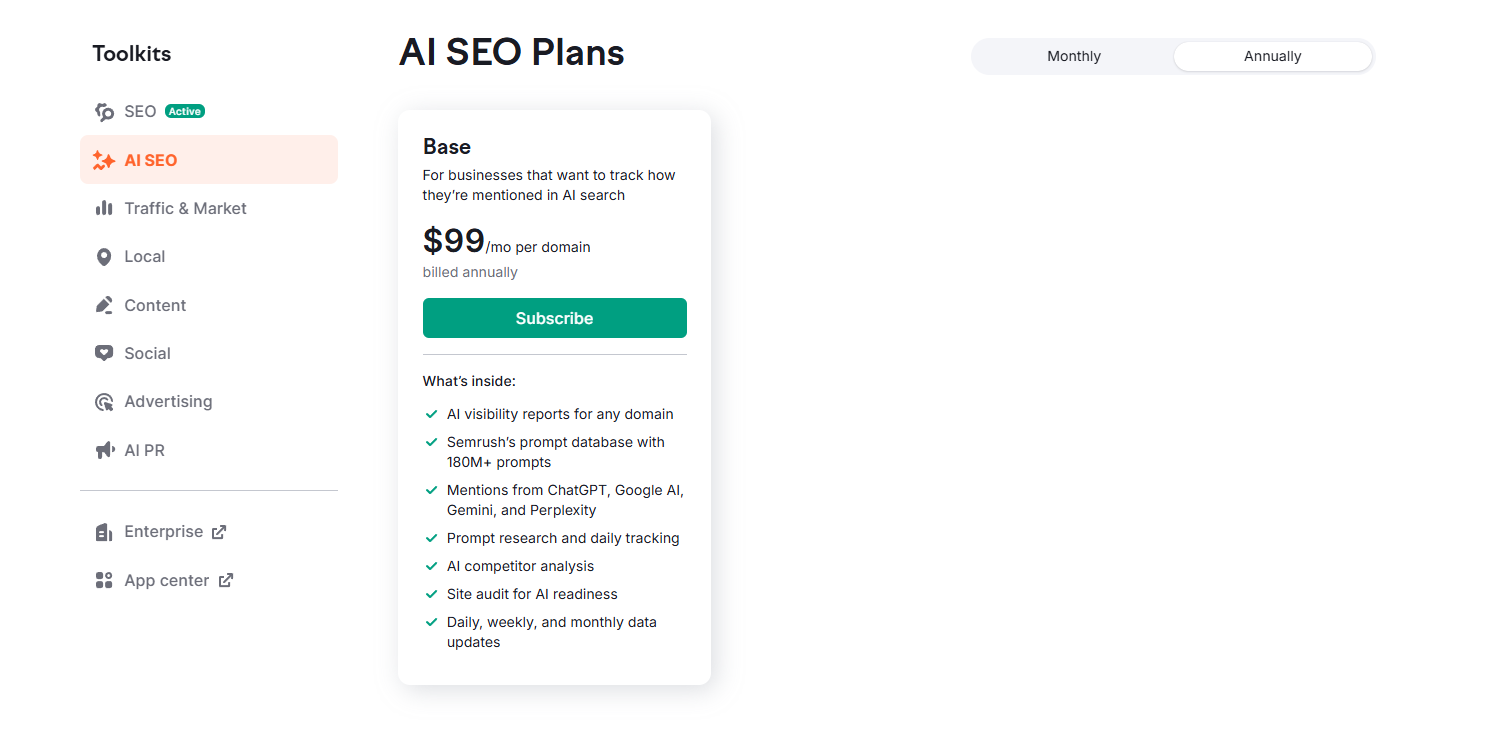
Unlike the core SEO plans, the AI Visibility Toolkit is a separate subscription: $99 per domain, per month on an annual contract.
So what do you get? In plain terms, it tells you how AI search engines see and talk about your brand. Think of the way Google’s AI Overviews, ChatGPT, Perplexity, or Gemini can now answer questions directly -often without showing the original site link front and center. The AI Toolkit tries to measure that visibility.
Here’s how it’s helped me:
- Brand & competitor mentions in AI answers: It shows where your brand gets name-checked (or ignored) in AI-generated answers across platforms. For one client selling specialty kitchenware, we discovered ChatGPT often recommended a competitor instead. That insight alone sparked a content revamp and some PR outreach.
- Prompt research & daily tracking: You can monitor the exact questions people ask that trigger AI to mention brands. We’ve tracked things like “best nonstick pan” or “top eco-friendly bakeware” to see whether we show up. Data refreshes daily, so you can spot wins or losses fast.
- AI site audit & readiness check: It scans your site the way AI crawlers might, flagging technical issues or missing context that could make AI skip over you. One ecommerce client had thin product descriptions; once we bulked them up, visibility in AI answers ticked up within weeks.
- Sentiment & share of voice: Not just if you’re mentioned, but whether the tone is positive or negative. I’ve used this in brand monitoring reports – executives love seeing sentiment graphs.
There are limits worth knowing: the base AI Toolkit tracks around 25 prompts, runs about 300 daily AI queries, and can audit roughly 100 key pages. It’s enough for most small-to-mid ecommerce sites but can feel tight for giant catalogs. And if you want multiple teammates using it, you may need extra paid seats.
Is it worth it? If your niche depends on informational search – where people might ask AI for recommendations – I think so. We’re already seeing buyers skip the SERPs and go straight to AI summaries. Knowing whether you’re part of those answers is a competitive edge. But if you’re early-stage or mostly branded search (people already know you), it’s a nice-to-have rather than an essential.
Semrush Pricing: Add-Ons and Extra Costs
One of the easiest ways to blow your Semrush budget is by assuming the plan price is the whole price. It isn’t. The core SEO plan gets you in the door, but as soon as you want to add teammates, generate fancy reports, or sell SEO services, you’ll see a second wave of charges.
There are four key add-ons for the SEO and AI plans:
- Additional Users: $80 per month: This give you extra seats for your Semrush plan, charged per month, per user, on top of your base subscription.
- Lead Generation: $90 per month: This adds an SEO lead finder widget you can embed on your site (prospects run a mini site audit; you capture their info) and gives you a verified agency profile inSemrush’s Partner directory
- Base report: $20 per month: This pulls from Semrush+ GA/GSC and lets you schedule and email PDF reports. Great for solo marketers who just want regular updates.
- Pro report: $20 per month: This unlocks 35+ third-party integrations (think Google Ads, Facebook Ads, Shopify analytics), true white-label branding, AI summaries, and flexible delivery schedules.
Other Possible Add-Ons to Consider
One thing that still surprises people is that Semrush isn’t just “the SEO tool” anymore. The core plans we just covered are really the foundation. Around them, you can bolt on other modules if your marketing stack starts to stretch beyond search.
Take the Traffic & Market toolkit (often branded “Trends”). This is where I go when a client wants to know how much traffic a competitor is really getting and whether it’s mostly organic or paid. It also shows audience overlap – helpful if you’re sizing up a new niche or planning a market entry.
It’s powerful, but it’s not cheap: about $289 per user per month on top of your main plan. I’ve used it before major product launches to check whether rivals were buying ads heavily or coasting on SEO.
Then there’s the Local toolkit, built for businesses with physical stores or service areas. It covers Google Business Profile optimization, review monitoring, and local rank tracking (the kind that actually shows how you appear in the map pack for a specific zip code).
The Social toolkit turns Semrush into a basic social media dashboard. You can schedule posts, monitor competitors, and even get AI-generated caption ideas. It’s handy if you don’t want to pay for a separate social scheduler just to keep your feeds alive.
There’s also an Advertising toolkit that digs into PPC keywords, competitor ad creatives, and display ad research – nice when you’re blending SEO and paid campaigns.
And finally, the App Center: a marketplace of smaller plug-ins (SERP heatmaps, ecommerce connectors, extra AI tools). Each has its own pricing.
Custom plans & Bundling for Enterprises
At some point, the tidy pricing table stops fitting. If you’re running one brand with a couple of stores, Pro or Guru is enough. But if you’re an agency juggling a dozen clients, or a fast-scaling ecommerce group with multiple sites, languages, and teams, you’ll eventually hear the phrase “custom plan.”
That’s where Semrush shifts from being a simple SaaS to something closer to an enterprise platform you can assemble. Here’s what’s negotiable:
- Seats: you can get bulk pricing if you need dozens of logins.
- Keyword & crawl caps: Semrush can lift limits far beyond Business levels.
- Toolkit bundles: mix SEO, AI, Traffic & Market, Local, Social, and Content into one master subscription.
- Migration support: they’ll help move data from other SEO platforms or rank trackers.
- API access: expand quotas so your BI team isn’t throttled.
It’s worth reaching out before you start stacking add-ons one by one. I’ve seen companies pay hundreds more per month simply because they didn’t realize a custom bundle could fold everything into a better rate.
Do Semrush Plans Justify the Cost?
Here’s the blunt truth after a decade of running SEO for ecommerce: Semrush isn’t cheap – but it’s cheaper than going without.
When I started out, I cobbled together free rank trackers, Google Sheets, a separate crawler, and some competitor tools. It was fine until scale hit. Then I spent hours exporting CSVs, scraping SERPs, and trying to keep everything synced. SEMRush replaced all of that with one login: keyword research, competitive analysis, backlink audits, site health, and reporting.
Where it pays for itself:
- Time saved: I don’t run manual crawls or juggle five dashboards.
- Better decisions: Historical data and competitive gaps help us choose content that actually moves revenue, not just rankings.
- Reporting: Clients (and bosses) love seeing clean dashboards or white-labeled PDFs – which makes renewals easier.
- Early warnings: Site Audit catches technical messes before they tank revenue.
For solo bloggers or hobbyists, Semrush is pricey. But for serious ecommerce marketing -especially when you’d otherwise buy multiple tools – it’s one of the most cost-effective stacks out there.
I’ve seen Semrush pay for itself over and over – not because it’s cheap, but because it saves hours, guides better content, and gives clients (or bosses) the clarity they crave. Used well, it’s not just another subscription; it’s the backbone of a scalable marketing strategy.



Comments 0 Responses