

Pabbly is a powerful all-in-one platform offering ecommerce brands an affordable way to manage automations, email marketing, subscriptions, and form building — all without the typical monthly SaaS fees.
I've spent the last few weeks testing it across a couple of Shopify and WooCommerce stores.
In this Pabbly review, I’ll walk you through its tools, pricing, user experience, and whether it’s a realistic option to replace more expensive platforms like Zapier, Mailchimp, or Chargebee.
Why You Can Trust This Pabbly Review
As part of our ongoing ecommerce software reviews, I ran Pabbly through real-world use cases in live store environments.
I connected it with Shopify, Stripe, and Gmail. I tested email automations, payment workflows, and third-party API triggers. Everything in this review is based on hands-on testing and feature comparisons.
Pabbly: Pros and Cons
| Pabbly Overview | Details |
|---|---|
| Best For | Ecommerce brands looking to consolidate tools and reduce monthly software costs |
| Rating | 4.3 / 5 |
| Ideal Users | Small businessesStartupsSubscription-based storesStores needing automation at scale |
| Free Plan | Available |
| Lifetime Deal | Starts at $249 (one-time payment) |
| Monthly Plans | Ranges from $24 to $99+ per month |
Pros 👍
- No task or subscriber limits on most plans
- Strong automation workflows with Pabbly Connect
- Email marketing tool with SMTP flexibility
- Subscription management built in (Stripe/PayPal ready)
Cons 👎
- User interface feels dated in places
- Limited templates and visual customization
- Support and community are still growing
- Fewer ecommerce-focused features than tools like Klaviyo
What Is Pabbly?
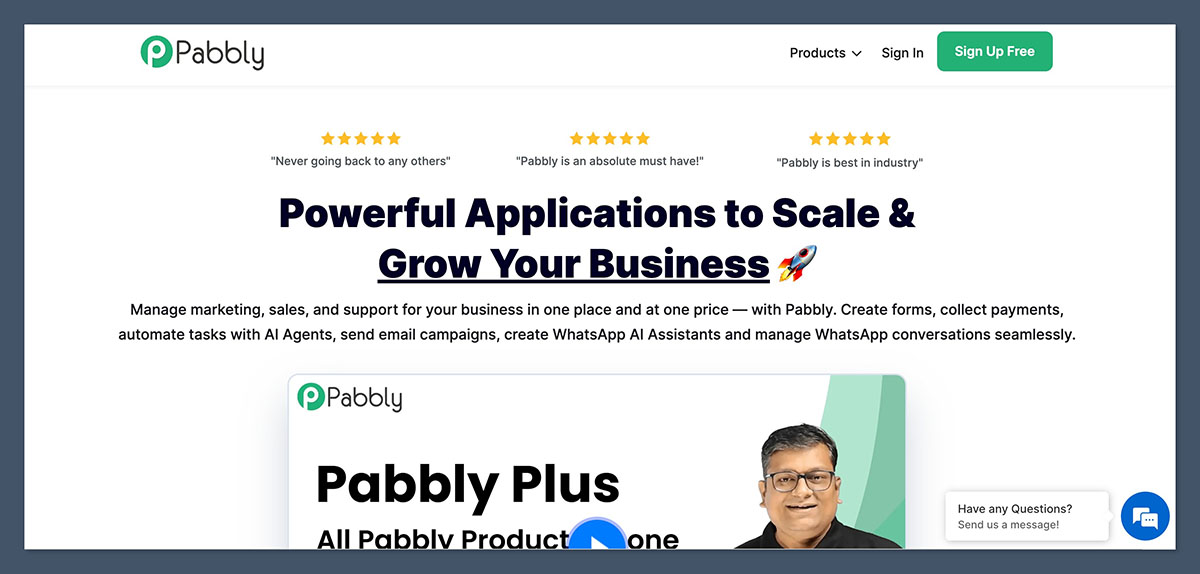
Pabbly is an all-in-one software suite that includes several distinct tools under one umbrella:
| Tool | Function |
|---|---|
| Pabbly Connect | Automation tool (like Zapier) |
| Pabbly Email Marketing | Email campaign builder |
| Pabbly Subscription Billing | Recurring payment and invoice management |
| Pabbly Form Builder | Lead generation and opt-in forms |
| Pabbly Email Verification | List cleanup and verification |
Each tool is available individually, but most ecommerce brands benefit most from using Pabbly Connect + Email Marketing + Subscriptions.
From a pricing perspective, that’s where it becomes very appealing. You can access unlimited workflows, subscribers, and emails — something that becomes expensive very quickly with Klaviyo, Mailchimp, or Zapier.
Who Should Use Pabbly?
Pabbly isn’t for every online store — but it’s great for small ecommerce teams that want to reduce SaaS overhead and are comfortable with a bit of setup.
Ideal For:
- Stores selling digital or physical products on Shopify, WooCommerce, or Gumroad
- Brands offering subscriptions or memberships
- Solopreneurs or agencies managing multiple stores
- Ecommerce founders needing automation without Zapier’s cost
In particular, if you're managing multiple stores or side projects under a single business, Pabbly becomes even more attractive.
You don’t need to set up multiple accounts or deal with pricing plans that scale based on usage. Everything can be centralized, helping small teams run lean while maintaining a high level of operational efficiency.
Not Ideal For:
- Brands that need advanced ecommerce segmentation (Klaviyo does it better)
- Teams looking for highly polished UI or templates
- Users who need native integrations for every platform out of the box
Pabbly can feel limiting for brands that require advanced personalization or event-triggered logic specific to ecommerce platforms.
If your store relies heavily on deep Shopify data — like customer lifecycle segmentation or detailed product analytics — a platform like Klaviyo will still offer more tailored capabilities right out of the box.
My Experience Testing Pabbly
Getting started was quick. I signed up without entering credit card details and immediately got access to the dashboard.
From there, I tested four core tools: Connect, Email Marketing, Subscriptions, and Form Builder.
Here’s how each of them held up in a real ecommerce use case.
I found the onboarding process smooth overall. It didn't walk me through setup step-by-step like more polished tools might, but the navigation was intuitive enough.
Each product has its own dedicated dashboard and documentation. I appreciated the fact that I could get right to work without wasting time digging through menus or upsell walls.
Pabbly Connect: Automations Without Task Limits
This is arguably Pabbly’s strongest tool. I used Pabbly Connect to replace multiple Zapier workflows for a Shopify store. These included:
- Adding new Shopify customers to an email list
- Sending Slack notifications when high-ticket orders came in
- Triggering follow-up emails based on form submissions
What I liked:
- Unlimited tasks — huge cost savings
- Visual editor with filters, delays, conditions
- Real-time webhook support
- Scheduled triggers and API integrations
What I didn’t like:
- Lacks pre-built ecommerce templates
- Slight learning curve for multi-step workflows
- Some apps need manual webhook setup
Once I set up a few workflows, the automation engine ran smoothly without any hiccups. I tested error handling and delays between steps, and the system was reliable.
I also liked that I could clone workflows and apply them to other client projects, which is especially useful if you're running a small agency or handling multiple ecommerce brands.
| Feature | Pabbly Connect | Zapier |
|---|---|---|
| Task Limits | Unlimited | Paid per task |
| Shopify Integration | Webhook-based | Native |
| Pricing | One-time from $249 | $29 per month and up |
| Workflow Logic | Filters, Paths, Routers | Filters, Paths, Routers |
Email Marketing: Simple But Powerful
Next, I tested Pabbly Email Marketing by importing 3,000+ contacts from a WooCommerce store and sending out a cart abandonment campaign.

Features tested:
- Drag-and-drop email builder
- List segmentation
- Drip sequences and autoresponders
- SMTP integration (I used Mailgun)
What I liked:
- No subscriber limits
- Full control over SMTP (better deliverability)
- Easy-to-use editor
- List hygiene and duplicate control tools
What felt limited:
- Fewer ecommerce-specific templates
- No predictive analytics or advanced revenue tracking
- Basic reporting UI
Deliverability was solid throughout testing. I ran multiple A/B tests using different sender setups and found that emails consistently landed in inboxes.
For stores focused on basics like welcome emails, flash sale announcements, or post-purchase campaigns, Pabbly Email Marketing gets the job done at a fraction of the cost of more advanced platforms.
Subscription Billing: Great for Recurring Revenue
I tested Pabbly Subscriptions with Stripe for a digital product business offering monthly plans.
Use cases:
- Create and manage subscriptions
- Auto-generate invoices
- Handle discounts and failed payment retries
Key features:
- Supports Stripe and PayPal out of the box
- Dunning management built in
- Branded checkout pages
- Customer portal for self-service
Compared to Chargebee or Recurly:
- More affordable
- Faster setup
- Lacks some enterprise-level features (like metered billing or proration logic)
The branded checkout page editor was easy to use, and it helped give the process a professional look.
I also appreciated the built-in customer portal where users could update payment methods or cancel on their own — no third-party plugins or code needed. For simple recurring billing, it’s a surprisingly complete solution.
Form Builder: More Than Just Lead Capture
I used Pabbly Forms to build a post-purchase survey and a lead capture form connected to email automation.
Highlights:
- Embed on any site
- Accept payments
- Connect to Pabbly Connect workflows
- Conditional logic support
You can trigger automations based on responses (e.g., tag a user in your CRM, send a follow-up email). While it’s not as sleek as Typeform or Jotform, the functionality is there.
One thing that stood out was how flexible the form builder was when it came to payment handling. I could set up single or recurring payments inside the form without touching a line of code.
For stores running pre-orders, product launches, or digital product sales, this tool offers a practical alternative to heavier checkout platforms.
Pabbly Pricing: One-Time or Monthly
Pabbly stands out because of its lifetime deal pricing, which is extremely rare in SaaS.
Pabbly Connect (Automation)
| Plan | Price | Tasks | Features |
|---|---|---|---|
| Lifetime Deal | $249 (one-time) | Unlimited | All features included |
| Monthly | From $19/month | Unlimited | Based on trigger speed |
Pabbly Email Marketing
| Subscribers | Monthly Plan | Lifetime Plan |
|---|---|---|
| 1,000 | $24/month | $250 one-time |
| 10,000 | $47/month | $399 one-time |
| 50,000 | $89/month | $699 one-time |
You can connect your own SMTP (for example, Amazon SES or Mailgun) for better deliverability. If not, they offer internal delivery too.
Pabbly Subscriptions
- Free for up to 50 customers
- $19/month for more
- Stripe and PayPal included
Pabbly’s pricing makes the most sense for users who want to pay once and use the tools for years without worrying about usage caps.
If you send a lot of emails or rely on automation in your store, the cost savings can be substantial over time. Compared to other tools with usage-based pricing, Pabbly's flat structure feels refreshing and predictable.
How Pabbly Compares to Competitors
| Feature | Pabbly | Zapier | Klaviyo | Mailchimp | Chargebee |
|---|---|---|---|---|---|
| Email Marketing | Yes | No | Yes | Yes | No |
| Automation | Yes | Yes | No | Limited | No |
| Subscription Billing | Yes | No | No | No | Yes |
| Form Builder | Yes | No | Limited | Yes | No |
| Free Plan | Yes | Yes | No | Yes | No |
| Lifetime Deal | Yes | No | No | No | No |
Pabbly isn’t trying to do everything each of these competitors does better — instead, it covers the essentials across multiple categories and offers incredible value by eliminating per-user or per-task costs.
If your priorities are affordability and consolidation, it’s a strong contender.
Support and Documentation
Pabbly offers:
- 24/7 support via email
- Live chat (business hours)
- Active Facebook group with over 20,000 members
- Video tutorials and help docs
While support is decent, it’s not as polished or fast as more mature platforms. That said, for users familiar with tools like Zapier or ActiveCampaign, the learning curve won’t feel steep.
What stood out to me was the responsiveness in the Facebook community. I received answers to specific use-case questions within a couple of hours from both Pabbly team members and power users.
For users who enjoy community-driven learning, that kind of active support ecosystem is a big plus.
Final Verdict: Is Pabbly Worth It?
In this Pabbly review, I’ve tested everything from automations to email to payments. The verdict?
Yes, Pabbly is worth it — especially if you’re running an ecommerce store and looking to save money without giving up core functionality.
It won’t replace Klaviyo if you need deep ecommerce segmentation and predictive analytics, but for stores that want to:
- Automate customer workflows
- Run email campaigns at scale
- Manage subscriptions
- Consolidate tools into one dashboard
Pabbly delivers. And with a one-time payment option, it’s a no-brainer for many bootstrapped founders or agencies managing multiple clients.
Beyond the technical benefits, what made Pabbly stand out to me was its flexibility.
I didn’t feel locked into a rigid structure or penalized for growth. For stores that want to scale without watching their monthly bill explode, this kind of setup feels like a smart long-term investment.



Comments 0 Responses